
ManasvinYadav/lantern
ManasvinYadav/lantern has 40 GitHub stars and 1 forks. GitHot measured 0 stars in 24 hours. Last checked 2026-11-10 02:29 UTC. Last push 2026-09-11.
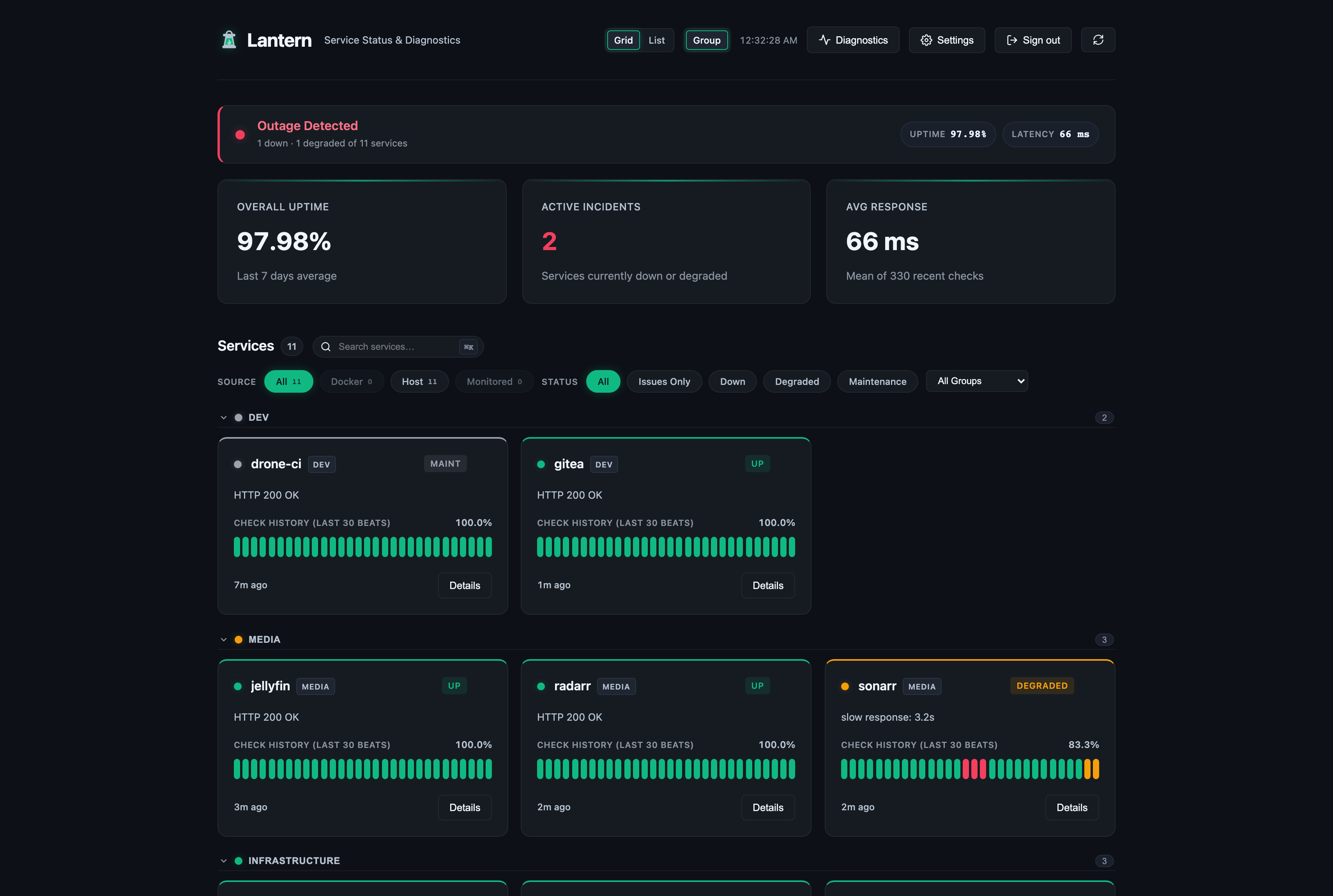
Beta · Self-hosted status dashboard for a homelab. Mount the Docker socket and your containers show up on their own; push heartbeats for anything else. One Go binary, SQLite, no CGO.
Measured star growth
- in 24h
- 0
- in 7 days
- Collecting history
- in 15 days
- Collecting history
- in 1 month
- Collecting history
Net star changes over overlapping periods, not daily totals. Missing measurements are left blank. Stars measure attention, not software quality.
README.md
OriginalLantern
A self-hosted status dashboard for your homelab. Point it at a Docker socket and every container shows up on its own; push heartbeats for anything else; or have Lantern check things itself over HTTP, TCP or ping.
Single Go binary, SQLite, no CGO.
v0.72.0 adds scoped API tokens you can create from the UI, session management, TOTP, service dependencies, and 90-day/1-year uptime. Nothing to do on upgrade. Two behaviour changes worth knowing: config import now rejects a bad file outright instead of applying half of it, and accounts with 2FA can no longer sign in over HTTP Basic Auth. See the changelog.
The API and schema have been stable since v0.60.0. Pin a tag rather than
latest, and take backups.
Quick start
services:
  lantern:
    image: ghcr.io/manasvinyadav/lantern:v0.72.0
    container_name: lantern
    restart: unless-stopped
    ports:
      - "7654:7654"
    volumes:
      - lantern_data:/data
      # :ro applies to the mount point, not to the Docker API. The daemon still
      # accepts writes over this socket, so treat it as root on the host.
      - /var/run/docker.sock:/var/run/docker.sock:ro
    environment:
      - LANTERN_AUTH_TOKEN=your_secret_token
      - LANTERN_WEBHOOK_DISCORD=https://discord.com/api/webhooks/...

volumes:
  lantern_data:
docker compose up -d
Open http://localhost:7654/. Your containers will be there already.
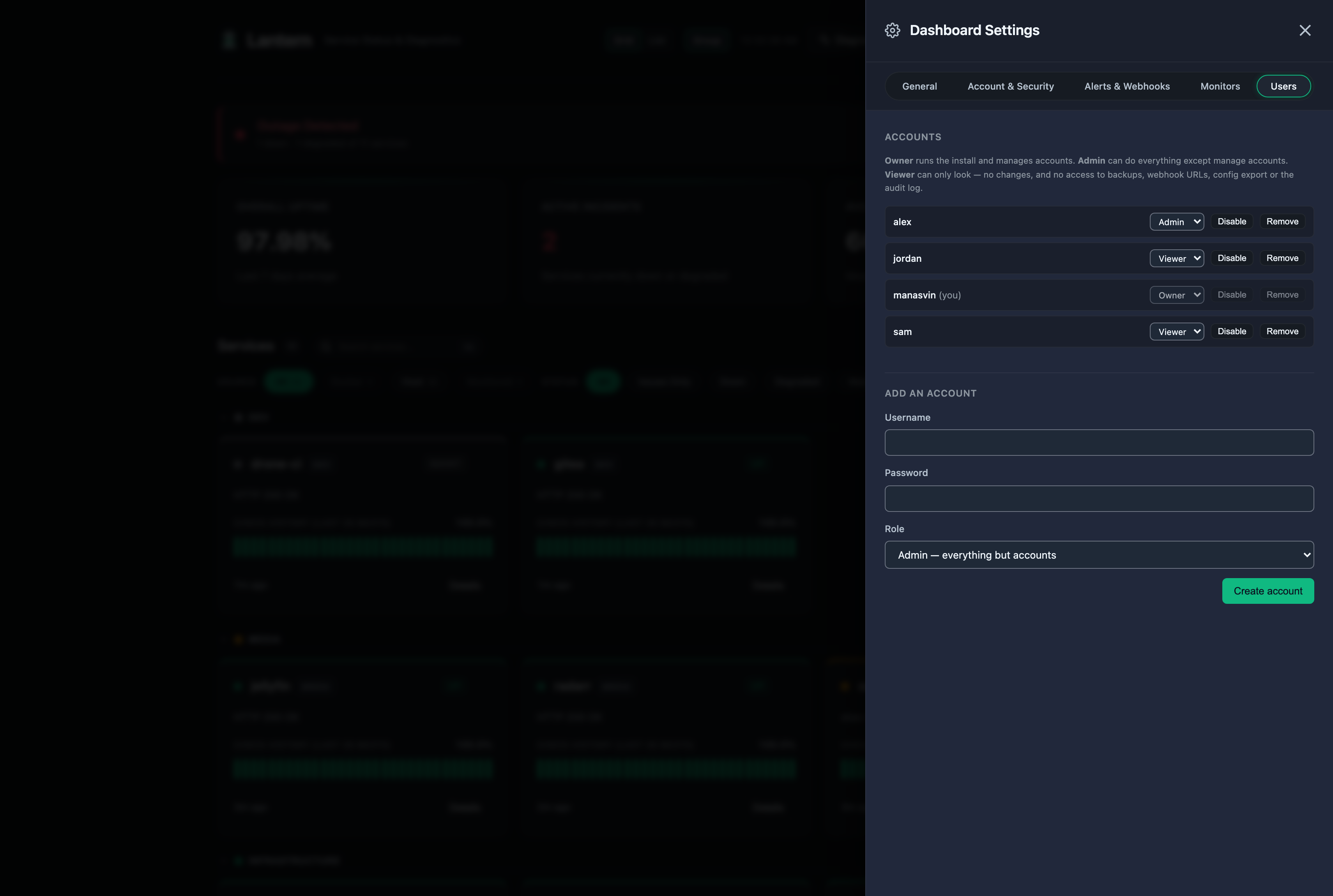
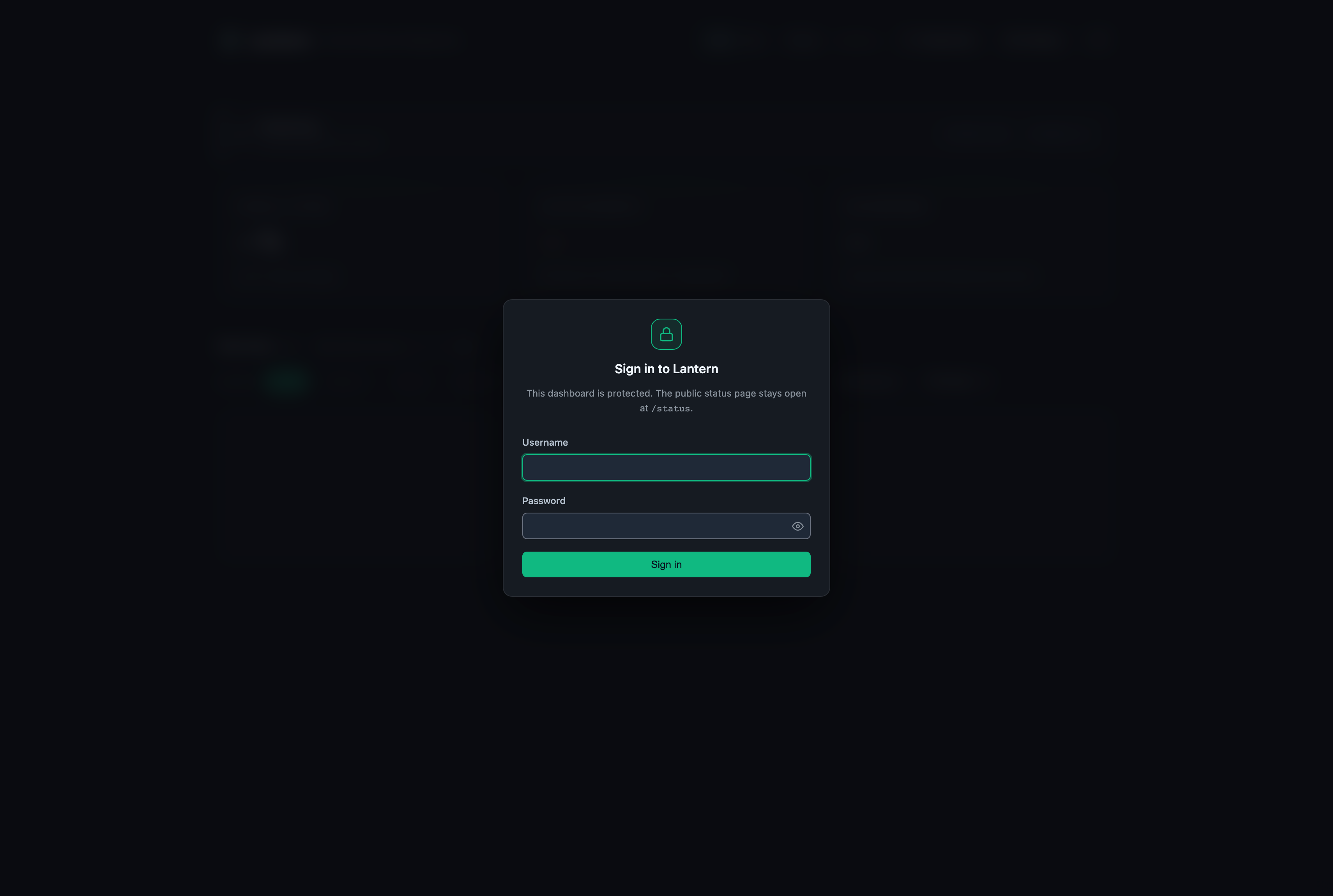
Then turn sign-in on. A fresh install is wide open, which is what lets you enable auth from a dashboard you can already reach. Go to Settings → Account & Security, set a username and password, and you're the owner. Add more accounts under Settings → Users.
You can seed the first account from the environment instead, with LANTERN_AUTH_USER and
LANTERN_AUTH_PASS. Those are read on first boot only, so changing the password in the UI
later won't get reverted by a stale variable on the next restart.
What it does
Monitoring
- Mount the Docker socket and every container is discovered and polled. Nothing to install
per service. Opt one out with the label
lantern.ignore=true. - Don't want to mount the socket? Point
DOCKER_HOSTat a socket proxy over TCP instead.https://andDOCKER_TLS_VERIFYwork too. - Push heartbeats to
POST /api/statusfor things Lantern can't reach: hosts behind NAT, systemd units, cron jobs, anything with a shell andcurl. - Active checks over HTTP(S), TCP or real ICMP ping, on whatever interval you set. An HTTP check can also require a regex match or a JSON-path value in the response body.
- Services that miss their heartbeat window go down automatically (
LANTERN_STALE_HOURS). - All three sources write to the same history, so uptime and incidents work the same regardless of where a check came from.
The dashboard
- A WebSocket pushes changes to every open tab within about a second. Falls back to polling if the socket won't connect.
- Live heartbeat bar per card: the last 30 checks, newest sliding in. Hover a beat for its time, latency and message.
- Groups (
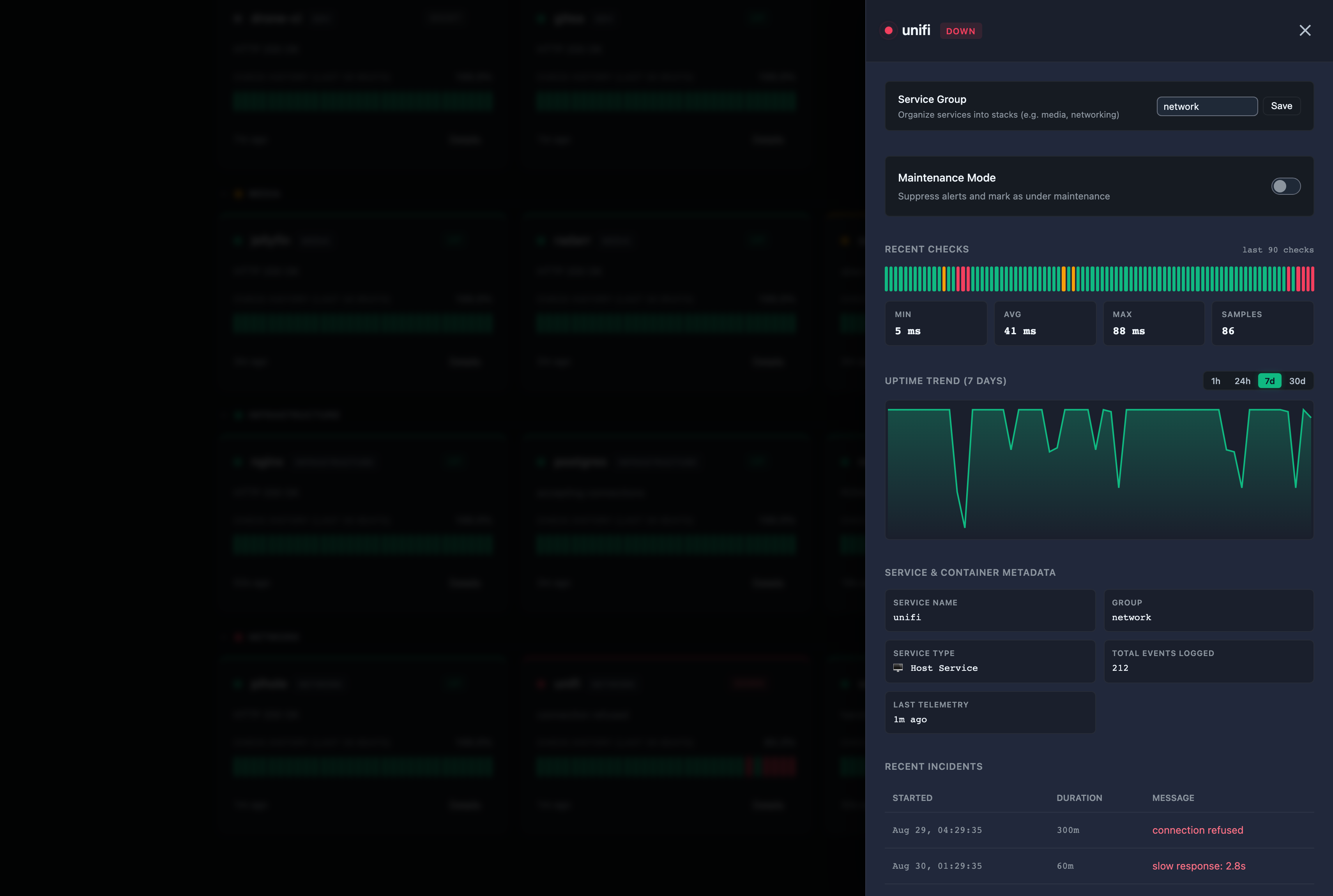
media,networking, …) with the worst status bubbled up to the header, so a collapsed group still tells you something is wrong. - Service drawer with container ports, image tags, IPs, network topology, check history and an uptime graph.
Cmd/Ctrl+Kor/opens a command palette. There's plain substring search in the toolbar too./statusis a public status page, anonymous whatever else you configure. Brand it with your own name, logo and accent, or serve it on your own domain.- Announcement banner in three severities, pinned to the dashboard and the status page.
- Dark, Midnight and Light, with an accent picker. Status colours stay fixed.
- Works on a phone. Installs as a PWA if you want it on a home screen.
Alerts
- Discord, Telegram, Gotify and generic JSON. Configure and test them from Settings.
- An outage has to be confirmed by two consecutive
downchecks before anything fires, and fires once per outage. A single bad check sends nothing at all. - Route one service's alerts to Discord and another's to Telegram. No route means every channel, so existing installs don't change.
- Quiet hours: a daily window (wrapping past midnight is fine) that either drops alerts or batches them into one digest per channel when the window closes.
- Maintenance mode per service, by toggle or on a schedule.
- Name a service's parent and its outage won't alert while that parent is down. One page for the router instead of fifteen for everything behind it.
- HTTPS checks read the live certificate and warn, then degrade, then mark down as expiry
approaches. Thresholds are
LANTERN_CERT_WARN_DAYSandLANTERN_CERT_CRITICAL_DAYS.
Accounts and tokens
- Three roles: owner, admin, viewer. Table under Security.
- Passwords are bcrypt in SQLite. Sessions are
HttpOnly,SameSite=Strictcookies, which is also what authenticates the live WebSocket feed. - Optional TOTP on any account, from Settings → Access.
- Failed sign-ins are throttled per client address, on every credential path.
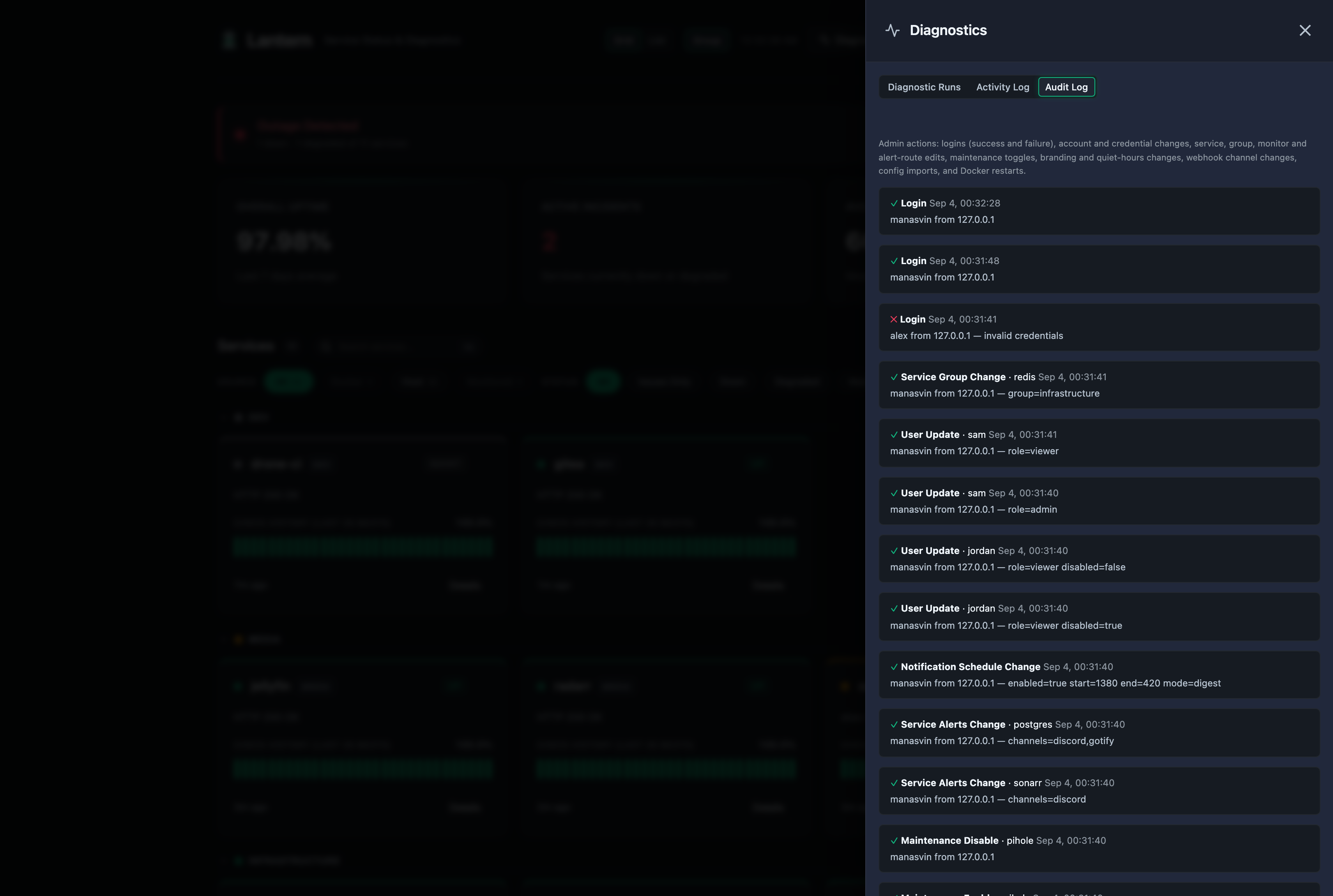
LANTERN_AUTH_TOKENfor automation, plus per-service scoped tokens that can only speak for the one service they were issued for.- Audit log covering sign-ins, account and credential changes, service deletions, monitor and alert edits, maintenance toggles, webhook changes, config imports and Docker restarts.
Running it
- Backup is a
VACUUM INTOsnapshot, safe to take while Lantern is running. See Backup & restore. - Config export and import as portable JSON. Secrets are redacted unless you ask for them.
- Any service's full history as CSV or JSON.
- Restart containers and tail their logs from the service drawer.
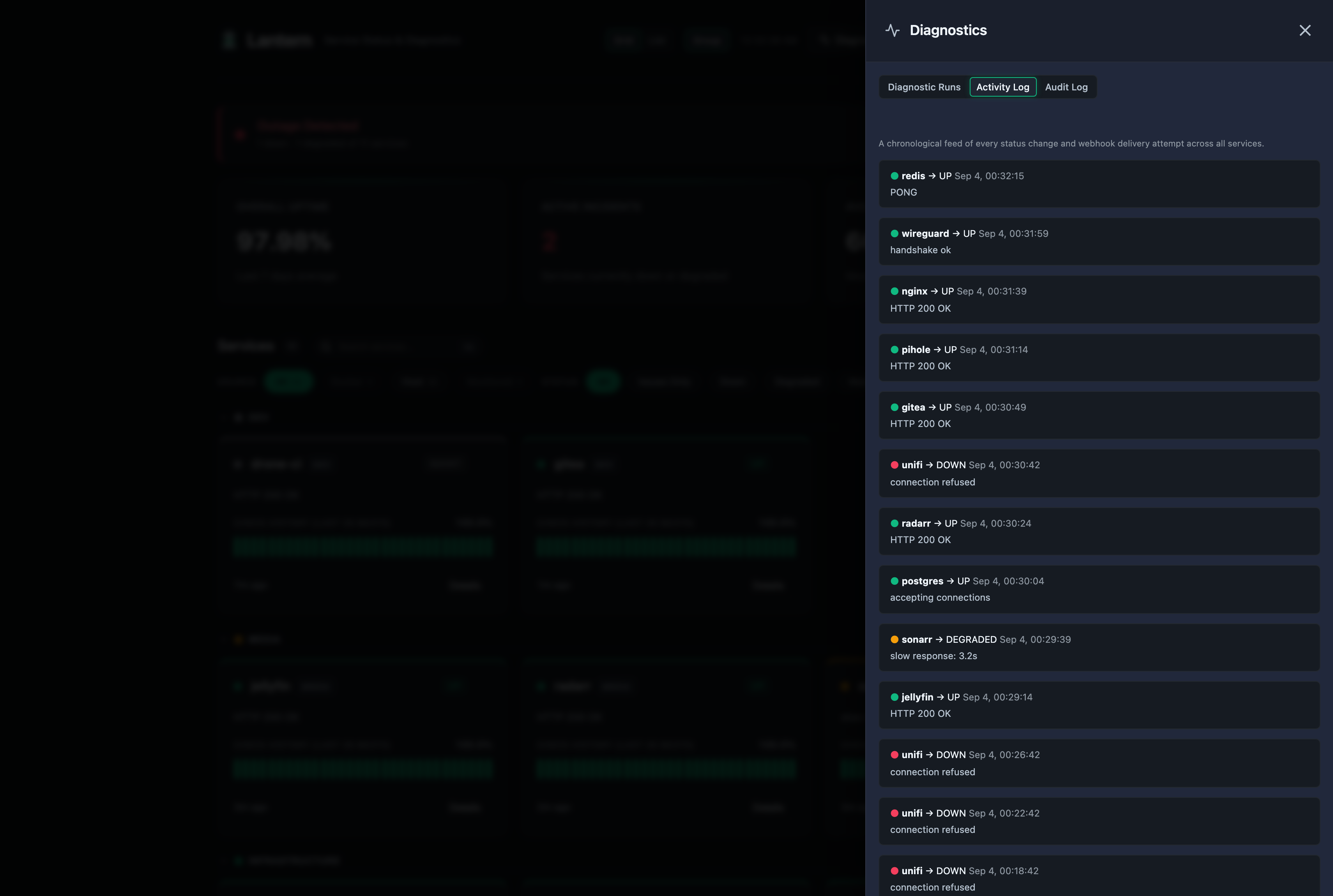
/metricsfor Prometheus.- A cross-service activity feed in the Diagnostics drawer.
Screenshots
 |
 |
 |
 |
 |
Using a socket proxy
Mounting the raw socket gives Lantern, and anything else that can reach it, full daemon
access. That is root on the host. A proxy like
docker-socket-proxy exposes only the
endpoints Lantern actually uses:
services:
  socket-proxy:
    image: tecnativa/docker-socket-proxy
    container_name: socket-proxy
    restart: unless-stopped
    volumes:
      - /var/run/docker.sock:/var/run/docker.sock:ro
    environment:
      CONTAINERS: 1   # list + inspect: discovery, metadata, logs
      INFO: 1         # GET /info, used as the availability probe
      POST: 1         # container restart
    networks:
      - socket-proxy

  lantern:
    image: ghcr.io/manasvinyadav/lantern:v0.72.0
    container_name: lantern
    restart: unless-stopped
    ports:
      - "7654:7654"
    volumes:
      - lantern_data:/data
    environment:
      - DOCKER_HOST=tcp://socket-proxy:2375
      - LANTERN_AUTH_TOKEN=your_secret_token
    networks:
      - socket-proxy
    depends_on:
      - socket-proxy

volumes:
  lantern_data:

networks:
  socket-proxy:
DOCKER_HOST takes the same values the Docker CLI does:
| Value | Transport |
|---|---|
| (unset) | Unix socket at /var/run/docker.sock |
unix:///path/to/docker.sock |
Explicit Unix socket |
tcp://host:port or http://host:port |
Plain TCP |
https://host:port |
TLS, also triggered by DOCKER_TLS_VERIFY=1 |
DOCKER_TLS_VERIFY and DOCKER_CERT_PATH are in the
configuration guide.
Without Docker
Discovery stays inactive if there is no socket, and everything else works the same. Push a heartbeat for whatever you want to track:
curl -sf -X POST http://localhost:7654/api/status \
  -H "Content-Type: application/json" \
  -H "Authorization: Bearer your_secret_token" \
  -d '{"service_name":"nightly-backup","status":"up","message":"Completed","latency_ms":812}'
Cron jobs, systemd units with ExecStopPost=, remote hosts, a Pi in a cupboard. If it can
run curl, it can report.
Status badges

Green for up, red for down, amber for degraded, grey for maintenance or unknown. The badge route is always anonymous, so it renders in a public README.
Security
Three auth modes, picked from what you configure:
| Configured | Behaviour |
|---|---|
| Nothing | Fully open. This is the default so that adding auth can't lock you out of a dashboard you haven't secured yet. Account management is still refused in this mode. |
LANTERN_AUTH_TOKEN |
Writes, Docker controls, GET /api/backup and GET /api/webhooks need the bearer token. Dashboard reads stay open, no login wall. The token is admin, never owner, so it can't create accounts. |
| Username + password | A login gate in front of everything except the public status surface, with per-account roles. |
Roles
| viewer | admin | owner | |
|---|---|---|---|
| Read the dashboard, history, incidents | ✅ | ✅ | ✅ |
| Push status, trigger checks, maintenance mode | ✅ | ✅ | |
| Services, monitors, groups, alert routes, branding, quiet hours | ✅ | ✅ | |
| Backup, webhook URLs, config export/import, audit log | ✅ | ✅ | |
| Create, disable, re-role and remove accounts | ✅ |
The auth middleware enforces this before any handler runs. The dashboard also hides controls a role can't use, but that's cosmetic; the middleware is the boundary.
Roles are read from the database on every request, so demoting or disabling someone takes effect on their very next request. The last enabled owner can't be deleted, disabled or demoted, and you can't delete the account you're signed in as.
Scoped API tokens are a separate thing, for machines. A scoped token speaks for exactly one service and gets a 403 on anything reaching further: backups, webhook URLs, config export and import, the audit log, account management, global branding and quiet hours.
Always anonymous
/status and the static shell, GET /api/public/services, /api/public/groups,
/api/public/services/{name}/uptime, /api/public/ws, /api/public/banner,
/api/public/branding, /api/badge/*, /metrics, /api/health, /api/docs, and the two
endpoints you need to sign in. Full list in the
configuration guide.
Where it stands
Lantern is built for a home or private network. It has a sign-in gate, roles, request timeouts, throttled sign-in and a small anonymous surface. It has no general rate limiting, no WAF, and it hasn't had a professional audit. If you put it on the open internet, put a reverse proxy with TLS in front of it and turn sign-in on.
Two releases fixed things worth upgrading past. v0.60.0 fixed an unauthenticated admin
takeover reachable when only LANTERN_AUTH_TOKEN was set, plus a stored XSS. v0.63.1 fixed
a scoped API token being able to authenticate against installation-wide routes and download
the whole database. If you're on anything older than v0.63.1, upgrade; the
changelog says what to rotate afterwards.
Found something? Open an issue, or contact me privately if it's exploitable.
Documentation
- API reference — every endpoint, with payloads
- Configuration — environment variables, auth, Docker discovery, socket proxy
- Webhooks — Discord, Telegram, Gotify, generic
- Backup & restore
- Custom domains
- Changelog
Building
go mod download
go build -ldflags="-s -w" -o lantern .
./lantern
Tests:
go vet ./... && go test -race ./...
CI runs gofmt, go vet and go test -race on every push, and only builds the image if
they pass.
On a 64-bit Raspberry Pi,
-raceaborts withunsupported VMA range. Raspberry Pi OS builds its kernel withCONFIG_ARM64_VA_BITS=39and ThreadSanitizer wants a wider address layout. macOS and x86-64 Linux are both fine. Drop the flag on the Pi and let CI cover it.
License
MIT
Explore related projects
awesome-selfhosted/awesome-selfhosted
A list of Free Software network services and web applications which can be hosted on your own servers
335,553 starsimmich-app/immich
High performance self-hosted photo and video management solution.
118,645 starsStirling-Tools/Stirling-PDF
#1 PDF Application on GitHub that lets you edit PDFs on any device anywhere
96,149 starslouislam/uptime-kuma
A fancy self-hosted monitoring tool
93,425 stars