
LunarWerxs/FastColabCopy
LunarWerxs/FastColabCopy has 33 GitHub stars and 35 forks. GitHot measured 0 stars in 24 hours. Last checked 2026-11-14 19:10 UTC. Last push 2026-11-10.
Measured star growth
- in 24h
- 0
- in 7 days
- Collecting history
- in 15 days
- Collecting history
- in 1 month
- Collecting history
Net star changes over overlapping periods, not daily totals. Missing measurements are left blank. Stars measure attention, not software quality.
About
Python3 script that transfers files in Google Colab 10-50x faster, using multi-threaded parallel copying between Google Drive locations.
Machine LearningREADME.md
Original



FastColabCopy
Python3 script to transfer files in Google Colab 10-50x faster.
About The Project • How To Use • Examples • Best Practice • Credits • More Examples
About The Project
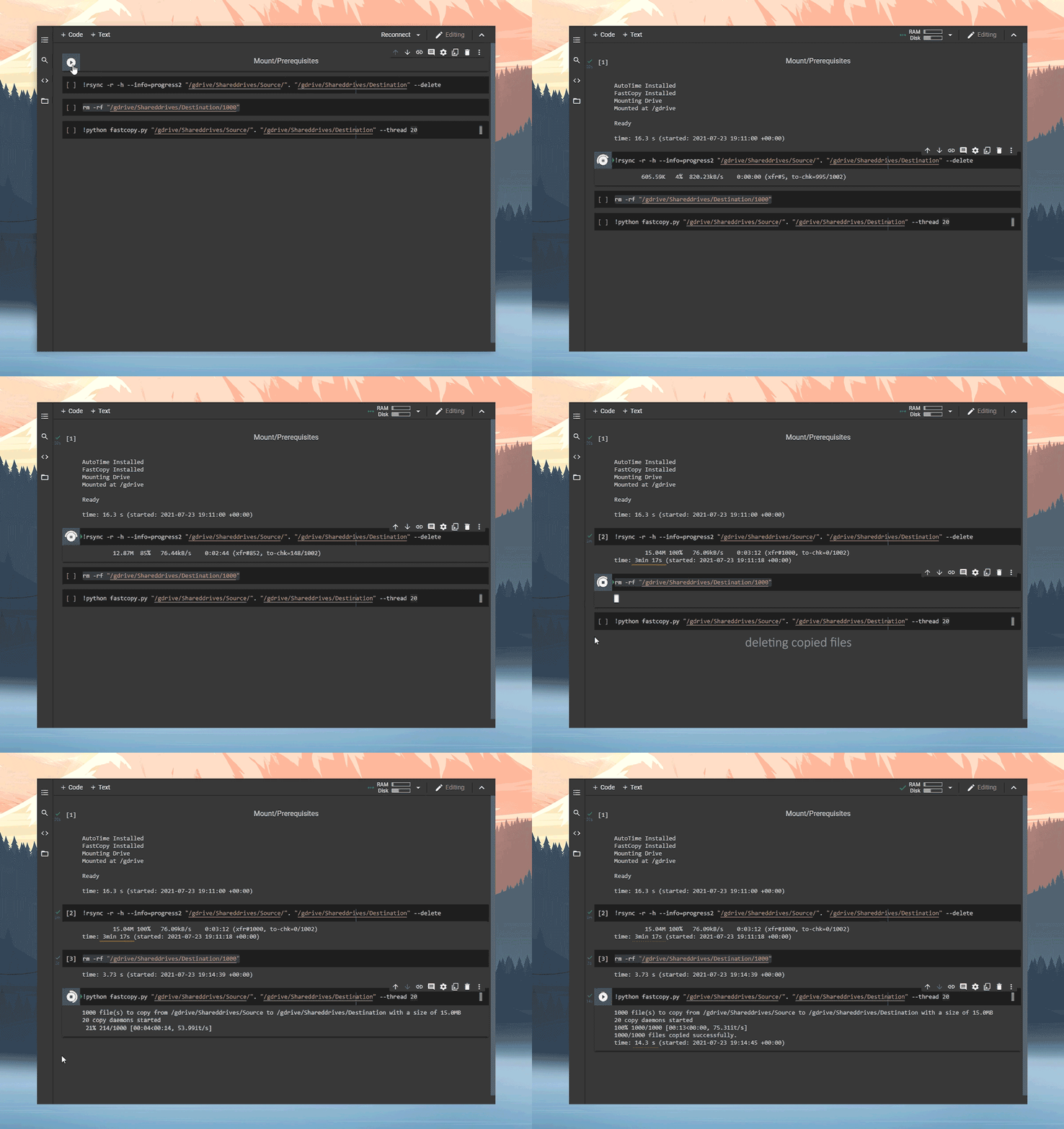
FastColabCopy is a Python script for parallel (multi-threading) copying of files between two locations. Currently developed for Google-Drive to Google-Drive transfers using Google-Colab. This script frequently achieves 10-50x speed improvements when copying numerous small files.
Importing
Import from GitHub:
!wget https://raw.githubusercontent.com/L0garithmic/fastcolabcopy/main/fastcopy.py
import fastcopy
Import from Google Drive:
!cp /gdrive/MyDrive/fastcopy.py .
import fastcopy
Usage
usage: fast-copy.py [-h HELP] source destination [-d DELETE] [-s SYNC] [-r REPLACE]

optional arguments:
  -h --help            show this help message and exit
  source                the drive you are copying from
  destination           the drive you are copying to
  -d --delete           delete the source files after copy
  -s --sync             delete files in destination if not found in source (do not use, if using with rsync)
  -r --replace          replace files if they exist
  -t --thread           set the amount of parallel threads used
  -l --size-limit       set max size of files copied (supports gb, mb, kb) eg 1.5gb
The source and destination fields are required. Everything else is optional.
Examples
from google.colab import drive
drive.mount('/gdrive', force_remount=False)
import os
!wget -q https://raw.githubusercontent.com/L0garithmic/fastcolabcopy/main/fastcopy.py
import fastcopy
!python fastcopy.py /gdrive/Shareddrives/Source/. /gdrive/Shareddrives/Destination --thread 20 --size-limit 400mb
If you want to see copy execution time:
!pip install -q ipython-autotime
%load_ext autotime
Check out examples.md for some more examples.
Best Practice
Colab has wildly varying transfer speeds, because of this, the best we can offer are suggestions:
- For large groups of medium/small files, 15-40 threads seems to work best.
- For 50+ files with significantly varying sizes, try 2 sequentially copies.
-t 15 -l 400then-t 2 - For files that are 100MB+, it is best to use 2 threads. It is still faster then rsync.
- Currently
--syncbreaks if rsync is ran after. If you are mirroring drives. Disable--syncand use the rsync's--deletefunction.
Credits
- Credit to ikonikon for the base multi-threading code.
- Thanks to @Ostokhoon for ALL argument and folder hierarchy functionality.