
LuckyHookin/edge-TTS-record
LuckyHookin/edge-TTS-record has 1,367 GitHub stars and 171 forks. GitHot measured 0 stars in 24 hours and +1 in 7 days. Last checked 2026-11-09 05:38 UTC. Last push 2024-11-27.
一个可以录制 Microsoft Edge 浏览器的语音合成(TTS)语音并输出为 .wav 音频的(windows平台)工具。
Measured star growth
- in 24h
- 0
- in 7 days
- +1
- in 15 days
- Collecting history
- in 1 month
- Collecting history
Net star changes over overlapping periods, not daily totals. Missing measurements are left blank. Stars measure attention, not software quality.
README.md
Originaledge-TTS-record
⚠⚠请勿由于违法犯罪用途,否则后果自负⚠⚠
新写的另一个工具发布:https://t.bilibili.com/694237238144270361
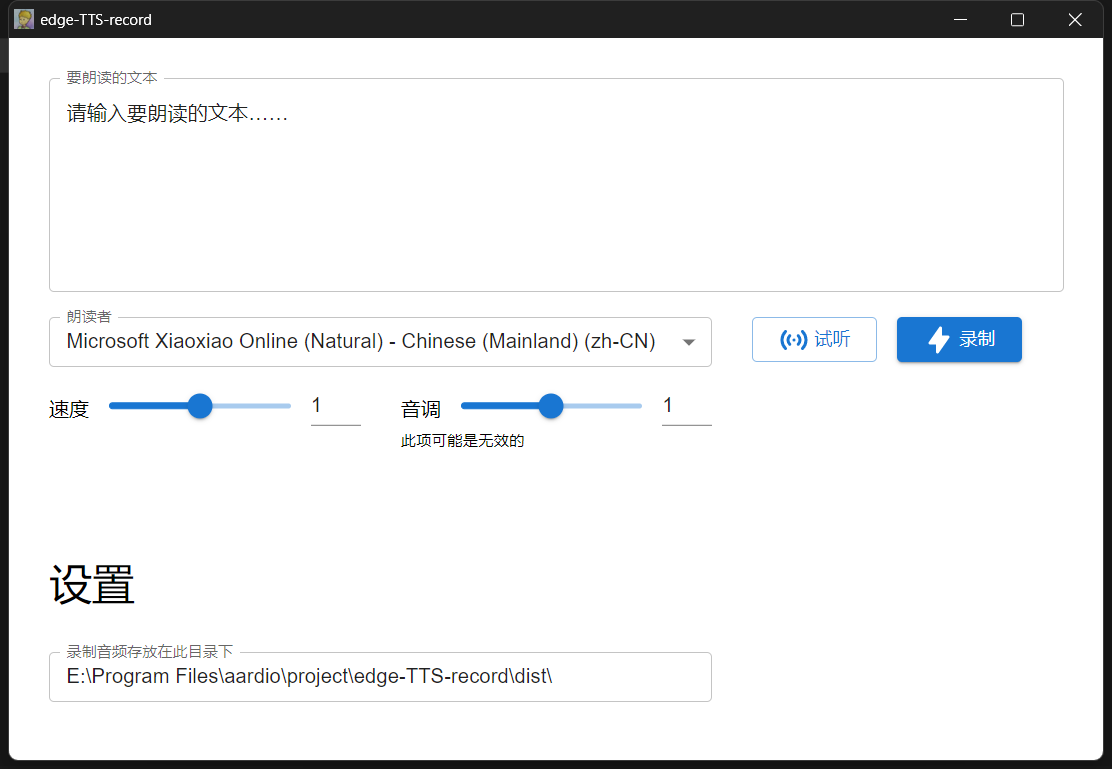
一个可以录制 Microsoft Edge 浏览器的语音合成(TTS)语音并输出为 .wav 音频的(windows平台)工具。
Microsoft Edge 浏览器中有两款非常逼真的在线(Online)中文(zh-CN)语音:Xiaoxiao、Yunyang。
用法:
- 下载 edge-TTS-record.exe,运行并允许联网
- 在文本编辑框中输入文本,调整参数,点击试听
- 没问题就可以点击录制了,音频文件会保存在指定的目录下
演示:https://www.bilibili.com/video/BV1eK411c73s
注意:
- 需要 Microsoft Edge 浏览器 Chromium 内核版,一般是 Windows 10 自带的,如果系统中没有安装,程序将自动为你下载安装
- 不管是试听还是录制,使用在线(Online)语音都需确保电脑是联网的
- 录制是全局的,应避免其他软件声音的干扰
- 在线(Online)语音似乎无法调整音调
- 当无法录制时,你可能需要额外安装 .NET Framework: https://www.microsoft.com/zh-CN/download/details.aspx?id=17851
TODO:
- 路径配置
- 可自定义选择要录制的设备
- 软件更新检测
相关仓库:
界面(vue.js):https://github.com/LuckyHookin/tts-record-html
音频录制模块(C#,NAudio):https://github.com/LuckyHookin/RecordAudio
Explore related projects
codecrafters-io/build-your-own-x
Master programming by recreating your favorite technologies from scratch.
561,214 starspublic-apis/public-apis
A collective list of free APIs
497,436 starsmorluto/rea
Reverse engineer anything with agents, from app behavior down to native binaries.
445,391 starsopenclaw/openclaw
The AI that really does things. Any OS. Any Platform. The lobster way. 🦞
394,226 stars