
Lucifix/newsnest
Lucifix/newsnest has 26 GitHub stars and 1 forks. GitHot measured 0 stars in 24 hours. Last checked 2026-11-15 06:30 UTC. Last push 2026-11-13.
What you can do
- Your own sources. Any RSS or Atom feed, GitHub release feeds and OPML import. New feeds go on probation and only earn a place once you read them.
- Ranked for you. The AI scores each story on topic, importance and personal fit against an interests file that you write yourself or have drafted from a few ratings.
- One story, not five. The same event from several outlets becomes one card, and wide coverage lifts it up.
- Key points on demand. A one-line lede, a few bullets, why it matters to you, and whether the full article is worth your time.
Measured star growth
- in 24h
- 0
- in 7 days
- Collecting history
- in 15 days
- Collecting history
- in 1 month
- Collecting history
Net star changes over overlapping periods, not daily totals. Missing measurements are left blank. Stars measure attention, not software quality.
About
Self-hosted news feed that learns what you care about. Groups stories across outlets, ranks and summarises them with Claude.
Self-hostedREADME.md
Original
NewsNest
A self-hosted news feed that learns what you care about.
NewsNest gathers your RSS feeds into one calm stream, folds the same story from different outlets into a single card, and uses Claude (or a model of your choice, even a local one) to rank and summarise what matters to you.




Website · Features · Quick start · How it works · Install · Configuration · Contributing
 |
 |
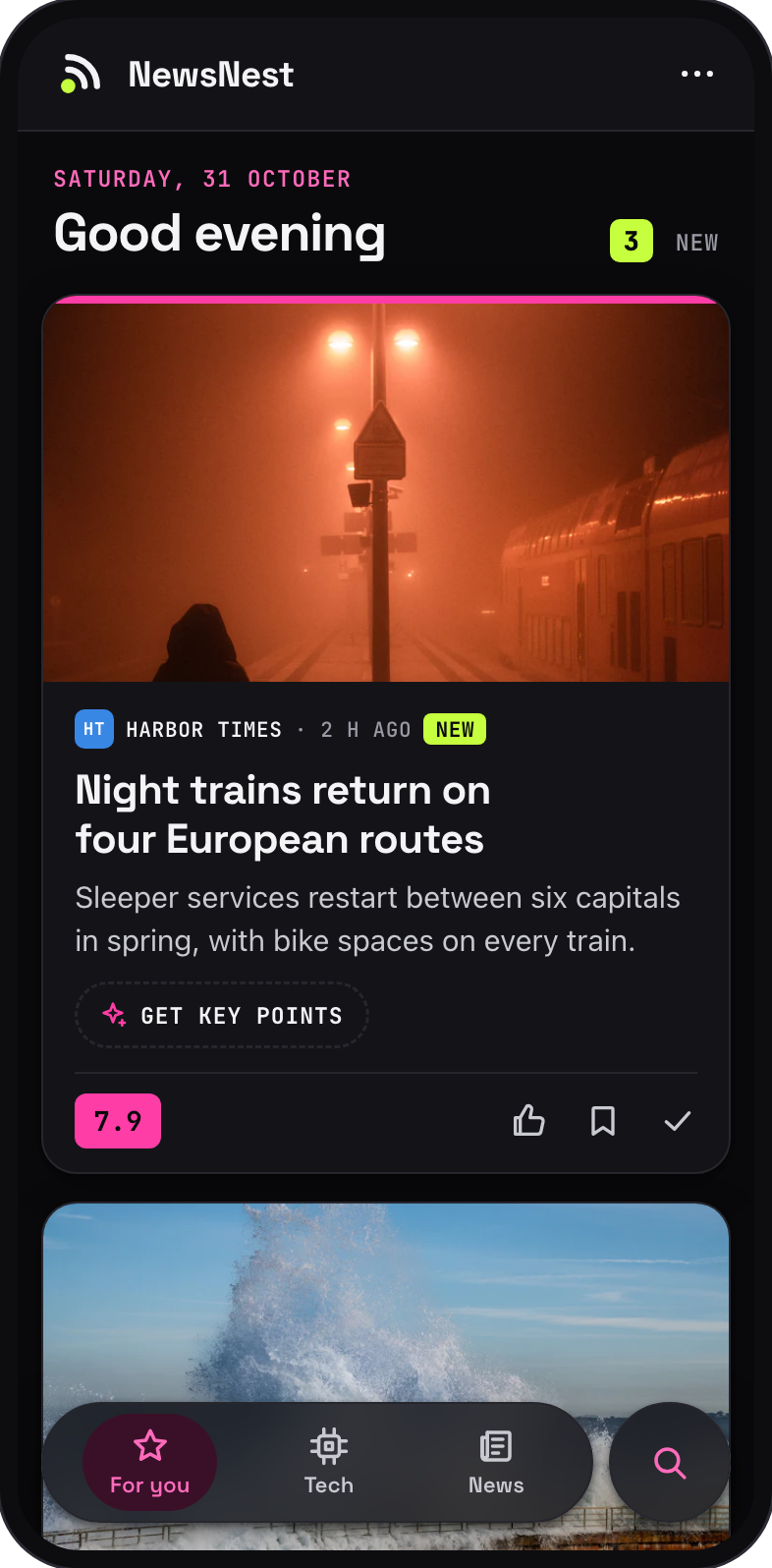 |
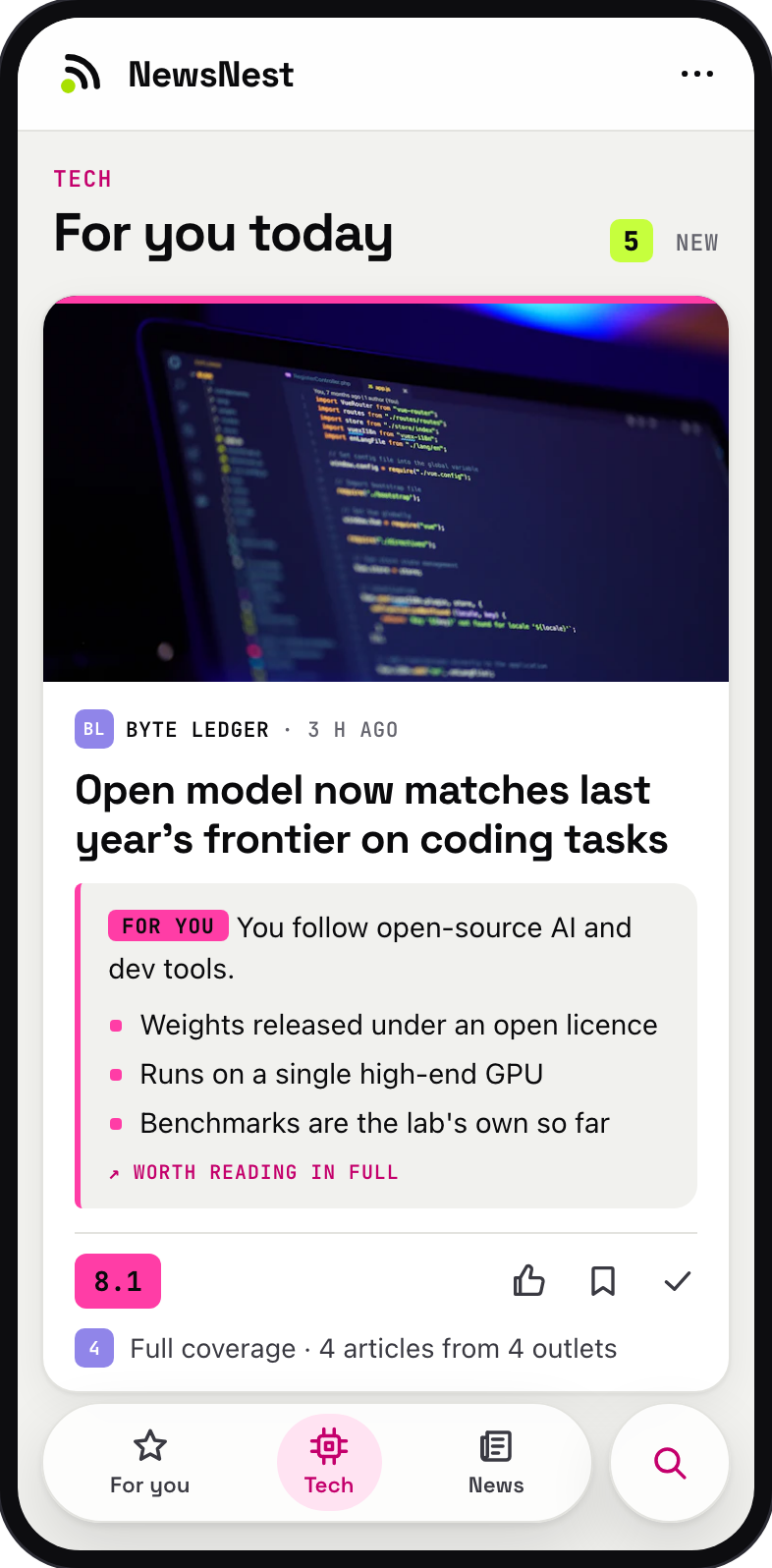
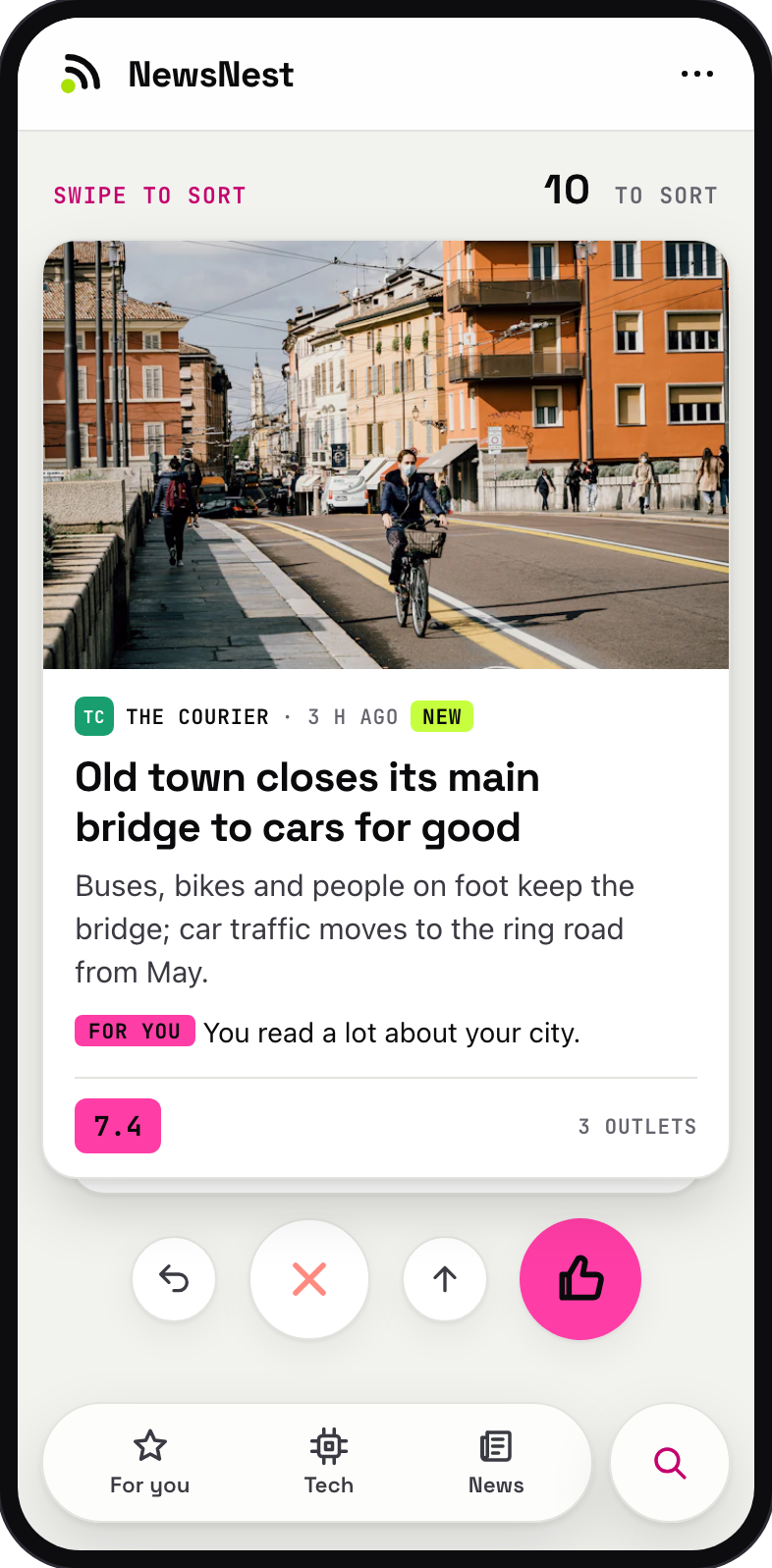
| Feed, ranked for you | Swipe to sort | Dark mode, automatically |
 |
||
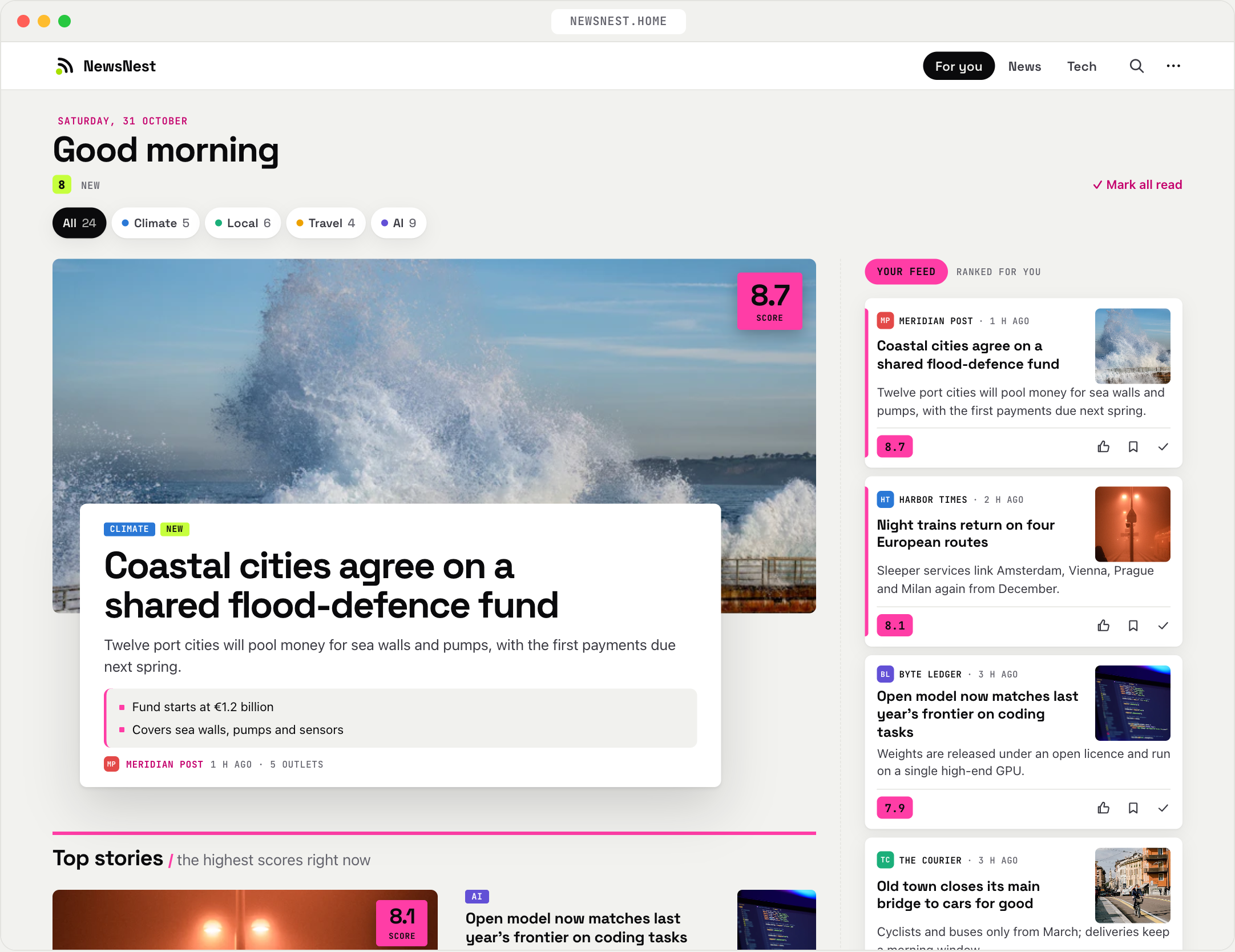
| A front page on bigger screens |
Outlets and headlines are made up. Photos from Unsplash by James Lee, Amol Tyagi, Gabriella Clare Marino and Mohammad Rahmani.
Why NewsNest?
Checking a dozen news sites every day is slow, and most of what you see isn't for you. Algorithmic feeds fix that by learning what keeps you scrolling, which is not the same as what you want to read.
NewsNest is the opposite deal. You choose the sources, you write down what interests you, and you can see why every story ranks where it does. It runs on your own machine, keeps everything in one SQLite file, and talks to the Anthropic API with your own key, or to any OpenAI-compatible API, including a local model in Ollama.
Features
- Your own sources. Any RSS or Atom feed, GitHub release feeds and OPML import. New feeds go on probation and only earn a place once you read them.
- Ranked for you. The AI scores each story on topic, importance and personal fit against an interests file that you write yourself or have drafted from a few ratings.
- One story, not five. The same event from several outlets becomes one card, and wide coverage lifts it up.
- Key points on demand. A one-line lede, a few bullets, why it matters to you, and whether the full article is worth your time.
- Learns from how you read. Likes, opens and what you linger on move topics up or down, never out. Weekly suggestions for your interests file wait for your OK.
- No black box. Every card shows why it ranks where it does, calibration mode shows every score, and Missed this takes a link the feed should have shown you.
- Swipe to sort. A one-thumb deck of the stories NewsNest is least sure about, so a few minutes of rating teaches it the most.
- A hard spending cap. AI calls stop for the day at your budget (default $0.50). Without an API key everything still works, newest first.
And more
- A front page on laptops and desktops: your top story large, then Top stories and a block per category
- An installable web app with light and dark themes, password-protected, with a one-click database backup
- Keyword watches that always surface a topic, plus mute and must-show keyword filters
- Full-text search, saved stories, a read history and a day-by-day archive
- A status page and a
/healthendpoint that report feeds that fail or go silent - Per-source daily caps, so a firehose feed can't drown out everything else
- Summaries in the language of your choice
Quick start
You need Docker with Compose, and, for the AI features, an Anthropic API key (or another provider, see Choosing an AI provider).
Save this as docker-compose.yml, or paste it into Portainer (Stacks → Add stack → Web editor). Only
the password needs filling in:
services:
  newsnest:
    image: ghcr.io/lucifix/newsnest:latest
    container_name: newsnest
    restart: unless-stopped
    ports:
      - 3095:8080
    environment:
      NEWSNEST_PASSWORD: change-me   # required: with no password the app refuses all access
      ANTHROPIC_API_KEY: ""          # optional: enables ranking and summaries
      TZ: UTC                        # time zone for the logs, e.g. Europe/Ljubljana
    volumes:
      - newsnest-config:/config
      - newsnest-data:/data

volumes:
  newsnest-config:
  newsnest-data:
| Setting | What it does |
|---|---|
3095:8080 |
The port you open NewsNest on. Change only the left number, e.g. 8000:8080. |
NEWSNEST_PASSWORD |
Required. Password for the web UI. With none set, access is refused. |
ANTHROPIC_API_KEY |
Turns on ranking, key points and the weekly suggestions with Claude. |
OPENAI_API_KEY |
For OpenAI and other providers, including local models: see Choosing an AI provider. |
TZ |
Time zone for the logs. NewsNest's own time zone is set in Settings → General. |
/config |
Your feeds, interests and settings. |
/data |
The database. |
Then run docker compose up -d. The image runs on amd64 and arm64, so a Raspberry Pi or an ARM NAS works
too. Update: docker compose pull && docker compose up -d.
For host folders instead of Docker volumes, a Portainer stack from the repository, building from source and backups, see Installing NewsNest.
First run
Open http://localhost:3095, log in with your password, and tap Set up my profile:
- Say where you live. Your country and city tell the AI whose news is "big", and your time zone is picked up from the browser.
- Add local news. NewsNest offers the local pack for your country (Australia, Austria, Canada, Croatia, France, Germany, Italy, Slovenia, the United Kingdom and the United States so far), or add your own feeds under Local in Settings → Feeds.
- Rate about 30 headlines, and the AI drafts your interests from them.
The first fetch only gets what your feeds still hold, usually about a day of news, so the feed fills up over the first day.
Everything else is in Settings, or in the files in config/: see
Configuring NewsNest.
[!NOTE] The login is a single shared password over plain HTTP, which is fine on your home network. If you expose NewsNest to the internet, put it behind an HTTPS reverse proxy.
How it works
NewsNest collects headlines from your feeds, groups the same story from different outlets into one card, and has an AI score each one against your interests. The best rise to the top of your feed, which keeps learning from how you read it. How NewsNest works follows one real headline all the way to your feed.
What leaves your server: headlines and snippets, and for key points the article text, go to your AI provider with your own key. With a local model in Ollama, nothing leaves your network. Your feed list, ratings and database stay on your machine, and NewsNest itself sends no telemetry.
Documentation
- How NewsNest works: one headline's trip from an outlet to your feed
- Installing NewsNest: other ways to run it, environment variables, updates, backups, installing on your phone
- Configuring NewsNest: the config files, sections, and other AI providers including local models
- Contributing: development setup, project layout, and an easy first PR
AI-assisted development
NewsNest started as a personal project, built with the help of AI tools. Eventually, I decided to open-source it so others could use it too.
Contributing
Bug reports, ideas and pull requests are welcome. Found a bug? Settings → About & report a bug in the app opens a new issue with your version filled in. Development setup, tests and an easy first PR (a local news pack for your country) are in CONTRIBUTING.md.
License
MIT, except the bundled fonts in newsnest/static/fonts/:
JetBrains Mono and
Space Grotesk are licensed under the
SIL Open Font License 1.1; their license files sit next to the fonts.