
Lightminedust/genesis-releases
Lightminedust/genesis-releases has 38 GitHub stars and 2 forks. GitHot measured 0 stars in 24 hours. Last checked 2026-11-09 17:12 UTC. Last push 2026-11-04.
Genesis a physics simulator for Windows and Linux: atoms, nuclear fusion, and the subatomic world.
Measured star growth
- in 24h
- 0
- in 7 days
- Update delayed
- in 15 days
- Update delayed
- in 1 month
- Update delayed
Net star changes over overlapping periods, not daily totals. Missing measurements are left blank. Stars measure attention, not software quality.
README.md
Original

Genesis
Matter, computed before your eyes.
A free physics simulator for Windows, Linux and macOS: build atoms and molecules, fuse two nuclei, go all the way down to quarks.
Download for Windows · Download for Linux · Download for macOS · Website · Lire en français
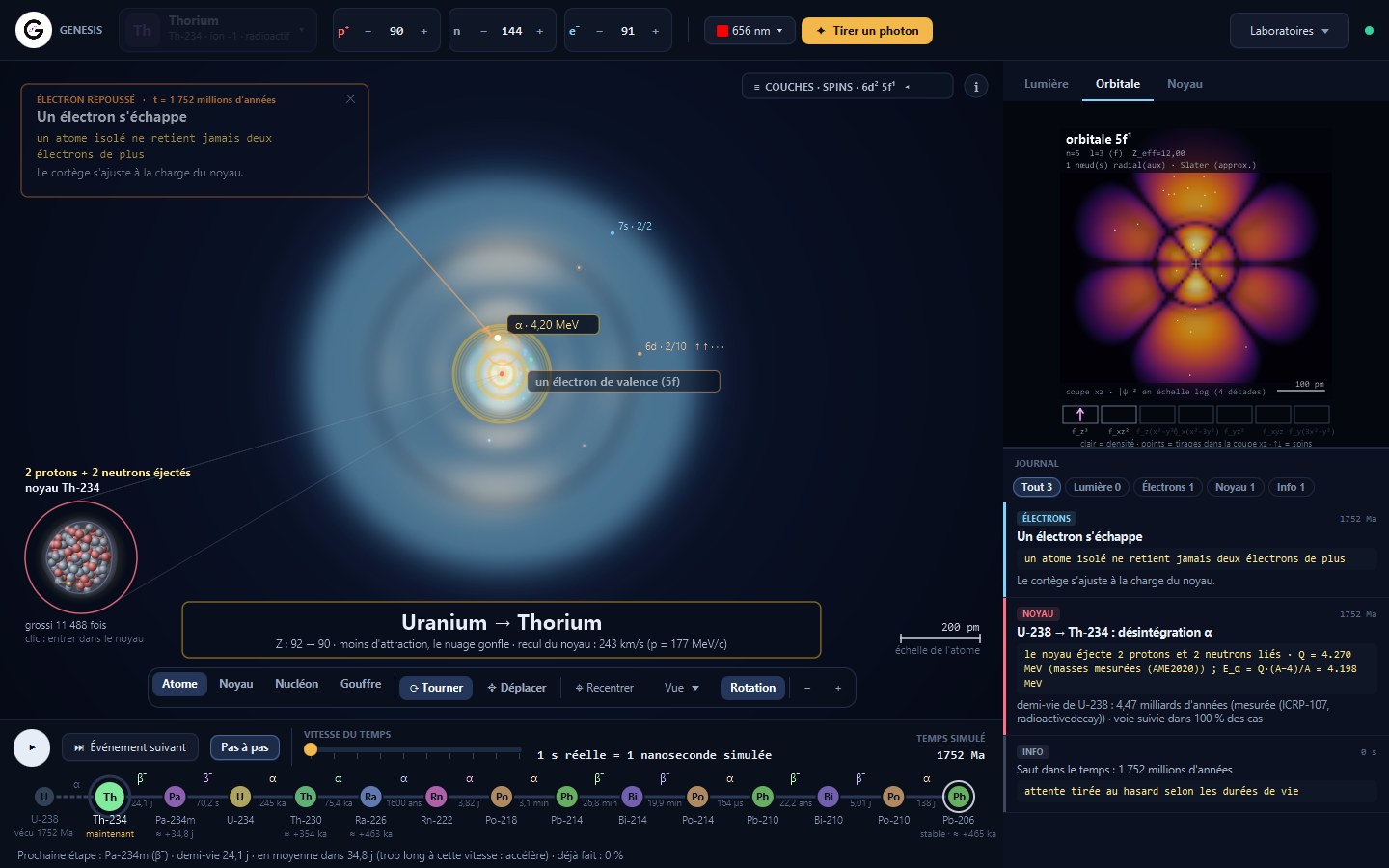
Nothing in Genesis is scripted. A Python physics engine moves time forward and applies the laws of physics; every event happens at the moment the law decides, and comes with the calculation behind it. The numbers come from reference data: NIST, NUBASE2020, AME2020, PDG, CODATA, REACLIB.
Four areas to explore
The atom
Pick any of the 118 elements, then add or remove protons, neutrons and electrons. The atom responds: an excited electron falls back and emits a photon, an unstable nucleus decays at the moment drawn from its half-life.
- The electron cloud in 3D, shell by shell
- A tunable laser: the photon is absorbed, passes through, or knocks an electron out
- The decay chain from uranium to lead, with time you can speed up
- The nucleus seen as a vibrating drop
Nuclear fusion
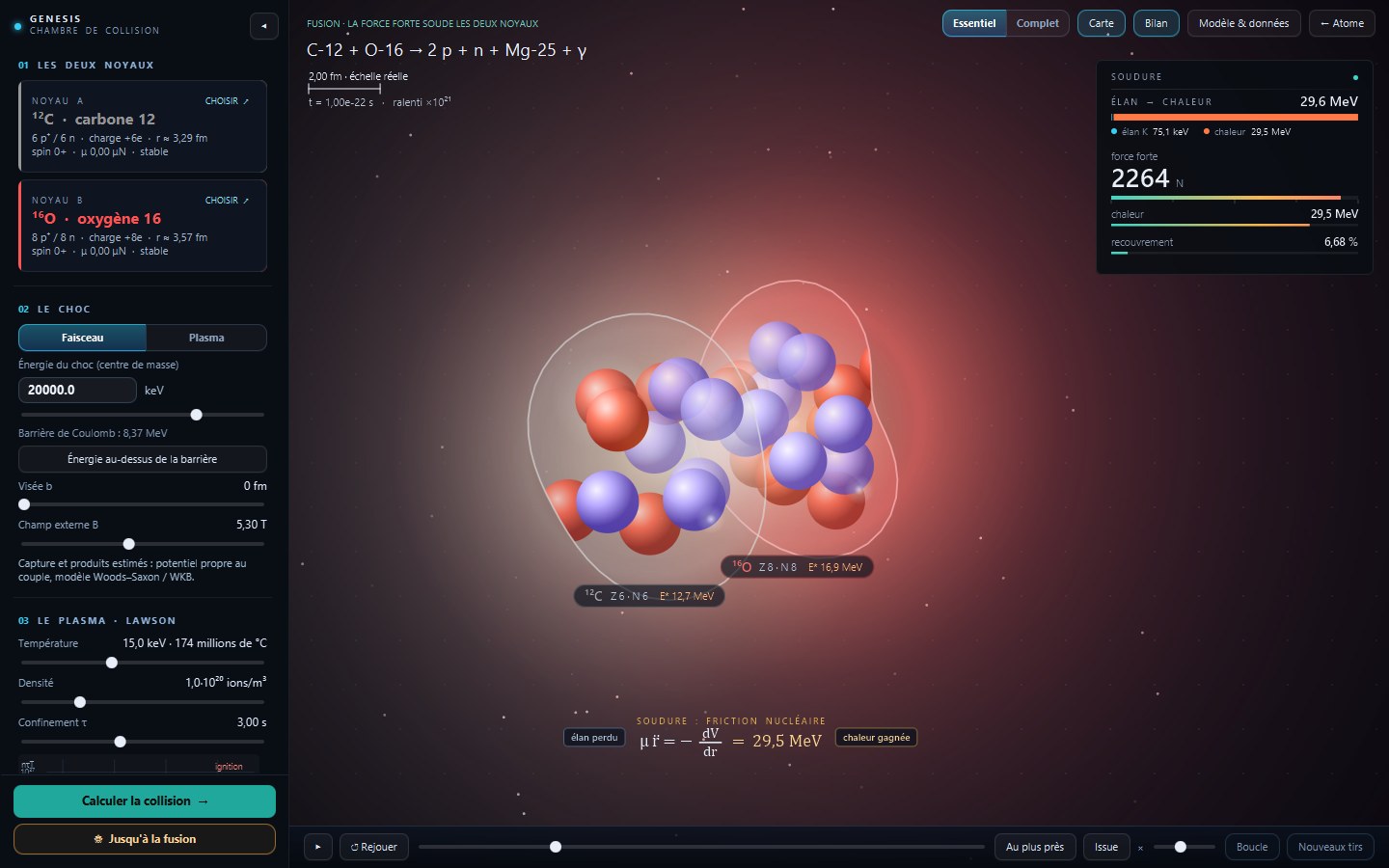
Choose any two nuclei and the collision energy. The engine computes the approach, the electric repulsion, quantum tunnelling, then what is left: a fusion, a bounce or a fission.
- The collision at its true scale, then up close at contact
- The fields and forces at work at every instant
- A detailed report: products, energy released, probabilities
The molecular laboratory
Place atoms on the bench or start from a ready-made molecule. The semi-empirical GFN1-xTB model computes the electronic state, energy and forces as the structure relaxes or moves.
- Molecular structures, including water, benzene and gold clusters
- Polarization halos, deformation density and molecular orbitals in 3D
- Localized electron pairs and two-centre or multicentre bonds
- Temperature, dynamics, normal modes and isotope selection
- Detailed energy terms and comparisons with reference measurements
- A 2D assembler: draw a molecule, have it checked by the calculation, then simulate it in 3D
- A reactor piston: the pressure measured on the wall, or imposed from 100 to 20,000 atm
The subatomic world
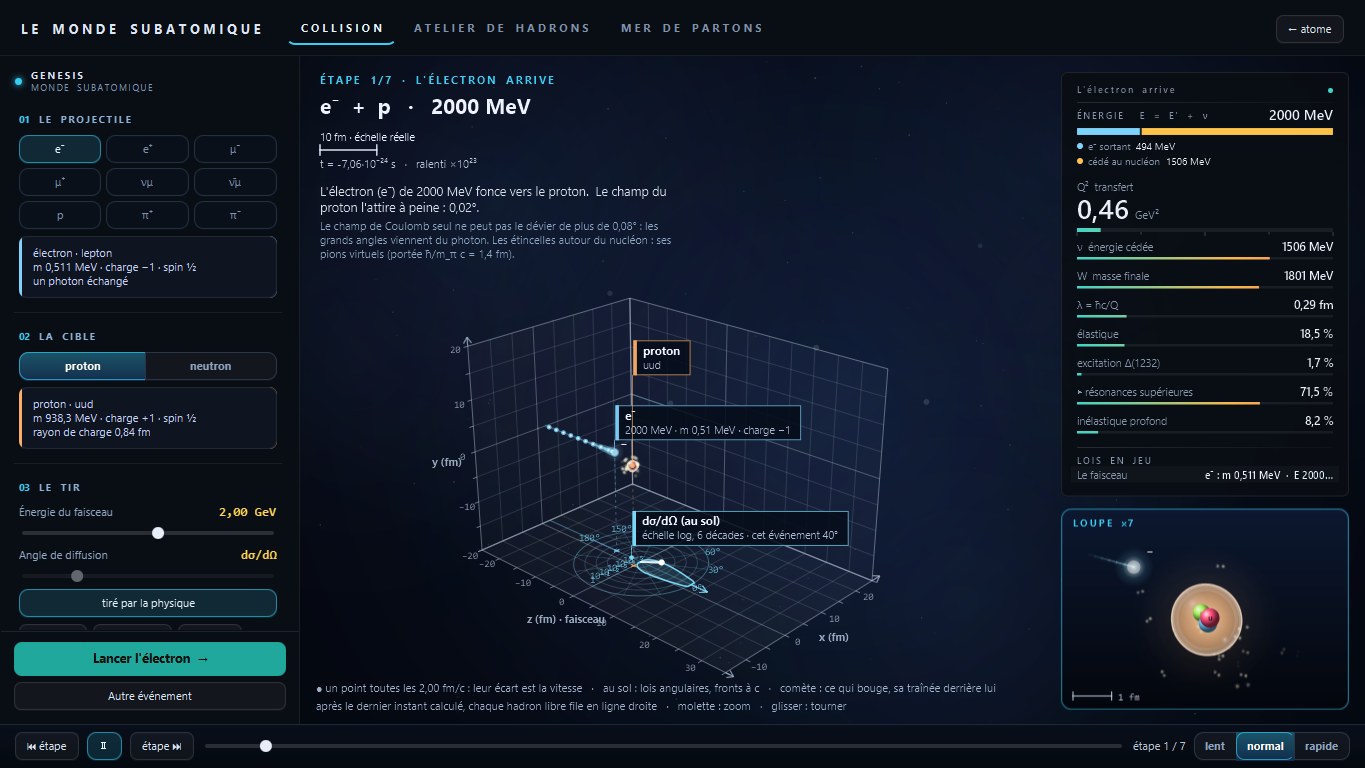
Fire an electron at a nucleon and watch what happens, assemble your own hadrons from quarks, and look inside the proton at different resolutions.
- Collisions told step by step
- A workshop to build hadrons and check whether they hold together
- The Standard Model table, every line computed or measured
- The sea of partons that appears as you look closer
Download — version 0.5.0
| File | Use |
|---|---|
| Genesis-0.5.0.exe | Windows installer: adds Genesis to the Start menu and the desktop |
| Genesis-0.5.0-portable.zip | Windows portable: extract the whole archive, then run Genesis/Genesis.exe |
| Genesis-0.5.0-linux-x64.deb | Debian/Ubuntu x86-64 installer: adds Genesis to the applications menu |
| Genesis-0.5.0-linux-x64.tar.gz | Linux portable: extract, then run Genesis/bin/Genesis |
| Genesis-0.5.0-macos-arm64.dmg | macOS Apple Silicon disk image: open, then drag Genesis to Applications |
| Genesis-0.5.0-macos-arm64.zip | macOS Apple Silicon portable: extract, then open Genesis.app |
Java and the Python engine are bundled: no separate Java or Python installation is required. All calculations run on your computer, with no account. Genesis sends usage statistics (no name, no e-mail) to guide its development; they can be turned off in ⚙, see the privacy notice. English is the default; French is available from the language menu. All versions are on the Releases page.
First launch. The engine loads its data, which can take several dozen seconds. A loading screen stays up until it is ready.
Windows warning. This version is not digitally signed yet. If Windows SmartScreen shows a warning, click More info, then Run anyway. You can check that your download is intact against the SHA-256 checksums in CHECKSUMS-SHA256.txt:
Get-FileHash .\Genesis-0.5.0.exe -Algorithm SHA256
Linux. On Debian/Ubuntu, install the downloaded package with sudo apt install ./Genesis-0.5.0-linux-x64.deb. For the portable archive, run tar -xzf Genesis-0.5.0-linux-x64.tar.gz and then ./Genesis/bin/Genesis. A desktop with GTK 3 is required. The Linux engine log is at ${XDG_STATE_HOME:-~/.local/state}/genesis/logs/engine.log.
macOS. Apple Silicon (arm64) only. Open the .dmg and drag Genesis to Applications, or extract the .zip and open Genesis.app. The package is not notarized: if macOS blocks the first launch, right-click the app, choose Open, then confirm. You can also clear the quarantine flag with xattr -dr com.apple.quarantine /Applications/Genesis.app. The engine log is at ~/Library/Logs/Genesis/engine.log.
If the engine does not start, its log is at %LOCALAPPDATA%\Genesis\logs\engine.log on Windows, ${XDG_STATE_HOME:-~/.local/state}/genesis/logs/engine.log on Linux, or ~/Library/Logs/Genesis/engine.log on macOS. Send it through the contact page, along with your operating system version.
Support the project
Genesis is designed and built independently. If you enjoy it:
- ⭐ Star this repository. It is the simplest way to help, and it shows me people are using it.
- 👀 Watch → Custom → Releases to be notified of new versions.
- Tell people about it, and send ideas or bugs through the contact page.
License
Genesis is free to install and use, for personal or professional purposes, on as many computers as you own. It is proprietary software: you may not sell, redistribute or modify it. See the full end-user license agreement. This repository contains the official downloads; the source repository is maintained separately.
© 2026 Gemmie · genesis.gemmi-e.com · Portfolio & contact · GitHub
Explore related projects
sindresorhus/awesome
😎 Awesome lists about all kinds of interesting topics [NOTE: Pull requests are temporarily disabled until I have a chance to catch up with the existing ones]
534,376 starsEbookFoundation/free-programming-books
:books: Freely available programming books
401,397 starsnilbuild/developer-roadmap
Interactive roadmaps, guides and other educational content to help developers grow in their careers.
371,688 starsvinta/awesome-python
The definitive list that answers "I want to do X in Python, which tool should I use?"
333,651 stars