
KunAgent/Kun has 6,384 GitHub stars and 593 forks. GitHot measured +5 stars in 24 hours and +60 in 7 days. Last checked 2026-11-05 20:09 UTC. Last push 2026-11-02.
Local-first AI agent workspace for coding, writing, design, research, and automation — one runtime for desktop GUI and TUI.
Measured star growth
- in 24h
- +5
- in 7 days
- +60
- in 15 days
- Collecting history
- in 1 month
- Collecting history
Net star changes over overlapping periods, not daily totals. Missing measurements are left blank. Stars measure attention, not software quality.
README.en.md
Original

Kun
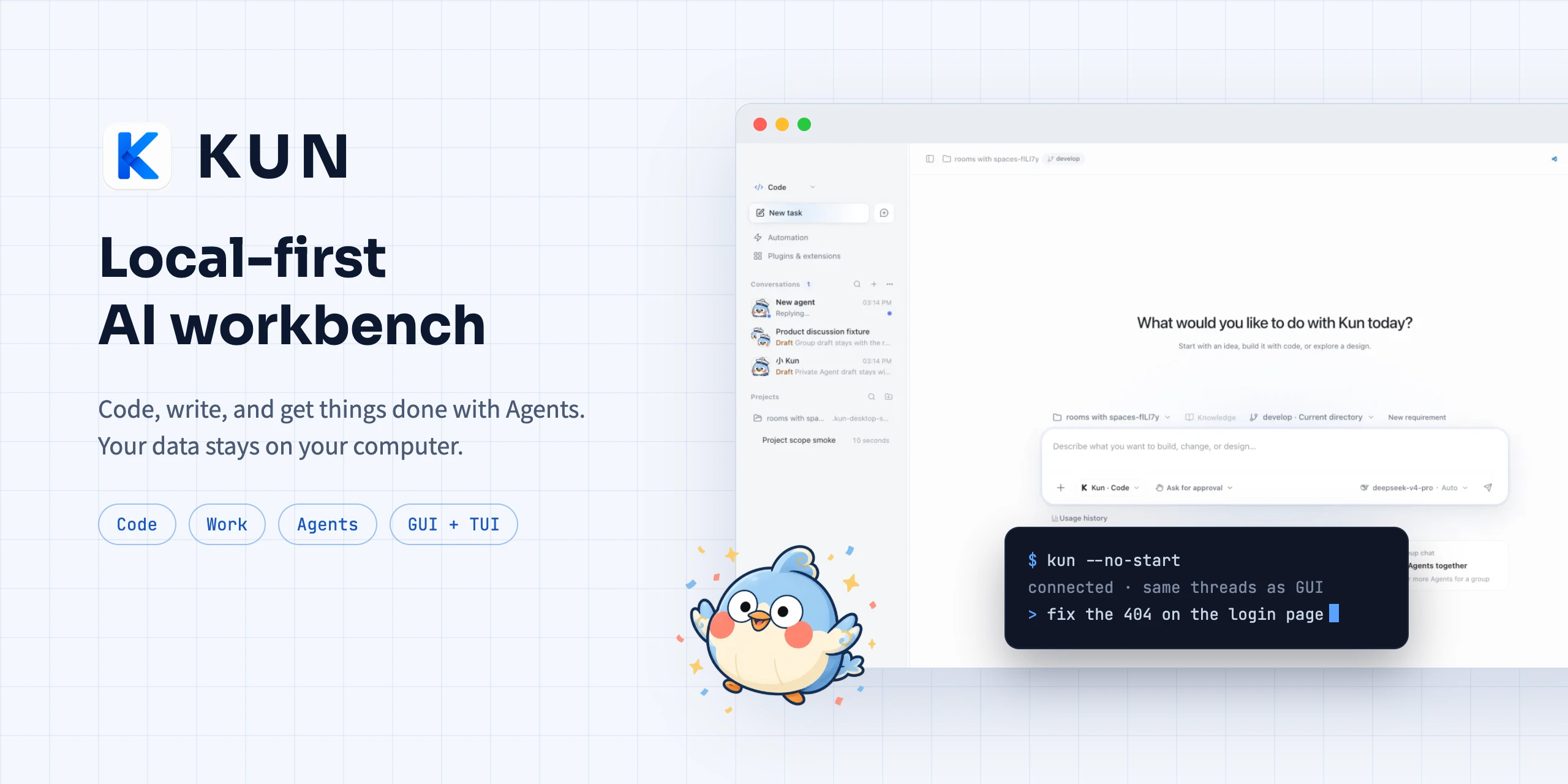
A local-first AI workbench: write code, work on documents, and get things done with Agents.
Download · Docs · Changelog · 中文



What Kun does
Kun is a desktop app that runs on your computer. Code, Work, and Chats share one local runtime for coding, design, documents, papers, and collaboration across Agents. Conversations, memory, and settings stay on your machine, and you bring your own models.
 |
 |
 |
 |
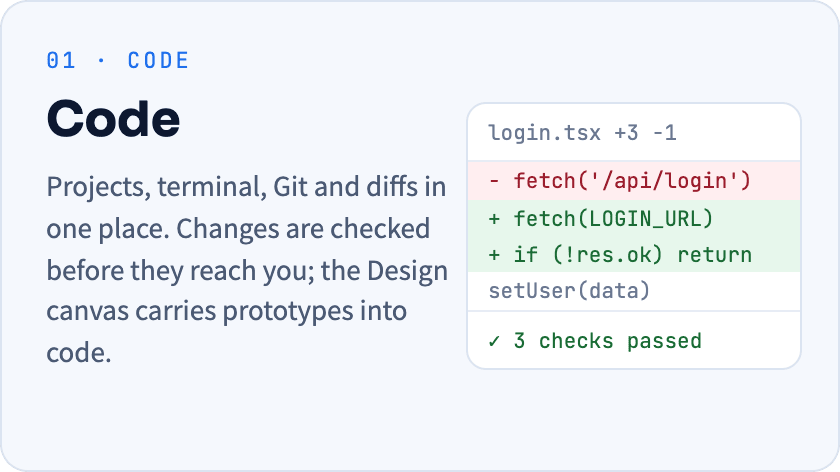
- Code / Design: projects, terminal, Git, and diffs in one place. Compare screens, states, and alternatives on the Design canvas before asking an Agent to implement the approved design. External Agents such as Claude Code and Codex can open designs too.
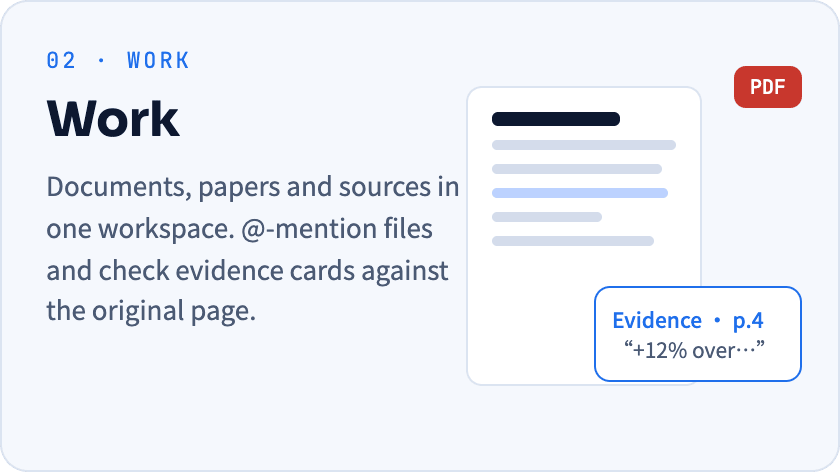
- Work / papers: organize sessions and files in tabs and split them for comparison. Rewrite, expand, or quote selected text; inspect selected-cell statistics and ask Kun to analyze the data. An independent paper library brings imports, reading, notes, and related conversations together.
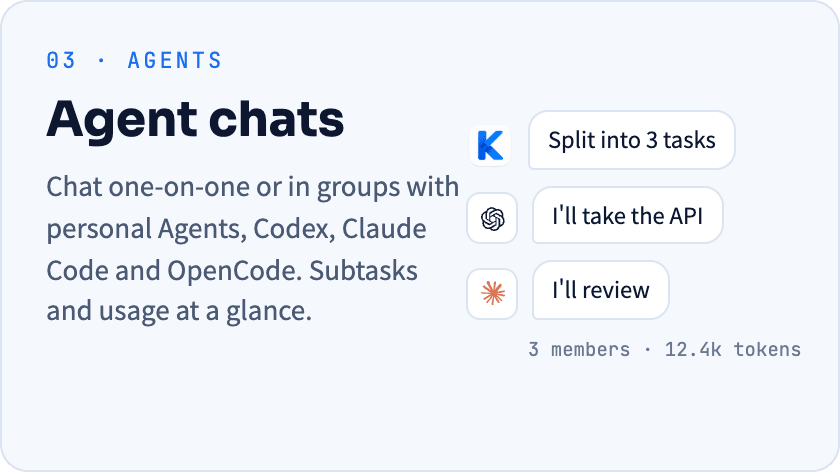
- Chats / Agent collaboration: chat one-on-one or in groups with personal Agents, Codex, Claude Code, and OpenCode. Choose a plan's execution Agent, dispatch tasks, and follow their progress and results. Personal-assistant task workflows are optional under Settings → Lab and require server availability and a connected assistant.
- Reports / artifacts: ask Kun to turn real data into reports with metrics, charts, and explanations. View them in a conversation and save them to the artifacts library to reopen or update; thumbnails help you find the right artifact.
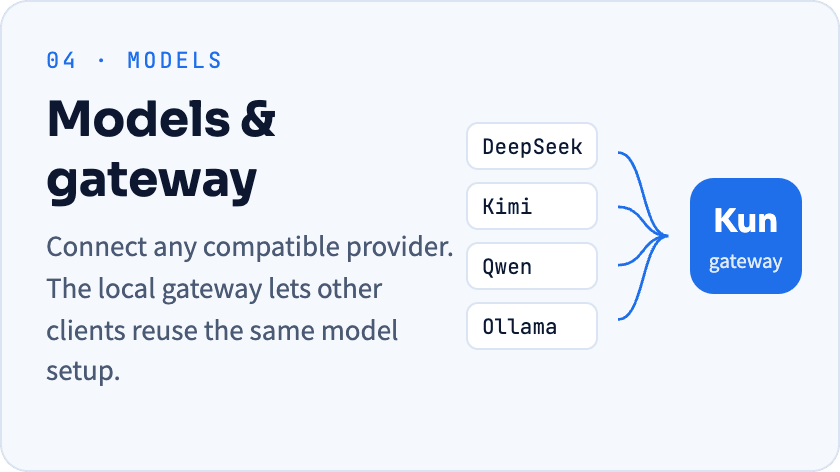
- Connections / extensions: manage available GitHub and Gmail connections in one place, and extend workflows with MCP / Skills, Loops, and the extension platform. The local model gateway reuses the same provider configuration.
Also included: reminders and scheduled tasks, storage management, a terminal TUI, mobile remote access, and Kun accounts with a wardrobe. See the 0.4.4 changelog for the latest changes.
Get started in three steps
- Install. Pick the package for your platform from Releases.
- Connect a model. On first launch, enter an API key or sign in to an existing subscription. OpenAI / Anthropic compatible endpoints and local models are supported; see the provider guide.
- Give it a concrete task. Open a project folder in Code, or drop your material into Work. Agents ask for your approval before they act.
| Platform | Package | Architecture |
|---|---|---|
| macOS | .dmg / .zip |
Apple Silicon / Intel |
| Windows | .exe |
x64 |
| Linux | .AppImage / .deb |
x64 |
Install the Linux .deb with sudo apt install ./Kun-*.deb so apt also pulls in dependencies such as libnotify4; dpkg -i does not resolve dependencies and fails on minimal systems.
A quick look
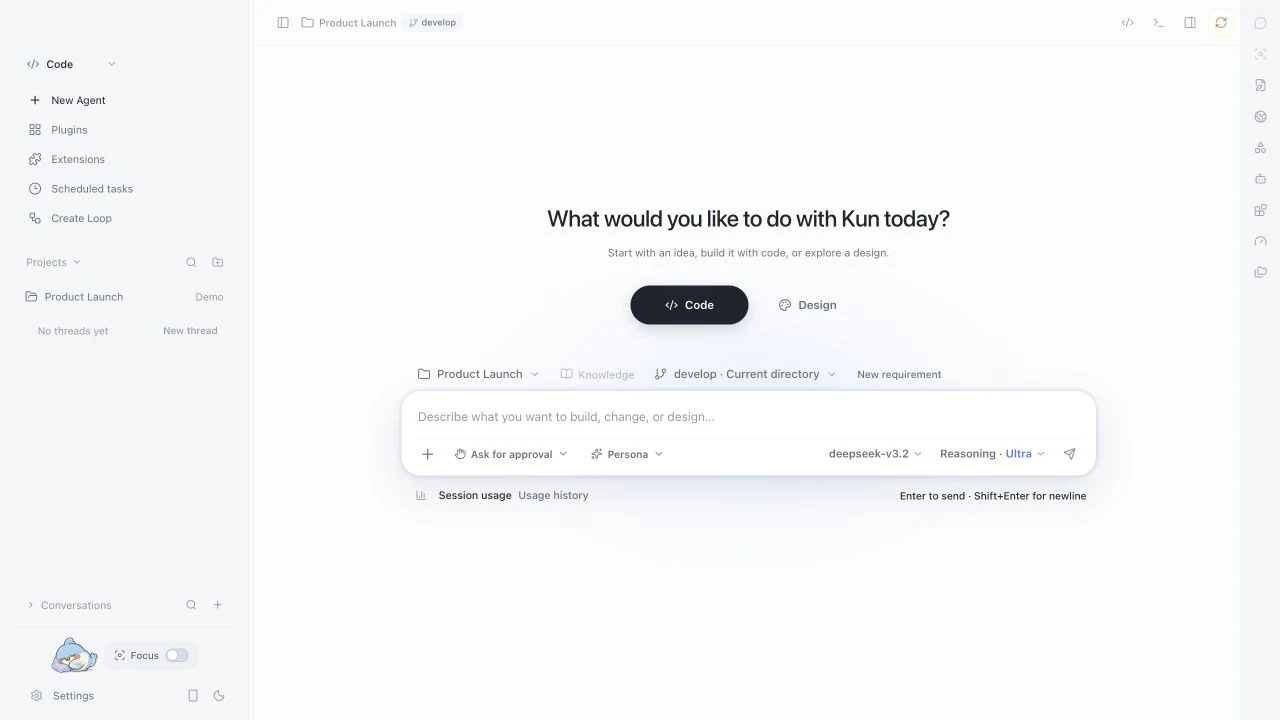 Code · projects, tasks, and changes |
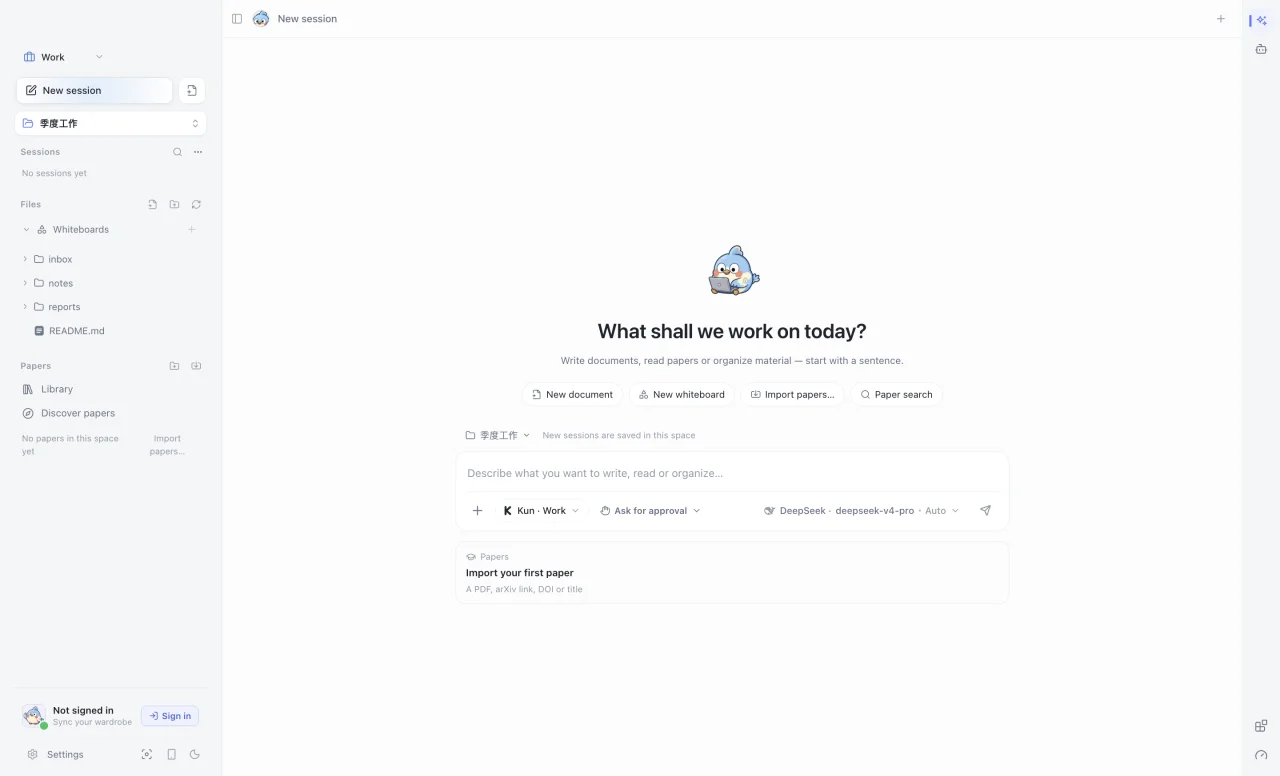 Work · sources, documents, and papers |
Local-first, you hold the permissions
- Your data stays local. Conversations, memory, and logs are stored on your machine. With a cloud model, only the context of each request goes to the provider you chose.
- Approval before action. Tool, directory, and workbench permissions ask for approval by default. Memory and group chats never widen them.
- Swap models freely. Presets cover DeepSeek, Kimi, GLM, Qwen, Ollama and more, plus custom providers.
- GUI and TUI together. One
kun serveruntime, so threads, plans, and approvals carry across both.
Run from source
Requires Node.js 22.19+.
git clone --branch develop https://github.com/KunAgent/Kun.git
cd Kun && npm ci && npm run dev
Common commands
| Command | Purpose |
|---|---|
npm run dev |
Build the runtime and start the Electron dev app |
npm run dev:tui |
Build the runtime and start the terminal TUI |
npm run typecheck |
TypeScript type checking |
npm run lint |
ESLint and the file-size check |
npm run test |
Run tests |
npm run build |
Production build |
npm run dist:mac / dist:win / dist:linux |
Build platform installers |
Two ways to use the terminal TUI
Keep the desktop app running and connect to its runtime from a project directory, sharing threads and approvals with the GUI:
kun --no-start
To use the TUI alone, quit the desktop app first and run kun; the TUI starts its own runtime and stops it on exit. See the Kun TUI guide.
Documentation
| Getting started | Model providers · Personal Agents and memory · Terminal TUI |
| Workbench | Agent chats in Code · Design canvas · Papers and evidence |
| Extending | MCP and Skills · Loops · Extension platform · Local gateway |
| Development | Local development · Runtime architecture · Contributing |
Contributing
Bug fixes and improvements to the UI, runtime, providers, and docs are welcome. Target pull requests at develop and read the contribution guide first. External contributions require accepting the CLA.
License
PolyForm Noncommercial 1.0.0, for learning, research, and noncommercial use only. Commercial use, hosted services, or integration into commercial products require separate written permission from the author.
Kun's memory architecture draws on the Thread / Memory separation and provenance ideas in the public Nowledge Mem documentation; the implementation is independent.

Find Kun useful? A star helps more people discover it.
Explore related projects
affaan-m/ECC
The agent harness performance optimization system. Skills, instincts, memory, security, and research-first development for Claude Code, Codex, Opencode, Cursor and beyond.
297,861 starsNousResearch/hermes-agent
The agent that grows with you
260,864 starsmultica-ai/andrej-karpathy-skills
A single CLAUDE.md file to improve Claude Code behavior, derived from Andrej Karpathy's observations on LLM coding pitfalls.
229,872 starsfirecrawl/firecrawl
Supercharge your AI agents with data from the web and beyond. Building the library for superintelligence. 🔥
198,759 stars