
KbWen/agent-virtual-office
KbWen/agent-virtual-office has 72 GitHub stars and 26 forks. GitHot measured +1 stars in 24 hours. Last checked 2026-11-17 14:50 UTC. Last push 2026-11-15.
Measured star growth
- in 24h
- +1
- in 7 days
- Collecting history
- in 15 days
- Collecting history
- in 1 month
- Collecting history
Net star changes over overlapping periods, not daily totals. Missing measurements are left blank. Stars measure attention, not software quality.
About
🏢 Watch your AI coding agents live their office life — Claude Code, Codex & Gemini show up as tiny pixel coworkers who type, take coffee breaks, get blocked, and ship. Real-time, cozy, runs right in your browser 👀✨
AIREADME.md
OriginalAgent Virtual Office


A little office for your coding agents.
See what they're up to while you get on with your own work.
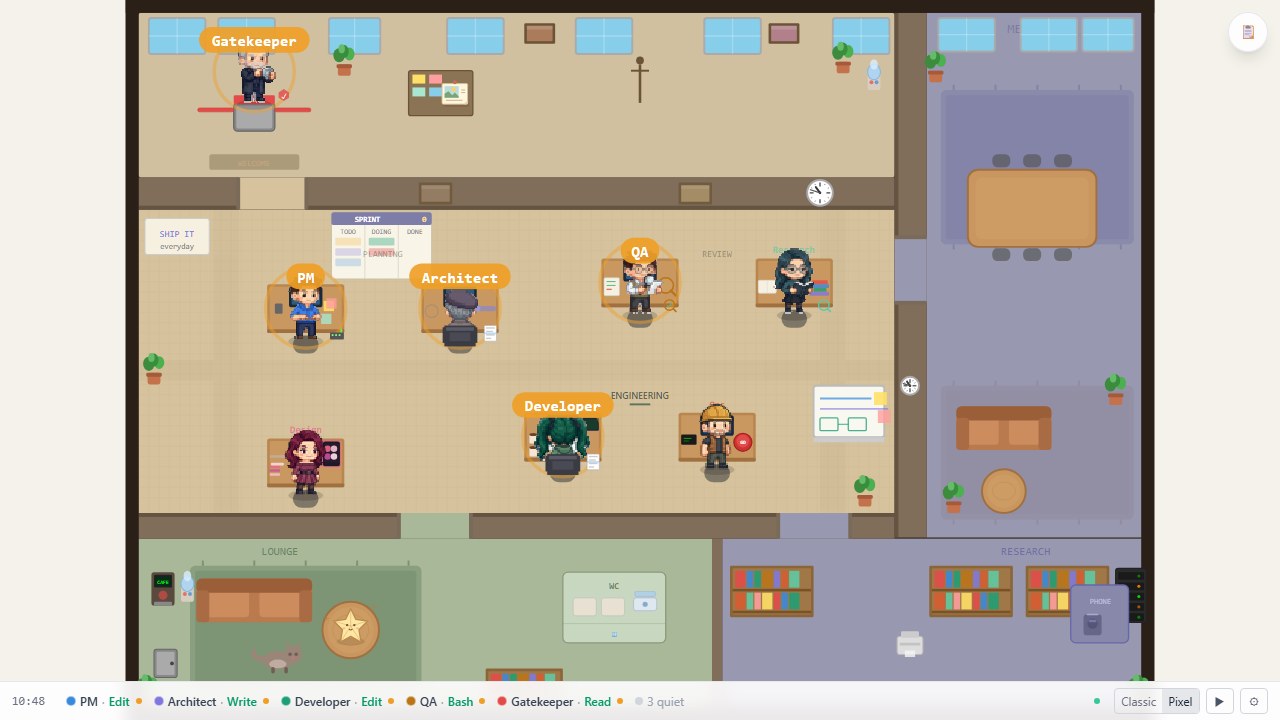
Pixel look with sample statuses.
Start the office · Meet the Team · FAQ · 中文版
✨ A look around
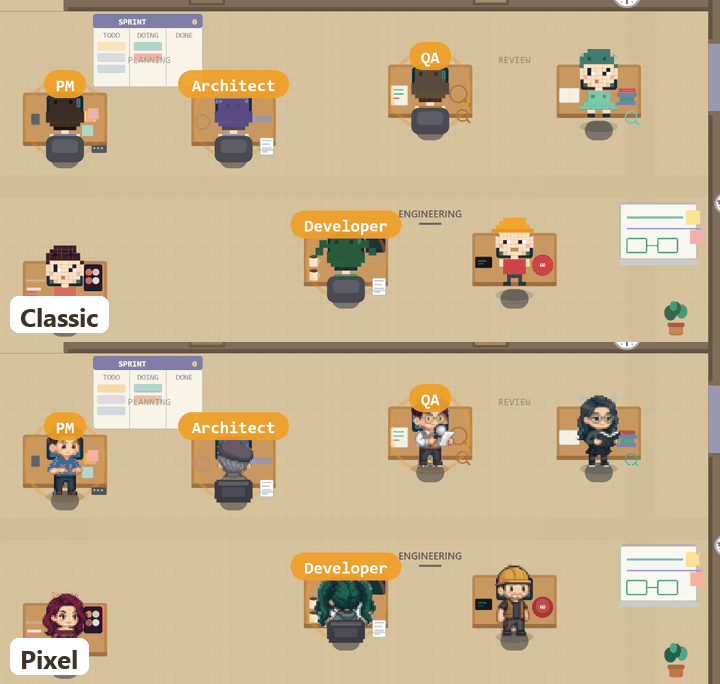
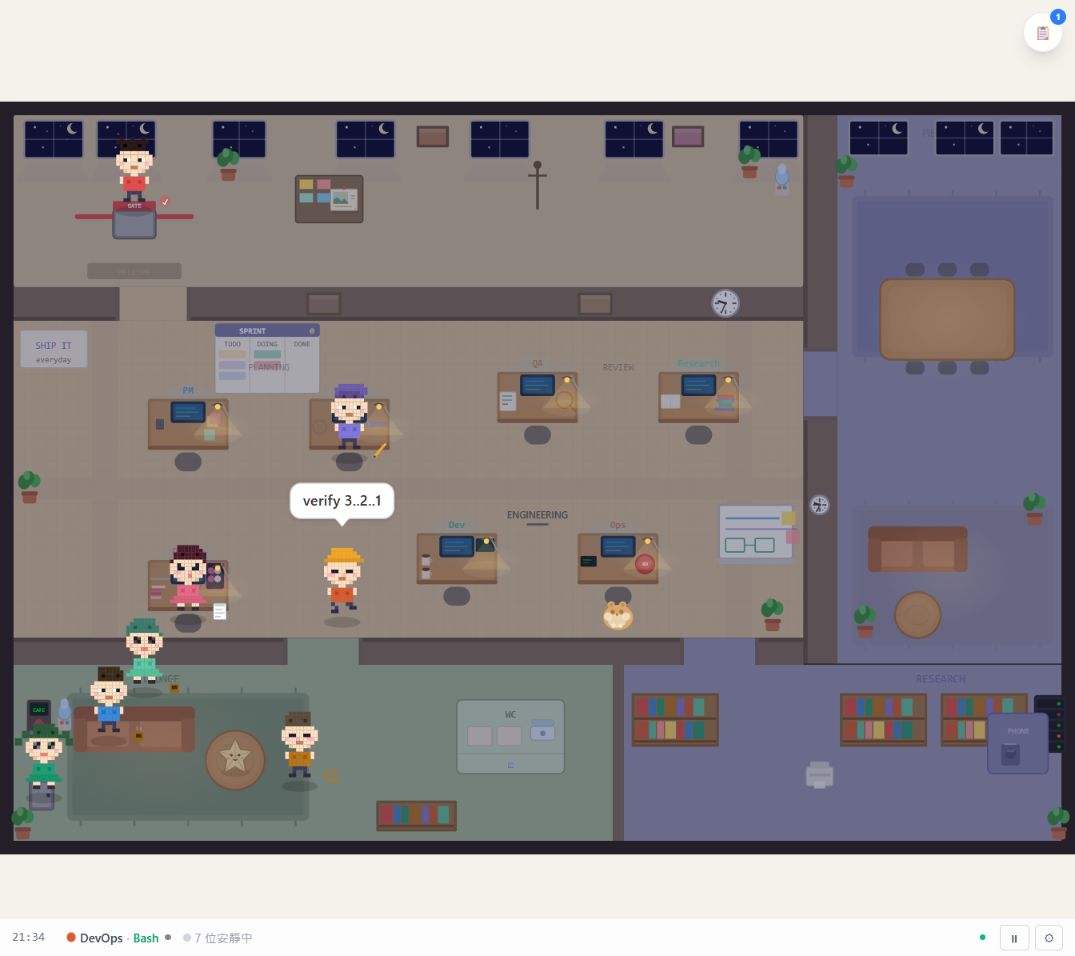
Pick Classic (default) or the hand-drawn Pixel look in the footer. Your browser remembers your pick, and the crew carries on.
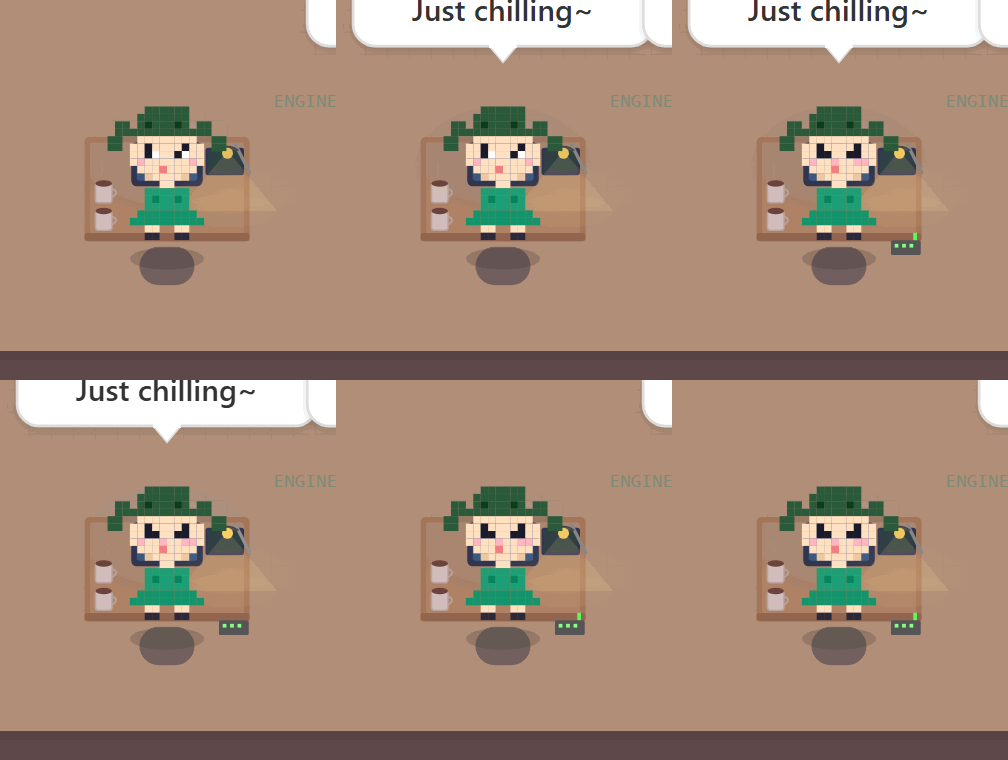
| Change the look | Poke to peek |
|---|---|
 |
 |
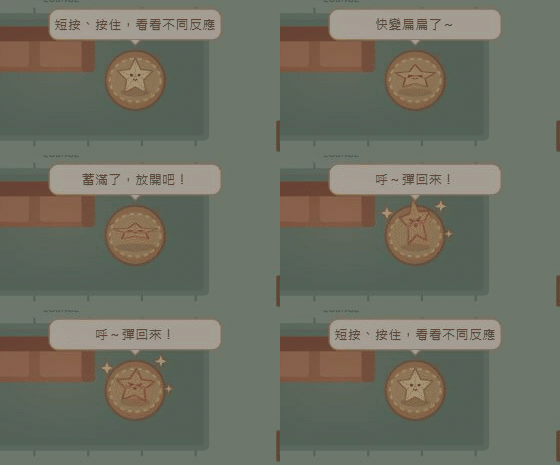
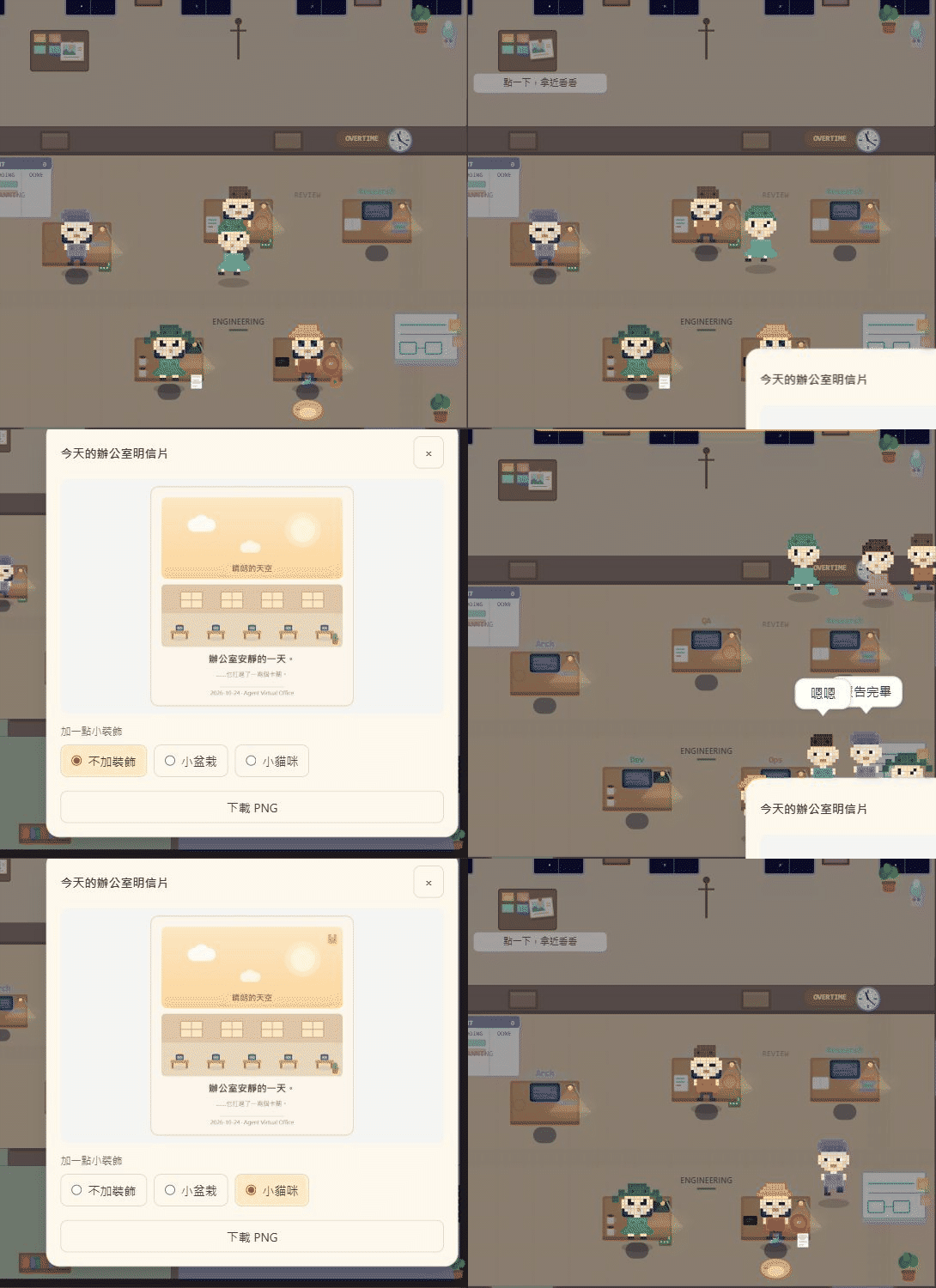
| Squeeze the paper star | Send an office postcard |
 |
 |
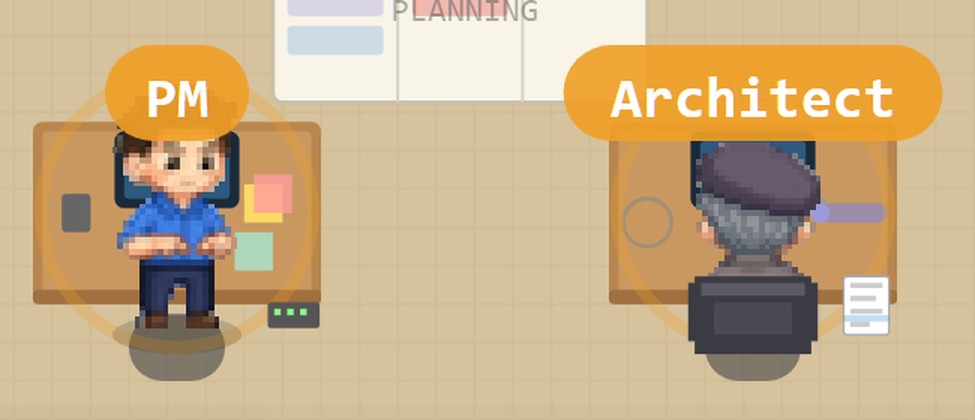
| On the job? They sit down | 繁體中文 built in |
 |
 |
Side-by-side comparison · Posters & GIF files
Meet the Team
| Character | A little about them |
|---|---|
| PM | Reopens a Gantt chart nobody asked to change |
| Architect | Beret, strong opinions, suddenly sprints to the whiteboard |
| Developer | Twin-tails, five empty cups, brewing number six |
| QA | Magnifying glass out: the bug is real. |
| DevOps | Hard hat on, deep breath, then the big red button |
| Researcher | Hiding behind a book fort, adding one more book |
| Gatekeeper | Shield up: “Prerequisites not met.” Try again. |
| Designer | Pink hair, strong padding opinions, swatch two pixels left again |
Office Life
Status rings follow tool reports. At their desks, working agents sit facing their screens. In Pixel, watch PM type or QA reach for a magnifier when they're on the job.
Between tasks, there's coffee, chatter, and the occasional whiteboard huddle. Open ☰ to see the roster and recent activity, even in an IDE sidebar.
Scene interactions
- Characters — Click to inspect, press
Spaceto poke again, or right-click for a quick poke. - Paper star — Hold the star on the lounge table, then watch it spring back.
- Postcard — Pick it up from the notice board, add a sticker if you like, and download a PNG.
Pet, plant, and idle-wave behaviors are optional, off by default, and can be enabled in Settings.
Quick Start
# Straight from the public GitHub repo — no clone, no install:
npx github:KbWen/agent-virtual-office --no-host

# Using Claude Code? Wire up automatic status in one command:
npx github:KbWen/agent-virtual-office setup
This project is distributed from this GitHub repository. The identically named npm registry
package belongs to a different repository (shahwaiz90/virtual-office); use the GitHub commands
shown here for Agent Virtual Office.
Open the browser tab it pops. The office is ready for a real source connection; live agent status appears when a connected source reports it. Ambient scenes are decoration, not evidence that an agent is working. There's no hosted backend, database, or WebSocket.
Prefer to clone, or want options?
git clone https://github.com/KbWen/agent-virtual-office.git
cd agent-virtual-office
npm install
npm run dev
CLI flags: --port=PORT · --lang=en|zh-TW · --no-open · --no-host (localhost only; the dev
server otherwise binds all interfaces).
The GitHub dev launcher has no authentication and exposes to LAN by default; use
--no-hostfor localhost-only access. Directnpm run devuses Vite's localhost default unless you pass--host. Productionservebinds to localhost by default;--hostopts into LAN.OFFICE_API_TOKENprotects API writes, not status reads or SSE. Do not expose--hostto a network where active office status should remain private.
Hosting it for a team (production build, Docker, Nginx, PM2, TLS) → docs/deployment/DEPLOYMENT.md.
Connect Your Agent
The office reacts to any tool that can send an HTTP request:
# Tell the office an agent is working:
curl -X POST http://localhost:5174/api/status \
  -H "Content-Type: application/json" \
  -d '{"dev":"working","workflow":"Sprint 42"}'

# Or fire a one-shot CI moment:
curl -X POST http://localhost:5174/api/event -d '{"event":"deploy-success"}'
- Claude Code →
npx github:KbWen/agent-virtual-office setupfor lifecycle hooks. - Optional Codex desktop hooks → From each target project's root, run
npx github:KbWen/agent-virtual-office setup --platform codex. If Review hook appears, expand and verify all six entries point to this project's adapter before choosing Allow selected items. Setup preservesnotifyand trust records; changed definitions may need review again. Not now leaves automatic Codex observation inactive. Manual alternatives: bridge, Status API, or status helper. - Codex CLI → Use the same project-local setup and review with
/hooks. - Gemini CLI → run
npx github:KbWen/agent-virtual-office setup --platform geminifrom the same project root as the office. This installs project-local hooks; see the requirements below. - Antigravity desktop → the office passively observes compatible local transcripts; see the limits below.
- Codex App bridge / GitHub Actions / any CI → see the Integration guide.
Manual status reports and file-watcher signals reflect submitted data or observed file changes;
they do not prove that Codex ran a tool. Native approval runs local adapter code, so inspect the
adapter and helper before allowing it. Definition hashes do not verify the referenced script bytes.
The adapter does not retain raw prompts, arguments, or outputs, but it writes status metadata to
local files and serves it through the office API. API reach depends on server binding: the GitHub
dev launcher exposes status to LAN by default; use --no-host for localhost-only access. Direct
npm run dev uses Vite's localhost default unless --host is set. Production serve
defaults to localhost, and --host opts into LAN; OFFICE_API_TOKEN protects writes, not status
reads or SSE. See the
integration guide for the trust boundary and
lifecycle limits.
What Codex native hooks show
The six approved callbacks report prompt submission, tool start/completion, permission requests,
turn stop, and session end. PostToolUse means a callback completed, not that the task succeeded;
Stop moves the observed agent to idle, not done. Child-agent events are not separate office roles,
and a thinking label is inferred from elapsed time rather than directly observed. Interrupt would
return the agent to idle if supplied, but is not registered by this setup; cancellation without a
delivered callback remains unobserved. Claude's separate event coverage is listed below.
Upgrading to v1.6.14? Re-run npx github:KbWen/agent-virtual-office setup to refresh Claude's
installed hook. From each Codex target project's root, rerun
npx github:KbWen/agent-virtual-office setup --platform codex. If the desktop app shows
Review hook, inspect the six intended definitions and approve them through the normal review
flow; no trust bypass is used.
Antigravity and Gemini CLI adapters
Both adapters require Node.js ≥ 22 and feed the existing project-scoped status path. They use generic action labels and do not publish prompts, responses, command text, search text, or file contents. Neither adapter reports successful completion; idle means only that no activity is currently observed.
Antigravity desktop: both serve and the Vite dev server observe the compatible local
~/.gemini/antigravity/brain/<session>/.system_generated/logs/transcript.jsonl layout in read-only mode.
Set OFFICE_ANTIGRAVITY_MODE=off to disable it, or OFFICE_ANTIGRAVITY_ROOT to select an explicitly
available data root. No hooks are installed into Antigravity. Opening the office establishes an EOF
boundary, so work already in progress can initially be invisible. Only fresh, project-bound tool
records count; 15 seconds without another accepted record produces one neutral idle update. Silent
long-running work can therefore appear idle. Missing/incompatible sources degrade to no observation.
File tools accept absolute TargetFile, AbsolutePath, Path, or path (including one JSON string
layer). File evidence applies only to that record; a command without Cwd needs a prior exact-root
command binding and otherwise remains unobserved.
The transcript format is private and version-dependent; no general supported-version range is claimed.
Docker/remote use needs an explicitly mounted compatible root; the observer never discovers remote data.
Gemini CLI: from your project's exact root, run:
npx github:KbWen/agent-virtual-office setup --platform gemini
# Remove only the owned project registrations and unchanged owned script:
npx github:KbWen/agent-virtual-office uninstall --platform gemini
Setup merges six uniquely named lifecycle/tool hooks into .gemini/settings.json and copies the
standalone script into .gemini/hooks/. Review the local pre-install backup before restoring settings.
The project must be trusted and hooks enabled in Gemini CLI; disabled project hooks are a supported
no-observation state. Launch Gemini and the office from the same root; ambiguous subdirectory launches
are intentionally not mapped to a guessed parent project. See the official
hook reference and
trusted-folder guidance.
The hook bounds its processing and emits an empty JSON result on recoverable failures. A missing Node
executable, external termination, or platform hook latency can still prevent observation. Missed exit
callbacks rely on the existing five-minute session TTL. Both adapters honor OFFICE_STATUS_DIR; set
the same override for the office and Gemini process. Bare setup/uninstall retain Claude behavior;
the manual API/Gemini bridge remains available.
Authenticated Gemini CLI sessions and native Linux execution have not been live-verified for this release.
Hook events registered by setup
| Event | Capability needed | What it shows |
|---|---|---|
PreToolUse / PostToolUse / PostToolUseFailure |
Core hooks | Tool work, callback completion, and reported tool failure |
SubagentStart / SubagentStop |
Core hooks | Subagent workflow banners |
UserPromptSubmit |
Core hooks | PM shows working; a thinking label is inferred from elapsed time, not directly observed |
PermissionRequest |
Core hooks | Awaiting approval for a reliably attributed tool; makes no decision |
PermissionDenied |
Auto mode | Blocked when Claude reports an auto-mode denial |
Stop / StopFailure |
Core hooks / Claude API error | Turn end or supported API rate-limit/authentication failure; Stop is not task success |
SessionEnd |
Core hooks | Clears session state without counting completion |
Notifications, generic idle/compaction events, and malformed or unknown events do not create office states. Interrupt/cancellation paths without a reliable lifecycle callback remain unobservable. Full coverage details and Codex native setup are in the Integration guide.
Claude can report SubagentStart / SubagentStop workflow huddles, but Claude sessions sharing
the same branch and working directory are not shown as fully independent sessions: the latest
verified session owns that lane, and a handoff drops the previous owner's helpers and clears its
stale roles. Codex native hooks instead write one root-thread representative per hashed session;
they do not create child-agent roles or helper huddles. Separate producer files are isolated and
merged by the office, with one representative shown for each active session.
Planning status comes from tool events carrying permission_mode: "plan", not from
UserPromptSubmit itself. A thinking label is a timing inference, not a direct event signal.
Opt-in capture mode (AVO-153)
This optional Claude debugging feature is off by default. When the marker exists, it writes raw hook input—which can contain prompts, commands, and output—to a local JSONL file. Keep it disabled for normal use and never share an unsanitized capture:
- Enable:
touch ~/.claude/office-hook-capture(Linux/macOS) orNew-Item ~/.claude/office-hook-capture(PowerShell) - Use Claude Code normally — every tool call appends a JSON line to
~/.claude/office-hook-capture.jsonl - Sanitize:
node scripts/sanitize-hook-capture.mjs→ createstests/fixtures/hook-events/*.json - Review: check fixtures for residual sensitive strings before committing
- Disable: remove the marker file; raw capture stays in
~/.claude. Inspect and sanitize before sharing or committing anything.
The capture path is fully try/catch'd — enabling or disabling it has zero effect on normal hook behavior.
Embedding & language
http://localhost:5174?mode=panel     # compact panel for IDE sidebars
http://localhost:5174?lang=zh-TW     # force Traditional Chinese
English is the default; Traditional Chinese is available via ?lang=zh-TW, the in-app EN/中 toggle,
the --lang flag, or browser auto-detect (zh-TW / zh-Hant).
Name & recolor your agents
Make the roster yours — rename the characters (and optionally recolor them) to match your real team
or your own naming. Two ways, both override the existing roles (pm, arch, dev, qa, ops,
res, gate, designer):
# URL param — rename by role (name:role, comma-separated):
http://localhost:5174?agents=Alice:dev,Bob:qa,Chen:pm
// Before the app loads (e.g. an inline <script> in a custom host page) — rename AND recolor:
window.__office_config__ = {
  agents: {
    dev: { name: 'Alice', color: '#E8927C' },
    qa:  { name: 'Bob',   color: '#7CA7E8' },
  },
}
The ?agents= URL param sets names only; window.__office_config__ sets names + colors. This
changes who the existing characters are, not their pixel-art looks — custom sprite art (hats,
outfits, per-agent accessories) is a separate, not-yet-built track (see docs/SPRITE_REQUIREMENTS.md).
Diagnostics & soak testing
Visual/emergent bugs (stacked characters, teleports, frozen walkers) live in minutes of runtime, not in any single function — so the repo ships its own observation tools:
| command | what it does |
|---|---|
npm run soak |
The soak gate. Runs the office headless for 5 min (--minutes N to change) and fails on world-invariant violations: teleports, sustained standing stacks, frozen walkers, characters standing inside furniture. Also runs nightly in CI (sim-soak workflow). |
node scripts/overlap-recorder.mjs 12 |
Stack forensics: when two characters sit fully overlapped ≥2s, dumps both agents' last ~12s state chains (positions, targets, behaviors) so the mechanism is visible. |
node scripts/zone-audit.mjs |
Movement-rhythm audit: 3-min zone occupancy, room visits, and how often 0/1/2+ characters are walking at once. Its --organic flag isolates the run by renaming your real ~/.claude/office-status*.json and restoring them on a clean exit — prefer npm run rhythm below, which isolates without touching your files. |
npm run rhythm |
Is the office ALIVE or merely BUSY? Hermetic by construction (spawns its own dev server pointed at an empty OFFICE_STATUS_DIR, and refuses to report numbers if any external status arrived). Reports stillness against an exact Poisson-binomial independent model — the gap says whether motion clusters (bursts and real quiet = rhythm) or spreads (someone always walking = churn), which no rate metric can distinguish. Also flags stale behaviour labels (AVO-195). Reports, never gates. |
All of these reuse a running npm run dev server on :5173, or start their own. If you see a
visual glitch, run the matching recorder before theorizing — every overlap/rhythm fix in
v1.4.0 started from one of these captures.
Reading rhythm numbers. Quote the stillness gap from a single run; the stillness level is not reproducible from one. Two 8-minute runs on identical code measured 1.4% and 11.8% while the gap held at −12.3 and −10.5 points. Any claim about the level needs a paired control run on the unchanged build.
Compare by RATIO, not by the point gap. The absolute gap is bounded by the independent level — at 16.8% mean motion independent stillness is 22.3% and a −10 point gap is possible; at 23.5% it is 9.2% and the same gap is arithmetically impossible. Two equally-spread offices at different motion levels will report very different gaps. Use
stillnessRatio(<1 spread, ≈1 independent, >1 clustered), and check therun context mood=… hour=…line: mood alone swings the ambient out-trip share 26% (normal) → 35% (idle) → 40% (smooth).
Troubleshooting
Common issues
Office is blank — no agents appear
- No hooks installed? Run
npx github:KbWen/agent-virtual-office setup. - Wrong directory? The office only shows sessions from the directory you launched it in — run it from
your project root, or point it somewhere else with
OFFICE_PROJECT_ROOT=/path/to/project. - Stale status? Status expires after 5 minutes of inactivity — start a new session.
- Not using Claude Code? Push status with
curl(see Connect Your Agent).
Port 5174 in use → npx github:KbWen/agent-virtual-office --port=5175
Browser doesn't open (headless Linux / WSL / remote) → open http://localhost:5174 manually.
Colleagues can't see it (LAN) → set OFFICE_API_ALLOWED_ORIGINS=http://192.168.1.100:5174, or use --no-host for localhost only.
403 Forbidden by hostname (a LAN colleague at http://mypc.local:5174, or server.mjs running behind the Nginx reverse proxy in docs/deployment/nginx.conf) → reaching the office by IP already works; reaching it by any hostname needs that hostname in OFFICE_ALLOWED_HOSTS (Host-header validation guards against DNS rebinding) — e.g. OFFICE_ALLOWED_HOSTS=mypc.local for LAN, or OFFICE_ALLOWED_HOSTS=office.example.com to match the reverse proxy's server_name. This applies to npm run dev (Vite's own Host check) too, not just server.mjs — set the same env var before npm run dev to reach the dev server by a custom hostname. See DEPLOYMENT.md.
Windows Firewall prompt → the GitHub dev launcher binds all interfaces; use --no-host to avoid it. Direct npm run dev uses localhost unless you pass --host.
Node version error → requires Node ≥ 22 (node --version).
Strict CSP — animations missing → allow style-src 'self' 'unsafe-inline' (the exception applies to
style= attributes only). The office still works without it — only the weather/movement decoration drops.
Full notes in docs/ARCHITECTURE.md.
FAQ
What is Agent Virtual Office?
Agent Virtual Office is an open-source, pixel-art visualization of AI coding agents. It turns a live Claude Code, Codex, or Gemini CLI session into a tiny office where each agent is a character that visibly works, gets blocked, and ships — in real time, driven only by real signals from your session. Built with React and pure SVG, it runs entirely on your machine with no backend.
How do I visualize Claude Code activity?
Run npx github:KbWen/agent-virtual-office setup to register the supported Claude Code lifecycle
hooks. The office updates from callbacks the hook observes; unsupported and missing callbacks
remain gaps, so setup does not mean every tool or state is captured. See the
event coverage table.
Does it work with Codex, Gemini CLI, or CI pipelines?
Yes. Anything that can send an HTTP POST can drive the office — Codex CLI / Codex App, Gemini CLI, GitHub Actions, or your own scripts. See the Integration guide.
Is it a dashboard or a token/cost tracker?
No. It doesn't chart tokens, spend, or productivity. It's an honest visualization: an agent's status only updates when a real signal comes in, and activity is never faked. It's a desk toy, not a metrics tool.
Does it send my code or data anywhere?
The app has no hosted backend, database, telemetry, or external service. Native Codex hooks write
sanitized status metadata to local files; they do not retain raw prompts, arguments, or outputs.
The office serves that metadata through its HTTP API. Network reach depends on server binding: the
GitHub dev launches expose to LAN by default; use --no-host for localhost-only
access. Direct npm run dev uses Vite's localhost default unless --host is set. Production serve
defaults to localhost, and --host opts into LAN; OFFICE_API_TOKEN protects writes, not status
reads or SSE. Hook approval runs local code and is a trust decision; review the adapter/helper and
changed definitions before allowing.
Claude has a separate optional raw-event capture mode that can include prompts and tool content; it
is off by default. Keep its marker absent normally and never share an unsanitized capture. See
Opt-in capture mode.
Do I need to install anything?
No. npx github:KbWen/agent-virtual-office runs it straight from the public GitHub repo. The only
requirement is Node.js ≥ 22.
Tech stack
React 19 + Vite 8 · SVG · Zustand · Tailwind CSS v4 · requestAnimationFrame. Runs in the browser, no backend.
2000+ tests cover the classifier, inference, store, movement, event honesty, blocked-reason detection, poke, and the share card. Deep dive → docs/ARCHITECTURE.md.
Contributing
PRs welcome — the office can always use more life. Skim the docs for the technical lay of the land before diving in.
License
MIT