
Kaopiz/KProgressHUD
Kaopiz/KProgressHUD has 1,642 GitHub stars and 390 forks. GitHot measured 0 stars in 24 hours. Last checked 2026-11-08 03:19 UTC. Last push 2020-04-03.
An implement of ProgressHUD for Android, similar to MBProgressHUD, SVProgressHUD for iOS.
Measured star growth
- in 24h
- 0
- in 7 days
- Collecting history
- in 15 days
- Collecting history
- in 1 month
- Collecting history
Net star changes over overlapping periods, not daily totals. Missing measurements are left blank. Stars measure attention, not software quality.
README.md
OriginalKProgressHUD


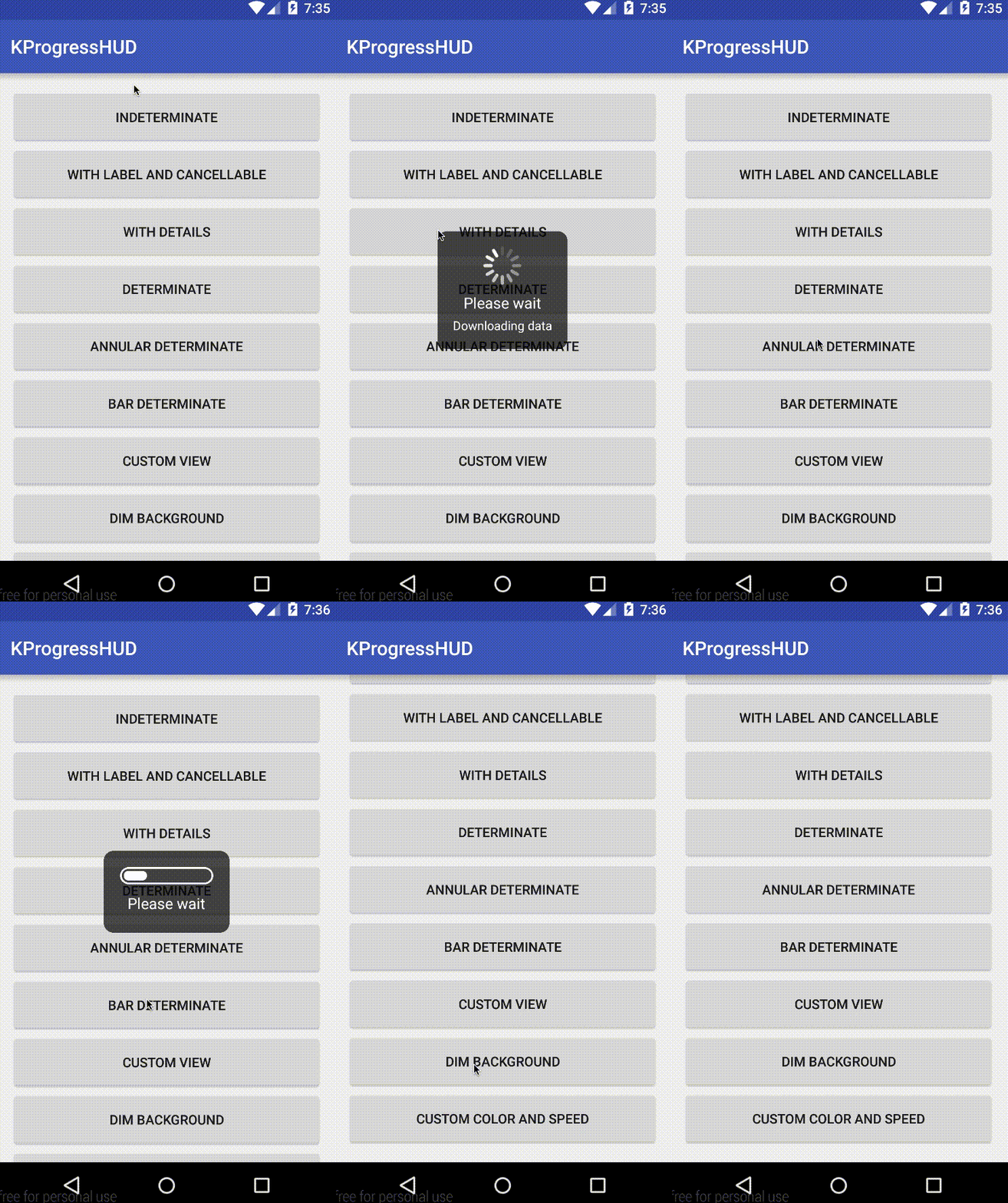
A progress HUD implementation for Android. Inspired by MBProgressHUD for iOS.
Compatibility
Android 2.3 and later
Adding KProgressHUD to your project
Gradle
Include this in your app build.gradle
dependencies {
    // Other dependencies
    implementation 'com.kaopiz:kprogresshud:1.2.0'
}
Source code
If you want more control over the implementation, download and import the kprogresshud folder as a module to your project and modify according to your need.
Usage
The usage of KProgressHUD is pretty straight forward.
- Create the HUD, customize its style and show on the UI thread.
- Fire a background worker to handle long-running tasks.
- When done, call
dismiss()to close (or if you use a determinate style, the HUD will automatically dismiss when progress reaches its max).
Indeterminate HUD
KProgressHUD.create(MainActivity.this)
	.setStyle(KProgressHUD.Style.SPIN_INDETERMINATE)
	.setLabel("Please wait")
	.setDetailsLabel("Downloading data")
	.setCancellable(true)
	.setAnimationSpeed(2)
	.setDimAmount(0.5f)
	.show();
Determinate HUD
KProgressHUD hud = KProgressHUD.create(MainActivity.this)
					.setStyle(KProgressHUD.Style.ANNULAR_DETERMINATE)
					.setLabel("Please wait")
					.setMaxProgress(100)
					.show();
hud.setProgress(90);
You can also create a custom view to be displayed.
ImageView imageView = new ImageView(this);
imageView.setBackgroundResource(R.drawable.spin_animation);
AnimationDrawable drawable = (AnimationDrawable) imageView.getBackground();
drawable.start();
KProgressHUD.create(MainActivity.this)
   .setCustomView(imageView)
   .setLabel("This is a custom view")
   .show();
Optionally, the custom view can implement Determinate or Indeterminate interface, which make the HUD treats this view like the default determinate or indeterminate one.
See Javadocs or sample for more information.
Contributing
- Fork it ( https://github.com/Kaopiz/KProgressHUD/fork )
- Create your feature branch (
git checkout -b my-new-feature) - Commit your changes (
git commit -am 'Add some feature') - Push to the branch (
git push origin my-new-feature) - Create new Pull Request
License
   Copyright 2015 Kaopiz Software Co., Ltd.

   Licensed under the Apache License, Version 2.0 (the "License");
   you may not use this file except in compliance with the License.
   You may obtain a copy of the License at

       http://www.apache.org/licenses/LICENSE-2.0

   Unless required by applicable law or agreed to in writing, software
   distributed under the License is distributed on an "AS IS" BASIS,
   WITHOUT WARRANTIES OR CONDITIONS OF ANY KIND, either express or implied.
   See the License for the specific language governing permissions and
   limitations under the License.
Explore related projects
codecrafters-io/build-your-own-x
Master programming by recreating your favorite technologies from scratch.
560,935 starspublic-apis/public-apis
A collective list of free APIs
497,198 starsmorluto/rea
Reverse engineer anything with agents, from app behavior down to native binaries.
442,535 starsopenclaw/openclaw
The AI that really does things. Any OS. Any Platform. The lobster way. 🦞
394,178 stars