
KTStackAPP/KTStack
KTStackAPP/KTStack has 30 GitHub stars and 3 forks. GitHot measured 0 stars in 24 hours. Last checked 2026-11-15 21:58 UTC. Last push 2026-11-13.
What you can do
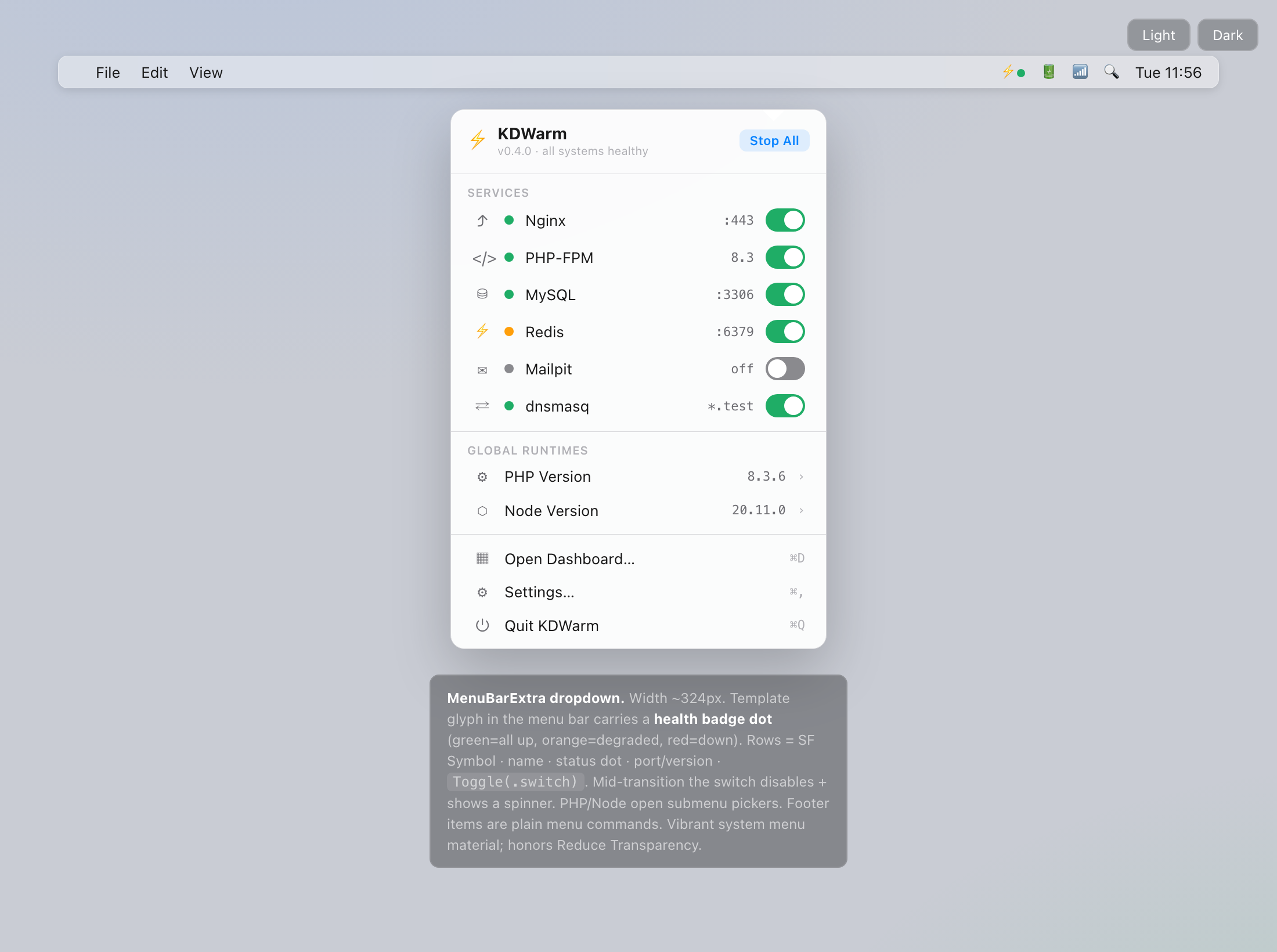
- Automatic .test Domains & Local HTTPS: Trusted SSL certificates minted by a local CA with automatic DNS loopback resolution.
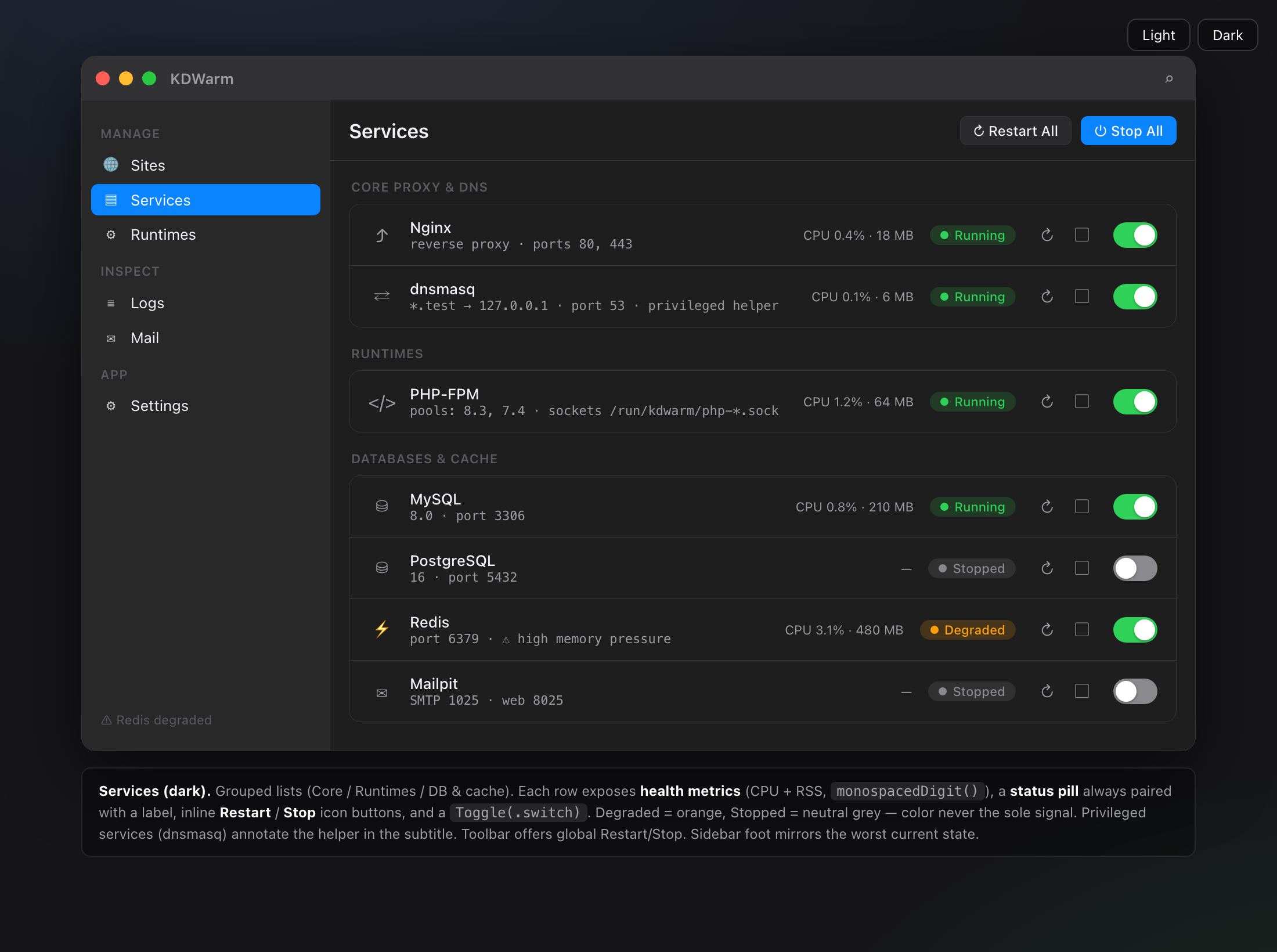
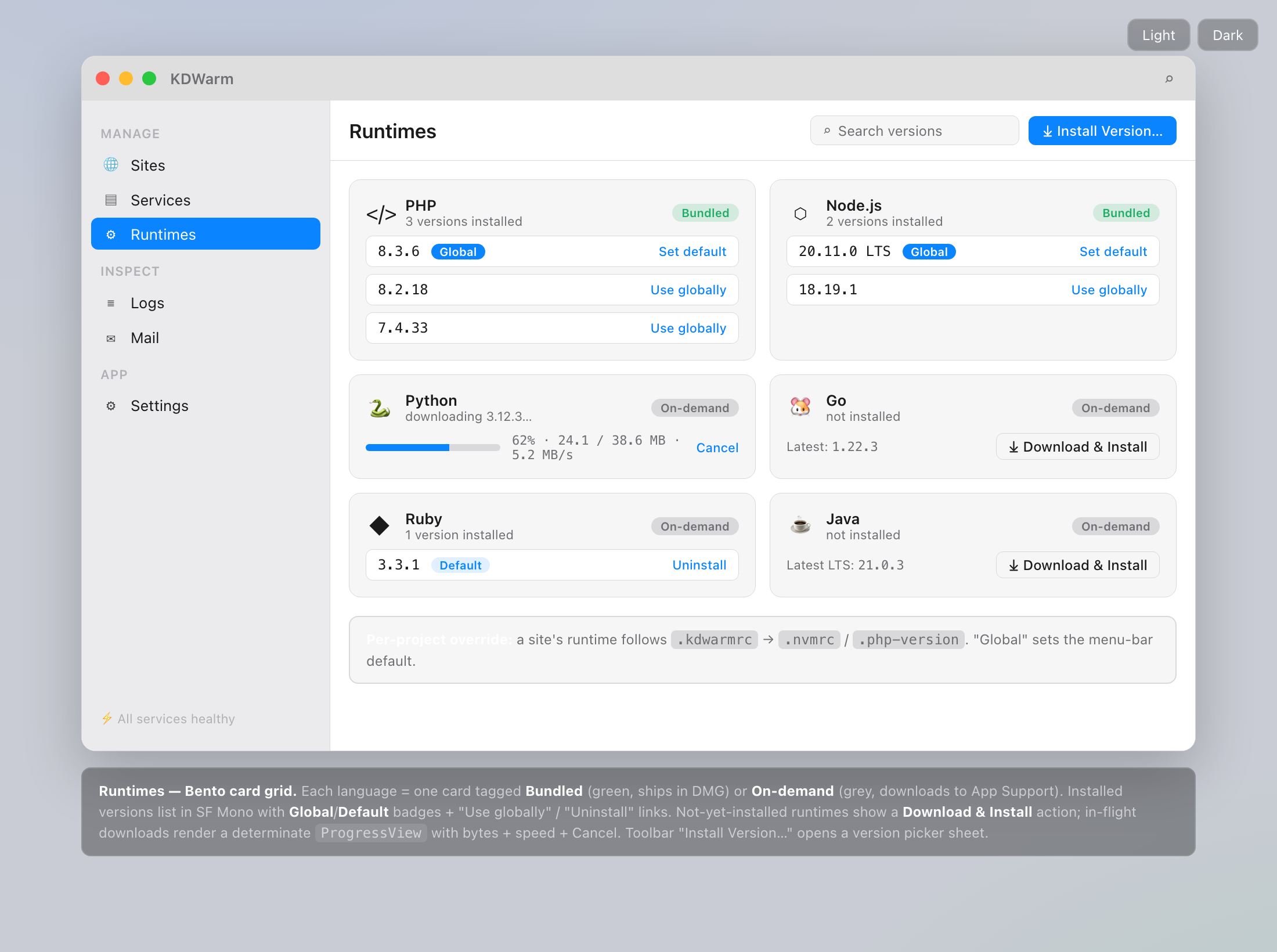
- Isolated PHP & Node.js Runtimes: PHP 7.4 through 8.5 with independent php.ini, extensions, Xdebug, and Node.js 20/22/24/26.
- Zero Runtime Dependencies: Lightweight native macOS app—no Docker or Homebrew required.
- Built-in Database Engines: One-click supervision for MySQL 9.6, MariaDB 10.11/11.4, PostgreSQL 17, Redis 7.4, Memcached 1.6, and MongoDB 7.
Measured star growth
- in 24h
- 0
- in 7 days
- Collecting history
- in 15 days
- Collecting history
- in 1 month
- Collecting history
Net star changes over overlapping periods, not daily totals. Missing measurements are left blank. Stars measure attention, not software quality.
About
Free and open source Native macOS local development environment for PHP, Node.js. Automatic HTTPS, .test domains, databases, Mailpit and Cloudflare Tunnel sharing.
Developer ToolsREADME.md
Original
A native macOS local development environment for PHP & Node.js
Run local sites at https://your-project.test with trusted HTTPS, automatic .test domains, databases, a built-in database editor, a unified developer CLI, an AI Agent MCP server, mail testing, logs, and public sharing, from a single native menu-bar app. No Docker.
Open-source. Free forever. An alternative to Laravel Herd, ServBay, Valet, and Laragon for macOS.






Why KTStack?
Setting up a local PHP/Node stack on macOS usually means stitching together a web server, a PHP version manager, database engines, local HTTPS certificates, DNS config, a mail catcher, and a database GUI.
KTStack bundles all of it into one native app. Create a site and instantly get:
https://my-project.test
It comes with HTTPS, the right PHP version, databases, logs and mail testing already wired up.
The features other tools lock behind a paid plan or a separate app (the database editor, every database engine, mail testing, public sharing) are built in and free here.
Features
Everything in KTStack is built-in, 100% free, and open-source (MIT)—no Pro tiers, no subscriptions, no paywalls:
- Automatic
.testDomains & Local HTTPS: Trusted SSL certificates minted by a local CA with automatic DNS loopback resolution. - Isolated PHP & Node.js Runtimes: PHP 7.4 through 8.5 with independent
php.ini, extensions, Xdebug, and Node.js 20/22/24/26. - Zero Runtime Dependencies: Lightweight native macOS app—no Docker or Homebrew required.
- Built-in Database Engines: One-click supervision for MySQL 9.6, MariaDB 10.11/11.4, PostgreSQL 17, Redis 7.4, Memcached 1.6, and MongoDB 7.
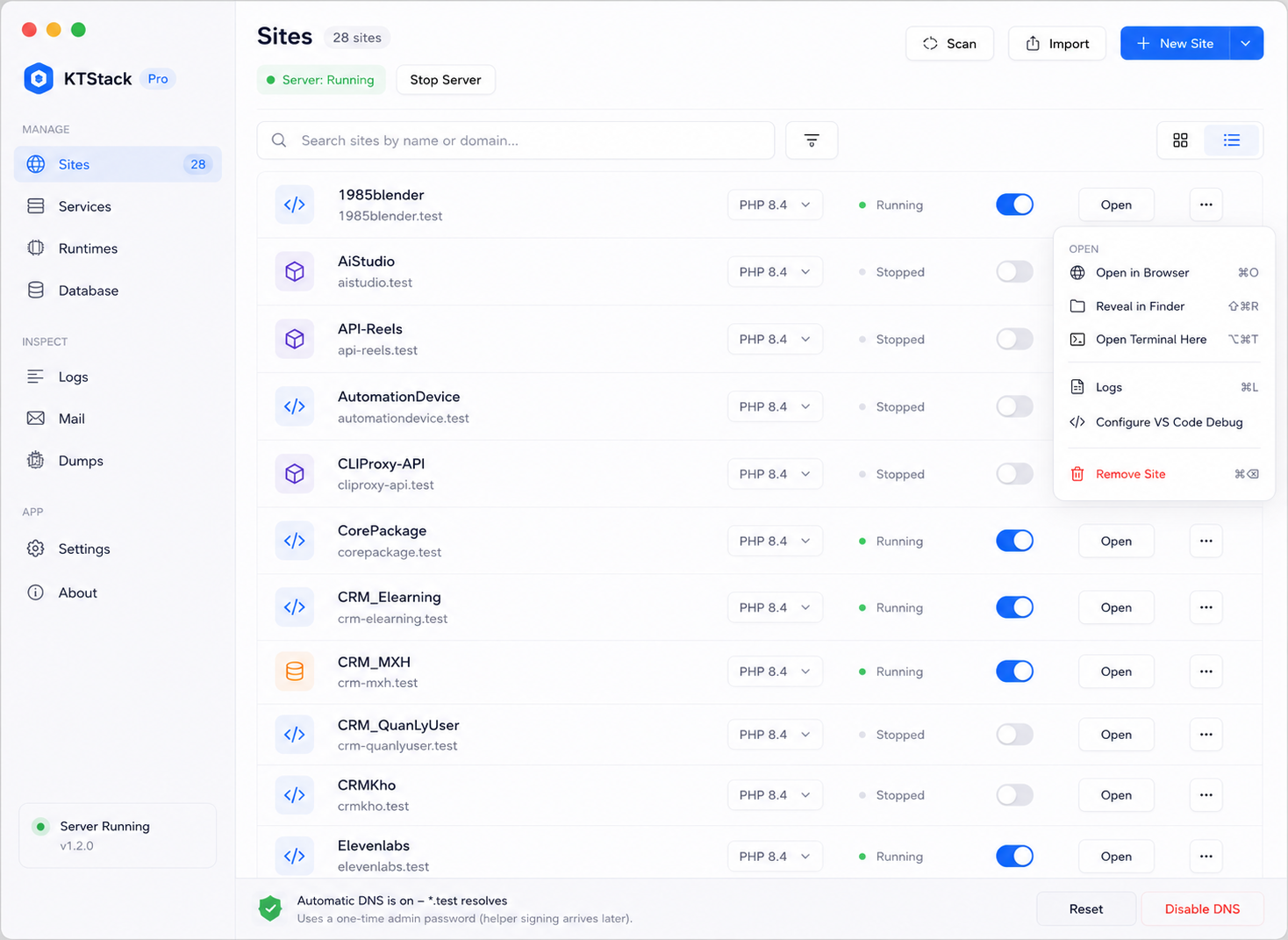
- Full Database Management Workspace: Browse and edit rows, execute SQL, inspect DDL/schemas, navigate foreign keys, and explain plans (MySQL, MariaDB, Postgres, SQLite, Mongo).
- 1-Click Database Backup & Restore: Snapshot dumps and restores for MySQL, PostgreSQL, and SQLite without external tools.
- AI Coding Agent MCP Server (
kt mcp): Built-in Model Context Protocol server over stdio for Cursor, Claude Code, and Windsurf to list sites and services, restart services, and read logs. - Unified Developer CLI (
kt): Fast terminal tool communicating via private Unix domain socket (kt sites,kt services,kt db,kt doctor). - 1-Click IDE Quick Launch: Instantly open projects from Site Cards into Cursor, VS Code, PhpStorm, Zed, or Sublime Text.
- Mail Testing (Mailpit): Embedded SMTP server and HTML email inspector.
- Proxy Sites: Point any
.testdomain to a local port, LAN host, or remote HTTPS origin. - Per-Site Customization: Custom alias domains, environment variables, and validated Nginx configuration directives.
- Live Multi-Source Log Viewer: Stream Nginx access/error logs, PHP-FPM logs, and service output in real time.
dd()/dump()Stream Viewer: Laravel and Symfony dumps stream straight into the app with zero code setup.- Cloudflare Tunnel Sharing: Expose local sites over temporary public HTTPS URLs for client reviews and mobile testing.
- Configurable TLD: Customize your local top-level domain beyond
.test. - Apple Silicon & Intel Mac Support: Native builds for
arm64andx86_64on macOS 13+, shipped as one DMG per architecture (the bundled runtimes are architecture-specific). - Native macOS Liquid Glass UI: Modern SwiftUI interface supporting macOS 27+ Liquid Glass with macOS 13+ material fallback, and Sparkle auto-updates.
Screenshots
| Sites | Services | Runtimes |
|---|---|---|
|
 |
 |
Install
- Download the latest DMG from the Releases page:
- Apple Silicon (M1/M2/M3/M4/M5):
KTStack-<version>-arm64.dmg - Intel Mac:
KTStack-<version>-x86_64.dmg
- Apple Silicon (M1/M2/M3/M4/M5):
- Drag KTStack to Applications and launch it.
- Approve the privileged helper when prompted (needed only for local DNS, the
/etc/resolverentry, and installing the local HTTPS CA). - Add a site, open
https://<name>.test. Done. - (Optional) Install the CLI helper: open Settings → Maintenance → Terminal shell integration and click Install kt Command in /usr/local/bin. KTStack never replaces an existing
/usr/local/bin/ktit did not create.
Requires macOS 13 (Ventura) or newer, on Apple Silicon (arm64) or Intel (x86_64).
AI Agent Integration (MCP Server)
KTStack includes a built-in Model Context Protocol (MCP) server (kt mcp) that communicates over stdio JSON-RPC 2.0. This allows AI coding agents in Cursor, Claude Code, Windsurf, or Roo Code to inspect and modify your local development environment with zero network latency.
Cursor Configuration (.cursor/mcp.json or Global MCP Settings)
{
  "mcpServers": {
    "ktstack": {
      "command": "kt",
      "args": ["mcp"]
    }
  }
}
Claude Code / Claude Desktop Configuration (claude_desktop_config.json)
{
  "mcpServers": {
    "ktstack": {
      "command": "/usr/local/bin/kt",
      "args": ["mcp"]
    }
  }
}
Exposed MCP Tools
ktstack_list_sites: List local sites with their domains, PHP versions, backend ports, TLS status and wildcard-subdomain flag.ktstack_list_services: List background services and whether each is running.ktstack_restart_service: Restart a background service (starts it if it is stopped).ktstack_get_recent_logs: Fetch the last lines of a KTStack log source (nginx-error,php-<version>,mysql,site-<domain>-error, …).ktstack_backup_database: Back up one database of a managed engine (mysql,postgres,mongodb) and return the backup file path.ktstack_create_site: Register a project folder as a local site.ktstack_switch_php_version: Switch a site to another installed PHP version.ktstack_doctor: Check that the KTStack app is reachable.
Developer CLI (kt)
KTStack ships with a lightweight, native command-line tool kt communicating directly with the background app over a private Unix domain socket (ktstack.sock):
# List registered sites (or output structured JSON for scripts)
kt sites list
kt sites list --json

# Manage database & cache services
kt services list
kt services start mysql
kt services stop redis
kt services restart nginx

# Run environment health diagnostics
kt doctor

# Start the Model Context Protocol stdio server
kt mcp
How it works
browser → https://app.test
  → dnsmasq           resolves *.test → 127.0.0.1   (privileged helper, root)
  → Nginx (:80/:443)  reverse proxy + local TLS     (user launch agent)
  → PHP-FPM / Node    per-site, version-aware
The root helper does only three things, write /etc/resolver/<tld>, run dnsmasq on port 53, and install the local CA into the System Keychain. Everything else (Nginx, PHP-FPM, databases) runs as your user. All app data lives in ~/Library/Application Support/KTStack/.
Build from source
The Xcode project is generated by XcodeGen, project.yml is the source of truth; never edit KTStack.xcodeproj by hand.
brew install xcodegen
xcodegen generate

# Run the framework logic tests
xcodebuild -project KTStack.xcodeproj -scheme KTStackKit-Tests -destination 'platform=macOS' test

# Build a Release app
xcodebuild -project KTStack.xcodeproj -scheme KTStack -destination 'platform=macOS' -configuration Release build

# Or run the whole gate (lint + tests + Release build); --quick drops the build
scripts/ci-local.sh

# Enforce the quick gate (lint + tests) on commit and push
scripts/install-git-hooks.sh

# Boot a real nginx/php-fpm stack from the generated configs and assert over HTTP(S)
# (needs the bundled binaries below; too slow for the hooks, run per session and before merges)
scripts/integration-test.sh
Bundled binaries under
KTStack/Resources/bin/(nginx, dnsmasq, mkcert, redis, mailpit, …) are gitignored build artifacts produced byscripts/build-*-relocatable.sh; they won't exist on a fresh checkout until built. Seedocs/for architecture and the signing/notarization guide.
Contributing
Issues and pull requests are welcome. KTStack is an active project exploring Swift, SwiftUI, macOS development and developer-experience tooling.
Contributors
Thanks to everyone who contributes to KTStack.
License
KTStack is free and open-source software. See LICENSE.
⭐ If KTStack helps your workflow, please star the repo, it's the single biggest thing that helps others find it.