
KSJaay/Lunalytics
KSJaay/Lunalytics has 733 GitHub stars and 44 forks. GitHot measured 0 stars in 24 hours and -1 in 7 days. Last checked 2026-11-10 00:29 UTC. Last push 2026-08-01.
🚀 Open source monitoring tool built with Node.js
What you can do
- Easy to self-host
- Docker Containers
- Support for multiple users
- Fully customisable status/dashboard pages
Measured star growth
- in 24h
- 0
- in 7 days
- -1
- in 15 days
- Update delayed
- in 1 month
- Update delayed
Net star changes over overlapping periods, not daily totals. Missing measurements are left blank. Stars measure attention, not software quality.
README.md
Original
Open source monitoring tool built with Node.js & React
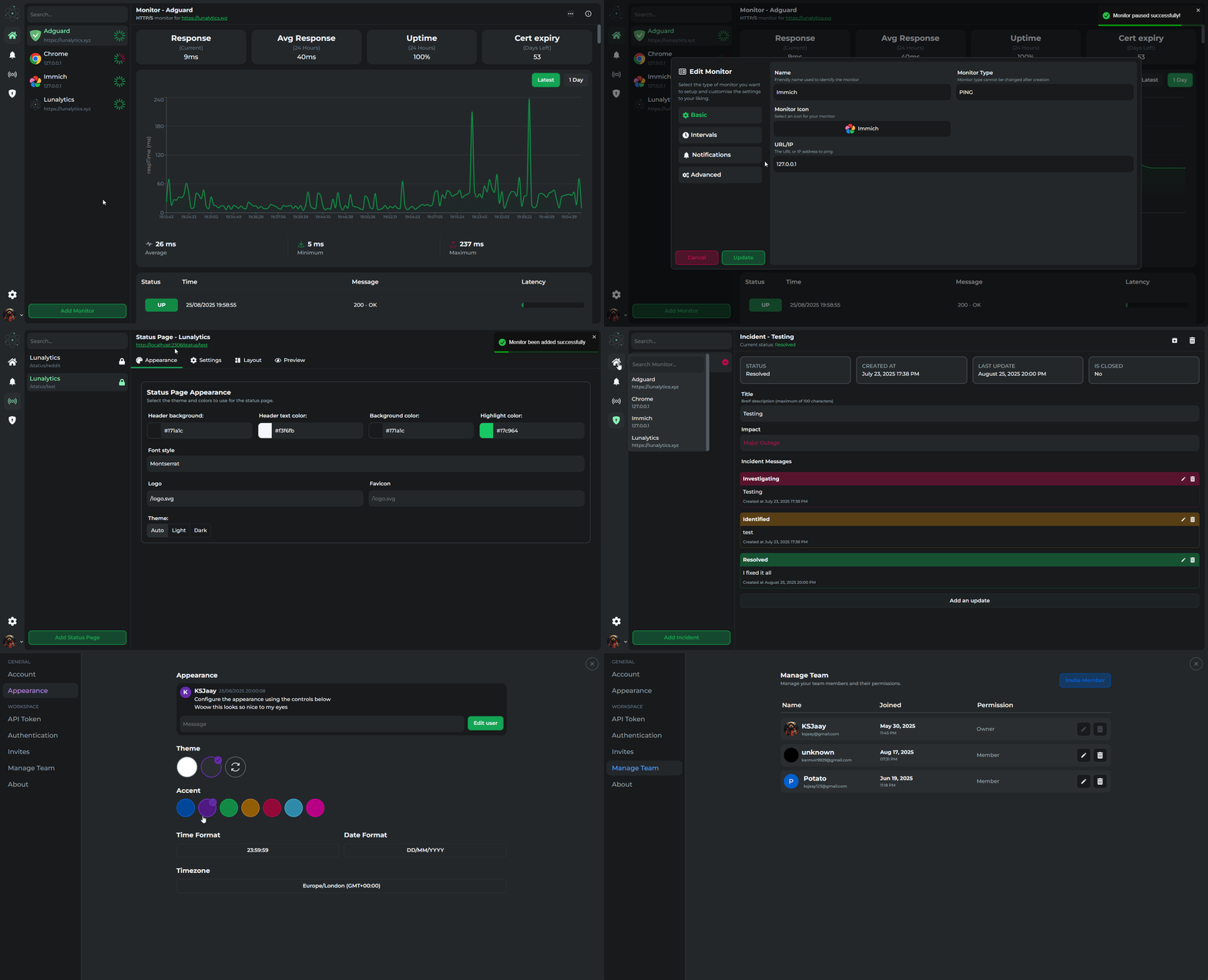
📔 Features
- Easy to self-host
- Monitor uptime for:
- HTTP(s)
- TCP
- PING
- JSON Query
- PUSH
- Docker Containers
- Support for multiple users
- Fully customisable status/dashboard pages
- Incident management
- Advance role based access control
- Clean and easy to use UX/UI
- Customizable user profiles/themes/colors
- Single sign on support (SSO)
- Custom (Authentik, Authelia, Keycloak, etc...)
- Discord
- GitHub
- Slack
- Twitch
- Support for notifications
- Apprise
- Discord
- Email (SMTP)
- Home Assistant
- Pushover
- Slack
- Telegram
- Webhook
- More to come...
🚀 Getting Started
[!CAUTION]
This project is under active development and still in beta, things may randomly break. But I'll do my best to fix them as soon as possible.
Docker
docker run -d \
  -p 2308:2308 \
  -v /path/to/data:/app/data \
  -v /path/to/logs:/app/logs \
  ksjaay/lunalytics:latest
Docker Compose
# docker-compose.yml
services:
  lunalytics:
    image: ksjaay/lunalytics:latest
    container_name: lunalytics
    ports:
      - '2308:2308'
    volumes:
      - ./path/to/data:/app/data
      - ./path/to/logs:/app/logs
Requirements
Make sure you have the following applications installed before starting:
Clone application
git clone https://github.com/KSJaay/Lunalytics.git
cd Lunalytics
Setup application
# Setup application
npm run setup

# Start application using scripts
npm run start

# Alternatively start application using
node server/index.js
Lunalytics will be accessible on https://localhost:2308
Using pm2 to run application in the background
# Install pm2 globally
npm install pm2 -g

# Start the server
pm2 start server/index.js --name Lunalytics

# Or start the server using script
pm2 start npm --name "Lunalytics" -- run start

# Optional
pm2 save
pm2 startup

## Monitoring console output
pm2 monit
🎯 Roadmap
- Custom status pages
- Better design for compact mode
- API keys for users
- Better role based access control
- Move to Oauth2 for authentication
- Moved to session based system, but not full Oauth2
- Add support for multiple databases
- Add support for PostgreSQL
- Add support for SQLite
- Add support for MongoDB
- Allow session management (Track/logout from sessions)
- Add support for more notification services
⭐ Help us grow
- Add a star to the project if you like it!
- AlternativeTo
📖 Backstory
There's a lot of monitoring applications out there and I personally love using uptime-kuma. But, one of the main issues with Uptime-kuma is the ability to share with my friends/colleagues. And for the services that do allow me to share with others, they either have an outdated UI from the 90s or are so expensive I can't justify paying for it.
So I've decided to create my own application that's focused on a developer first experience with support for multiple users.
Contributors
No longer just me :D
License
See the LICENSE file for licensing information.
Explore related projects
awesome-selfhosted/awesome-selfhosted
A list of Free Software network services and web applications which can be hosted on your own servers
335,864 starsimmich-app/immich
High performance self-hosted photo and video management solution.
118,645 starsStirling-Tools/Stirling-PDF
#1 PDF Application on GitHub that lets you edit PDFs on any device anywhere
96,149 starslouislam/uptime-kuma
A fancy self-hosted monitoring tool
93,425 stars