
JosssphZhou/poki has 737 GitHub stars and 154 forks. Star changes are not measured yet. Last checked 2026-11-09 19:12 UTC. Last push 2026-11-07.
Let AI agents operate a real iPhone. Local MCP server and agent, no jailbreak, no extra hardware.
Measured star growth
- in 24h
- Update delayed
- in 7 days
- Update delayed
- in 15 days
- Update delayed
- in 1 month
- Update delayed
Net star changes over overlapping periods, not daily totals. Missing measurements are left blank. Stars measure attention, not software quality.
README.md
Original

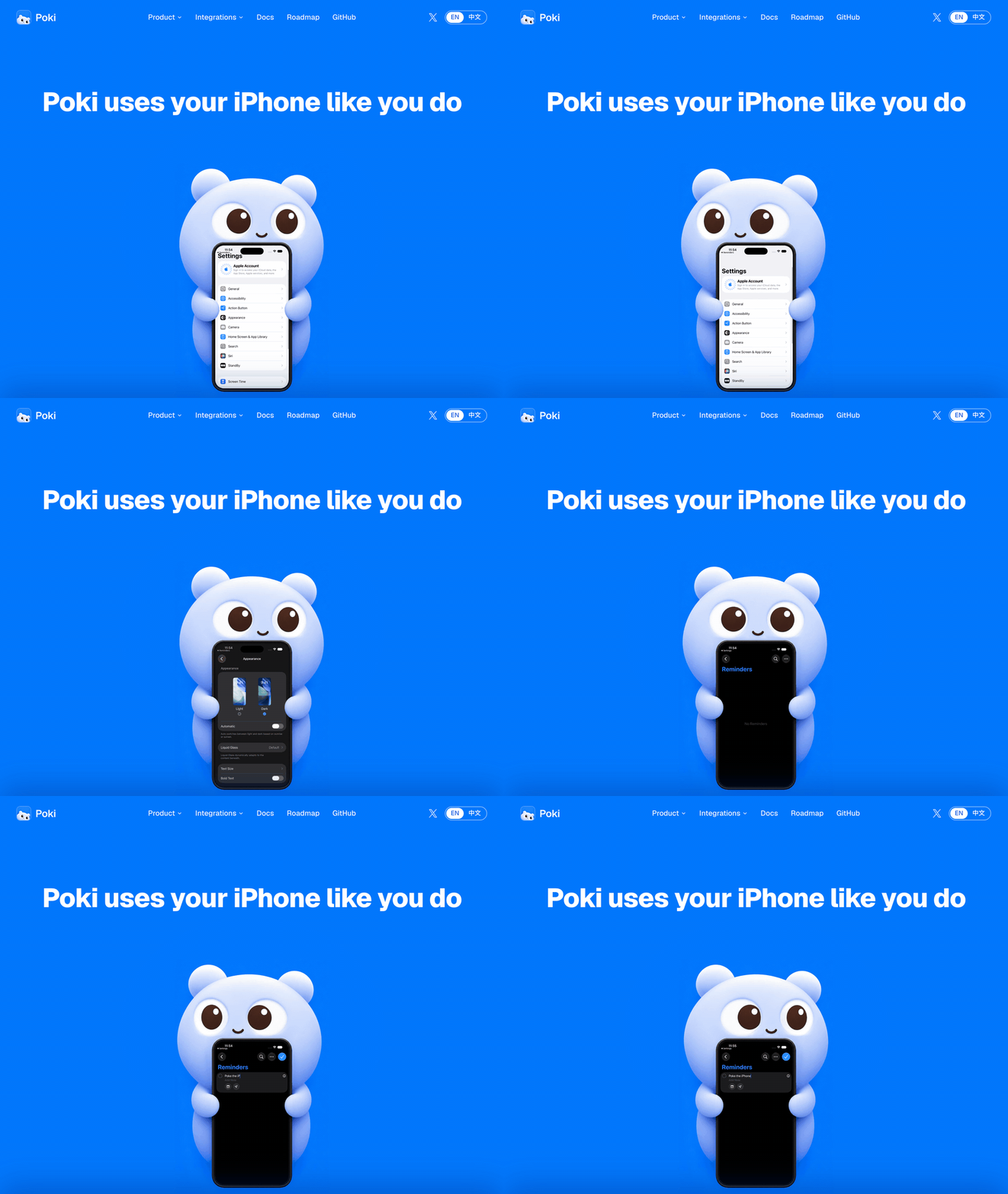
Poki uses your iPhone like you do
English | 简体中文 | 繁體中文 | 日本語 | 한국어 | Español
poki.bot




Quick start
Let your agent install it. Copy this to your agent:
Install https://github.com/JosssphZhou/poki following its root AGENTS.md, including the MCP skill, and stop whenever you need me to act.
Poki MCP. Already using Claude Code, Codex, or another MCP client? Connect Poki MCP and use your own subscription. No extra model account needed.
Start the server and keep it running:
git clone https://github.com/JosssphZhou/poki.git
cd poki
./bin/setup
npm start
Requires macOS 15 or later, full Xcode, Rust, Node.js 24+, and ffmpeg. ./bin/setup checks for missing dependencies. The initial build takes a few minutes.
Poki targets macOS. For Linux, see the community port poki-for-linux (#16), maintained outside this repo.
Windows: community port at scy7796/poki-for-windows (maintained by its author, not tested by us).
Prebuilt macOS arm64 package
Download poki-v0.1.1-macos-arm64.tar.gz from the release and run:
tar -xzf poki-v0.1.1-macos-arm64.tar.gz
cd poki-v0.1.1
npm ci --no-audit --no-fund
npm start
The package includes the native bridge and idevice tools. You do not need Rust or ./bin/setup. You still need macOS on Apple Silicon, full Xcode, Node.js 24+, Python 3, and ffmpeg. Register your MCP client and install the optional Agent as described below.
In another terminal, from the same directory, register the MCP server:
claude mcp add --scope user poki-mcp -- node "$PWD/src/stdio.mjs"   # Claude Code
codex mcp add poki-mcp -- node "$PWD/src/stdio.mjs"                 # Codex
Poki Agent. For Poki's standalone terminal agent or messaging channels, keep npm start running and open another terminal in the same directory. Install the agent, add its command to this terminal's path, and sign in:
npm ci --prefix agent
export PATH="$PWD/bin:$PATH"
poki login
poki status
Poki Agent uses GPT-6.1 Terra (gpt-6.1-terra) with low reasoning by default. We recommend keeping it: it is the fastest setup we have tested for phone tasks. Override it with POKI_AGENT_MODEL; see Run Poki Agent.
For a physical iPhone, pair it with your Mac over USB first. See Physical iPhone setup.
Update with ./bin/poki update. Set POKI_NO_UPDATE_CHECK=1 to disable the daily anonymous GitHub release check. See Update for the request URL, restart steps, and prebuilt packages.
Try a task
With Poki Agent, one connected iPhone is selected automatically. With multiple devices, add --device '<device UUID>'.
node bin/call.mjs list_devices   # Find your device UUID
poki "Search esp32 in Chrome and summarize the top result"
Note: Poki controls your real iPhone. If you ask it to send messages or make payments, it will. Screen contents are sent to your configured model service.
Gets faster with use: Poki Agent remembers past tasks and runs them faster on repeat.
Channels: After configuring an authorized channel, start it with poki imessage or poki telegram. See Poki Agent for setup.
MCP clients: Claude Code, Codex, and any client supporting mcpServers JSON.
Physical iPhone support has been verified only on iPhones using the Chinese interface. Physical devices support portrait orientation only. App container export and direct links to Settings subpages are unavailable. See verification and known limits.
Docs
| Topic | Read |
|---|---|
| Installation, other MCP clients, and troubleshooting | Install guide |
| Poki Agent, models, iMessage, and Telegram | Run Poki Agent |
| MCP tool reference | Tool behavior |
| Environment variables and sessions | Configuration |
| USB pairing, Developer Mode, and Wi-Fi | Physical iPhone setup |
| Test results, known limits, and disclaimers | Verification |
| Bridge architecture | Native bridge and simulator adapter |
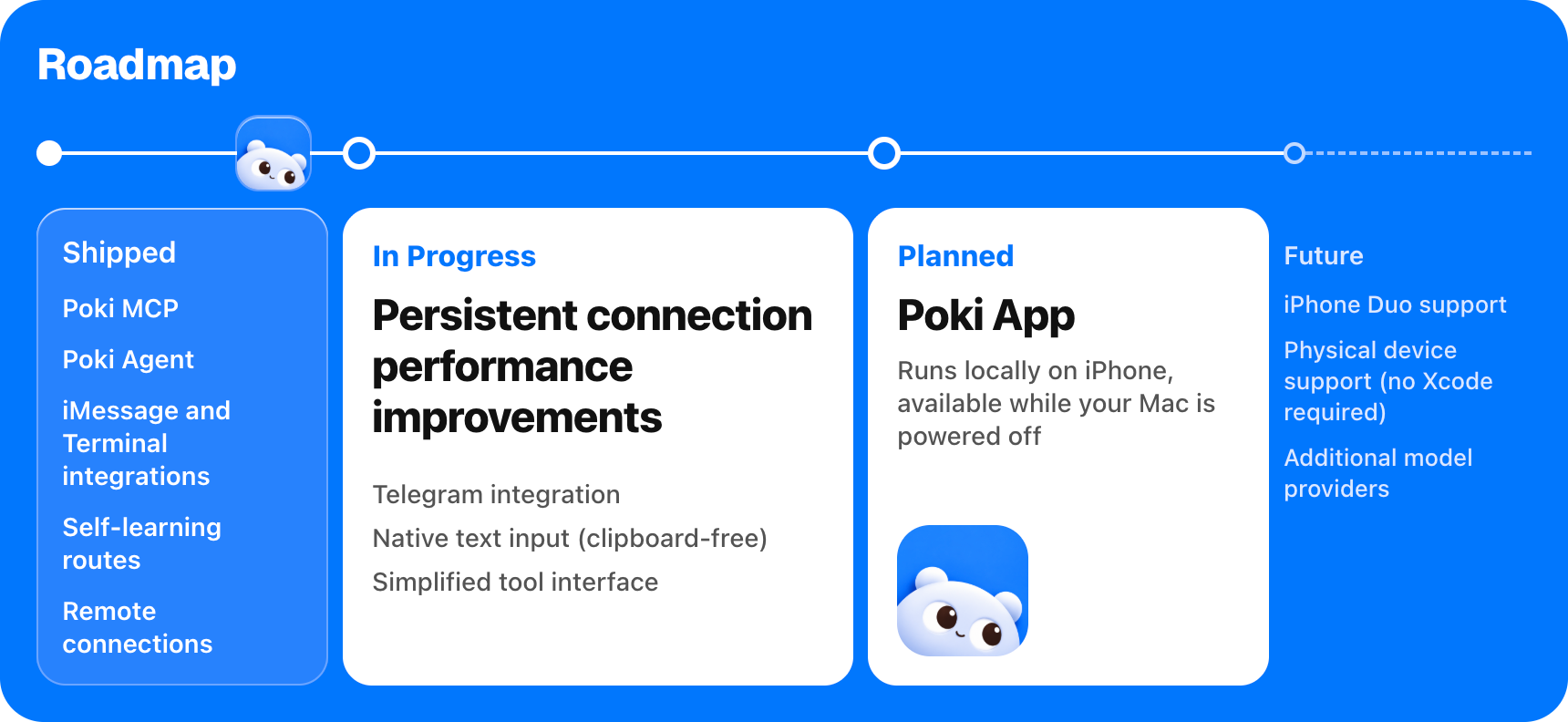
| Roadmap | poki.bot |
Roadmap
Star History
Core contributors
 ZhehanZhang Proposed driving a physical iPhone over Tailscale in #2, the idea behind remote connections, which shipped in #8. |
 igc110 Found why taps on a physical iPhone were slow in #10; the fix that followed made them about a third faster. |
 edge369 Made Poki run on a router in #14, so Telegram can drive the iPhone with the Mac powered off; #15, #17 and #19 followed. |
 carrotciallo Ported Poki to Linux and tested it on a physical iPhone over USB, LAN and Tailscale in #16; the README now points to it. |
 guangtouge82 Traced failing touches on a physical iPhone to a missing display service in #18; Poki now says nothing was sent and points to prepare-device. |
 Dreaminmaster Fixed a corrupt cached route that aborted unrelated Agent tasks (#21, #22), then let the Agent reuse its post-action screen read in #37. |
 PeterKingXu1s Reported in #25 that a natural-language stop request did not interrupt an iMessage task; Poki now replies to mid-task messages and points to /stop. |
 ScottH1122 Reproduced two Agent bugs in #27 and #28, disabled controls offered as tap targets and partly failed batches losing their trace; both are fixed. |
 jiahuipaung Fixed in #34 a RemotePairing connection that died when the iPhone's LAN address changed (#30); a real iPhone reconnected in 768 ms. |
 scy7796 Fixed taps that failed every time over RemotePairing from a Windows host in #39; 5 of 5 taps then worked. |
 foshanfm Ran an insurance-terms check on a real iPhone over Tailscale in #42; the report shaped clearer USB errors and a per-session transport switch. |
 xiaweiyi713 Recorded demo videos of Poki driving a real iPhone, so new visitors can see what it does before installing anything. |
Thanks
Thanks to everyone who opened an issue or pull request. Your feedback and fixes make Poki better.


Disclaimer
Poki is an independent open source project. It is not affiliated with, or endorsed by, Apple, OpenAI, or the makers of any app or website it operates. iPhone is a trademark of Apple Inc.
Automating third-party apps and websites may violate their terms of service. Decide for yourself whether to use Poki with a given service. You are responsible for what it does on your device and accounts, including messages it sends, changes it makes, and any account restrictions that result.
Poki is provided "as is", without warranty, as set out in the AGPL-3.0 license.
License
Poki is open source under the AGPL-3.0-only license.
Copyright (c) 2026 Joseph Zhou and contributors. Open-source dependencies retain their respective licenses; see THIRD_PARTY_NOTICES.md. To contribute, see CONTRIBUTING.md.
Acknowledgments
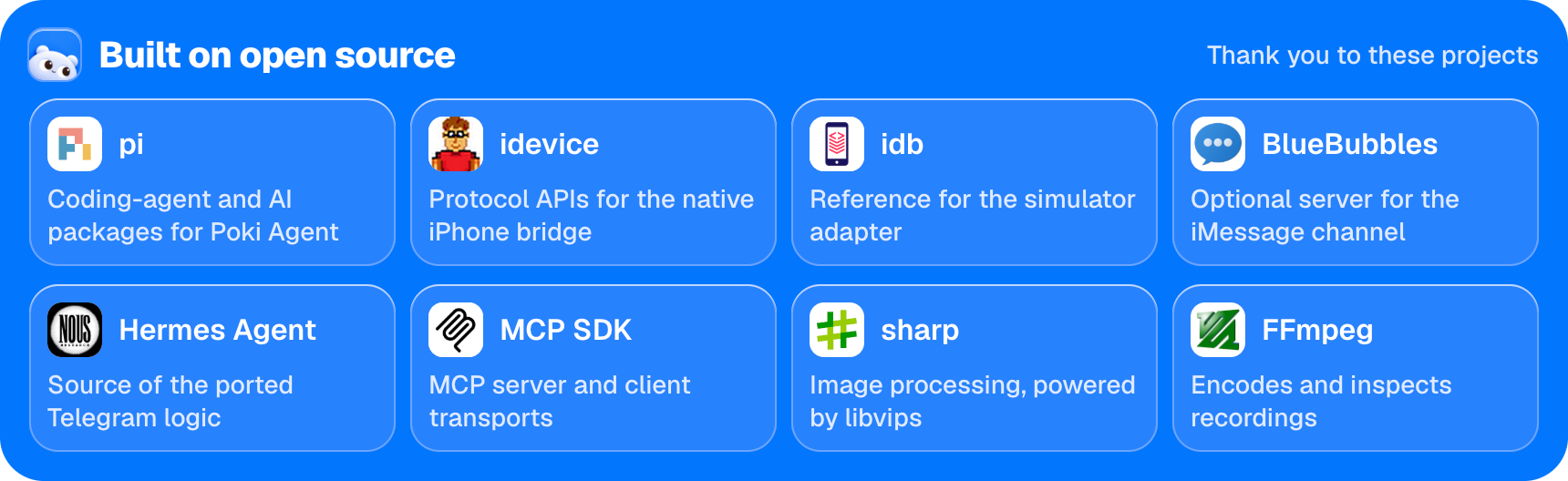
Open source acknowledgments: pi | idevice | idb | BlueBubbles | Hermes Agent | MCP SDK | sharp | FFmpeg
Explore related projects
n8n-io/n8n
Fair-code workflow automation platform with native AI capabilities. Combine visual building with custom code, self-host or cloud, 400+ integrations.
210,057 starslanggenius/dify
Build Agentic workflows, RAG pipelines, with rich AI model and tool support on one collaborative workspace. Deploy on cloud, VPC, or self-hosted, so teams move from prototype to production without rebuilding the stack.
160,773 starsmicrosoft/PowerToys
Microsoft PowerToys is a collection of utilities that supercharge productivity and customization on Windows
140,833 starsstablyai/orca
Orca is the place for working with a fleet of agents (e.g. Grok Bot, Claude Code). Run any coding agent with your own subscription. Available on desktop, mobile and remote runtime.
121,654 stars