
Jiar/SegementSlide
Jiar/SegementSlide has 1,324 GitHub stars and 167 forks. GitHot measured 0 stars in 24 hours. Last checked 2026-11-07 07:57 UTC. Last push 2021-05-13.
Multi-tier UIScrollView nested scrolling solution. 😋😋😋
Measured star growth
- in 24h
- 0
- in 7 days
- Update delayed
- in 15 days
- Update delayed
- in 1 month
- Update delayed
Net star changes over overlapping periods, not daily totals. Missing measurements are left blank. Stars measure attention, not software quality.
README.md
Original



Multi-tier UIScrollView nested scrolling solution.
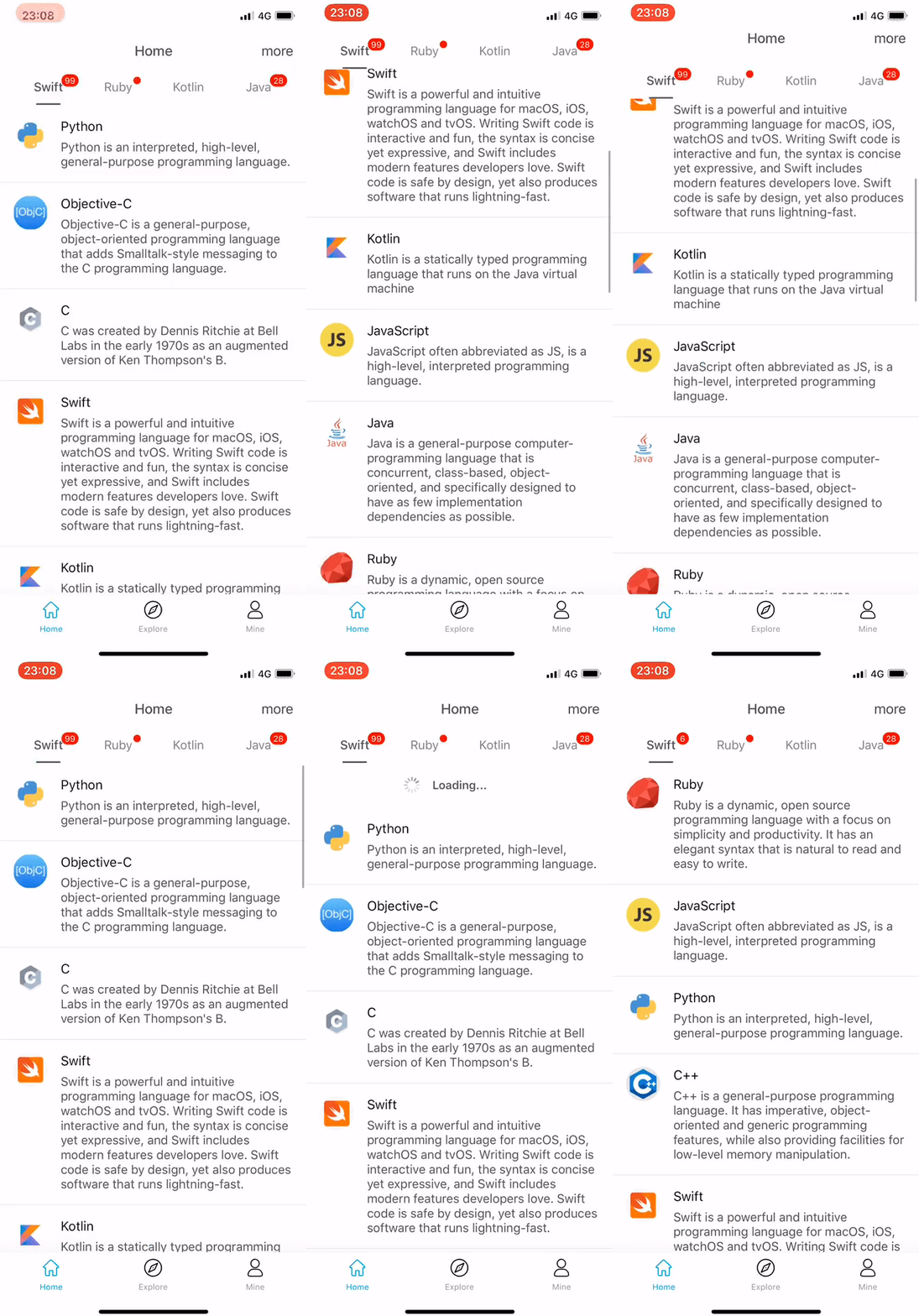
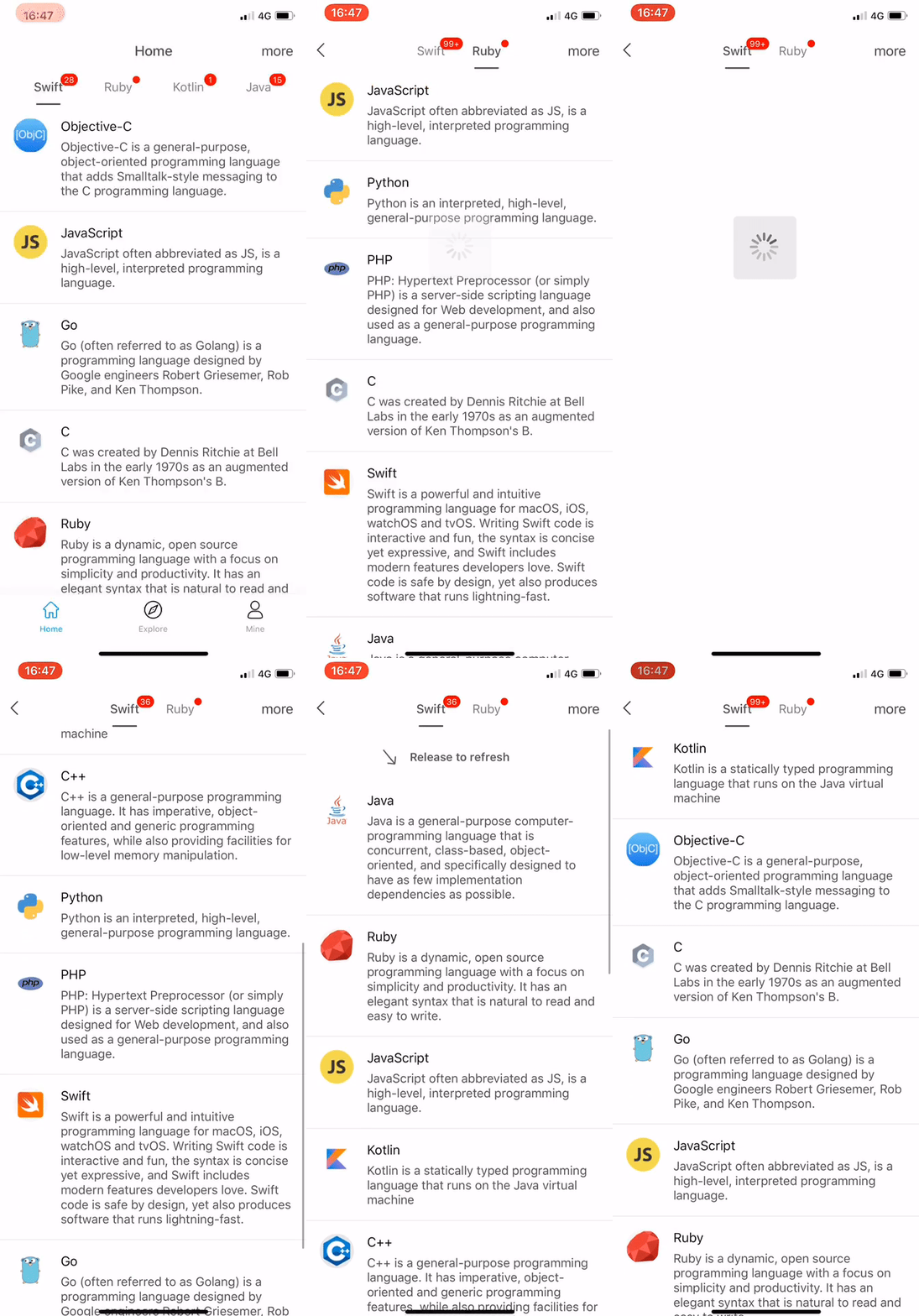
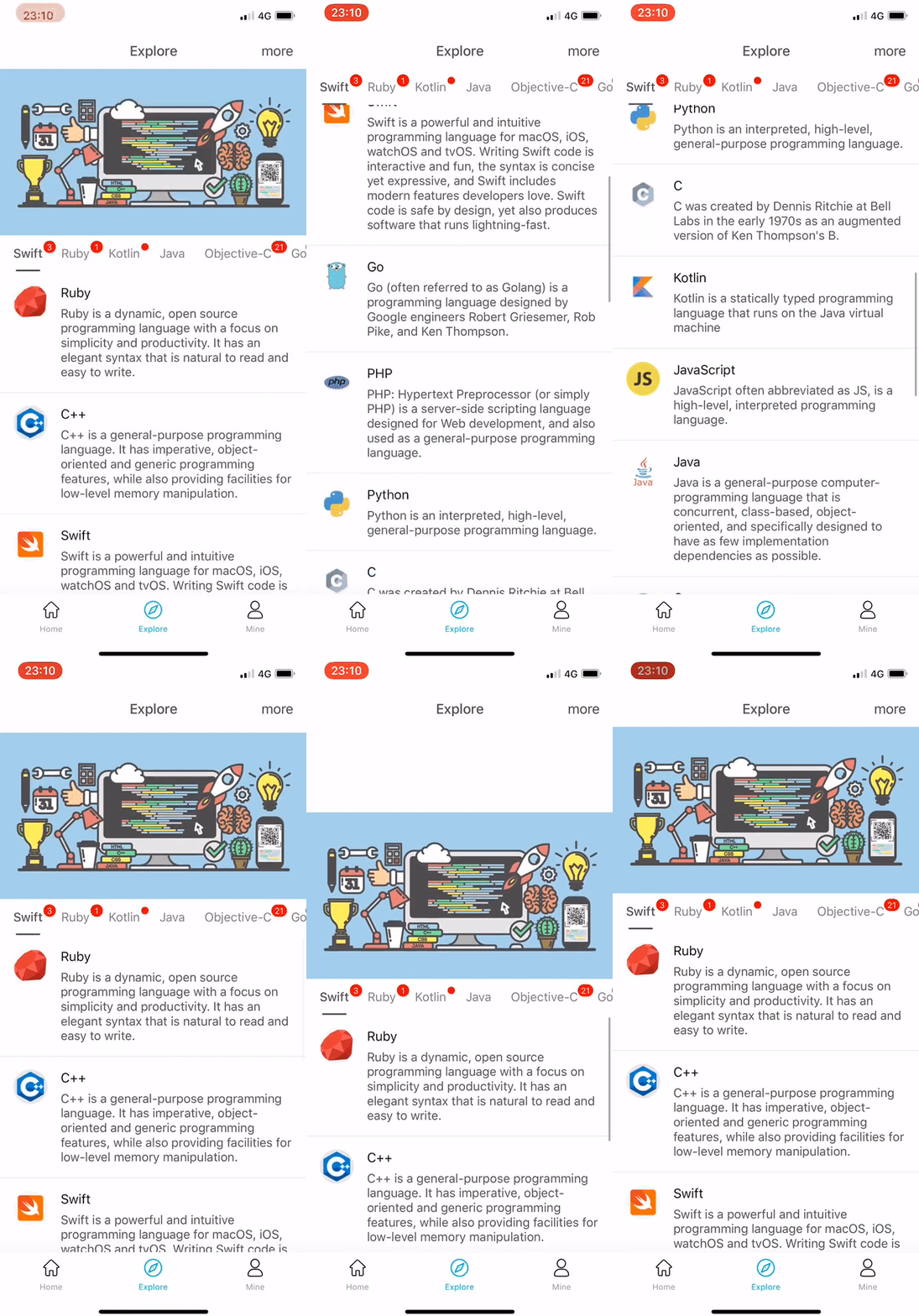
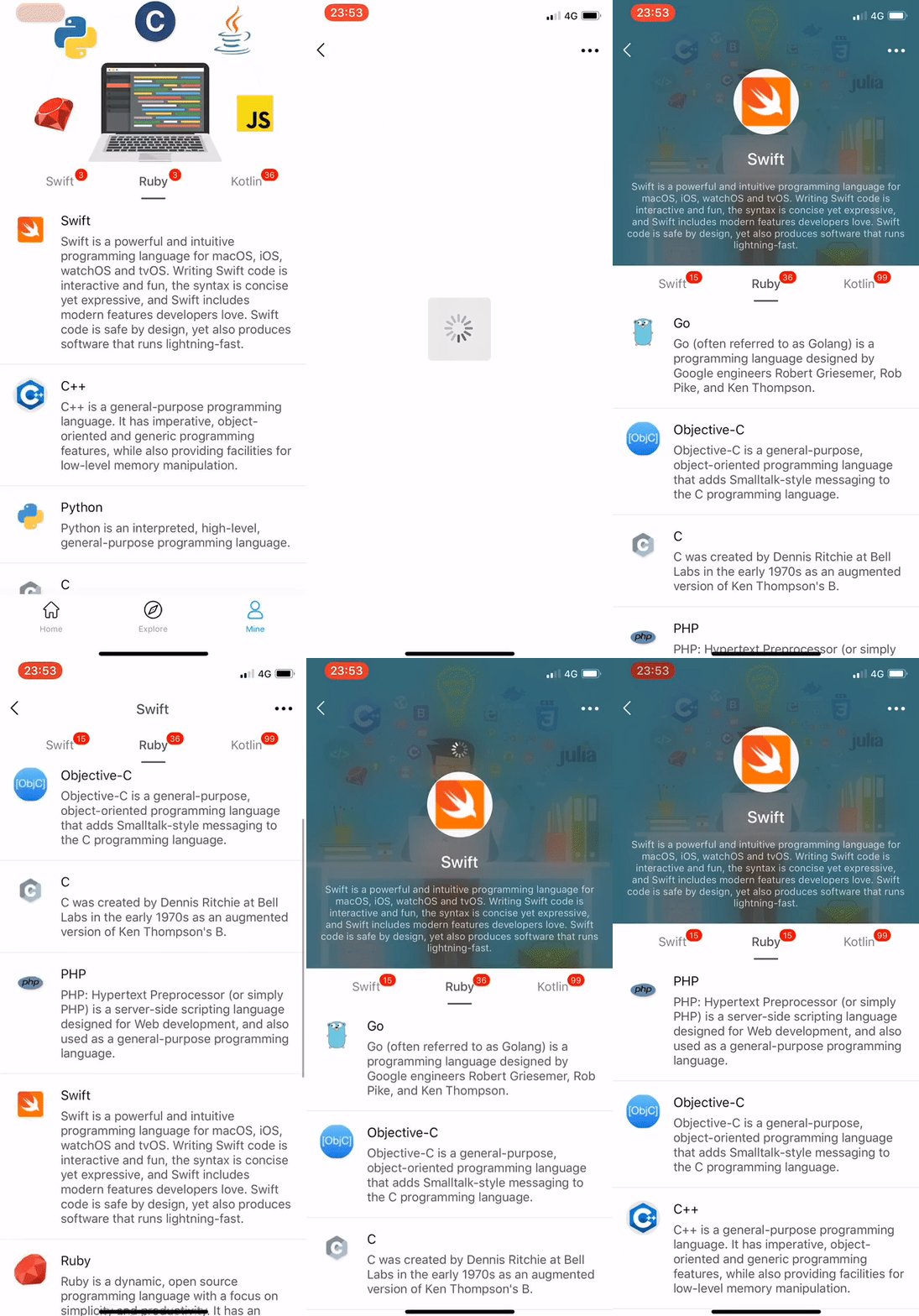
Snapshots

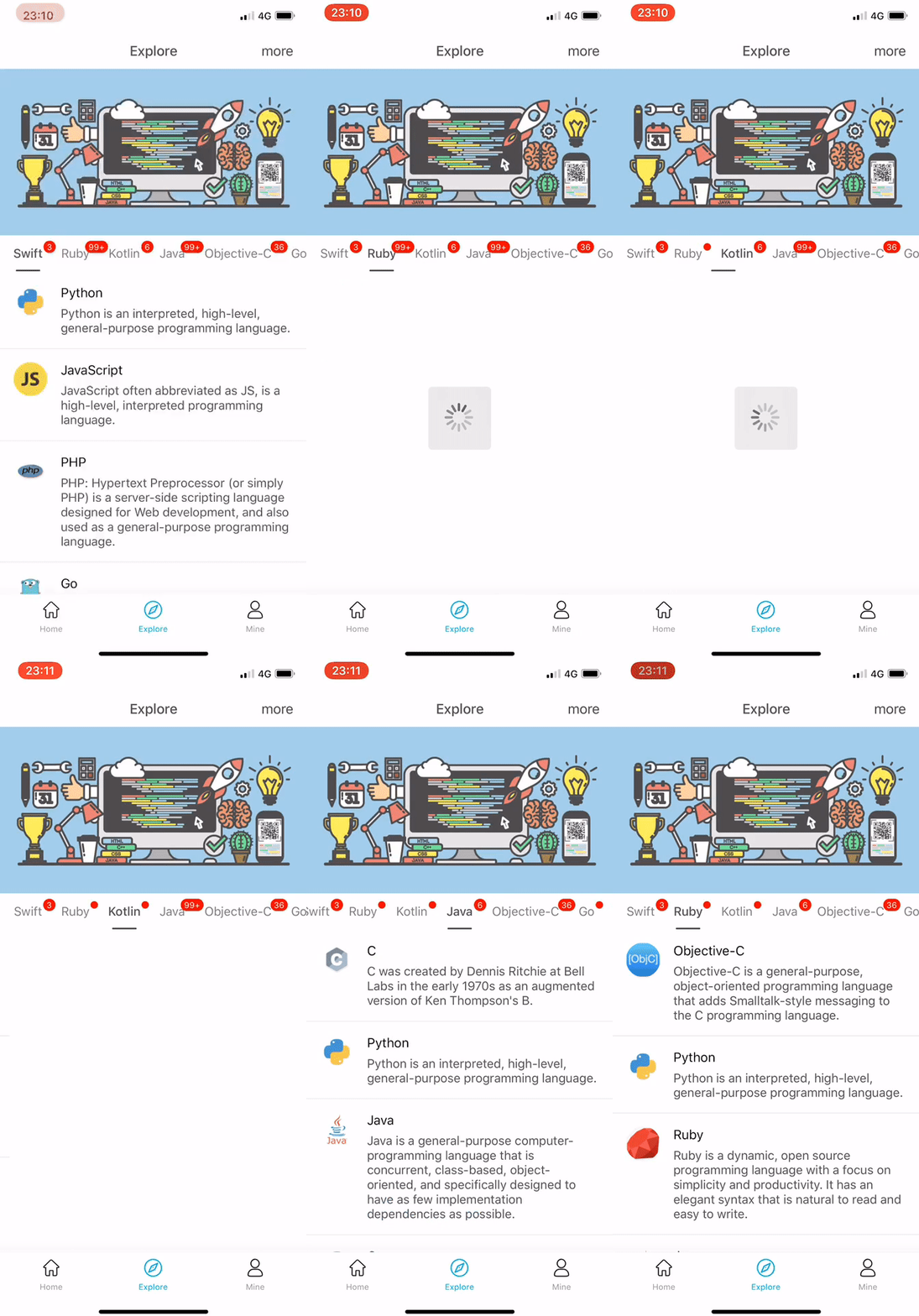
Requirements
- iOS 9.0+
- Xcode 10.0+
- Swift 4.2+
Installation
CocoaPods
CocoaPods is a dependency manager for Cocoa projects. You can install it with the following command:
$ gem install cocoapods
CocoaPods 1.1.0+ is required to build SegementSlide.
To integrate SegementSlide into your Xcode project using CocoaPods, specify it in your Podfile:
source 'https://github.com/CocoaPods/Specs.git'
platform :ios, '9.0'
use_frameworks!

target '<Your Target Name>' do
    pod 'SegementSlide', '3.0.1'
end
Then, run the following command:
$ pod install
Carthage
Carthage is a decentralized dependency manager that builds your dependencies and provides you with binary frameworks.
You can install Carthage with Homebrew using the following command:
$ brew update
$ brew install carthage
To integrate SegementSlide into your Xcode project using Carthage
- specify it in your
Cartfile:
github "Jiar/SegementSlide" "3.0.1"
Run carthage update to build the framework.
- Copy Carthage Frameworks:
- open the
Build Phasestab of the project Settings - add
New Run Script Phase - add
/usr/local/bin/carthage copy-frameworksto the input field - add
$(SRCROOT)/Carthage/Build/iOS/SegementSlide.frameworktoInput Files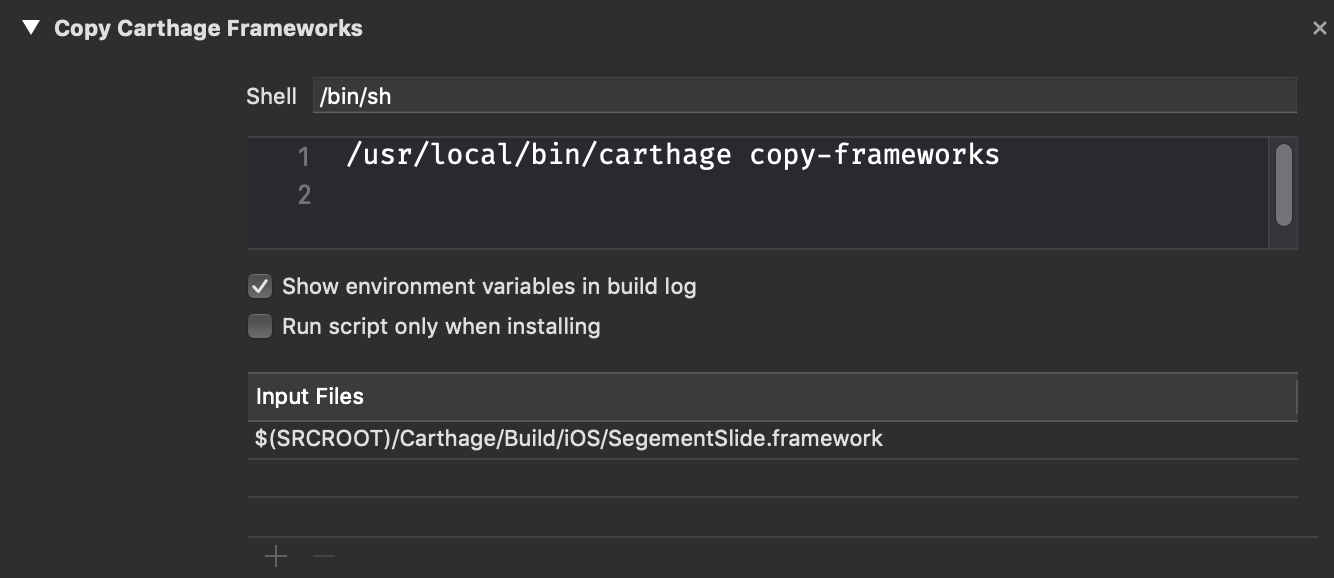
- Embedded Binaries:
- open the
generaltab of the project Settings - add
SegementSlide.frameworkin$(SRCROOT)/Carthage/Build/iOSto theEmbedded Binaries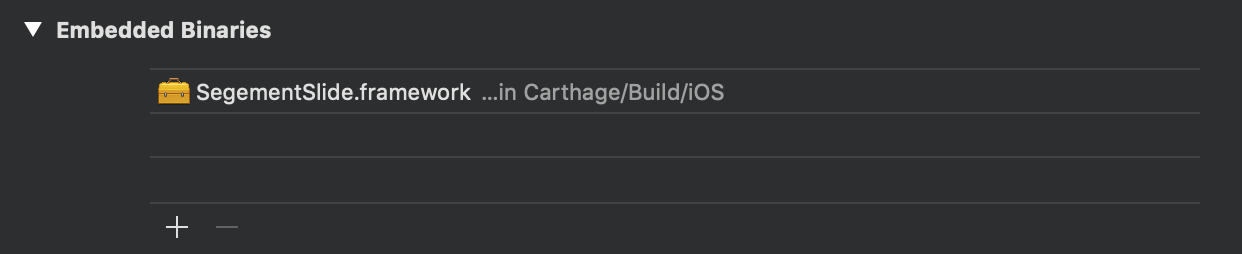
Manually
If you prefer not to use either of the aforementioned dependency managers, you can integrate SegementSlide into your project manually.
Usage
Quick Start
import SegementSlide

class HomeViewController: SegementSlideDefaultViewController {

    ......

    override func segementSlideHeaderView() -> UIView? {
        let headerView = UIView()
        let headerView.translatesAutoresizingMaskIntoConstraints = false
        headerView.heightAnchor.constraint(equalToConstant: view.bounds.height/4).isActive = true
        return headerView
    }

    override var titlesInSwitcher: [String] {
        return ["Swift", "Ruby", "Kotlin"]
    }

    override func segementSlideContentViewController(at index: Int) -> SegementSlideContentScrollViewDelegate? {
        return ContentViewController()
    }

    override func viewDidLoad() {
        super.viewDidLoad()
        defaultSelectedIndex = 0
        reloadData()
    }

}
import SegementSlide

class ContentViewController: UITableViewController, SegementSlideContentScrollViewDelegate {

    ......

    @objc var scrollView: UIScrollView {
        return tableView
    }

}
Structure
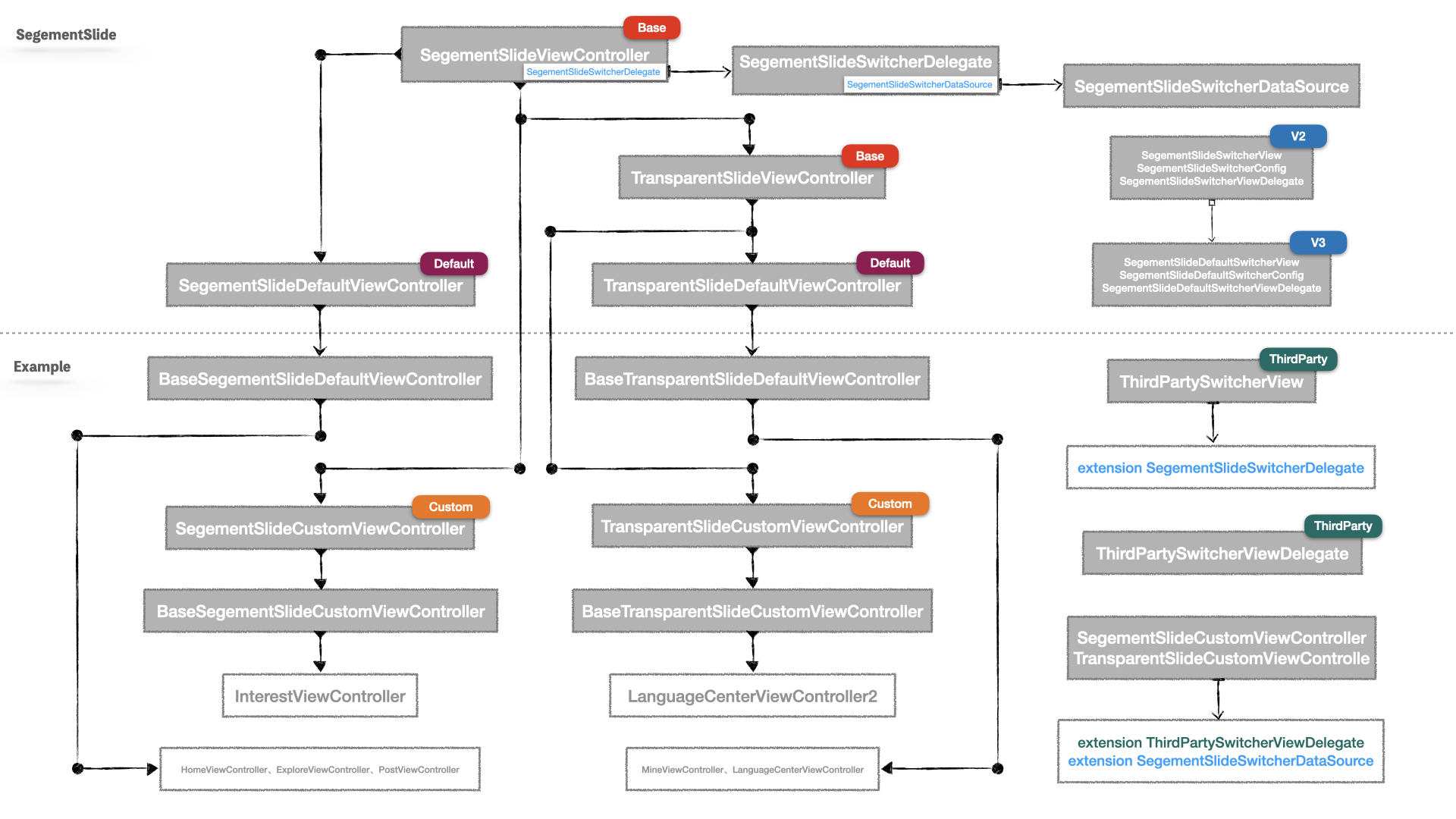
Author
License
SegementSlide is released under the Apache-2.0 license. See LICENSE for details.
Explore related projects
codecrafters-io/build-your-own-x
Master programming by recreating your favorite technologies from scratch.
560,769 starspublic-apis/public-apis
A collective list of free APIs
496,989 starsmorluto/rea
Reverse engineer anything with agents, from app behavior down to native binaries.
440,739 starsopenclaw/openclaw
The AI that really does things. Any OS. Any Platform. The lobster way. 🦞
394,139 stars