
JiangNanGenius/floe-agent
JiangNanGenius/floe-agent has 452 GitHub stars and 61 forks. GitHot measured +21 in 7 days. Last checked 2026-11-11 07:18 UTC. Last push 2026-11-03.
iPad-first, open-source iOS AI Agent optimized for iOS/iPadOS, with native iPhone support and Android alpha. On-device Linux, terminal, Python/Node.js, Git and web previews; BYOK AI, Notes, Office, Canvas, CAD/3D, voice, Skill Hub and supported local models on iOS. 开源设备端 AI 智能体工作台。
What you can do
- AI tasks - Continue a task with your material, tool actions and resulting files together. - Tasks & workspaces
- On-device Linux - Run agent code in a persistent, task-owned Linux environment on your device: shell, Python, Node and apt packages, background jobs and local web previews. Requires the verified image download; packages must support the environment's architecture. - Local terminal & Linux
- On-device AI - Run inference on your device with supported local models — the system model or downloaded models (Beta). Availability depends on your device and model status; local models share memory with Linux. - Model setup
- Notes - Import PDFs and images, search, annotate with Pencil and ask about documents. - Notes
Measured star growth
- in 24h
- Update delayed
- in 7 days
- +21
- in 15 days
- Collecting history
- in 1 month
- Collecting history
Net star changes over overlapping periods, not daily totals. Missing measurements are left blank. Stars measure attention, not software quality.
README.md
Original
Floe Agent
Your models. Your files. Your machines.
Floe Agent is an open-source, iPad-first iOS AI Agent optimized for iOS and iPadOS, with native iPhone support and a separate Android alpha. Bring AI tasks, Notes, Office documents, creative tools, development, voice conversations and skills together — with a real Linux environment on your device that runs code, packages and services, supported local models for on-device inference, and cloud AI using your own API keys (BYOK).
简体中文 · Website · User manual · Documentation




Install · Features · Demo · Docs · Develop · Contribute
Get started
Choose an installation channel on the website. Explore the iOS AI Agent workspace for iPad and iPhone. Check current status and the installation page for each channel’s version, region and eligibility.


Copy the source URL manually
https://raw.githubusercontent.com/JiangNanGenius/floe-agent/main/feather.json
| Channel | Before you install |
|---|---|
| iOS / iPadOS · TestFlight | Requires valid beta access. Available builds and expiry appear in TestFlight. |
| iOS / iPadOS · Feather / AltStore | Install the corresponding app, use a button above to add the source, then sign with your own setup. |
| iOS / iPadOS · GitHub IPA | Download the IPA and checksum from Releases. The IPA is unsigned and requires your own signing. |
| Android alpha | Android 9+ (ARM64). Install the signed APK from the Android release. GitHub builds check for updates and guide download, verification and system installation, using a smaller patch when available. The alpha includes BYOK cloud AI tasks, history and attachments, provider and credential settings, MCP, an on-device Linux terminal and jobs, files, a code IDE, Git, a browser, built-in Office viewing and basic editing, and core Notes workflows. The network workbench includes Wi-Fi, LAN discovery, DNS, Ping, TCP, HTTPS, speed tests, monitoring and redacted reports. Alpha21 adds offline PCAP/PCAPNG analysis, saved Wi-Fi coverage points with an optional floorplan, and scheduled Agent tasks in separate conversations. Exact-time scheduling requires system access; flexible timing is an explicit choice. Android does not provide local-model inference. Voice, read-only CAD/3D and the full Skill Hub client remain on the roadmap. See the release notes for tested devices and limits. |
For your first iOS / iPadOS task: install → connect a model → create a task → open the result. Core Notes, file organization and Canvas work without an AI provider; AI features use your configured provider or a local model supported by your device. On Android: install → add your cloud provider key → start chatting; Basic Notes editing works without a provider; AI actions use your cloud configuration. Office files, the file workspace, the Linux terminal, the code IDE and the network workbench are already in the alpha.
Installation steps · Model setup · Sources and signing
The iOS setup guide offers four recommendations to prefill choices for models, search, voice and workspaces, while keeping every section editable. Continue setup while voice packs, models or environments download, then check progress later. Apple Intelligence is off by default for new users.
Features
The features below describe Floe core workflows. Availability varies by platform and release; see the installation notes above and the Android release for the current Android alpha.
| Workflow | What you can do | Guide |
|---|---|---|
| AI tasks | Continue a task with your material, tool actions and resulting files together. | Tasks & workspaces |
| On-device Linux | Run agent code in a persistent, task-owned Linux environment on your device: shell, Python, Node and apt packages, background jobs and local web previews. Requires the verified image download; packages must support the environment's architecture. | Local terminal & Linux |
| On-device AI | Run inference on your device with supported local models — the system model or downloaded models (Beta). Availability depends on your device and model status; local models share memory with Linux. | Model setup |
| Notes | Import PDFs and images, search, annotate with Pencil and ask about documents. | Notes |
| Office | Create, edit and save DOCX, XLSX and PPTX. Check saved results with complex layouts. | Documents, sheets & slides |
| Canvas & media | Organize material on a canvas and use focused image, video and audio workbenches. | Canvas & media |
| Drawings & 3D | Inspect engineering files, edit supported entities and use Drawing Assistant. Operations vary by format. | Engineering drawings |
| Code & remote | Edit code, track Git changes and work with authorized remote hosts. | Terminal & ports · Remote connections |
| Voice | Dictate editable drafts, hold voice conversations and have final answers read aloud with system, enhanced on-device or configured online voices. Voice is available on iOS; it has not reached Android yet. | Voice input & read-aloud |
| Skills & Skill Hub | Install reviewed skills with declared dependencies and version management, keep them updated, and automate with MCP services and mail actions. The Skill Hub store is available on iOS; Android support is on the roadmap. | Skills, MCP & automation |
Cloud model requests go directly to your chosen provider; supported local models run inference on the device. Credentials stay in protected storage on your device. Files, uploads and remote actions follow task permissions, with consequential actions confirmed under the current policy. See security.
See Floe at work
Recorded on iOS; the Android alpha already includes chat, Office, files, terminal, IDE and network-diagnostic workflows and keeps growing.
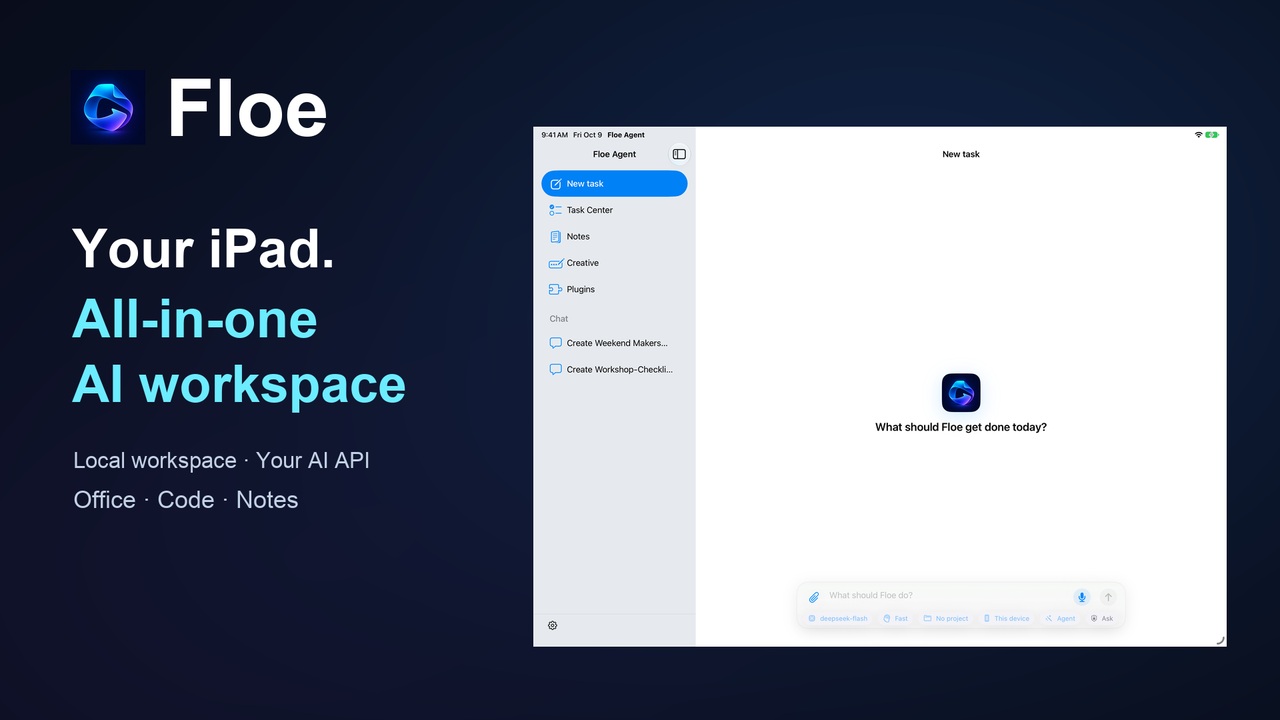
Watch on YouTube · Bilibili 中文版 · Explore features on the website
Documentation
| Looking for | Start here |
|---|---|
| How to use Floe | Illustrated user manual · 中文手册 |
| A topic | Documentation hub |
| Installation & versions | Channel status · Sources · Release records |
| Help & feedback | Troubleshooting · Support |
| Development & integration | Engineering guide · Architecture · Formats & tools |
Build from source
Use macOS, a full Xcode installation, Swift and XcodeGen. The current iOS 27 path requires Xcode 27; iOS/iPadOS 26 remains a compatibility target.
git clone https://github.com/JiangNanGenius/floe-agent.git
cd floe-agent/FloeAgent
bash scripts/gen_project.sh
open FloeAgent.xcodeproj
See the engineering guide for dependencies, build parameters and focused tests. For the Android app, see FloeAndroid/README.md. Gitee synchronizes source and release records; see the sync guide.
Contributing and license
Read contributing before reporting an issue or working on the project. Use support for general questions and report vulnerabilities privately through security.
Original Floe code is licensed under MPL 2.0. Third-party components retain their own licenses and notices, available in the app under Settings → Diagnostics & About → Third-Party Licenses.
Explore related projects
affaan-m/ECC
The agent harness performance optimization system. Skills, instincts, memory, security, and research-first development for Claude Code, Codex, Opencode, Cursor and beyond.
300,936 starsNousResearch/hermes-agent
The agent that grows with you
262,531 starsmultica-ai/andrej-karpathy-skills
A single CLAUDE.md file to improve Claude Code behavior, derived from Andrej Karpathy's observations on LLM coding pitfalls.
231,973 starsfirecrawl/firecrawl
Supercharge your AI agents with data from the web and beyond. Building the library for superintelligence. 🔥
200,444 stars