
JiGuroLGC/BetterVia
JiGuroLGC/BetterVia has 1,411 GitHub stars and 44 forks. GitHot measured +2 stars in 24 hours and +11 in 7 days. Last checked 2026-11-09 05:14 UTC. Last push 2026-09-30.
让Via变得更好 / Make Via Better
Measured star growth
- in 24h
- +2
- in 7 days
- +11
- in 15 days
- Collecting history
- in 1 month
- Collecting history
Net star changes over overlapping periods, not daily totals. Missing measurements are left blank. Stars measure attention, not software quality.
README.en.md
Original



Language
Introduce
BetterVia is a module designed to optimise browser Via settings, aiming to make software usage more streamlined and convenient.
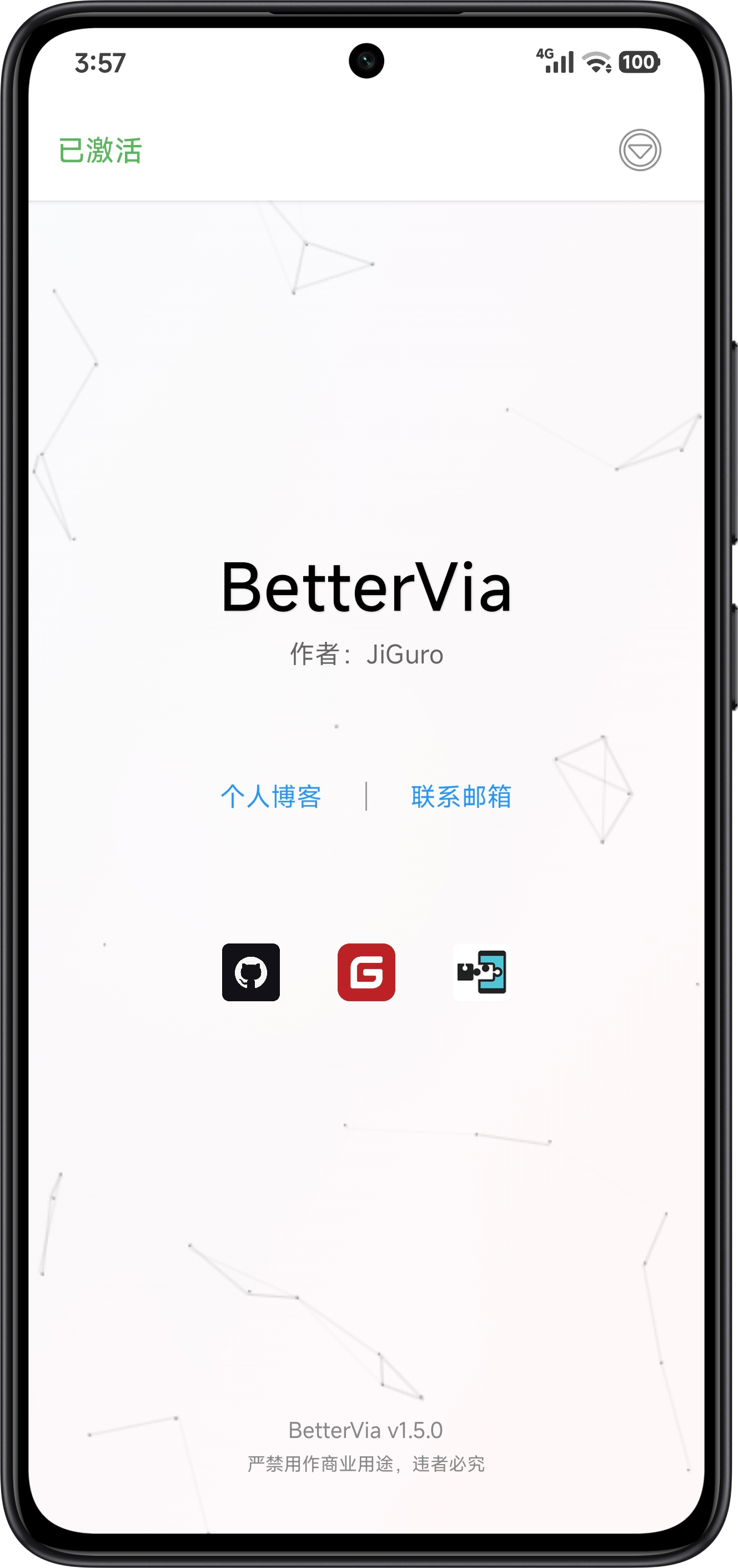
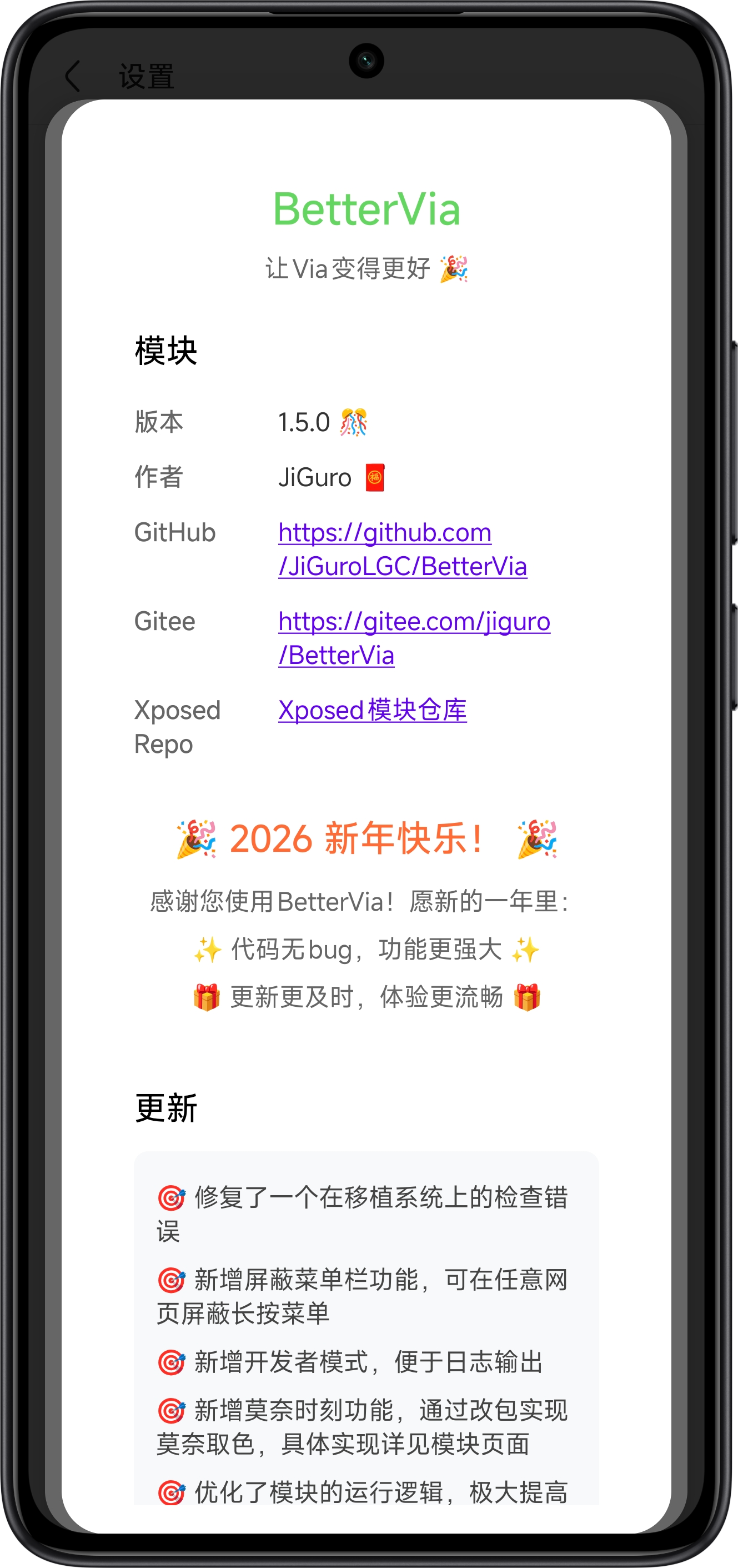
Notes
Click the ⭐ Star icon in the top-right corner on GitHub to support our continued development in our spare time
- All development is intended for learning and enhancing user experience; do not use for illegal purposes
- Do not use for commercial purposes or mass distribution; violators will be severely punished
- Due to personal circumstances, updates may be discontinued or the project removed at any time
- This module is completely free; if you paid to obtain the software, you have been scammed
About Via
Via Browser is a lightweight Android application developed by Shanghai Zhiwei Network Technology Co., Ltd., renowned for its speed, simplicity, and security.
Simple and Pure
Geek-friendly minimalist design, free from push notifications and distractions
Lightning-Fast Search
Millisecond launch times, rapid webpage loading
Effortless Browsing
Compact footprint, low memory usage, no lag
Security & Privacy
Sandboxed architecture, minimal permissions, robust privacy protection
Customisation & Extensibility
Resource detection, practical plugins, tailored to individual needs
However, Via still has some shortcomings, such as incomplete features and occasionally inconvenient user operations. Following Android 4.4.1, Via introduced a built-in whitelist. Websites listed here will have restrictions on resource sniffing, ad blocking, and browser script usage. These issues are precisely why this module exists.
Resource Sniffer Whitelist
v.qq.com youku.com iqiyi.com mgtv.com bilibili.com ximalaya.com film.qq.com
Ad Blocking Whitelist
youku.com iqiyi.com mgtv.com qq.com
Browser Script Whitelist
v.qq.com film.qq.com
Detailed Adaptation

Via (mark.via / mark.via.gp / any other package name)
Supports V6.6.0 and later versions
This project supports both the China-based and Google-based versions of Via
Built-in support for Simplified Chinese, Traditional Chinese, and English
Features
- Remove whitelist restrictions
- One-click theme switching
- Script library
- Monet's color selection
- Ad rule downloads
- Cookie management
- Privacy lock
- Super incognito mode
- Screenshot protection
- Eye protection mode
- Block components
- Start execution
- Video zoom speed ratio
To be continued...
Getting Started
1. Download
In the Release Channels, select the appropriate channel to download the latest version compatible with your system environment, or visit the LSPosed official page for download.
If you are a user in a restricted region unable to access due to network conditions, please refer to Other Issues for solutions.
2. Installation
Rooted Device
Flash LSPosed or another framework onto your device to ensure its functionality.
Install the package on your device. Read and agree to the Software Usage Statement beforehand. Then, enable the module in the module manager and select the module scope.
Non-Rooted Device
Download LSPatch or another root-free framework. After granting appropriate permissions, patch Via. You may choose between local patching or integrated patching. Install the patched package after completion.
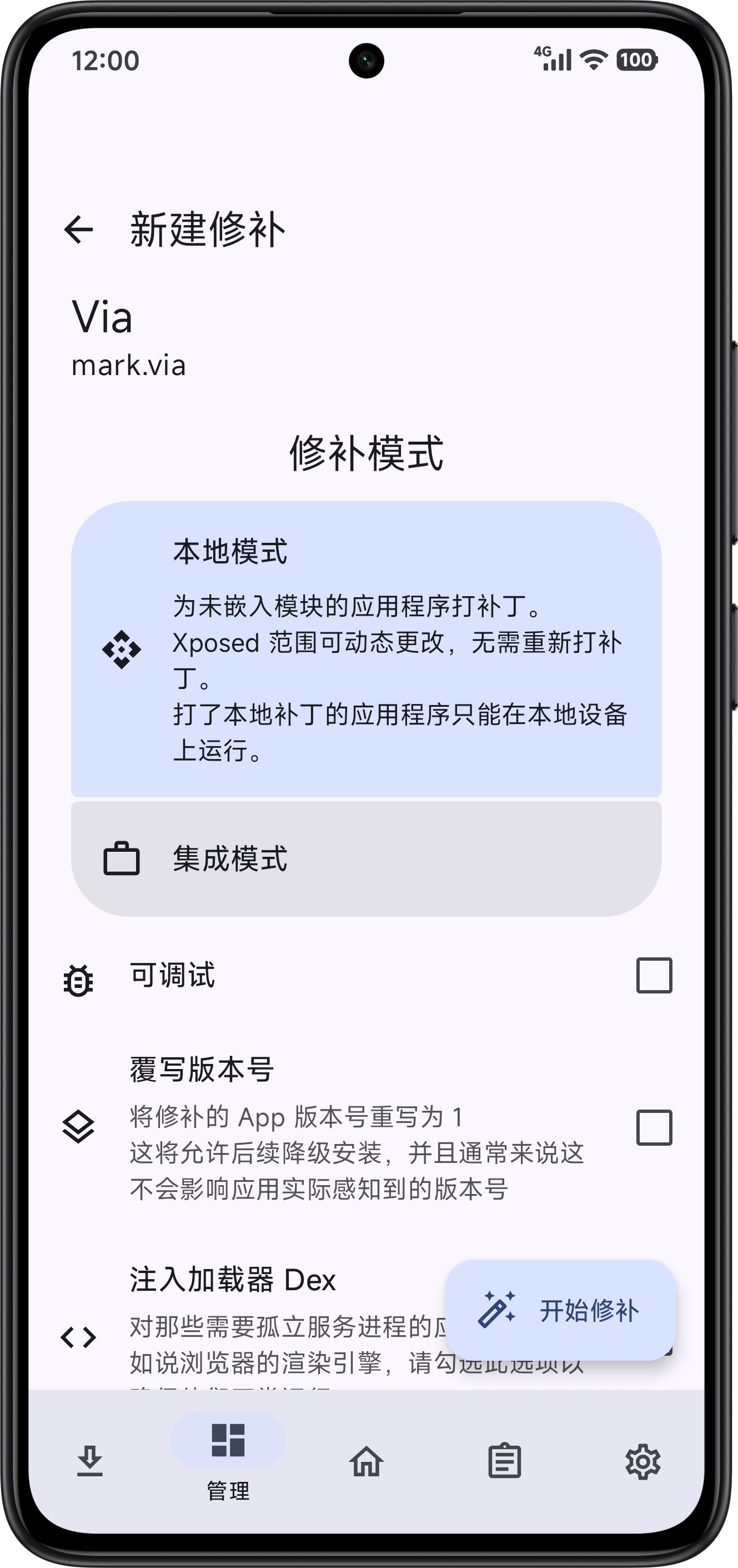
Install modle package on your device. Read and agree to the Software Usage Statement beforehand. Then enable the module in the module manager and select the module scope (Local Patch).
3. Run
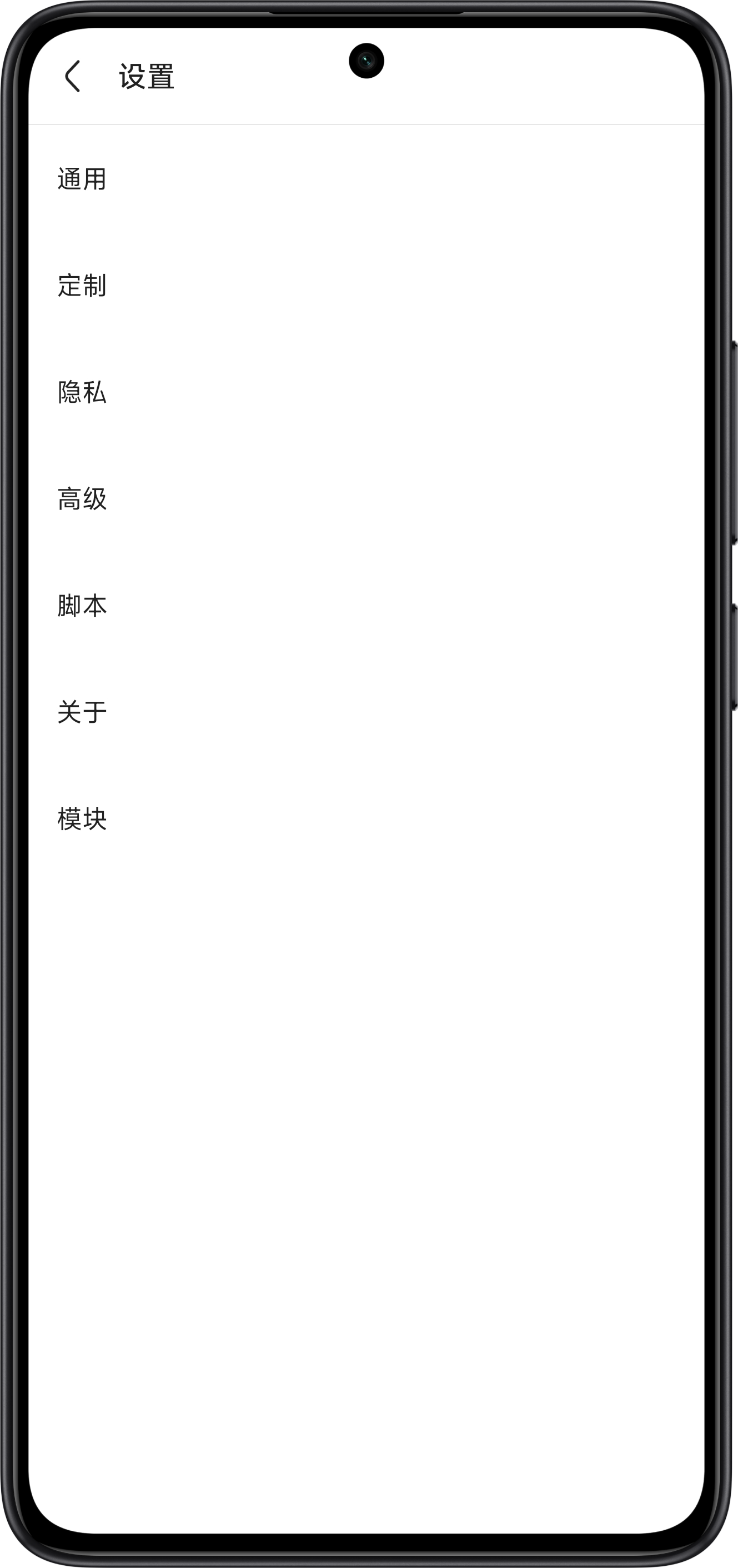
Run Via. You can find the module's settings button in Via's settings interface:
Configure your personalized settings and enjoy!
Release Channels
| LOGO | Channel | Versions |
|---|---|---|
 |
GitHub Releases | Official Version |
 |
Gitee Releases | Official Version |
 |
Xposed-Modules-Repo | Official Version |
 |
蓝奏云网盘 (Password:8888) | Official Version (Standby) |
This module is only available for download from the addresses listed above. We are not responsible for any versions obtained through unauthorized channels or for any consequences that may arise from such actions.
Other Issues
Question One
Why is BetterVia not functioning correctly on my device?
BetterVia was developed by AIDE Pro and Android IDE, and has been successfully tested on Android 10 to 16 systems. It should theoretically be compatible with most users, but please ensure your Android version is neither too low nor too high. If, after confirming these conditions, BetterVia still fails to function correctly on your device, it may not yet be compatible with your device model or CPU architecture. Please submit your feedback to us and monitor the LSPosed update page or follow the channel updates in the release channels for the next version update.
Question Two
Why does BetterVia offer relatively limited functionality?
As BetterVia is in its early development phase, our team can only dedicate weekend hours to coding due to work commitments. We will progressively enrich module features during future development cycles.
Question Three
Why does a "Security Verification Anomaly" pop-up appear after updating or modifying BetterVia? And why does "Module Invalid" appear when opening domain-specific software?
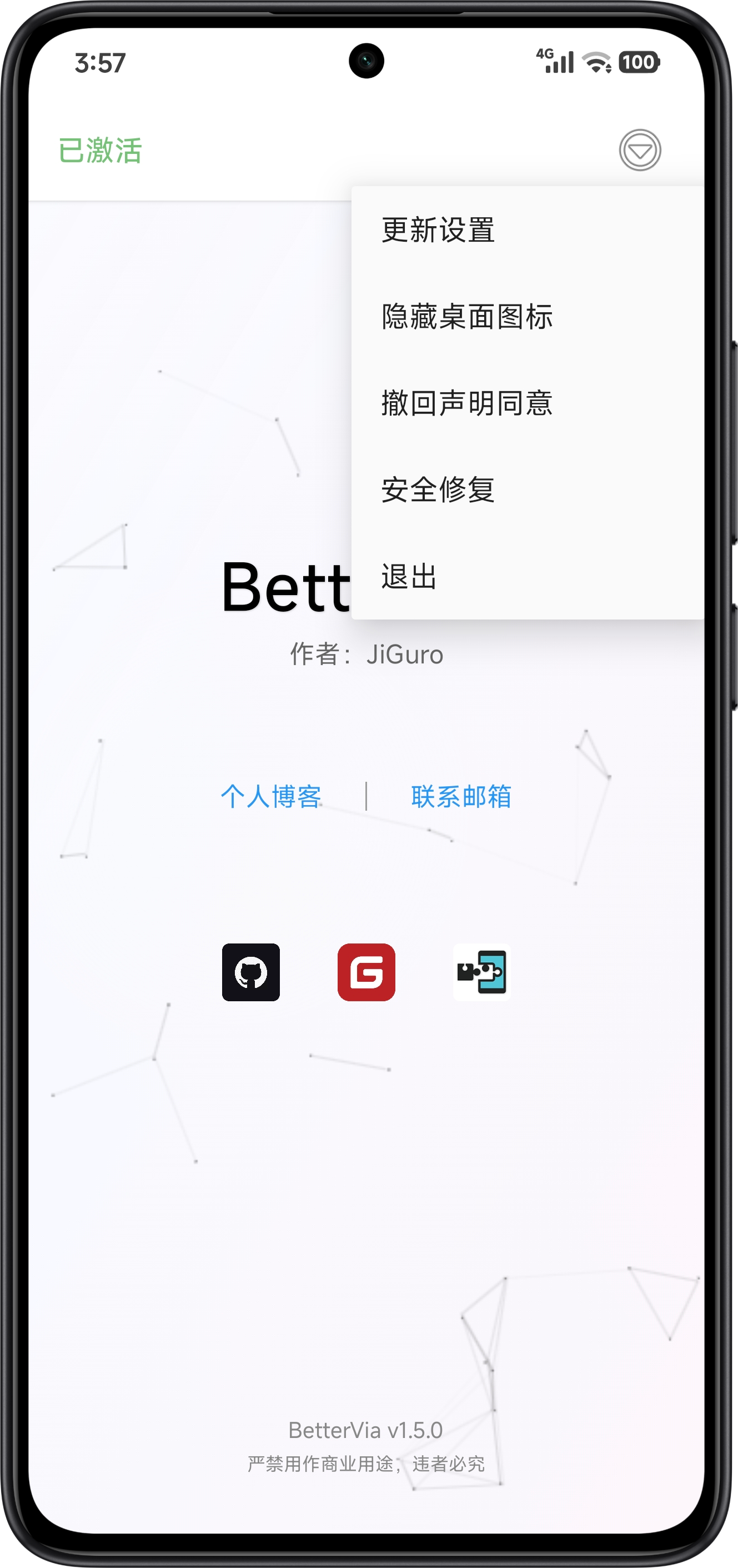
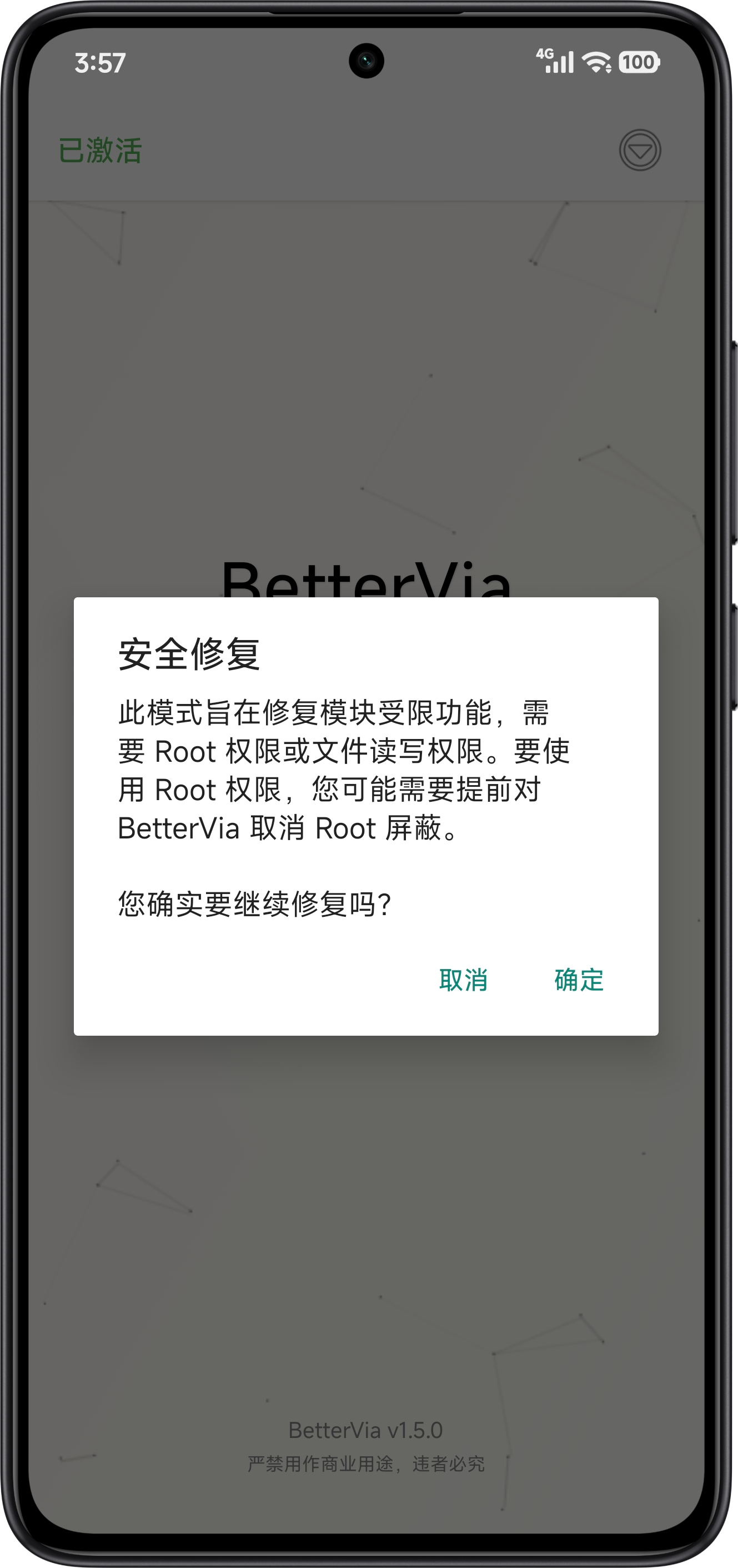
You have triggered BetterVia's integrity verification. To prevent unauthorised modification, we have implemented low-intensity integrity checks, including signature verification and other validations. Should you encounter this verification, you should be aware that you have likely downloaded counterfeit software. If triggered during an update due to unforeseen issues, simply clear all software storage and attempt to reopen the application. In newer versions, we have introduced a "Security Repair" mode. Grant the module Root or file read permissions, then locate the "Security Repair" option in the main menu and click to remove restrictions.
Question Four
Why might module functionality fail or cause the Scope software to crash when using certain root-free frameworks?
The module theoretically supports root-free frameworks. However, on some device models, the modification patches applied by root-free frameworks may conflict with the runtime environment of BetterVia or the Scope software, leading to crashes or malfunction. Should this occur, you may consider switching to an alternative patching method or framework.
Question Five
What should I do if I encounter access issues as a user in a restricted region?
No worries. We have prepared alternative download links for you. We guarantee that the software and release versions downloaded via these backup links are identical. Additionally, our repositories are available on open-source platforms such as Gitee. You may proceed to the release channels and download from other channels.
Design Principles
For details on removing whitelist restrictions, see MT论坛 -- 【逆向思路】Via浏览器去除白名单限制
For details about the "Monet Moment", please refer to the specific page of the module.
User Agreement
| Title | Link | Language |
|---|---|---|
| 《用户协议》 | 《用户协议》- BetterVia | simplified Chinese |
| 《用戶協議》 | 《用戶協議》- BetterVia | traditional Chinese |
| "User Agreement" | "User Agreement" - BetterVia | English |

Acknowledgments
| Name | Link | Details |
|---|---|---|
| Github | Github - Change is constant | Provides an open-source platform |
| IntelliJ IDEA | IntelliJ IDEA - JetBrains | Development and packaging software |
| AIDE + / AIDE Pro | AIDE-Plus - GitHub | Development and packaging software |
| AOSP | Android Open Source Project | Provides resources and references |
| Xposed Framework API | Xposed Framework API | Provides Xposed API support |
| jsDelivr | jsDelivr - A free, fast, and reliable CDN | Provides CDN acceleration services |
| apksig | apksig - mvnrepository | Provides installation package signing support |
| MT Manager | MT Official Website | Manages projects, etc. |
| NP Manager | NP-Manager - Github | Provides obfuscation protection support |
| DeepSeek | DeepSeek - DeepSeek | Assists with programming and file organization |
| Codebuddy | Tencent Cloud Code Assistant - CodeBuddy | Assists with programming and file organization |
| Hitokoto | One Sentence - Hitokoto | Provides sentence API support |
| HTML2WEB | HTML2WEB - Paste code, share ideas | Provides online file hosting |
| Coolapk @半烟半雨溪桥畔 | Half Dreaming, Half Awake - Gitee | Provides themes and other reference materials |
| Coolapk @sgfox | sgfox - Shisui Collection and Compilation | Provides "Shisui" content |
[!NOTE] Due to the large number of entries, they are not listed individually here. For details, please refer to the respective module pages.
License
BetterVia is proprietary software and is not licensed under an open-source license. Redistribution, sale, reverse engineering, or any commercial use and modification are prohibited without permission.
This software incorporates the following third-party open-source components:
- apksig - Android Open Source Project (AOSP)
- License: Apache License 2.0
- License file: LICENSES/LICENSE-AOSP
Copyright of the apksig library belongs to its original authors and is protected under the Apache 2.0 License.
Support Us
Email: [email protected] / [email protected]
We aspire to be an outstanding development team, continuously delivering exceptional work for everyone. If you have any suggestions for improvement, please feel free to share them directly. We will keep striving to do better. Let us persevere relentlessly and forge ahead on our journey toward our dreams! Thank you for your help and support!

Star History
Copyright © 2026 JiGuro
Explore related projects
codecrafters-io/build-your-own-x
Master programming by recreating your favorite technologies from scratch.
561,201 starspublic-apis/public-apis
A collective list of free APIs
497,416 starsmorluto/rea
Reverse engineer anything with agents, from app behavior down to native binaries.
445,262 starsopenclaw/openclaw
The AI that really does things. Any OS. Any Platform. The lobster way. 🦞
394,229 stars