
JakobAIOdev/Vintrack-Vinted-Monitor
JakobAIOdev/Vintrack-Vinted-Monitor has 220 GitHub stars and 24 forks. Star changes are not measured yet. Last checked 2026-11-15 23:59 UTC. Last push 2026-11-13.
Measured star growth
- in 24h
- Update delayed
- in 7 days
- Update delayed
- in 15 days
- Update delayed
- in 1 month
- Update delayed
Net star changes over overlapping periods, not daily totals. Missing measurements are left blank. Stars measure attention, not software quality.
About
Real-time Vinted monitor with instant Discord alerts, proxy rotation & a beautiful dashboard. Self-hosted with Docker. Built with Next.js 16 + Go.
Self-hostedREADME.md
Original

Vintrack
Catch the right Vinted listings before the feed moves on.
A self-hosted monitoring stack with fast Go workers, a live dashboard, regional proxy health,
Discord and Telegram alerts, and optional linked-account actions.










Live demo · Self-host · Documentation · Community · Sponsor

Product tour preview · click to open the MP4
At a glance
- ⚡ Fast monitoring — run isolated regional catalog sessions with bounded attempts, delayed hedging, and Redis-backed deduplication.
- 🗺️ EU, UK, and US markets — monitor Vinted in 20 EU countries, the United Kingdom, and the United States, each in its own currency.
- 🎯 Precise filters — target query, price, category, brand, color, size, condition, seller country, and Vinted market.
- 🔔 Alerts where you are — send rich matches to the live dashboard, Discord webhooks, or connected Telegram chats.
- 🌍 Observable proxy pools — use personal, server-managed, or optional health-scored starter pools with regional readiness.
- 🛍️ Optional account actions — link an account you control to like items, send offers, message sellers, and open native checkout.
- 🏠 Built to self-host — deploy the complete stack with Docker Compose, Caddy, PostgreSQL, Redis, and forward-only migrations.
Vintrack is an open-source platform for monitoring new Vinted listings. Create targeted monitors, process catalog updates through isolated Go workers, and deliver matching items wherever you can act on them fastest.
[!IMPORTANT] Vintrack is an independent project. It is not affiliated with, endorsed by, or operated by Vinted. Use it lawfully, respect platform limits, and only connect accounts you are authorized to use.
Start here
| I want to… | Go here |
|---|---|
| See Vintrack without installing anything | Try the live demo |
| Run my own instance | Self-host step by step |
| Connect a Vinted account on my own domain | Browser extension setup |
| Understand the moving parts | Architecture |
| Configure auth, proxies, alerts, and tuning | Configuration guide |
| Link GitHub and configure 3/5/15 rewards | GitHub rewards guide |
| Develop or contribute | Development guide · Contributing |
| Fix a broken deployment | Troubleshooting guide |
Full README contents
Try the live demo
Open vintrack.jakobaio.dev and sign in with Discord. Members link GitHub for rewards from Account. New users start with the Free role and can create monitors using their own proxies or a shared starter pool when a region is marked ready.
The demo is shared, best-effort infrastructure rather than an SLA-backed hosted service. Pool health and regional availability can change. Linked-account actions never use the shared free proxy pool.
Demo quick start
- Sign in with Discord and open Monitors.
- Create a monitor and choose the matching Vinted market, for example
vinted.de,vinted.fr, orvinted.it. - Add the search query and any price, category, brand, color, size, condition, or seller-country filters.
- Select Free Proxy Pool when the region is marked ready, or use a personal proxy group for dedicated capacity.
- Enable notifications:
- Discord: paste a webhook URL into the monitor's notification dialog.
- Telegram: select Connect Telegram and send the generated one-time command to the bot shown in Vintrack.
- In Dashboard settings, choose
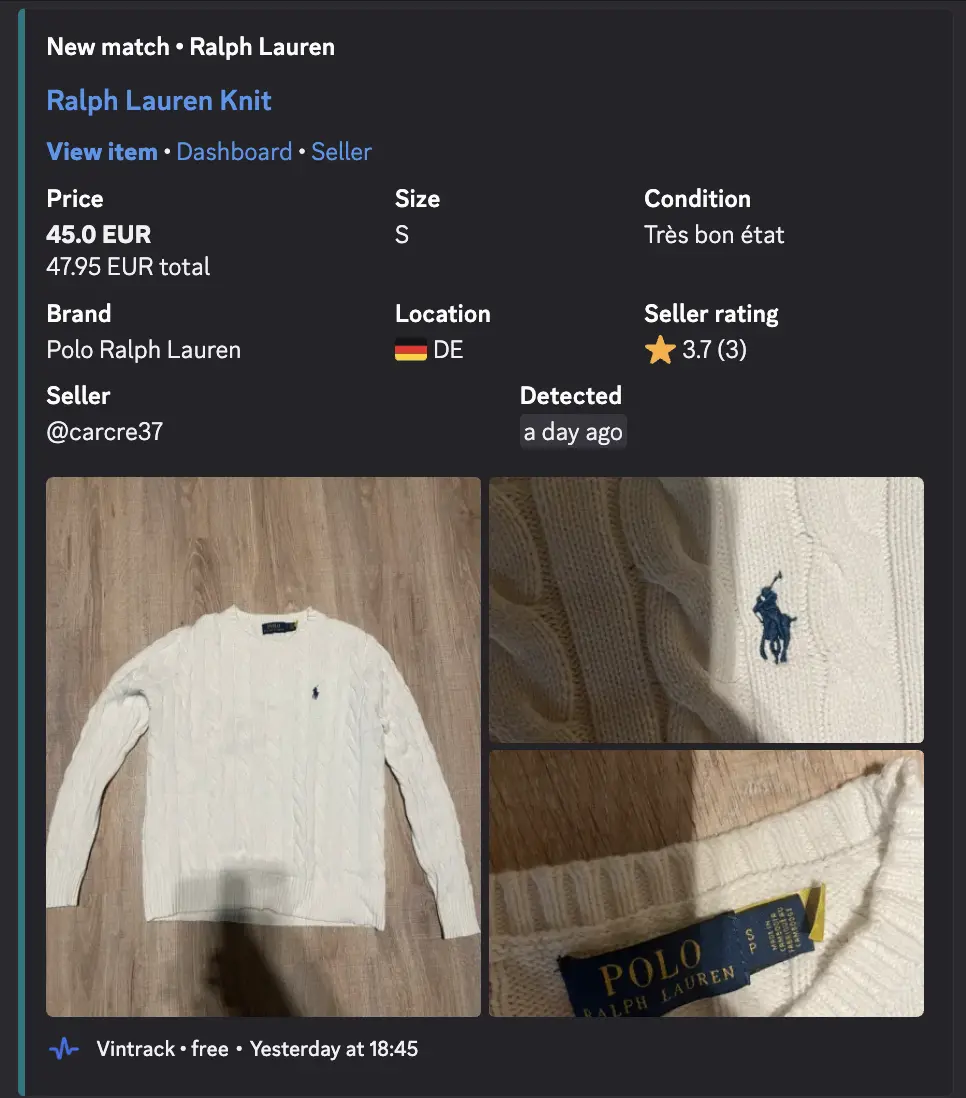
RichorCompactindependently for Discord and Telegram item alerts. Compact alerts use a thumbnail or small preview when supported while keeping the title, price, size, condition, region, rating, and item link.
- Watch matching listings in the monitor view, live feed, Discord, or Telegram.
Optionally install the browser extension and open Account → Link With Installed Extension to connect a Vinted account you control.
Demo notes
- Free-pool availability and supported regions depend on current health checks.
- Personal proxy groups are the reliable choice for dedicated capacity.
- Telegram users never need the bot token or a numeric chat ID.
- Discord alerts require a webhook created in a server you are authorized to manage.
- Account linking is optional and is required only for likes, offers, messages, wardrobe access, and checkout-link tools.
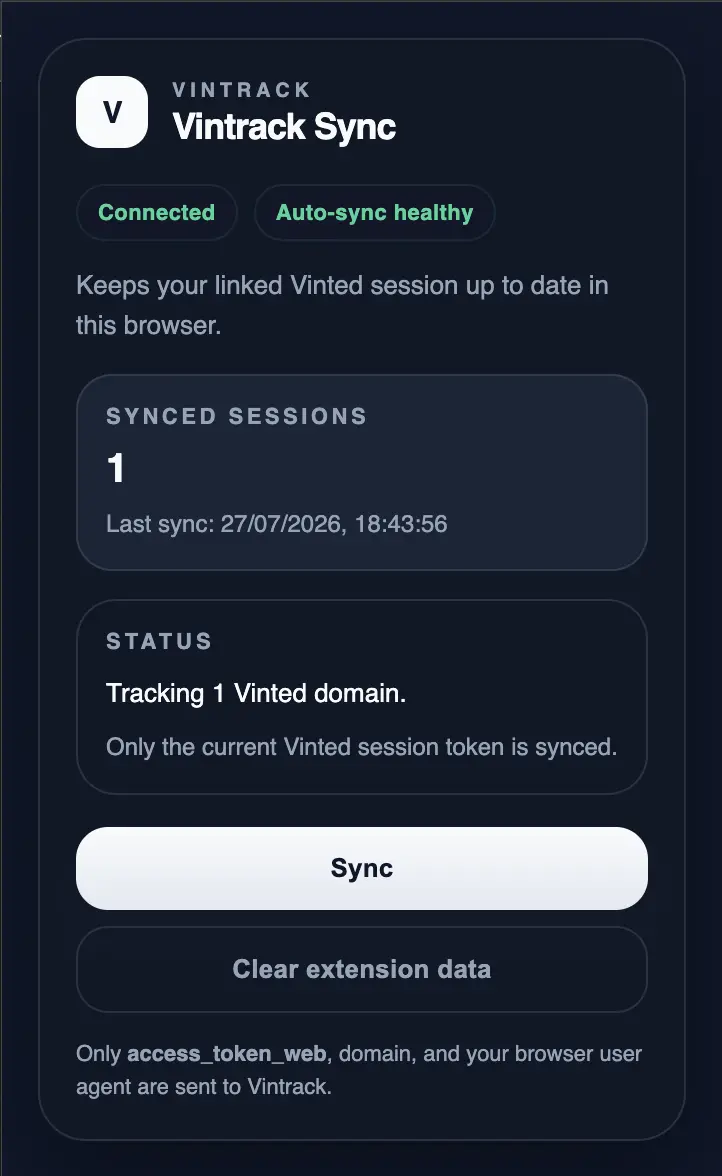
- The extension syncs limited session information; it does not upload the full browser cookie jar.
- The demo can enforce role-based resource limits because it is shared infrastructure. Self-hosted operators control their own policy.
Read the five-minute demo walkthrough →
Self-host step by step
Requirements
- Docker Engine with Docker Compose v2
- Git,
makeand OpenSSL - for real monitoring: a Discord OAuth application or an OIDC provider
- for a public deployment: a domain with ports 80/443 for HTTPS
Try locally with mock data
git clone https://github.com/JakobAIOdev/Vintrack-Vinted-Monitor.git vintrack
cd vintrack
make init
make init creates .env, generates the required secrets, and creates the
local proxy file. It never replaces an existing .env or changes
non-placeholder secrets; missing or template secret values are filled in.
Start the low-power local stack (Discord OAuth or OIDC credentials are not required for this development mode):
make dev
This uses an automatically signed-in local admin, synthetic free-proxy pools,
safe test monitors, isolated development data, a deterministic mock catalog,
serial cached builds, and resource-capped containers. Run make local only when
you intentionally need the full live/production-like worker stack and normal
authentication.
Open http://localhost:3000. This workflow runs without
Caddy and uses mock listings; it does not test real Vinted access. Stop it with
make dev-down. Keep this automatic-admin development mode on your local machine.
Deploy your own instance
git clone https://github.com/JakobAIOdev/Vintrack-Vinted-Monitor.git vintrack
cd vintrack
make setup    # creates .env, generates secrets, asks for your URL and Discord login
make up       # public domain with HTTPS; use `make local` on your own computer
make admin    # after signing in once: gives your account the admin role
make setup prints the OAuth redirect URL to register with Discord. make up
starts Caddy for HTTPS on ports 80 and 443; make local runs the same stack
without Caddy on http://localhost:3000. Later, make update backs up the
database, fetches the new version, applies migrations and restarts.
Getting Started → Self-host Vintrack explains each step: public DNS and HTTPS, OAuth/OIDC, the first admin, adding proxies, and creating your first live monitor. It also covers backups and updates.
The browser extension needs a separate setup for your own domain: the public
Chrome ZIP and Firefox add-on only connect to vintrack.jakobaio.dev.
Use the self-hosted extension guide
to create and install a build for your hostname. Account linking is optional;
catalog monitors do not require the extension or a linked Vinted account.
Keep AUTH_SECRET and VINTED_SESSION_ENCRYPTION_KEY stable after the instance
contains users or linked sessions. Vintrack uses prisma migrate deploy; do not
use prisma db push --accept-data-loss against production.
Feature overview
| Area | Capabilities |
|---|---|
| Monitoring | Per-monitor intervals, regional catalog sessions, local matching, delayed request hedging, Redis deduplication |
| Filters | Query, price, category, brand, color, size, condition, seller country, Vinted market |
| Alerts | Rich Discord embeds, Telegram bot connections, per-monitor notification controls |
| Dashboard | Monitor management, live feed, operational overview, roles, proxy pool health |
| Proxies | HTTP(S), SOCKS4/5, authenticated formats, user groups, shared pools, regional validation and cooldown |
| Account actions | Optional session linking, likes, offers, messages, image galleries, browser-assisted checkout |
| Identity | Discord OAuth or standards-based OIDC, role-based Free/Premium/Admin access |
| Operations | Docker Compose, Caddy HTTPS, PostgreSQL migrations, bounded logs and telemetry retention |
Monitoring and filters
Each monitor keeps its canonical regional Vinted search. The worker maintains isolated catalog sessions, performs bounded attempts, and uses Redis to atomically deduplicate new listings before persistence and alert delivery.
Monitor filters include:
- text search;
- minimum and maximum price;
- categories and subcategories;
- brands;
- colors;
- clothing and shoe sizes;
- item condition;
- seller country;
- Vinted market or region.
An optional query-free discovery path can match keywords locally against the same catalog filters. It is disabled by default and should be evaluated in shadow mode before active use.
Alerts and live feed
New matches can appear in the SSE-powered dashboard feed and in either alert channel:
- Discord: per-monitor webhooks with image, title, item price, total price, size, condition, seller details, and direct links.
- Telegram: users connect to the operator's bot with a one-time code and can enable delivery per monitor.
Each account can select Rich or Compact item alerts independently for
Discord and Telegram from Dashboard settings. Existing accounts default to
the current rich format.
Notification delivery uses bounded worker pools so slow webhooks do not block catalog processing.
Linked-account actions
An explicitly linked Vinted account enables:
- like and unlike actions from item cards;
- price offers with built-in minimum-price validation;
- new seller conversations and replies;
- wardrobe and liked-item views;
- multi-image previews and higher-resolution galleries;
- browser-assisted checkout links with recovery history;
- account status and regional-domain visibility.
Linked-account actions are handled by the separate Vinted service and never use the shared free proxy pool.
Browser extension
The browser extension is the recommended way to link an account you are authorized to use. It syncs the Vinted web access token, selected domain, account ID/display name for mismatch protection, and, with Firefox permission, the browser user agent. The theme stays in local extension storage. It does not copy the complete cookie jar or browser refresh token.
For Chrome, extract the ZIP, open chrome://extensions, enable Developer
mode, and select Load unpacked. Firefox users install the Mozilla-signed
version from AMO so it persists across browser restarts. Temporary Firefox
loading through about:debugging#/runtime/this-firefox is only for development.
Account actions and checkout support are optional and can break when upstream authentication or checkout flows change. Use a dedicated test account, review each action, and complete purchases in Vinted's native checkout.
Experimental checkout boundary
Vintrack does not replace Vinted's payment or delivery flow. It prepares or stores a native checkout link, opens that link in the browser, and leaves payment method selection and final confirmation to the user. Upstream changes can break this experimental module, and an item may be reserved before payment is completed.
Free starter proxy pools
When enabled by an administrator, supported regions can expose a shared starter pool to normal users. The proxy-maintainer worker:
- imports candidates from configured public sources;
- keeps independent health state per Vinted region;
- validates candidates against the selected regional catalog;
- requires repeated successful checks before activation;
- places failing routes into cooldown and retires persistently dead entries;
- publishes regional readiness to the monitor form;
- uses bounded validation batches to protect the database and worker host.
The free pool is intended for onboarding and short evaluations. Public routes can disappear, change IP, become slow, or lose upstream access without notice. It is not used for linked-account actions.
Proxy sources and behavior
Vintrack supports three operational sources:
- Free Proxy Pool — optional shared starter capacity for healthy regions.
- Server proxies — an operator-managed shared pool for eligible roles.
- Personal proxy groups — user-provided, dedicated capacity.
Accepted static formats in apps/worker/proxies.txt include:
http://user:pass@host:port
https://user:pass@host:port
socks4://user:pass@host:port
socks5://user:pass@host:port
host:port:user:pass
host:port
Invalid lines are skipped. UK monitors require IPv4 proxies.
The worker keeps dedicated clients on stable proxy sessions, processes canonical catalog searches, and can optionally evaluate a query-free discovery feed. Health state, cooldowns, and per-region availability determine which shared proxies may enter rotation.
Shared public proxies are useful for evaluation, not guaranteed production capacity. Sustained deployments should use proxies the operator controls and monitor regional health.
Optional proxy provider
Vintrack is provider-agnostic and works with supported proxy formats from any provider. If you need a starting point, the maintainer currently uses Webshare Proxy Server. Webshare may also offer limited free capacity for initial tests.
Referral disclosure: The Webshare URL is a referral link and may support Vintrack at no additional cost to you. Webshare is optional; review current pricing, regions, limits, and terms before purchasing.
You can test whether a proxy can reach Vinted with the Proxy6 checker. Treat third-party checkers as external services and never submit reusable credentials unless you trust their data-handling policy.
Roles and access
| Role | Free Pool* | Server Proxies | Personal Proxies | Admin Panel |
|---|---|---|---|---|
| Free | Yes | No | Yes | No |
| Premium | Yes | Yes | Yes | No |
| Admin | Yes | Yes | Yes | Yes |
* Available only when enabled and healthy for the selected region. Operators can define additional resource policy for their own deployment.
Product tour
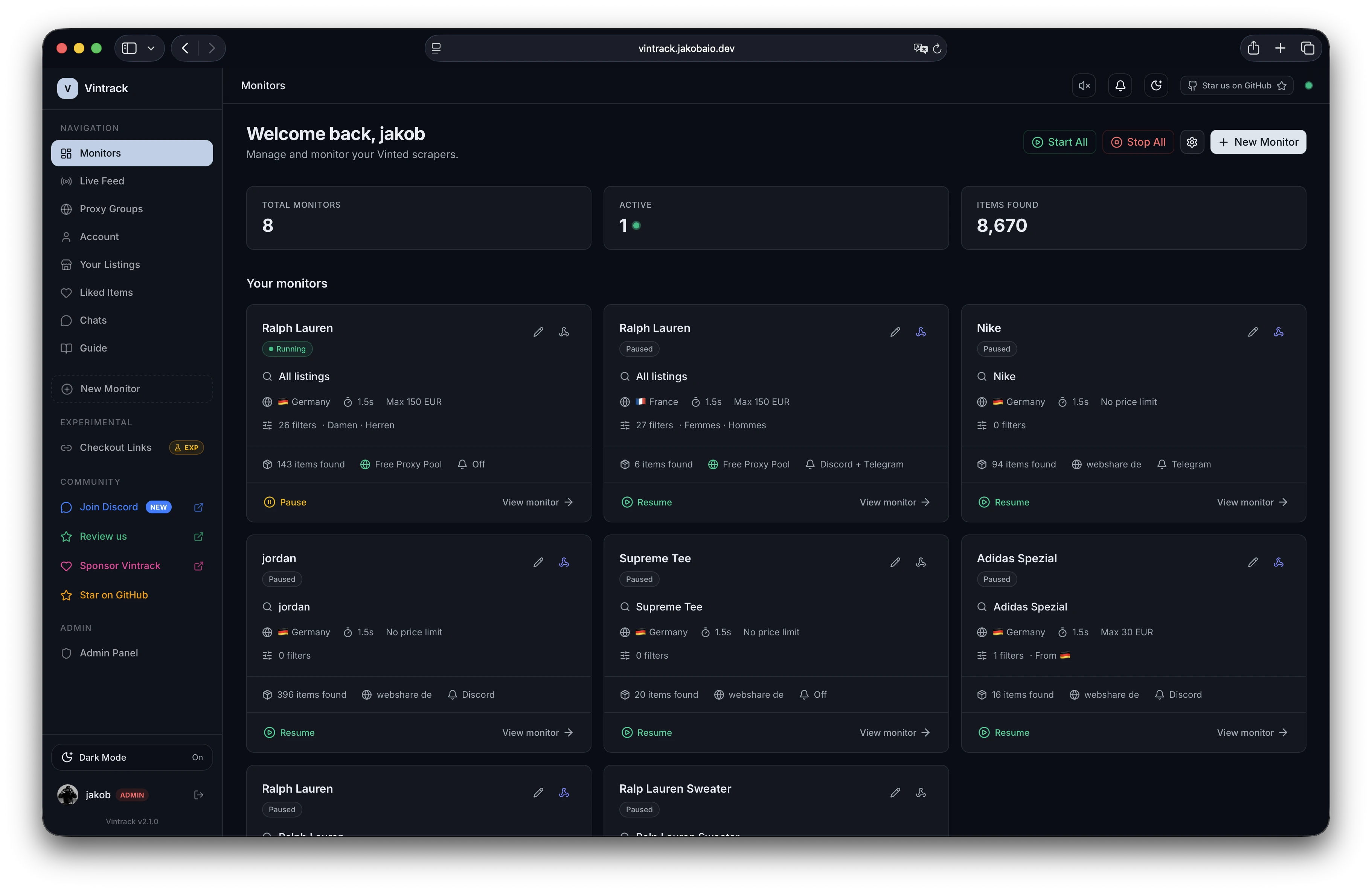
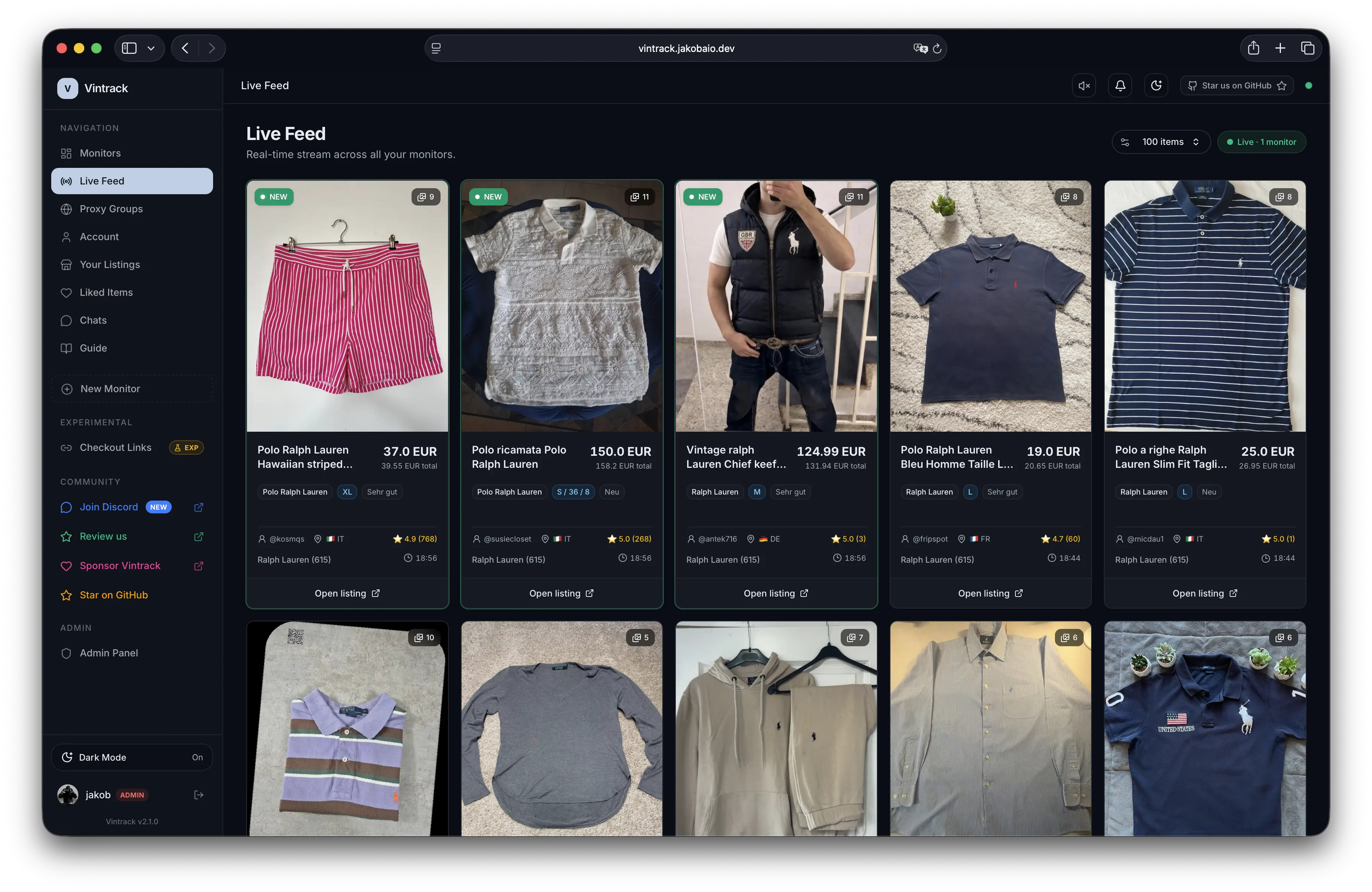
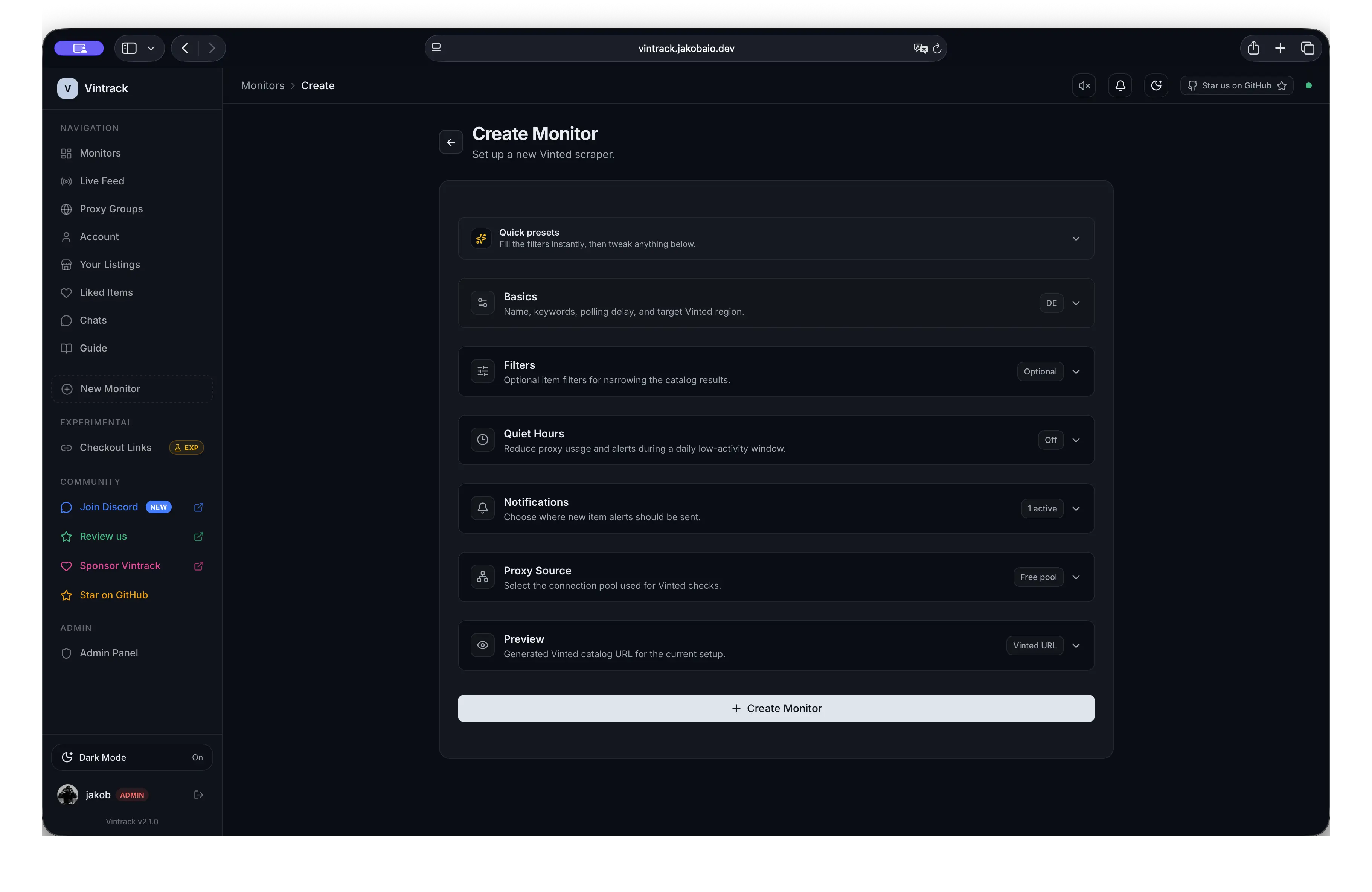
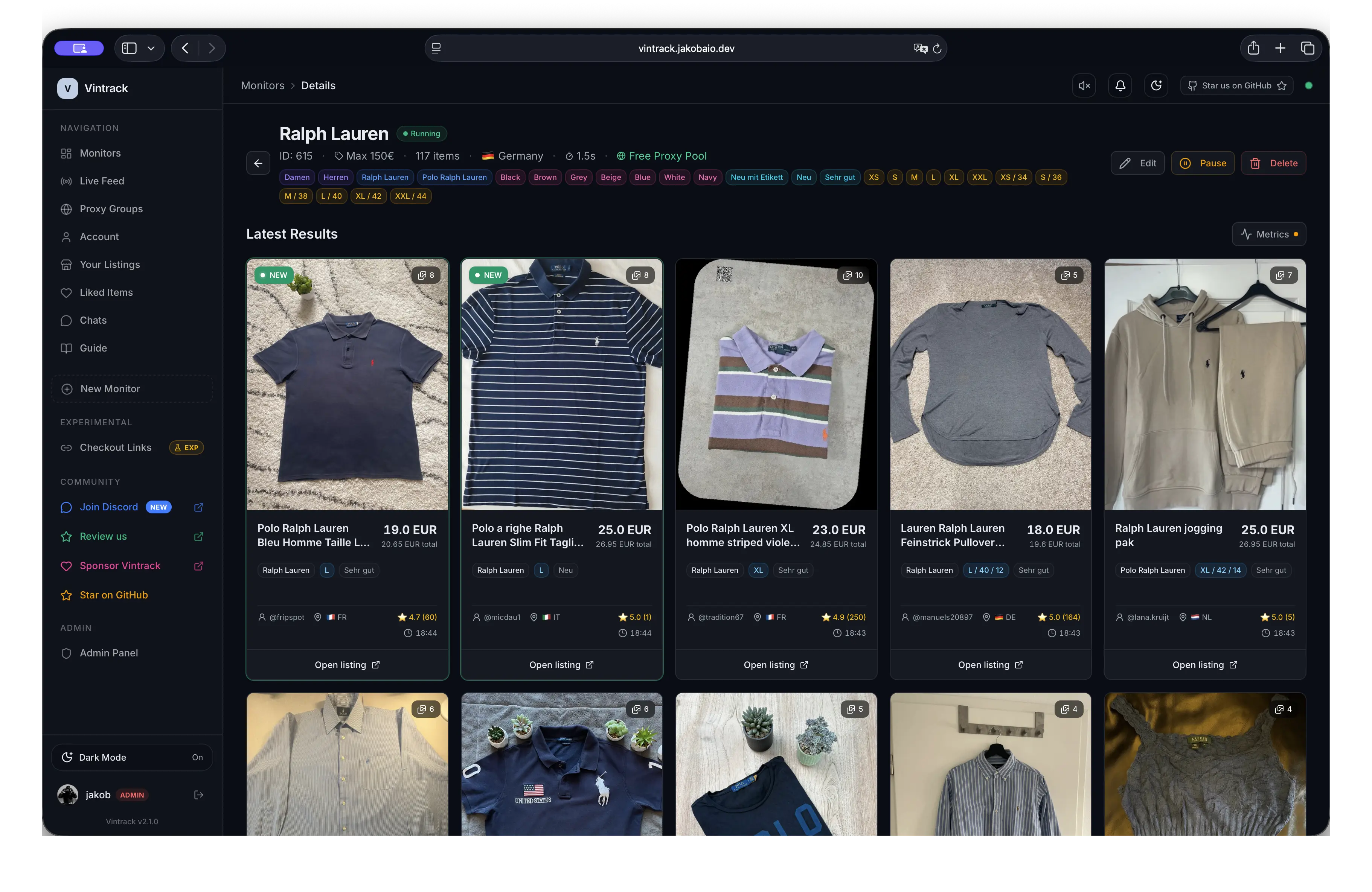
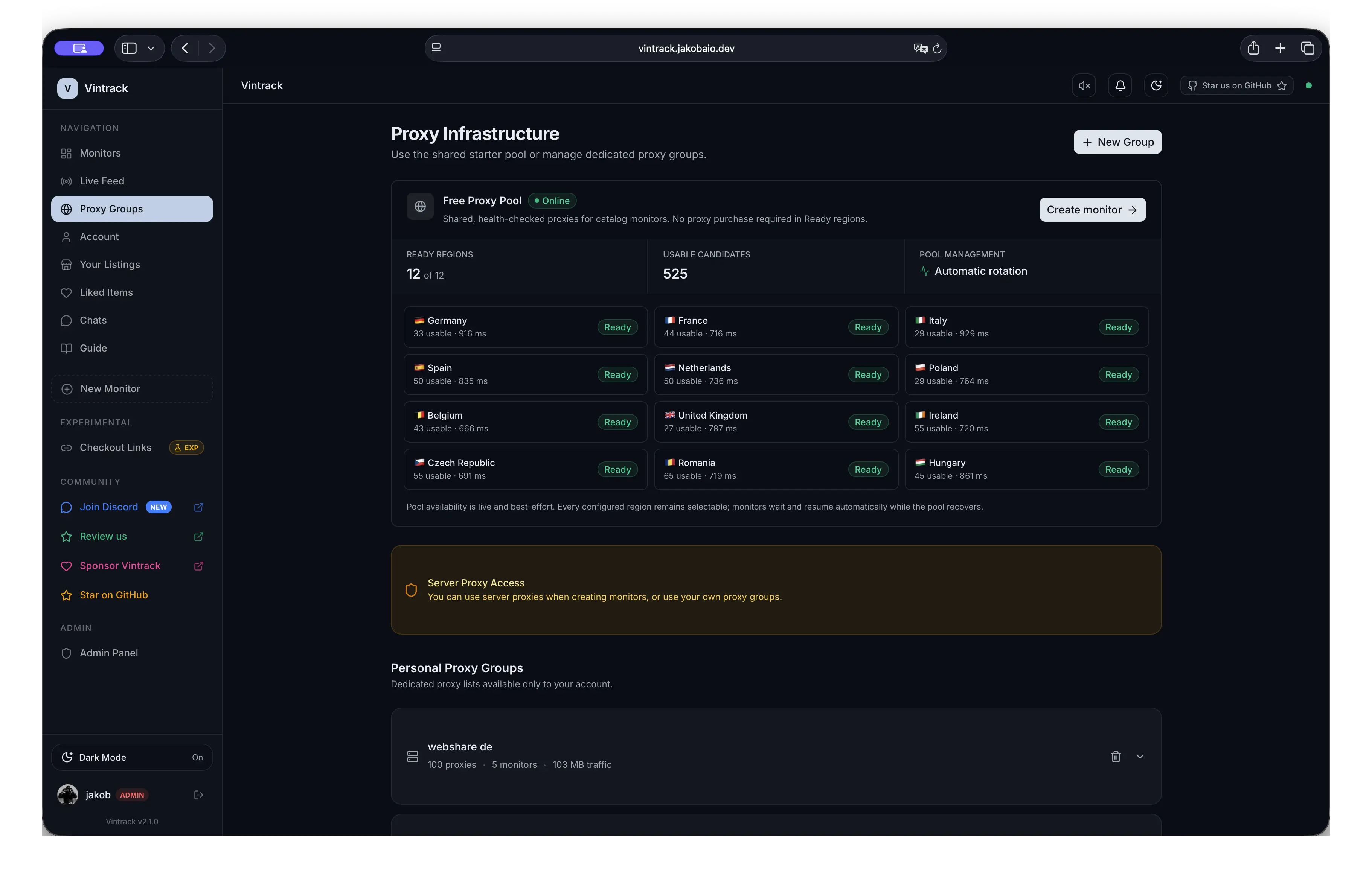
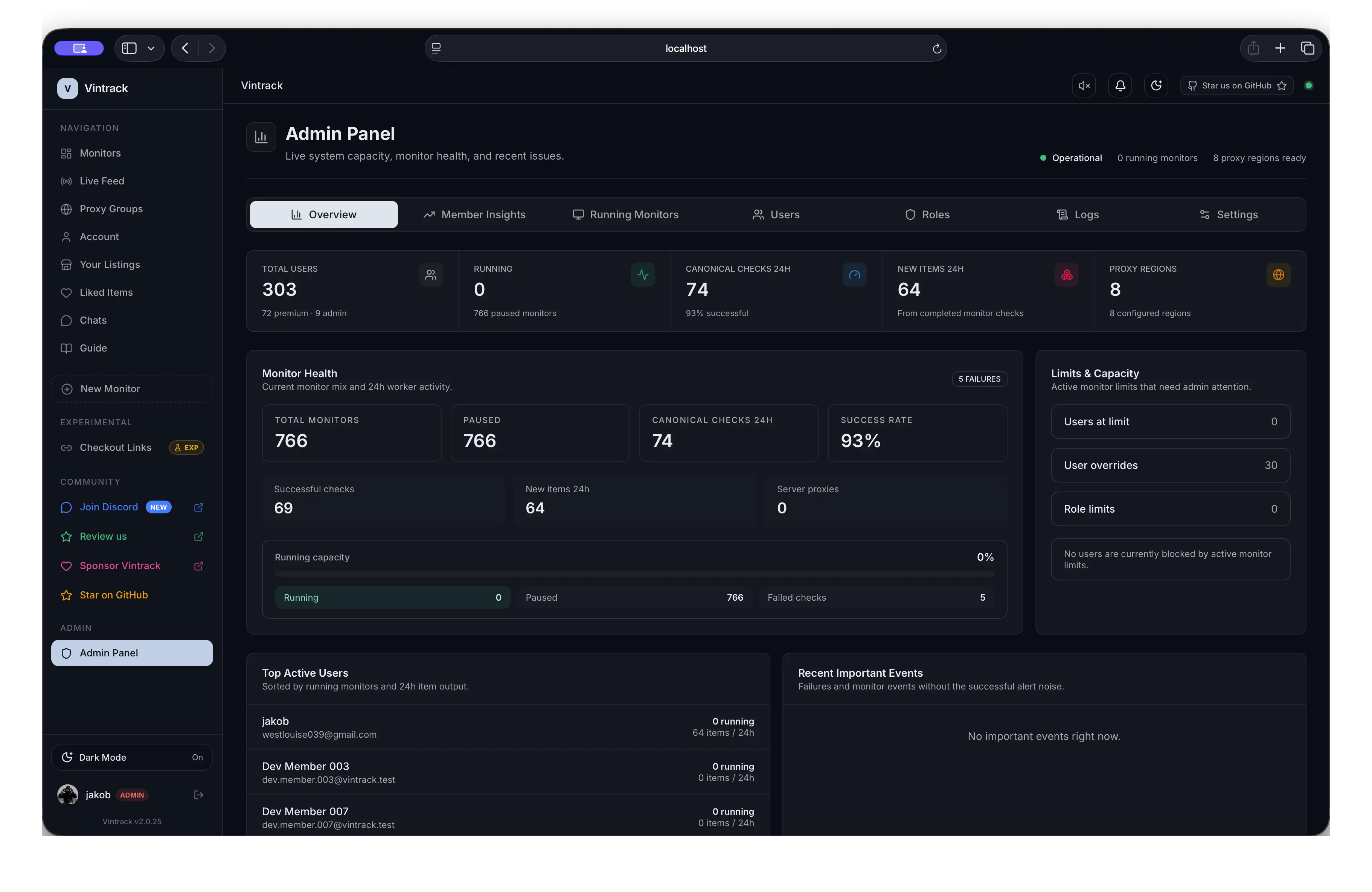
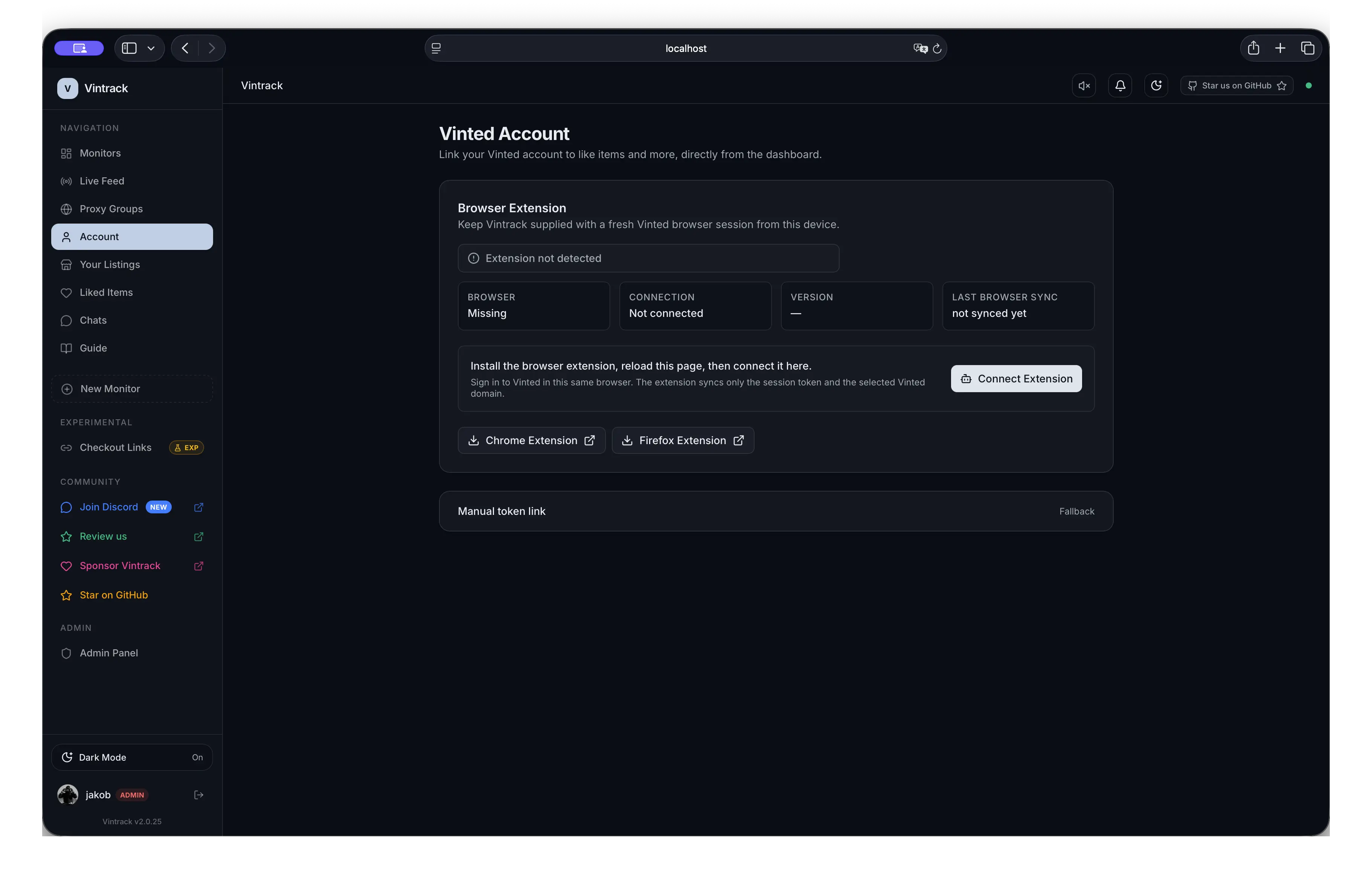
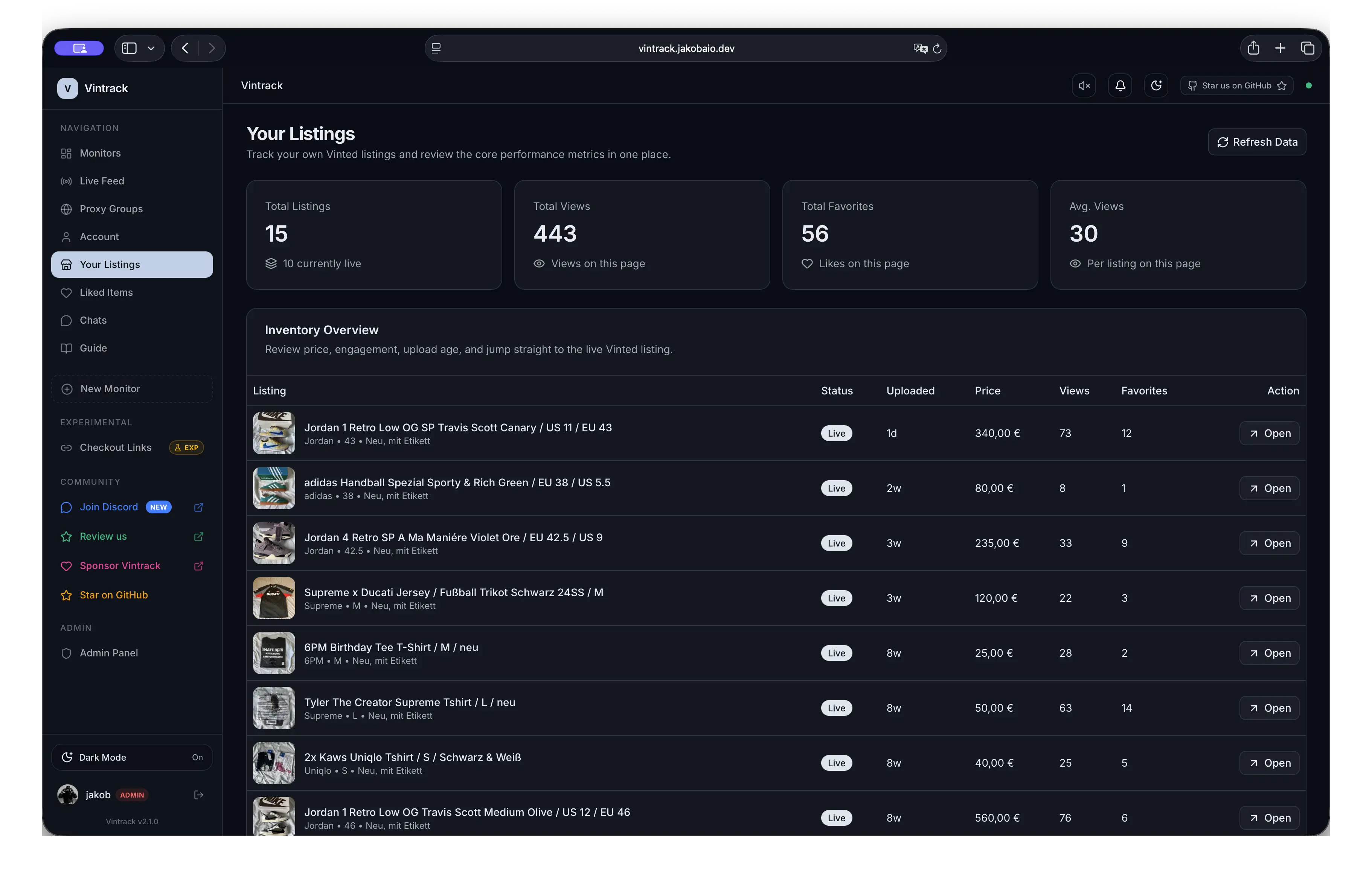
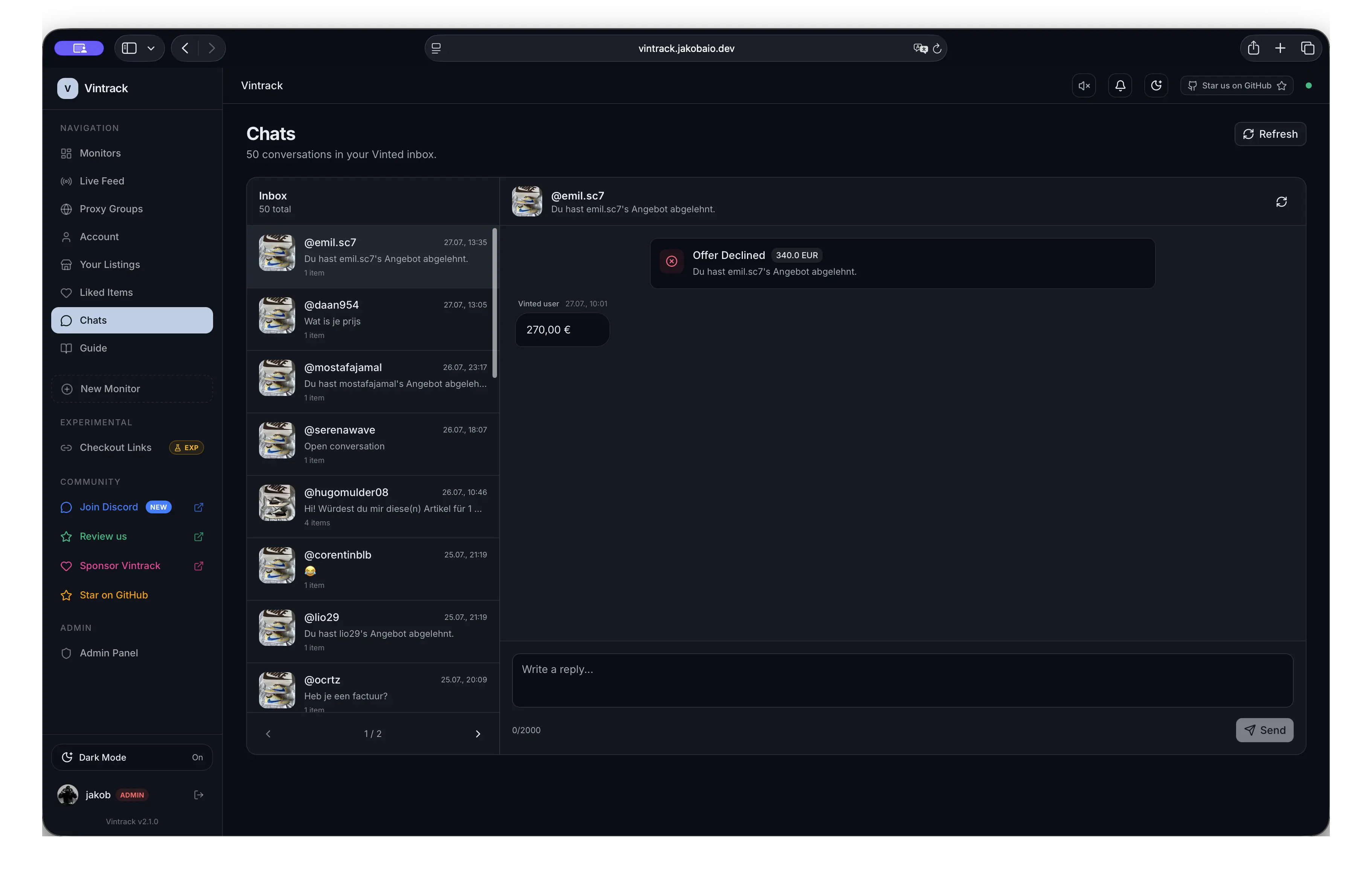
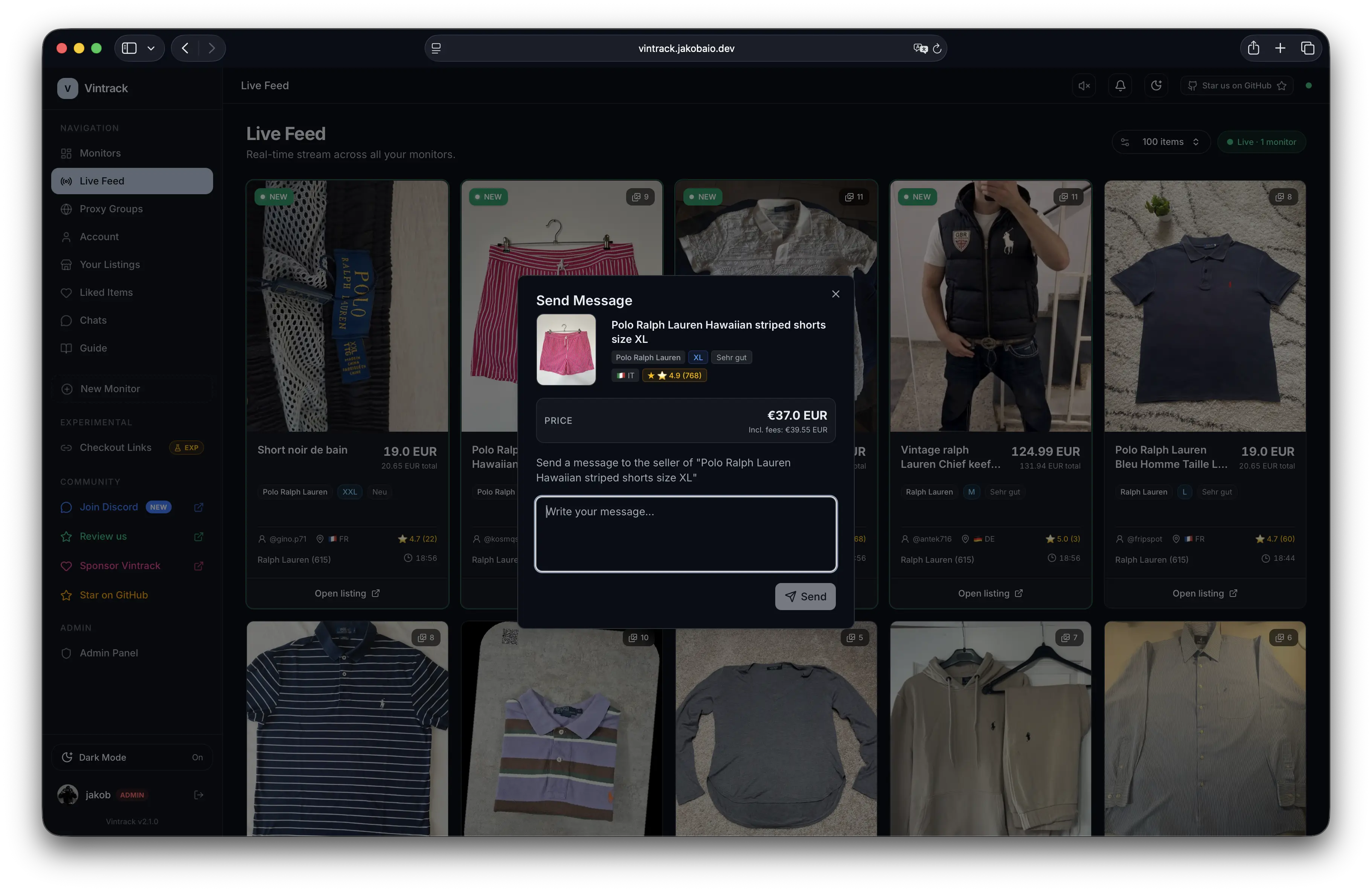
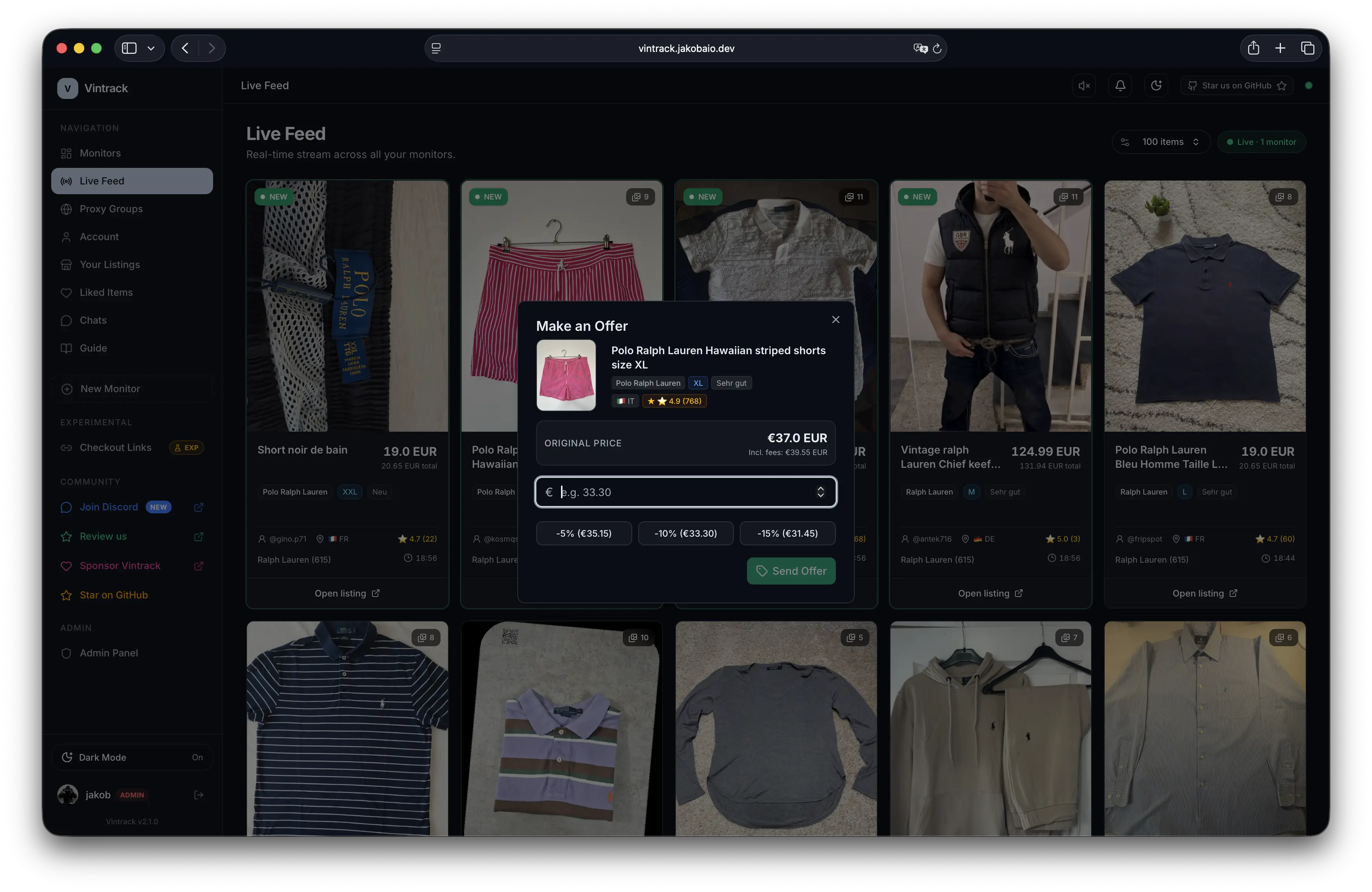
Architecture
flowchart LR
    Browser["Browser / Extension"] --> Caddy["Caddy"]
    Caddy --> Web["Control Center<br/>Next.js"]
    Web --> DB[("PostgreSQL")]
    Web <--> Redis[("Redis")]
    Worker["Go Worker"] --> DB
    Worker <--> Redis
    Worker --> Catalog["Vinted catalog"]
    Worker --> Alerts["Discord / Telegram"]
    Web --> Service["Vinted Service<br/>Go"]
    Service --> DB
    Service <--> Redis
    Service --> Actions["Authorized account actions"]
- The control center stores monitor configuration in PostgreSQL.
- Go workers fetch catalog data through configured regional sessions.
- Redis coordinates deduplication, caching, and live-feed events.
- Matching listings are persisted and dispatched to enabled alert channels.
- The separate Vinted service handles explicitly linked account actions.
Technology
| Layer | Technology | Responsibility |
|---|---|---|
| Web | Next.js 16, React 19, Tailwind CSS 4 | Dashboard, APIs, auth, and live feed |
| Worker | Go, tls-client, goroutines |
Catalog sessions, matching, proxy health, and alerts |
| Account service | Go, tls-client |
Linked sessions and authorized item actions |
| Database | PostgreSQL 15, Prisma | Persistent application and operational state |
| Coordination | Redis 7 | Deduplication, cache, pub/sub, and session-adjacent state |
| Identity | Auth.js / NextAuth v5 | Discord OAuth and optional OIDC |
| Edge | Caddy 2 | Reverse proxy and automatic HTTPS |
| Operations | Docker Compose | Service orchestration and migrations |
Repository layout
apps/
├── control-center/                 Next.js dashboard, auth, API, and Prisma
├── worker/                         Catalog monitoring and proxy maintenance
├── vinted-service/                 Linked-account actions
└── vintrack-browser-sync-extension/
docs/                               Setup, configuration, and usage guides
requests/                           Example request payloads
scripts/                            Initialization and validation helpers
The optional pre-index scanner runs from the worker image; it is not a separate maintained app directory.
Documentation
| Guide | Use it for |
|---|---|
| Getting Started | Live demo, local setup, and production deployment |
| Configuration | Authentication, URLs, notifications, proxies, and tuning |
| Browser extension | Demo, localhost, and self-hosted Chrome/Firefox installation |
| Account automations | Set up automatic offers and messages |
| Oneclick checkout | Enable checkout, delivery and payment preferences |
| Checkout notifications | Configure admin Discord checkout notifications |
| Extension privacy | Data use, storage and deletion |
| Development | Local workflows, mock data, tests, and project conventions |
| Troubleshooting | Logs, startup failures, auth, proxy, and migration issues |
Responsible use
Vintrack is intended for lawful, authorized monitoring and account automation. You are responsible for your deployment, request rate, data handling, and compliance with applicable law and third-party terms.
Do not use Vintrack to bypass authentication barriers, CAPTCHAs, rate limits, or other access controls. Never commit session tokens, cookies, OAuth secrets, webhook URLs, proxy credentials, database dumps, or personal data.
See SECURITY.md for private vulnerability reporting.
Contributing and support
Bug reports, focused features, documentation, and tests are welcome. Please read CONTRIBUTING.md and the Code of Conduct before opening a pull request.
Acknowledgements
Category, brand, and size data is based on vinted-dataset by @teddy-vltn.
License
Vintrack is available under the MIT License.
If Vintrack is useful to you, a star or contribution helps the project reach more builders.