
JaeSwiftxyz/DaisyCap
JaeSwiftxyz/DaisyCap has 13 GitHub stars and 2 forks. Star changes are not measured yet. Last checked 2026-11-09 19:16 UTC. Last push 2026-11-03.
A native Mac screen recorder and editor, built in Rust.
What you can do
- Automatic zoom from clicks with cluster targeting and edge snapping, spring physics and motion blur; manual and follow-mouse zooms.
- Cursor re-rendered at high resolution with smoothing, tilt, press feedback, idle hiding and click circles/ripples.
- Sound: click sounds in six generated flavours, and keyboard sounds recorded from two real boards (a muted office one and a tactile mech) with per-key variation and heavier space/return. Also a typing-only mode, sound moods and a zoom whoosh. Every sound auditions from the inspector.
- One window: DaisyCap opens on recording setup in the editor's own layout (a live preview of the selected display, window or area under a big Record button; source and audio options in the inspector); a recording opens straight into the editor when you stop; recent recordings are a popover off the window title.
Measured star growth
- in 24h
- Update delayed
- in 7 days
- Update delayed
- in 15 days
- Update delayed
- in 1 month
- Update delayed
Net star changes over overlapping periods, not daily totals. Missing measurements are left blank. Stars measure attention, not software quality.
README.md
Original
DaisyCap
A native screen recorder for product videos, built in Rust.
A fast, native Rust screen recorder for polished product videos on macOS. Record your screen, a window, an area or an iPhone; DaisyCap re-renders the cursor, zooms into what you click with spring animations, adds a background, shadow and rounded corners, and exports MP4 or GIF with the hardware encoder, usually several times faster than real time.
Wallpapers, cursors, device frames, click sounds and the app icon are generated by DaisyCap's own code.
Features
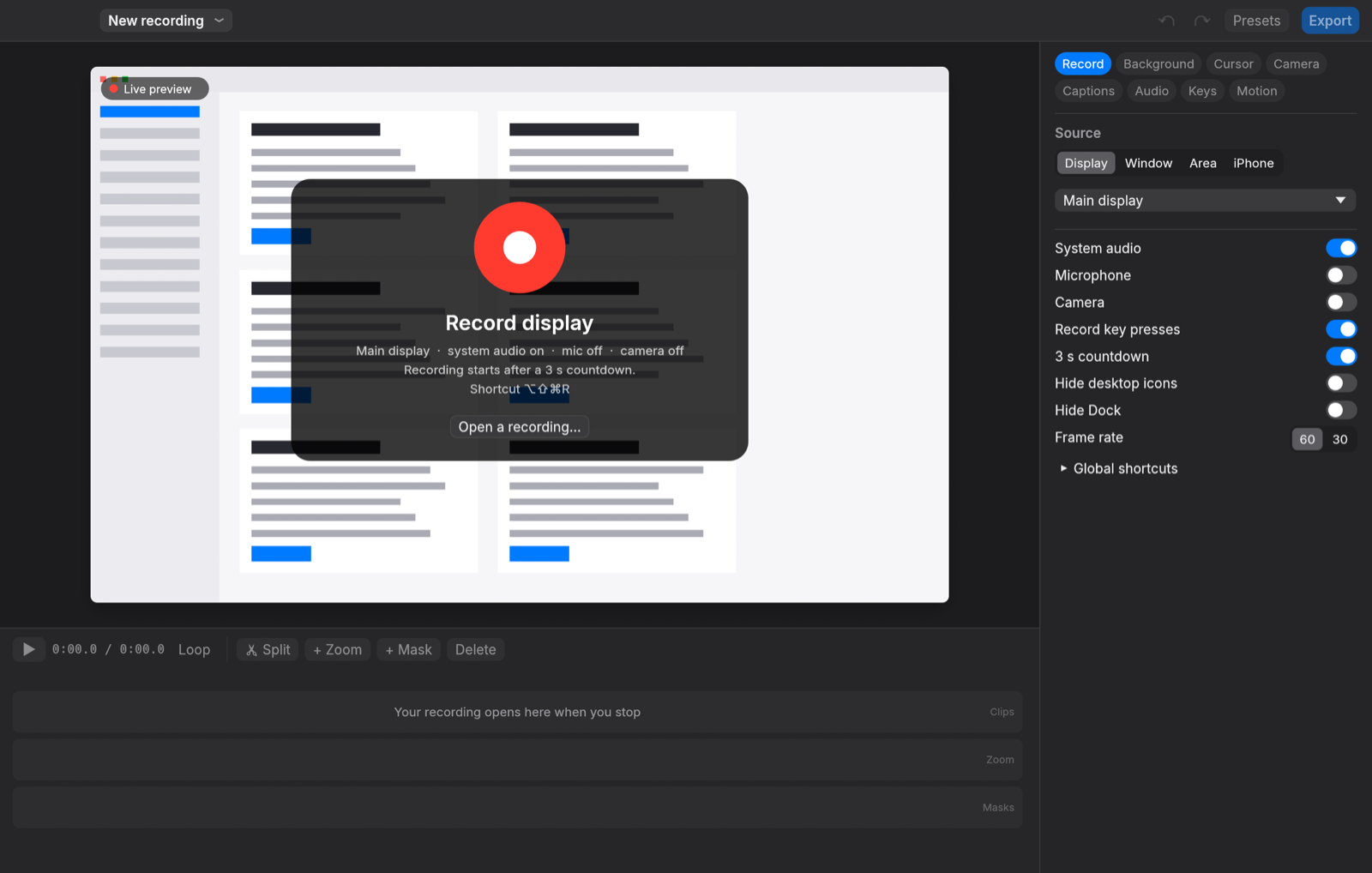
- Recording: display, window (picked on screen; follows the window), drag-selected area, USB iPhone/iPad; system audio and microphone on separate tracks; camera; countdown, pause/resume, restart, cancel from a floating pill-shaped control bar that stays out of the recording; hide desktop icons and the Dock; resize the window you record to a preset or custom size; configurable global shortcuts (default ⌥⇧⌘R); menu bar recorder.
- Automatic zoom from clicks with cluster targeting and edge snapping, spring physics and motion blur; manual and follow-mouse zooms.
- Cursor re-rendered at high resolution with smoothing, tilt, press feedback, idle hiding and click circles/ripples.
- Sound: click sounds in six generated flavours, and keyboard sounds recorded from two real boards (a muted office one and a tactile mech) with per-key variation and heavier space/return. Also a typing-only mode, sound moods and a zoom whoosh. Every sound auditions from the inspector.
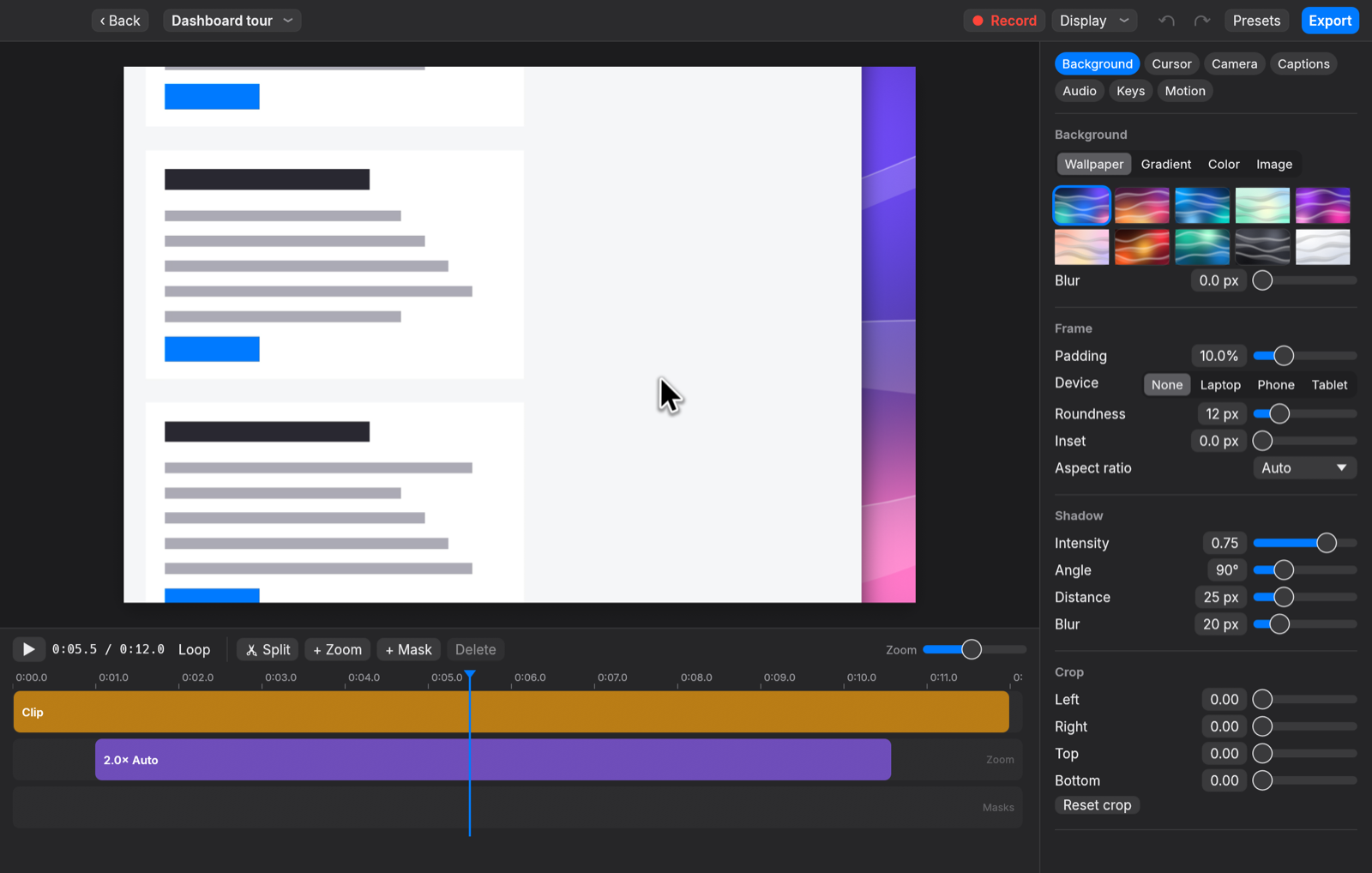
- Styling: generated wallpapers, gradients, colours, your own image or current desktop picture, background blur; padding, roundness, shadow, inset, crop, aspect ratios; laptop/phone/tablet device frames; a DaisyCap daisy watermark in the corner (turn it off under Background, Watermark); style presets. Every change shows on the canvas immediately and in the export.
- One window: DaisyCap opens on recording setup in the editor's own layout (a live preview of the selected display, window or area under a big Record button; source and audio options in the inspector); a recording opens straight into the editor when you stop; recent recordings are a popover off the window title.
- Editor: live GPU preview, timeline with clips, zooms, masks and camera layouts; split, trim, speed, typing speed-up; blur/pixelate/highlight masks with "data may be visible" warnings when the covered content moves (one click cuts that part); camera bubble and layouts; keyboard-shortcut overlay; on-device captions with Whisper (base/small/medium) or Apple Speech, editable; voice-over with ducking; on-device ML voice isolation ("Enhance voice"); background music; style presets; undo/redo.
- Export: MP4 (H.264/HEVC via VideoToolbox, zero-copy GPU → encoder), GIF with delta frames; 720p to 4K, 10 to 60 fps; quality presets with size estimates or "fit to file size"; "Export & copy" to the clipboard.
- Feedback: Help › Send Feedback… (also in the menu-bar menu, and as "Report this" on any error) opens a box with what happened, an optional email, and the diagnostics it will send. It posts to our own endpoint, and copies the text instead if that fails.
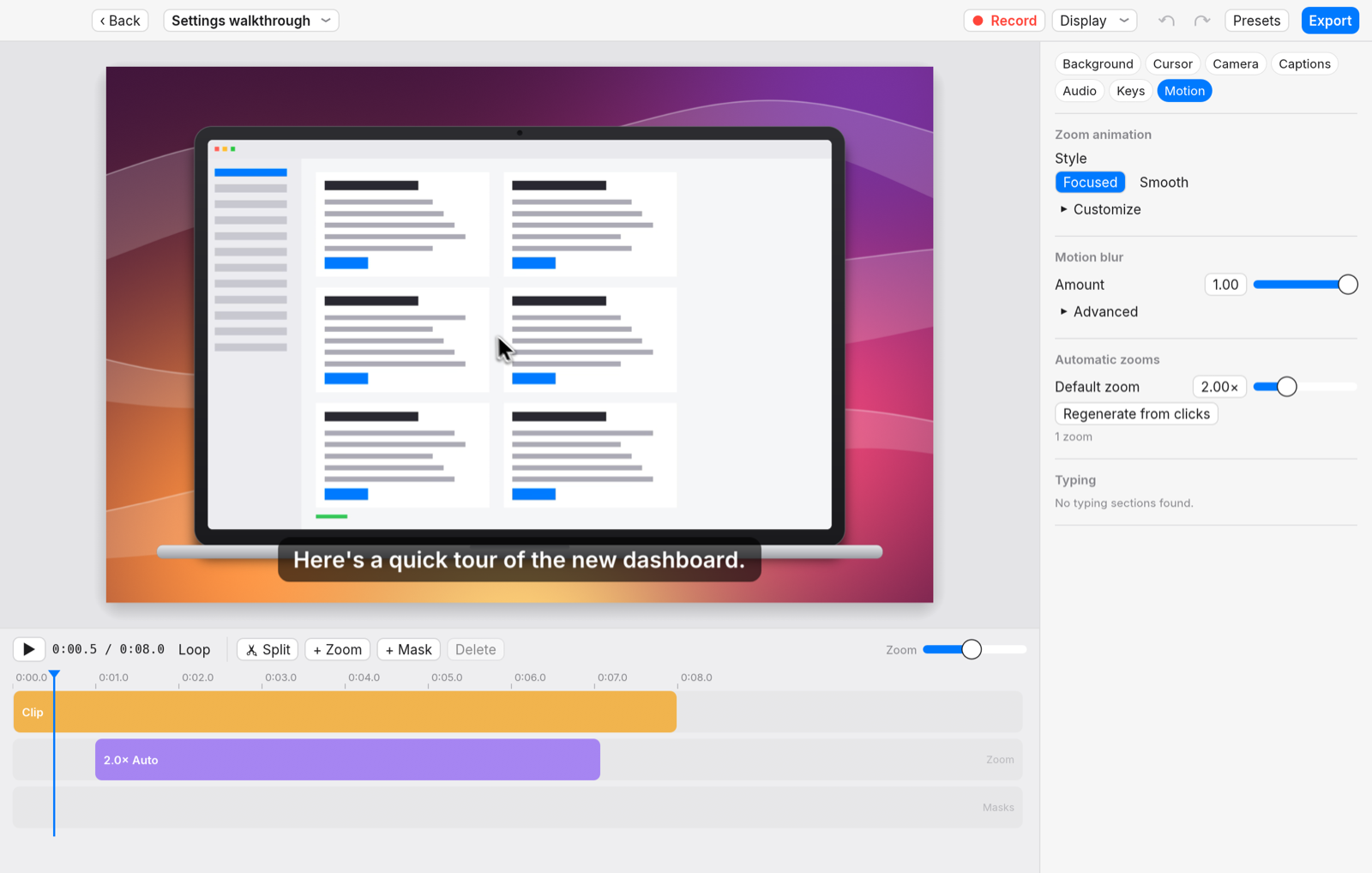
Screenshots use DaisyCap's synthetic demo recordings (daisycap synth).
See PERFORMANCE.md for measured recording overhead and export speed, and
PROGRESS.md for the full parity table and verification notes.
Build
Requires macOS 15+, Rust (2024 edition), Xcode and CMake (brew install cmake, used to build whisper.cpp for captions). The scripts set SDKROOT
to Xcode's SDK; for a plain cargo build, do the same if CMake's compiler
check fails with "tapi error: malformed file":
export SDKROOT="$(xcode-select -p)/Platforms/MacOSX.platform/Developer/SDKs/MacOSX.sdk".
scripts/build.sh          # release build → dist/DaisyCap.app (signed), dist/daisycap
open dist/DaisyCap.app
Build output goes to ~/.cache/cargo-target/daisycap (override with
CARGO_TARGET_DIR), never into the repository.
scripts/release-github.sh --local builds a DMG and a zip in dist/ with
checksums, so you can try them. Without --local it publishes them as a
GitHub release.
scripts/release-macos.sh builds the universal (Apple Silicon + Intel) app for
macOS 14 and later, signs it with a Developer ID certificate, notarizes it and
packages DaisyCap.dmg, plus the zip and signed appcast.xml that installed
copies update from (one-time credential setup is at the top of the script).
Installed copies check that feed once a day through
Sparkle and offer to install a newer release;
DaisyCap › Check for Updates…, also in the menu bar icon's menu, checks at once.
Command line
dist/daisycap                          # open the app
dist/daisycap record -t 10             # record the main display for 10 s
dist/daisycap record --area 200,150,1280,720 --mic
dist/daisycap export "~/Movies/DaisyCap/Recording.daisycap" --height 1080
dist/daisycap export Project.daisycap --format gif
dist/daisycap devices                  # displays, windows, cameras, mics, iPhones
dist/daisycap check-masks Project.daisycap # where content under masks moves
dist/daisycap check-background Project.daisycap # every background option visibly changes a frame
dist/daisycap audio-check Project.daisycap --freq 880 # levels, and how much is a test tone
dist/daisycap transcribe Project.daisycap --engine whisper-small  # captions
dist/daisycap resize-window 1234 1920x1080 # window id from `daisycap devices`
dist/daisycap permissions --request
dist/daisycap synth demo.daisycap         # synthetic project (no permissions needed)
scripts/selftest.sh --screen        # end-to-end checks (plays a quiet test tone)
scripts/selftest.sh --audio         # just the audio round trip
scripts/bench.sh                    # performance measurements
Layout
src/engine, a pure, tested model of every frame: springs, deterministic animator, time mapping, sizes, zoom, cursor, camera, captions, masks, device frames, typing detection.src/render, a wgpu (Metal) compositor with one uber-shader with modes for backgrounds, shadows, the rounded window, blur, masks and device frames.src/captureandsrc/recordercapture with ScreenCaptureKit and AVFoundation, and log input into a.daisycappackage.src/mediaandsrc/exportdecode with AVAssetReader, encode with AVAssetWriter and VideoToolbox, and mix audio. GIF too.src/app, the egui app (Inter font): one editor-first window (recording setup when nothing is open, recent recordings off the title), recording widget, area picker, menu bar.site, the download page, a SvelteKit site hosted on Vercel. Seesite/README.md.
Contributing
See CONTRIBUTING.md for setup, the checks to run, and the PR rules. Nothing in the app is locked: it stays free, with no paid tier.
Credits
- Capture pipeline, app chrome, menu bar and hotkey code build on rec-rs (MIT OR Apache-2.0).
- Captions use whisper.cpp (MIT) through whisper-rs; Whisper models (MIT) are downloaded on first use.
- Behaviour analysis made with REA.
- Inter typeface by Rasmus Andersson (SIL Open Font License,
assets/fonts/OFL.txt).
License: MIT OR Apache-2.0.
Explore related projects
ytdl-org/youtube-dl
Command-line program to download videos from YouTube.com and other video sites
141,527 starsexcalidraw/excalidraw
Virtual whiteboard for sketching hand-drawn like diagrams
135,396 starsgodotengine/godot
Godot Engine – Multi-platform 2D and 3D game engine
119,942 starsmrdoob/three.js
JavaScript 3D Library.
117,983 stars