
JT-Apps/SP-1-Utility
JT-Apps/SP-1-Utility has 28 GitHub stars and 0 forks. GitHot measured 0 stars in 24 hours, 0 in 7 days, and +1 in 15 days. Last checked 2026-11-14 02:38 UTC. Last push 2026-07-09.
Measured star growth
- in 24h
- 0
- in 7 days
- 0
- in 15 days
- +1
- in 1 month
- Collecting history
Net star changes over overlapping periods, not daily totals. Missing measurements are left blank. Stars measure attention, not software quality.
About
Native Mac app for preparing and transferring SP-1 stem albums
Creative & MediaREADME.md
Original
SP-1 Utility
SP-1 Utility is a native Mac app from JT Apps for preparing stem albums and transferring them to a Teenage Engineering SP-1 device over USB-C.
It is built for people who want the SP-1 workflow without Terminal, Homebrew, Python setup, or coding tools. The app bundles the local processing engine, so normal use is just download, install, prepare, preview, and transfer.
What It Does
- Prepares regular songs or existing four-stem folders.
- Creates SP-1-ready WAVs: 24-bit, 48 kHz, eight-channel PCM.
- Keeps prepared tracks organized in a Library view.
- Plays master and individual stem previews inside the app.
- Install New Firmware (at your own risk)
- Manage Multiple SP-1 Devices
- Transfers ready albums to the SP-1 over USB-C.
- Shows connection state, transfer status, confirmed progress, and recovery details.
Download
The app download is in Releases.
Download SP-1 Utility.dmg, open it, drag SP-1 Utility into
Applications, then launch it from Applications.
The DMG is attached to the release instead of the Code tab because it is too large for normal GitHub repository files.
Three Simple Functions
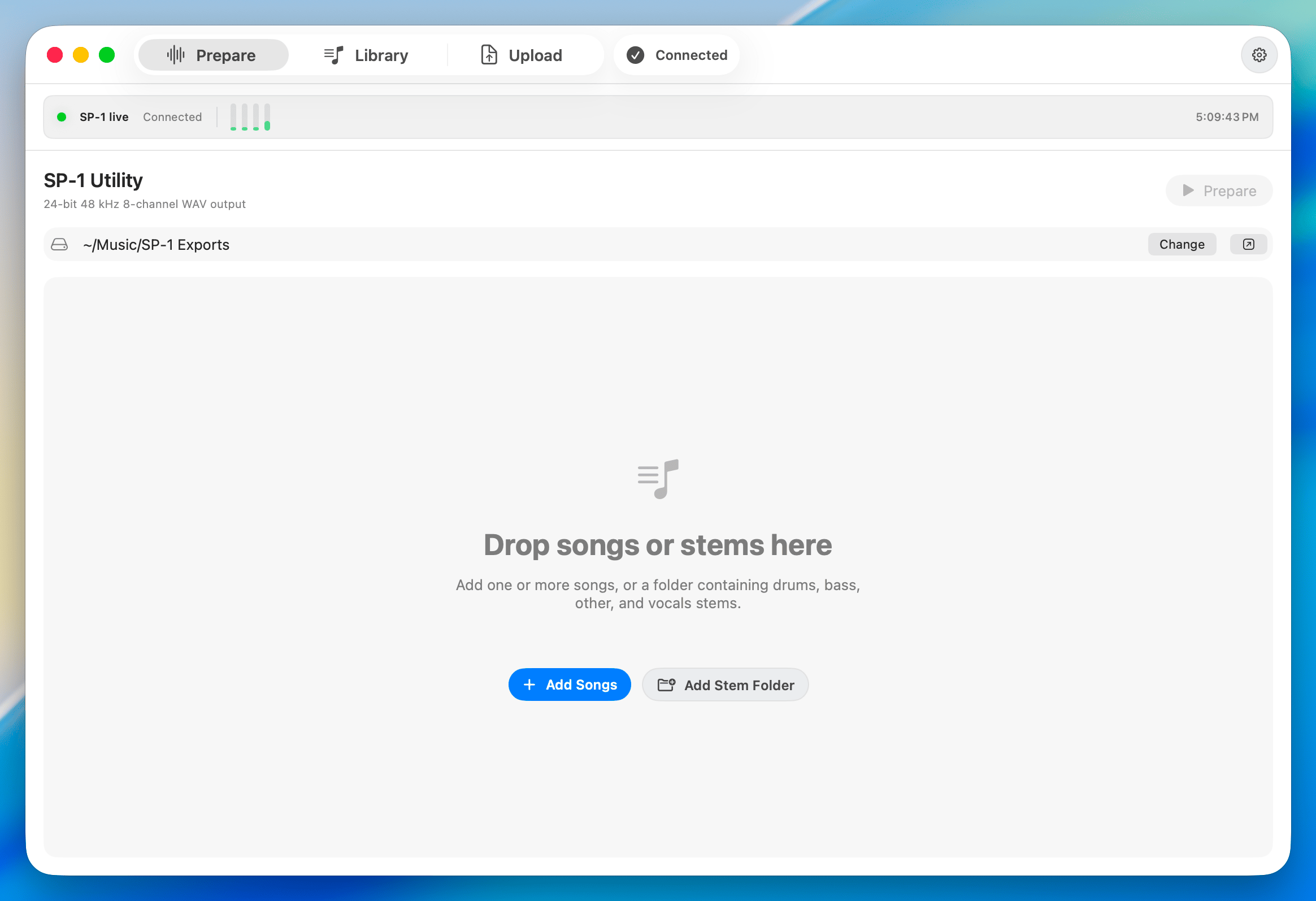
Prepare
Add songs or four-stem folders, set BPM, and create SP-1-ready output.
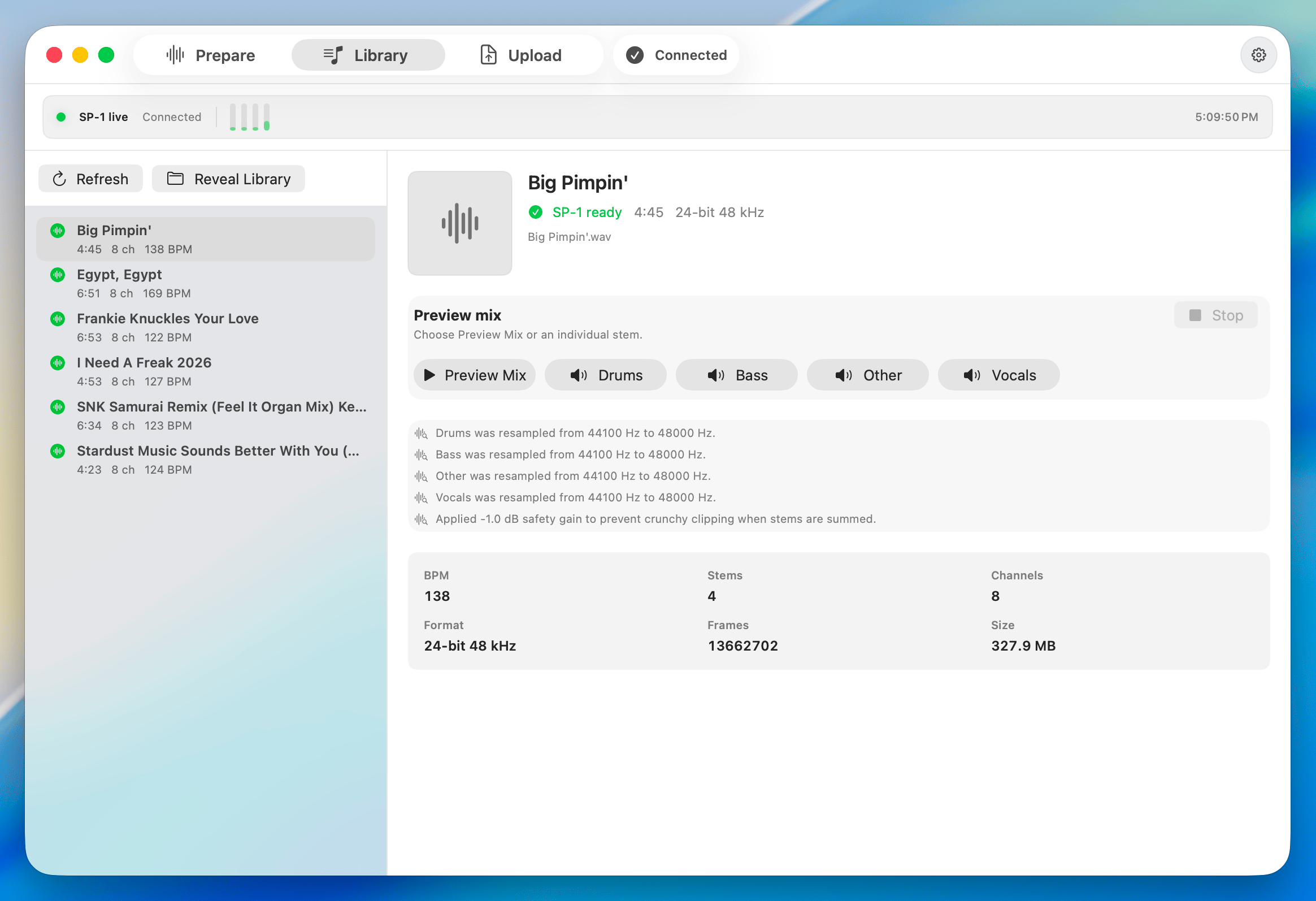
Library
Review prepared tracks, play the preview mix, and check individual stems.
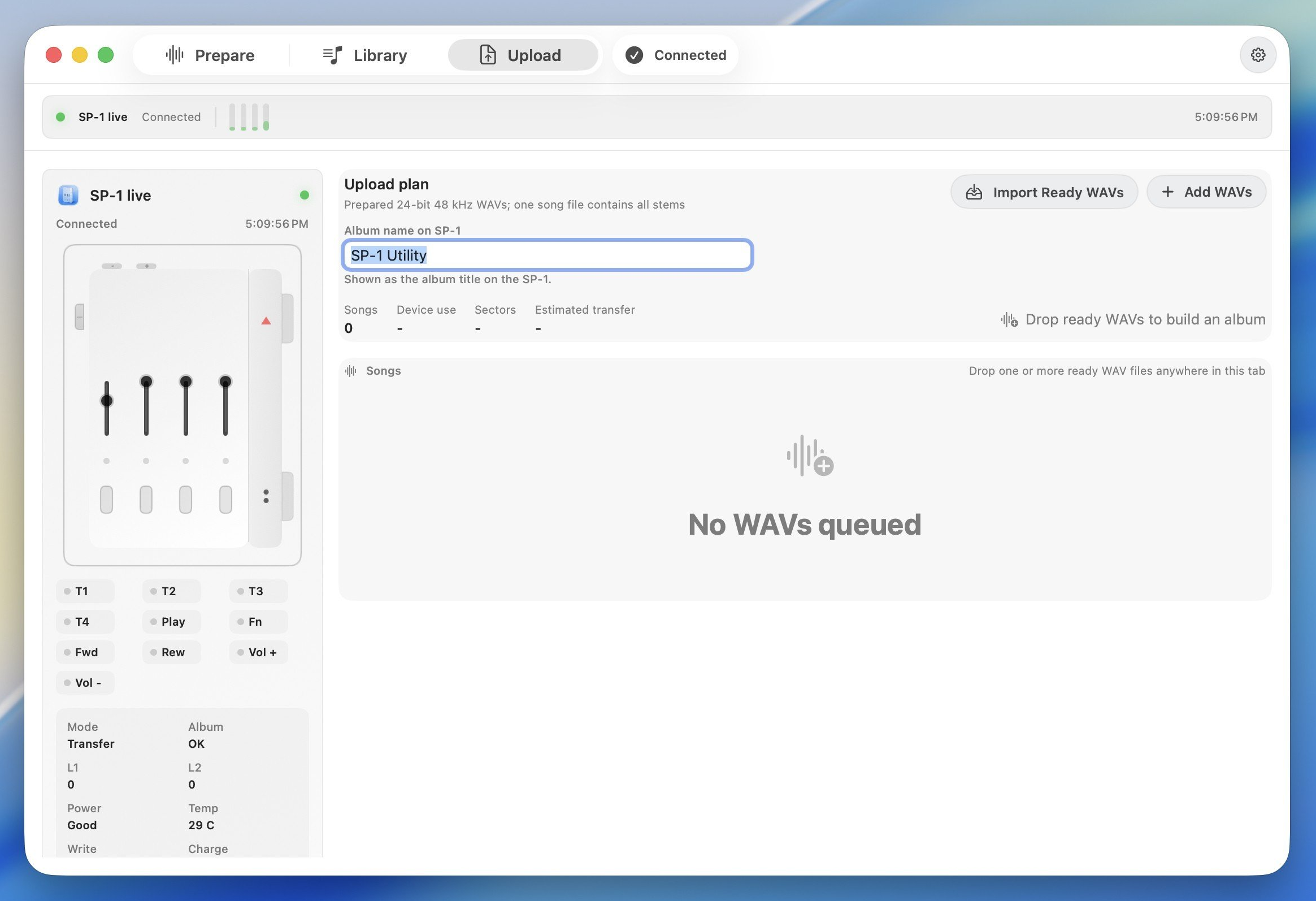
Upload
Build an album plan, watch SP-1 live controls, and transfer ready WAVs over USB-C.
Notes
- Keep the SP-1 plugged in and leave the Mac awake during transfer.
- Large transfers can take hours.
- A song is marked Done only after the SP-1 confirms the write sectors.
- Finder and Quick Look may not play upload WAVs normally because they are eight-channel device files. Use the app's Library preview for normal listening.
Feedback And Bugs
Use the repository Issues tab to report bugs or feedback.
Helpful reports include:
- macOS version.
- SP-1 Utility version or release date.
- What you were doing: Prepare, Library, or Upload.
- Song title and row status, if a song was involved.
- A screenshot of the transfer panel, if upload was involved.
Please do not attach copyrighted audio files unless they are necessary and you have permission to share them.
Credits
SP-1 Utility includes compatibility research and workflow attribution to Solderless and the public SP-1 development wiki.
Explore related projects
ytdl-org/youtube-dl
Command-line program to download videos from YouTube.com and other video sites
141,559 starsexcalidraw/excalidraw
Virtual whiteboard for sketching hand-drawn like diagrams
135,665 starsgodotengine/godot
Godot Engine – Multi-platform 2D and 3D game engine
120,120 starsmrdoob/three.js
JavaScript 3D Library.
118,358 stars