
IncredibleDevHQ/Incredible.dev
IncredibleDevHQ/Incredible.dev has 155 GitHub stars and 14 forks. GitHot measured +1 stars in 24 hours. Last checked 2026-11-09 23:13 UTC. Last push 2026-11-02.
Developer content made from the material you already have: AI agents research your repos, docs and posts, then make the films, cards and posts, in channels and on a canvas.
Measured star growth
- in 24h
- +1
- in 7 days
- Update delayed
- in 15 days
- Update delayed
- in 1 month
- Update delayed
Net star changes over overlapping periods, not daily totals. Missing measurements are left blank. Stars measure attention, not software quality.
README.md
OriginalIncredible.dev
Developer content made from the material you already have. Bring a repository, docs, a blog post, a talk or your notes, and a team of AI agents researches it, storyboards it and makes the film, the thumbnails, the cards and the posts, in channels you can steer and on a canvas you can review.
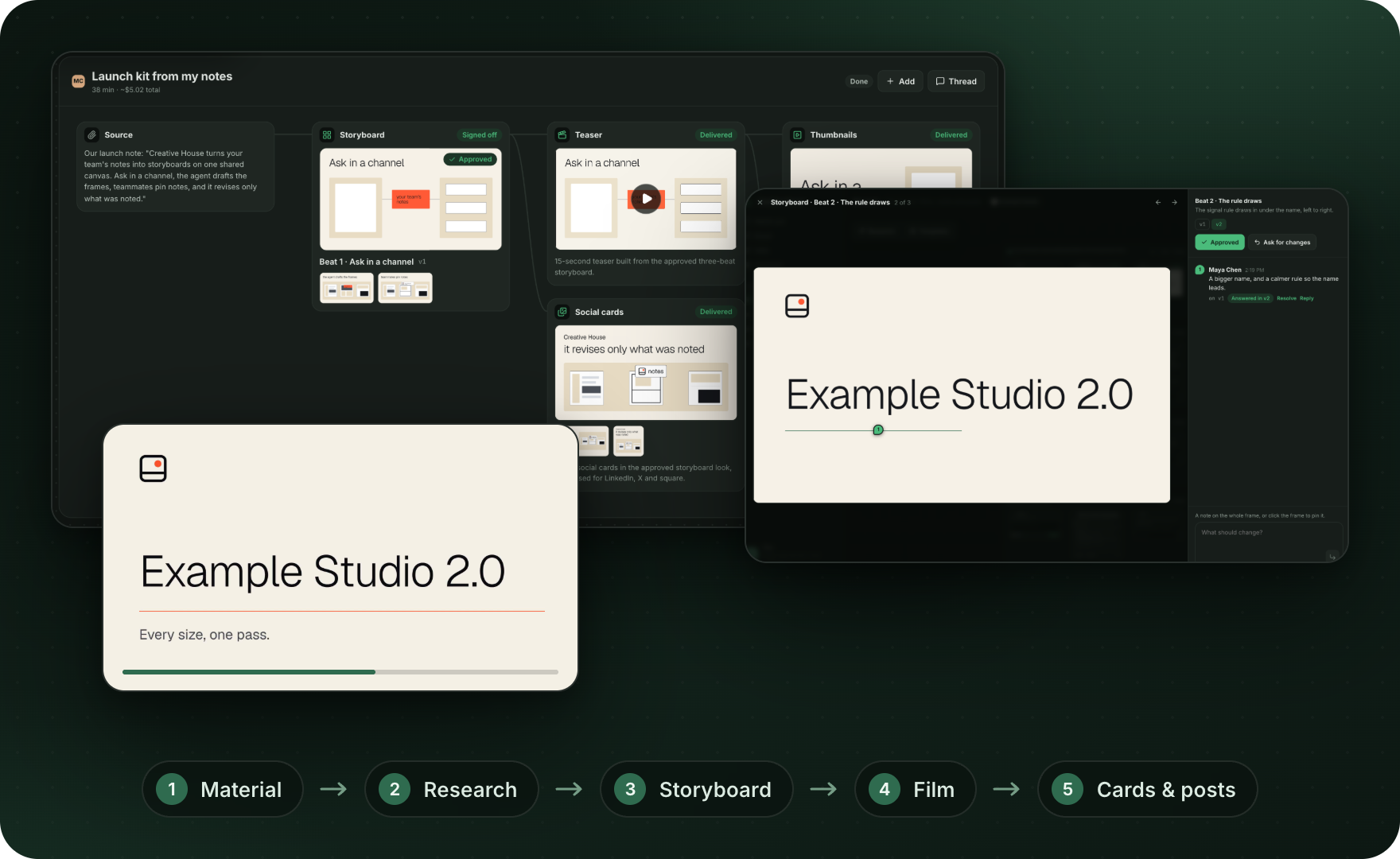
A new beginning. This is the new Incredible.dev. The earlier video creator lives on the
archive/dev-video-creatorbranch.
How it flows
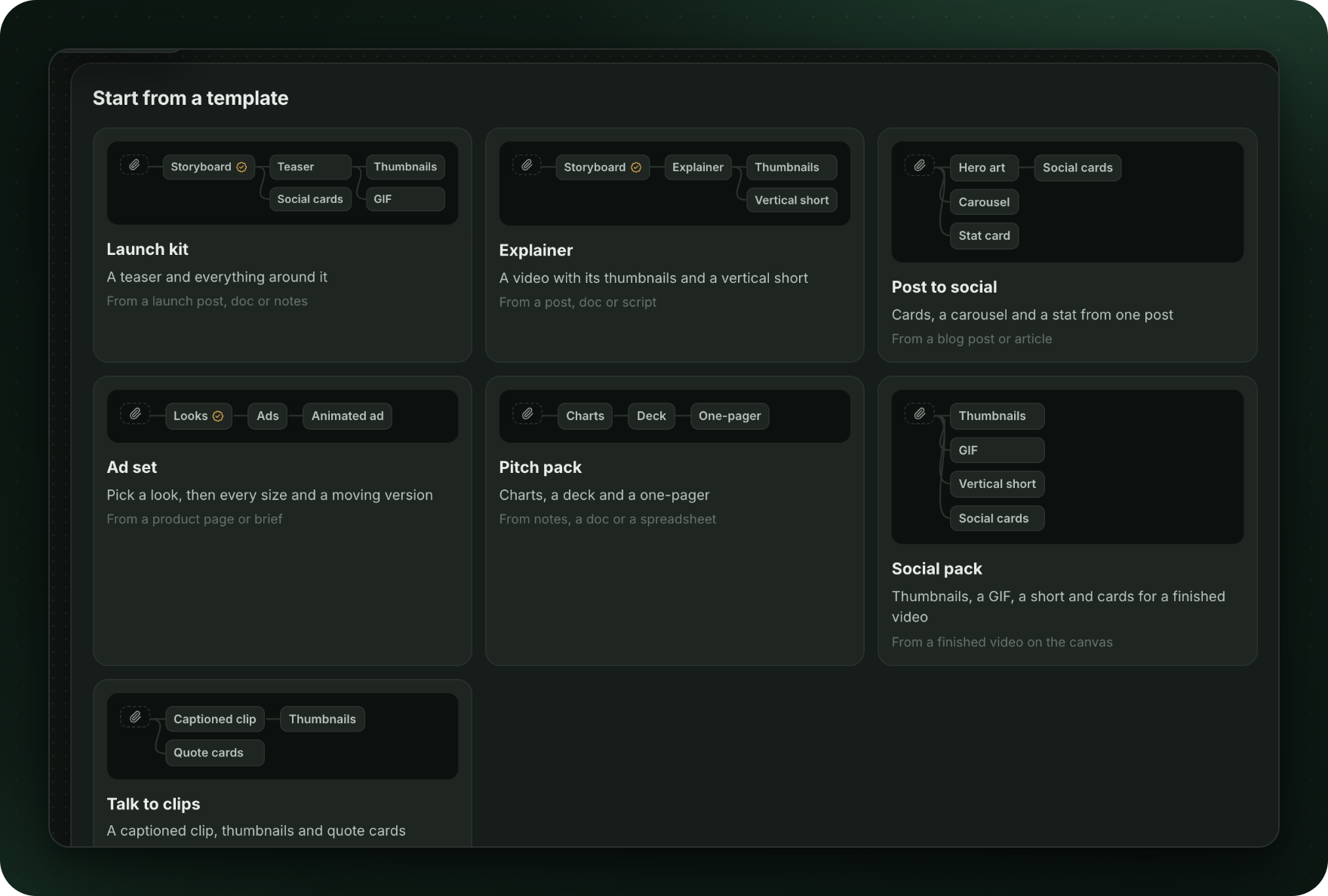
1. Start from your material
Ask in a channel and attach what you have, or place a template: Launch kit, Explainer, Post to social, Ad set, Pitch pack, Social pack or Talk to clips.
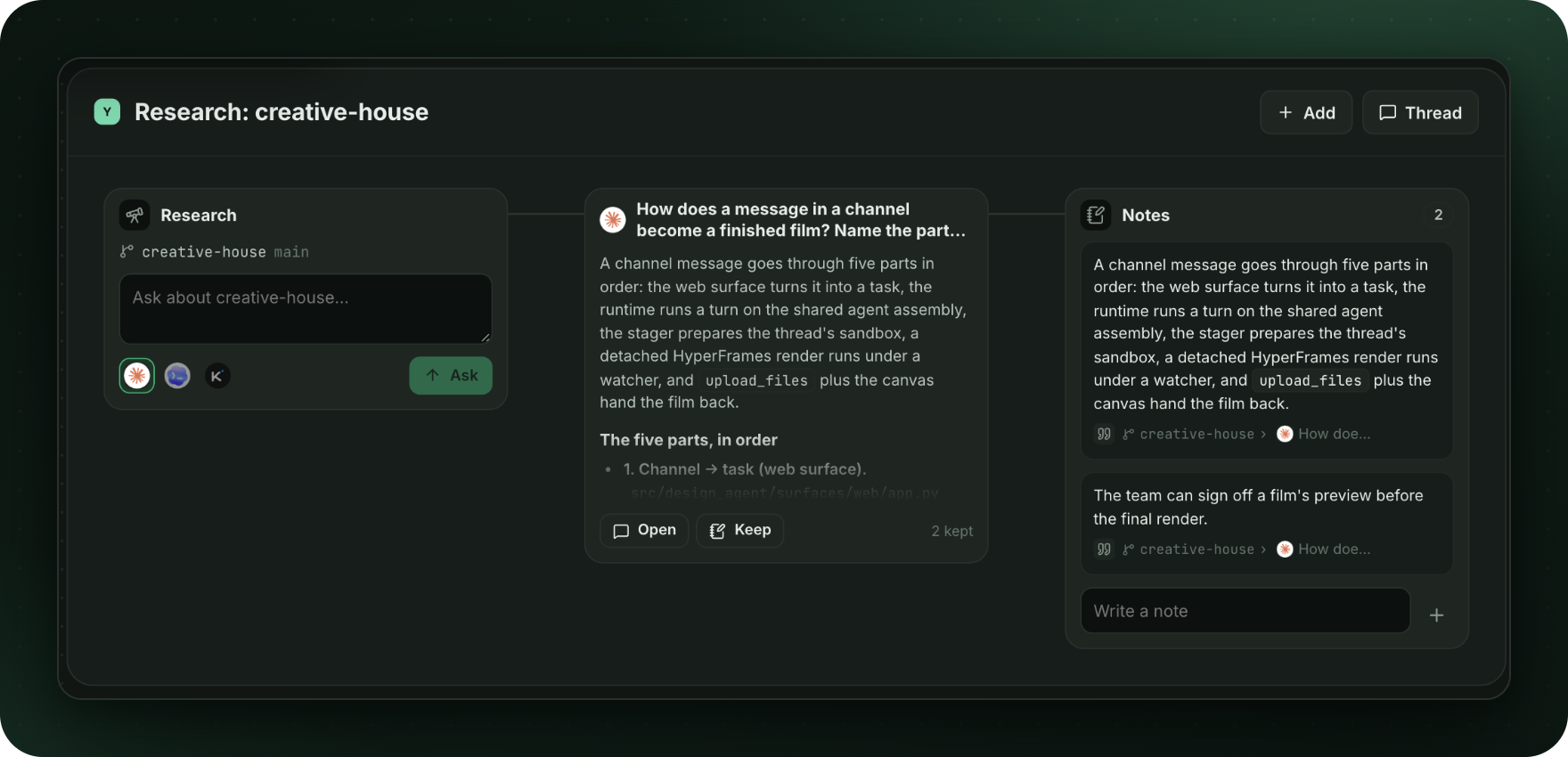
2. Research your code
A research frame asks local coding agents (Claude Code, Codex, Kimi Code) about your repository. Keep any passage of an answer as a note: each note records where it came from, and notes feed what gets made.
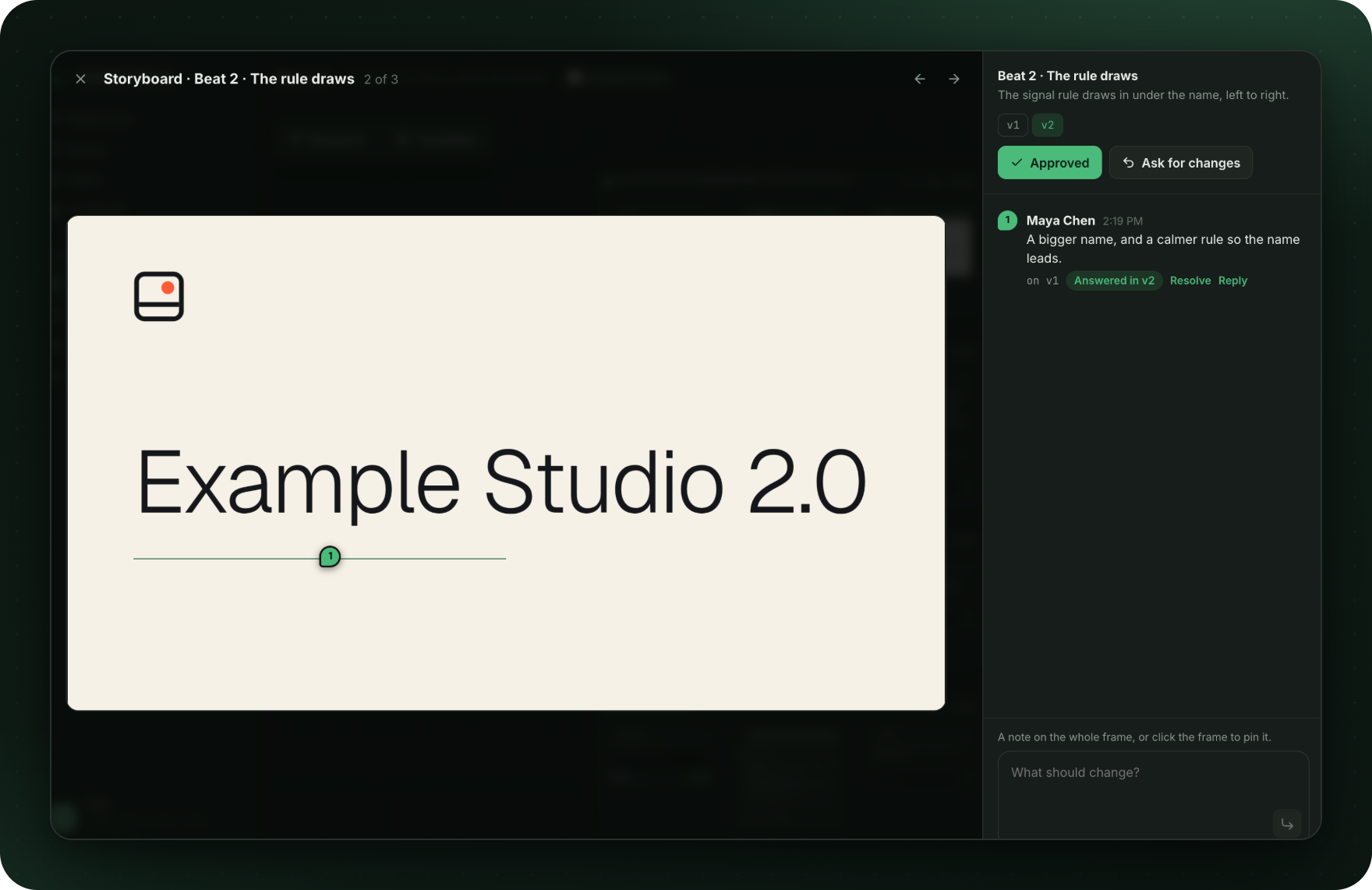
3. Storyboard, then sign off
Films start as a storyboard. Pin a note to a frame and the next version answers it; approve when it's right.
4. The film and everything around it
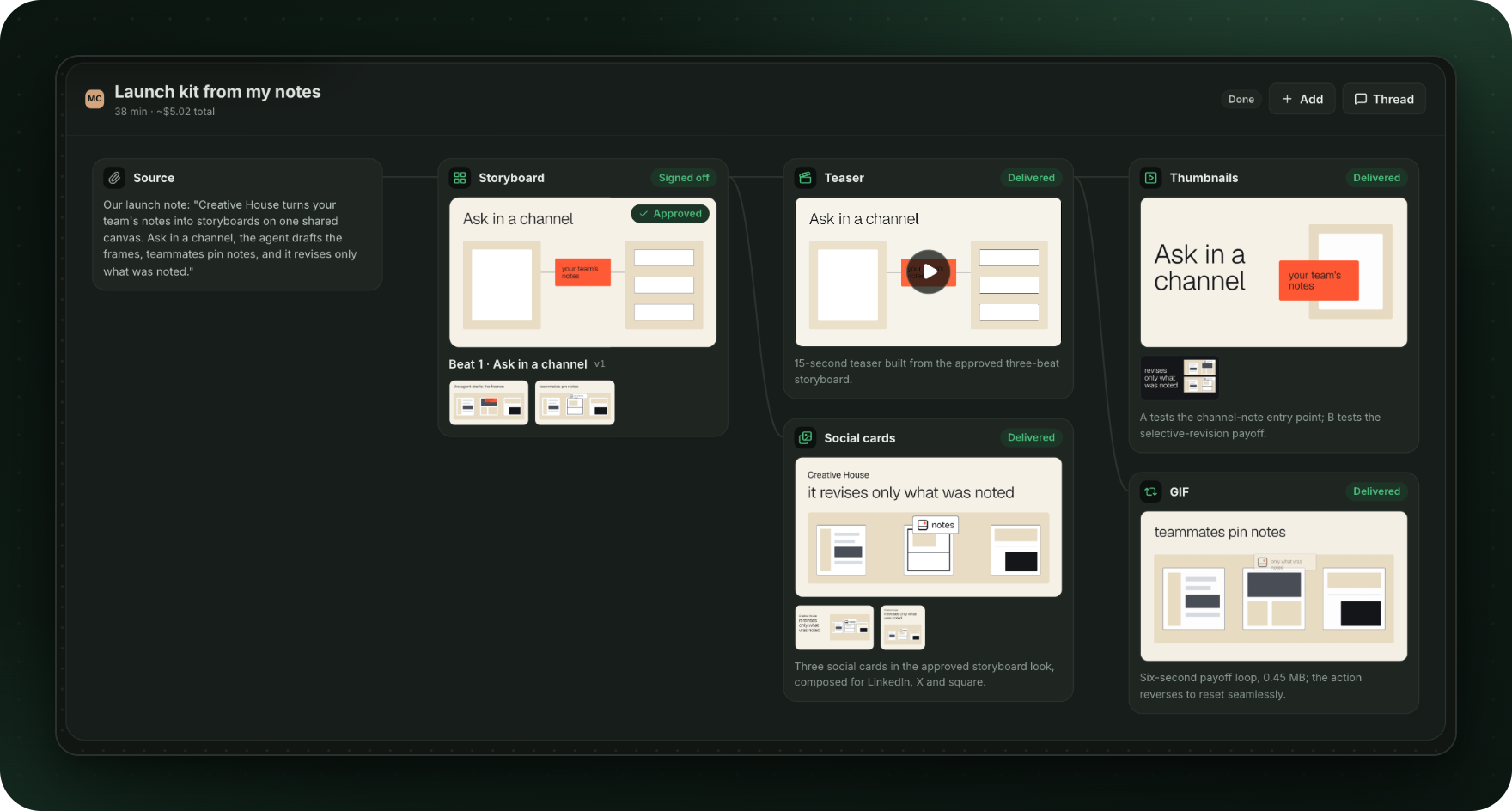
The film is built in code with HyperFrames, then thumbnails, social cards and GIFs, each linked on the canvas to what it was made from.
5. Steer it in a thread
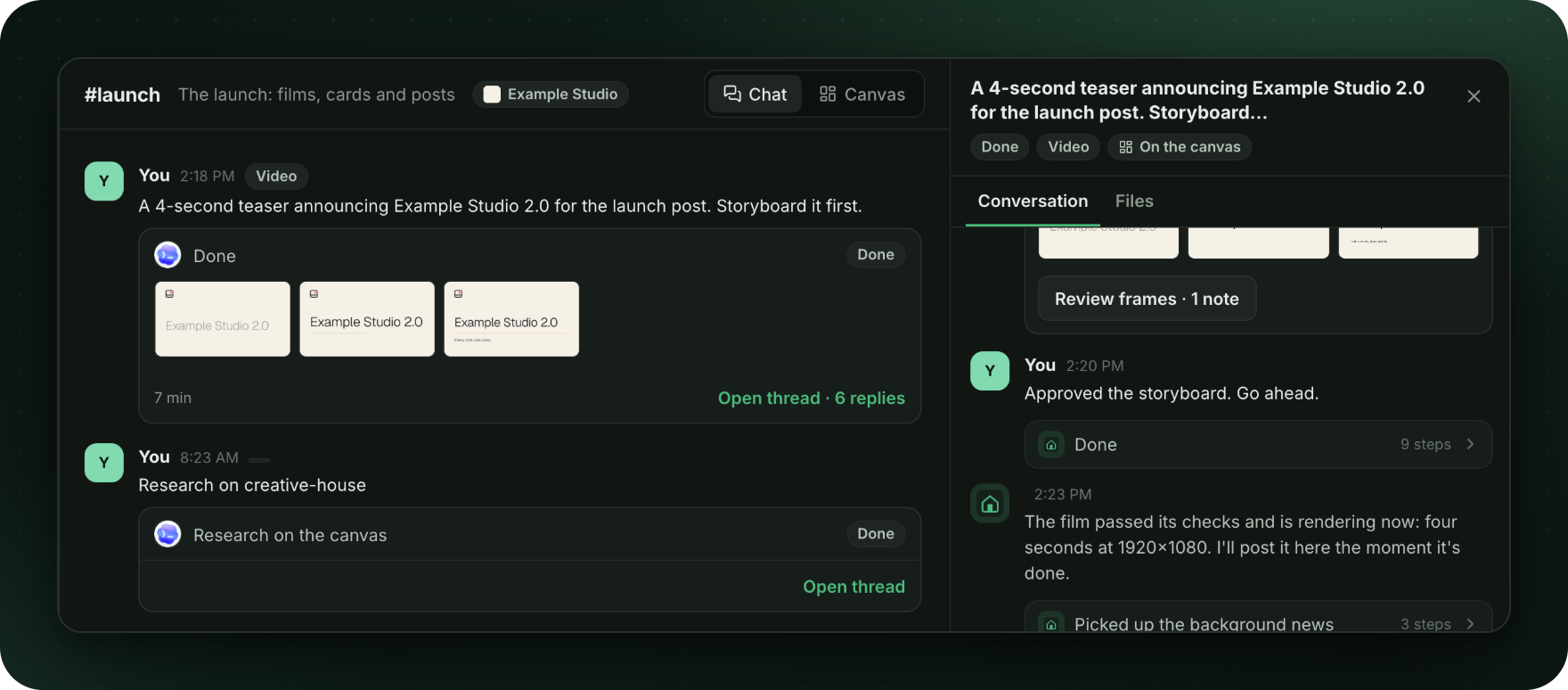
Every task is a thread with its own lead agent and computer. Reply to steer the work, approve a preview, or stop it.
Your brand on everything
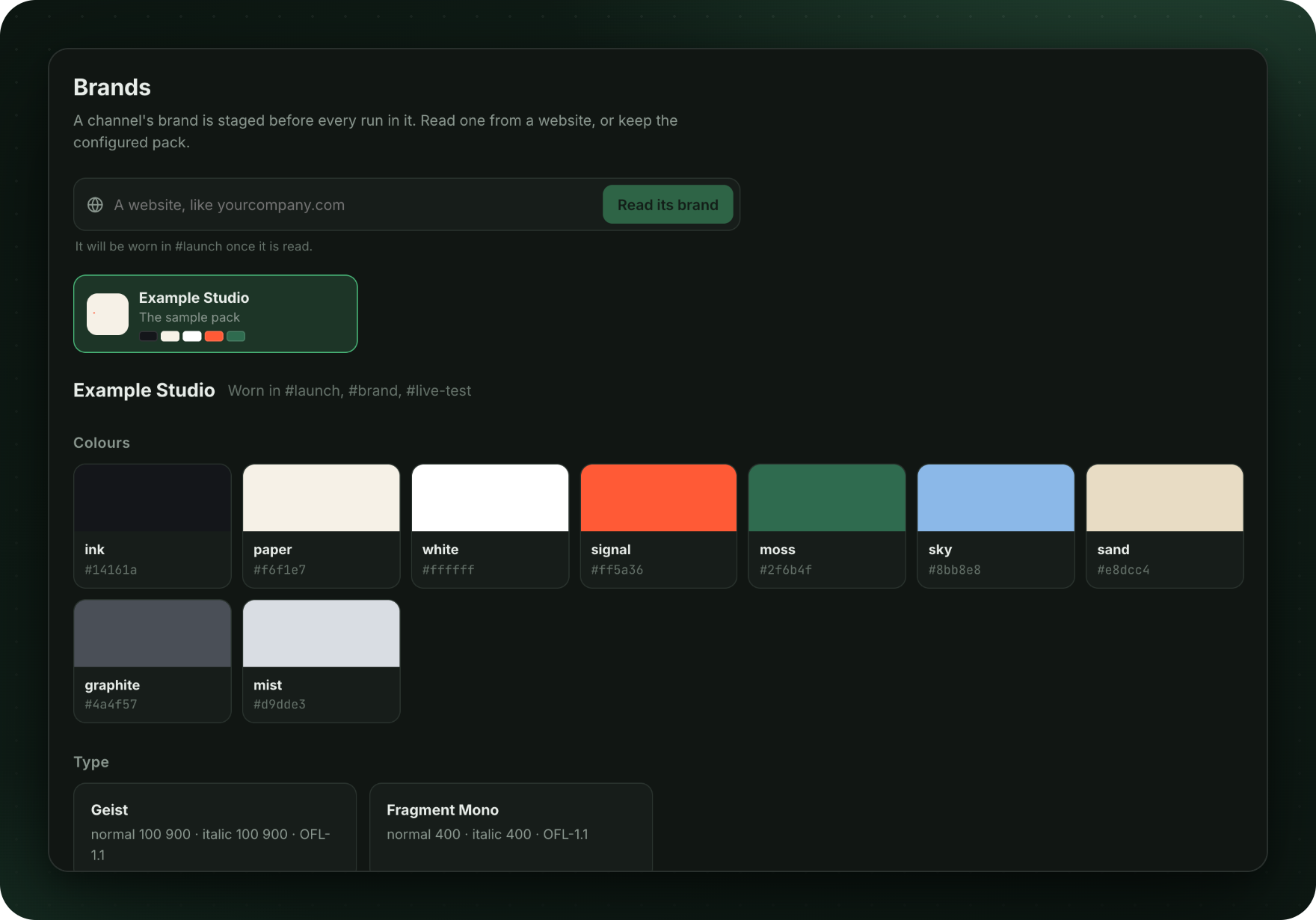
Read a brand from a website, or keep a brand pack, and choose which one each channel uses.
Run it locally
You need Docker, uv and Node.js.
uv sync --all-extras --dev
uv run design-agent sandbox build                    # the agents' computer
(cd web && npm install && npm run build)             # the app
uv run python -m design_agent.surfaces.web --demo    # a scripted lead, no API keys
uv run python -m design_agent.surfaces.web           # a real model (a provider key in .env)
Then open http://127.0.0.1:8765. For app development, run npm run dev in web/ (port 5178); it
passes /api through to the server. Models lists the providers and their keys.
The app has no sign-in yet. It serves 127.0.0.1 only and takes the person from a request header, so don't expose it on a network.
How it's built
- The agents. Each task gets a lead agent that plans and hands work to helper agents, a Docker sandbox of its own, skills for each kind of work, and checks it runs on its renders (brand, motion, output). A cost meter tracks every run.
- The app. The server in
src/design_agent/surfaces/web/(API, live events, store, canvas tools, research, brands) and the web app inweb/(React, Vite, TypeScript), plugged in through one presenter hook,src/design_agent/surfaces/presenter.py.
More: architecture · instructions.md · skills/ · customization · changelog.
License
Apache 2.0. Third-party notices are in NOTICE.md.
Explore related projects
ytdl-org/youtube-dl
Command-line program to download videos from YouTube.com and other video sites
141,527 starsexcalidraw/excalidraw
Virtual whiteboard for sketching hand-drawn like diagrams
135,396 starsgodotengine/godot
Godot Engine – Multi-platform 2D and 3D game engine
119,942 starsmrdoob/three.js
JavaScript 3D Library.
117,983 stars