
HoshinoSuzumi/chronoframe
HoshinoSuzumi/chronoframe has 1,981 GitHub stars and 157 forks. GitHot measured +2 stars in 24 hours and +10 in 7 days. Last checked 2026-11-11 13:39 UTC. Last push 2026-11-02.
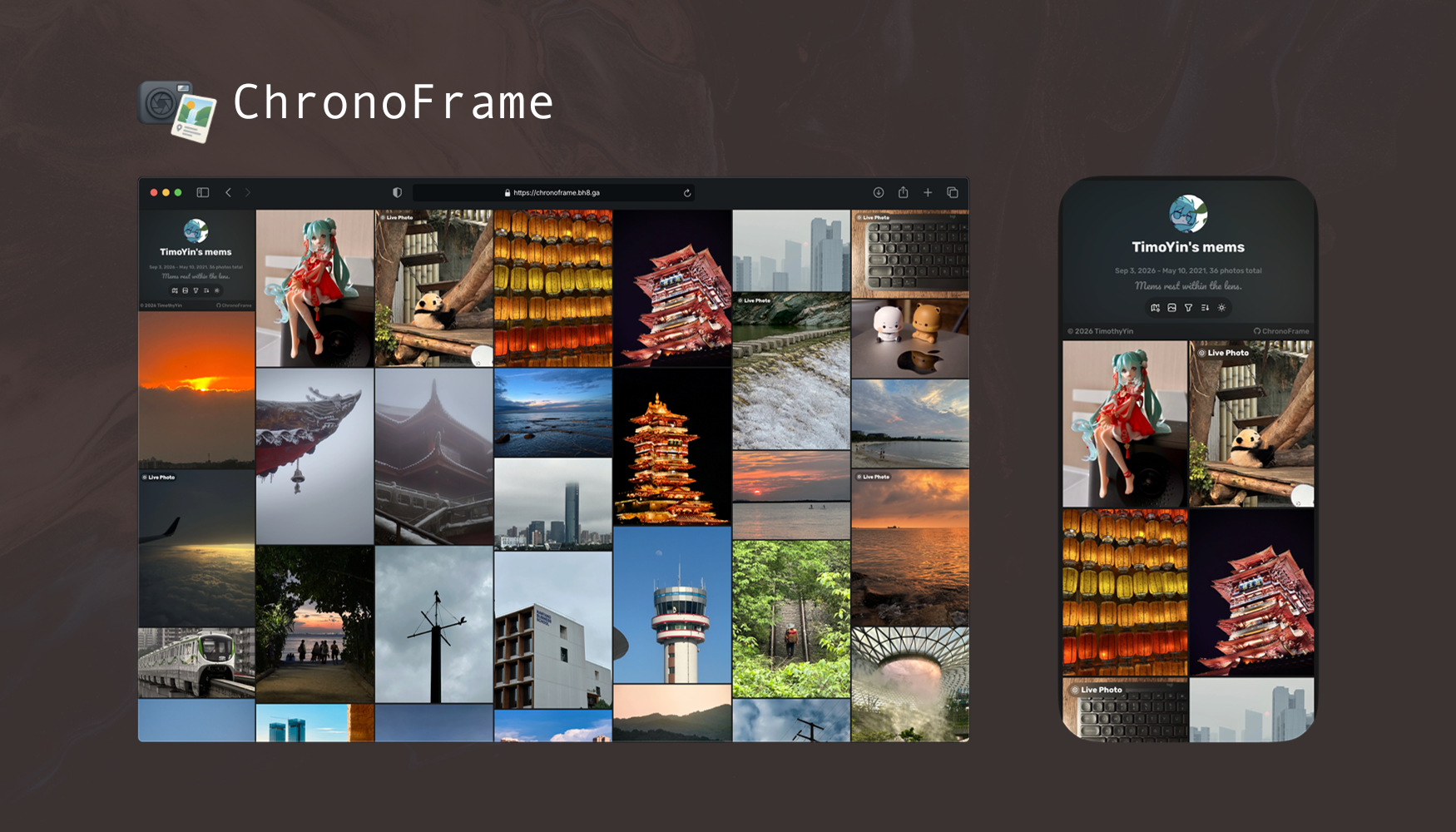
Self-hosted personal gallery application with online photo management and albums, supporting Live/Motion Photos, EXIF parsing, geolocation recognition, and an explore map.
What you can do
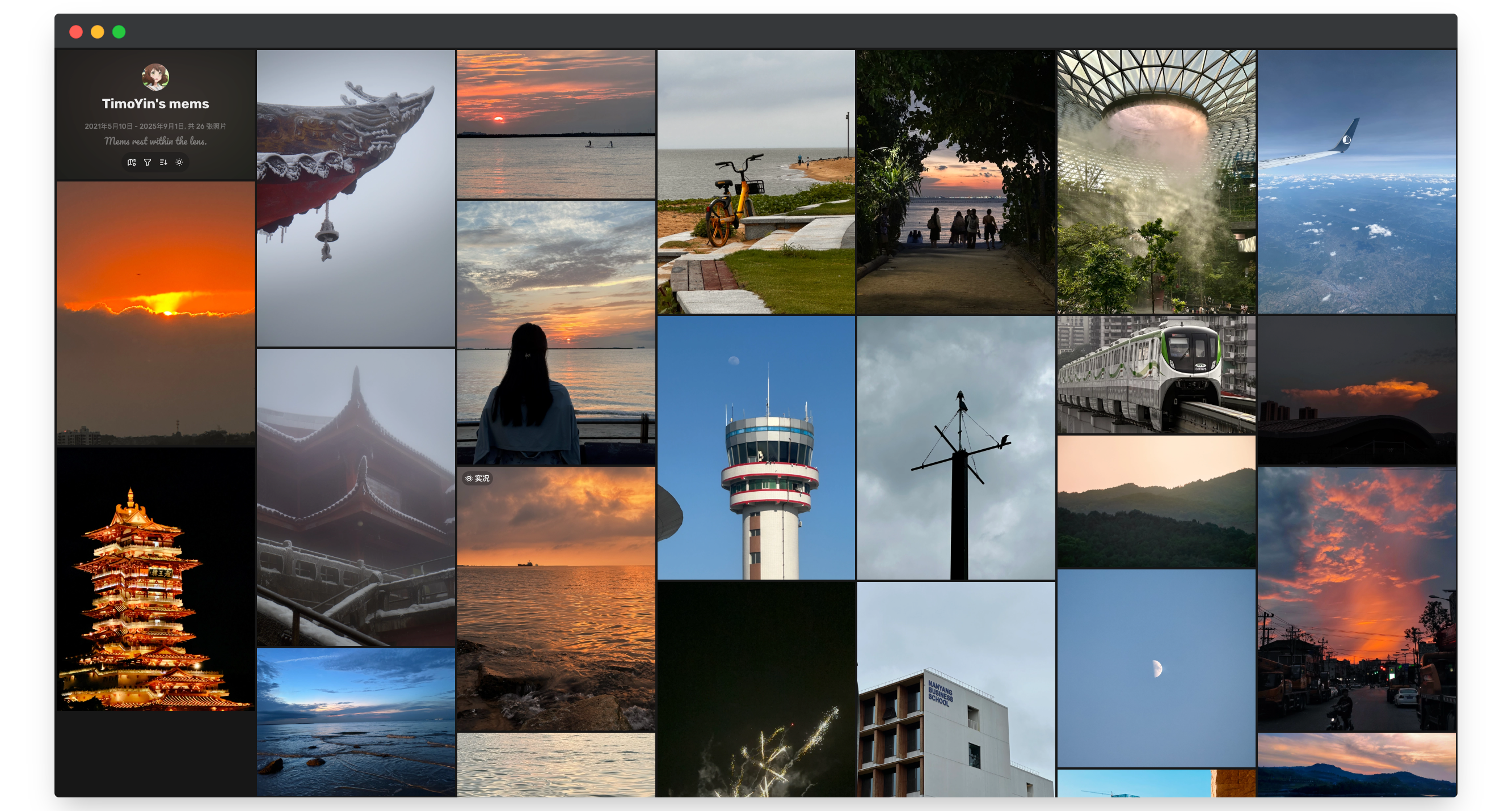
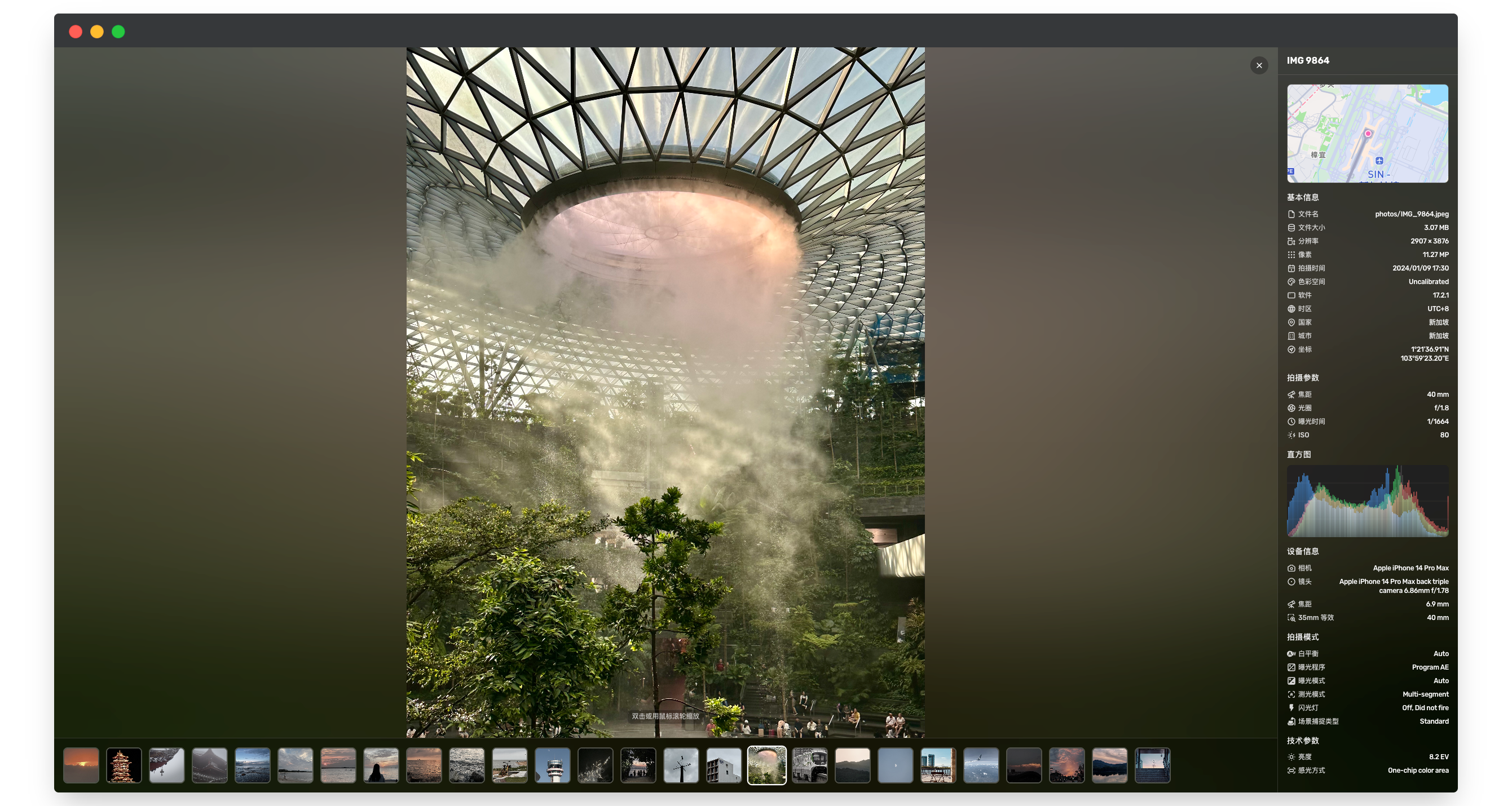
- Photo browsing: masonry layout, filters and sorting, WebGL zoom and tiled rendering, histograms, original downloads and share previews.
- Live and Motion Photos: automatic image/video pairing, with hover or long-press playback.
- Albums: organize and reorder albums and photos, hide albums or protect them with passwords.
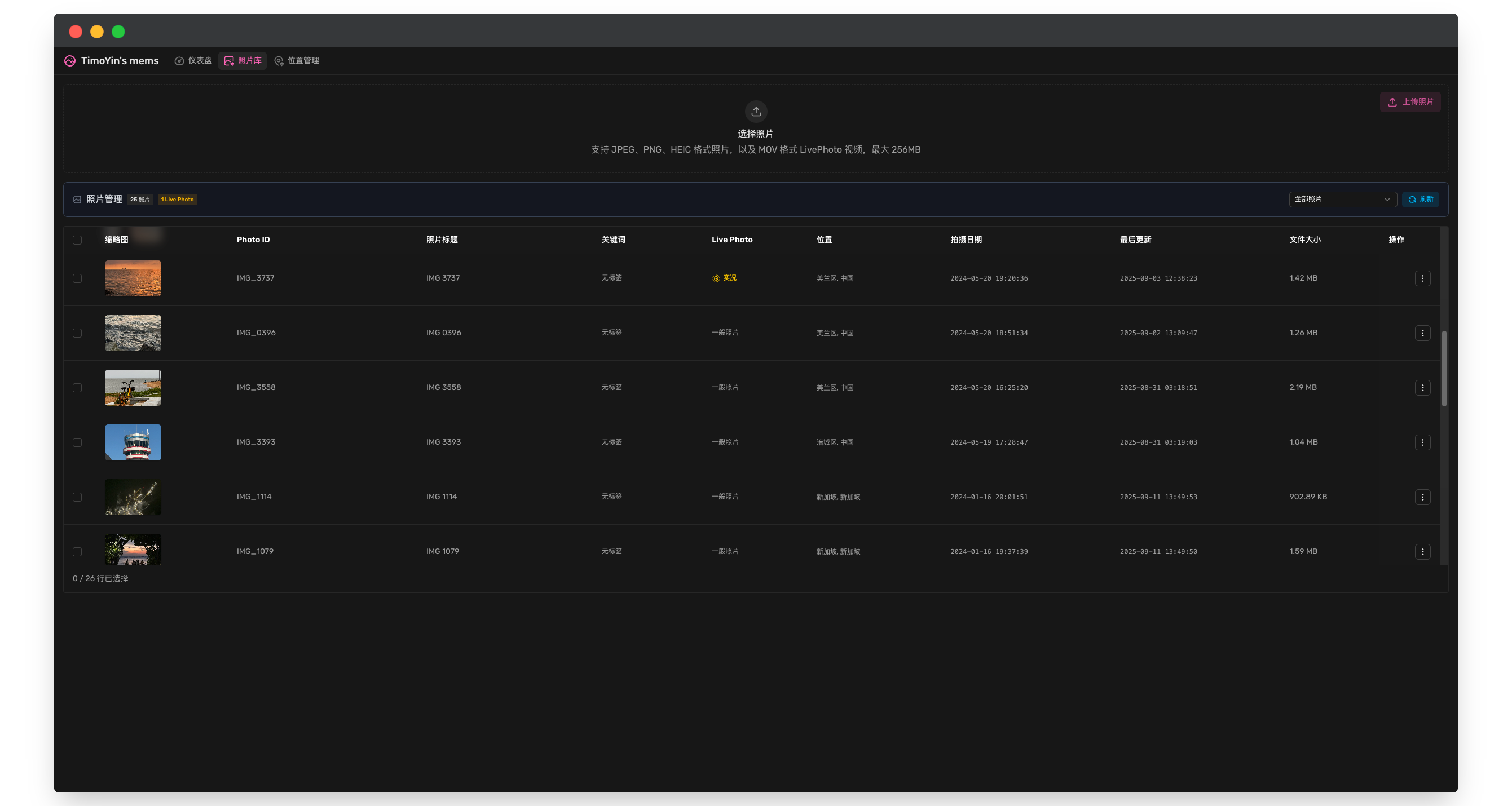
- Dashboard: batch uploads, metadata and rating editing, batch downloads and reindexing; task queues, live logs and recent activity.
Measured star growth
- in 24h
- +2
- in 7 days
- +10
- in 15 days
- Update delayed
- in 1 month
- Update delayed
Net star changes over overlapping periods, not daily totals. Missing measurements are left blank. Stars measure attention, not software quality.
README.md
OriginalChronoFrame


Languages: English | 中文
ChronoFrame is a self-hosted photo gallery. Upload your photos and it extracts EXIF, creates previews and identifies shooting locations. Visitors can browse by time, album or map, zoom into large images and play Live Photos.
Cloud · Live demo · Documentation · Changelog
✨ Features
- Photo browsing: masonry layout, filters and sorting, WebGL zoom and tiled rendering, histograms, original downloads and share previews.
- Live and Motion Photos: automatic image/video pairing, with hover or long-press playback.
- Albums: organize and reorder albums and photos, hide albums or protect them with passwords.
- Dashboard: batch uploads, metadata and rating editing, batch downloads and reindexing; task queues, live logs and recent activity.
- Storage: local files, S3-compatible services and OpenList, with storage schemes and CDN URLs managed in the dashboard.
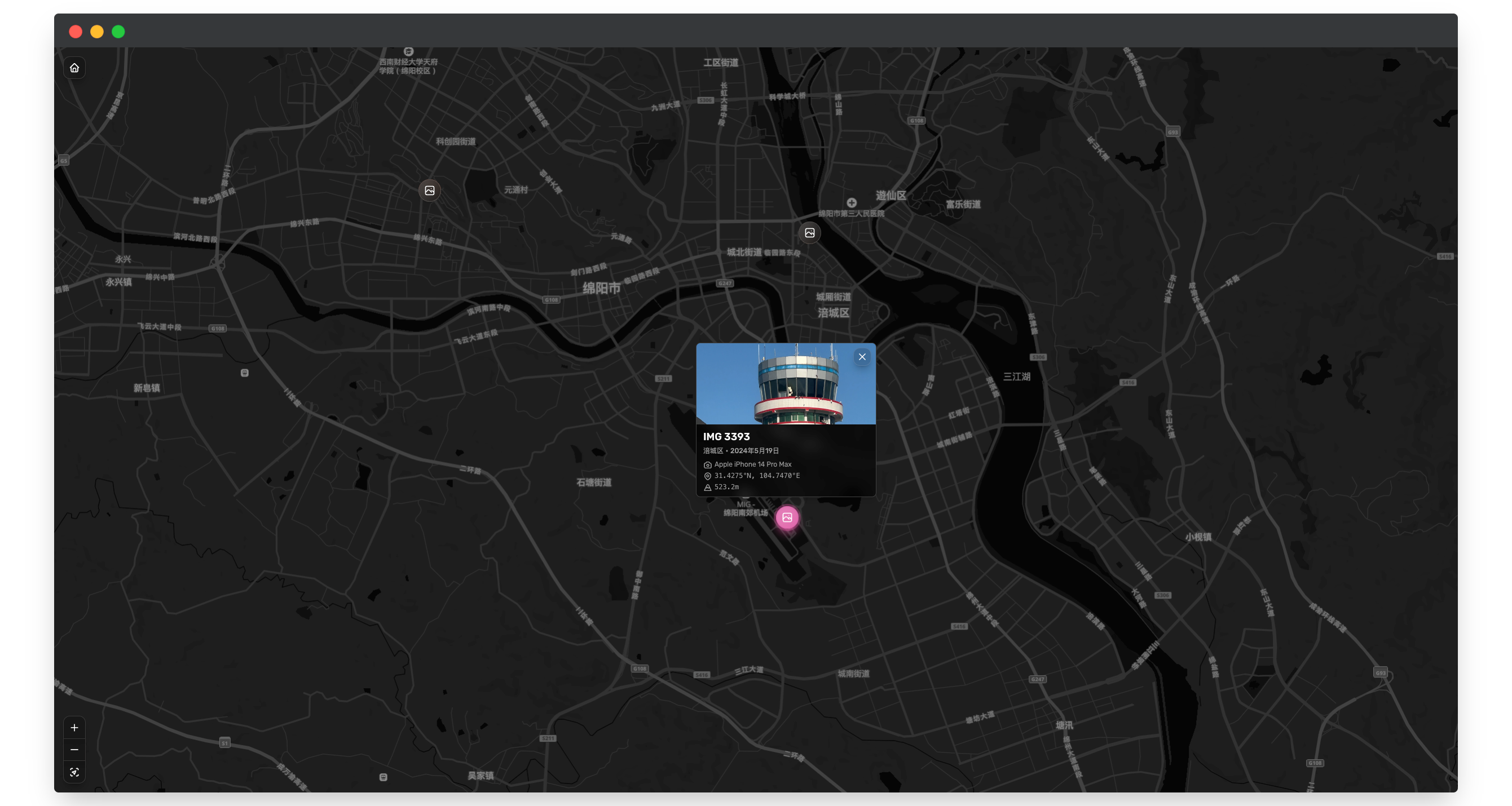
- Maps and locations: MapLibre / Mapbox maps, reverse geocoding and a choice of place-name language.
- Setup wizard: create an administrator and configure your site and storage in the browser. Manage everyday settings in the dashboard.
- Languages and login: dashboard language switching, email/password login and optional GitHub OAuth, custom analytics scripts and upload privacy settings.
☁️ ChronoFrame Cloud
Use ChronoFrame Cloud without deploying or maintaining a server. Sign up or sign in on the website, create a gallery, and upload and organize your photos in the browser.
🐳 Deployment
Docker is the recommended option. Create docker-compose.yml:
services:
  chronoframe:
    image: ghcr.io/hoshinosuzumi/chronoframe:latest
    container_name: chronoframe
    restart: unless-stopped
    ports:
      - '3000:3000'
    volumes:
      - ./data:/app/data
docker compose up -d
You can also use hoshinosuzumi/chronoframe:latest from Docker Hub. Replace the tag with v1.0.0 to pin the version.
To run directly with Docker:
docker run -d --name chronoframe --restart unless-stopped \
  -p 3000:3000 -v "$(pwd)/data:/app/data" \
  ghcr.io/hoshinosuzumi/chronoframe:latest
Open http://localhost:3000 and use the setup wizard to create your administrator and choose storage. For local storage, enter /app/data/storage. You can add a map token later and start uploading photos first.
Keep the ./data mount: it holds the database, settings, session secret and local photos when using the path above.
Use HTTPS for a public deployment. See Getting Started and the update guide for proxies, backups and migration from older versions.
📖 Usage
Sign in and open /dashboard to upload and organize photos. After upload, the task queue processes EXIF, thumbnails, locations and Live Photos. Failed tasks show an error and can be retried.
For Apple Live Photos, the image and MOV must share a filename, such as IMG_1234.heic and IMG_1234.mov; either can be uploaded first. Image formats include JPEG, PNG, WebP, GIF, BMP, TIFF and HEIC / HEIF.
Album passwords control access through ChronoFrame. If S3, OpenList or a CDN exposes public image URLs, manage access in that service too. Read Using ChronoFrame for details.
📸 Screenshots
🛠️ Development
Use Node.js 22 and the project's pinned pnpm 10.34.6:
corepack enable
pnpm install --frozen-lockfile
pnpm dev
Open http://localhost:3000 and complete local setup in the wizard. Use ./data/storage for local development storage.
pnpm lint          # Oxlint
pnpm fmt:check     # Oxfmt
pnpm build:deps    # Build the WebGL package
pnpm build         # Build the application
pnpm docs:build    # Build documentation
After changing the database schema, run pnpm db:generate and review the SQL. Generating migrations is unnecessary just to start the app. See the contributing guide for more.
📄 License
ChronoFrame uses AGPL-3.0-only by default, including the Self-hosted and SaaS
implementations. packages/contracts and packages/webgl-image remain MIT. See LICENSE,
LICENSING.md for scope, historical MIT rights,
and commercial licensing inquiries to ChronoFrame. Paid hosting is permitted
when the applicable AGPL requirements are met.
🤝 Contributing and community
For suspected vulnerabilities, follow the Security Policy and report privately.
Issues and pull requests are welcome. Explain the problem, resulting behavior and verification. Keep English and Chinese documentation in sync.
GitHub Issues · Discussions · Discord
🙏 Acknowledgements
Thanks to the maintainers of Nuxt, Vue, Tailwind CSS, Drizzle ORM and other open-source dependencies, and everyone contributing testing, translations and code.
⭐️ Star History
Explore related projects
awesome-selfhosted/awesome-selfhosted
A list of Free Software network services and web applications which can be hosted on your own servers
336,186 starsimmich-app/immich
High performance self-hosted photo and video management solution.
118,850 starsStirling-Tools/Stirling-PDF
#1 PDF Application on GitHub that lets you edit PDFs on any device anywhere
96,278 starslouislam/uptime-kuma
A fancy self-hosted monitoring tool
93,514 stars