
Hive-Academy/PtahCode
Hive-Academy/PtahCode has 34 GitHub stars and 6 forks. GitHot measured 0 stars in 24 hours. Last checked 2026-11-09 20:09 UTC. Last push 2026-11-04.
Provider-agnostic AI orchestration for Electron Desktop, Cli and VS Code. Intelligent workspace analysis, Code Execution MCP server, and project-adaptive multi-agent workflows — all natively integrated into Electron Desktop, Cli and VS Code.
What you can do
- Setup wizard — scans the workspace, detects the project type and frameworks, then generates agents, rules, and skills for that project.
- New project scaffolding — plan and scaffold a fresh Nx workspace with a generated roadmap and its own agent team.
- Built-in MCP server — a local server on loopback exposes the ptah_* tool catalog: workspace analysis, LSP diagnostics, AST analysis, symbol search, dependency graphs, browser automation, agent spawning, and sandboxed code execution.
- Browser automation — navigate, click, type, read content, capture the network, take screenshots, and record sessions.
Measured star growth
- in 24h
- 0
- in 7 days
- Update delayed
- in 15 days
- Update delayed
- in 1 month
- Update delayed
Net star changes over overlapping periods, not daily totals. Missing measurements are left blank. Stars measure attention, not software quality.
README.md
Original
PtahCode — The Coding Orchestra
An AI dev team that learns your architecture and keeps shipping.
Persistent memory, a staffed team of agents, and always-on delivery in a desktop app.

See it work
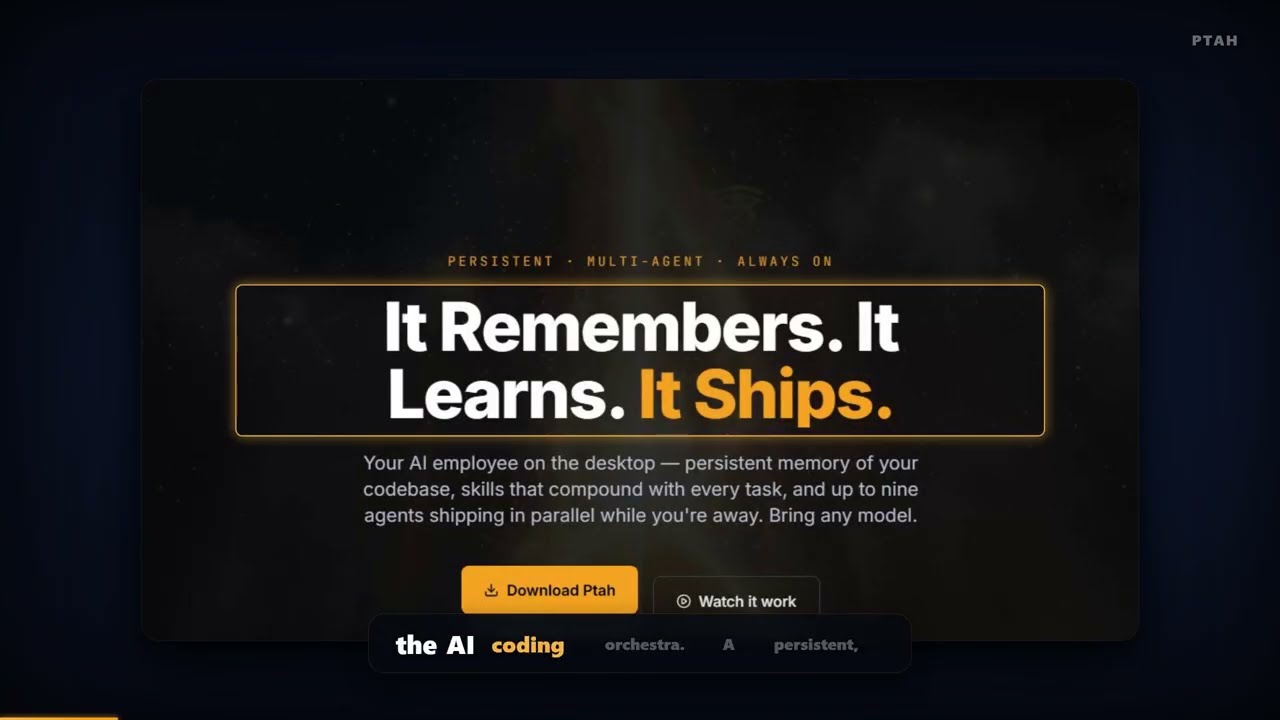
The video above is a real session, not a mockup. It shows memory recall, sub-agent fan-out, and scheduled runs.
Short feature clips:
| Clip | Topic |
|---|---|
| Install | Install the desktop app on your platform |
| Sign in | Accounts, keys, and credential storage |
| Workspace analysis | Scan a repository and detect its stack |
| Agent generation | Generate a project-specific agent team |
| Agent orchestration | Spawn, monitor, and steer headless agents |
| Built-in MCP server | The ptah_* tool catalog and code execution |
| Model providers | Add providers, keys, and models |
| Plugins | Install skills and workflow packs |
What PtahCode is
PtahCode is an AI development environment for real projects. It indexes your repository before the first message, keeps the decisions it makes after the last one, and runs a team of specialized agents against that shared map.
The Electron desktop app for Windows, macOS, and Linux hosts the product. Its Angular webview renders the interface, while provider CLI lanes can run delegated agent work.

Three pillars
1. It knows your architecture
PtahCode builds a map of your codebase and keeps it.
- Persistent memory — hybrid BM25 and vector search, fused with Reciprocal Rank Fusion. The agent that builds feature ten recalls the auth pattern from feature one.
- Tree-sitter indexing — structural AST parsing across JavaScript, TypeScript, Python, and Go. Every function, class, and import gets an exact file position.
- Hybrid symbol search — ask "where do we validate auth tokens" in plain English. Ranked, cited results go straight into agent context.
Read more: Memory · Workspace analysis
2. A staffed team, not a solo agent

- Sub-agent orchestration — a main agent delegates to specialists: architect, backend developer, frontend developer, tester, and reviewer. Each specialist can use its own provider, model, and context window.
- Orchestra Canvas — up to nine concurrent sessions in one drag-and-resize grid. Background agents continue while you review a single tile.
- Tribunal skill: ask in the main chat for Council, Forge, Race, Crucible, or Relay. Review the pinned CLI lanes and paid call count before confirming the run.
- Skill synthesis — when a delivery pattern succeeds, PtahCode extracts the trajectory, judges its quality, and promotes it to a permanent, shareable skill file.
- Execution tree — every tool call, sub-agent, token count, and cost, live.
Read more: Agents · Skill synthesis · Tribunal
3. It keeps shipping while you sleep
- Cron scheduler — SQLite-backed scheduled runs. Nightly security reviews, weekly dependency scans, or the next ticket in the backlog.
- Messaging gateways — trigger and approve agent work from Telegram, Discord, or Slack, with voice input. Discord keeps a separate agent context per thread.
- Approval relay — review every tool call and diff before it executes, from any connected gateway.
Read more: Automation
More capabilities
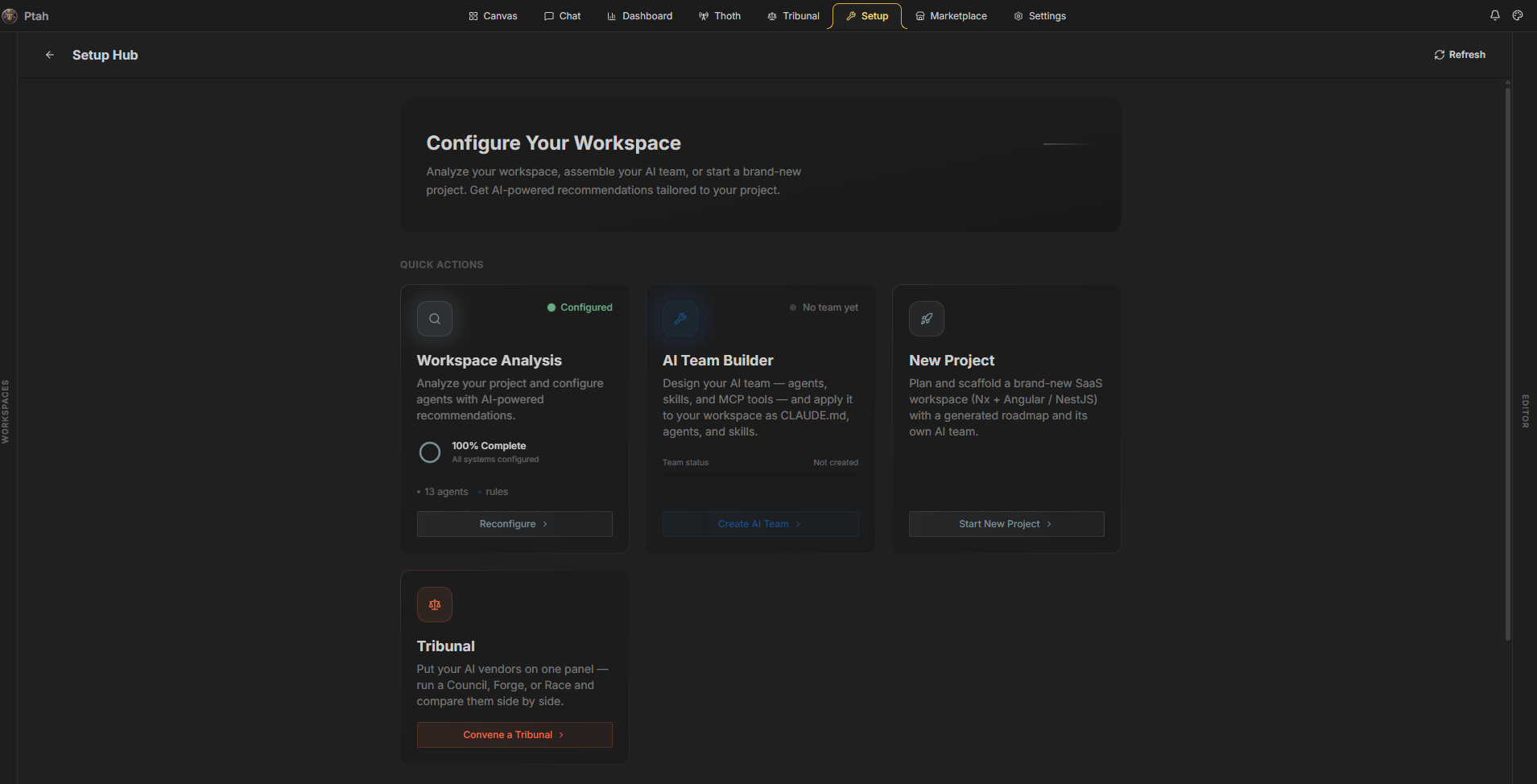
- Setup wizard — scans the workspace, detects the project type and frameworks, then generates agents, rules, and skills for that project.
- New project scaffolding — plan and scaffold a fresh Nx workspace with a generated roadmap and its own agent team.
- Built-in MCP server — a local server on loopback exposes the
ptah_*tool catalog: workspace analysis, LSP diagnostics, AST analysis, symbol search, dependency graphs, browser automation, agent spawning, and sandboxed code execution. - Browser automation — navigate, click, type, read content, capture the network, take screenshots, and record sessions.
- Marketplace and plugins — install skills, workflows, and MCP servers. External installs need explicit consent bound to the resolved version and file hashes.
- Harness sync — one reconciler writes your agents, skills, and MCP intents into the harness folders of every supported AI tool.
- Tasks board — a six-column Kanban over the task specs in
.ptah/specs/. - Editor tools — Monaco diff view, integrated terminal, file tree, git status, and a commit composer.
- Cost and token tracking — per session, per model, and per agent, with history and export.
Providers

PtahCode is provider-agnostic. Bring the vendors you already use:
- Frontier model vendors, through their own SDKs and OAuth sign-in.
- More than 200 models through OpenRouter.
- Local models through Ollama.
- Rival coding CLIs that are already installed on your machine, detected automatically and used as headless workers.
Keys stay on your machine, in the operating system secure store. Mix vendors so the model that reviews a security-sensitive diff is not the model that wrote it.
Read more: Providers
Get started
Desktop app
- Download the installer for your platform from ptah.live/download.
- Install and open the app.
- Open a workspace folder.
- Run the setup wizard from Setup → Workspace Analysis.
- Start a session, or open Thoth to configure memory, schedules, and gateways.
Read more: Getting started
Pricing
PtahCode is free and open source under the MIT license. There is no trial and no credit card.
Development
PtahCode is an Nx monorepo. The apps and libraries share one hexagonal core.
apps/          # desktop app, its Angular webview, landing page,
               # docs site, e2e suites
libs/backend/  # runtime-agnostic services; ports live in platform-core,
               # Electron adapter in platform-electron; benchmark engine retained
libs/frontend/ # Angular 21 feature libraries (signals, OnPush)
libs/shared/   # the one bridge between frontend and backend
libs/web/      # Angular libraries for the marketing site
git clone https://github.com/Hive-Academy/PtahCode.git
cd PtahCode
npm install

npm run electron:serve   # run the desktop app
npm run docs             # serve the documentation site
npm run landing          # serve the marketing site

npm run verify -- -p ptah-electron,ptah-extension-webview
npx nx graph             # visualize the dependency graph
Architecture rules, coding standards, and per-project guides are in the instruction files at the repository root and in each app and library folder.
Contributing
Read CONTRIBUTING.md before you open a pull request. Report a security issue through SECURITY.md.
License
MIT © Ptah Orchestra
Explore related projects
codecrafters-io/build-your-own-x
Master programming by recreating your favorite technologies from scratch.
561,616 starspublic-apis/public-apis
A collective list of free APIs
497,934 starsmorluto/rea
Reverse engineer anything with agents, from app behavior down to native binaries.
449,932 starsopenclaw/openclaw
The AI that really does things. Any OS. Any Platform. The lobster way. 🦞
394,302 stars