
Helandy/YummyTV
Helandy/YummyTV has 95 GitHub stars and 7 forks. GitHot measured +2 stars in 24 hours, +7 in 7 days, and +13 in 15 days. Last checked 2026-11-15 16:30 UTC. Last push 2026-11-15.
Measured star growth
- in 24h
- +2
- in 7 days
- +7
- in 15 days
- +13
- in 1 month
- Update delayed
Net star changes over overlapping periods, not daily totals. Missing measurements are left blank. Stars measure attention, not software quality.
About
Unofficial Android TV and mobile client for yummyanime
Creative & MediaREADME.en.md
Original

YummyTV
An unofficial YummyAnime client for Android TV and Android.
Native UI, built-in player, library, subscriptions, and remote-friendly TV navigation.








[!TIP] 💬 App community on Telegram: @etozhesandy_dev — news, updates, and discussion.
[!IMPORTANT] 💼 Open to work: @Etozhesandy (Android, Compose, Kotlin). Please don't message there with app questions — use Issues instead.
What is YummyTV?
YummyTV is a native Android app for watching anime from YummyAnime. The project includes two separate experiences: a TV-first interface for Android TV / set-top boxes and a mobile interface for Android phones.
Beyond streaming, the built-in player, and the library, the app includes community features (comments, reviews, news, bloggers), social features (profiles, user search, direct messages), and episode downloads for offline viewing.
On TV, the app is designed for remote control, D-pad navigation, and large UI elements. On mobile, it supports bottom navigation, player gestures, and Picture-in-Picture.
Download APK · Screenshots · Features · For developers
Screenshots
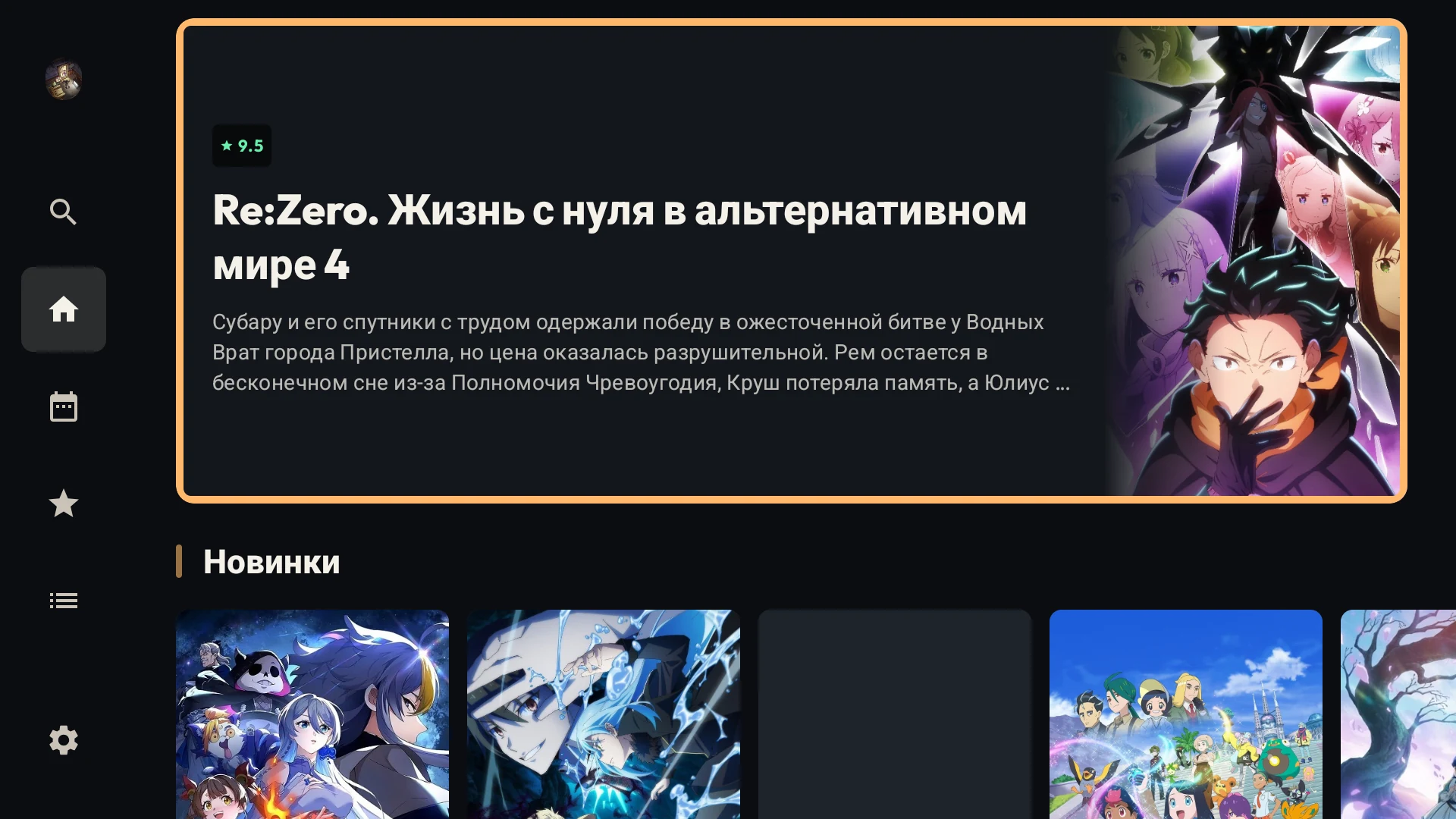
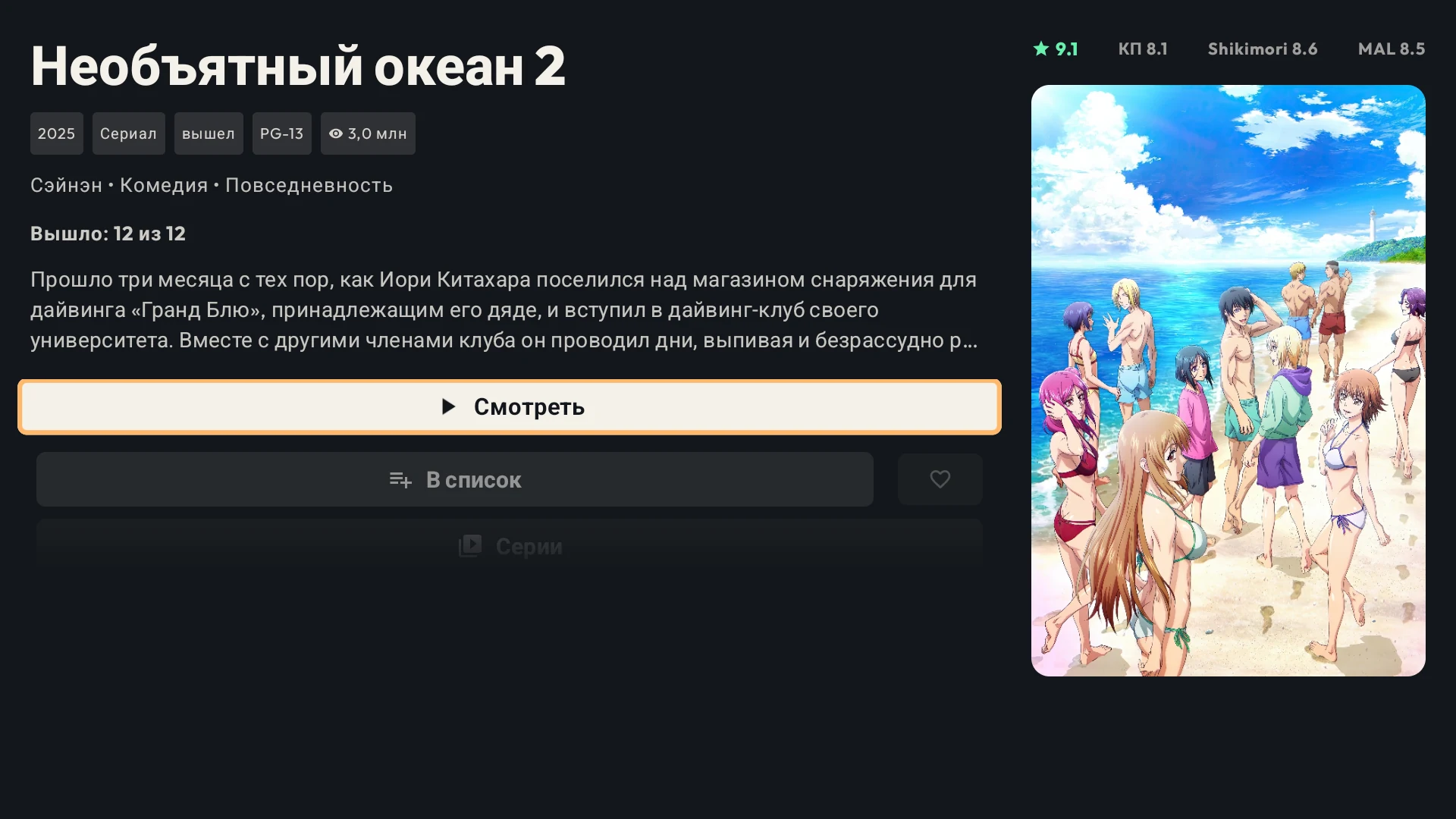
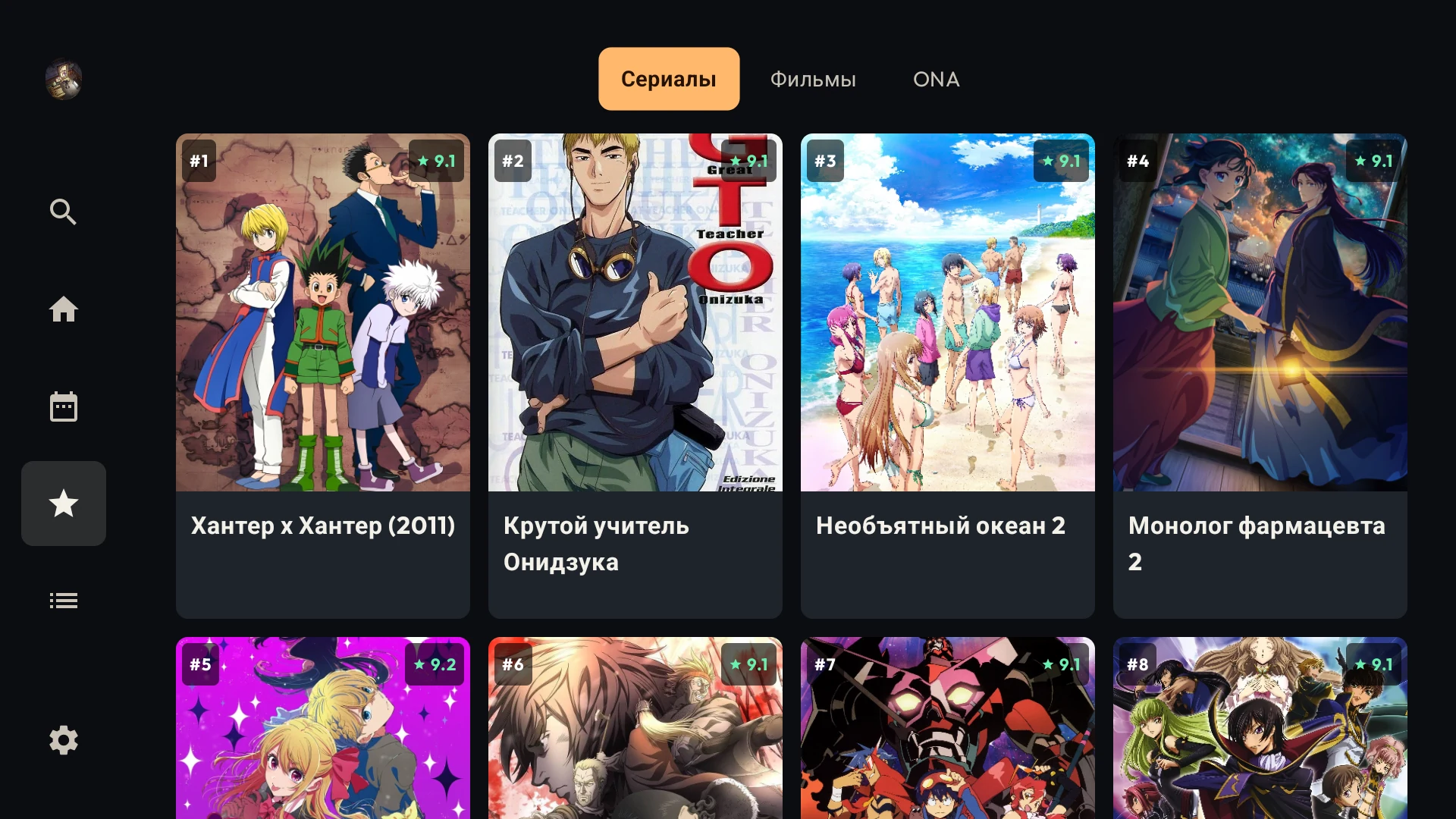
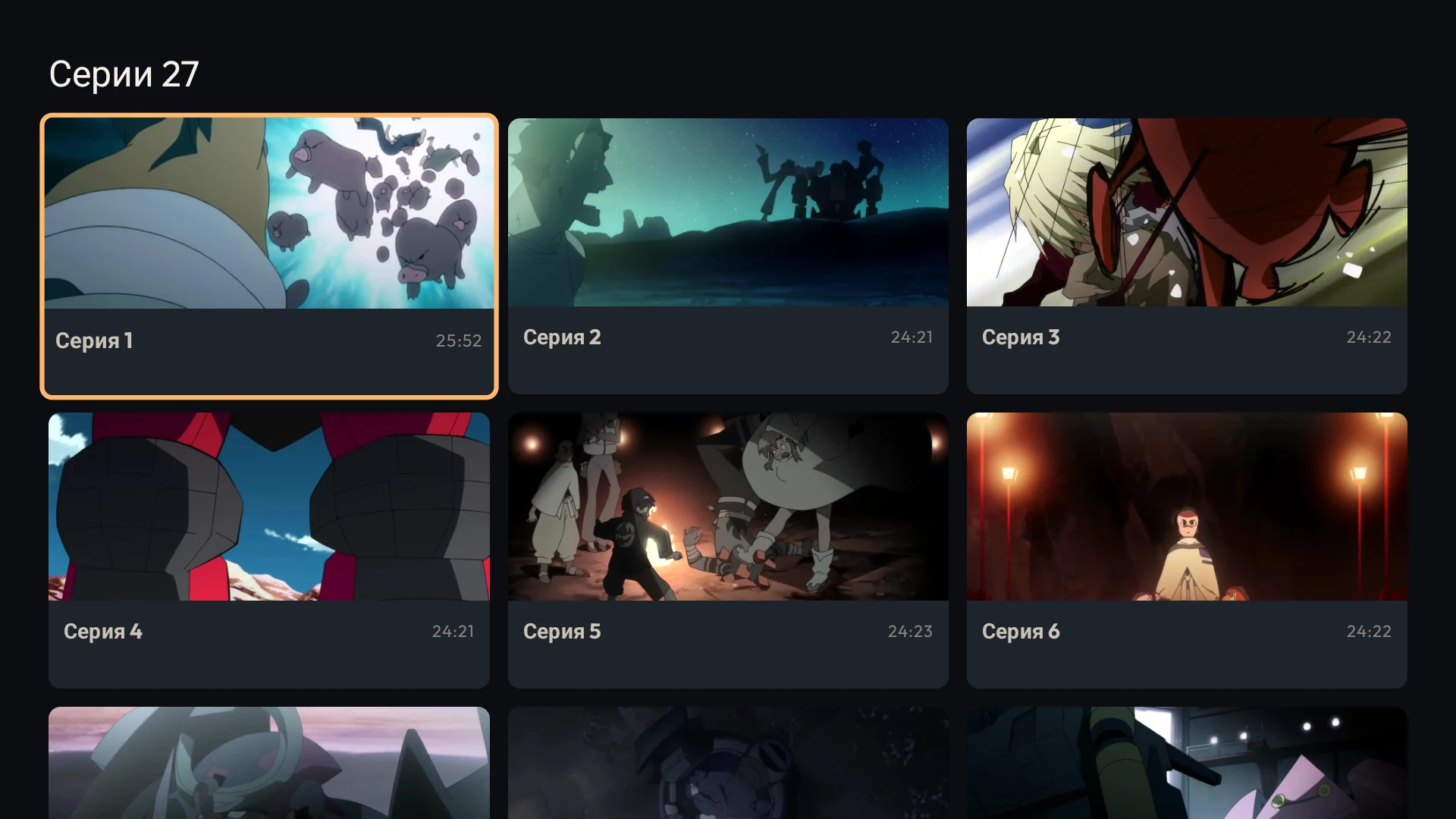
Android TV
| Home | Title details | Top |
 |
 |
 |
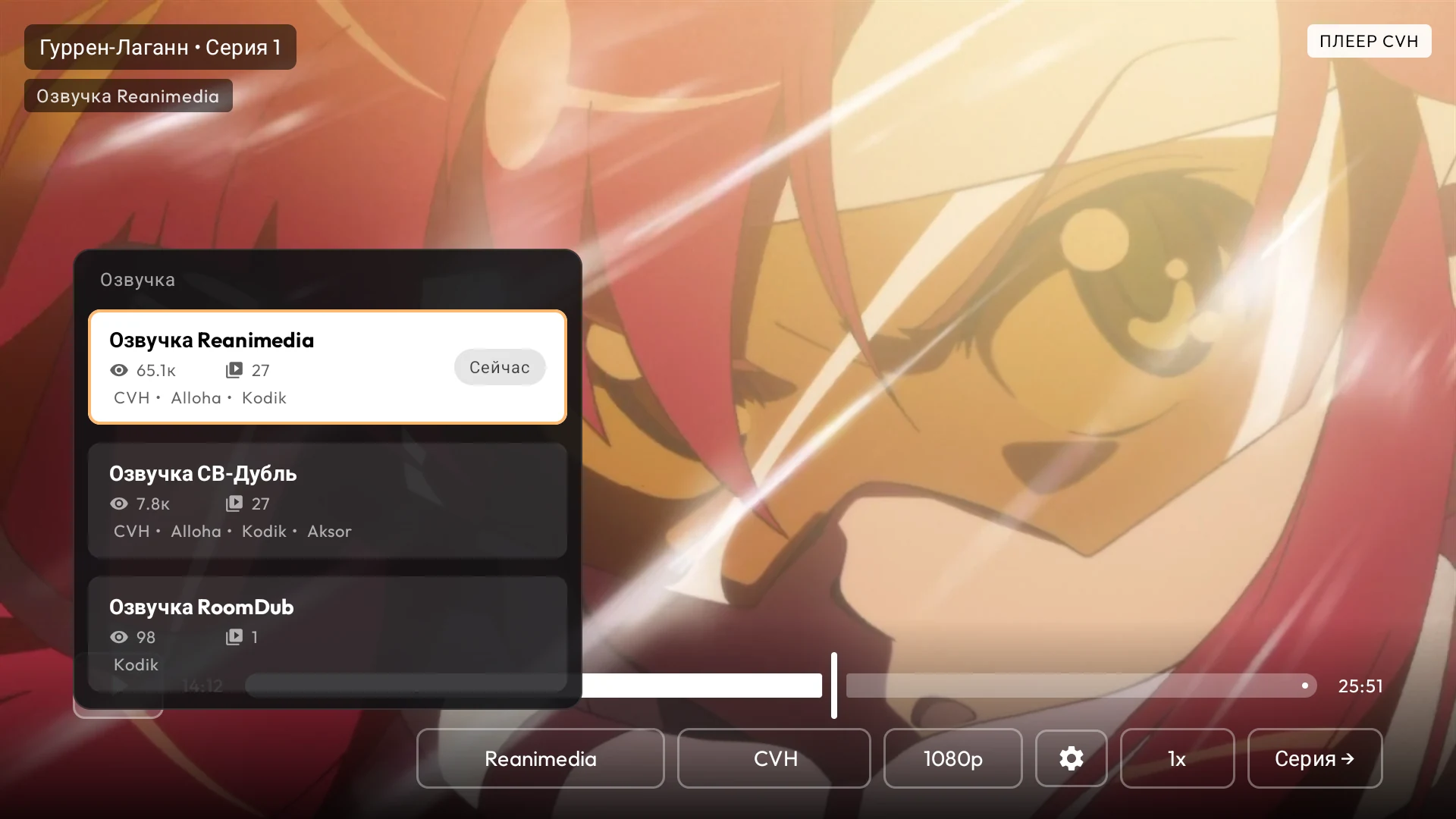
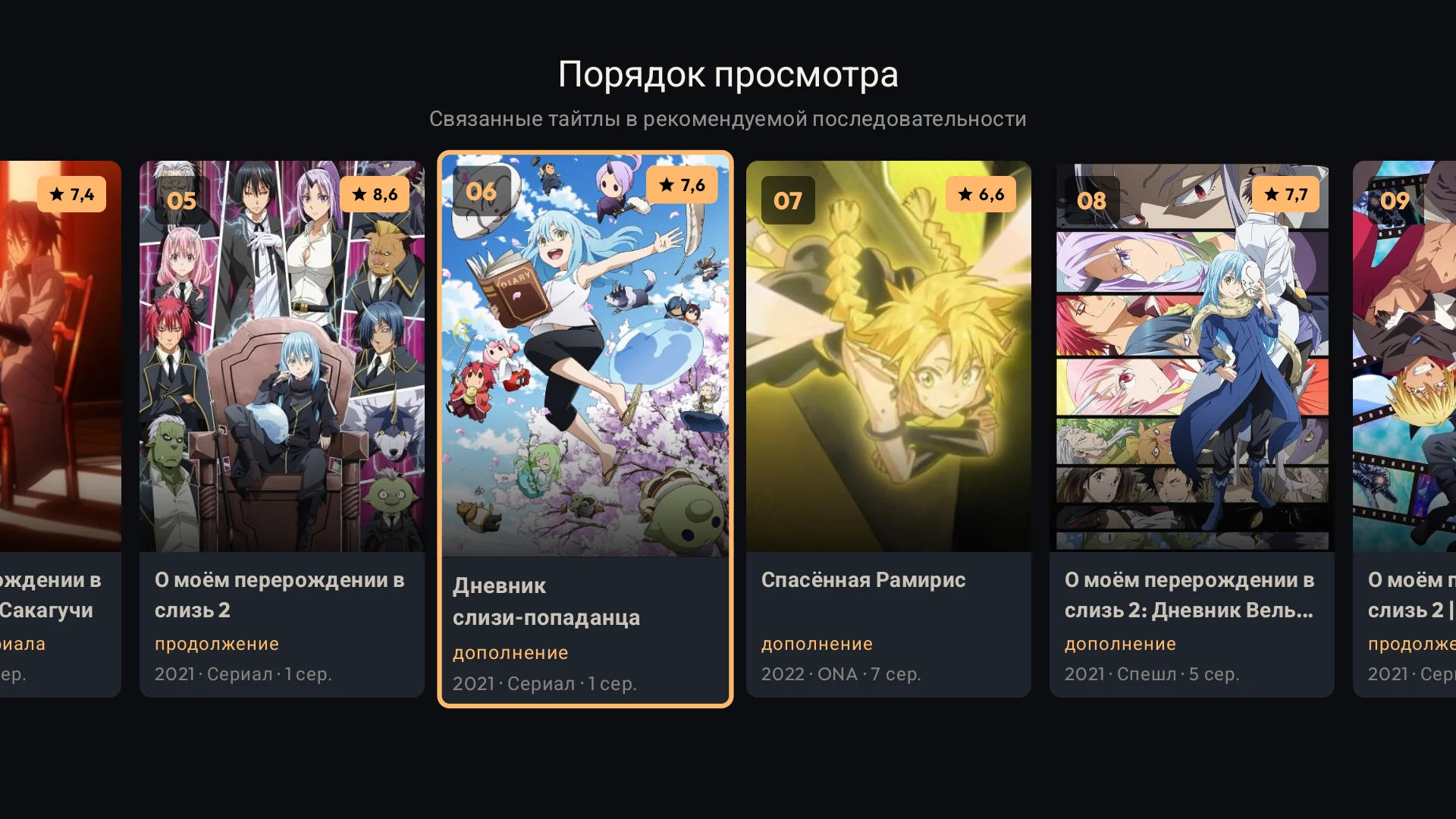
| Episodes | Balancers | Viewing order |
 |
 |
 |
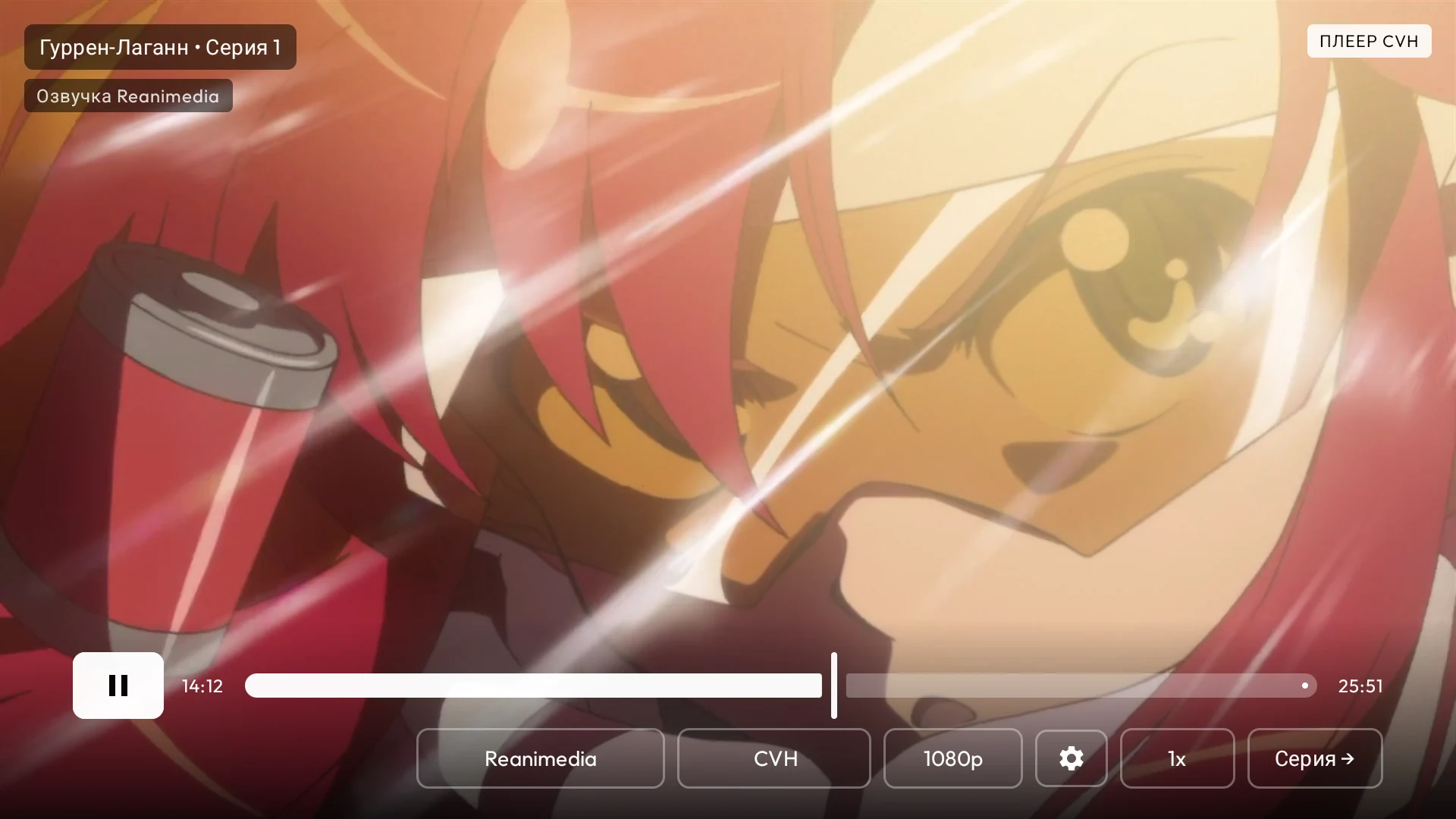
Player
Android Mobile
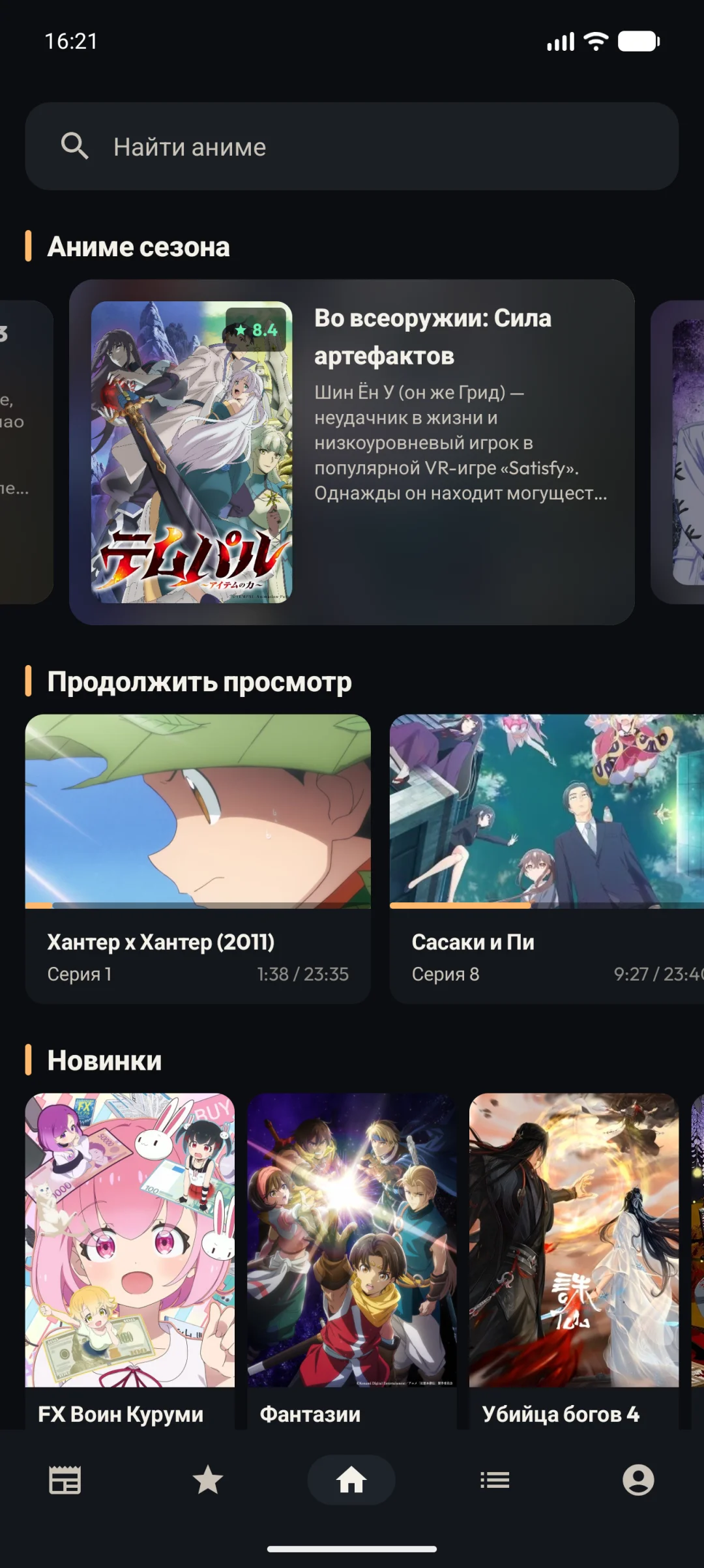
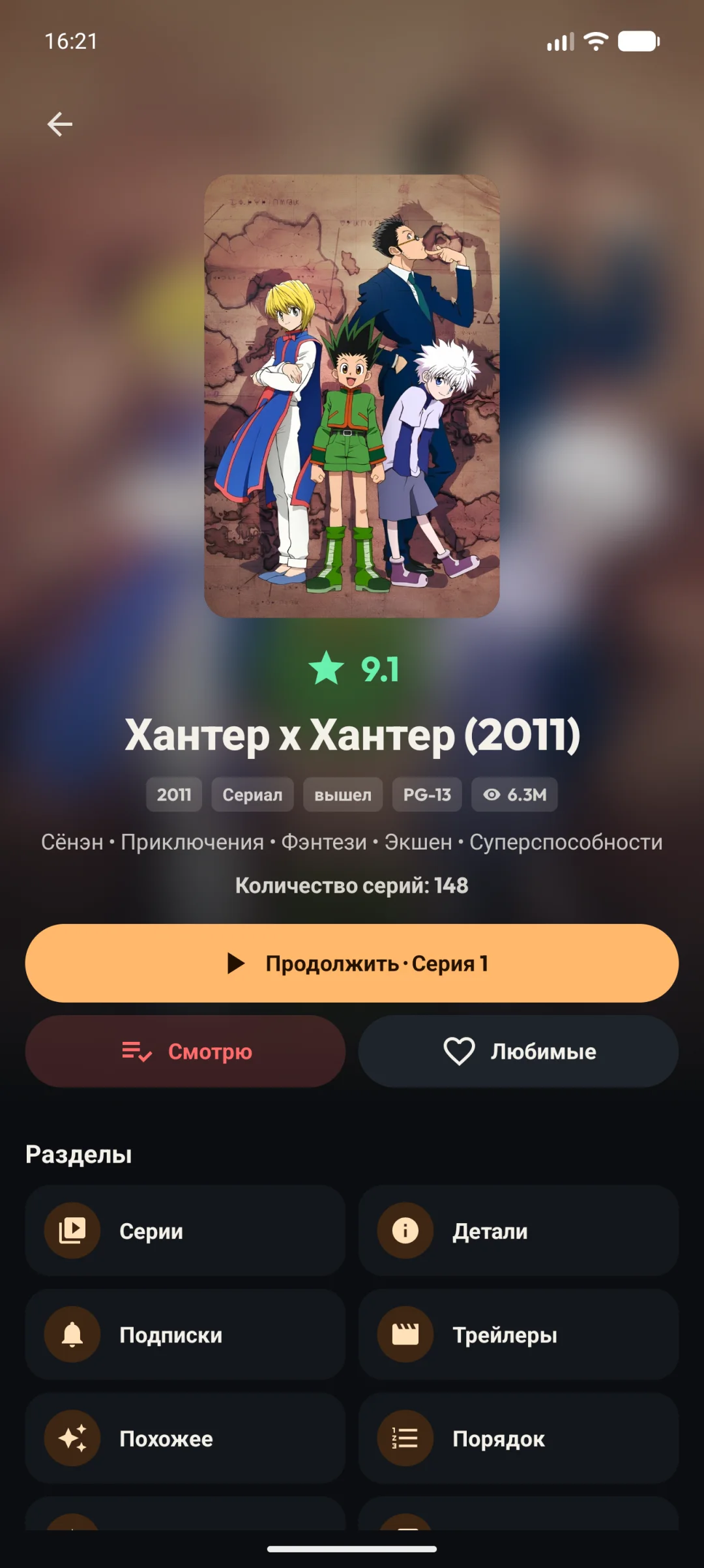
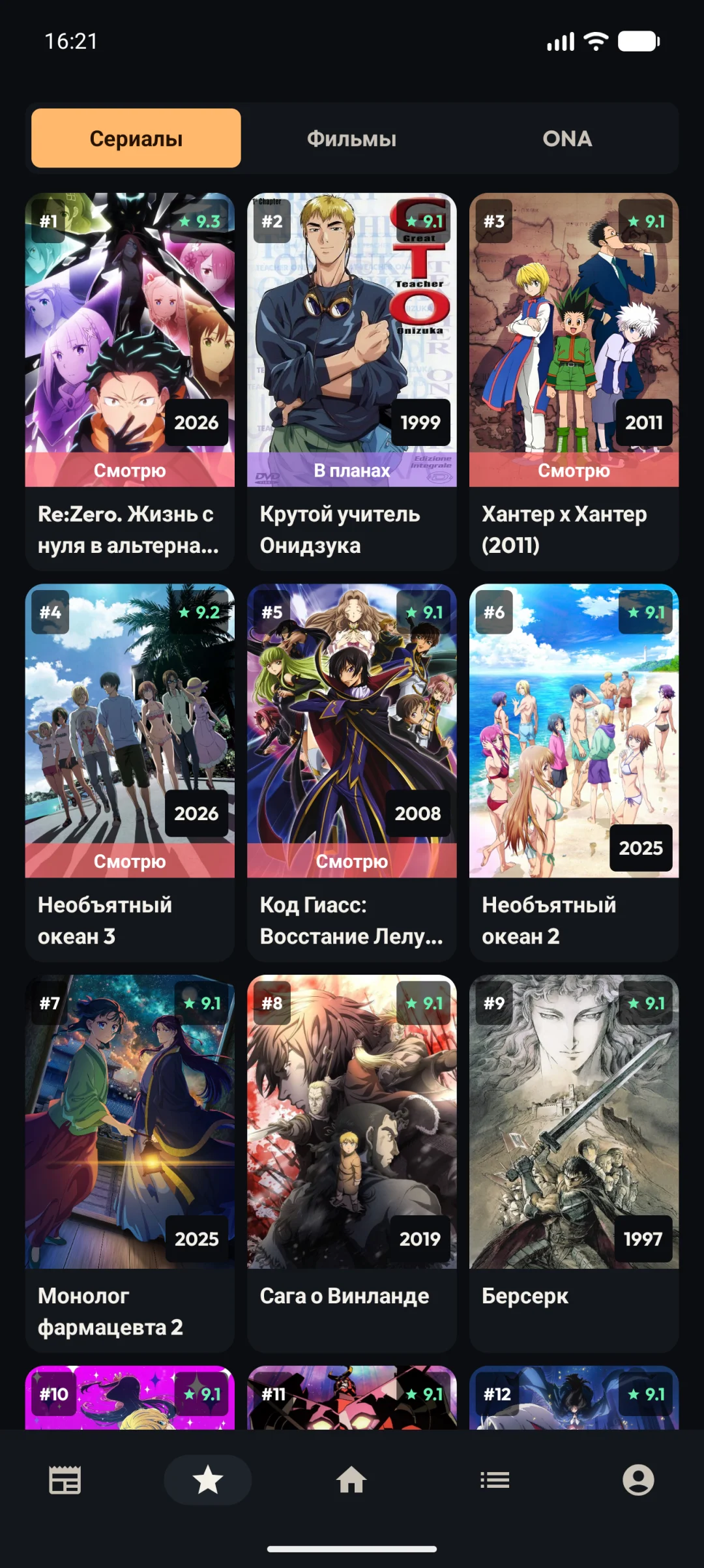
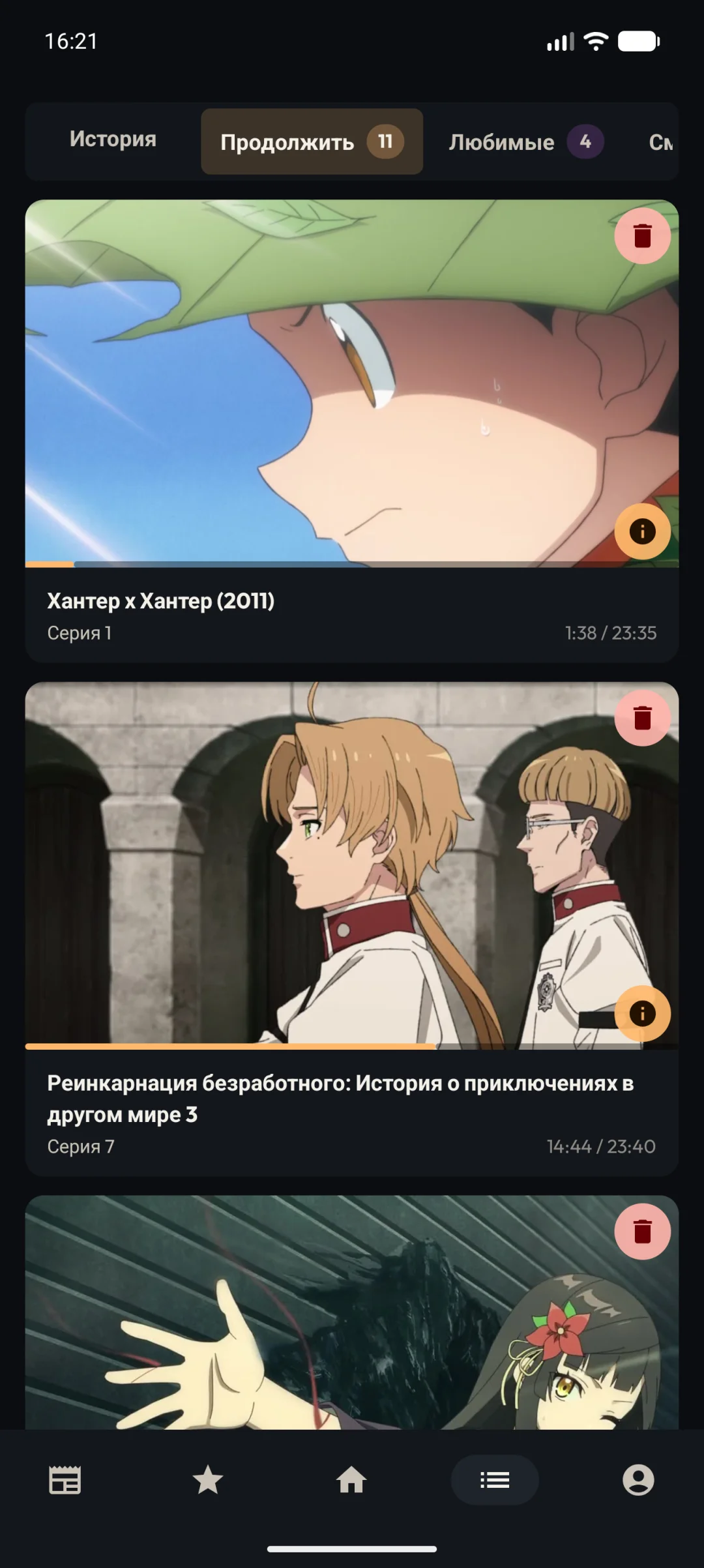
| Home | Title page | Top | Library |
 |
 |
 |
 |
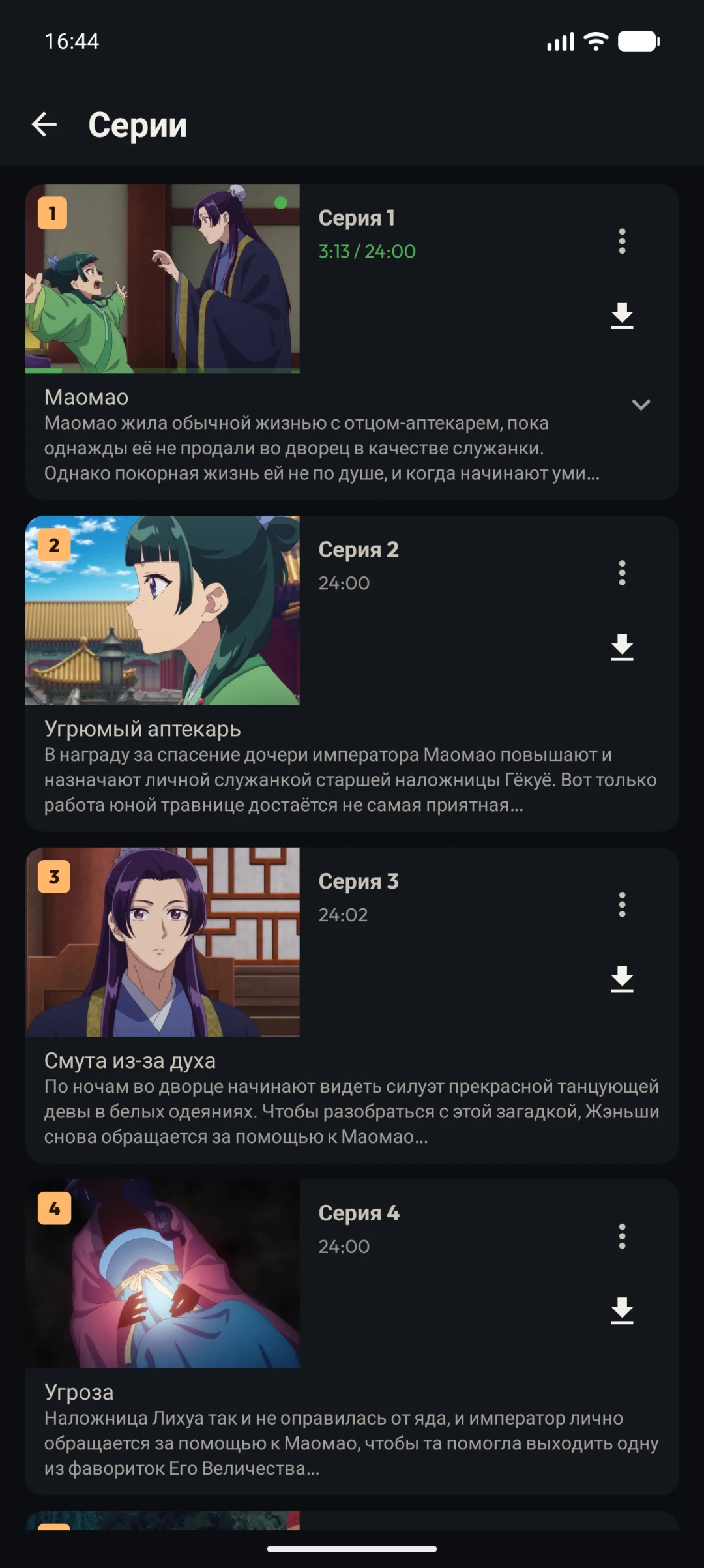
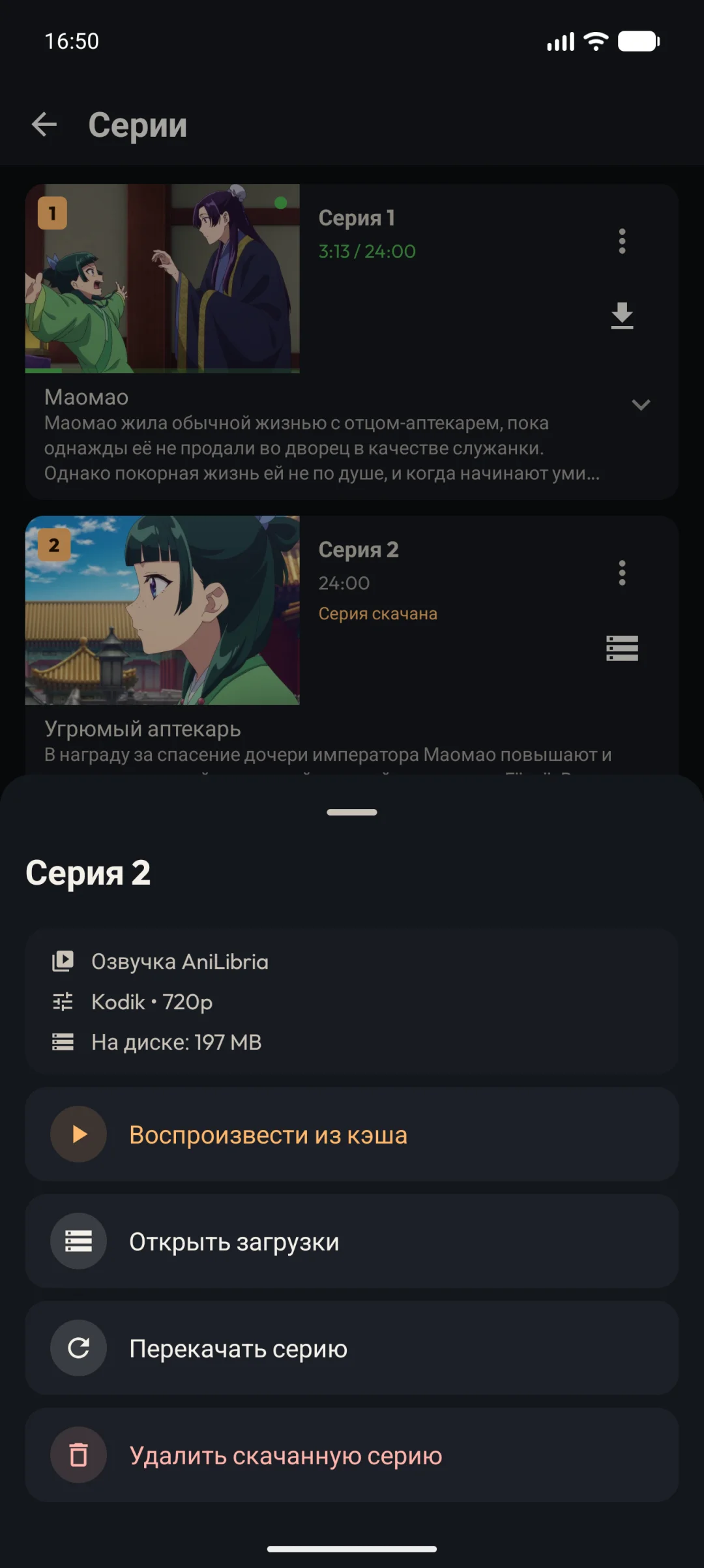
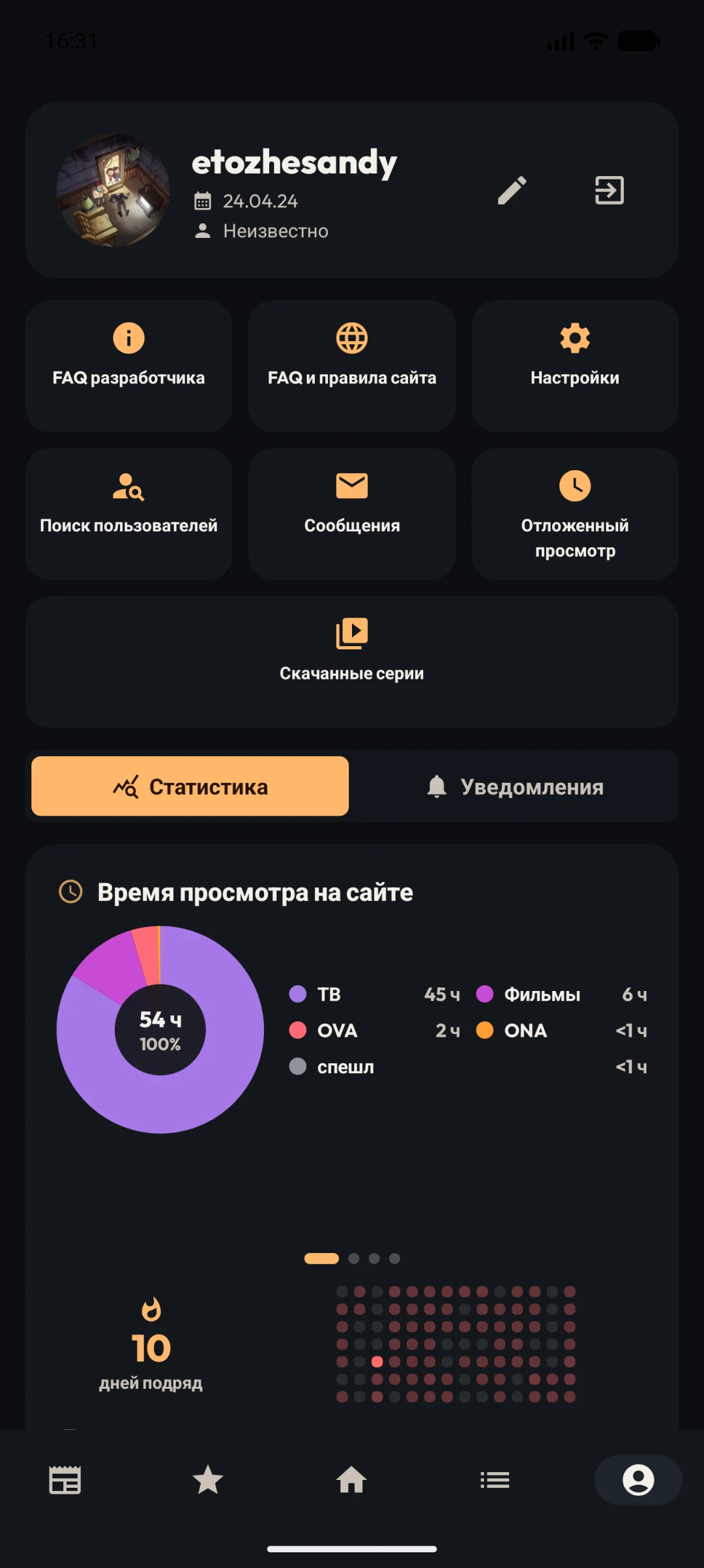
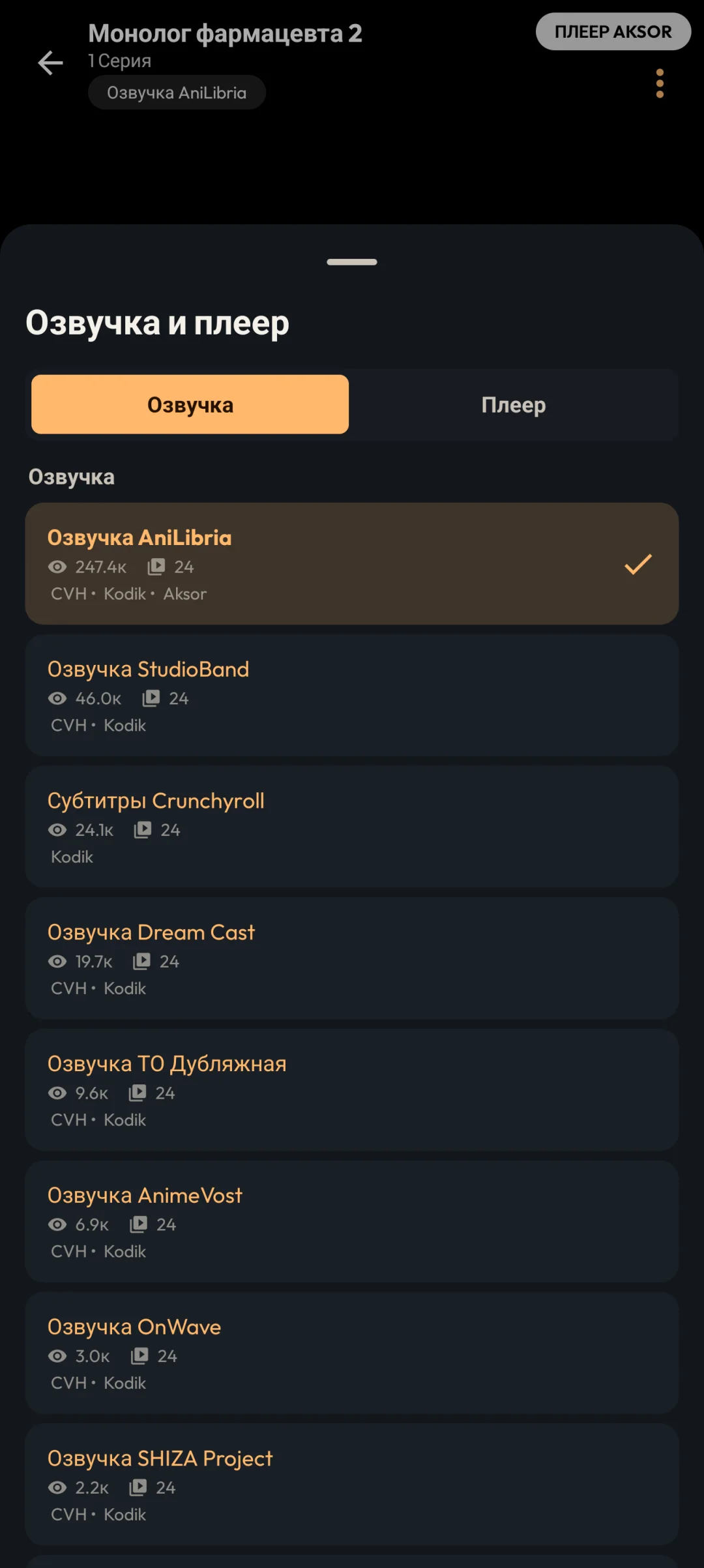
| Episodes | Downloads | Profile | Balancers |
 |
 |
 |
 |
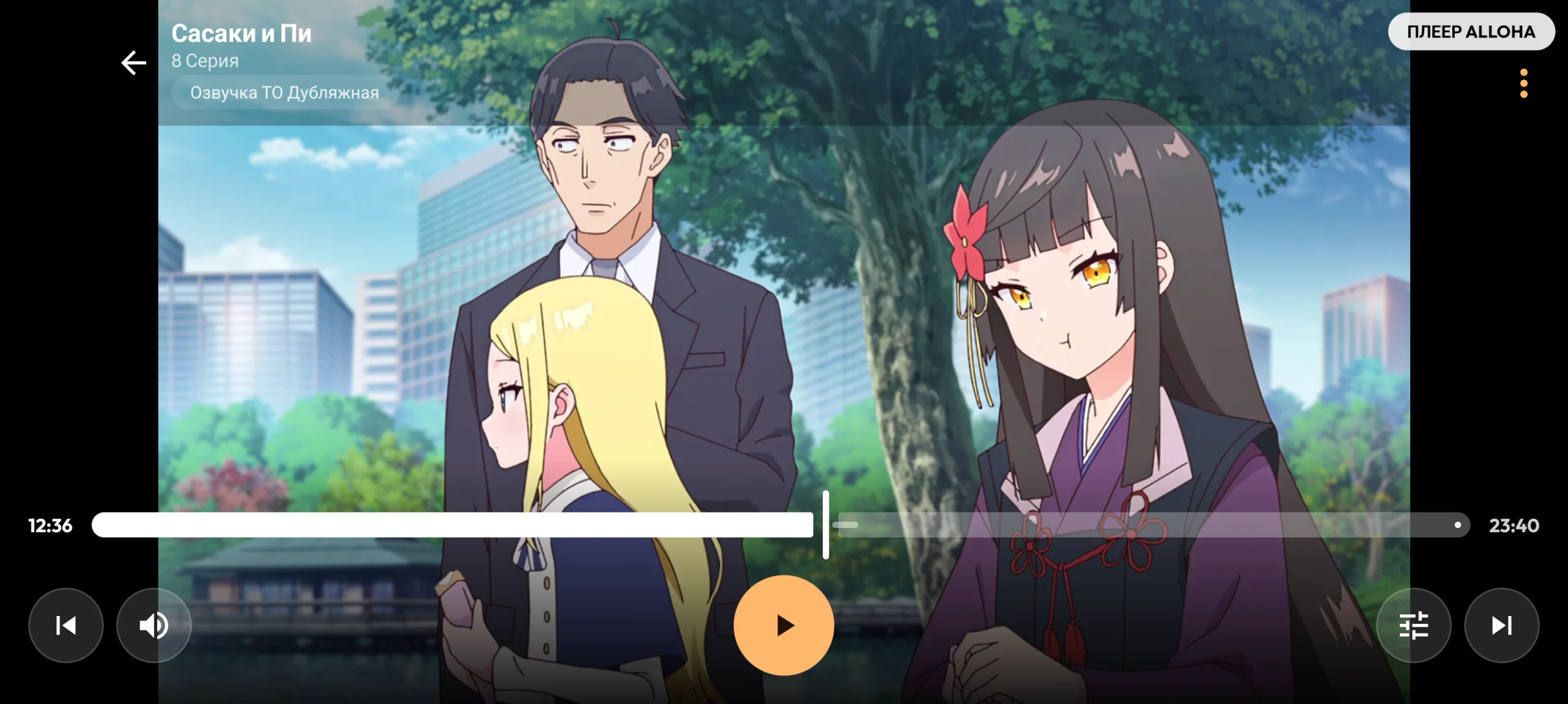
Player
Features
Interface
- 📺 Separate interfaces for Android TV and Android Mobile.
- 🎮 Remote, D-pad, and touch navigation.
- 🏠 Home screen with collections and quick continue watching.
- 🔎 Catalog search with filters (genre, type, status, year, season, rating, sorting), plus search by studio and director.
- 🏆 Top anime series and movies, and the episode release schedule.
- 🖼️ Poster and screenshot viewer inside the app.
Library and account
- 🔐 YummyAnime account login.
- 📚 Library sections: continue watching, favorites, watching, planned, completed, postponed, and dropped.
- 🔔 Subscriptions for new episodes from selected voice-over teams, with a prompt to subscribe to ongoing titles.
- ⭐ Favorites, user lists, and ratings.
- 📄 Title page: description, ratings, episodes with titles, trailers, similar titles, viewing order, screenshots, collections, and a countdown to the next episode.
Community and social
- 💬 Comments with replies, sorting, voting, and spoiler hiding.
- 📝 Title reviews with ratings, reactions, and moderation status.
- 📰 Site news and publications, plus blogger videos with subscriptions.
- 👤 User profiles, search, friends, and direct messages (on mobile).
Downloads and offline
- ⬇️ Download episodes for offline viewing, a download manager, and MP4 export (on mobile).
Player
The built-in player is based on Media3 / ExoPlayer and supports:
- quality, voice-over, and balancer selection (Kodik, Aksor, Alloha, CVH, VK, Rutube, Sibnet, Zedfilm, Aniboom, Anistar, Amedia, AniLibria, AniDub, AiLiberty, Studio MIR, Sameband, AnimeVost, Animebesst, Ashdi, Fenix, Dream Cast, 4K);
- playback speed, scale and zoom, and automatic opening/ending skip;
- previous/next episode navigation and auto-play of the next episode;
- mobile gestures (brightness, volume, seeking, zoom) and mouse control on TV;
- Picture-in-Picture, local file playback, and a rating suggestion after watching.
Settings and integrations
- 🎨 App themes and background mode (light / dark / system).
- 🧩 Card sizes, poster quality, and content language.
- 🏡 TV Home (Preview Channel, Watch Next), FAQ, and GitHub Releases updates.
Download
The latest version is available on GitHub Releases:

Download the APK, transfer it to your Android TV, set-top box, or Android device, and open the file to install it.
How to install on Android TV
The easiest way to transfer the APK to a TV is LocalSend:
- Install LocalSend on your phone or computer.
- Install LocalSend on Android TV.
- Connect both devices to the same Wi-Fi network.
- Send the APK to your TV.
- Open the APK on TV and allow installation from this source if Android asks for confirmation.
For developers
The project is built with Kotlin and a modular architecture.
Structure
core/*— shared systems: navigation, design system, network, storage, settings, updates, deep links, analytics, and TV integrations.feature/*— user scenarios: main, home, search, top, library, details, player, settings, account, collection, schedule, plus comments, reviews, posts, bloggers, messages, video-download, faq, pages, watching, and commonScreen.ui-tvandui-mobile— separate UI modules for TV and mobile devices.
Limitations
YummyTV depends on YummyAnime and third-party video balancers. If the website, API, player, or source is temporarily unavailable, some features or video playback may not work.
For users outside CIS countries, some video balancers may be unavailable due to regional restrictions or IP blocks.
☕ Support the project
YummyTV is developed and maintained independently.
If you enjoy using the app and want to support its future development:

You can also support the project for free:
- ⭐ Star the repository — it helps others discover the project
- 🐞 Report bugs via Issues
- 💡 Suggest improvements via Issues
Disclaimer
- YummyTV is an unofficial YummyAnime client.
- The app does not host, store, or distribute content.
- All rights belong to their respective owners.