
Harry-kp/vortix
Harry-kp/vortix has 761 GitHub stars and 35 forks. GitHot measured +4 stars in 24 hours and +33 in 7 days. Last checked 2026-11-10 01:14 UTC. Last push 2026-11-03.
VPN terminal UI (TUI) for WireGuard and OpenVPN with multi-tunnel control, real-time telemetry, and leak guarding.
What you can do
- Protocols - WireGuard .conf and OpenVPN .ovpn / .conf profiles, up to 1024 routes each; NetBird networks (.netbird), including moving from the NetBird app
- Multi-tunnel - Full and split tunnels side by side, one default-route owner, and a Switch or Cancel choice on conflicts
- Telemetry - Throughput, latency, jitter, packet loss, public IP, ISP, and location
- Security Guard - IPv4/IPv6 exposure, DNS, encryption and kill-switch state, with one verdict
Measured star growth
- in 24h
- +4
- in 7 days
- +33
- in 15 days
- Collecting history
- in 1 month
- Collecting history
Net star changes over overlapping periods, not daily totals. Missing measurements are left blank. Stars measure attention, not software quality.
README.md
OriginalVortix





Terminal UI for WireGuard and OpenVPN with multi-tunnel control, real-time telemetry, and leak guarding.

See multi-connection, leak detection, split-tunnel, and profile-management demos
Multi-connection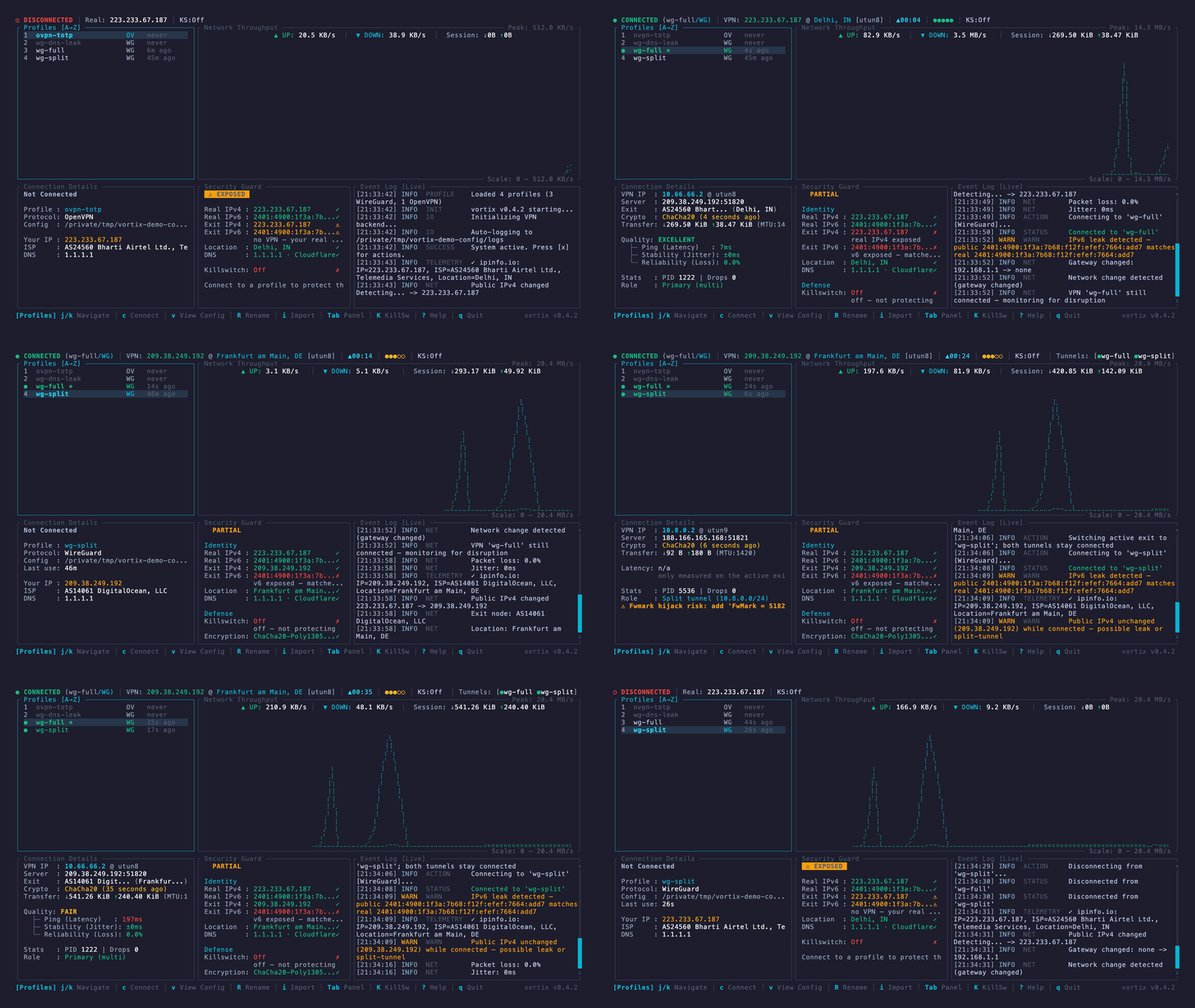
|
Leak detection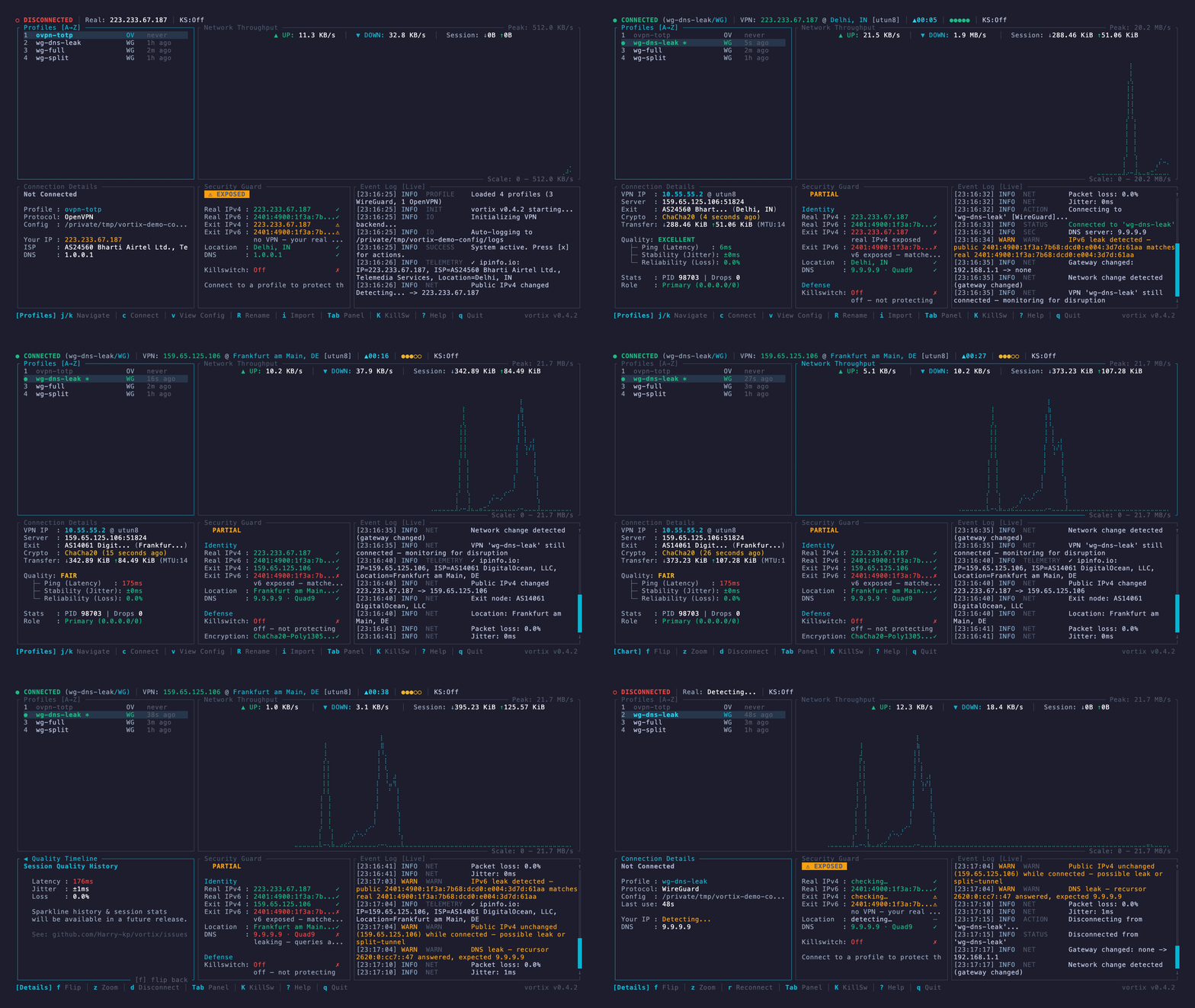
|
Split tunnel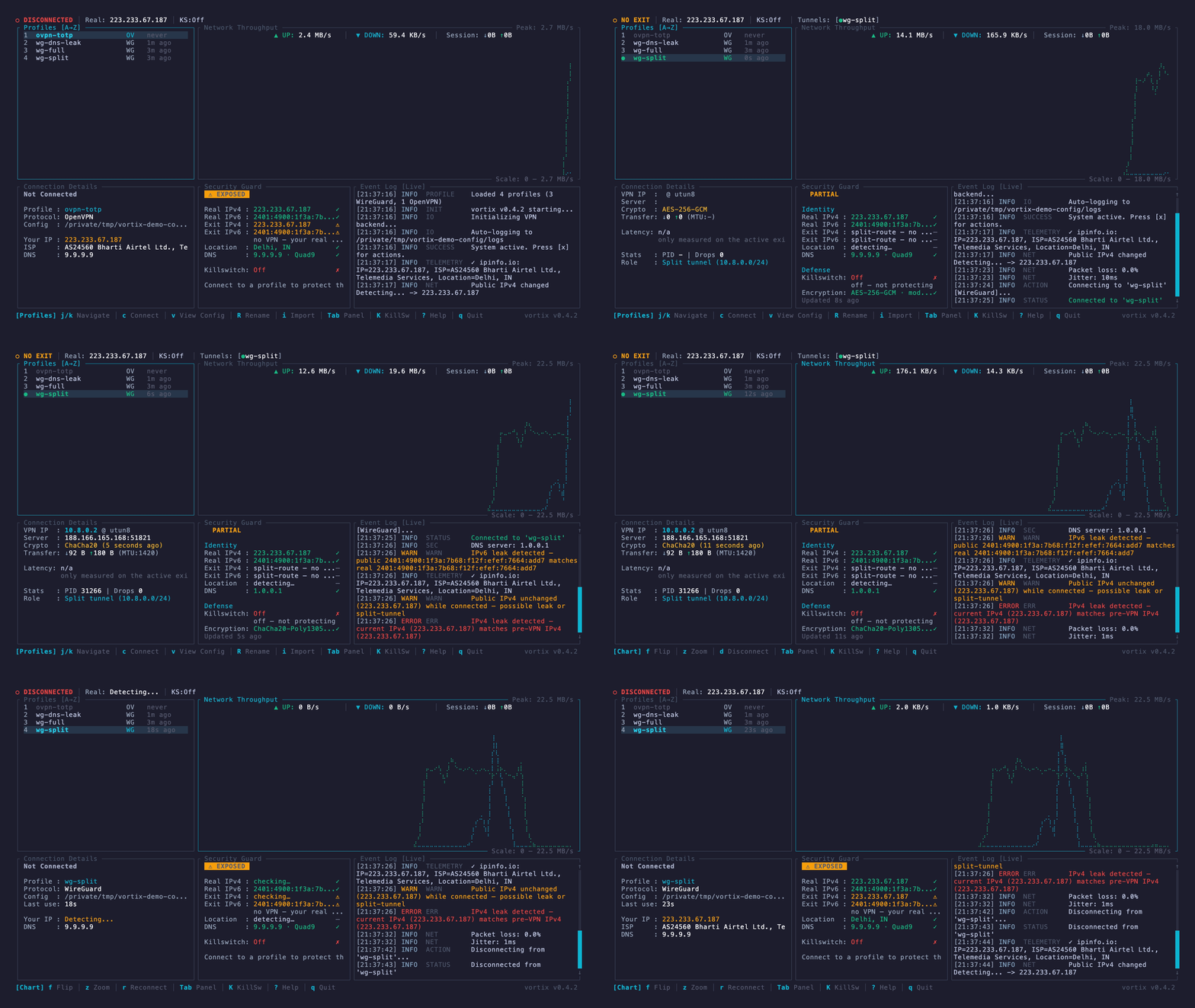
|
Profile management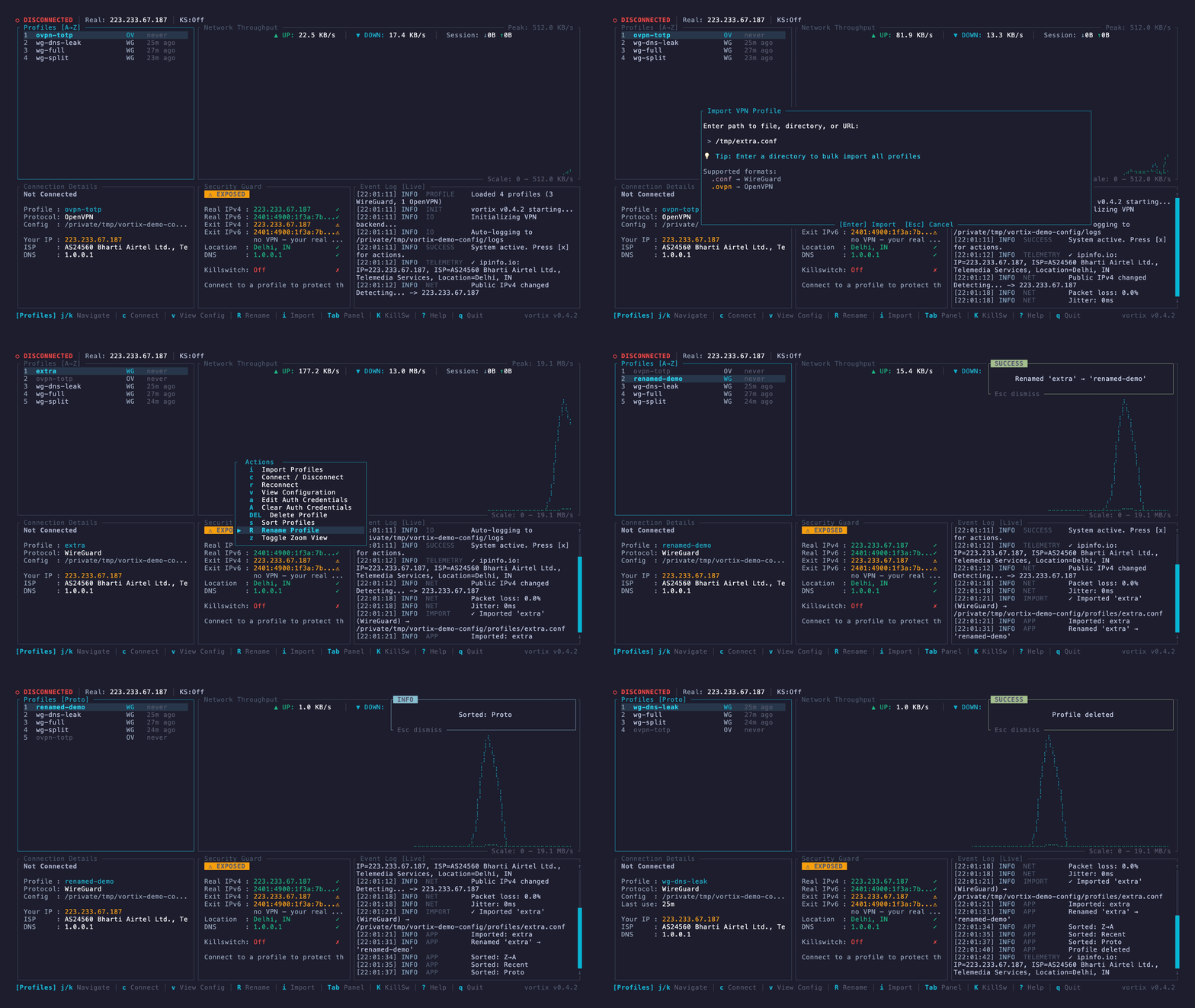
|
Why Vortix?
Vortix gives WireGuard and OpenVPN users one keyboard-driven view of their tunnels and the network around them. It is useful when plain wg-quick or openvpn provides too little visibility, while a full desktop VPN client is too heavy or tied to one provider.
- Connect multiple profiles and distinguish the default-route tunnel from split-route tunnels.
- See throughput, latency, jitter, packet loss, exit identity, DNS policy, and encryption state.
- Detect IPv4, IPv6, and DNS-policy exposure instead of assuming a successful handshake means traffic is protected.
- Control the same engine from the TUI, CLI, or versioned JSON output.
- Work locally, over SSH, and across macOS and Linux.
Vortix orchestrates the system wg, wg-quick, and openvpn implementations; it does not implement either VPN protocol itself.
Quick start
Install the protocol tools first:
# macOS
brew install wireguard-tools openvpn

# Ubuntu / Debian
sudo apt install wireguard-tools openvpn

# Arch / CachyOS / Manjaro
sudo pacman -S wireguard-tools openvpn

# Fedora
sudo dnf install wireguard-tools openvpn
Only the .deb and .rpm packages pull these in; with any other channel, install them first. Vortix drives
wg-quick and openvpn as subprocesses, so without them a profile imports but cannot
connect. vortix up names the missing package and the install command for your distro.
Then install Vortix using your preferred channel:
| Channel | Install |
|---|---|
| Homebrew (macOS, Linux) | brew install vortix (also installs wireguard-tools and openvpn) |
| Debian / Ubuntu | Download the .deb from Releases, then sudo apt install ./vortix_*_amd64.deb (or arm64) |
| Fedora / RHEL | Download the .rpm from Releases, then sudo dnf install ./vortix-*.x86_64.rpm (or aarch64) |
| Arch Linux | sudo pacman -S vortix |
| Cargo | cargo binstall vortix (prebuilt binary) or cargo install vortix (builds from source, needs about 4 GB of memory) |
| npm | npm install -g @harry-kp/vortix |
| Nix | nix profile install github:Harry-kp/vortix |
| Shell installer | curl --proto '=https' --tlsv1.2 -LsSf https://github.com/Harry-kp/vortix/releases/latest/download/vortix-installer.sh | sh |
| Static Linux binary | Download the musl archive from Releases |
Import a profile and connect:
vortix import ./work.conf       # .conf, .ovpn, .netbird, URL, or directory
sudo vortix                    # interactive dashboard

# Or stay in the CLI
sudo vortix up work
vortix status
sudo vortix down work
Changing tunnels, routes, DNS or the firewall needs root; list, show and status do not. If sudo vortix is not found after a Cargo install or the shell installer, link it once: sudo ln -s ~/.cargo/bin/vortix /usr/local/bin/vortix.
Every command, key and panel is in the usage guide.
Highlights
| Area | What Vortix provides |
|---|---|
| Protocols | WireGuard .conf and OpenVPN .ovpn / .conf profiles, up to 1024 routes each; NetBird networks (.netbird), including moving from the NetBird app |
| Multi-tunnel | Full and split tunnels side by side, one default-route owner, and a Switch or Cancel choice on conflicts |
| Telemetry | Throughput, latency, jitter, packet loss, public IP, ISP, and location |
| Security Guard | IPv4/IPv6 exposure, DNS, encryption and kill-switch state, with one verdict |
| Kill switch | off, block-on-drop, and vpn-only, using PF on macOS or nftables on Linux |
| Automation | A versioned JSON envelope, NDJSON watch streams, stable exit codes, shell completions and hooks |
| Diagnostics | Event logs, OpenVPN daemon logs, session journals, per-process socket audit, and vortix report |
| Appearance | Seven built-in themes, including one that follows your terminal's colors |
Platform support
| macOS | Linux | |
|---|---|---|
| VPN tools | Homebrew wireguard-tools, openvpn |
Distribution wireguard-tools, openvpn |
| Kill switch | PF (pfctl) |
nftables (nft) |
| DNS | System Configuration | systemd-resolved or resolvconf |
| CI | macOS | Ubuntu and Fedora |
macOS is the primary development platform; Linux is tested on every change and live before each release. Reports from other distributions help: include vortix report.
Source builds need Rust 1.85 or newer. Linux 5.6 or newer is recommended for in-kernel WireGuard.
Vortix runs as root only to change tunnels, routes, DNS and the firewall, never runs commands from a profile, and has no server of its own. What it does with privilege and data is in SECURITY.md.
Documentation
| For users | |
|---|---|
| Usage | Commands, keys, panels, multiple tunnels, the kill switch, JSON |
| Configuration | Files, config.toml, settings.toml, hooks, DNS |
| Troubleshooting | What an error means and what to do |
| Upgrading | Steps when upgrading from an older version |
| For contributors | |
|---|---|
| Contributing | How to build, test and send a change |
| CLAUDE.md | The project's rules and architecture, for people and coding agents |
| Project board | Planned and active work |
Contributing
Contributions and real-world testing are welcome:
- Start with a good first issue.
- Run a scenario from the release test plan.
- Share Linux results in the Linux tester discussion.
- Use Discussions for questions and ideas.
See CONTRIBUTING.md to get started; Nix users can run nix develop.
Featured in
awesome-rust · awesome-ratatui · awesome-tuis · Arch Linux extra · Terminal Trove · LinuxLinks · Orhun Parmaksız's spotlight · RustNation UK talk deck · JustTUI
Also by the author
mercury — keyboard-first API client for the terminal. 5 MB, 50 ms startup. · afk — menu bar break reminder, 2.8 MB.
Star history
WireGuard® is a registered trademark of Jason A. Donenfeld. OpenVPN® is a registered trademark of OpenVPN Inc. Vortix is not affiliated with either.
Explore related projects
codecrafters-io/build-your-own-x
Master programming by recreating your favorite technologies from scratch.
561,398 starspublic-apis/public-apis
A collective list of free APIs
497,679 starsmorluto/rea
Reverse engineer anything with agents, from app behavior down to native binaries.
447,495 starsopenclaw/openclaw
The AI that really does things. Any OS. Any Platform. The lobster way. 🦞
394,261 stars