
HarmanPreet-Singh-XYT/Scolect-ScreenTimeApp
HarmanPreet-Singh-XYT/Scolect-ScreenTimeApp has 42 GitHub stars and 7 forks. GitHot measured 0 stars in 24 hours. Last checked 2026-11-16 21:16 UTC. Last push 2026-11-13.
Measured star growth
- in 24h
- 0
- in 7 days
- Update delayed
- in 15 days
- Update delayed
- in 1 month
- Update delayed
Net star changes over overlapping periods, not daily totals. Missing measurements are left blank. Stars measure attention, not software quality.
About
A Desktop app for intelligent screen time tracking, productivity analysis, and digital wellness management. Desktop screen time and productivity tracking application built with Flutter.
ProductivityREADME.md
OriginalScolect - Desktop Screen Time Tracker
Take Control of Your Digital Habits






Features • Installation • Usage • Screenshots • Contributing • License
Scolect - Track Screen Time & App Usage
📖 About
Scolect is a comprehensive desktop screen time tracking and productivity application built with Flutter. Understand and manage your digital habits with detailed analytics, intelligent insights, and powerful focus tools to boost your productivity.
Why Scolect?
- 🎯 Stay Focused - Built-in Pomodoro timer with customizable work sessions
- 📊 Detailed Analytics - Beautiful charts and reports showing your usage patterns
- 🚀 Boost Productivity - Track productive vs. non-productive time
- 🌐 Chrome Extension - Track web browsing activity and domain usage
- 🔔 Smart Alerts - Customizable notifications when you exceed limits
- 🎨 Fully Customizable - Create custom themes, categories, and workflows
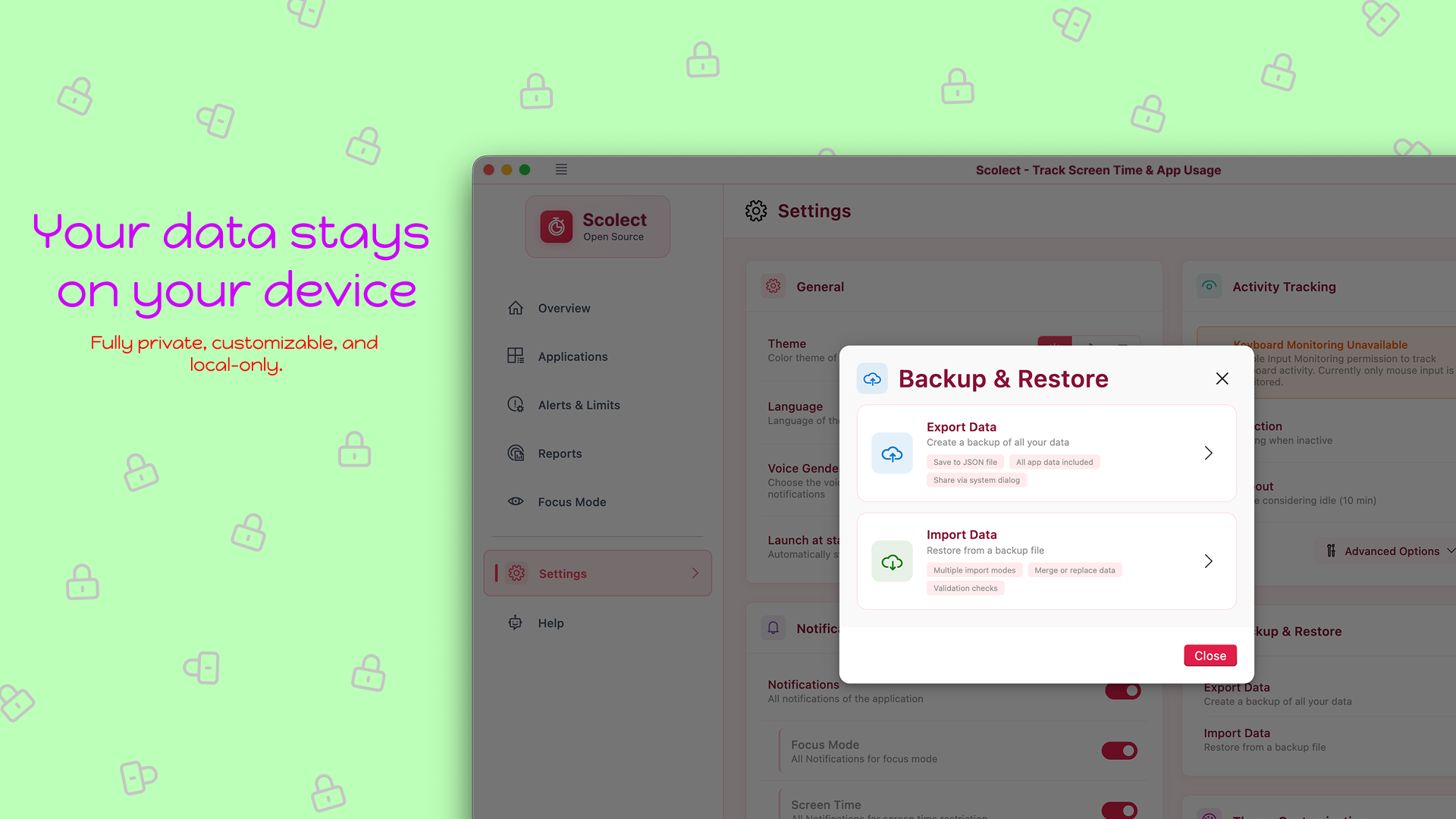
- 🔒 Privacy First - All data stored locally, no cloud sync required
- 🌍 Multi-language - Support for multiple languages
- 💾 Backup & Restore - Export and import your data easily
- 🪟 Native Integration - System tray support and startup launch
✨ Features
📱 Dashboard & Overview
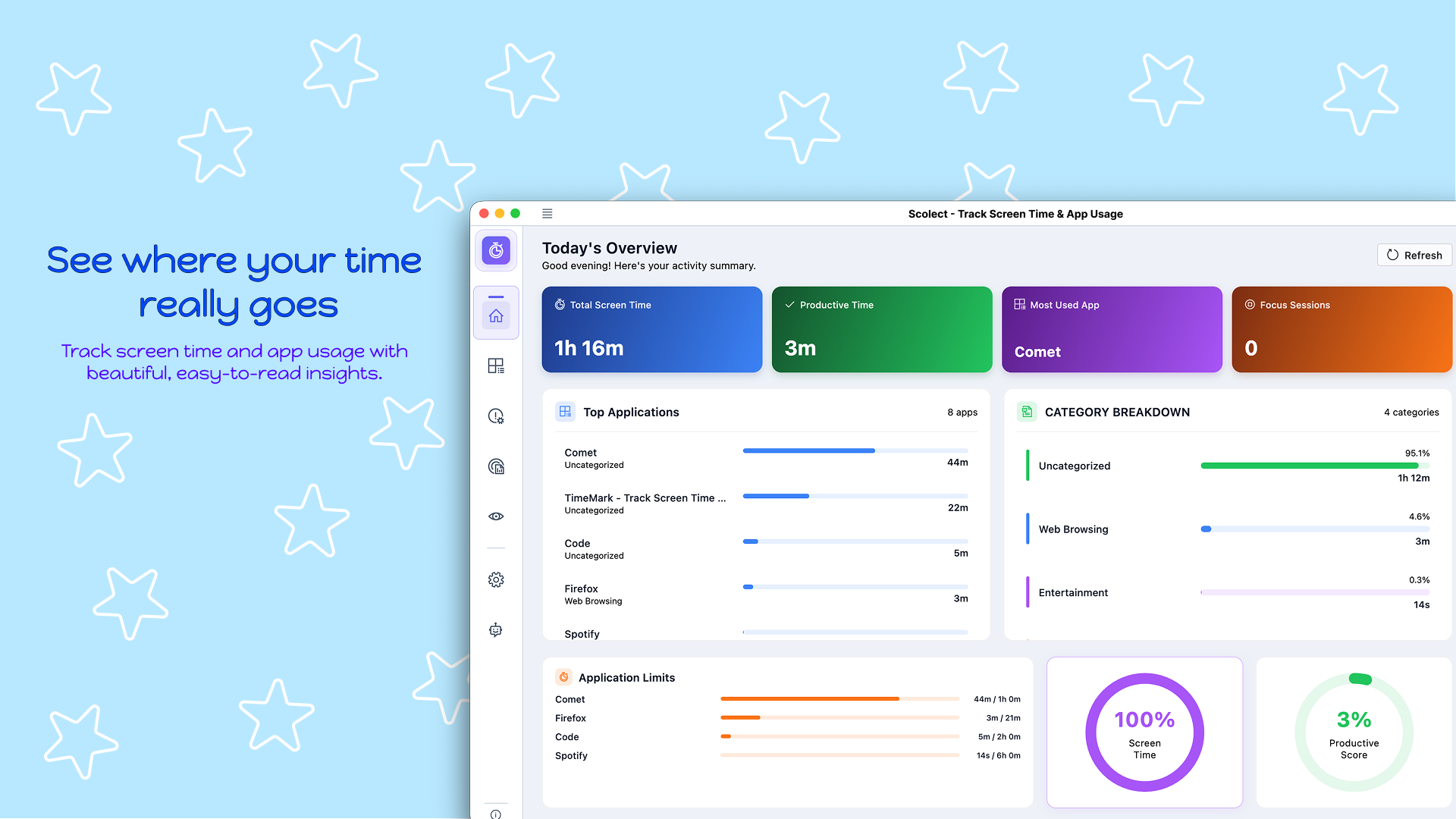
- Real-time Tracking - Today's screen time, productive time, and productivity score
- Most Used Applications - See which apps consume most of your time
- Focus Session Tracking - Monitor your Pomodoro sessions
- Application Usage Breakdown - Visual representation of time distribution
- Productivity Scoring - Understand your productivity levels at a glance
🖥️ Application Management
- Track screen time for all applications
- Flexible application management with search and filter
- Categorize apps as productive or leisure
- Hide/show specific apps from tracking
- Set individual app time limits
- Customizable tracking settings for each application
- Visibility and productivity tagging
📊 Usage Analytics & Reports
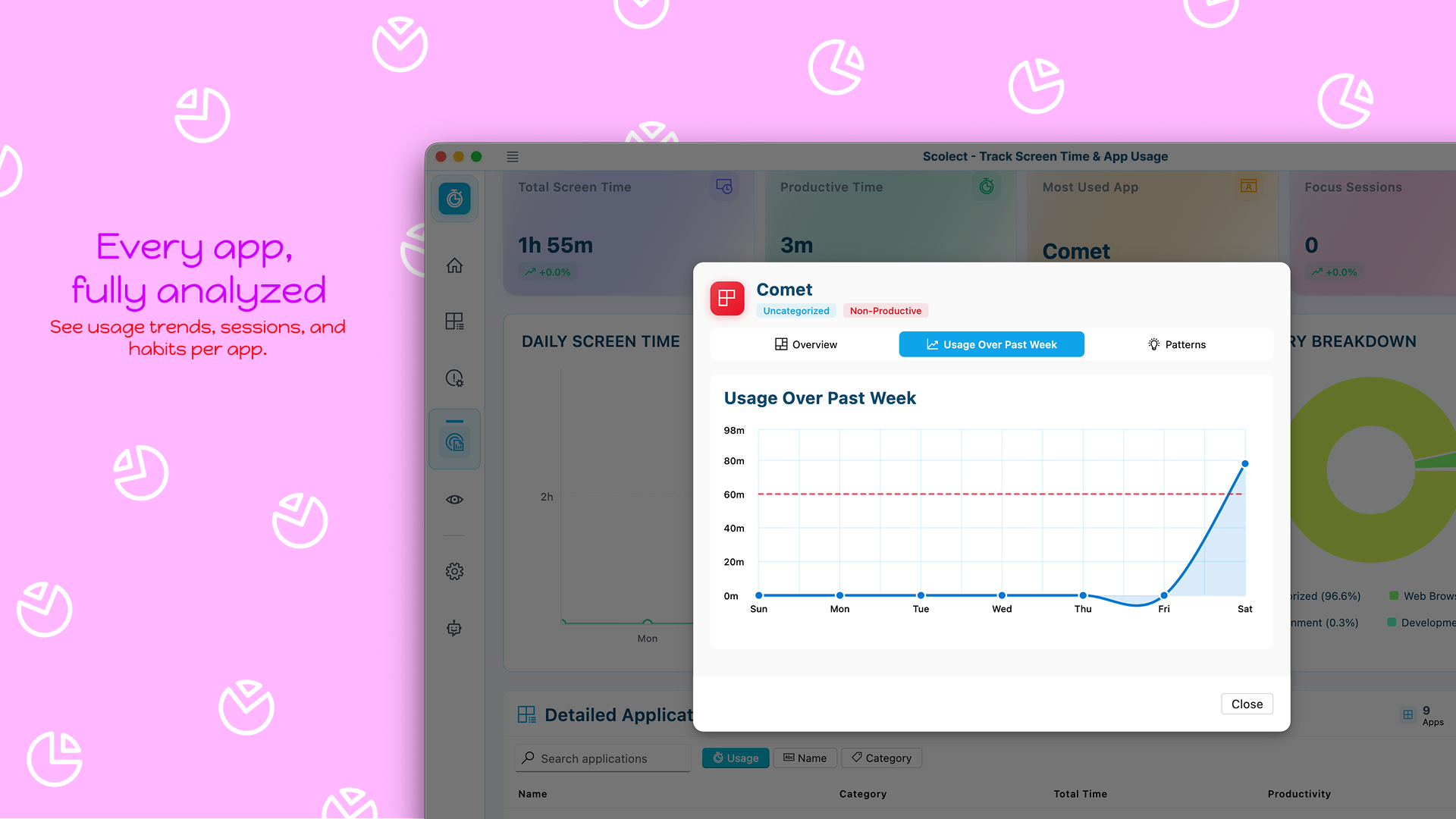
- Daily Trends - Visual graphs showing usage patterns over time
- Category Breakdown - Pie charts showing time distribution across categories
- Time of Day Analysis - Morning, afternoon, evening, and night usage patterns
- Week-over-Week Trends - Compare your habits across weeks
- Beautiful Excel Reports - Export detailed analytics with charts and insights
- Custom Date Ranges - Analyze any time period you want
- Productivity Insights - Smart recommendations based on your patterns
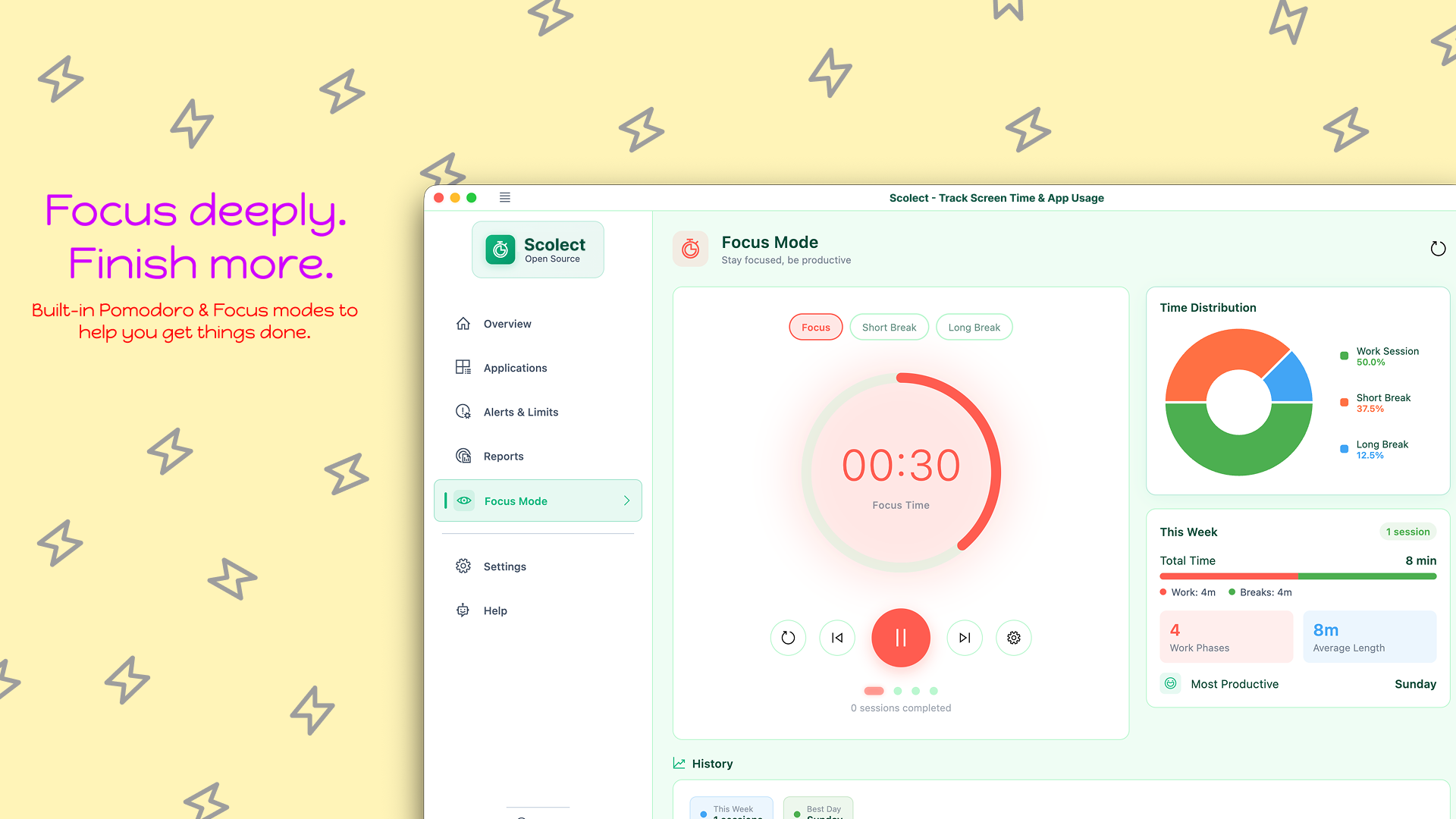
🎯 Focus Mode (Pomodoro Technique)
- Customizable Timer - Set your preferred work and break durations
- Multiple Presets - Deep Work (60 min), Quick Tasks (25 min), Reading (45 min)
- Circular Timer Interface - Beautiful visual countdown
- Session History - Track all your focus sessions
- Focus Trends - Visualize your productivity patterns over time
- Break Management - Automatic break reminders
- Time Distribution - See how your focus time is divided
⏰ Alerts & Limits
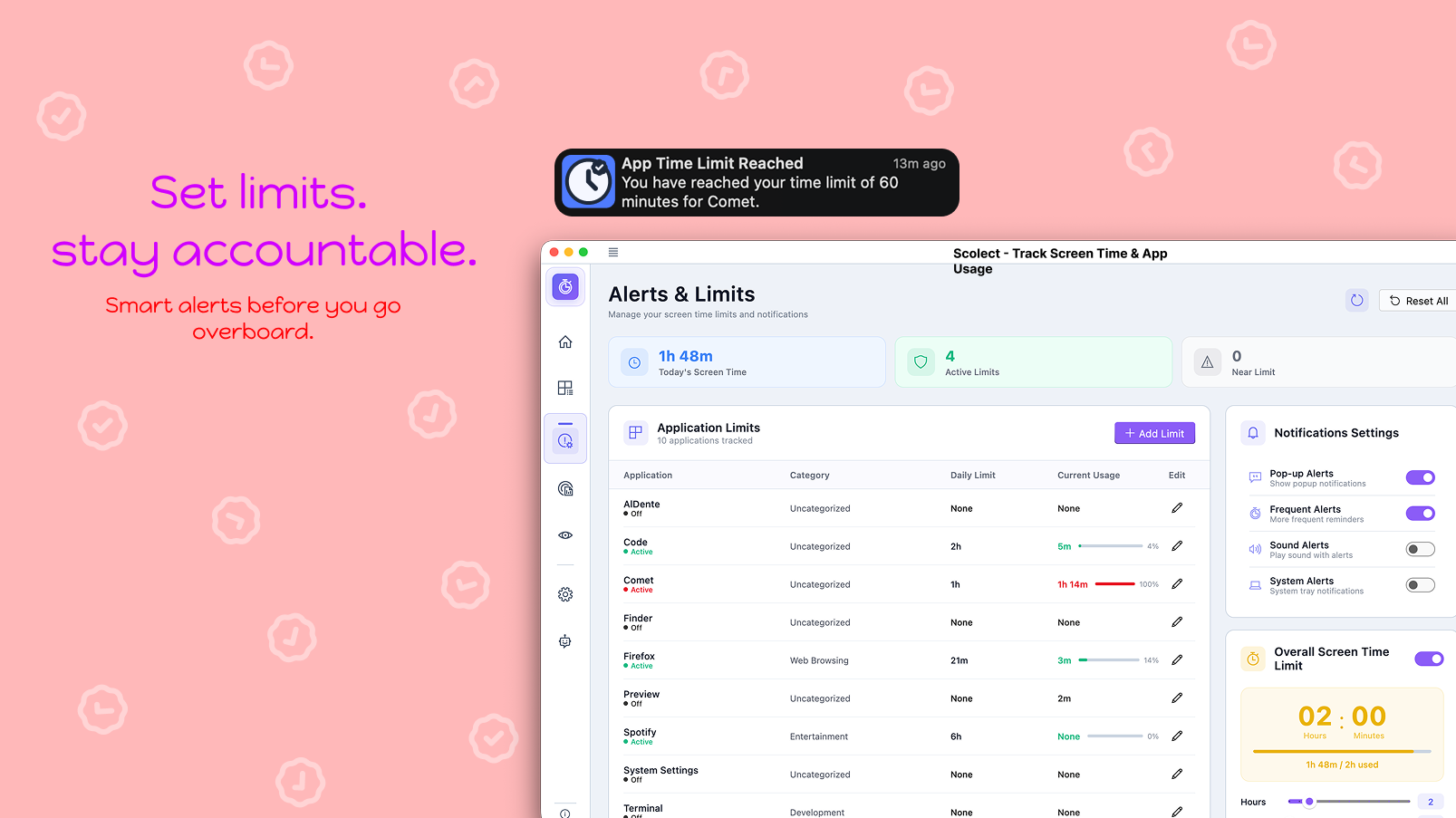
- Daily Screen Time Limits - Set overall usage goals
- Per-App Limits - Individual time limits for specific applications
- Comprehensive Controls - Granular notification management
- Multiple Alert Types - Pop-up alerts, system notifications, sounds
- Flexible Configurations - Customize when and how you're notified
- Smart Status Indicators - Visual feedback on limit status
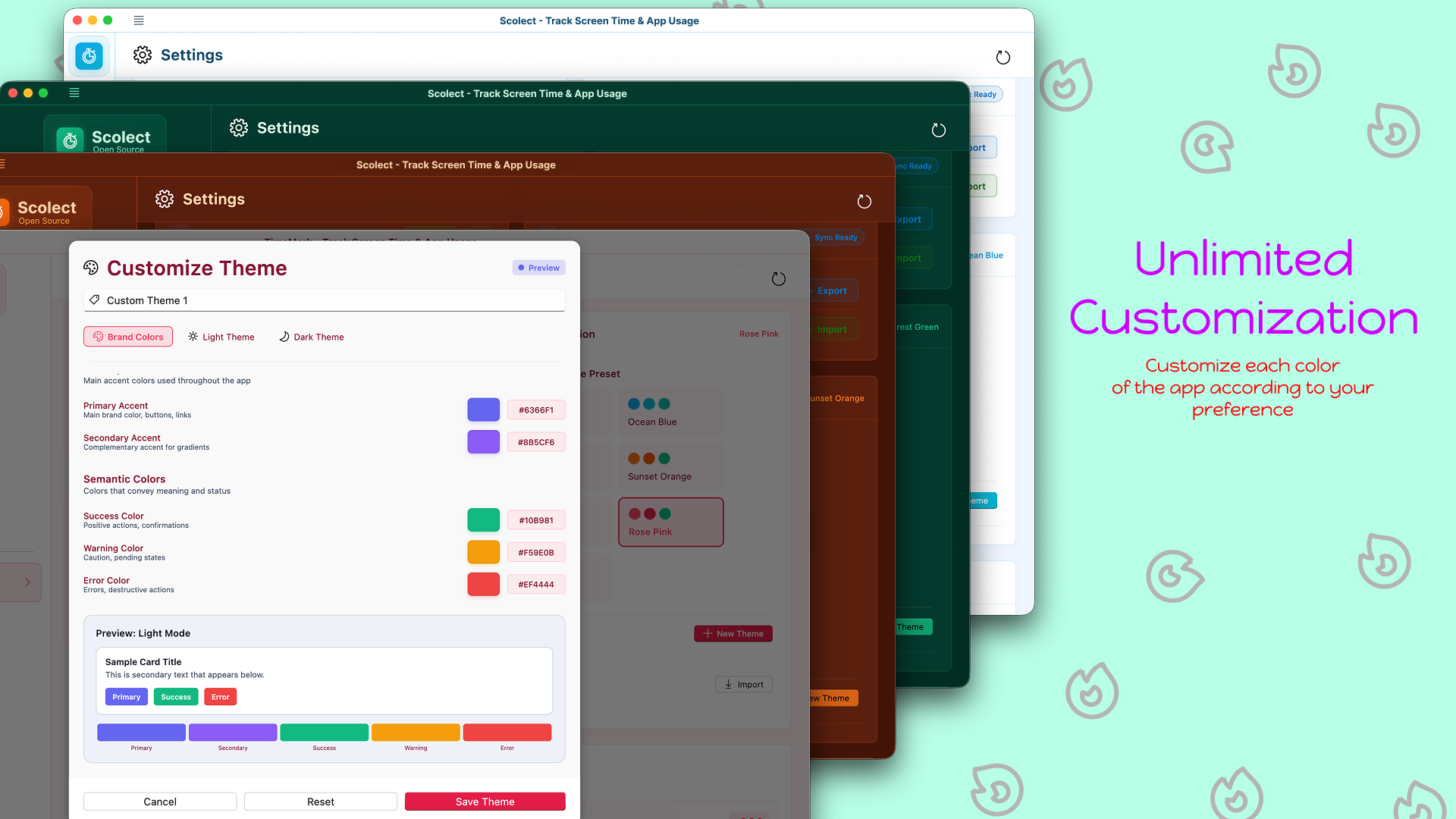
🎨 Customization
- Theme System - Light, Dark, and System modes
- Custom Themes - Create and save your own color schemes
- Complete Color Control - Customize every color in the UI
- Theme Import/Export - Share themes with others
- Live Preview - See changes in real-time
💾 Data Management
- Backup & Restore - Export all data to JSON format
- Import Modes - Replace, Merge, or Append when importing
- Data Clearing - Reset statistics while keeping settings
- Excel Export - Beautiful formatted reports with insights
- Version Information - Keep track of app updates
⚙️ Settings & Configuration
- Startup Behavior - Launch at OS startup, minimized launch
- System Tray Integration - Minimize to tray for background operation
- Notification Controls - Granular control over all notification types
- Language Selection - Multiple language support
- Data Management - Easy backup, restore, and clear options
🚀 Installation
Microsoft Store (Windows)

Benefits:
- ✅ Automatic updates
- ✅ Verified and secure
- ✅ Easy installation and uninstallation
- ✅ Windows integration
- Click the button above or visit the Microsoft Store page
- Click "Get" or "Install"
- Launch Scolect from the Start Menu
Chrome Web Store (Chrome Extension)

Benefits:
- ✅ Track web browsing time and domain activity
- ✅ Standalone web extension or integration with Scolect desktop app
- ✅ Automatic updates via Chrome Web Store
- ✅ Privacy-focused local storage
- Visit the Chrome Web Store page
- Click Add to Chrome
- Pin the extension to quickly track your web screen time
macOS
- Download the latest
.dmgfile from Releases - Open the DMG and drag Scolect to Applications
- Launch Scolect from Applications
Note: On first launch on macOS, you may need to:
- Right-click the app and select "Open" to bypass Gatekeeper
- Grant accessibility permissions for tracking
- Grant input monitoring permissions for keyboard tracking (optional)
Build from Source
Prerequisites:
- Flutter SDK 3.0 or higher
- Dart SDK 2.17 or higher
- Windows development environment
# Clone the repository
git clone https://github.com/HarmanPreet-Singh-XYT/Scolect-ScreenTimeApp.git
cd Scolect-ScreenTimeApp

# Get dependencies
flutter pub get

# Run the app
flutter run -d windows  # For Windows
flutter run -d macos    # For macOS

# Build release
flutter build windows   # For Windows
flutter build macos     # For macOS

# Build Browser Extension (Chrome & Firefox)
./build_extension.sh    # Generates build/web & build/scolect-extension.zip
For detailed Firefox AMO build instructions and prerequisites, see BUILD_EXTENSION.md.
📸 Screenshots
Dashboard Overview
Application Tracking
Detailed Analysis
Full Customization
Local Data
Focus Mode Pomodoro Timer
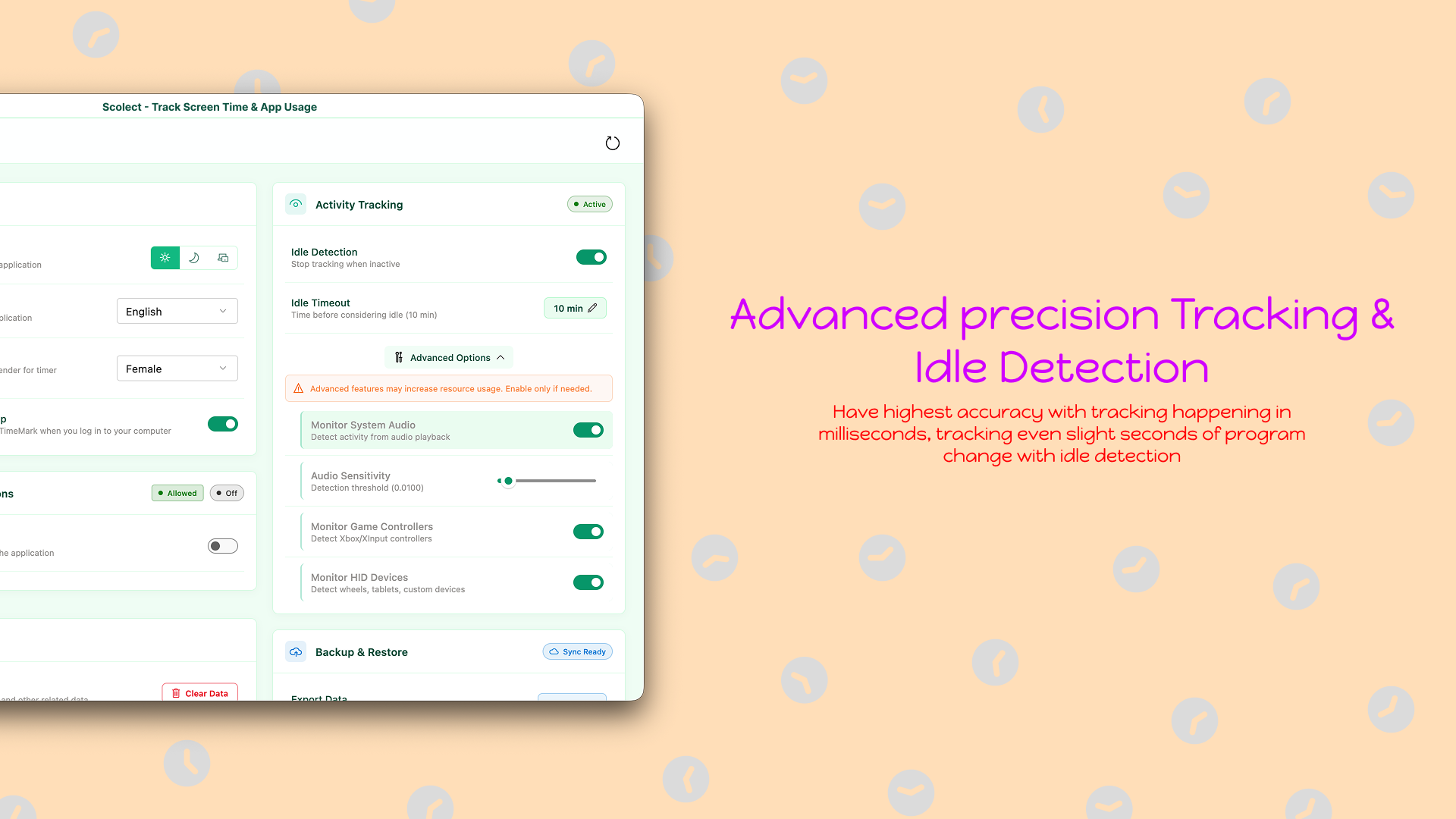
Advance Tracking with idle detection
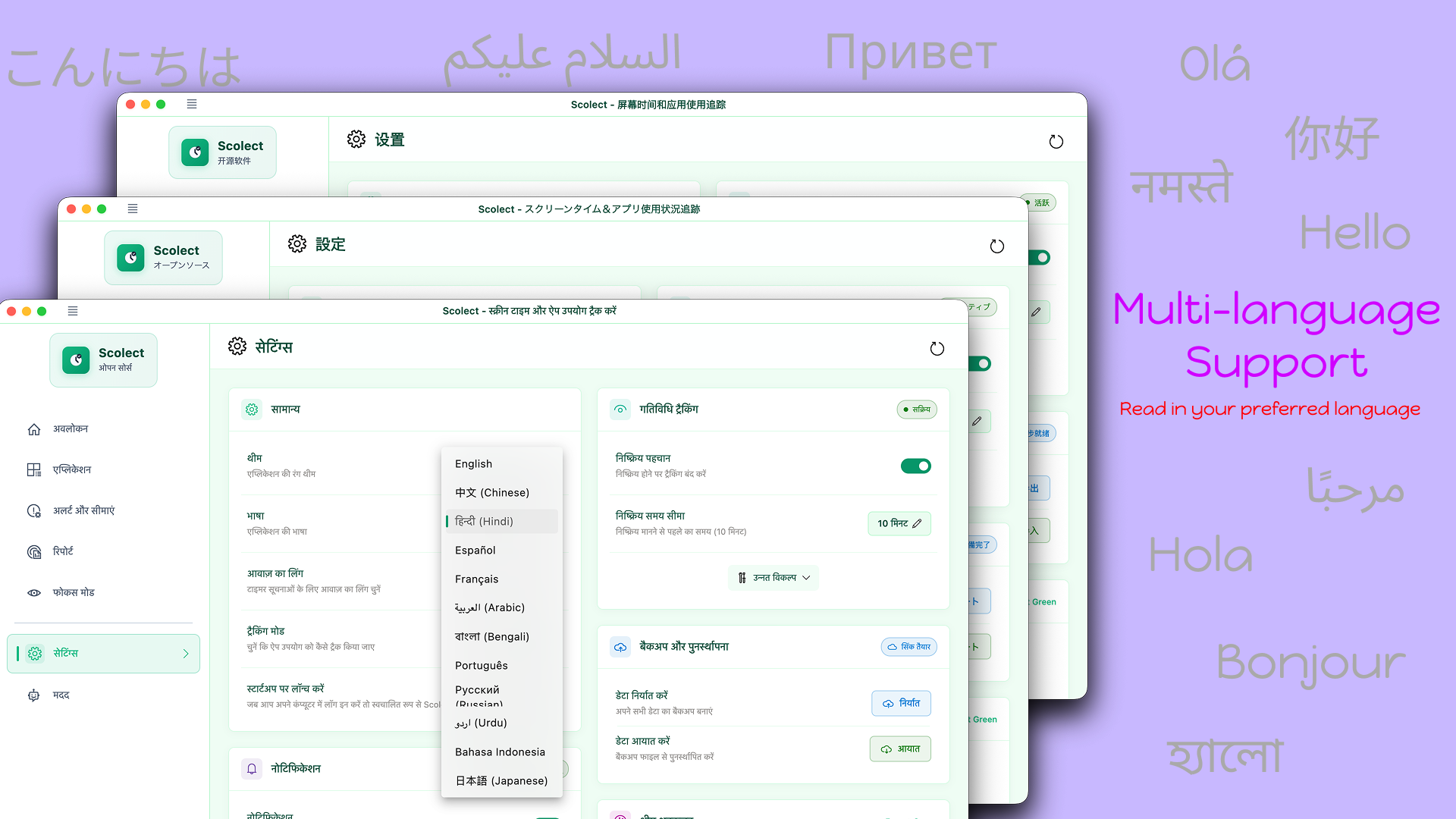
MultiLanguage Support
🎯 Usage
Getting Started
- First Launch - Applications are automatically detected and categorized
- Customize - Mark apps as productive/non-productive in the Applications tab
- Set Limits - Configure daily screen time and per-app limits in Alerts & Limits
- Track - Scolect runs in the background, tracking your usage
- Analyze - View detailed analytics and trends in the Usage Analytics tab
- Focus - Start Pomodoro sessions in Focus Mode to boost productivity
Quick Tips
- System Tray - Minimize to tray to keep Scolect running in the background
- Focus Mode - Use the Pomodoro timer to structure your work sessions
- Reports - Export beautiful Excel reports for deeper insights
- Backup - Regularly backup your data from Settings → Data Management
- Startup Launch - Enable "Launch at Startup" for continuous tracking
Navigation
- 📊 Dashboard - Overview of your day
- 🖥️ Applications - Manage tracked applications
- 🔔 Alerts & Limits - Set usage boundaries
- 📈 Usage Analytics - Detailed reports and trends
- 🎯 Focus Mode - Pomodoro timer and session tracking
- ⚙️ Settings - Customize your experience
🏗️ Architecture
Scolect is built with:
- Flutter - Cross-platform UI framework
- Fluent UI - Windows-native design system
- Hive - Fast, lightweight local database
- Shared Preferences - Quick settings storage
- fl_chart - Beautiful charts and graphs
- Windows FFI - Native Windows API integration
- System Tray - Background operation support
Key Technologies
- Visualization: fl_chart, percentage_indicator, pie_chart
- Storage: hive_flutter, shared_preferences
- Native API: Windows ForegroundWindow.cpp, ffi
- UI/UX: Fluent_UI
🌍 Platform Support
Current
- ✅ Windows - Fully supported (Windows 10/11)
- Microsoft Store distribution
- Native system integration
- System tray support
- ✅ macOS - Fully supported
- DMG installer available
- Native macOS integration
- System tray support
- ✅ Chrome Extension - Fully supported
- Available on Chrome Web Store
- Track domain activity & web screen time
Coming Soon
- 🔜 Linux - In development
🤝 Contributing
We love contributions! Whether it's:
- 🐛 Bug reports
- 💡 Feature requests
- 📝 Documentation improvements
- 🌍 Translations
- 💻 Code contributions
How to Contribute
- Fork the repository
- Create a feature branch (
git checkout -b feature/AmazingFeature) - Commit your changes (
git commit -m 'Add some AmazingFeature') - Push to the branch (
git push origin feature/AmazingFeature) - Open a Pull Request
Development Setup
# Clone your fork
git clone https://github.com/yourusername/Scolect-ScreenTimeApp.git
cd Scolect-ScreenTimeApp

# Add upstream remote
git remote add upstream https://github.com/HarmanPreet-Singh-XYT/Scolect-ScreenTimeApp.git

# Create a branch
git checkout -b feature/my-feature

# Install dependencies
flutter pub get

# Make changes and test
flutter run -d windows

# Commit and push
git add .
git commit -m "Description of changes"
git push origin feature/my-feature
Code Style
- Follow Effective Dart guidelines
- Run
flutter analyzebefore committing - Add comments for complex logic
- Write tests for new features
🐛 Known Issues
Windows
- Issue: App opens on every startup even when disabled
- Workaround: Enable "Launch as Minimized" in Settings
macOS
- Issue: Keyboard tracking requires Input Monitoring permission
- Solution: Grant permission in System Preferences → Security & Privacy → Input Monitoring
- Issue: App needs accessibility permissions for tracking
- Solution: Allow access in System Preferences → Security & Privacy → Accessibility
All Platforms
- Issue: "Hive is not opening" error
- Solution: Clear data through Settings or manually delete files in Documents folder
For more issues and solutions, see Issues.
❓ FAQ
How does Scolect track screen time?
Scolect monitors foreground application activity in real-time using Windows native APIs. It tracks which application is active and records usage duration. All data is stored locally on your device.
Is my data private?
Yes! Scolect stores all your usage data locally on your device — there is no cloud sync and your screen time history never leaves your computer.
Scolect does collect anonymous crash reports (via Sentry) to help fix bugs. These reports contain only error details, your OS version, and app version — no usage data, app names, or any personal information. You can opt out at any time in Settings → Data → Crash Reporting.
Does Scolect affect system performance?
Scolect is designed to be lightweight with minimal battery and CPU impact. It runs efficiently in the background without affecting your work.
Can I use Scolect on multiple devices?
Yes! Use the Backup & Restore feature in Settings to export your data and import it on another device.
How do I report a bug?
Open an issue on GitHub Issues or contact support at [email protected].
Can I customize what apps are tracked?
Absolutely! In the Applications section, you can hide specific apps, disable tracking, or mark apps as productive/non-productive.
Is Scolect free?
Yes! Scolect is completely free to download and use from the Microsoft Store and Chrome Web Store.
📊 Analytics Export Example
Scolect can generate beautiful Excel reports with:
- 📈 Summary Sheet - Key metrics with trends and emoji indicators
- 📅 Daily Breakdown - Visual usage patterns with sparklines
- 📱 Apps Sheet - Detailed rankings with usage levels
- 💡 Insights - Smart recommendations based on your patterns
Example insights:
- "Excellent Productivity: 78% of your screen time is productive work! 🎯"
- "Your most active time is around 3 PM ⏰"
- "Consider setting app limits on leisure applications 🎮"
See Issues for the full list of proposed features and known issues.
📄 License
This project is licensed under the GNU AFFERO GENERAL PUBLIC LICENSE, version 3 (AGPL-3.0) - see the LICENSE file for details.
💖 Acknowledgments
- Built with Flutter
- UI powered by Fluent UI
- Charts powered by fl_chart
- Inspired by productivity tools and time tracking applications
📧 Contact & Support
- GitHub Issues: Report bugs or request features
- Email: [email protected]
- Discord: @harmanpreet_singh
- Site: scolect.com
🌟 Support the Project
If you find Scolect useful, please:
- ⭐ Star this repository
- 📢 Share it with others
- ⭐ Rate it on the Microsoft Store or Chrome Web Store
- 🐛 Report bugs and suggest features
- 🤝 Contribute to the codebase

Created with ❤️ using Flutter