
HITsz-TMG/VideoClaw
HITsz-TMG/VideoClaw has 1,893 GitHub stars and 278 forks. GitHot measured +1 stars in 24 hours. Last checked 2026-11-06 18:43 UTC. Last push 2026-08-26.
🚀 AI 全自动化视频生成员工 | Your First AIGC Coworker. Chat an Idea. Get a Film. 🦞
Measured star growth
- in 24h
- +1
- in 7 days
- Update delayed
- in 15 days
- Update delayed
- in 1 month
- Update delayed
Net star changes over overlapping periods, not daily totals. Missing measurements are left blank. Stars measure attention, not software quality.
README_EN.md
Original
VideoClaw: AI Creative Video Production Agent
简体中文 | English


Talk to OpenClaw directly: "Generate a video about X" -> done.
📺 Bilibili ▶️ YouTube 📖 Integration Guide 🦀 ClawHub
💥 News
2026/3/27: 🎬 VideoClaw was officially released, supporting full workflow automation from idea to video generation, with user intervention and adjustment available at any time.2026/4/9: ♾️ VideoClaw was optimized for short dramas, adding infinite continuation and customizable plots.2026/4/29: 🧩 Added three features: commentary-style short videos, action transfer, and digital human talking videos.2026/5/8: ⚙️ Added WebUI configuration for APIs and default models, with one-click installation support.2026/5/13: 🎞️ Integrated Pixelle-Video HTML templates into commentary-style short videos.
📖 Overview
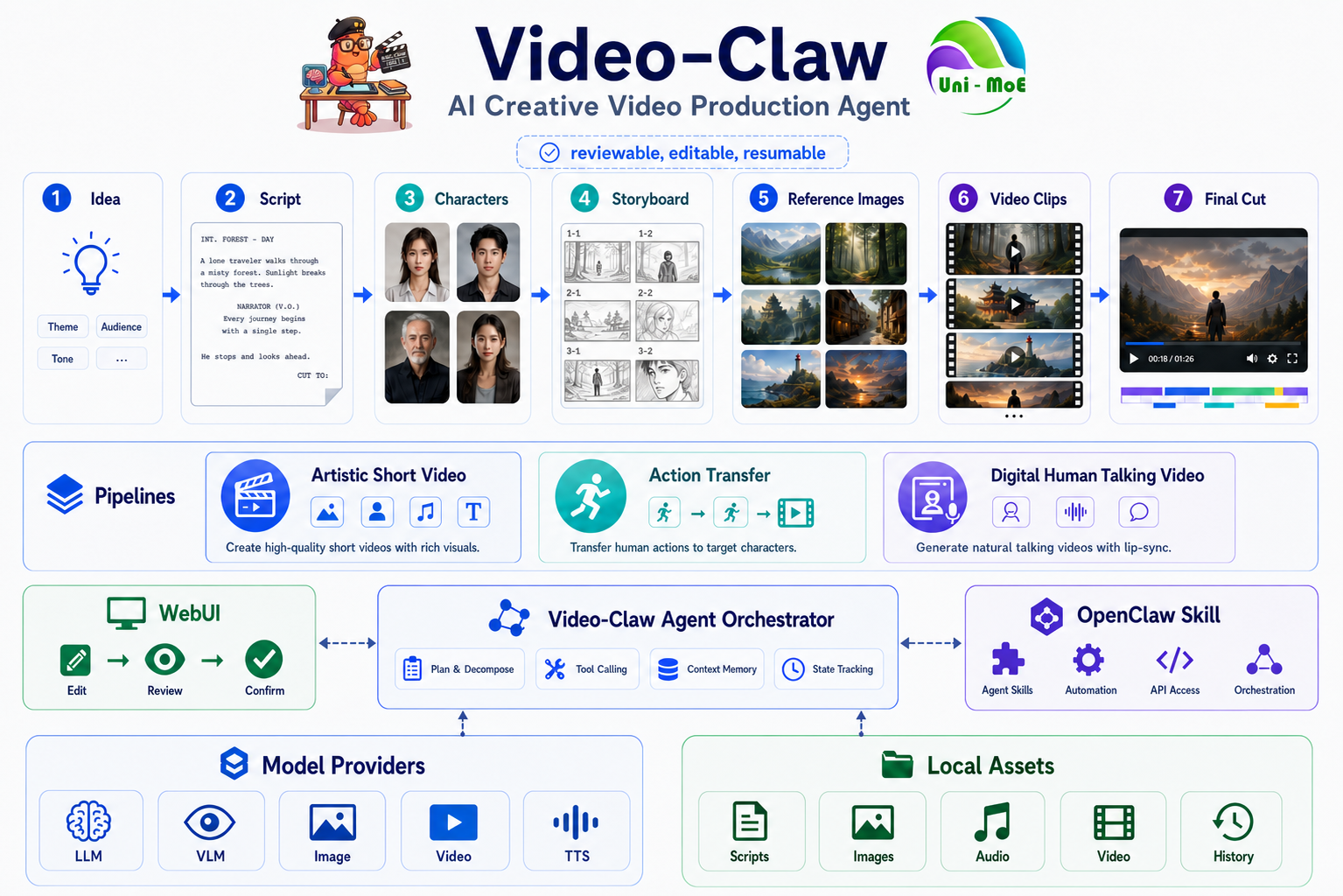
VideoClaw is an AI director system for creative video production. You only need to provide an idea, a story outline, or even a vague concept. The system will break it down into an executable filmmaking workflow, continuously producing intermediate assets that can be reviewed, confirmed, revised, and delivered, until a complete final video is generated.
It is not a one-shot text-to-video tool. It is a full production line covering script planning -> character and scene design -> storyboard planning -> reference image generation -> video generation -> post-production editing. Instead of giving you a black-box result, VideoClaw behaves like a collaborative AI directing team: each stage informs the next, and every key node is visible, editable, and extensible.
📺 Demos
🎬 VideoClaw
Click to view WebUI UI design
| Stage | Demo | Description |
|---|---|---|
| Home | 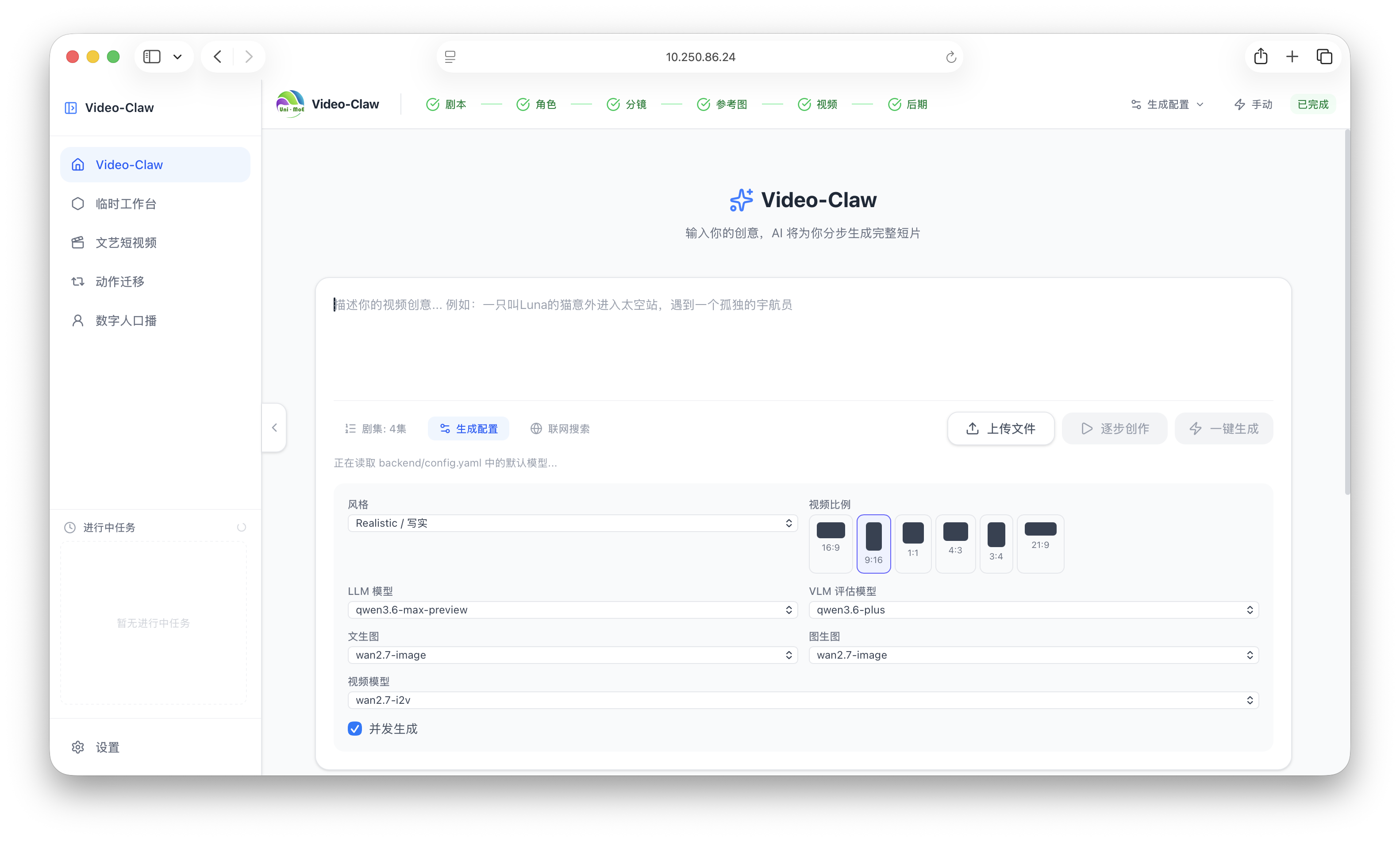 |
Displays the system overview, supports viewing historical projects, creating new projects, and global configuration (API keys and default model settings). This is the starting point of the creation workflow. |
| Script Planning | 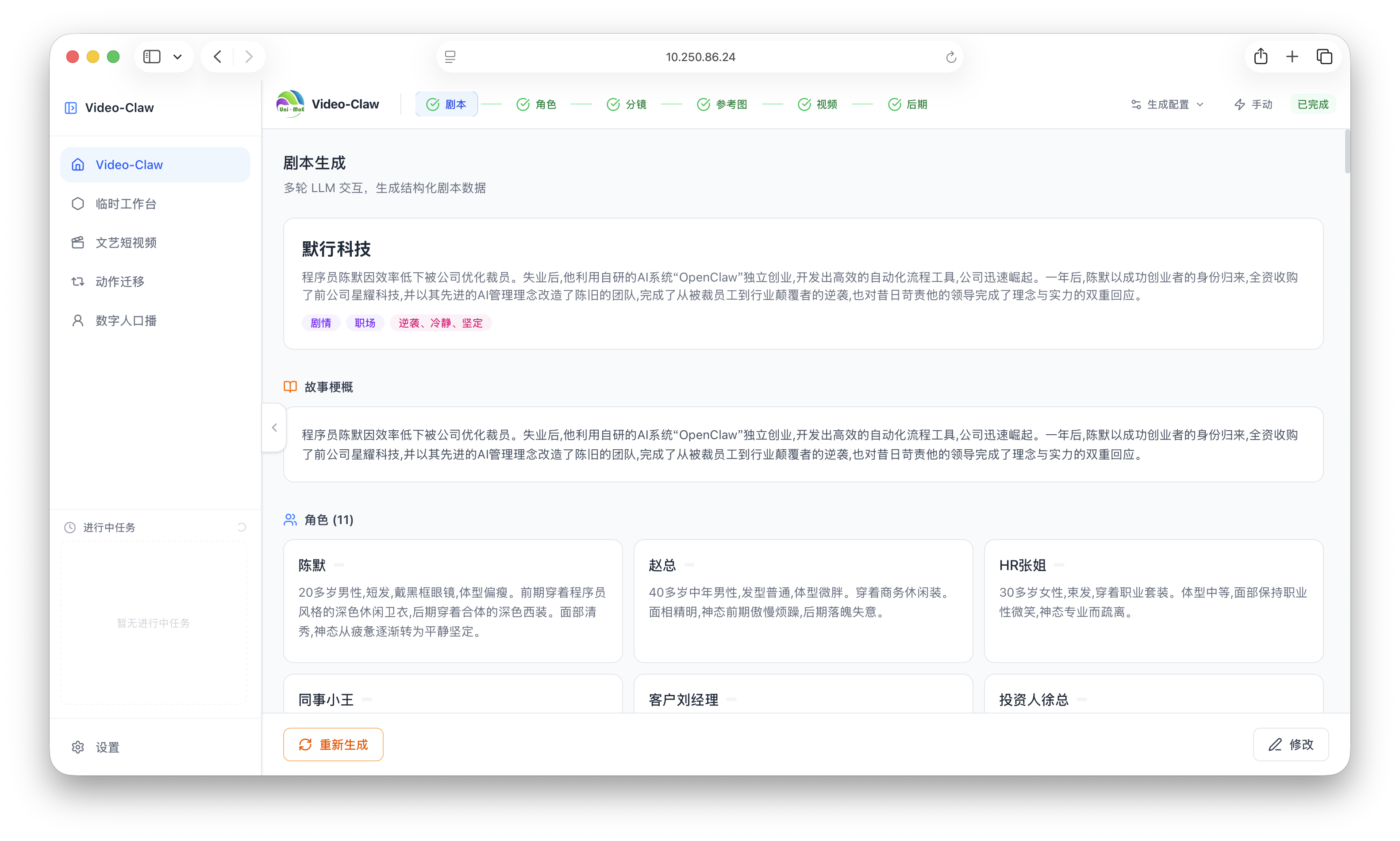 |
Enter a creative title and project synopsis, and the system automatically generates a structured multi-scene script (including narration and dialogue), with support for intelligent continuation of subsequent plots. |
| Character/Scene Design | 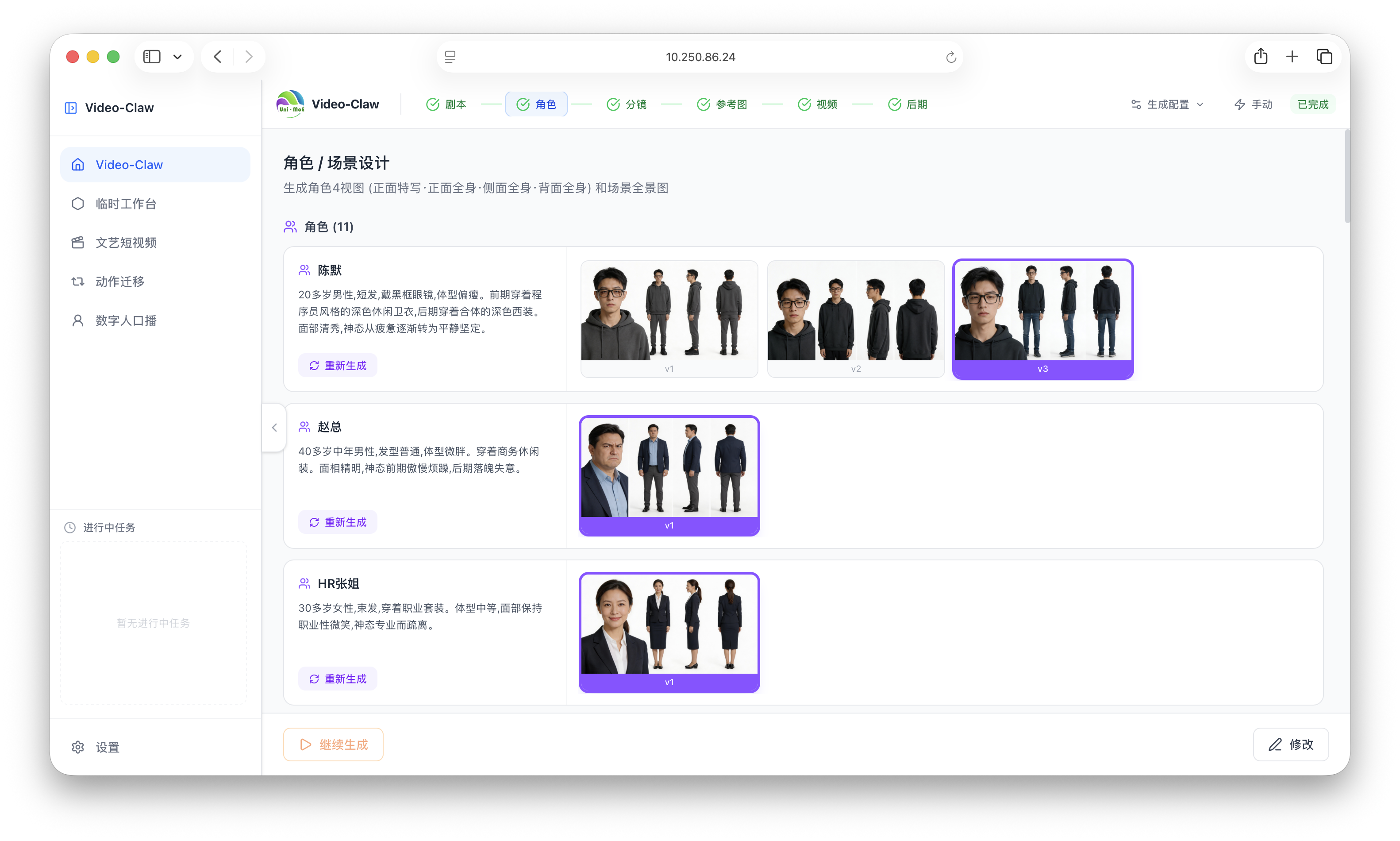 |
Automatically extracts core characteristics of characters and scenes from the script, generating stylistically consistent reference concept art as the visual basis for later storyboard generation. |
| Storyboard Planning | 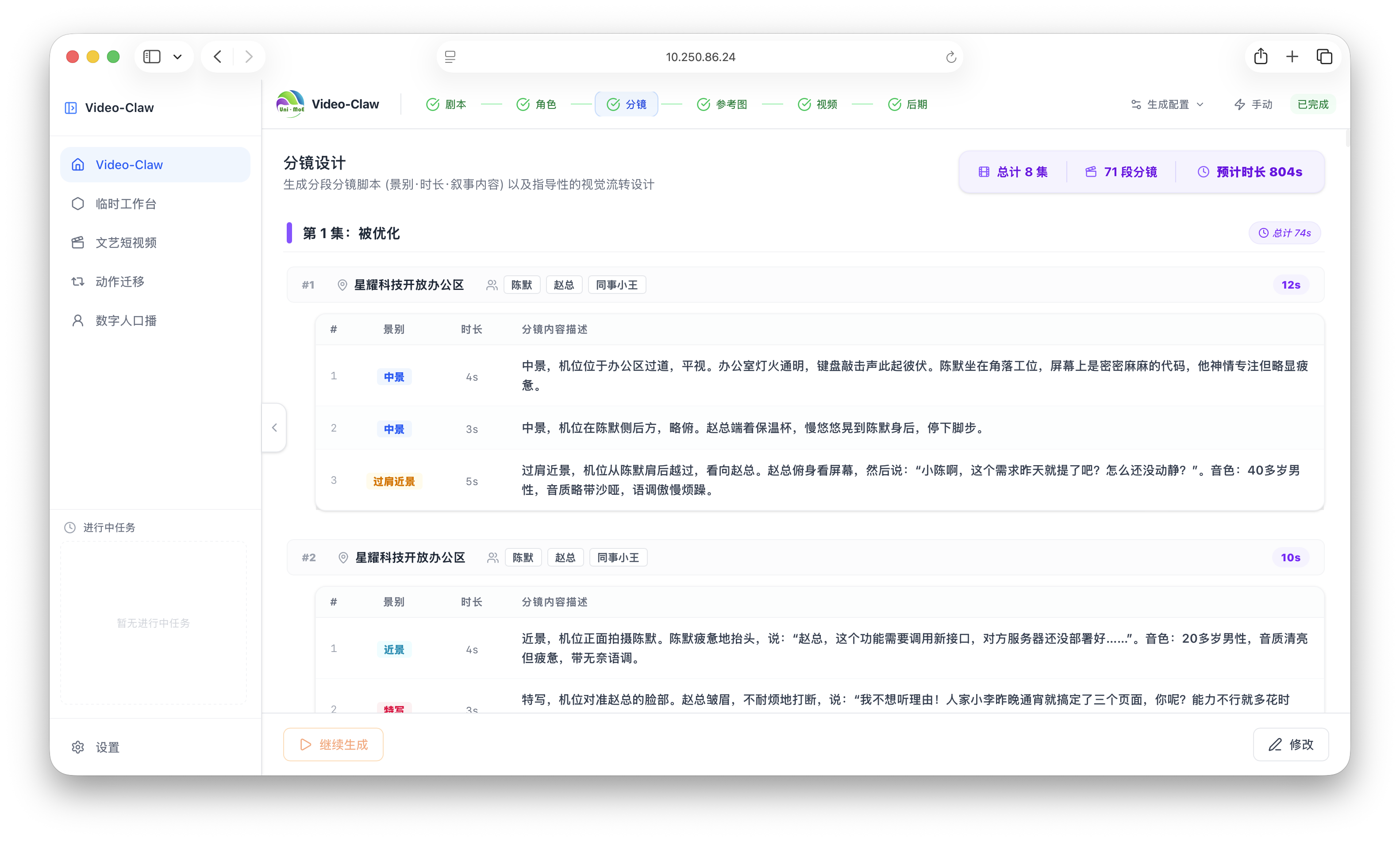 |
Breaks each script scene into continuous visual storyboards, specifying camera perspective, action descriptions, and reference content in detail to ensure narrative coherence. |
| Reference Image Generation | 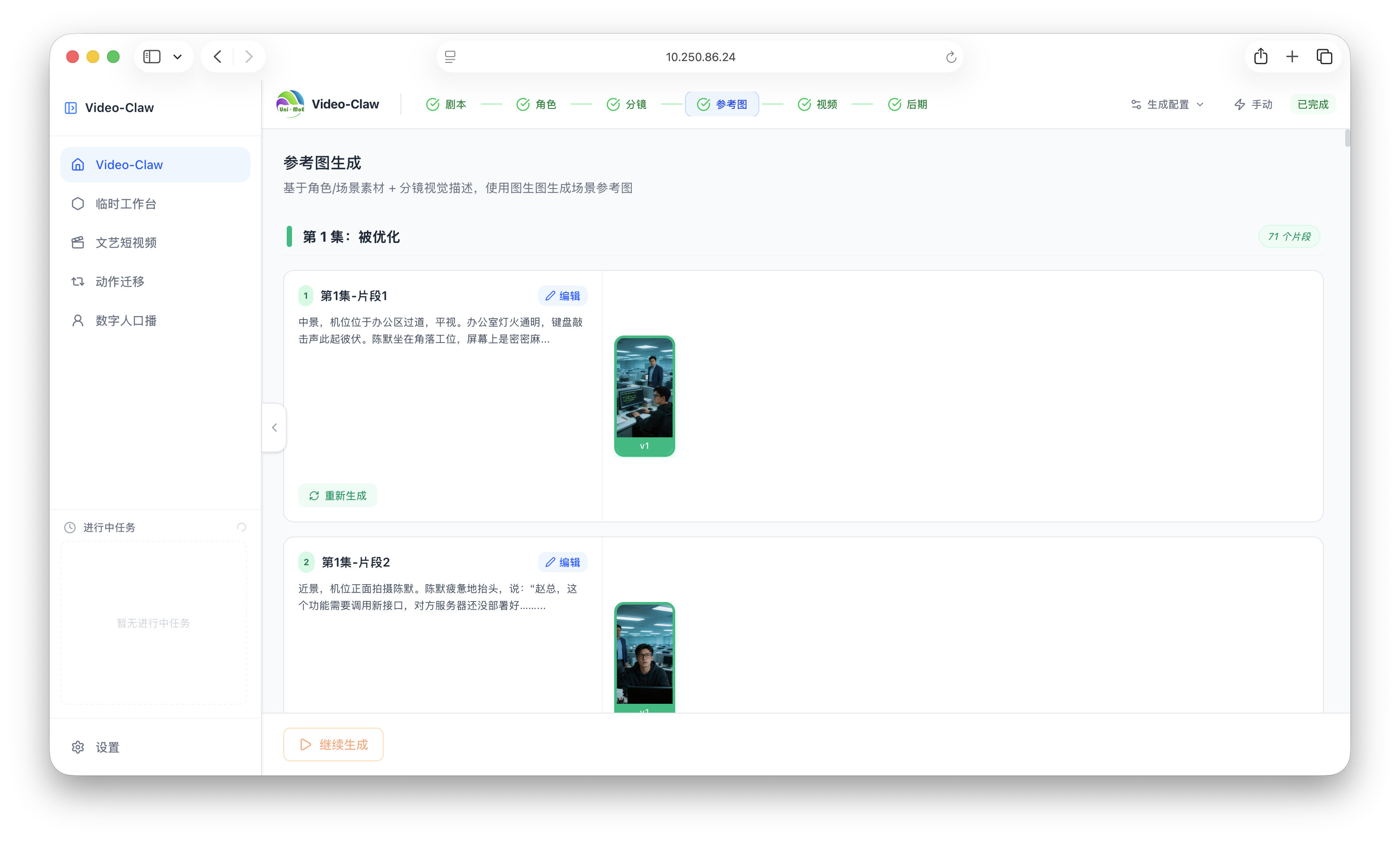 |
Generates high-quality, high-precision reference base images for each storyboard scene, controlling lighting details and composition as key visual references for video generation. |
| Video Generation | 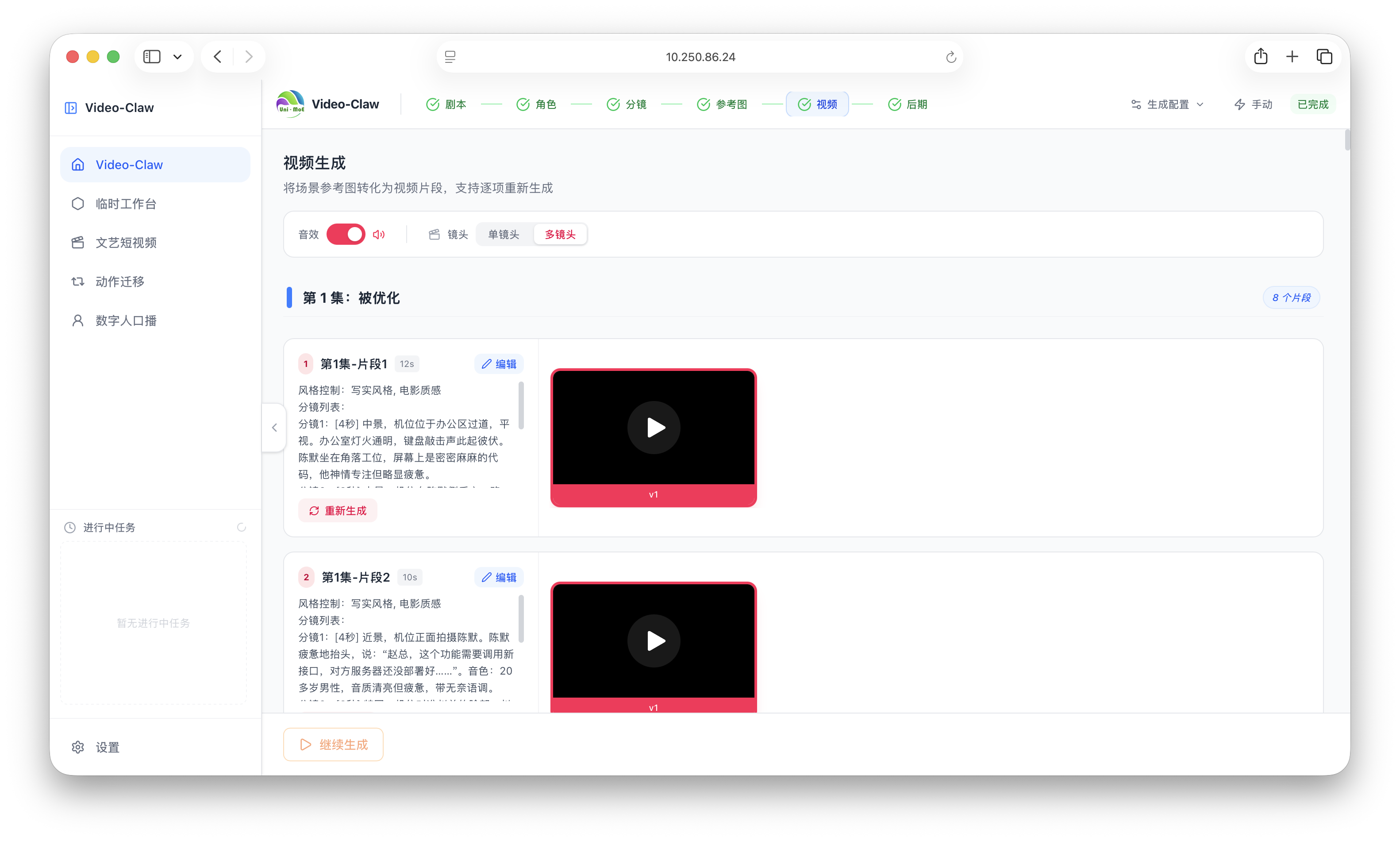 |
Calls mainstream high-performance video generation models (such as Wan and Kling) to convert storyboard images into dynamic clips. |
| Final Editing | 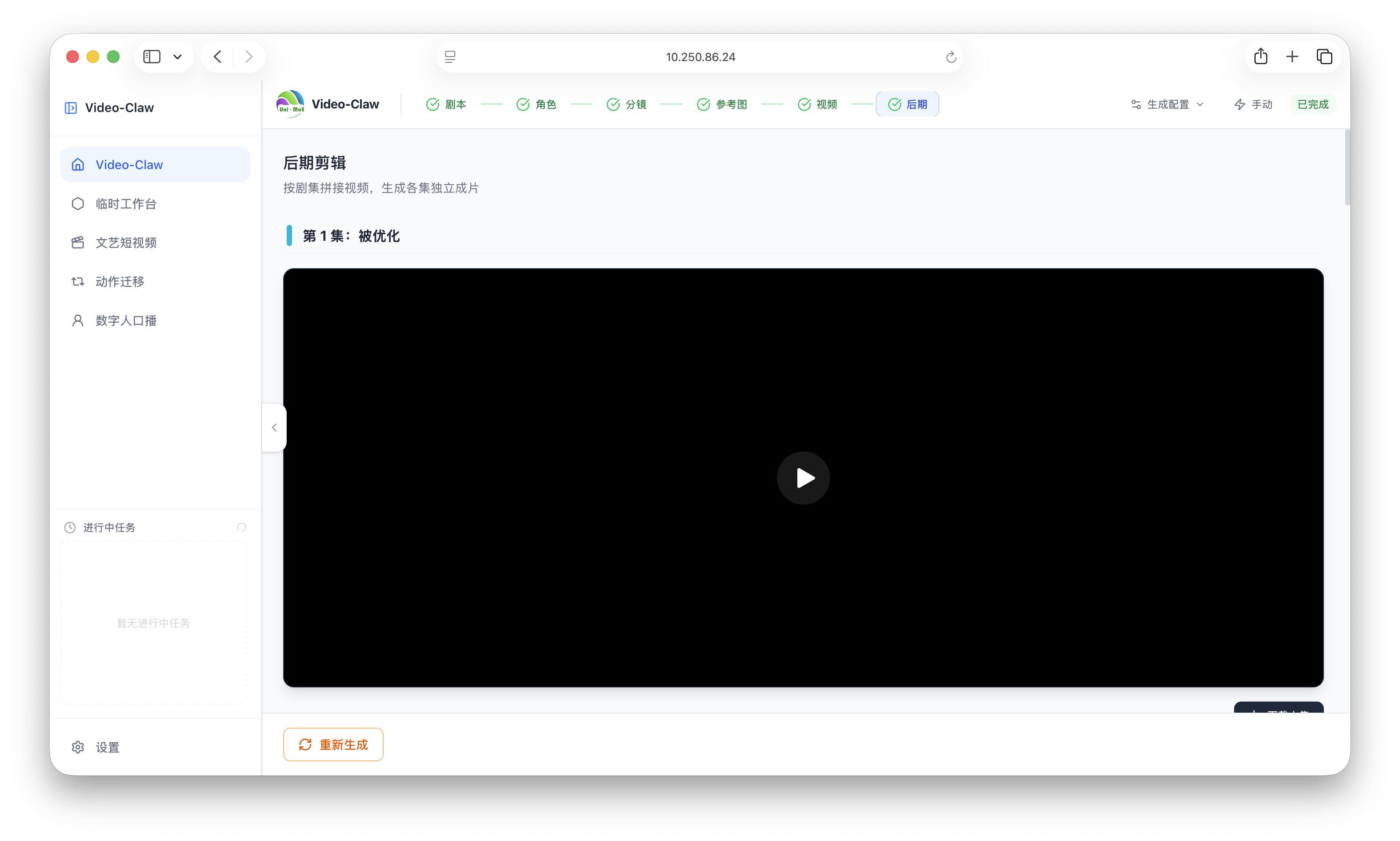 |
Aggregates all generated video clips and exports a publishable final video with one click. |
📱 Series 1: A Programmer Uses OpenClaw to Acquire His Former Company After Being Laid Off (Realistic Short Drama)
8 episodes in total, an underdog story with twists and reversal. The first 6 episodes were generated initially, followed by 2 continued episodes.
|
▶️ Episode 1 Laid Off |
▶️ Episode 2 Late-Night Departure, First Breakthrough |
▶️ Episode 3 AI Funding, Old Employer in Crisis |
▶️ Episode 4 Acquiring Xingyao |
|
▶️ Episode 5 Acquisition, Liquidation, New Life |
▶️ Episode 6 New Life, Looking Back |
▶️ Episode 7 Technology Backfires |
▶️ Episode 8 Upholding Ethics, Getting Through Together |
🖥️ Series 2: The Village Teacher (Sci-Fi Comic Drama)
5 episodes in total, a tribute to the inheritance of civilization.
|
▶️ Episode 1 The Last Lesson |
▶️ Episode 2 The Cleansing Plan |
|
▶️ Episode 3 A Dying Entrustment |
▶️ Episode 4 Questions of Life and Death |
|
▶️ Episode 5 Light of Civilization |
🎞️ More Demos
More Micro-Drama Clips
|
London Mystery |
A Dog's Purpose |
Drone Delivers Lychees |
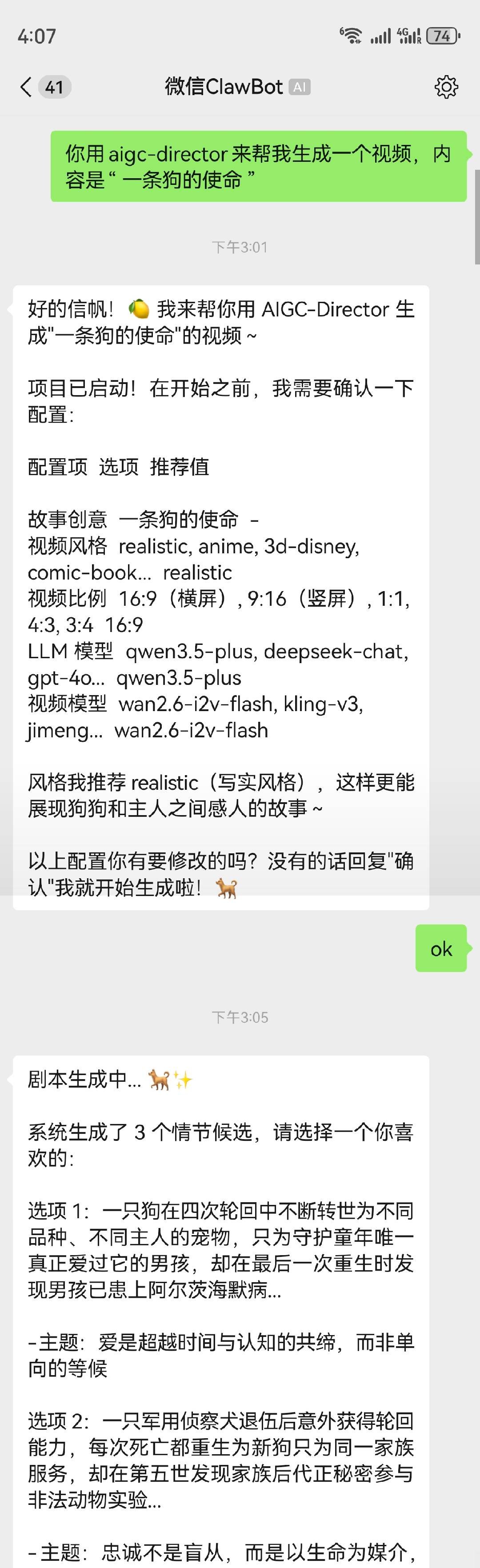
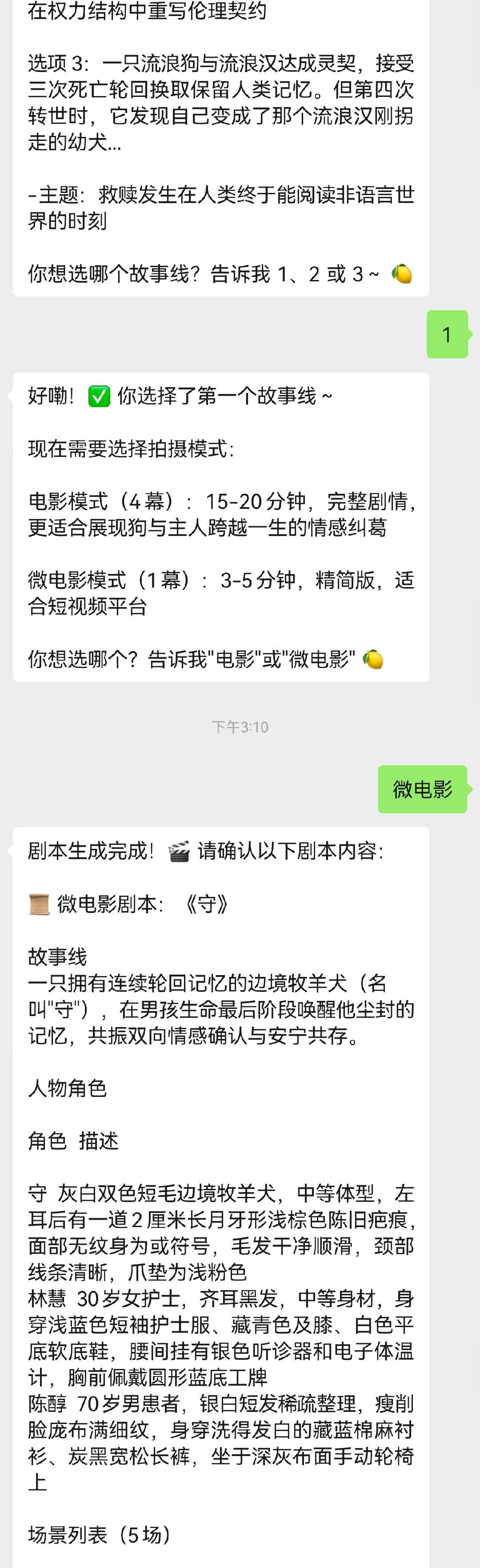
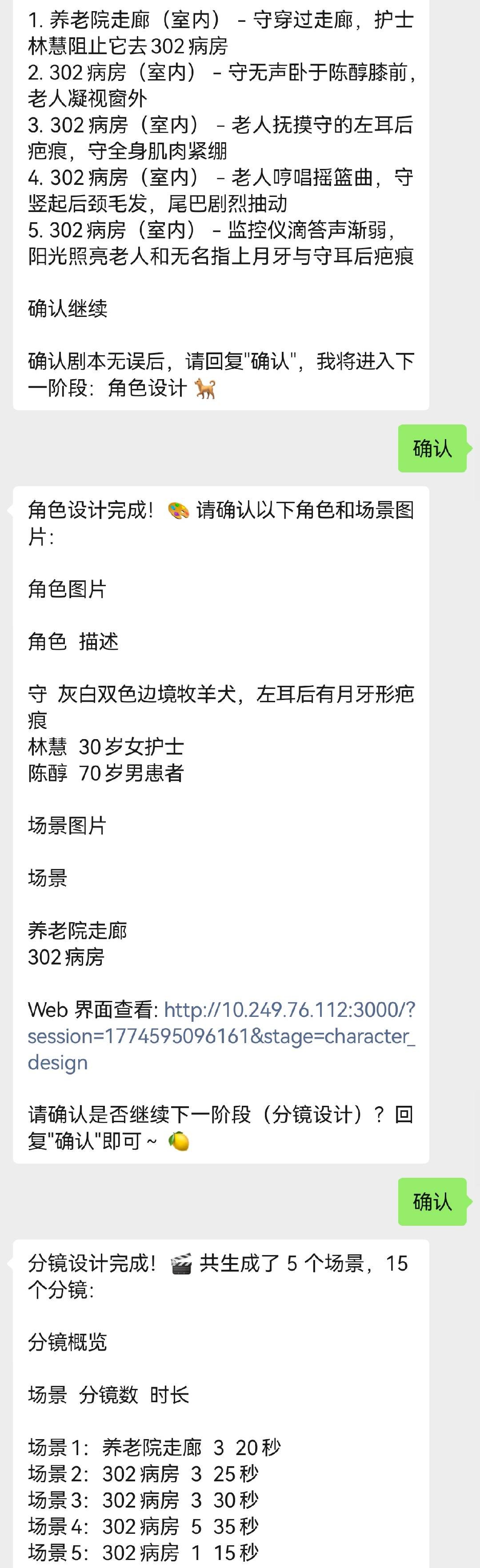
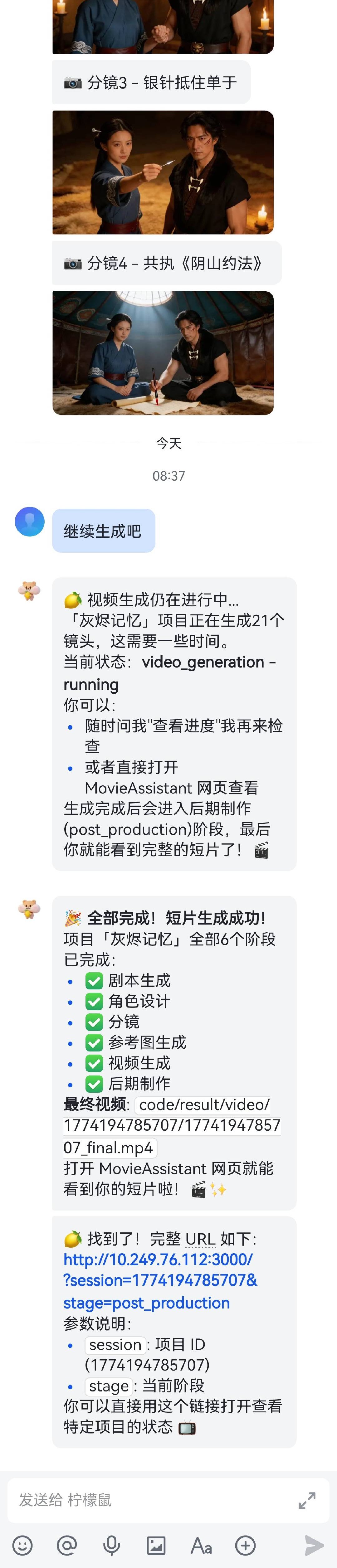
WeChat Interaction
 |
 |
 |
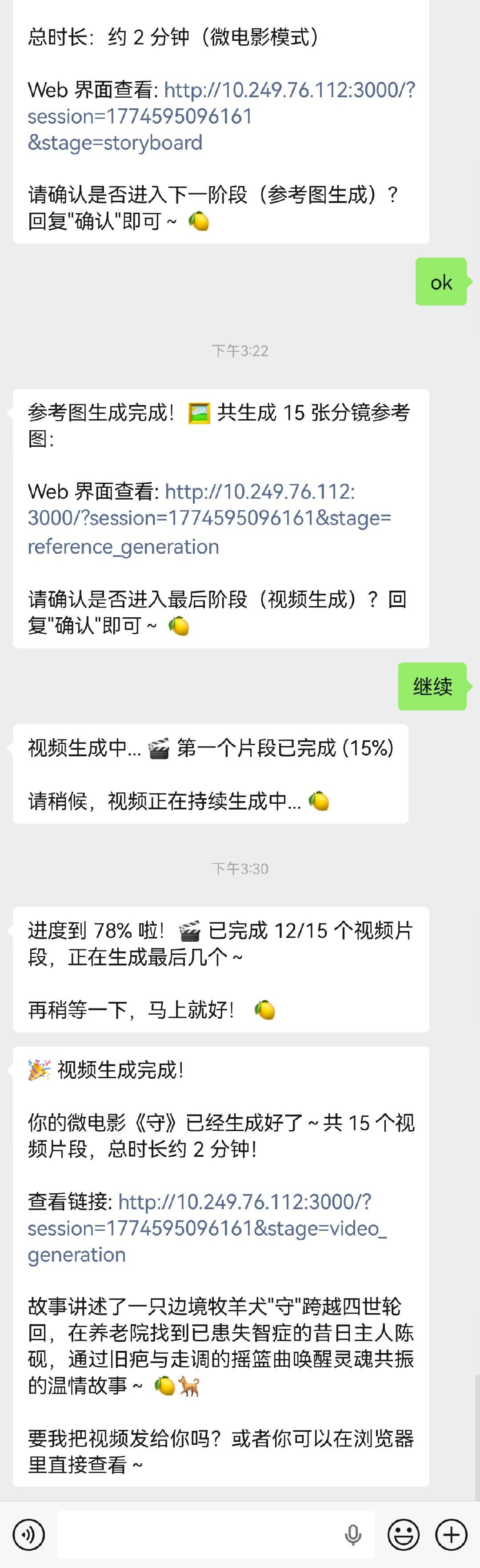 |
Feishu Interaction
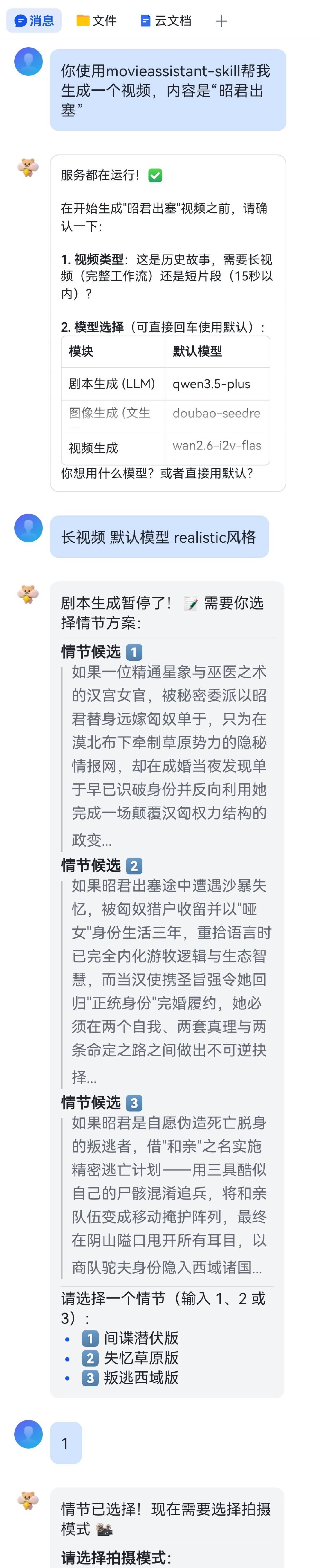 |
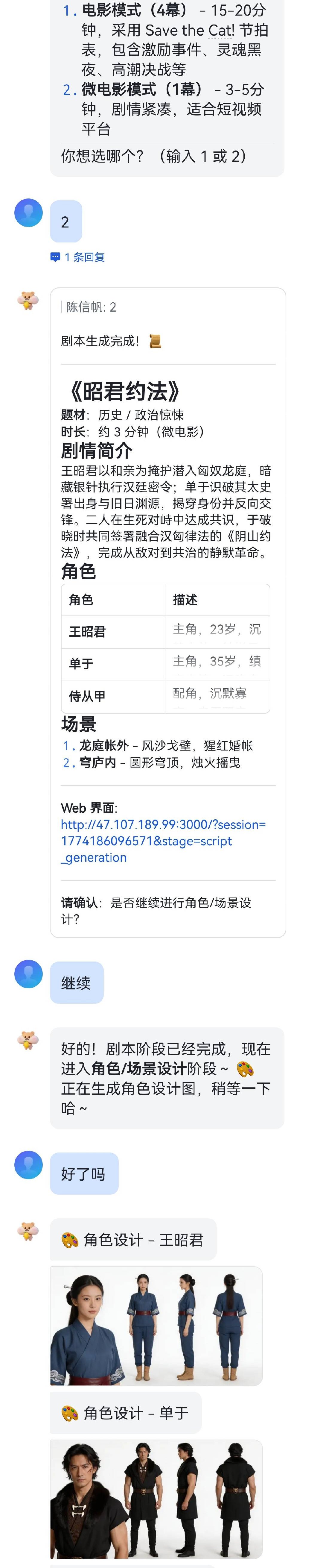 |
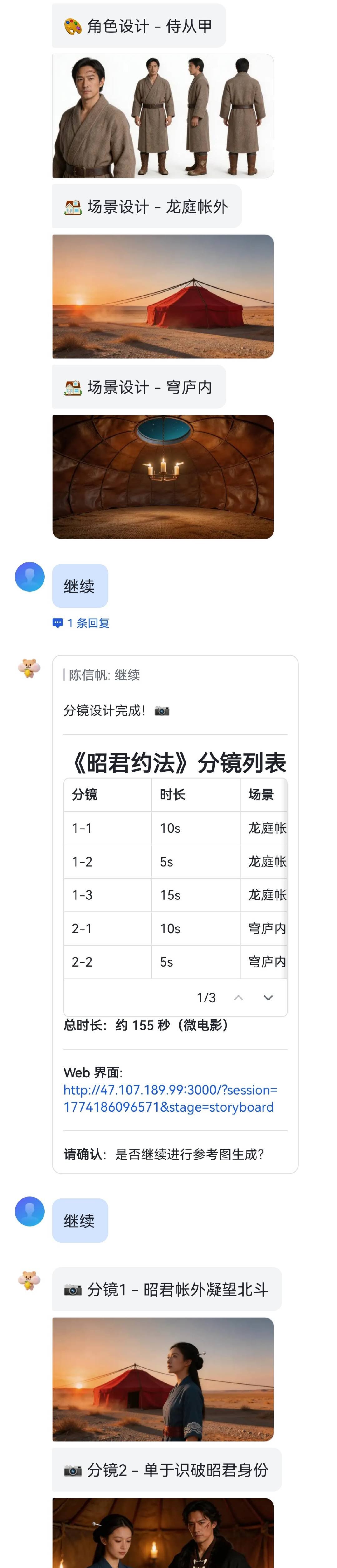 |
 |
✨ Features
| Capability | Description |
|---|---|
| 🎬 End-to-end generation from idea to final cut | Connects scripts, characters, storyboards, reference images, video clips, and post-production into one complete workflow, upgrading scattered generation abilities into a full video production pipeline. |
| 🖼️ Storyboard-driven controllable creation | Uses structured scripts, storyboard planning, and reference image generation to make character consistency, shot expression, and visual style more stable and controllable. |
| ✍️ Editable, continuable, and regenerable | Supports intelligent continuation of plots and storyboards, while also allowing character, reference image, and video stages to be edited and regenerated without starting from scratch. |
| 🧩 Lightweight Pipeline tasks | Supports three one-shot tasks: commentary-style short videos, action transfer, and digital human talking videos. They are suitable for batch generation of image/text or dynamic short videos, action-transfer videos, and talking-head videos. |
| 📲 Local deployment, multi-platform collaboration, and asset retention | Supports Web UI, WeChat / Feishu collaboration, OpenClaw Skill integration, and full-chain retention of scripts, images, video clips, and final outputs. |
🚀 Quick Start
Method 1: One-Click Installation (Recommended)
Linux / MacOS:
# 1. Clone the repository
git clone https://github.com/HITsz-TMG/VideoClaw.git
cd VideoClaw

# 2. Enter the app directory and run the installer
cd video-claw/video-claw
chmod +x install.sh
./install.sh

# 3. back to root dir
cd ../..
Windows:
# 1. Clone the repository
git clone https://github.com/HITsz-TMG/VideoClaw.git
cd VideoClaw

# 2. Enter the app directory and run the installer
cd video-claw\video-claw
install.bat

# 3. back to root dir
cd ../..
The installer checks Python, Node.js, npm, and ffmpeg, installs backend and frontend dependencies, copies backend/config.yaml.example to backend/config.yaml, and builds the frontend. After installation, fill in model service API keys in backend/config.yaml and confirm the main-workflow default models under models. You can also start the frontend and edit these settings from the "Settings" page at the bottom of the sidebar. Then start the services:
# Start backend
cd video-claw/video-claw/backend
uv run python api_server.py

# Start frontend in a new terminal
cd video-claw/video-claw/frontend
npm start
By default, the backend runs at http://localhost:8000, and the frontend runs at http://localhost:3000.
If you only want to install dependencies and skip the frontend build temporarily, run:
AIGC_DIRECTOR_SKIP_FRONTEND_BUILD=1 ./install.sh
Method 2: Manual Installation
# 1. Clone the repository
git clone https://github.com/HITsz-TMG/Video-Claw.git
cd Video-Claw

# 2. Configure and start the backend
cd video-claw/video-claw/backend

# Install backend dependencies
uv sync

# Configure backend YAML
cp config.yaml.example config.yaml
# Edit config.yaml, fill in API keys, and confirm main-workflow default models
# You can also use the frontend Settings page after startup

# Start backend
uv run python api_server.py
# Service runs at http://localhost:8000
# 3. Configure and start the frontend in a new terminal
cd video-claw/video-claw/frontend
npm install
npm run build
npm start
# Visit http://localhost:3000
If uv is not installed, you can also create a Python virtual environment manually and install backend dependencies with pip install -r requirements.txt.
Method 3: OpenClaw Auto Setup
Send this message to OpenClaw:
Please clone this git repository: https://github.com/HITsz-TMG/Video-Claw.git
Then recursively copy the video-claw folder inside Video-Claw to .openclaw/workspace/skills and use it as an AIGC-related skill.
When using it, it is recommended to explicitly say "use video-claw":
Use video-claw to generate a video with the content "A Dog's Purpose".
Method 4: Install via ClawHub
Make sure clawhub-cli is installed locally.
Open a terminal and run the following command. Choose yes for every prompt.
clawhub install video-claw
After installation, ClawHub will copy video-claw into workspace/skills or your specified skills directory.
Then you can follow Method 1 for one-click installation or Method 2 for manual setup, or let OpenClaw build and run the project for you.
The first time you use video-claw, if the project has not been built manually, OpenClaw will automatically build and start both the backend and frontend. This may take some time because setup involves dependency installation and compilation.
🔧 Configuration
Click to expand full requirements and configuration
Requirements
- Python: 3.9+
- Node.js: 18+
- npm: 9+
Backend Configuration
Backend configuration is stored in video-claw/backend/config.yaml using a lowercase hierarchical YAML structure. You can edit this file directly, or open the frontend "Settings" page from the bottom of the sidebar.
api_providersstores API keys, base URLs, and proxy toggles for each model provider.modelsstores default models for the main workflow home page. When creating a project, the frontend reads these defaults first and sends the concrete model parameters to the backend. The backend no longer silently chooses fallback models for the main workflow; missing model parameters will return an error.- Pipelines (Artistic Short Video, Action Transfer, and Digital Human Talking Video) do not use these main-workflow defaults. Choose their models separately on each Pipeline page.
Frontend Settings Page
After starting both the backend and frontend, open the "Settings" page from the bottom of the left sidebar. You do not have to edit YAML manually for common configuration:
- Fill in or update API Key / Access Key / Secret Key values for OpenAI, Gemini, DeepSeek, DashScope, Volcengine ARK, Kling, and other configured providers.
- Edit each provider's
base_url,enable_proxy, and the shared proxy addressapi_providers.common.proxy. - Select main-workflow default models, including
llm,vlm,image_t2i,image_it2i,video,video_ratio, andeval. - Saving writes the values back to
backend/config.yaml. API keys, proxy settings, and default models are read by newly created projects; service startup fields such asserver.hostandserver.portrequire restarting the backend to fully take effect.
project_name: Video-Claw

server:
  host: 127.0.0.1
  port: 8000
  debug: false

api_providers:
  common:
    print_model_input: false
    proxy: ''
  openai:
    api_key: your_openai_key
    base_url: https://api.openai.com/v1
    enable_proxy: false
  gemini:
    api_key: your_gemini_key
    base_url: https://generativelanguage.googleapis.com/v1beta
    enable_proxy: false
  deepseek:
    api_key: your_deepseek_key
    base_url: https://api.deepseek.com/v1
    enable_proxy: false
  dashscope:
    api_key: your_dashscope_key
    base_url: https://dashscope.aliyuncs.com/api/v1
    enable_proxy: false
  ark:
    api_key: your_ark_key
    base_url: https://ark.cn-beijing.volces.com/api/v3
    enable_proxy: false
  kling:
    access_key: your_kling_access_key
    secret_key: your_kling_secret_key
    enable_proxy: false

models:
  llm: qwen3.5-plus
  vlm: qwen3.5-plus
  image_t2i: doubao-seedream-5-0-260128
  image_it2i: doubao-seedream-5-0-260128
  video: wan2.7-i2v
  video_ratio: '16:9'
  eval: qwen3.5-plus
API Keys and Model Providers
| Provider | Config fields | Common use |
|---|---|---|
| OpenAI | api_providers.openai.api_key / base_url |
GPT text/vision models and OpenAI image models |
| Gemini | api_providers.gemini.api_key / base_url |
Gemini text and vision models |
| DeepSeek | api_providers.deepseek.api_key / base_url |
DeepSeek text models |
| DashScope | api_providers.dashscope.api_key / base_url |
Qwen, Wan image/video models, and related Alibaba Cloud services |
| Volcengine ARK | api_providers.ark.api_key / base_url |
Seedream image models and Seedance video models |
| Kling | api_providers.kling.access_key / secret_key / base_url |
Kling video generation |
You only need to fill in the provider keys required by the models you choose. For example, if the main workflow uses a doubao-seedream-* image model, configure ark.api_key; if it uses a wan* video model, configure dashscope.api_key. If you choose different models on a Pipeline page, make sure the corresponding provider key is also configured.
Available Models
| Type | Models |
|---|---|
| LLM | qwen3.6-max-preview, qwen3-max, deepseek-chat, deepseek-reasoner, deepseek-v4-flash, deepseek-v4-pro, gpt-4o, gpt-5, gpt-5.4, gemini-2.5-flash, gemini-2.0-flash, kimi-k2.6 |
| VLM | qwen3.6-plus, qwen3.6-flash, kimi-k2.6, gpt-5.4, gemini-2.5-flash-image, gemini-2.0-flash |
| Text-to-Image | wan2.7-image, wan2.7-image-pro, wan2.6-t2i, doubao-seedream-5.0/4.5/4.0, gpt-image-2 |
| Image-to-Image | wan2.7-image, wan2.7-image-pro, doubao-seedream-5.0/4.5/4.0, gpt-image-2 |
| Video Generation | wan2.7-i2v, wan2.6-i2v-flash, doubao-seedance-2.0 (Normal/Fast), kling-v3/v2.6/v2.5 |
Model information is defined in video-claw/video-claw/backend/models/config_model.py. The frontend and Pipeline APIs filter models by capability tags, such as text generation, image generation, image-to-video, action transfer, and TTS.
Artifacts and Storage
All tasks metadata and generated artifacts are stored under video-claw/video-claw/backend/code/.
Click to expand Storage Structure and Identifiers
📁 Storage Structure
video-claw/video-claw/backend/code/
├── data/
│   ├── tasks/                  # Pipeline task metadata (JSON)
│   └── sessions/               # AIGC-Claw session metadata (JSON)
└── result/
    ├── task/                   # Pipeline generated artifacts (by Task ID)
    │   └── <task_id>/          # e.g., 20260514_204946_961f95d9
    │       ├── audio_xx.mp3    # Audio segments
    │       ├── video_xx.mp4    # Video segments
    │       ├── storyboard.json # Storyboard data
    │       └── final.mp4       # Final combined video
    ├── image/                  # AIGC-Claw generated images
    │   └── <session_id>/       # By Session ID
    │       ├── Assets/         # Character and setting assets
    │       │   ├── characters/ # Character reference images
    │       │   └── settings/   # Setting reference images
    │       └── Scenes/         # Generated storyboard reference images
    ├── video/                  # AIGC-Claw generated videos
    │   └── <session_id>/       # By Session ID
    └── script/                 # AIGC-Claw generated script/storyboard data
🆔 Identifiers
- Task ID: Format:
YYYYMMDD_HHMMSS_RandomHash(e.g.,20260514_204946_961f95d9), used to uniquely identify a Pipeline task. - Session ID: Millisecond-level timestamp (e.g.,
1778810088325), used to associate interaction context and generated images in the main workflow.
🙏 Acknowledgments
The idea and design of Video-Claw were inspired by Pixelle-Video, AutoResearchClaw, huobao-drama, Flova, and libtv-skills.
📚 Related Work
| Framework | Paper Information |
|---|---|
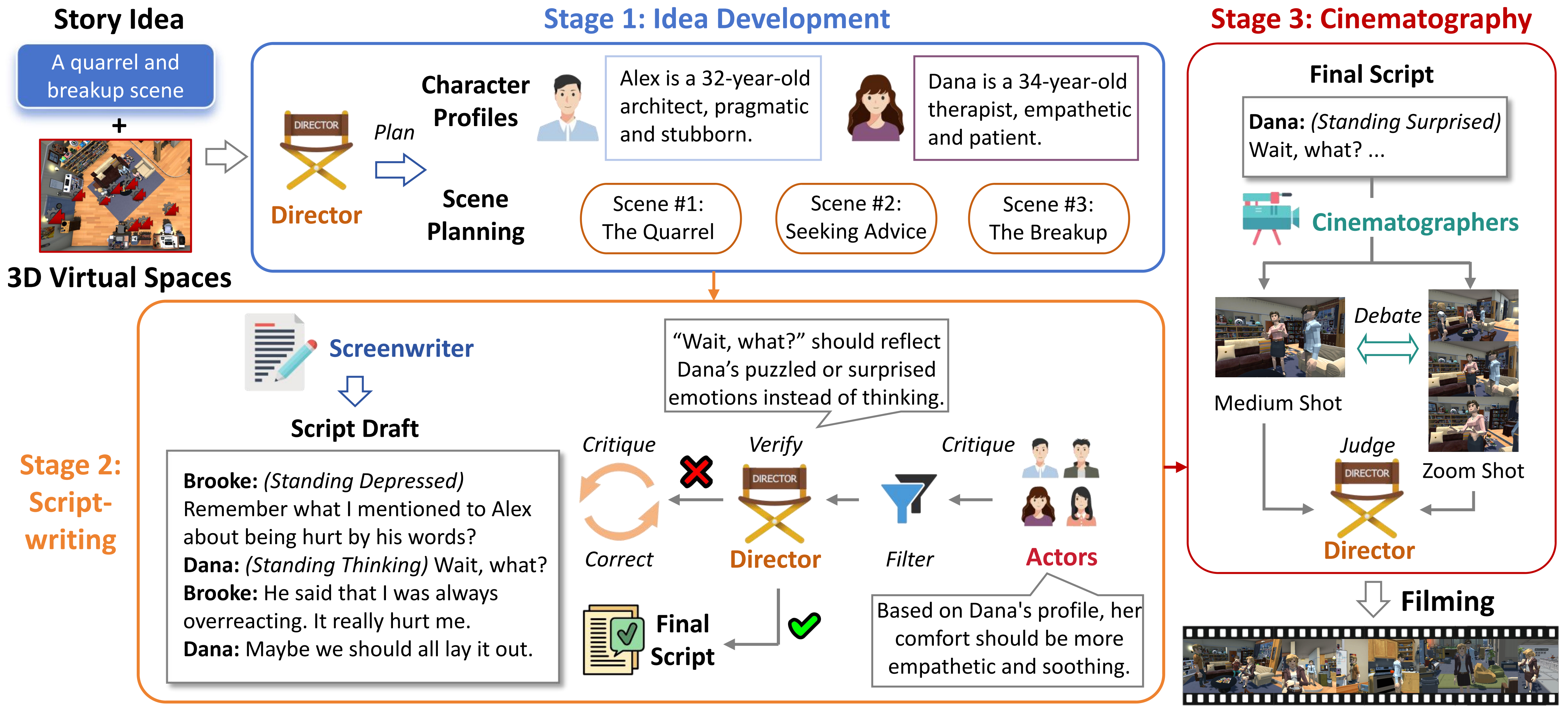 |
[SIGGRAPH Asia 2024] FilmAgent: Automating Virtual Film Production Through a Multi-Agent Collaborative Framework Zhenran Xu, Jifang Wang, Longyue Wang, Zhouyi Li, Senbao Shi, Baotian Hu, Min Zhang [Paper] [GitHub] |
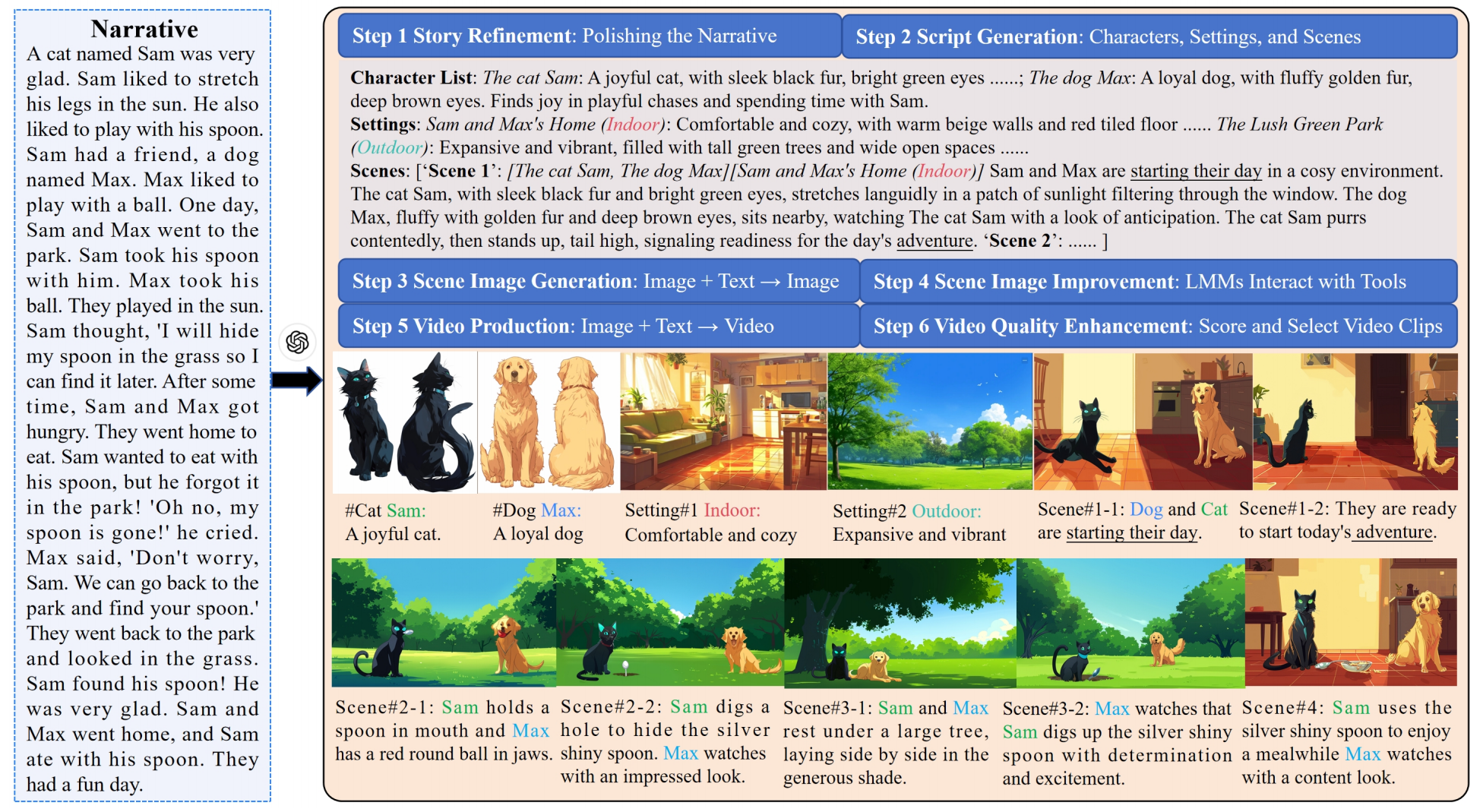 |
[SIGGRAPH Asia 2024] Anim-Director: A Large Multimodal Model Powered Agent for Controllable Animation Video Generation Yunxin Li, Haoyuan Shi, Baotian Hu, Longyue Wang, Jiashun Zhu, Jinyi Xu, Zhen Zhao, Min Zhang [Paper] [GitHub] |
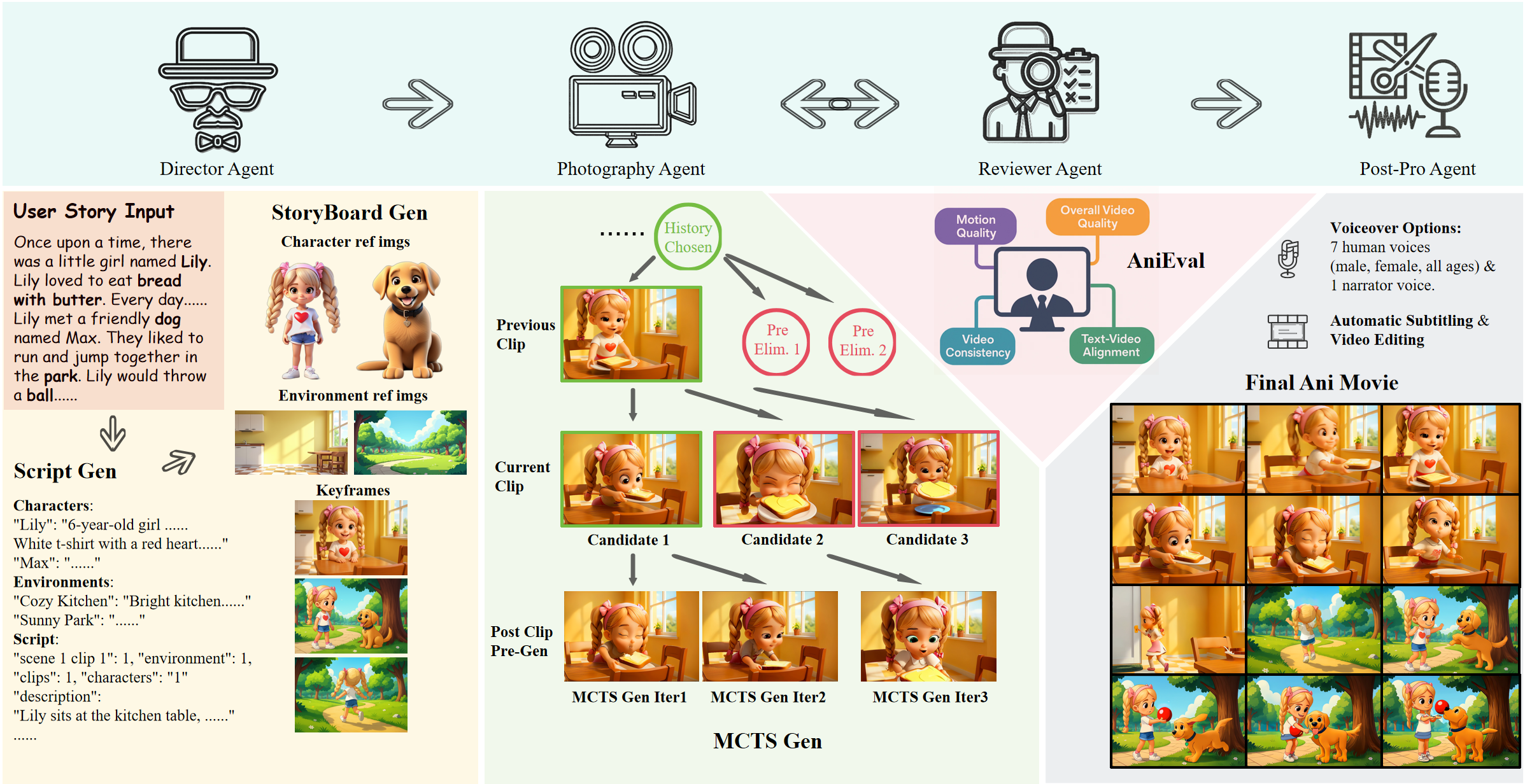 |
[SIGGRAPH Asia 2025] AniMaker: Multi-Agent Animated Storytelling with MCTS-Driven Clip Generation Haoyuan Shi, Yunxin Li, Xinyu Chen, Longyue Wang, Baotian Hu, Min Zhang [Paper] [GitHub] |
Built with 🦞 by the Lychee Agent team
Explore related projects
ytdl-org/youtube-dl
Command-line program to download videos from YouTube.com and other video sites
141,474 starsexcalidraw/excalidraw
Virtual whiteboard for sketching hand-drawn like diagrams
135,243 starsgodotengine/godot
Godot Engine – Multi-platform 2D and 3D game engine
119,656 starsmrdoob/three.js
JavaScript 3D Library.
117,745 stars