
HG-ha/Argusai
HG-ha/Argusai has 34 GitHub stars and 12 forks. GitHot measured 0 stars in 24 hours. Last checked 2026-11-15 04:43 UTC. Last push 2026-11-12.
Measured star growth
- in 24h
- 0
- in 7 days
- Collecting history
- in 15 days
- Collecting history
- in 1 month
- Collecting history
Net star changes over overlapping periods, not daily totals. Missing measurements are left blank. Stars measure attention, not software quality.
About
ArgusAI 是跨平台的 Agent 原生安全工作台,支持自主 Agent、多智能体协作、实时流量分析、全平台逆向、浏览器与桌面控制,以及持续巡检、威胁发现和主动报告。可直接使用 Claude Code、Codex、Cursor 等本地 Agent来驱动,完成规划、执行、验证与交付。同时还提供了丰富的IM渠道,支持在任意设备上与Argusai进行通讯
AIREADME.en.md
Original
ArgusAI
Give the Agent a goal. Let it do the work in ArgusAI.
Local workspace · Long autonomous runs · Proactive defense · Continuous security exercises




Documentation (中文) · Quick start · Architecture · In action · Automation · Releases · 简体中文 · Website
Agent across the workbench
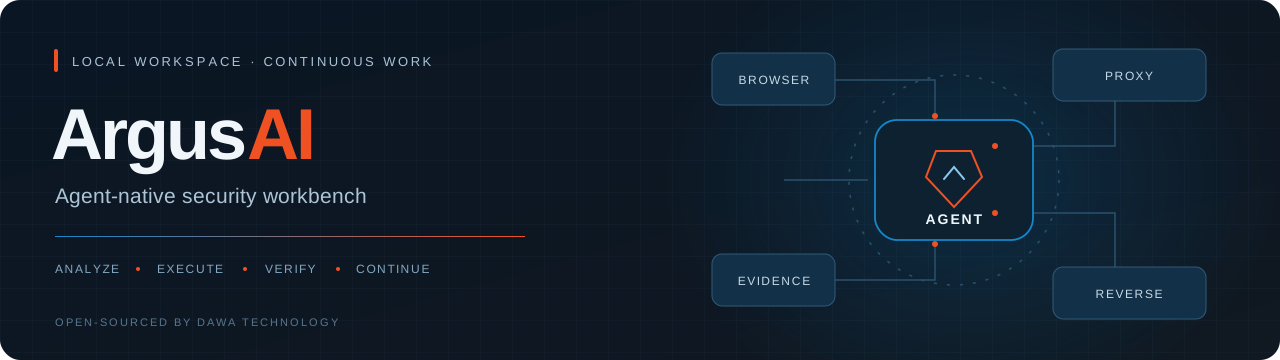
ArgusAI is an Agent-native security workbench open-sourced by DAWA Technology (达瓦科技). It puts an AI assistant, scan tasks, browsers, proxy traffic, reverse engineering samples and evidence in a local workspace, supporting internal-network defense, application defense, attack tracing and continuing security exercises through material review, controlled validation, reporting and remediation testing.
Give the Agent the goal, materials and authorized scope. It organizes scanning, browser, proxy, reverse engineering, knowledge and scheduled tasks, continuing through analysis, validation and delivery. The Agent is the default entry point for work; feature pages let you observe progress, inspect evidence and intervene when needed. The GUI, CLI and Python core connect to the same application capabilities.
The full conversation entry in the sidebar and the movable floating button both open the same Agent workspace. The Agent understands the current application page, the task or reverse job being viewed, and related work state. Reference specific materials so it can continue the work in front of you. Feature pages and conversations share the same tasks, samples and evidence.
The project is intended for internal security teams, application security engineers, researchers and explicitly authorized testers. Its general Agent runtime also supports file processing, routine information work and desktop collaboration; the built-in tools and workflows currently focus on security analysis and reverse engineering.
Workbench architecture
The main Agent plans around the goal, reads Skills, discovers tools and delegates to subagents or a persistent team as needed. Tools operate on stateful work objects: the Agent can inspect their current state, continue acting on the same object, and record steps and artifacts before reviewing the results, updating the plan and delivering or moving to the next stage.
flowchart TB
    Input["Desktop / floating entry / CLI<br/>Paired chat on a phone or other device"] --> Session["Session execution control<br/>session_id / run lock / runtime binding"]
    Events["Interval / Cron<br/>Webhook / file changes"] --> Session
    Session --> Native["AssistantSession<br/>Native endpoints / streaming provider<br/>Tool loop / progress guards"]
    Session --> ACP["Local Agent via ACP<br/>Codex / Cursor<br/>Claude Code"]
    Native --> Main["Main Agent / task coordination<br/>Plan, delegate and call tools<br/>Review state and results"]
    ACP --> Main

    Main -->|Delegate / collect results| Sub["Temporary subagents<br/>Separate history / workbench tool scope<br/>Native or ACP workers"]
    Main -->|Coordinate / review| Team["Persistent Agent Team<br/>Message sequence / read cursors<br/>Member execution inboxes"]
    Main -->|Read as needed| Skills["Skills<br/>Task methods and workflows"]
    Main --> Tools["Frozen tools[] / catalog<br/>Discover / invoke tools<br/>Query state / continue"]
    Sub --> Tools
    Team --> Tools
    Skills -.->|Methods| Tools

    Tools --> Web["Browser / MITM proxy<br/>Tabs / flows / paused requests<br/>Breakpoints, replay and HAR"]
    Tools --> Analysis["Scans / reverse engineering<br/>Task / ReverseJob<br/>Samples, derived artifacts, analysis"]
    Tools --> Execution["Sandbox / hosts / desktop<br/>Shell sessions / files / environments<br/>Scripts, SSH and devices"]
    Tools --> Knowledge["Knowledge / evidence / reports<br/>Cases, artifacts and evidence"]
    Tools --> Recall["Long-term and cross-session memory<br/>Search → session / message locators<br/>Paged history and archived references"]
    Tools -.-> Extensions["Optional tools and integrations<br/>MCP / external scanners<br/>Ghidra / Frida / JADX"]
    Web --> Review["Main Agent reviews<br/>State / steps / evidence"]
    Analysis --> Review
    Execution --> Review
    Knowledge --> Review
    Recall -->|Verify earlier work and related tasks| Review
    Extensions -.-> Review
    Review --> Delivery["Reports / PoCs<br/>Summaries and session sandbox files"]
    Delivery -.->|Remote delivery as agreed in the task| Outbox["Paired identity → Outbox<br/>Adapter sends<br/>Delivery status checks"]
    Review -->|Update plan / continue / retest| Main
    Sub -.->|Completion notice / eligible parent wake| Main
    Team -->|Queue public messages / respond or pass| Team
    Team -.->|Read chat and artifacts| Review
Domain tools and Skills are discovered and used as needed. The session sandbox provides files and a script environment; browser, proxy and scan services, and external Agents, use their own execution environments. See execution loops and wakeups for control flow, and architecture and development for module entry points.
Runtime design
Conversation history, execution state, streaming events and domain artifacts are managed separately, connected by run identities and material references. Long tasks and multi-Agent work use these mechanisms:
| Design | Implementation |
|---|---|
| Run identity and execution ownership | session_id identifies the conversation, durable job_id the run, and temporary run_id the incremental event stream. A resumed run can open a new stream. The session lock is released after the worker actually exits; atomic snapshots and ordered JSONL events preserve run state. |
| Stable control surface and capability catalog | The native session's core tools[] and system tool catalog are frozen. tool_search returns domain schemas and invoke_catalogue_tool executes them without growing the permanent tool array. Skills use a shortlist followed by reading selected content. |
| Stateful tools and continued operation | The model uses object IDs, steps and material references; the host manages resources and their lifecycles. Browser tabs, proxy flows and paused requests, interactive shells, Tasks and ReverseJobs expose state queries and further actions. Todos track phases, completion criteria, blockers and evidence so work can proceed from the current state. |
| Context budgets and protocol repair | Before native model calls, old tool results and early conversation chunks are compacted, and tool-call/result adjacency is repaired. Selected high-value results retain complete Artifacts while the model continues with summaries and artifact_ref, reading originals when needed. |
| Long-term and cross-session recall | Summaries, keyword indexes and session history are separate. The index retains excerpts of all visible user messages and detail from the latest 600 messages. search_memory / search_all_memory locate earlier sessions and messages; list_session_messages / read_session_message or read_assistant_session read pages or individual entries. Where archive references exist, case_id / artifact_ref lead to original artifacts. |
| Resource-aware tool batches | The native tool loop batches consecutive read-only calls according to permitted concurrency and non-conflicting resource keys. Mutating, control and pending-confirmation calls retain their execution boundaries. Results are committed in the original call order. |
| Permissions and capability projection | Catalog calls resolve the real tool before policy, confirmation and execution. Todo plan approval, individual tool decisions and readonly/scoped child tool sets have separate roles; delegated capabilities and confirmation mode determine child permissions. |
| ACP sessions and the tool bridge | ACP negotiates initialize → session/new or load → prompt. Workbench tools use a loopback MCP broker with a random session token and a per-binding lock for ordered confirmation and execution. External Agents manage their own tools through their runtime. |
| Collaboration queues and conditional wakeups | Subagents retain separate histories and tool scopes. Team Room sequence numbers and read cursors are separate from member execution inboxes. Busy members retain input, with batching, deduplication and optional passing; completion notices are recorded and batched before attempting an eligible parent wakeup. |
| Durable scheduling control | A data-root host lease and execution lock coordinate scheduling. Jobs, run records, event queues and file baselines use atomic persistence. Signed Webhooks, file changes and time rules target existing, job-owned or new sessions, carrying checkpoints and task materials forward. |
| Material references and derivation | Case Artifacts store original bytes, SHA-256 and size; Evidence links materials, interactions and Findings. ReverseJob tracks samples and derived files. Scan reports, artifact_ref and rev:// have their own storage and retrieval paths and can be explicitly linked. |
| Streaming events and the UI protocol | Text deltas produce text_chunk; tool results and confirmations produce block_upsert. The UI protocol normalizes block identity, versions and actions for each surface. StreamHub serves in-memory events by offset, separately from the durable RunJob journal. |
| Channel outbox and delivery receipts | Files from the executing session's sandbox are routed by paired identity into a durable Outbox. A sender worker claims a lease, calls the Adapter, records part-level progress and retries within a limit. channel_delivery_status distinguishes pending, processing, sent and failed, preserving provider errors. |
See Agent runtime and data flow for threads, event streams, storage, key functions and design boundaries.
The Agent works continuously with stateful tools. It can keep operating on the same browser tab, inspect existing proxy flows and paused requests, send further commands to an interactive shell, or continue a ReverseJob from its samples, analysis and derived artifacts. Todos track steps, tasks and jobs expose state, and evidence references connect stage outputs. The Agent uses this information to choose its next action. Live connections, running processes and durable records have separate lifecycles; continuing work starts with checking state and deciding whether to reuse a resource or recreate its environment. See stateful tools and continued operation for examples.
Retrieve earlier work when it matters. The Agent forms search queries, refines them when needed, locates previous sessions, messages and task references, then reads original text and evidence and checks the related task's current state before continuing. Searchable long-term records can extend far beyond a single model request's context window; only relevant material is brought into the current turn. Search covers saved sessions in the current local data environment; queries from ordinary incoming channel messages are also limited by the paired identity's accessible sessions. See cross-session memory and task handoffs for usage examples.
Use model endpoints or a local Agent. Configure AI endpoints directly, or connect locally installed and signed-in Agents such as Codex, Cursor and Claude Code through ACP. They can work inside ArgusAI and call workbench capabilities through its tool bridge. An ACP main conversation does not require a separate native ArgusAI model endpoint; native subagents, team members and other AI analysis tasks use their own runtime and model configuration.
Continue work on PCs and servers from your phone. Pair QQ, Feishu, Telegram or another supported channel to send tasks, check progress and receive reports and files from a phone, tablet or another computer. The Agent uses SSH, MCP or other connections configured on its work host to operate reachable computers and servers. Desktop control acts on the desktop hosting the tool, and results can return to the paired channel. See integrations and messaging.
For delivery after completion, include “Send the summary and report files back to this paired channel, then verify delivery” in the task's acceptance criteria. Ordinary channel replies can use channel_reply for the exact inbound identity; proactive messages use channel_send_message, and files use channel_send_file, subject to routing and tool confirmation policy. Queue acceptance means delivery was requested; sent means the send interface succeeded, not that the recipient read it. A scheduled task's report_to_origin reports to the application conversation that created it; agree separately on channel recipients and artifacts for QQ or other platforms.
In action
Desktop Agent

|
CLI

|
Sandbox preview

One workspace for analysis and execution
Conversations, floating entry and teamsSupports autonomous execution on the scale of tens of hours within one Agent turn, combining tool use, Skills, plans and todos with context compaction, evidence archives and progress checks. Persistent teams divide work by role, model and tool scope. The conversation menu and floating button open the same Agent workspace. The button shows running and unread states; expand it to continue a conversation, review tool steps and handle confirmations. Each conversation saves its own model and auto-approval state. Agent entry points, teams and session settings → |
Durable tasks and discoveryInterval, Cron, signed Webhook and file-change triggers, running in a new conversation, a job-owned conversation or an existing one. Resume from checkpoints, schedule patrols, compare baselines and report changes. Scheduling, continuation and patrols → |
Web auditing and trafficBuilt-in web checks, live browser viewing and takeover, raw requests and replay; HTTP/1.1 and HTTP/2 MITM, WebSocket capture, breakpoints and optional rewrites. Import HAR and Burp logs to bring existing materials into an investigation. Scans, browser and proxy → |
Reverse engineering workspaceOrganize JS, WASM, APK, IPA, PE, ELF and HAR in ReverseJobs, linking triage, extraction, decompilation, dynamic observations and evidence. Connect external tools such as JADX, APKTool, Ghidra, Frida, capa and yara as needed. Samples and reverse tasks → |
Evidence, memory and knowledgeThe Agent actively searches long-term and cross-session memory to recover earlier discussions, task references and conclusions outside the current model window, reading original text and evidence as needed to continue the work. Cases, Artifacts, Evidence and findings remain linked; knowledge and large-output archives provide traceable material for review. Export scan reports as HTML, Markdown and JSON for your deliverables. Enterprise workflows and outputs → |
Tools and extensionsPython Checks, Agent Tools, Markdown Skills, MCP, local ACP agents, paired QQ/Feishu/Telegram and other messaging channels, and desktop automation. QQ supports the official QR binding flow as well as manual App ID / Client Secret setup. Channels support platform-adapted live stages and multi-bubble Orchestrate external scanners and specialist workflows for cloud, IaC, SBOM, offline traffic and firmware. Integrations and tool dependencies → |
Describe a goal in the full conversation or through the floating entry, such as “Continue the current application audit, refine the plan, advance the analysis within scope, and preserve evidence.” The Agent organizes tool execution around the task. Open feature pages to inspect progress and results; when more material is needed, drag a sandbox file onto the floating button to reference it in the conversation and continue.
Built-in checks, skill-guided workflows and external integrations handle different parts of the process. The Wiki manual describes their inputs, dependencies and usage. The Wiki's primary documentation is in Chinese; this page provides the English project overview and quick start.
Continuing execution and proactive discovery
Autonomous turns spanning tens of hours
ArgusAI supports autonomous execution on the scale of tens of hours within a single Agent turn. A turn is one user task containing repeated model and tool calls, not one HTTP or model request. The runtime has no fixed model/tool round-count ceiling. Its default emergency wall-clock limit is 7 days, with progress checks, loop detection, cancellation and deadline handling retained.
This is a runtime configuration and control-flow capability. Actual duration depends on the task, model quota, tools, resources and authorization. Long investigations, sample batches and multi-stage validation can progress within one turn; durable tasks and the scheduler carry work across turns or resume it on a later event.
The native runtime keeps a stable core control surface and discovers domain tools through the catalog. Before model requests it manages history against the context budget; large results can use summaries and artifact references. When earlier work is needed, the Agent searches memory and reads relevant sessions, tasks and artifacts before returning to the current loop. The sequence below connects recall, turn continuation, parent wakeups and background status queries. ACP conversations use the selected external Agent's reasoning loop.
sequenceDiagram
    participant U as User / session entry
    participant A as Main Agent runtime
    participant M as Model
    participant T as Tools / subagents
    participant S as State and artifacts
    U->>A: Goal, materials or continuation request
    loop Work remains actionable and runtime conditions allow
        A->>M: Stable core tools / budgeted context
        M-->>A: Next call, delegation or wait
        alt Invoke workbench capabilities
            A->>T: Discover tools, read Skills, create or select a work object
            T-->>A: Object ID / current state / existing materials
            A->>T: Choose next action from state, confirm and act on the same object
            T-->>A: Updated state / results / evidence references / job receipt
        else Recall earlier work
            A->>T: search_memory / search_all_memory
            T-->>A: Session and message locators, task and artifact references
            A->>T: Read history pages, verify tasks and archives by ID
            T-->>A: Relevant original text and evidence references
        else Short wait in the current turn
            A->>A: wait_for_duration, returns when due, cancellable
        else Wait for subagents
            A->>T: wait_for_agents
            T-->>A: Status after completion, timeout or user interjection
        else Query a background job
            A->>T: background_job_status(job_ref)
            T-->>A: Current status or results, wait and query as needed
        end
        A->>S: Update Todo / checkpoints, save needed artifacts
        S-->>A: Summaries, references and next-step context
    end
    opt Subtasks end, parent is idle and eligible to continue
        T-->>A: Batched agent_completion notice wakes the parent
        A->>M: Read results, continue review and reporting
    end
    A-->>U: Deliver / wait for input / explain why the turn stopped
A user interjection can end wait_for_agents while workers continue; wait_for_duration is a cancellable short wait. Ordinary background jobs are queried by job_ref, while persistent teams coordinate through chat and member queues. The scheduled tasks below can also supervise that work.
Cross-turn continuation and events
The Agent stores progress in todos, checkpoints, knowledge and artifacts. The scheduler reconnects that work on the next trigger.
flowchart TB
    Register["Configured persistent task"] --> T
    T["Interval / Cron<br/>Signed Webhook / file changes"] --> Scheduler["Scheduler<br/>Host lease / execution lock"]
    Scheduler --> Ready{"Session available?"}
    Ready -->|Busy| Busy["Defer and check again<br/>May skip after the deferral window"]
    Busy --> Waiting["Wait for a later check, time or event"]
    Ready -->|Available| Destination["Execution destination"]
    Destination --> Existing["session<br/>Wake a specified conversation"]
    Destination --> Dedicated["dedicated_session<br/>Create once, then reuse"]
    Destination --> New["new_session<br/>A separate conversation each run"]
    Existing --> Context["Read the task context, Todo,<br/>checkpoints, knowledge and artifact references"]
    Dedicated --> Context
    New --> Context
    Context --> Run["Execute the next stage<br/>Patrol / analyze / validate<br/>Check team or background work"]
    Run --> Save["Save progress and artifacts<br/>Compare baselines / update checkpoints"]
    Save --> Notify["Notify by policy<br/>Optionally report to the origin conversation"]
    Notify --> Enabled{"Enabled and eligible?"}
    Enabled -->|Continue| Waiting
    Waiting --> T
    Enabled -->|Disabled / run limit reached| Stop["Stop future triggers<br/>Keep records and artifacts"]
    Scheduler -->|Disabled / run limit reached| Stop
New conversations carry work through explicit task context, knowledge and artifacts; existing and job-owned conversations retain their own history. Finishing one run can leave the schedule waiting for its next trigger. The Agent disables it as agreed when the objective is met, or it stops through user action or its run limit. The scheduling host must remain running, and each scheduled execution has its own deadline.
| Trigger | Useful work |
|---|---|
Fixed interval interval |
Periodic patrols, background scan progress, new traffic review |
Calendar rule cron |
Daily asset review, weekly exposure checks, scheduled briefings |
Signed event webhook |
Follow-up on test builds, external alerts or other process events |
File changes file_change |
Analyze changes in logs, reports or a sample directory |
Choose the execution destination independently of the trigger:
| Destination | How context continues |
|---|---|
New conversation per run new_session |
Separate transcripts; task context, knowledge and artifacts carry required state |
Job-owned conversation dedicated_session |
The task accumulates records across runs in its own conversation |
Existing conversation session |
Continue with that conversation's history, todos and checkpoints |
Long tasks can use max_runs=0 to run without a fixed execution-count limit. Each turn reads checkpoints, performs the next step and saves state. This durable, segmented continuation, together with context compaction and evidence archives, supports long investigations, recurring patrols and multi-stage work. The scheduler, models and tools must remain available; information, resources and authorization still determine whether each turn can proceed.
Example tasks: patrols and change notifications
Review the authorized test services each day during the agreed window, following the procedure stored in the knowledge base. Compare previous records for new assets and configuration changes, and preserve evidence. Stay quiet when nothing changes. Notify me about new risks, execution failures or required human action. Do not rewrite traffic, remediate systems or expand scope.
Continue the unfinished analysis in this conversation. Read the todos and latest checkpoint first, avoid repeating completed steps, and save progress each turn. Report what is missing when you need input from me. When the work is complete, stop continuation and organize the conclusions.
The automation manual covers triggers, destinations, run counts and notification policies.
Enterprise workflows
| Work area | Inputs and process | Work materials |
|---|---|---|
| Internal-network defense | Define authorized IP/CIDR, host and SSH scope; discover assets and analyze service exposure. On hosts with configured SSH, read listening ports, firewall summaries, failed logins and critical service versions, then compare baselines | Asset coverage, exposure changes, risk priorities, hardening recommendations and raw evidence references |
| Application defense | Combine staging targets, test identities, API materials, HAR/JS and business logs with web checks, browser and proxy analysis; review configuration, authentication, access control and unusual requests, then test remediation | Interface and risk inventories, reproducible requests, request/response evidence, remediation guidance and retest records |
| Attack tracing | Review business logs, host audit, proxy traffic and supplied WAF/EDR/SIEM alerts within a selected time window; correlate timestamps, accounts, IPs, processes and request identifiers to test hypotheses | Event timelines, evidence relationships, observed facts versus inferences, confidence and evidence gaps; attribution follows the available evidence |
| Continuing security exercises | Within authorized assets and agreed labs, combine long Agent turns, periodic jobs and event triggers to connect exposure discovery, separately authorized controlled validation, detection evidence review and remediation testing | Exercise chains, detection coverage and gaps, change notifications, review materials and reusable skills and defensive check procedures |
Alerts and remote state come from materials supplied by the user or configured tools, with checks and validation organized within the authorized scope. The responsible team reviews vulnerability conclusions, risk acceptance, production changes and incident response decisions. See enterprise workflows for inputs, review points and deliverable organization.
Quick start
Two editions: Desktop includes the GUI and full CLI. Shell provides command-line access for servers and SSH sessions, retaining Agent, channel, task, proxy and reverse-analysis capabilities. Shell archives contain shell in their names and do not require desktop WebView components; external runtimes such as browsers are still needed for the features that use them. See Releases for stable and preview packages, and installation for instructions.
The current version is 0.1.12. Download the prebuilt package for your platform and its .sha256 from Releases, then follow installation to verify and install it. The terminal examples use an argusai command entry. Without one, use .\ArgusAI.exe from the Windows installation directory or ./ArgusAI from the extracted Linux directory; see the CLI reference for the macOS entry.
argusai version --json
argusai --gui
argusai chat
On first launch, choose a data directory and configure native AI endpoints and models, or select a locally installed, signed-in and tested ACP Agent. Check browser and external tool paths as needed. Open the full Agent conversation or floating entry and give the Agent the goal, materials and constraints so it can plan and start work. For a first task, provide an approved HAR or JS file and ask the Agent to inventory interfaces, identify leads and archive evidence, then inspect the results on the relevant feature pages.
| Entry point | Start with | Read next |
|---|---|---|
| Full Agent conversation | Open or create a conversation from the sidebar, then give the Agent a goal to execute | Agent and sessions |
| Agent floating button | Continue current work from a feature page; drag to reposition and check running/unread indicators | Floating entry and workbench assistance |
| Launch the desktop | Installed desktop entry, or argusai --gui |
Quick start |
| Interactive terminal | argusai or argusai chat |
CLI reference |
| Release package | Download the published package and .sha256 from Releases |
Installation |
Windows needs WebView2 Runtime; Windows ARM64 also needs the native Microsoft .NET Desktop Runtime. macOS desktop automation requires system permissions. Linux needs GTK and WebKitGTK desktop libraries. External models, scanners, reverse CLIs and devices are prepared for the features you use; see installation.
Source development, build and release
Source execution needs Python 3.12+, uv, Node.js 18+ and npm. Prepare dependencies and build the frontend from the repository root:
uv sync --locked
npm --prefix argusai/webui ci
npm --prefix argusai/webui run build
uv run argusai --gui
All three platforms use the Python build entry point. Run on the target system with an environment for the target architecture:
uv run --locked --group build python build.py --help
uv run --locked --group build python build.py --dry-run
uv run --locked --group build python build.py --jobs 2
Use --nsis on Windows, --dmg on macOS or --onefile for a single executable. Linux also creates a release archive. Build and release covers dependencies, signing, checksums and the GitHub Actions workflow.
Read AGENTS.md for development rules and architecture and development for extension points. Run tests with uv run pytest, and use npm --prefix argusai/webui run dev for frontend development.
Documentation map
The linked Wiki pages below are primarily in Chinese.
Data and scope of use
Sessions, tasks, knowledge, reverse artifacts and logs are stored under the configured data directory. AI requests go to user-configured services; search, downloads, messaging and out-of-band verification may also contact external services. Session file and runtime separation organizes execution; actual access remains subject to tool authorization and host permissions.
Use ArgusAI on systems you own, explicitly authorized assessments and isolated labs. Establish authorization for targets, methods, time windows and impact. Review model conclusions and assess active scans, traffic rewrites, dynamic instrumentation and production schedules. See data and scope of use.
License
Except for third-party content with separate notices, ArgusAI is licensed under GNU GPL version 3 only (GPL-3.0-only). Later versions are not automatically permitted. Individuals and businesses may use, modify and commercially use it under this license; business use does not require a separate software license purchase.
When distributing the program or a combined work covered by the GPL, provide the Corresponding Source, preserve copyright and license notices, and meet the other applicable GPLv3 conditions. See LICENSE for the complete terms.
Bundled third-party components retain their own licenses; see THIRD_PARTY_NOTICES.md for their scope and notices. DAWA Technology may provide paid deployment, integration, customization and technical support services. These services do not change the rights granted by the GPL.
Participate
Contribute reproducible issues, tool adapters, checks, Skills or interface improvements. Include the version, operating system, reproduction steps and redacted logs. Preserve third-party tool and vendor license notices.
Contributions use the license applicable to the relevant files: GPL-3.0-only for project code and the original licenses for third-party content. Contributors retain their copyright.
Report an issue · Development rules · Architecture · Wiki maintenance
Open-sourced by DAWA Technology (达瓦科技) · HG-ha/Argusai