
FrzMtrsprt/QtUnblockNeteaseMusic
FrzMtrsprt/QtUnblockNeteaseMusic has 710 GitHub stars and 21 forks. GitHot measured 0 stars in 24 hours. Last checked 2026-11-15 19:28 UTC. Last push 2024-09-05.
Measured star growth
- in 24h
- 0
- in 7 days
- Collecting history
- in 15 days
- Collecting history
- in 1 month
- Collecting history
Net star changes over overlapping periods, not daily totals. Missing measurements are left blank. Stars measure attention, not software quality.
About
A desktop client for UnblockNeteaseMusic, made with Qt.
Creative & MediaREADME_en.md
OriginalQtUnblockNeteaseMusic


A desktop client for UnblockNeteaseMusic, made with Qt.
Features
- Choose the UNM server's starting arguments
- Remembers the options from the last run in a config file
- View real time log output from the server
- Dark theme support
Supports
The original nondanee/UnblockNeteaseMusic
The enhanced UnblockNeteaseMusic/server
Screenshot
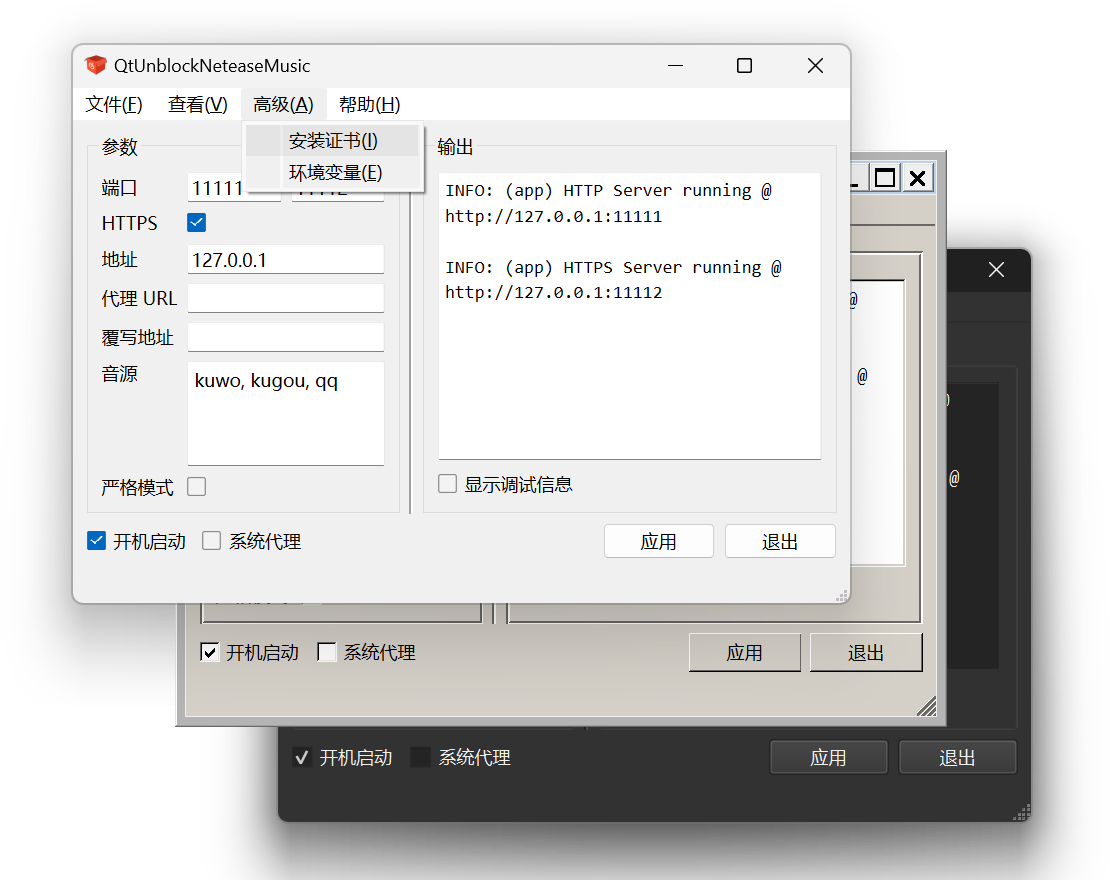
Usage
- Download the latest version from releases
- Install Node.js Runtime if you wish to use script server instead of packaged executable
- Download the server from nondanee/UnblockNeteaseMusic or UnblockNeteaseMusic/server, and place it in the same directory with
QtUnblockNeteaseMusic.exe
orQtUnblockNeteaseMusic ├─ ... ├─ QtUnblockNeteaseMusic.exe └─ server ├─ ... └─ app.jsQtUnblockNeteaseMusic ├─ ... ├─ QtUnblockNeteaseMusic.exe └─ unblockneteasemusic.exe - Run
QtUnblockNeteaseMusic.exeand set the necessary arguments - Set the proxy in the Netease Cloud Music client accordingly & enjoy!
[!IMPORTANT] When used on your personal devices, avoid using the default
8080port, and change the host address to127.0.0.1to avoid unwanted access from others.
[!NOTE] Newer client versions have stricter SSL verification, so if you encountered the "connection failed" issue, enable the HTTPS port and install UnblockNeteaseMusic CA certificate. Right click on
QtUnblockNeteaseMusic.exe, selectRun as administrator, and clickInstall certificatein theAdvancemenu.
Build
- Set up the Qt development environment (Qt 6.4+)
- Clone the repository
- Open the project in Qt Creator / VS Code (extra extensions needed)
- Compile & Run
- If you want to generate a complete package with libraries,
copyQtUnblockNeteaseMusic.exeto a new directory and runwindeployqt.exe .\QtUnblockNeteaseMusic.exe
Thanks
This little tool wouldn't have been made possible without these incredible projects:
- Qt: Providing a powerful but easy-to-use development framework
- nondanee/UnblockNeteaseMusic: The project that started everything
- UnblockNeteaseMusic/server: Maintaining and enhancing the UNM server
To be solved
- The log output from the enhanced server is messy (#791) Fixed in upstream (#798)
- Build everything with cmake Done
There's a bug in Qt 6 preventing lupdate from working with CMake, thus we have to lupdate manually - Untested/unsupported on macOS, Linux, and Windows 8 or lower
- Better update checking / auto update
- I'm a newbie