Fr33dan/GPSaveConverter
Fr33dan/GPSaveConverter has 635 GitHub stars and 58 forks. GitHot measured 0 stars in 24 hours. Last checked 2026-11-16 18:50 UTC. Last push 2026-11-15.
Measured star growth
- in 24h
- 0
- in 7 days
- Update delayed
- in 15 days
- Update delayed
- in 1 month
- Update delayed
Net star changes over overlapping periods, not daily totals. Missing measurements are left blank. Stars measure attention, not software quality.
About
Utility to transfer save files between the games installed from the Xbox app and other storefronts. https://ko-fi.com/fr33dan
Creative & MediaREADME.md
OriginalPC Gamepass Save File Converter
Games available through PC Game Pass or purchased via the Xbox app keep their save files in an arbitrary file structure. This means if you purchase a game on another storefront, moving your save files to or from the Xbox version is extremely difficult. This software aims to make that process easy.
Finds games by listing any Microsoft Store package with a wgs folder (believed to stand for "Windows Game Save"). This means some non-game applications may be shown.
There is an extremely small (as of now, at least) game library that contains the locations of non-Xbox save files. Some other game storefronts/save systems support multiple profiles; if this is the case with your game profiles will be shown by the file name identifying them. If your game is not found in this library, you will be prompted to select the location manually when a package is selected.
From v.0.4.12 the application backs up what a transfer is about to change, and File > Backups puts it back. With an older version, it is strongly recommended you back up both save file folders before using it.

Getting help
Open an issue. From v.0.4.17, File > Request a Translation opens one for the selected game with its file lists filled in.
Issues are answered twice a day, at about 9:00 and 19:00 New York time. The replies are written by Claude, an AI assistant, on the maintainer's behalf. Adding a translation to the built-in library, closing an issue and making a release wait for the maintainer, so those can take longer.
Nobody maintaining the tool owns most of the games, so a translation you are given has only been checked against the file lists you posted. Please say in the issue whether the game loaded your save. Once someone confirms it, the translation goes into the tool for everyone.
If a game does not exist in the library, a custom file translation must be created. See the video linked below for an explanation of file translations and how to create them:
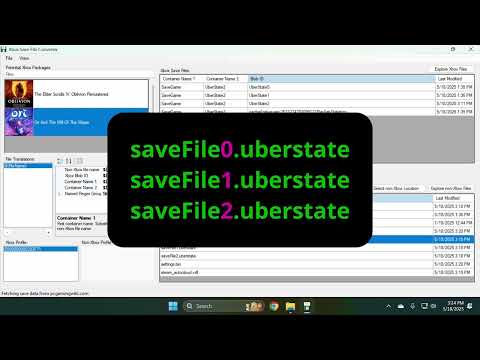
Garen Thomas created a YouTube video going over the process for Forza Horizon 5. The version used is older and buggier it may be useful for anyone still struggling to understand how to use the tool: