Fluid-CAD/FluidCAD
Fluid-CAD/FluidCAD has 704 GitHub stars and 43 forks. GitHot measured 0 stars in 24 hours. Last checked 2026-11-15 20:02 UTC. Last push 2026-11-14.
Measured star growth
- in 24h
- 0
- in 7 days
- Update delayed
- in 15 days
- Update delayed
- in 1 month
- Update delayed
Net star changes over overlapping periods, not daily totals. Missing measurements are left blank. Stars measure attention, not software quality.
About
Parametric cad modeling with Javascript
Creative & MediaREADME.md
Original

FluidCAD
Parametric CAD in JavaScript. Model with the mouse or write code. Both edit the same file.
Explore · Download · Documentation · Tutorials
Pull requests are not being accepted yet while the design and roadmap take shape. Community contributions are planned for v0.1.0.
FluidCAD is under active development; APIs and features may change.
FluidCAD is an open-source CAD app for designing parts and moving assemblies. Sketch, constrain, and shape your model in a live 3D workspace, with ordinary JavaScript behind every feature. Change a dimension, reuse a part, or automate a pattern. The model rebuilds with you.
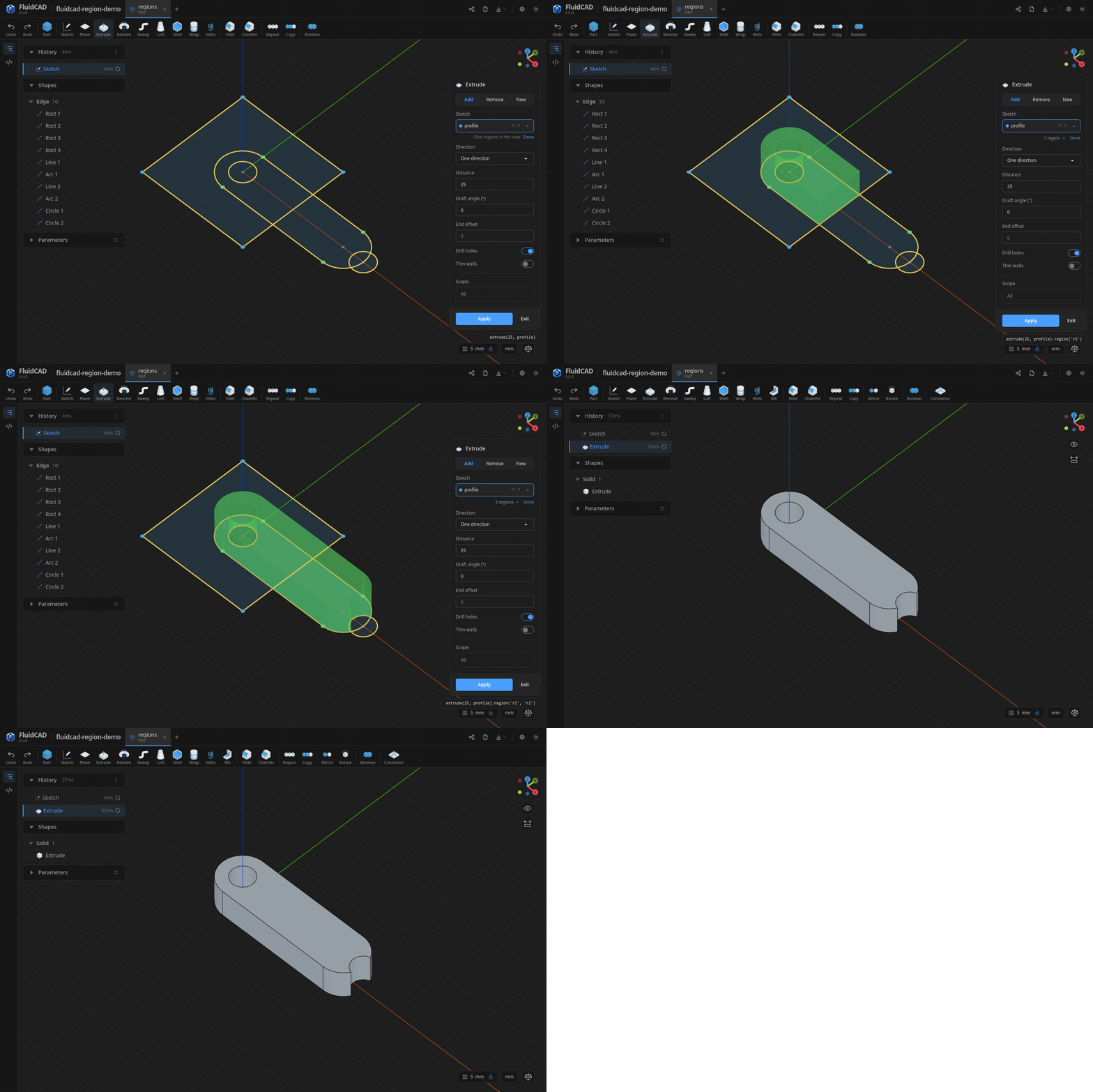
See what you can build
From sketches to solid parts
Draw a profile and extrude it, revolve it around an axis, or sweep it along a path. Refine the result with cuts, fillets, chamfers, shells, and booleans; repeat features in linear, circular, or mirror patterns.
Use the toolbar to create features and FluidCAD writes the code. Double-click a feature in the timeline to edit it, or step back through the history to see how the model was built.
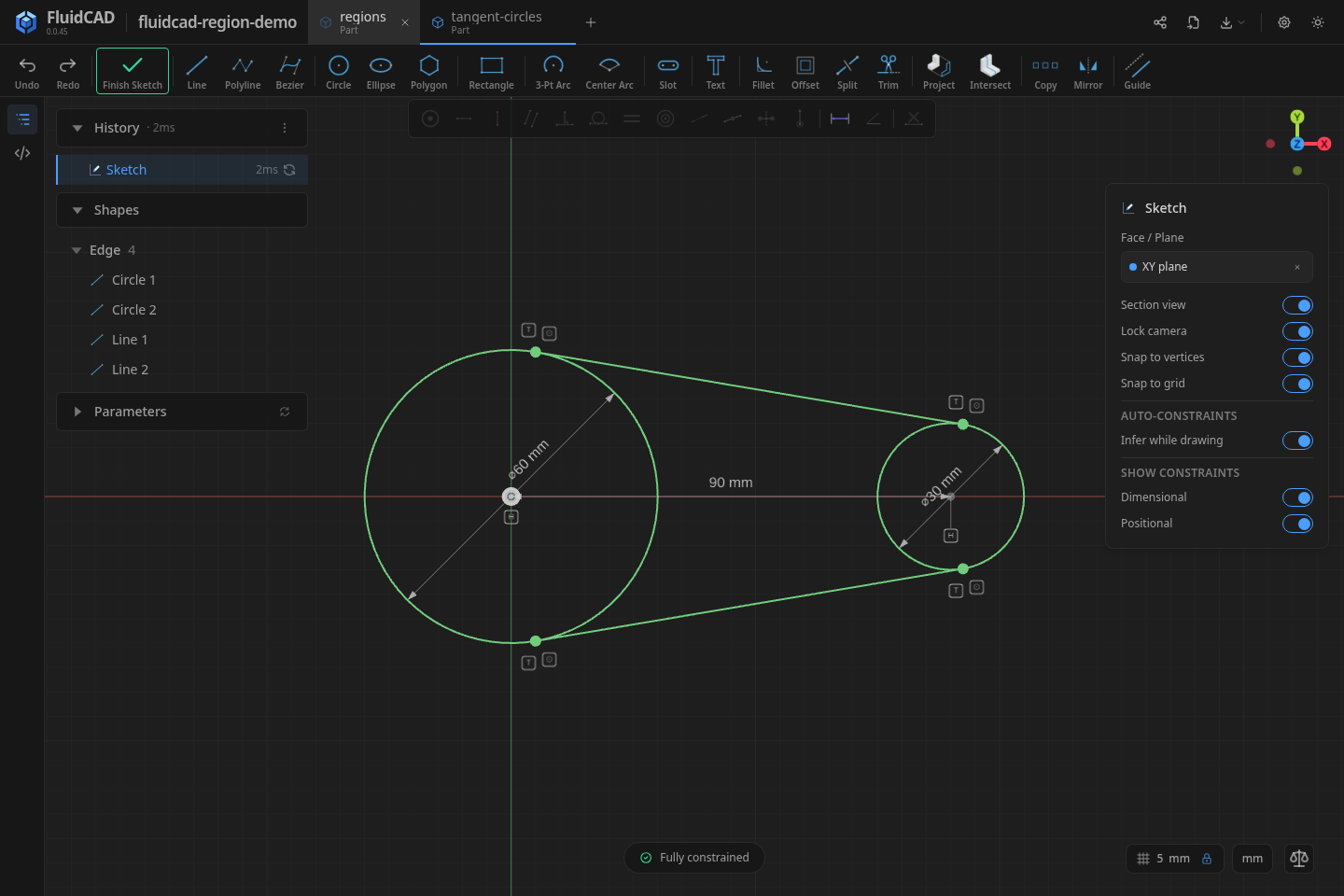
Sketches that keep their shape
Dimensions and constraints capture your design intent: keep holes concentric, sides parallel, or an arc tangent to a line. The solver maintains those relationships as you drag, while snapping adds constraints as you draw.
Readable code, reusable designs
A model is a JavaScript file you can inspect, edit, and version with Git. Here is a complete mounting plate: sketch an outline, add thickness, then cut two holes.
import { part, param, sketch, extrude, circle, cut } from 'fluidcad/core';
import { rect } from 'fluidcad/shapes';

export const plate = part('Mounting plate', () => {
  const thickness = param('Thickness', 6);
  const holeDiameter = param('Hole diameter', 5);

  // Sketch the outline, then give it thickness.
  sketch('xy', () => {
    rect([0, 0], 80, 40).centered();
  });
  const body = extrude(thickness);

  // Sketch on the top face and cut through the plate.
  sketch(body.endFaces(), () => {
    circle([-25, 0], holeDiameter);
    circle([25, 0], holeDiameter);
  });
  cut(thickness);
});
Save this as plate.part.js. Adjust Thickness or Hole diameter in the Parameters panel to resize the part; body.endFaces() keeps the holes on its top face. Dimensions use your project’s units (millimeters by default). Assemblies can override these parameters per instance.
Parts that work together
Insert parts into an .assembly.js file and connect them with mates. Build a hinge with a revolute joint, a carriage with a slider, or a mechanism with several linked parts. Drag it to explore its motion, set joint limits, or animate it from the Joints panel.
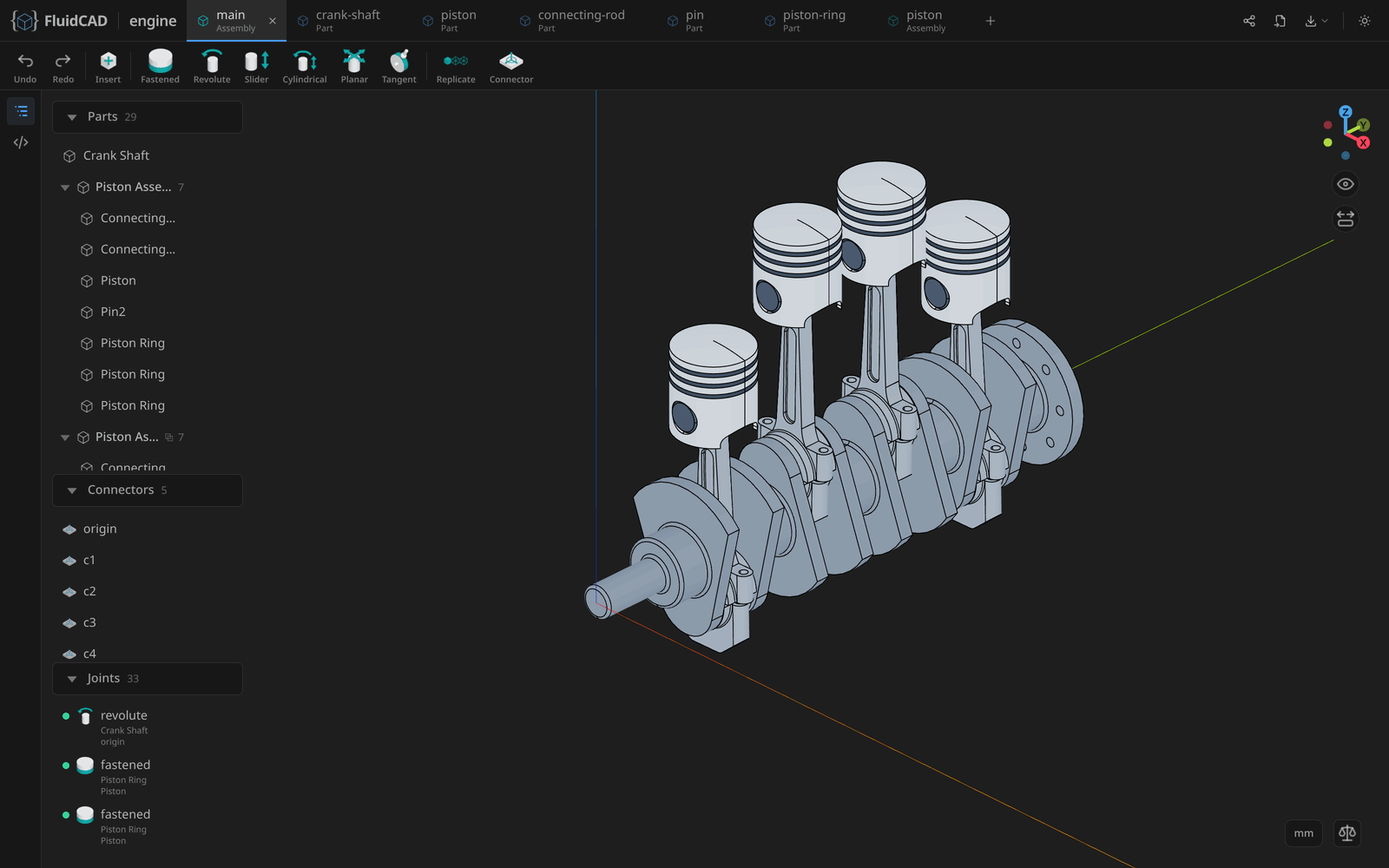
Reuse sub-assemblies and replicate them across a design, like the piston assemblies in this engine. Explore assemblies →
From everyday objects to mechanical parts
Build a lantern, a tray, or a mechanical part by following a complete tutorial. Each takes you from the first sketch to the finished model.
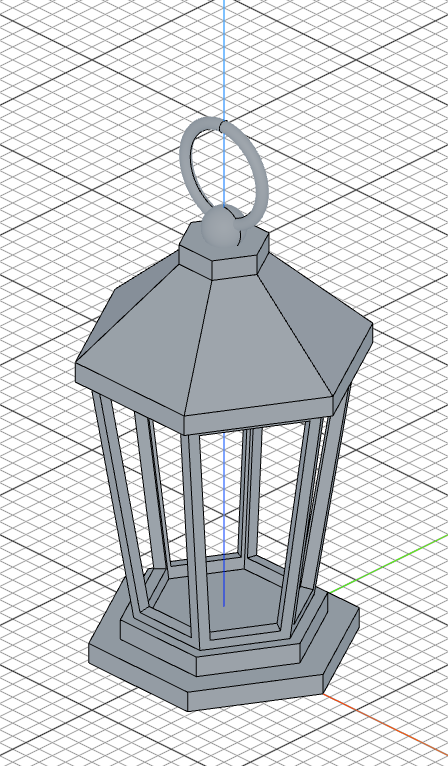 Lantern |
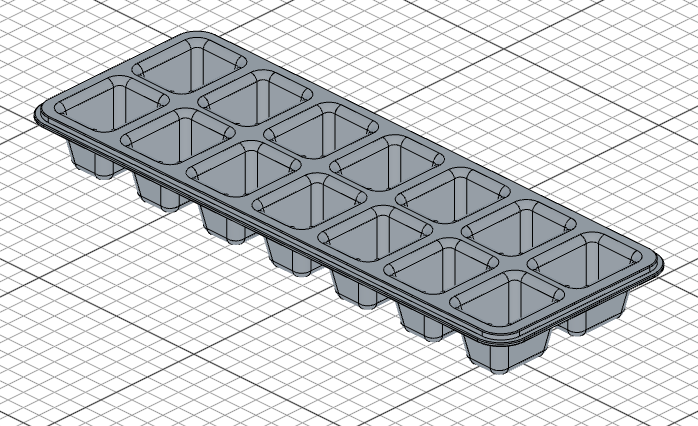 Ice cube tray |
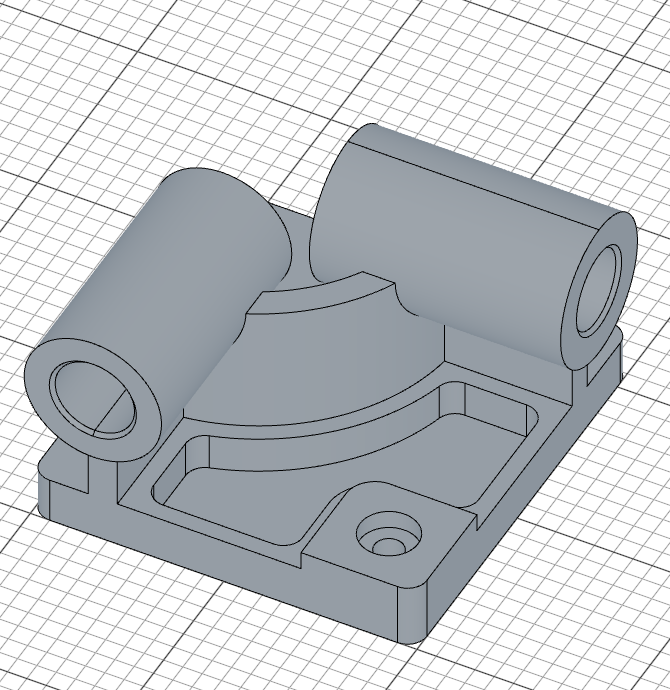 CSWP sample exam |
Bring in existing STEP models with their colors, export STEP to other CAD tools, or export STL for 3D printing. Assembly STEP exports preserve the part tree, and PNG export gives you an image to share.
Download
Download the latest release, install it, and open a project folder.
| Platform | Package | Installation |
|---|---|---|
| Windows (x64) | .exe |
Run the installer. If SmartScreen appears, choose More info → Run anyway; builds are not yet code-signed. |
| Linux (x64) | .AppImage or .deb |
Make the AppImage executable and run it, or use sudo apt install ./FluidCAD-*.deb. |
| macOS (Apple Silicon) | .dmg or .zip |
Drag FluidCAD into Applications. |
Prefer the terminal?
With Node.js and npm installed, the desktop app's start screen opens in your browser from any folder:
npx fluidcad
Create or open projects there; each opens in a tab of its own. To set a project up from the terminal instead:
mkdir my-model && cd my-model
npm init -y
npm install fluidcad
npx fluidcad init
npx fluidcad serve
This creates a project with an empty part, part1.part.js, and opens the workspace in your browser. Both the desktop app and browser workspace include a code editor and a live 3D viewport.
Start with the getting-started guide to build a hinge, or choose a tutorial.
Docker
To keep your projects in one place on a server, run the start screen in a container. Pick the example that matches your network, save it as compose.yaml, and run docker compose up -d. To build the image yourself from a clone of this repository, replace image: with build: ..
On a network you trust (home LAN, Tailscale), with no sign-in:
services:
  fluidcad:
    image: ghcr.io/fluid-cad/fluidcad:latest
    ports:
      - "3100:3100"
    environment:
      FLUIDCAD_NO_AUTH: "1"
      # Every name you open FluidCAD by; any other is refused.
      FLUIDCAD_ALLOWED_HOSTS: "fluidcad.example.com,192.0.2.20"
    volumes:
      - ./projects:/app/projects
      - fluidcad-home:/home/node/.fluidcad
    restart: unless-stopped

volumes:
  fluidcad-home:
Open http://fluidcad.example.com:3100 from any device. Anyone who can reach that port can read and change every project, and run code on the server through them, so don't expose it beyond that network.
On a shared network (office, school), behind an HTTPS reverse proxy on the same machine (Caddy, nginx, Tailscale Serve) that forwards WebSocket upgrades:
services:
  fluidcad:
    image: ghcr.io/fluid-cad/fluidcad:latest
    ports:
      - "127.0.0.1:3100:3100"
    environment:
      FLUIDCAD_PUBLIC_URL: "https://fluidcad.example.com"
    volumes:
      - ./projects:/app/projects
      - fluidcad-home:/home/node/.fluidcad
    restart: unless-stopped

volumes:
  fluidcad-home:
The port is published on 127.0.0.1, so only the proxy on the same machine reaches it. Sign in with the link from docker compose logs fluidcad, once in each browser. The link changes every time the container starts.
FluidCAD is not built to face the internet: keep it on a network you control, and reach it from outside through a VPN such as Tailscale.
In both, ./projects holds your projects and must be writable by uid 1000 (sudo chown 1000:1000 projects on Linux). The fluidcad-home volume keeps engines downloaded for projects pinned to another FluidCAD version, recent projects and previews.
Fits your workflow
Editors
Keep npx fluidcad serve running beside any editor; the viewport updates when you save.
AI agents
The bundled MCP server lets agents inspect geometry, take screenshots, edit model files, and look up the API in a running workspace. Configure your MCP client to run:
npx -y fluidcad mcp
The server also serves the companion modeling skills to the agent (read_skill), so they always match the running version; clients with native skill support can additionally install them with npx skills add Fluid-CAD/FluidCAD for automatic triggering. See the MCP setup guide for client configuration and usage.
About the project
FluidCAD uses the OpenCascade B-Rep modeling kernel through opencascade.js for precise solid geometry. Thanks to the opencascade.js team for making it available in WebAssembly.
Licensed under MIT.
FluidCAD Hub is supported by Neon