
Flode-Labs/vid2densepose
Flode-Labs/vid2densepose has 1,101 GitHub stars and 132 forks. GitHot measured 0 stars in 24 hours. Last checked 2026-11-09 10:13 UTC. Last push 2023-12-10.
Convert your videos to densepose and use it on MagicAnimate
What you can do
- Enhanced Output: Produces video files showcasing DensePosedata in a vivid, color-coded format.
- MagicAnimate Integration: Seamlessly compatible with MagicAnimate to foster advanced human animation projects.
Measured star growth
- in 24h
- 0
- in 7 days
- Update delayed
- in 15 days
- Update delayed
- in 1 month
- Update delayed
Net star changes over overlapping periods, not daily totals. Missing measurements are left blank. Stars measure attention, not software quality.
README.md
OriginalVid2DensePose

Overview
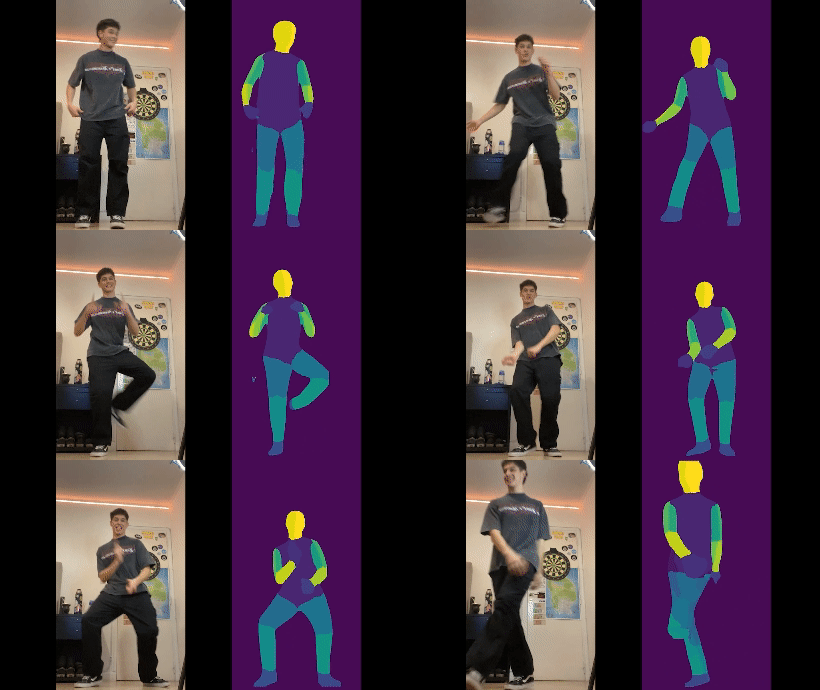
The Vid2DensePose is a powerful tool designed for applying the DensePose model to videos, generating detailed "Part Index" visualizations for each frame. This tool is exceptionally useful for enhancing animations, particularly when used in conjunction with MagicAnimate for temporally consistent human image animation.
Key Features
- Enhanced Output: Produces video files showcasing DensePosedata in a vivid, color-coded format.
- MagicAnimate Integration: Seamlessly compatible with MagicAnimate to foster advanced human animation projects.
Prerequisites
To utilize this tool, ensure the installation of:
- Python 3.8 or later
- PyTorch (preferably with CUDA for GPU support)
- Detectron2
Installation Steps
Clone the repository:
git clone https://github.com/Flode-Labs/vid2densepose.git
cd vid2densepose
Install necessary Python packages:
pip install -r requirements.txtClone the Detectron repository:
git clone https://github.com/facebookresearch/detectron2.git
Usage Guide
Run the script:
python main.py -i sample_videos/input_video.mp4 -o sample_videos/output_video.mp4
The script processes the input video and generates an output with the densePose format.
Gradio version
You can also use the Gradio to run the script with an interface. To do so, run the following command:
python app.py
Integration with MagicAnimate
For integration with MagicAnimate:
- Create the densepose video using the steps outlined above.
- Use this output as an input to MagicAnimate for generating temporally consistent animations.
Acknowledgments
Special thanks to:
- Facebook AI Research (FAIR) for the development of DensePose.
- The contributors of the Detectron2 project.
- Gonzalo Vidal for the sample videos.
- Sylvain Filoni for the deployment of the Gradio Space in Hugging Face.
Support
For any inquiries or support, please file an issue in our GitHub repository's issue tracker.
Explore related projects
ytdl-org/youtube-dl
Command-line program to download videos from YouTube.com and other video sites
141,500 starsexcalidraw/excalidraw
Virtual whiteboard for sketching hand-drawn like diagrams
135,396 starsgodotengine/godot
Godot Engine – Multi-platform 2D and 3D game engine
119,840 starsmrdoob/three.js
JavaScript 3D Library.
117,905 stars