
FeatherHunter/dsh-opencode-palette
FeatherHunter/dsh-opencode-palette has 106 GitHub stars and 4 forks. GitHot measured +1 stars in 24 hours and +2 in 7 days. Last checked 2026-11-17 02:49 UTC. Last push 2026-11-08.
Measured star growth
- in 24h
- +1
- in 7 days
- +2
- in 15 days
- Collecting history
- in 1 month
- Collecting history
Net star changes over overlapping periods, not daily totals. Missing measurements are left blank. Stars measure attention, not software quality.
About
🎨 38 款主题,一键给 DSH 换装:37 款 OpenCode 经典配色 + 25 套 IP 主题胶囊(哈利波特 / 赛博朋克2077 / 原神 / 库洛米 / 哆啦A梦…),深浅两版都有 | 38 one-click themes for DSH
Developer Toolsdocs/README.en.md
Original🎨 dsh-opencode-palette
38 themes for DSH, one click.
38 款配色,一键给 DSH 换装。
Your ⭐ is the brightest star in my night sky.





SHOWCASE
Real Look
This plugin exists to make your DSH experience better 💗
| Main screen (opencode theme) | Settings panel (38 themes by color family) |
|---|---|
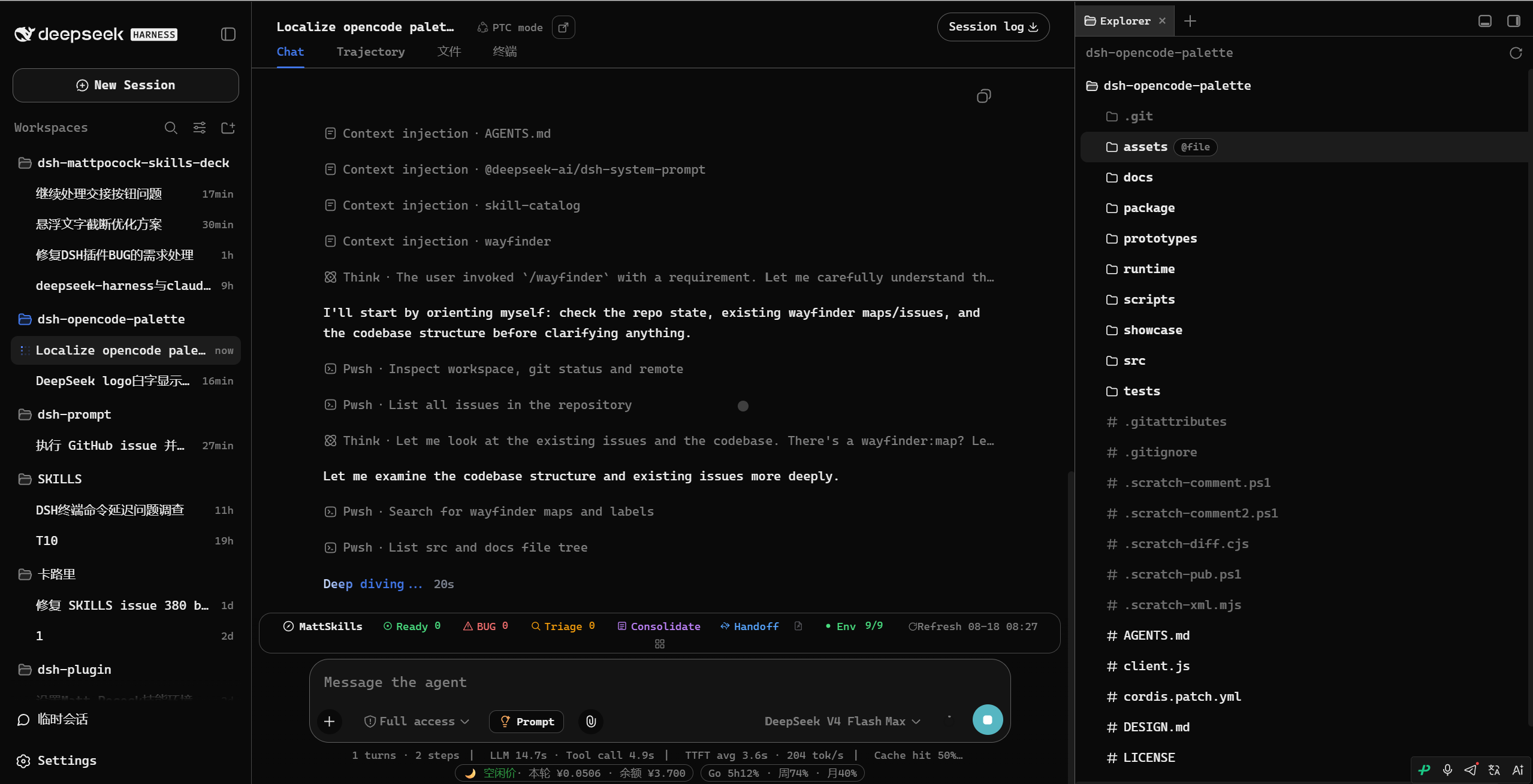 |
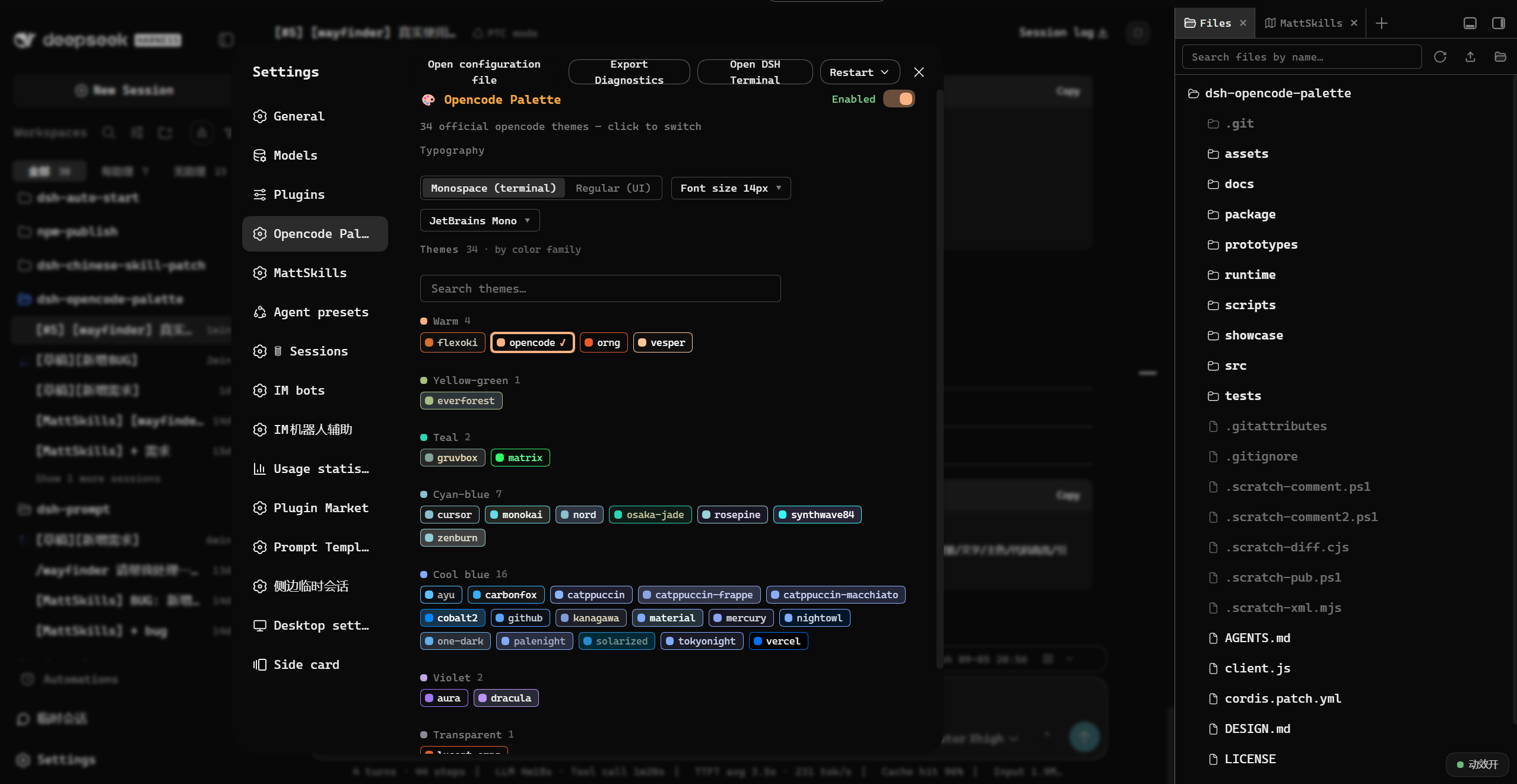 |
| Custom editor (37 slots) | IP theme capsule: 原神 Genshin (light) |
|---|---|
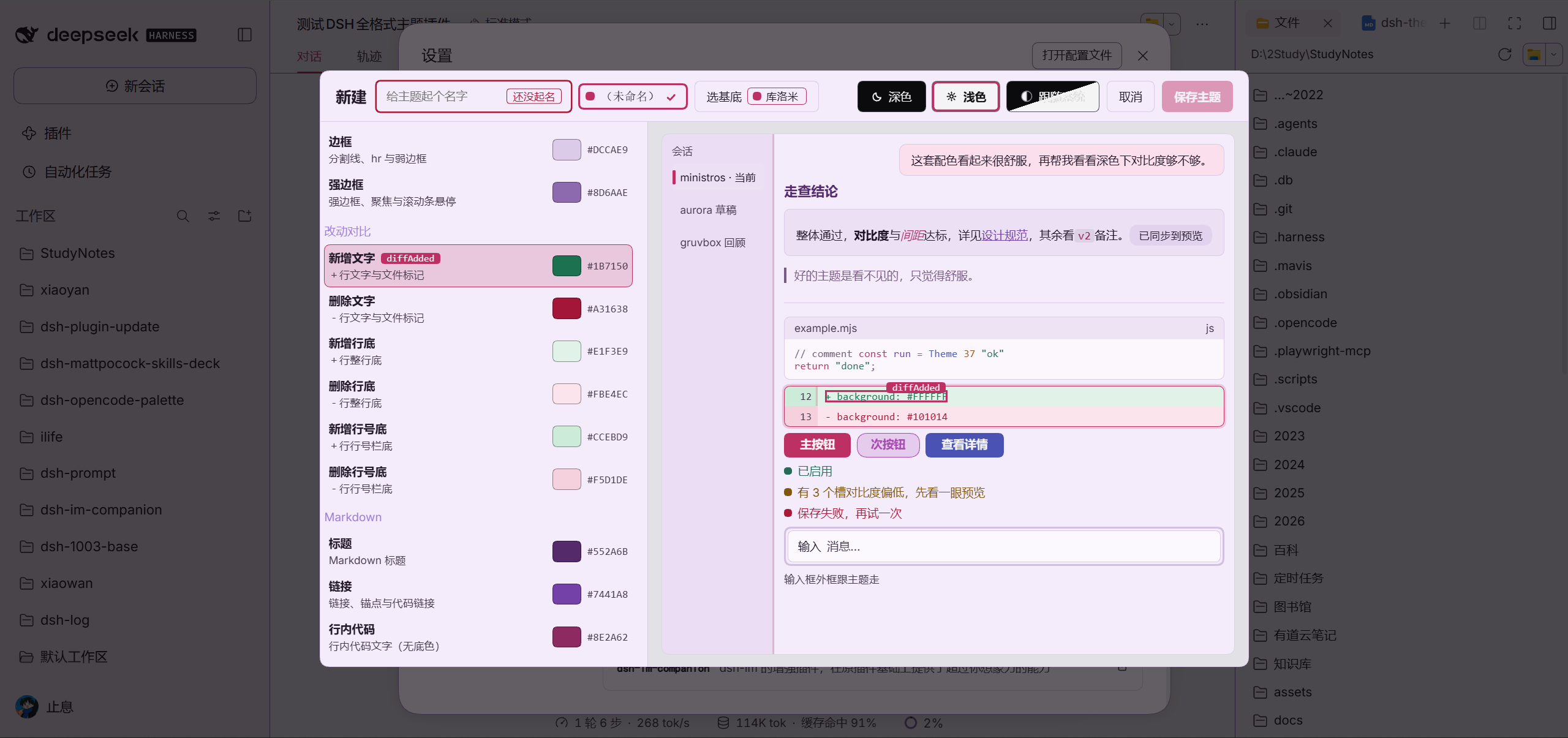 |
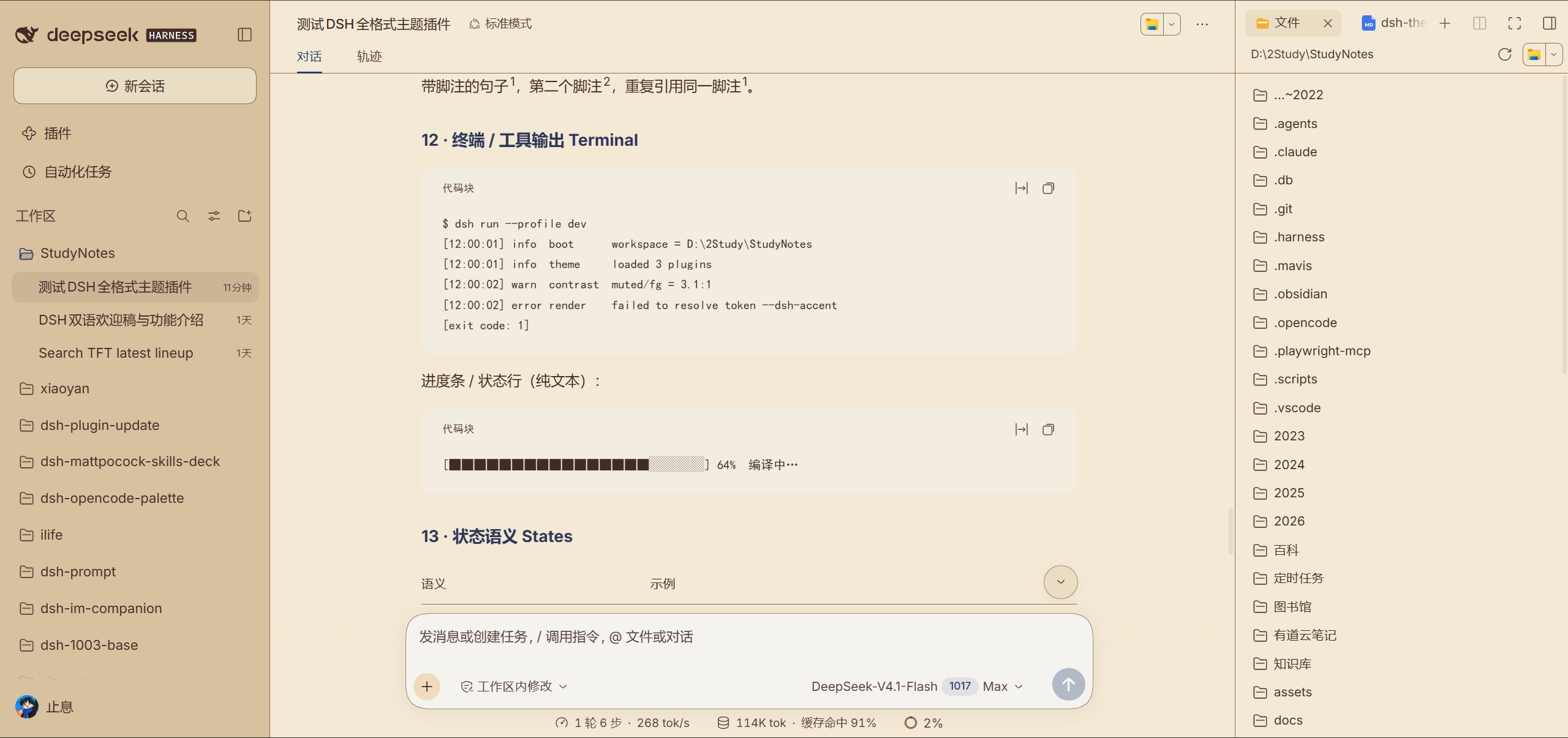 |
| IP theme capsule: 库洛米 Kuromi (light) | IP theme capsule: 哆啦A梦 Doraemon (light) |
|---|---|
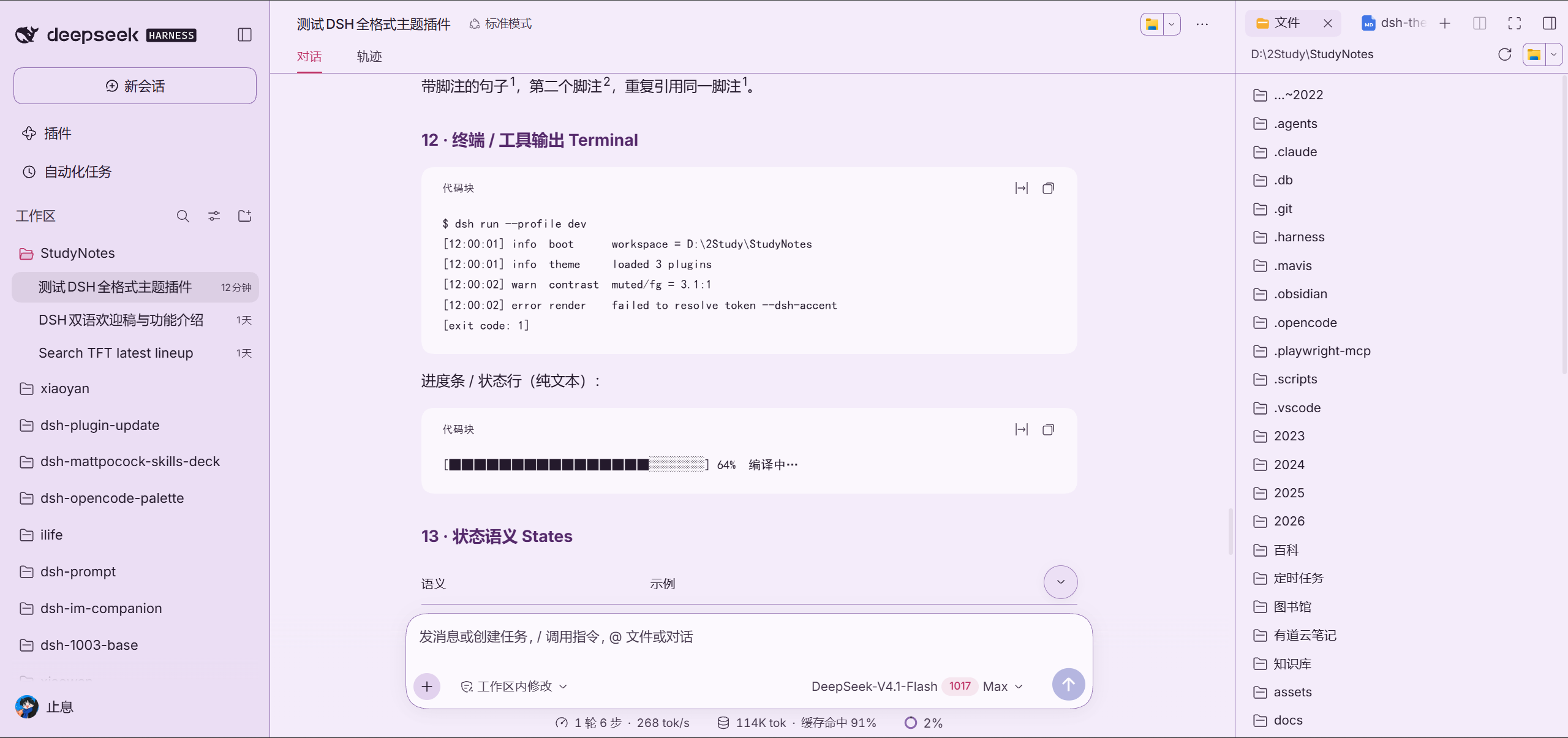 |
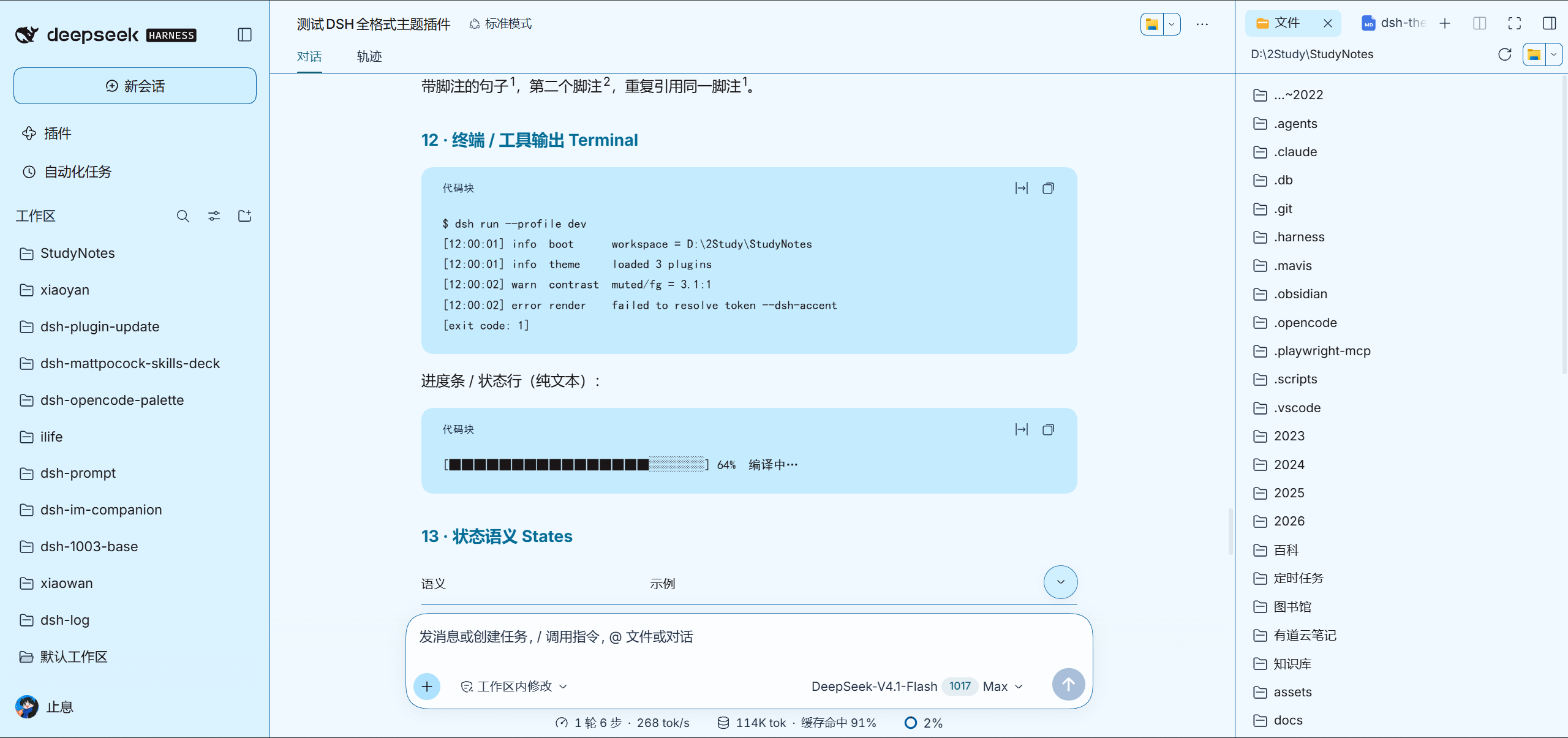 |
| IP theme capsule: 哈利波特 Harry Potter (dark) | IP theme capsule: 赛博朋克2077 Cyberpunk 2077 (dark) |
|---|---|
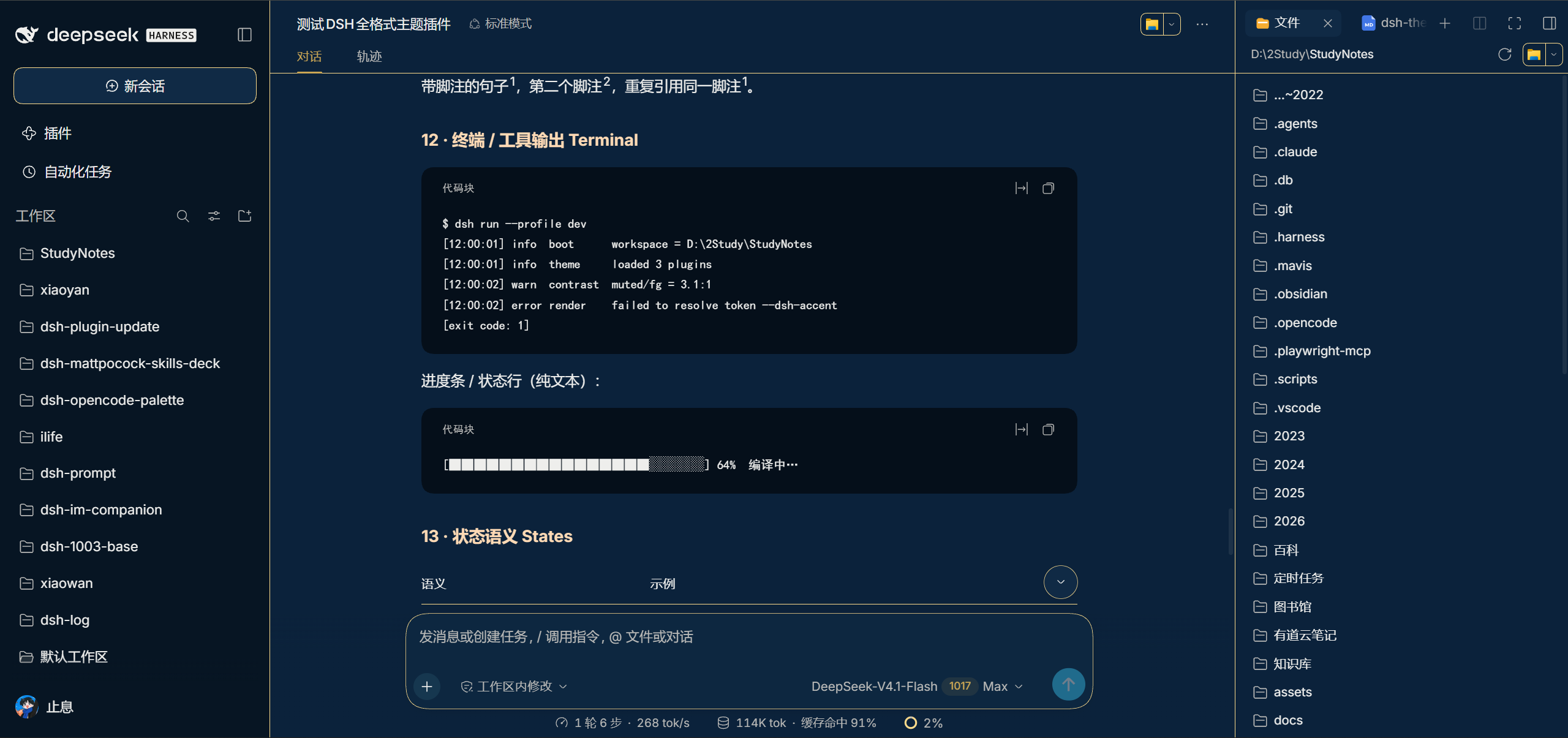 |
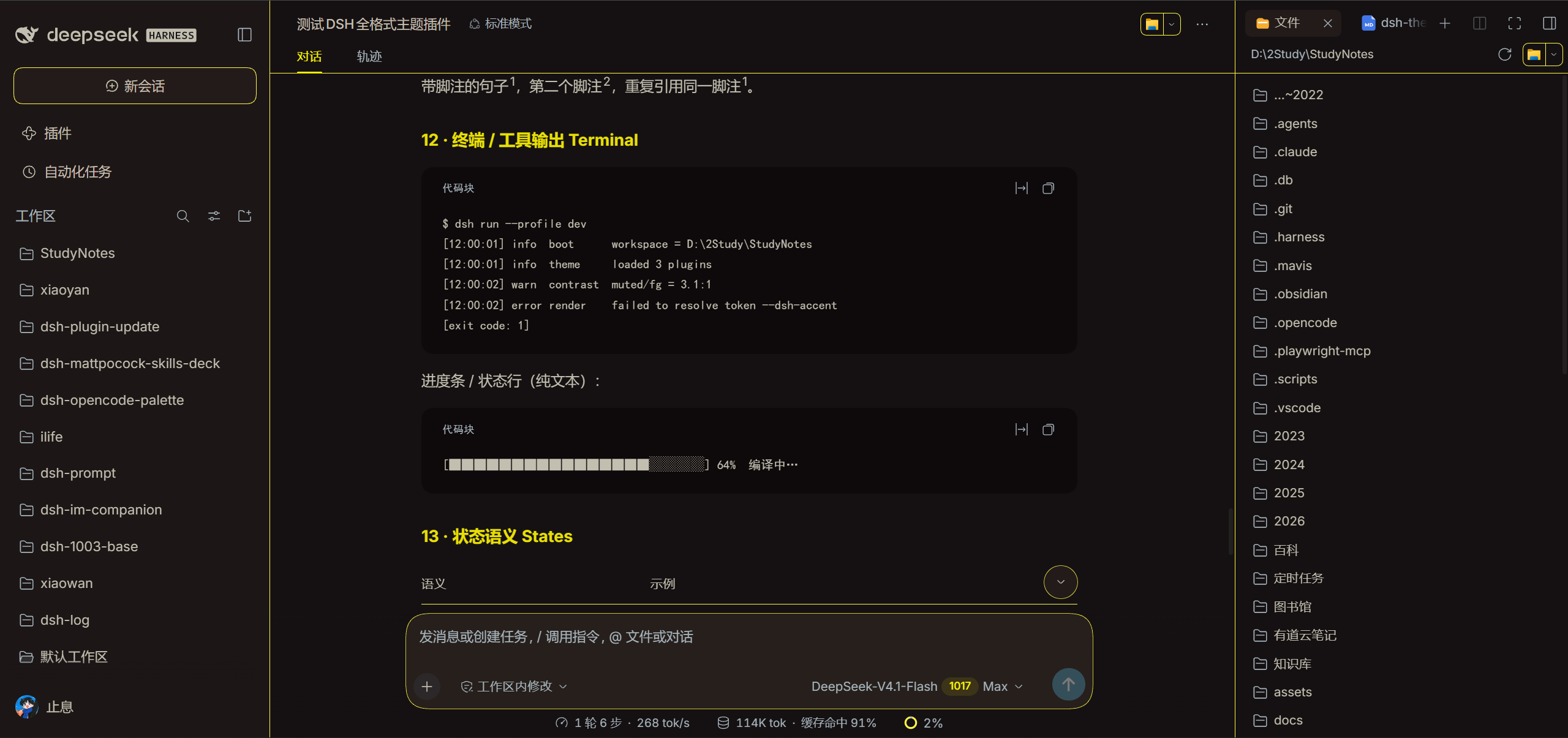 |
| Classic theme: 德古拉 Dracula (dark) | IP theme capsule: 龙珠 Dragon Ball (light) |
|---|---|
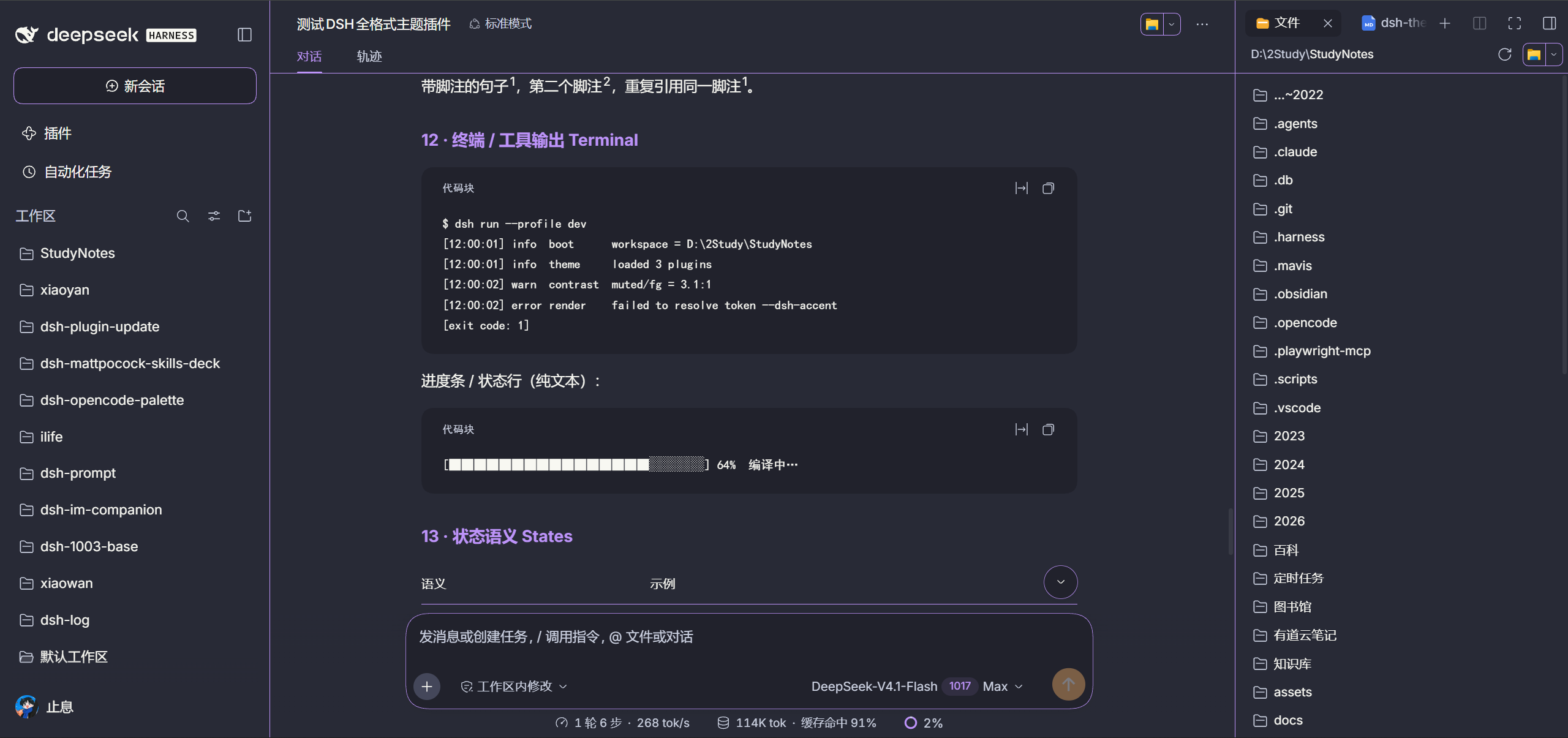 |
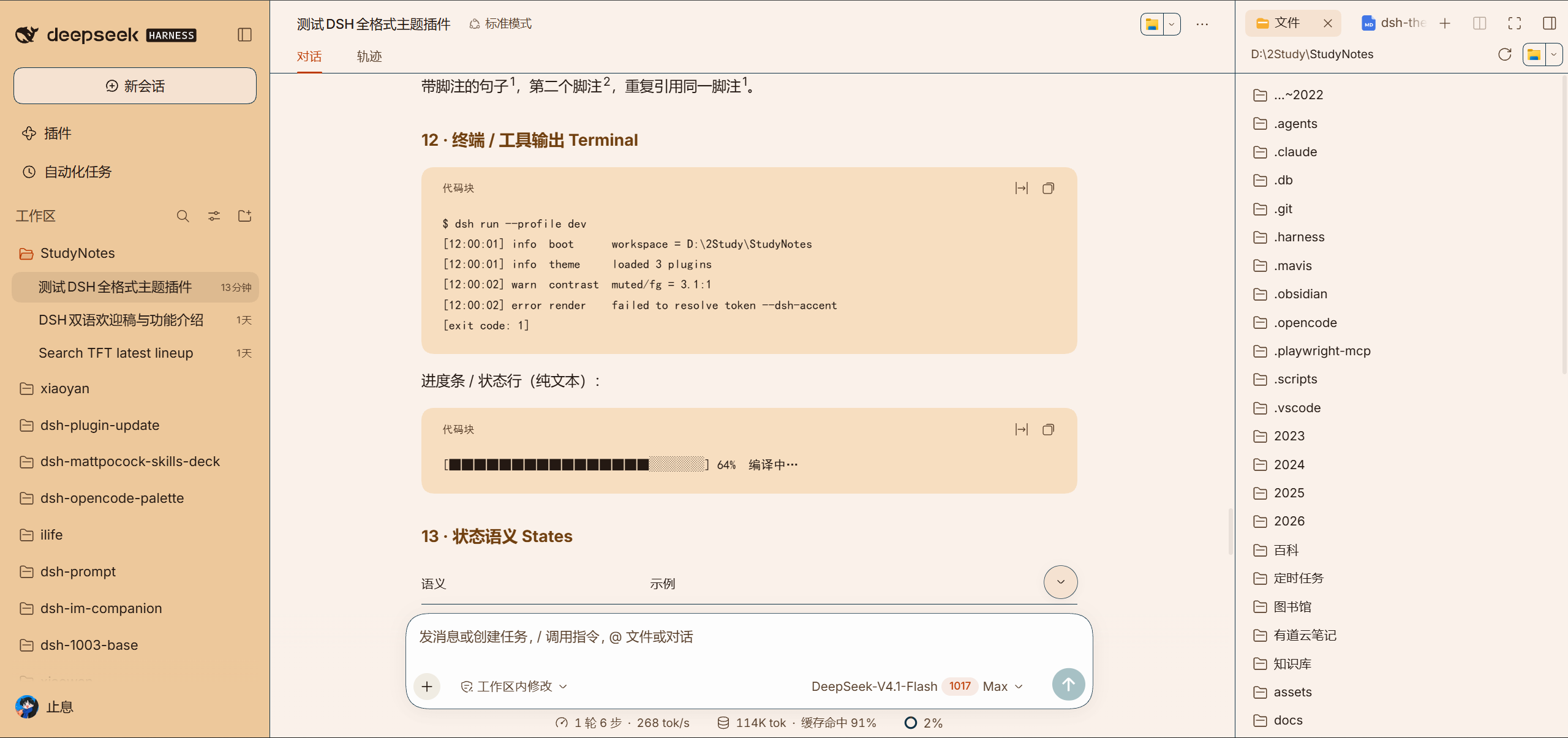 |
INSTALL
Get started in three steps
# 1. install the DSH CLI first (skip if you have it)
npm install -g @deepseek-ai/dsh

# 2. add the plugin to your profile
dsh plugin --profile web add dsh-opencode-palette

# 3. restart DSH once it's installed (or refresh the browser page)
① Install the plugin.
② Open “OpenCode Palette”. Settings → Plugins → OpenCode Palette
③ Pick a theme you like.
DEMO
Basic usage demo
The 7 videos below reuse the same URLs as the Chinese page (recorded in the Chinese UI); all collapsed by default — expand to watch.
Basic usage demo: expand for 7 short videos
Install the plugin
Follow the video to install the plugin and restart once.
https://github.com/user-attachments/assets/3332e166-ecdc-4a3a-877b-154a2614dd03
- Run
dsh plugin --profile web add dsh-opencode-paletteto add the plugin to your profile. - Restart DSH (or refresh the browser page).
- Open "OpenCode Palette" and confirm the panel opens.
Change fonts and size
Mono vs regular, and sizes from 11–24 px.
https://github.com/user-attachments/assets/f6c17168-5b39-4a12-bf9b-f819db681055
- Open the settings panel and find fonts and size.
- Mono turns the whole interface monospaced, while Regular keeps monospace to code blocks.
- Drag the size until it feels right.
Switch themes
Pick a theme in one click, applied instantly.
https://github.com/user-attachments/assets/b425fed9-1aab-43c3-ab70-726de38a9c1a
- Open "OpenCode Palette" and browse 38 themes by color family.
- Click the one you like; the interface switches instantly.
- Changed your mind? Click another — switch anytime.
Create a custom theme
Tune 37 colors one by one with a live preview, then save your own capsule.
https://github.com/user-attachments/assets/349dba7f-4cdb-4281-b71c-c39c6f9dfccd
- Click new: tune 37 colors one by one while the preview follows live.
- Click an element in the preview and the matching row scrolls into view with the color picker.
- Saved capsules land in
<DSH_HOME>/opencode-palette/custom-themes/.
Edit a custom theme
Come back and re-tune a saved capsule; the interface wears the new colors at once.
https://github.com/user-attachments/assets/4ff48986-142f-404b-bb1b-70d948d95ba8
- Open a saved custom theme for editing.
- Change the colors you want; the preview updates instantly.
- Save, and the interface wears the new colors at once.
Delete a custom theme
Remove capsules you no longer want; you can always rebuild one.
https://github.com/user-attachments/assets/5f2e42bb-7e5b-4bf2-b61a-600df5e47ba2
- Select the custom theme you no longer want and delete it.
- Confirm; the capsule disappears from the list.
- Regret it? Rebuild one following the fourth video above.
AI-edit a custom theme
Recolor with one sentence, no manual tuning.
https://github.com/user-attachments/assets/542f3083-eb7e-4b60-8d1a-a142ef9a87e9
- Open the AI editing entry of a custom theme.
- Describe the palette you want in one sentence (for example "a warmer dark theme").
- Check the preview; save if you like it, or ask again.
EXTENSIONS
What the OpenCode themes come with
| Feature | Details |
|---|---|
| IP theme capsules | 25 preinstalled: 原神 Genshin, 库洛米 Kuromi, 哆啦A梦 Doraemon, 哈利波特 Harry Potter, 赛博朋克2077 Cyberpunk 2077, 宝可梦 Pokémon, 龙珠 Dragon Ball… ready out of the box — pick one you like and use it as the base for your colors. |
| Build your own capsule | 37 slots, one at a time, with a miniature DSH preview on the right — click an element in the preview and the matching row on the left scrolls to the middle and opens the color picker; hover a slot on the left and that element lights up in the preview. Saved capsules land in <DSH_HOME>/opencode-palette/custom-themes/. |
| Fonts and size | Fonts sit apart from color: Mono (terminal look) turns the whole interface monospaced, Regular (interface look) applies monospace to code blocks only; size 11–24 px, and the code font can be picked from the fonts installed on this machine. |
UPGRADE
Upgrade
# upgrade to the latest (currently 2.1.13): one command per profile — web and desktop
dsh plugin --profile web update dsh-opencode-palette
dsh plugin --profile desktop update dsh-opencode-palette
# pin a specific version (swap the version number for the one you want):
dsh plugin --profile web add [email protected]
dsh plugin --profile desktop add [email protected]
Settings → Plugins → OpenCode Palette → Check for updates
MORE
More from the author
If you like this plugin, these might help too:
dsh-mattpocock-skills-deck — The whole mattpocock/skills set (nearly 300k stars) preinstalled — 27 skills, ready as soon as it is installed.
dsh-prompt — The boilerplate prompts you keep retyping, saved as custom templates and injected on selection — no more wasted effort.
dsh-im-companion — Adds the ideas of an “assistant” and a “home” to dsh-im.
ilife — ⚠️Work in progress⚠️ iLife, the home-life suite: bookkeeping, exercise, diet, weight, recipes, item management, schedule planning, memos and more.
THANKS
Contributors
Thanks to everyone who opened an issue, sent a PR, or joined a discussion — you made this plugin better bit by bit.
| Contributor | Tribute | Contributions |
|---|---|---|
| @oopsdoes | 🌹🌹 | #46 #55 |
| @insp63 | 🌹 | #124 |
| @gitwch1 | 🌹 | #73 |
| @anci3ntr0ck | 🌹 | #73 |
| @SRKBob | 🌹 | #43 |
| @anupamme | 🌹 | #32 |
| @Number444 | 🌹 | #12 |
| @xiSage | 🌹 | #11 |
| @the-beating-light-of-the-nail | 🌹 | #3 |
And thanks to everyone who left thoughts in comments and discussions. If you hit a problem or have an idea, feel free to open an issue or start a discussion.
CONNECT
Feedback and Contact
👏Welcome PRs and issues. A single spark can start a prairie fire 🔥. Any suggestion, opinion, idea or rant — come join the group and talk.
| Feishu Group (Main) | QQ Group (New) | WeChat Group (New) |
 | 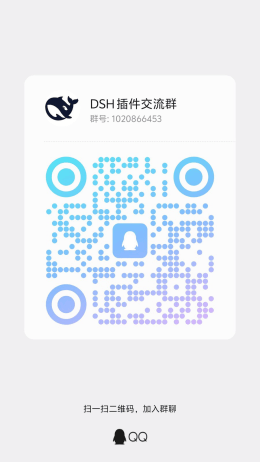 |  |
