
Faceplugin-ltd/FaceRecognition-DotNet-MAUI
Faceplugin-ltd/FaceRecognition-DotNet-MAUI has 53 GitHub stars and 36 forks. GitHot measured 0 stars in 24 hours. Last checked 2026-11-15 06:25 UTC. Last push 2026-11-13.
Measured star growth
- in 24h
- 0
- in 7 days
- Collecting history
- in 15 days
- Collecting history
- in 1 month
- Collecting history
Net star changes over overlapping periods, not daily totals. Missing measurements are left blank. Stars measure attention, not software quality.
About
Face Recognition SDK .NET MAUI (formerly Xamarin) and CSharp with 3D passive liveness detection (Face Detection, Face Landmarks, Face Recognition, Face Liveness, Face Pose, Face Expression, Face attributes)
Machine LearningREADME.md
Original
🌐 Company Site - Here
🤗 Hugging Face - Here
🛟 Help Center - Here
🐳 Docker Hub - Here
FacePlugin Face Recognition SDK — .NET MAUI (Fully On-Premise)
Android and iOS each call the Face Recognition SDK inside this app. Jump: Quick Start · Get the runtimes · Run the demo · License · Integrate
Customer repo name: FaceRecognition-DotNet-MAUI
Quick Start
- Clone FaceRecognition-DotNet-MAUI
- Install the .NET 8 SDK and the
mauiworkload.global.jsonpins the build to 8.0 - Download the Android AAR and the iOS frameworks from the same pack — Get the runtimes
- Keep the demo ids: Android
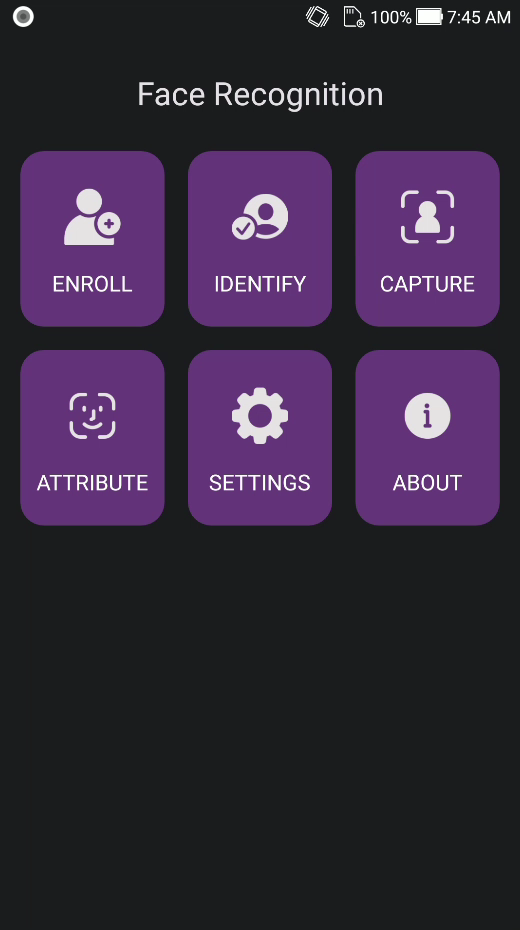
com.faceplugin.facerecognitionsdk/ iOScom.faceplugin.facerecognition.app - Run on a connected phone — Run the demo. Home shows Enroll, Identify, Capture, Attribute, Settings, and About
Introduction
FacePlugin Face Recognition SDK for .NET MAUI is an on-device sample for Android and iOS. Enroll faces, identify in 1:N, capture with an oval coach, and read attributes with 2D liveness — the same demo as the Flutter, React Native, and Ionic apps.
All processing stays on the device. No biometric data is sent to FacePlugin cloud.
Native binaries are not in git. Download them from Google Drive and copy them into the paths below. Drop either the full FaceRecognitionSDK runtime or the FaceRecognition-Liveness runtime.
Main Functionalities
| Feature | Supported |
|---|---|
| Gallery enroll (single-face template) | ✓ |
| Live 1:N identify with VideoWorker | ✓ |
| 2D liveness on capture | ✓ |
| Oval capture coach with a 2 second hold | ✓ |
| Gallery attributes, age, gender, emotion, landmarks | ✓ with the FaceRecognitionSDK pack |
| Local person database (demo) | ✓ |
| Settings (thresholds / clear DB) | ✓ |
Attribute fields come from the FaceRecognitionSDK pack. The FaceRecognition-Liveness pack returns detection, templates, 1:N identity, and the liveness score.
Product List
| Platform | Repository |
|---|---|
| Android (Recognition) | FaceRecognition-Android |
| iOS (Recognition) | FaceRecognition-iOS |
| Android (Recognition-Liveness) | FaceRecognition-Liveness-Android |
| iOS (Recognition-Liveness) | FaceRecognition-Liveness-iOS |
| React Native (Recognition) | FaceRecognition-React-Native |
| Flutter (Recognition) | FaceRecognition-Flutter |
| Ionic Capacitor (Recognition) | FaceRecognition-Ionic-Capacitor |
| Ionic Cordova (Recognition) | FaceRecognition-Ionic-Cordova |
| .NET MAUI (Recognition) | FaceRecognition-DotNet-MAUI (this repo) |
| Windows (Recognition) | FaceRecognition-Windows |
| Linux / Docker (Recognition) | FaceRecognition-Docker |
Before you start
| Step | What you need |
|---|---|
| 1 | .NET 8 SDK and dotnet workload install maui, run from this folder so global.json selects SDK 8. iOS builds need macOS + Xcode 15+ |
| 2 | Android facerecognitionsdk.aar and iOS facerecognitionsdk.framework, FaceRecognitionEngine.framework, onnxruntime.framework |
| 3 | Demo licenses are in src/FaceRecognition.Net.Maui/LicenseKeys.cs (Android com.faceplugin.facerecognitionsdk, iOS com.faceplugin.facerecognition.app). Request a new key only if you change the application id |
System requirements
| Item | Android | iOS |
|---|---|---|
| Host | Windows / macOS | macOS only |
| SDK | .NET 8, MAUI workload | Same, plus Xcode 15+ |
| OS | minSdk 24 |
15.0 |
| Device | Physical phone | Physical iPhone |
| Demo id | com.faceplugin.facerecognitionsdk |
com.faceplugin.facerecognition.app |
Get the runtimes
The copy paths below are the same for both packs. Place the Android AAR and the iOS frameworks from the same pack.
| Pack | What it includes | Android | iOS |
|---|---|---|---|
| FaceRecognitionSDK | Detection, templates, 1:1, 1:N, 2D liveness, and attributes | Google Drive | Google Drive |
| FaceRecognition-Liveness | Detection, templates, 1:1, 1:N, and 2D liveness | Google Drive | Google Drive |
Android — facerecognitionsdk.aar
src/FaceRecognition.Net.Maui/Platforms/Android/libs/facerecognitionsdk.aar
The project references the AAR, and compiles FaceBridge.java, only when that file is present.
iOS
src/FaceRecognition.Net.Maui/Platforms/iOS/Frameworks/
├── facerecognitionsdk.framework
├── FaceRecognitionEngine.framework
└── onnxruntime.framework
Each framework is linked only when that folder is present.
Run the demo
global.json keeps the build on SDK 8 when a newer SDK is the default:
{
  "sdk": {
    "version": "8.0.100",
    "rollForward": "latestFeature"
  }
}
Install the .NET 8 SDK, then from this folder:
git clone https://github.com/Faceplugin-ltd/FaceRecognition-DotNet-MAUI.git
cd FaceRecognition-DotNet-MAUI
dotnet workload install maui
Place the Android AAR and the iOS frameworks first — Get the runtimes. Keep the demo application ids so the included license activates.
# Android — phone connected, USB debugging on
dotnet build src/FaceRecognition.Net.Maui/FaceRecognition.Net.Maui.csproj -f net8.0-android -t:Run

# iOS — macOS + Xcode 15+, iPhone connected
dotnet build src/FaceRecognition.Net.Maui/FaceRecognition.Net.Maui.csproj -f net8.0-ios -r ios-arm64 -t:Run
| Platform | Identifier |
|---|---|
| Android application id | com.faceplugin.facerecognitionsdk |
| iOS bundle id | com.faceplugin.facerecognition.app |
- Wait for the home status line to show Ready.
- Enroll picks one face from the gallery and stores a template on the device.
- Identify runs VideoWorker 1:N against the enrolled list.
- Capture holds for 2 seconds while the circle border fills green from 12 o'clock. The saved frame is the last frame of that hold. The hold restarts if the face leaves the gate.
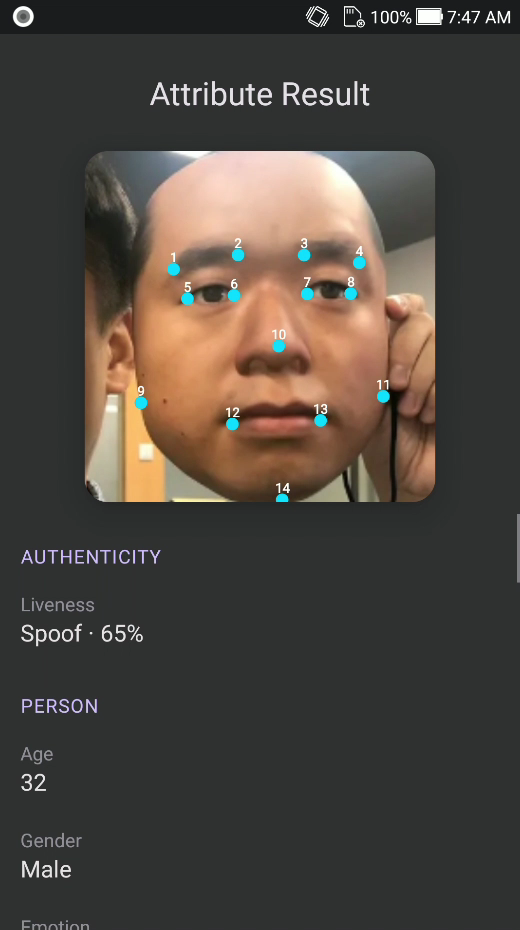
- Attribute reads liveness, age, gender, emotion, and the other estimators in the pack.
- Settings stores the camera lens and the thresholds. Liveness defaults to 0.8. Eye-close defaults to 0.5.
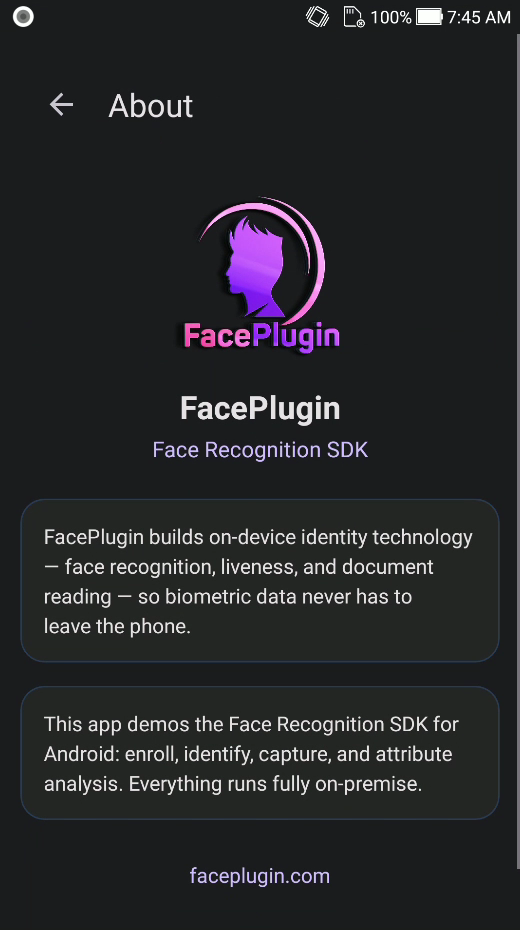
Screenshots
| Home | Identify | Capture |
|---|---|---|
|
|
|
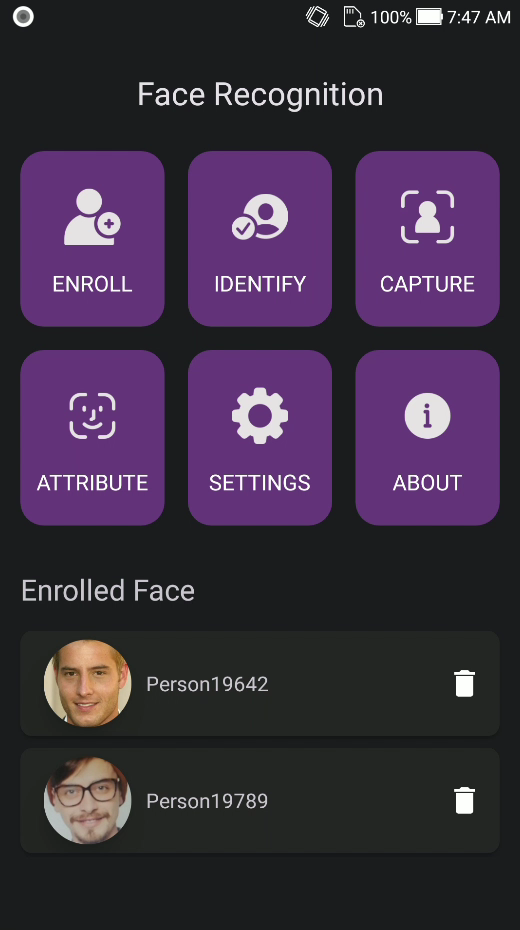
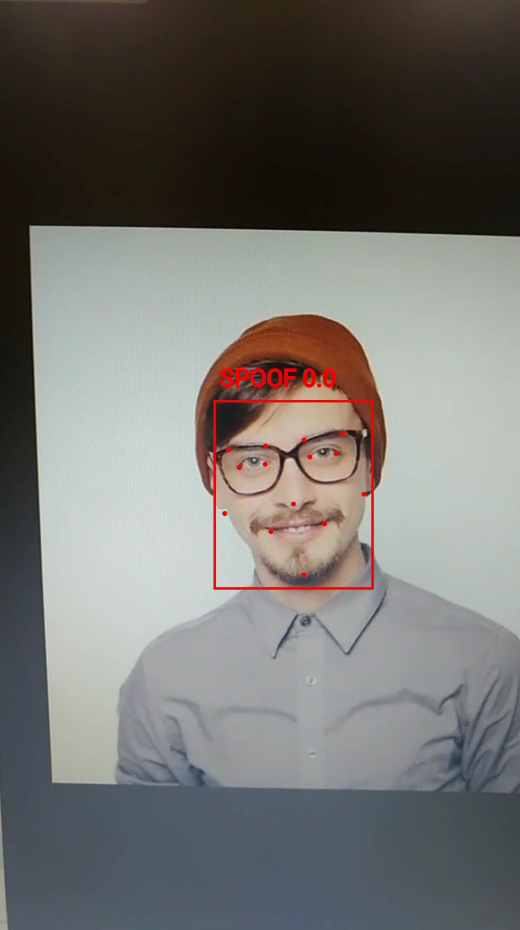
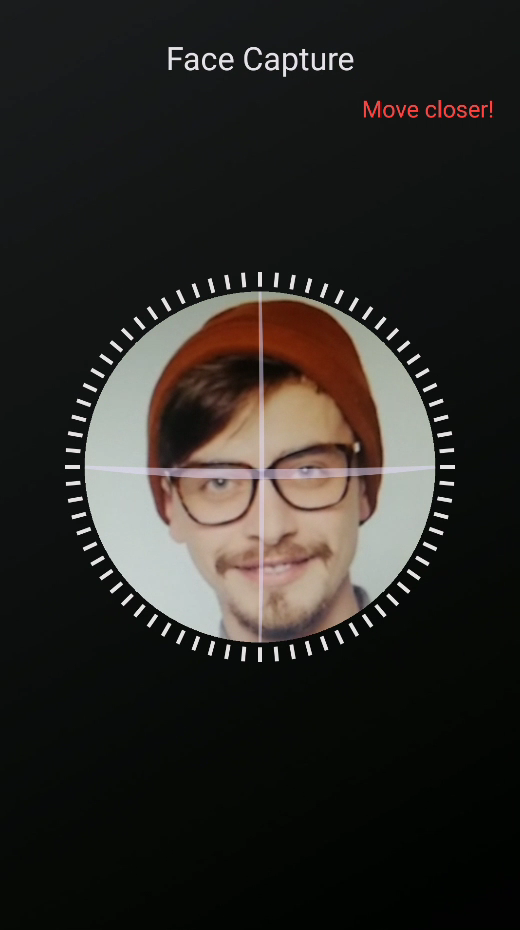
| Capture result | Attribute | Attribute (emotion) |
|---|---|---|
|
|
|
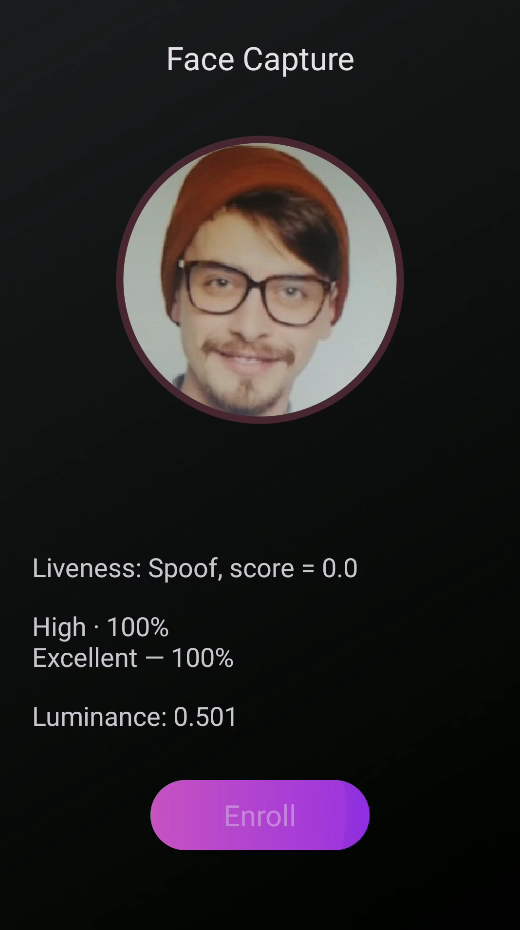
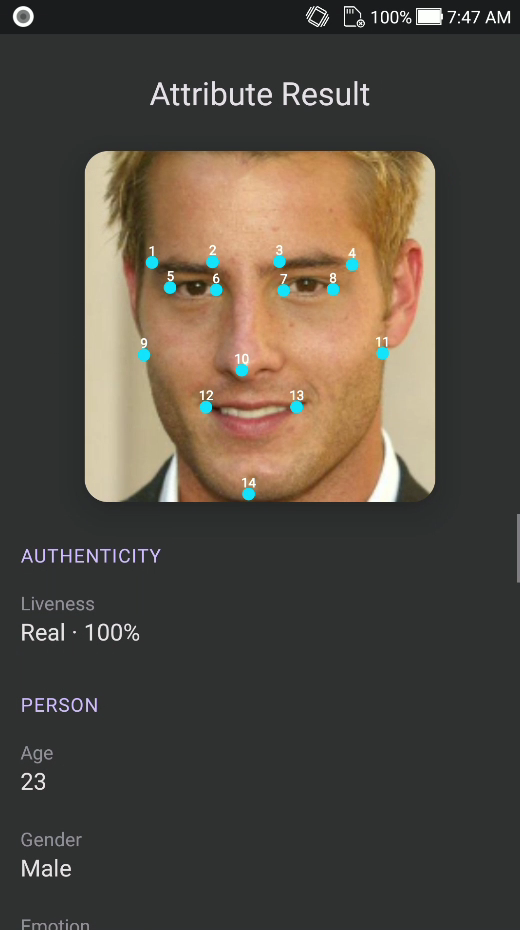
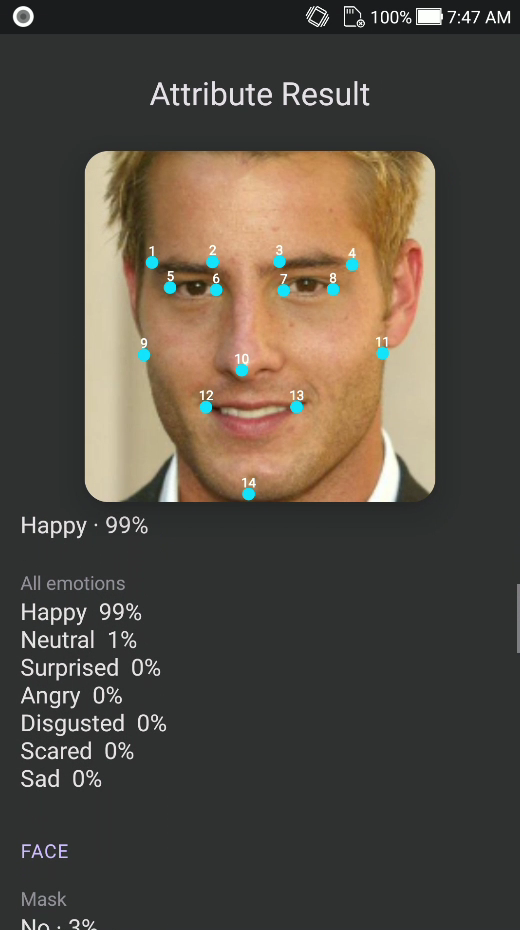
| Attribute (quality) | Settings | About |
|---|---|---|
|
|
|
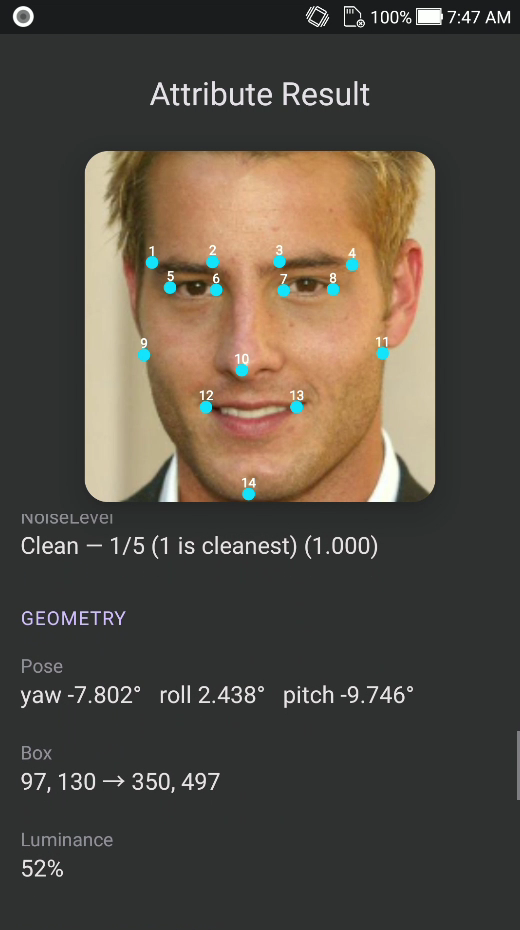
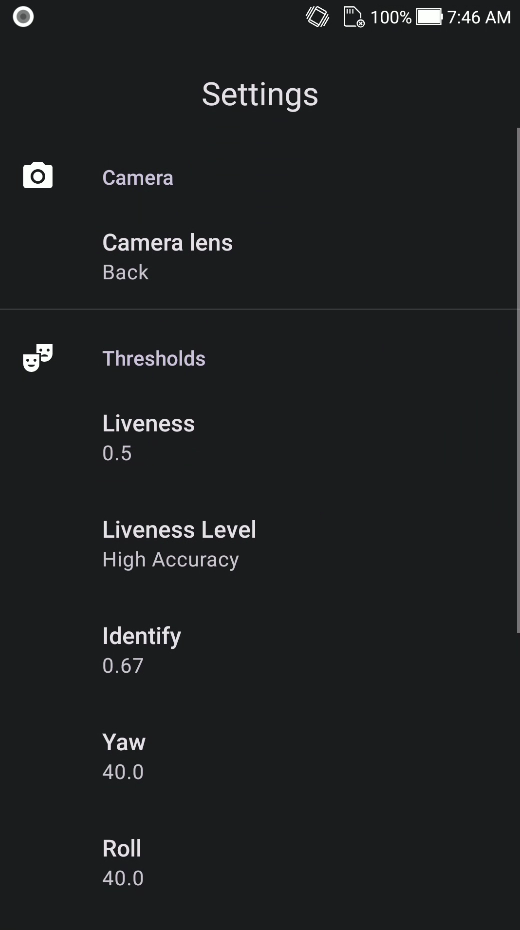
| Home (tiles) | Attribute (liveness) |
|---|---|
|
|
SDK License
Licenses are offline and bound to your applicationId / bundle identifier.
The sample app already includes valid keys for Android com.faceplugin.facerecognitionsdk and iOS com.faceplugin.facerecognition.app. You only need a new key if you use a different id.
How to get a license
The code below shows how to use the license:
Please contact us to get a license for your own app.
Call order, off the UI thread: GetMachineCodeAsync → SetActivationAsync → InitAsync. 0 means success.
| Code | Meaning |
|---|---|
| 0 | Success |
| 1 | Invalid license |
| 2 | Expired license |
| 3 | Not activated |
| 4 | Init failed |
Setup on your own app
Reference FaceSdk from this project, or copy FaceSdk.cs and the platform file for the target you ship.
- Android: add
facerecognitionsdk.aaras anAndroidLibraryand keepFaceBridge.javaon the compile classpath. - iOS: add
facerecognitionsdk.framework,FaceRecognitionEngine.framework, andonnxruntime.frameworkasNativeReferenceitems withForceLoad. - Keep calls off the UI thread.
SdkGatealready serializes them. - Enroll with
DetectAsync(exactly one face) thenExtractCroppedFeatureAsync. - Identify with
StartVideoWorkerAsync,SyncDatabaseAsync,AddFrameAsync, andPollEventAsync. - Capture uses the same VideoWorker feed plus
DetectAsyncfor the pose, eye, and liveness gate.
You do not need HomePage in your own app.
Contact


