
FLAIROx/JaxGL
FLAIROx/JaxGL has 39 GitHub stars and 1 forks. GitHot measured 0 stars in 24 hours. Last checked 2026-11-15 05:55 UTC. Last push 2024-11-03.
Measured star growth
- in 24h
- 0
- in 7 days
- Collecting history
- in 15 days
- Collecting history
- in 1 month
- Collecting history
Net star changes over overlapping periods, not daily totals. Missing measurements are left blank. Stars measure attention, not software quality.
About
Simple JAX Graphics Library.
Creative & MediaREADME.md
OriginalJaxGL



JaxGL is a simple and flexible graphics library written entirely in JAX. JaxGL was created by Michael Matthews and Michael Beukman for the Kinetix project.
💻 Basic Usage
# 512x512 pixels
screen_size = (512, 512)

# Clear a fresh screen with a black background
clear_colour = jnp.array([0.0, 0.0, 0.0])
pixels = clear_screen(screen_size, clear_colour)

# We render to a 256x256 'patch'
patch_size = (256, 256)
triangle_renderer = make_renderer(screen_size, fragment_shader_triangle, patch_size)

# Patch position (top left corner)
pos = jnp.array([128, 128])

triangle_data = (
    # Vertices (note these must be anti-clockwise)
    jnp.array([[150, 200], [150, 300], [300, 150]]),
    # Colour
    jnp.array([255.0, 0.0, 0.0]),
)

# Render the triangle to the screen
pixels = triangle_renderer(pixels, pos, triangle_data)
This produces the following image:

👨💻 Custom Shaders
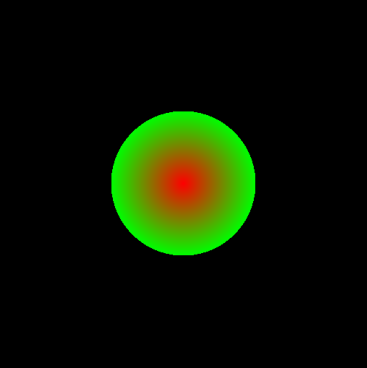
Arbitrary rendering effects can be achieved by writing your own shaders.
screen_size = (512, 512)

clear_colour = jnp.array([0.0, 0.0, 0.0])
pixels = clear_screen(screen_size, clear_colour)

patch_size = (256, 256)

# We make our own variation of the circle shader
# We give both a central and edge colour and interpolate between these

# Each fragment shader has access to
# position: global position in screen space
# current_frag: the current colour of the fragment (useful for transparency)
# unit_position: the position inside the patch (scaled to between 0 and 1)
# uniform: anything you want for your shader.  These are the same for every fragment.

def my_shader(position, current_frag, unit_position, uniform):
    centre, radius, colour_centre, colour_outer = uniform

    dist = jnp.sqrt(jnp.square(position - centre).sum())
    colour_interp = dist / radius

    colour = colour_interp * colour_outer + (1 - colour_interp) * colour_centre

    return jax.lax.select(dist < radius, colour, current_frag)

circle_renderer = make_renderer(screen_size, my_shader, patch_size)

# Patch position (top left corner)
pos = jnp.array([128, 128])

# This is the uniform that is passed to the shader
circle_data = (
    # Centre
    jnp.array([256.0, 256.0]),
    # Radius
    100.0,
    # Colour centre
    jnp.array([255.0, 0.0, 0.0]),
    # Colour outer
    jnp.array([0.0, 255.0, 0.0]),
)

# Render the triangle to the screen
pixels = circle_renderer(pixels, pos, circle_data)
🔄 In Kinetix
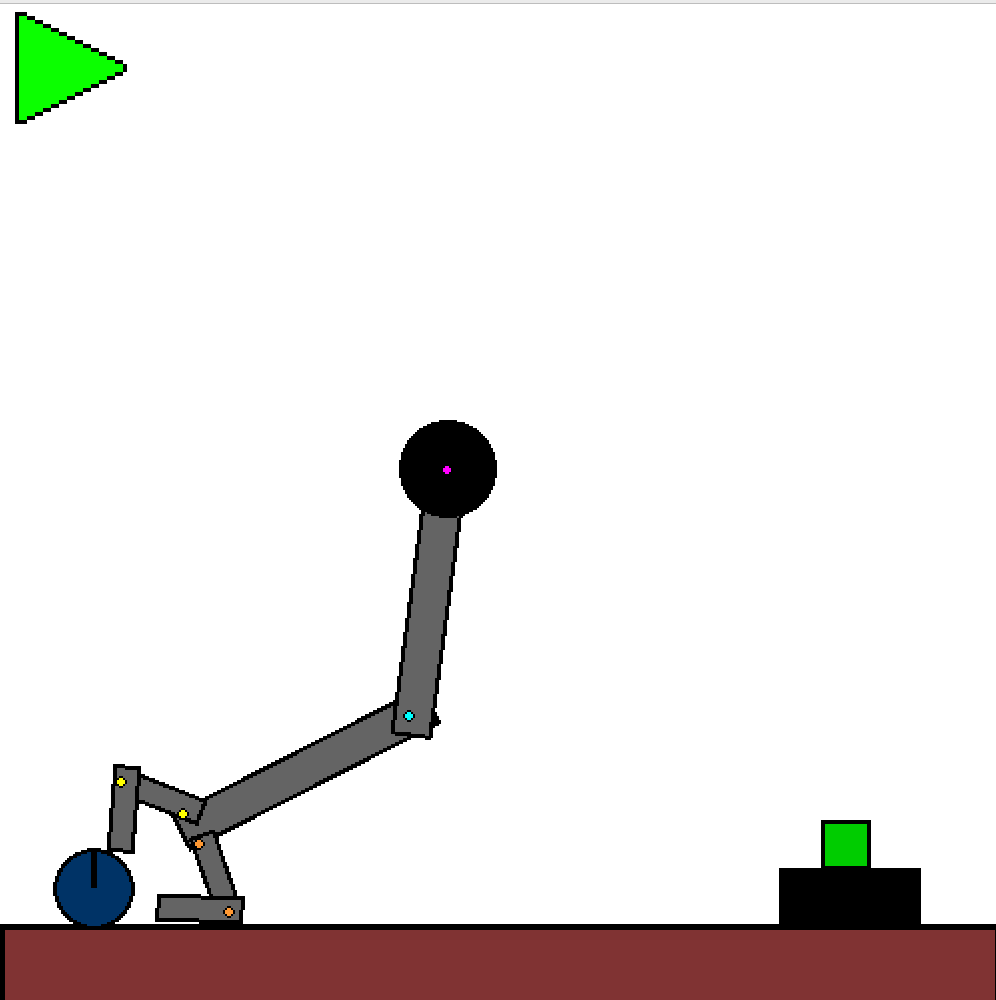
JaxGL is used for rendering in Kinetix. Shown below is an example robotics grasping task.
⬇️ Installation
To use JaxGL in your work you can install via PyPi:
pip install jaxgl
If you want to extend JaxGL you can install as follows:
git clone https://github.com/FLAIROx/JaxGL
cd JaxGL
pip install -e ".[dev]"
pre-commit install
🔍 See Also
- JAX Renderer A more complete JAX renderer more suitable for 3D rendering.
- Jax2D 2D physics engine in JAX.
- Kinetix physics-based reinforcement learning in JAX.