
ErikEJ/SqlQueryStress
ErikEJ/SqlQueryStress has 1,115 GitHub stars and 281 forks. GitHot measured 0 stars in 24 hours. Last checked 2026-11-09 09:38 UTC. Last push 2026-10-09.
SQL query stress simulator created by Adam Machanic http://dataeducation.com/sqlquerystress-the-source-code/
Measured star growth
- in 24h
- 0
- in 7 days
- Update delayed
- in 15 days
- Update delayed
- in 1 month
- Update delayed
Net star changes over overlapping periods, not daily totals. Missing measurements are left blank. Stars measure attention, not software quality.
README.md
OriginalSqlQueryStress
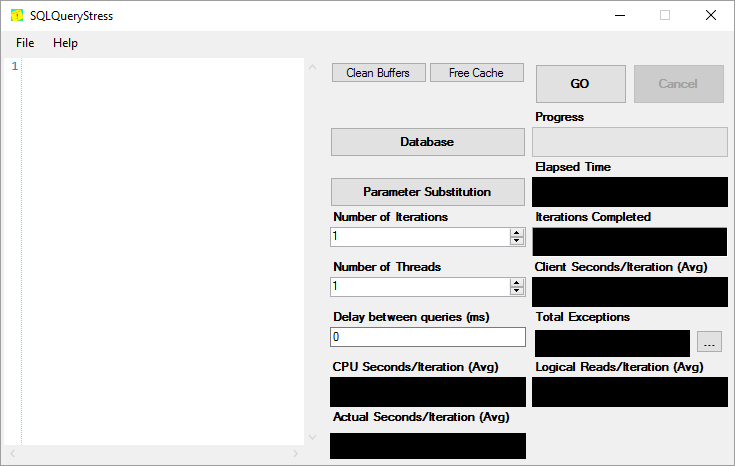
SQL query stress simulator created by Adam Machanic.
Installation
The tool runs on any Windows machine with the .NET 10.0 runtime installed.
Get the latest version from GitHub releases
Getting started guide
Introduction to SQL Query Stress
Articles
Tune SQL Server Databases, Stored Procedures, and Indexes with SqlQueryStress
sqlstresscmd
A cross platform command line tool using the same load engine is also available, see dedicated readme
Connection Settings
SQL Query Stress automatically applies SQL Server connection settings similar to SQL Server Management Studio (SSMS) to ensure consistent query execution behavior. These settings are read from the querysettings.sql file located in the application directory.
Default Settings
By default, the following SSMS-compatible settings are applied to every connection:
SET QUOTED_IDENTIFIER ON;SET ANSI_NULL_DFLT_ON ON;SET ANSI_PADDING ON;SET ANSI_WARNINGS ON;SET ANSI_NULLS ON;SET ARITHABORT ON;SET CONCAT_NULL_YIELDS_NULL ON;
These settings match the default SSMS configuration and ensure that query execution behavior is consistent between SSMS and SQL Query Stress.
Customizing Connection Settings
You can customize the connection settings by editing the querysettings.sql file in the application directory. Any valid T-SQL SET commands can be added to this file, and they will be automatically executed when each connection is opened.
Example customizations:
SET NOCOUNT ON;
SET STATISTICS IO ON;
SET STATISTICS TIME ON;
Note: Settings are applied automatically when connections are opened, so there's no need to modify your test queries.
Contributing
Any and all contributions are welcome! Please see the full contributing guide for more details.
Explore related projects
Asabeneh/30-Days-Of-Python
The 30 Days of Python programming challenge is a step-by-step guide to learn the Python programming language in 30 days. This challenge may take more than 100 days. Follow your own pace. These videos may help too: https://www.youtube.com/channel/UC7PNRuno1rzYPb1xLa4yktw
78,423 starsgrafana/grafana
The open and composable observability and data visualization platform. Visualize metrics, logs, and traces from multiple sources like Prometheus, Loki, Elasticsearch, InfluxDB, Postgres and many more.
77,790 starsredis/redis
For developers, who are building real-time data-driven applications, Redis is the preferred, fastest, and most feature-rich cache, data structure server, and document and vector query engine.
77,309 starsapache/superset
Apache Superset is a Data Visualization and Data Exploration Platform
75,455 stars