
Enter-tainer/cxx2flow
About
Turn your C/C++ code into a flowchart
Creative & MediaMeasured star growth
- in 24h
- 0
- in 7 days
- +2
- in 15 days
- Collecting history
- in 1 month
- Collecting history
Net star changes over overlapping periods, not daily totals. Missing measurements are left blank. Stars measure attention, not software quality.
README-en.md
Originalcxx2flow
Turn your C/C++ code into flowchart
Demo
For more demo please refer to GALLERY
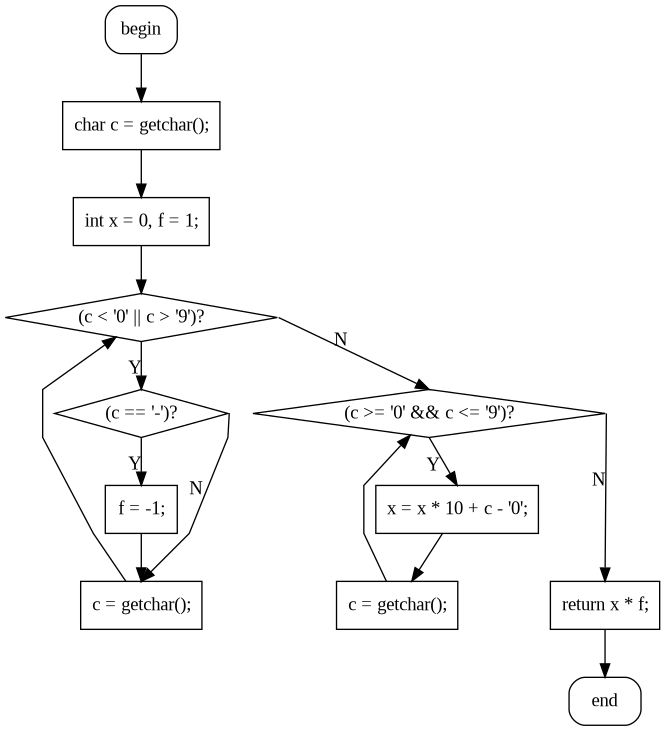
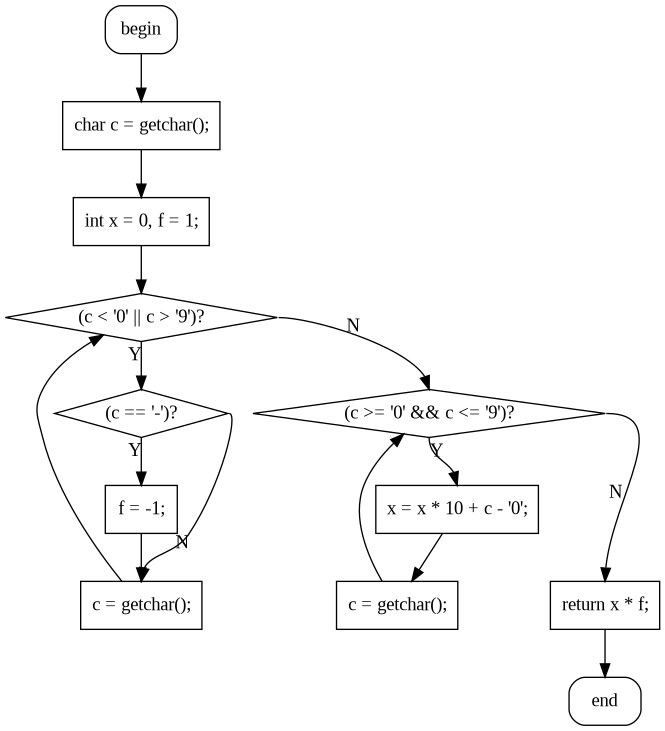
Two different styles:
| polyline | smooth |
 |
 |
inline int read() {  //快读
  char c = getchar();
  int x = 0, f = 1;
  while (c < '0' || c > '9') {
    if (c == '-') f = -1;
    c = getchar();
  }
  while (c >= '0' && c <= '9') {
    x = x * 10 + c - '0';
    c = getchar();
  }
  return x * f;
}
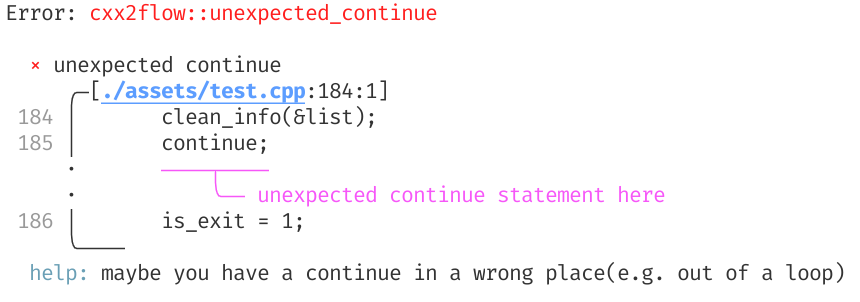
Error reporting
Installation
Online Usage (Recommended)
We recommend using the online web version directly - no download required!
Visit: https://enter-tainer.github.io/cxx2flow/
The online version provides full functionality with a code editor and real-time flowchart preview, without installing any software.
Compile from source
cargo install cxx2flow
Prebuilt binary
It is recommended to download prebuilt binary from Github Release.
GUI version
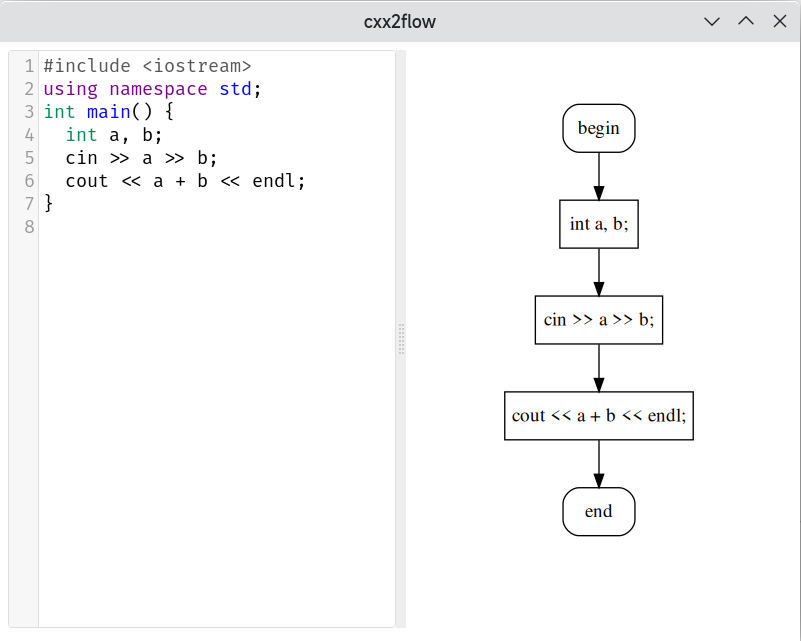
For those who are not familiar with command line, I recommend the GUI version of cxx2flow. https://github.com/Enter-tainer/cxx2flow-gui/releases
Usage
To compile the generated dot file, you need graphviz. You can also copy the output to online graphviz services such as http://magjac.com/graphviz-visual-editor/ .
Convert your C/C++ code to control flow chart

Usage: cxx2flow [OPTIONS] [INPUT] [FUNCTION]

Arguments:
  [INPUT]     Sets the path of the input file. e.g. test.cpp
              If not specified, cxx2flow will read from stdin.
  [FUNCTION]  The function you want to convert. e.g. main [default: main]

Options:
  -o, --output <OUTPUT>  Sets the output file.
                         If not specified, result will be directed to stdout.
                         e.g. graph.dot
  -c, --curly            Sets the style of the flow chart.
                         If specified, output flow chart will have curly connection line.
      --cpp              Use C preprocessor.
  -t, --tikz             Use tikz backend.
  -d, --dump-ast         Dump AST(For debug purpose only).
  -h, --help             Print help information
  -V, --version          Print version information

Note that you need to manually compile the dot file using graphviz to get SVG or PNG files.

EXAMPLES:
    cat main.cpp | cxx2flow | dot -Tsvg -o test.svg
    cxx2flow test.cpp | dot -Tpng -o test.png
    cxx2flow main.cpp my_custom_func | dot -Tsvg -o test.svg

Please give me star if this application helps you!
如果这个应用有帮助到你,请给我点一个 star!
https://github.com/Enter-tainer/cxx2flow
Limitations
- The support of preprocessor is based on
cpp, and is disabled by default.--cppflag is needed to enable it. It will fail ifcppdoes not exist inPATH. - Supported control flow keyword: while,for,if,break,continue,break,return,switch, goto, do-while。
- Very basic support for range based loop in C++ 11.
WebAssembly (browser / Node.js)
cxx2flow now provides a wasm entrypoint generate_dot(content, function_name, curly) for browser usage.
Build wasm package:
CC_wasm32_unknown_unknown="$PWD/scripts/clang-wasm.sh" wasm-pack build --target web --release
Or use just (auto-detect OS):
just wasm-build
Windows (PowerShell):
$env:CC_wasm32_unknown_unknown = (Resolve-Path scripts/clang-wasm.cmd).Path
wasm-pack build --target web --release
Run minimal smoke test in Node.js:
node scripts/wasm-smoke.mjs
With just:
just wasm-smoke
Web UI (React + shadcn-style + lucide)
This repo includes a browser app under web/:
- Left panel: C/C++ source editor
- Right panel: Graphviz SVG preview
- Engine:
cxx2flowwasm +@hpcc-js/wasm-graphviz
Run locally:
just web-install
just web-dev
This web app uses pnpm.
Build static assets:
just web-build
GitHub Pages deployment is configured in .github/workflows/pages.yml and triggers on push to master.
Notes:
- Browser/wasm mode only exposes DOT backend via
generate_dot. - CLI-only features (like
--cppand AST dump coloring output) are native-mode only. .cargo/config.tomlis intentionally not used for wasm toolchain wiring; setCC_wasm32_unknown_unknownexplicitly per shell/session.
Explore related projects
Loading…