
EliverLara/terminator-themes
EliverLara/terminator-themes has 1,223 GitHub stars and 107 forks. GitHot measured 0 stars in 24 hours. Last checked 2026-11-09 07:38 UTC. Last push 2026-10-26.
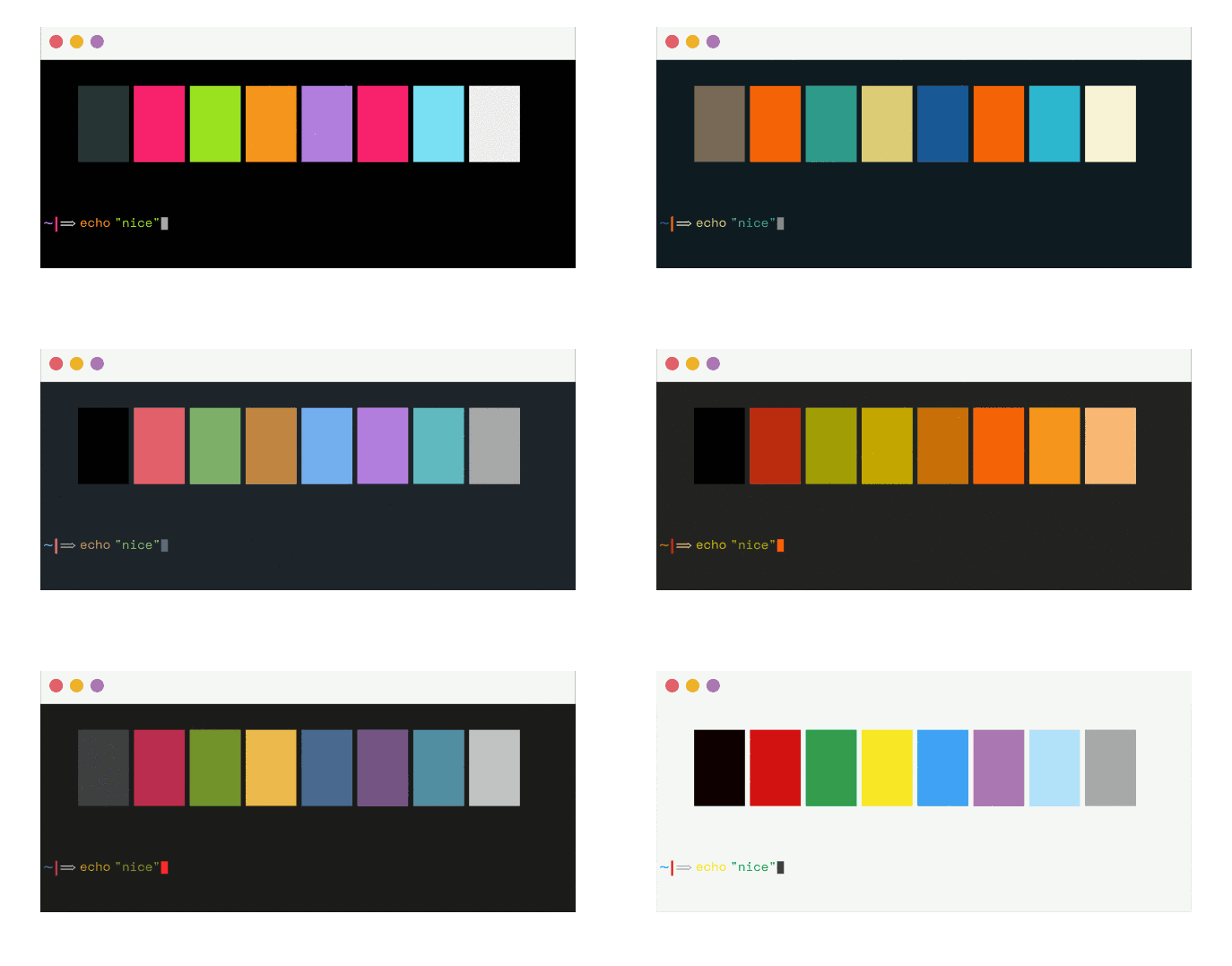
:metal: The biggest collection of themes for Terminator terminal.
Measured star growth
- in 24h
- 0
- in 7 days
- Update delayed
- in 15 days
- Update delayed
- in 1 month
- Update delayed
Net star changes over overlapping periods, not daily totals. Missing measurements are left blank. Stars measure attention, not software quality.
README.md
Original
Installation
1. Install the requests python package
pip install requests
Note: If you're using python 3, ignore the previous command and install the
python2-requestspackage for your specific OS.
2. Create plugins directory if it does not exist
mkdir -p $HOME/.config/terminator/plugins
3. Getting the correct plugin
For terminator >= 1.9
wget https://git.io/v5Zww -O $HOME"/.config/terminator/plugins/terminator-themes.py"
For terminator < 1.9
wget https://git.io/v5Zwz -O $HOME"/.config/terminator/plugins/terminator-themes.py"
4. Activation
Check the TerminatorThemes option under terminator > preferences > plugins.
Usage
- Open the terminator context menu and select
Themes. - Select you favorite theme and click
install(you can preview available themes before installing). - Enjoy! :smiley:
Setting a Default
There are two ways to set a chosen theme as a default:
Option One: Edit Terminator Config Manually
Once you install a theme it's stored in Preferences > Profiles. To change an installed theme to the default one open ~/.config/terminator/config and replace the [[default]] theme with your preferred theme under the [profiles] setting. (thanks @jacsmith21)
Option Two: Use the GUI
If you do not want to deal with the modification of the configuration file, you can do the following:
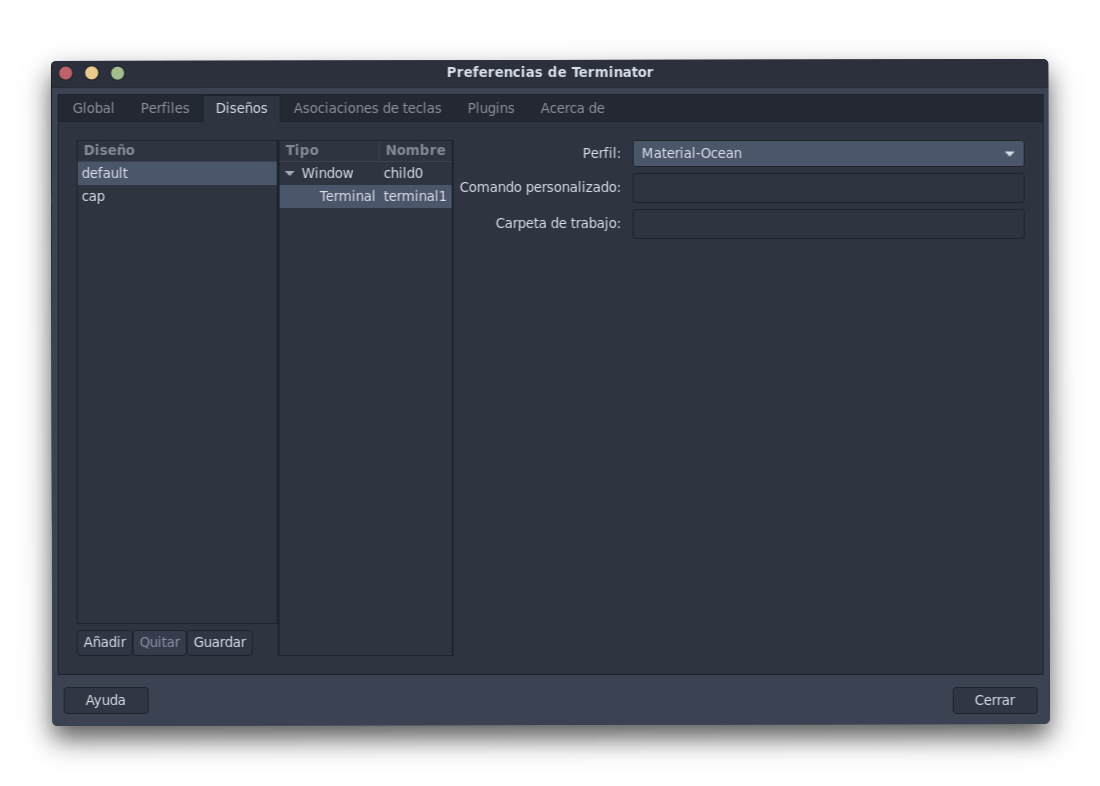
- Go to
Preferences - Choose the
Layoutstab. - Choose your preferred layout.
- Choose the layout terminal (in the next column).
- Choose you preferred profile.
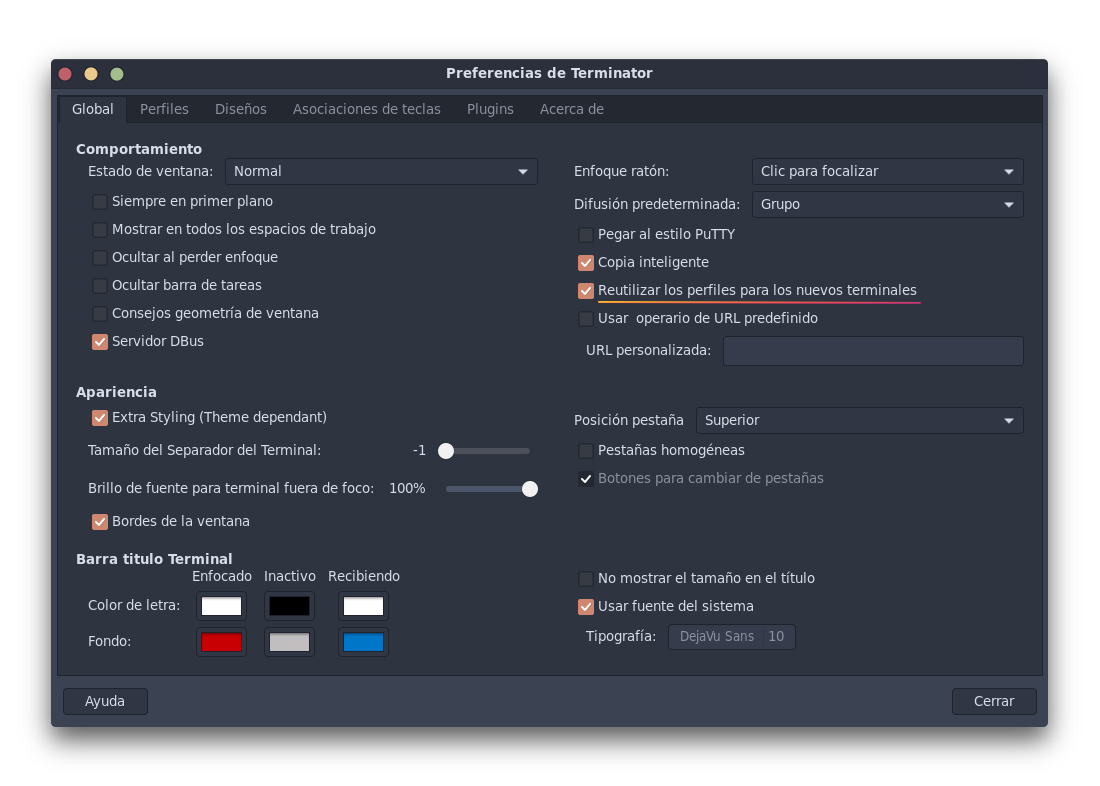
Additionally in order to reuse your new selected profile in the new terminals (avoid selecting the profile in each split) open preferences > global and check the 'Re-use profiles for new terminals' option.
Explore related projects
codecrafters-io/build-your-own-x
Master programming by recreating your favorite technologies from scratch.
561,398 starspublic-apis/public-apis
A collective list of free APIs
497,679 starsmorluto/rea
Reverse engineer anything with agents, from app behavior down to native binaries.
447,495 starsopenclaw/openclaw
The AI that really does things. Any OS. Any Platform. The lobster way. 🦞
394,261 stars