
EliotAndres/iphone-use-app
EliotAndres/iphone-use-app has 46 GitHub stars and 6 forks. GitHot measured +2 stars in 24 hours. Last checked 2026-11-15 06:03 UTC. Last push 2026-11-09.
What you can do
- No computer at run time: the agent runs on the iPhone and controls that same iPhone, no extra hardware or jailbreak. A Mac is only needed once, to make the pairing file
- Start it from anywhere: the chat, Siri, the "Run Agent" Shortcut or an iphoneuse://run?prompt=… link.
Measured star growth
- in 24h
- +2
- in 7 days
- Collecting history
- in 15 days
- Collecting history
- in 1 month
- Collecting history
Net star changes over overlapping periods, not daily totals. Missing measurements are left blank. Stars measure attention, not software quality.
About
An iPhone app where an LLM controls the phone it runs on (no Mac required after setup)
AIREADME.md
Original
iphone-use-app
Let an AI model use your iPhone, from the iPhone itself. No Mac at run time (one-time pairing only), no extra hardware, no jailbreak.


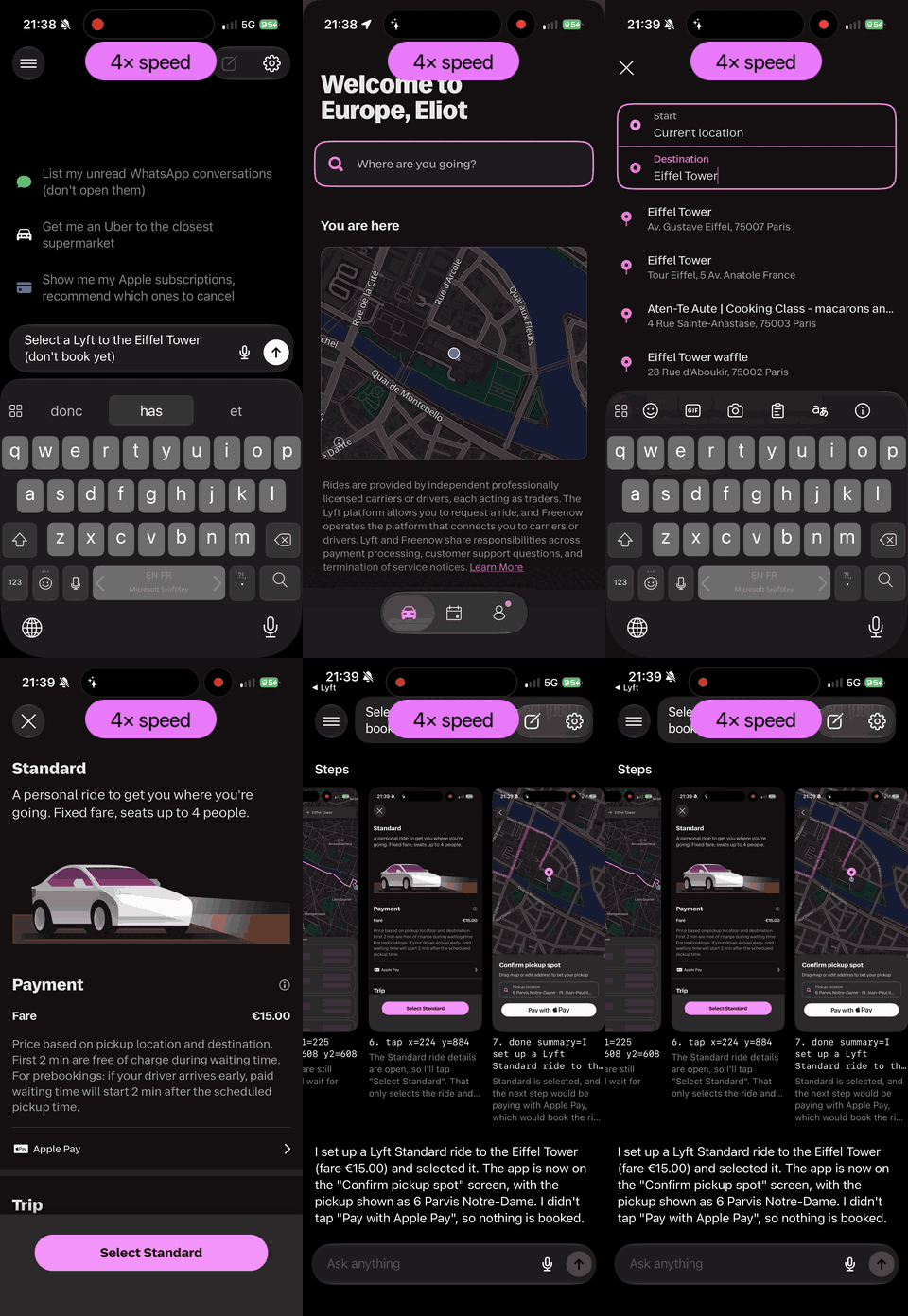
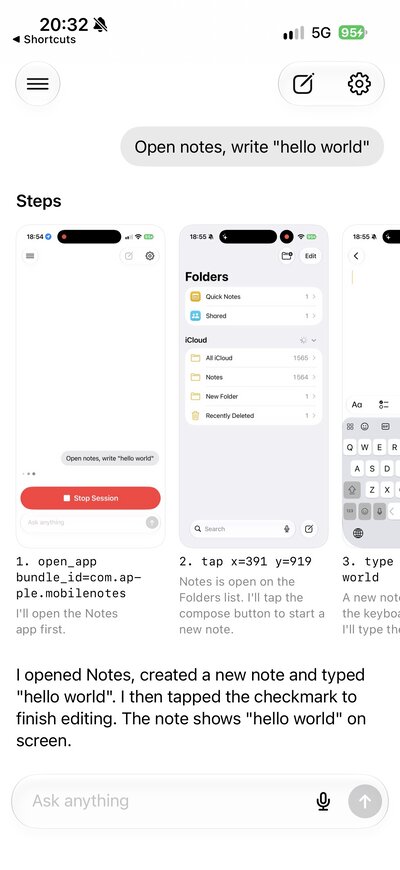
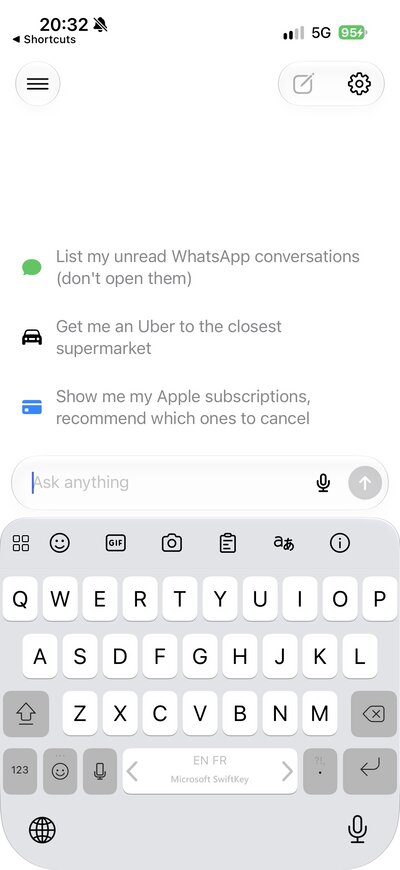
Left: "Select a Lyft to the Eiffel Tower (don't book yet)" (4× speed): the agent leaves its own app, opens Lyft, types the destination, picks it and stops at the ride options. Middle: the finished run, each step with its screenshot. Right: a new chat.
Features
- No computer at run time: the agent runs on the iPhone and controls that same iPhone, no extra hardware or jailbreak. A Mac is only needed once, to make the pairing file
- Start it from anywhere: the chat, Siri, the "Run Agent" Shortcut or an
iphoneuse://run?prompt=…link.
How it compares
| iphone-use-app | TapKit | esp32-iphone-agent | iPhone-use | |
|---|---|---|---|---|
| Computer at run time | None (a Mac once, for pairing) | Mac app, phone plugged in | None (a computer once, to flash the board) | Mac (MCP server) |
| Extra hardware | None | None | ESP32-S3 board (~$7) on USB-C | None |
| How it sees and acts | CoreDevice screenshots and touches, through a loopback VPN | Apple accessibility features | AirPlay mirroring to the board, USB mouse/keyboard via AssistiveTouch | WebDriverAgent (XCTest) over USB |
Requirements
| Part | Notes |
|---|---|
| iPhone | iOS 26 or later, Developer Mode on. |
| Apple account | Paid team: the app uses its own built-in VPN (needs the Network Extension entitlement). Free Apple ID: build with BUILTIN_VPN=NO (Xcode build setting or xcodebuild argument) and install LocalDevVPN; re-sign every 7 days. |
| Pairing file | Made once from a Mac over USB (below). |
| Vision model | An OpenRouter key, or any OpenAI-compatible endpoint whose model takes images and tool calls. |
| Mac | Only to make the pairing file (and to build the app, unless you install the release). Not needed at run time. |
Limitations
- Shortcut needed on cellular: iOS refuses new loopback VPN connections on cellular data, so the app runs a Cellular Toggle shortcut that turns data off while it connects, then back on (or turn it off by hand).
- No other VPN at the same time: it needs a loopback VPN (the built-in one, or LocalDevVPN), and iOS allows one VPN at a time, so Tailscale and similar stop while it is on.
- "Viewed remotely from Mac" notice on every run: iOS shows "Device Hub: This device was viewed remotely from Mac" when its developer services are used, even though the "Mac" here is the app itself. Nothing leaves the phone (except calls to LLMs).
- Permissions: requires Developer Mode, a VPN configuration, Local Network access (to find the phone's pairing service), and Location set to "Always" (keeps runs alive in the background, alongside silent audio). Microphone only for voice prompts.
- Pairing files expire: make a new one when the app says so.
- Sideloaded build only: it needs Developer Mode and developer services, so it can't go on the App Store.
- A few seconds per step: most of it is the model.
How it works
flowchart LR
  subgraph App["iphone-use-app"]
    L["LLM calling"]
    D["Mount developer image"]
    O["Orchestrator"]
  end
  L <-- "screenshot + history /<br/>tool call" --> R["OpenRouter"]
  D -- "DDI mount" --> V["Loopback VPN<br/>10.7.0.1"]
  O <-- "screenshot / tap, swipe, type" --> V
The app mounts a developer image, then uses a loopback VPN to screenshot and control the iPhone it runs on. Each step, the screenshot goes to the model, which answers with a tool call (tap, long press, swipe, type, open app) until it's done. A Live Activity shows progress with a Stop button, and every run is saved as a chat.
Benchmark
One decision is one screenshot → one tool call. scripts/eval.sh replays 11 recorded steps (open Lyft, search a
destination, pick a ride, stop before paying; write a note) against each model through OpenRouter, run twice
(22 decisions per row). November 2026; times are full round trips from a Mac.
| Model | Correct | Median | p90 | $ / decision |
|---|---|---|---|---|
| Claude Haiku 5.5 (default) | 91% | 1.3 s | 2.0 s | $0.0003 |
| Claude Haiku 5.5, reasoning off | 91% | 1.1 s | 1.5 s | $0.0003 |
| Claude Sonnet 5.5 (reasoning can't be turned off) | 91% | 1.2 s | 2.5 s | $0.0055 |
| Claude Opus 5 | 95% | 2.1 s | 4.2 s | $0.014 |
| Claude Opus 5, fast tier, reasoning off | 100% | 1.4 s | 1.6 s | $0.051 |
| Claude Opus 5.5 | 86% | 1.8 s | 3.1 s | $0.011 |
| Claude Opus 5.5, fast tier | 82% | 0.9 s | 1.3 s | $0.021 |
Quick start
1. Make a pairing file
This is the one step that needs a Mac. Plug the phone into the Mac, unlock it (tap Trust if asked), then:
git clone https://github.com/jkcoxson/idevice && cd idevice
cargo build --release -p idevice-tools --bin idevice-tools
./target/release/idevice-tools rppairing pair my-mac pairingFile.plist
The file keeps working until the phone stops trusting that host (Reset Location & Privacy, Developer Mode turned off). Make a new one if the app says the pairing file is invalid or expired.
2. Install the app
Without building: add this source in SideStore or AltStore:
https://raw.githubusercontent.com/EliotAndres/iphone-use-app/main/source.json
(or sideload the .ipa from Releases).
It is the free Apple ID build: install LocalDevVPN too.
From source (needed for the built-in VPN, which takes a paid team):
# once: the prebuilt Rust lib (45 MB, gitignored) from the latest release...
curl -L -o iPhoneUse/idevice/libidevice_ffi.a https://github.com/EliotAndres/iphone-use-app/releases/latest/download/libidevice_ffi.a
# ...or build it yourself (needs rustup + the aarch64-apple-ios target)
scripts/build-idevice.sh
open iPhoneUse.xcodeproj        # set your team, run the iPhoneUse scheme on the phone
3. Set up (once, in the app)
- Settings (gear, top right) → Import Pairing File.1
- Allow the Add VPN Configuration prompt. It only routes
10.7.0.1back to the phone. With LocalDevVPN instead: turn it on, and pick LocalDevVPN in Settings → Phone Connection (picked for you if the built-in VPN fails). - Settings → Model: pick a provider, paste the key, pick a model.
- Wait for the "not connected" line above the input to go away (the developer disk image downloads on first run).
1 Or copy it over once the app is installed:
xcrun devicectl device copy to --device <udid> --domain-type appDataContainer --domain-identifier blog.eliot.iphoneuse --source pairingFile.plist --destination Documents/pairingFile.plist
4. Give it a task
Type a goal, for example "Open Settings and turn on Dark Mode", and send it. Stop it from the Dynamic Island or the chat.
Development
Scripted runs (no LLM)
DEV=<udid> scripts/runscript.sh "open com.apple.Preferences; wait 1.5; tap 0.5 0.9; shot a" a
Launches the app with -agentScript, waits for "script done" in Documents/agent.log and pulls the screenshots.
-agentPrompt "..." as a launch argument starts a real run.
Simulator (layout checks only)
The simulator can't reach a device, but it shows the UI. -demoChat YES plays a fake run
(placeholder screenshots, a question to answer), Debug builds only.
rustup target add aarch64-apple-ios-sim && scripts/build-idevice.sh sim: the libs are single-arch, so the simulator needs its own, iniPhoneUse/idevice/sim/.- Build Debug (the scheme defaults to Release, which drops
-demoChat) against that lib:xcodebuild -project iPhoneUse.xcodeproj -scheme iPhoneUse -configuration Debug -destination id=<sim udid> LIBRARY_SEARCH_PATHS='$(PROJECT_DIR)/iPhoneUse/idevice/sim' build - Install the
.appfrom DerivedData and launch it with-demoChat YES.
Heartbeat connection closes right after connecting (fixed: runs used to get killed)
Symptom (before the fix): a run froze on a step after about a minute in the background, and the
Live Activity stayed on that step. The app had been killed: the phone's crash logs held an
iPhoneUse.cpu_resource_fatal-*.ips report ("exceeding limit of 80% cpu over 60 seconds", "Process killed").
Cause: the heartbeat thread (Heartbeat.run() in DeviceSession.swift) keeps CoreDevice services
alive during a run. Its connection is closed right after the handshake; idevice's userspace TCP stack
(jktcp) then answers every read with BrokenPipe in microseconds, and the loop retried with no delay,
about 45k times a second. iOS kills background apps above 80% CPU over 60 seconds.
Two things made it worse:
- The idevice log was written to
Documents/idevice_log.txtat Debug level, which prints every XPC message, screenshots included, as decimal byte lists: 178 MB of log and ~1 GB of memory in a minute. - The loop matched errors by the strings
HeartbeatTimeout/HeartbeatSleepyTime, which never appear in idevice's messages ("heartbeat timeout", "device went to sleep").
Fix: timeouts are matched on the error code (100, sub-code 2) and the loop waits again; any other error ends the loop. The file log is at Info.
Still open: why the heartbeat connection closes. Runs work without it (a 17-step, 2.5-minute run finished fine); if CoreDevice services start dropping on long runs, reconnecting the heartbeat (with backoff) is the next step.
Debugging a killed run: idevicecrashreport -u <udid> -k <dir> pulls the crash logs. Symbolicate
with atos against the dSYM of the exact build (the UUID in the report must match
dwarfdump --uuid).
Feature scope: docs/FEATURES.md.
Responsible use
Only automate devices and accounts you own or may use, and respect the terms of the apps involved. The agent acts with your hands: watch it, and keep Stop within reach.
Credits
| Project | Repo | Used for |
|---|---|---|
| StikDebug, by Stephen and contributors | StikDebug/StikDebug | The tunnel, pairing file and developer disk image code is based on it |
| idevice, by jkcoxson | jkcoxson/idevice | The Rust library behind every device call |
| StosVPN, by the SideStore Team and Stossy11 | SideStore/StosVPN | The loopback VPN (TunnelProvider/) is based on it |
| LocalDevVPN, by jkcoxson | jkcoxson/LocalDevVPN | The VPN app for free Apple IDs; our tunnel came from StosVPN through it |
| esp32-iphone-agent, by Henry Yuan | onehumanbeing/esp32-iphone-agent | The model provider and model picker design, and the layout of this README |
| DeveloperDiskImage, by doronz88 | doronz88/DeveloperDiskImage | Developer disk images |
License
AGPL-3.0. See LICENSE.