
ECNU/EduWork
ECNU/EduWork has 370 GitHub stars and 41 forks. GitHot measured +6 stars in 24 hours. Last checked 2026-11-17 02:48 UTC. Last push 2026-11-16.
Measured star growth
- in 24h
- +6
- in 7 days
- Update delayed
- in 15 days
- Update delayed
- in 1 month
- Update delayed
Net star changes over overlapping periods, not daily totals. Missing measurements are left blank. Stars measure attention, not software quality.
About
EduWork 基于 DeepSeek Harness(DSH),为教学、科研与办公组合插件、技能和桌面运行环境。围绕本机资料开展对话、创作和学习,可以连接个人模型服务,也可以使用兼容的学校或企业账号登录。
Developer ToolsREADME_EN.md
Original

EduWork
An education distribution built on DSH.
Institution access · Create from your materials · Plugins & skills



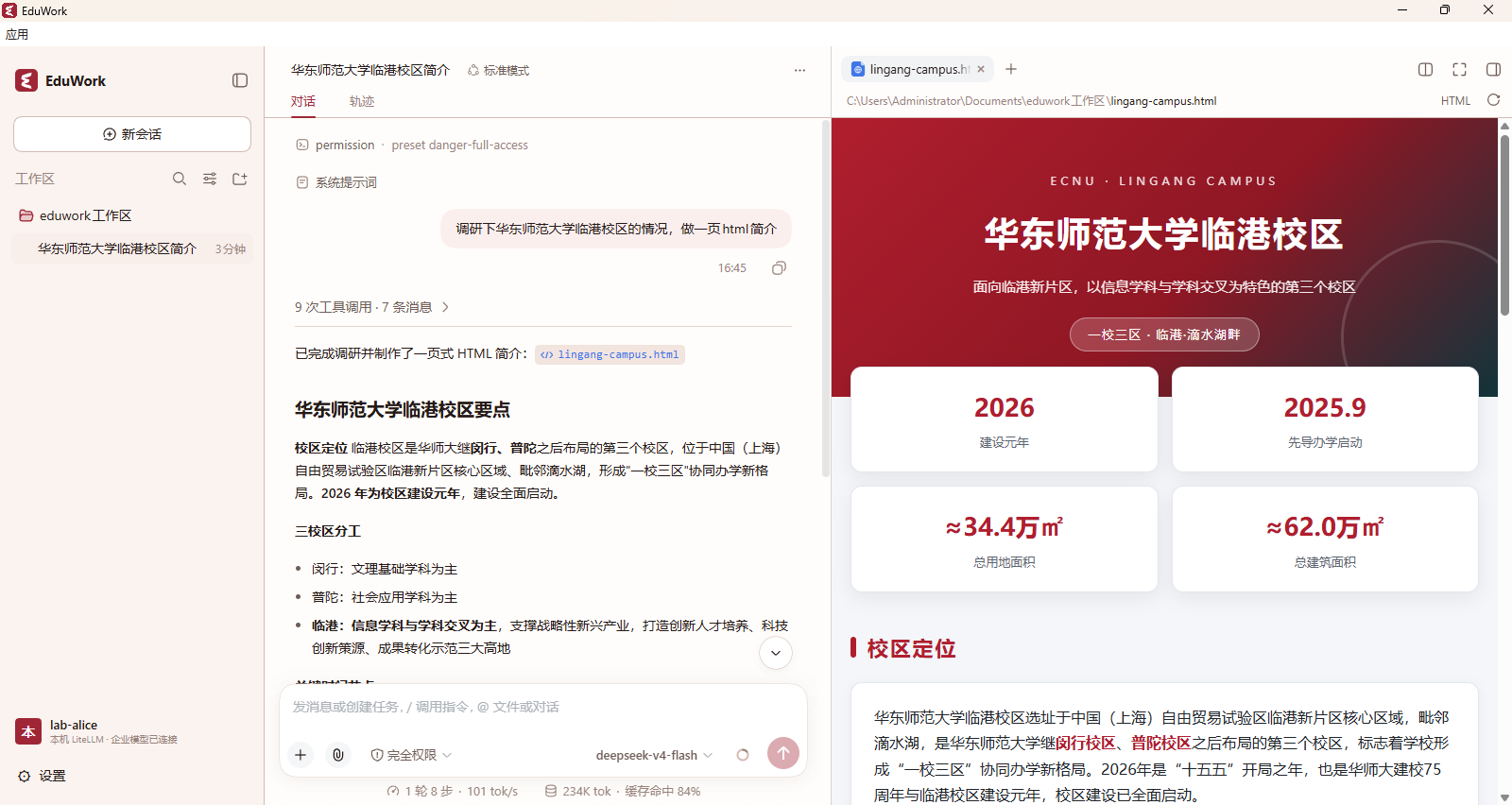
EduWork builds on DeepSeek Harness (DSH), combining plugins, skills and a desktop environment for teaching, research and office work. Chat, create and learn with local materials, using your own model service or a compatible school or organization account.
From DSH to institution editions
DSH provides the agent runtime and plugin system. EduWork reuses its conversations, tools, browser and file capabilities and maintains a shared distribution for education. Institutions connect their own models, services and branding through configuration and plugins. EduWork@ECNU is one example.
Bundled plugins
These plugins come with the public desktop edition. Follow each link for usage, service requirements and compatibility.
| Plugin | What it does |
|---|---|
| Identity & model access | Sign in to a compatible gateway through your browser, discover models and renew tokens. Supports LiteLLM OAuth and experimental oidc-llm integration. |
| Knowledge Studio | Turn materials into reports, presentations, mind maps, quizzes and flashcards, with companion artifact services for Office previews and media creation shared with conversations. |
| Response annotations | Comment on selected passages, keep numbered references and send multiple annotations together using DSH’s composer and drafts. |
| Side chat | Ask follow-up questions from a message or selection with a snapshot of the source history. Side chats run separately, archive on close and optionally integrate with annotations. |
| Decision tools | Classify, estimate condition probabilities and score against rubrics through a SystemOne service, with a companion skill. Configure the endpoint, model and authentication before enabling it. |
| Literature search | Search DBLP and arXiv, retrieve BibTeX and available full text, and bring research sources into your next task. |
| Local memory | Manage local memory and search past conversations so new tasks can pick up existing context. Memories are managed on your machine. |
| Mail assistant | Connect your mailbox, read mail over IMAP and send through SMTP with authorization, bringing communication into your workflow. |
| Desktop pet | Show task and notification status through a choice of companions. Enable it in settings; this npm plugin requires the EduWork desktop bridge. |
| External agents | Connect local Codex, Cursor or other ACP agents and delegate tasks from a conversation. Disabled by default; enable it and configure connections from the Plugins page. |
| Remote access | Pair another device to continue local sessions and handle approvals in its browser. Configure your own relay or a distribution-provided organization connection in settings, test it and enable access. |
Plugins are also maintained as independent npm packages for compatible DSH applications. Configure external models, mailboxes and media services as needed; the public edition does not include model credits or private credentials.
Bundled skills
Skills guide tasks using plugins and tools. Built-in guidance covers documents, presentations, spreadsheets, PDFs, images, speech, video, Studio, browsing and skill creation. Enable or disable skills in settings, or import your own. Conversations and Studio share creation capabilities; images and cloud speech need configured services. User guide · Media setup
Installation and use
Desktop packages support Windows x64 and macOS 15+ on Apple Silicon (arm64) and Intel (x64). Each user runs EduWork on their own computer; ordinary local use needs no additional EduWork server.
1. Get the client
Download the appropriate desktop package from the latest stable release:
- Windows: download
setup.zip, extract it, run the installer and choose a new writable directory. Alternatively, extract the complete Electron ZIP and runEduWork-Electron.exe, keeping all accompanying resources. - macOS: choose the arm64 or x64 DMG for your processor and drag the app into Applications. A matching ZIP is also available. See the macOS guide for first-launch security prompts.
The Source code downloads are source archives, not desktop installers. See the build guide to run from source.
2. Connect a model
| Your service | How to start |
|---|---|
| Personal model API | Open Settings → Models and enter your API key, endpoint and model. |
| LiteLLM gateway account | Open Settings → Open configuration file, add your organization using examples/litellm.jsonc, then sign in through your browser. Setup guide |
| School or organization configuration | Merge the organization entry into organizations in the active eduwork.jsonc, save, fully quit and restart, then sign in. Configuration examples |
Use the configuration file opened from settings; changing an example alone has no effect. Institution access, media services and update feeds live in eduwork.jsonc; personal API keys are managed in model settings. Put only public connection information and credential references in the configuration file, not passwords or login tokens.
3. Start working
Choose a local workspace, add your materials, select a model and describe your goal. Try: “Create a study guide from these materials, then make a quiz to go with it.” You can also open Studio on the right and choose an artifact type. Preview generated files, annotate passages in replies and ask follow-up questions.
Closing the window keeps the app in the tray by default; use the tray or application menu to quit fully. Software updates can be toggled in settings and preserve history and configuration. See the Windows update guide and macOS update guide.
Institution access and contribution
Configuration is enough to connect models; add plugins and skills for institution-specific services. Institutions can use native LiteLLM OAuth or explore the experimental oidc-llm open integration draft. The connected service manages accounts, model access and quotas.
Identity plugin · Open integration initiative · oidc-llm draft · Edition boundaries
Contribute code, plugins, skills, documentation or practical experience. Contributing · Issues & feedback · Roadmap discussion · Suggest a skill · Suggest a plugin
Documentation
| Guide | Contents |
|---|---|
| User guide | Models, search, speech, files and troubleshooting. |
| Configuration · Examples | Institution login, branding, media and update feeds. |
| Plugin documentation · Media setup | Plugin features, usage and service requirements. |
| Versions and upgrades · History import | Release channels, upgrades and data migration. |
| Configuration and skill updates | Update institution configuration and official skills independently. |
| Build guide · macOS guide | Source development, desktop assembly and platform support. |
| Package maintenance · Contributing | Extension development and participation. |
Data and privacy
Conversations, workspace references and memories are managed locally. Remote models, search and media services receive the content needed for a task; their data policies apply. When moving to another computer, copy workspace files outside the client directory separately. For troubleshooting, export a diagnostic ZIP or session log as described in the user guide. Screenshots use demo materials.
License
EduWork original contributions use Mulan PSL v2; historical MIT code and exceptions are described in the licensing scope. EduWork is built on DeepSeek Harness. Knowledge Studio’s source-based creation and learning interactions are inspired by NotebookLM. Third-party components retain their own licenses; see third-party notices.