
Dicklesworthstone/franken_markdown
About
Clean-room, dependency-lean Rust Markdown renderer and fmd CLI: turns Markdown into polished self-contained HTML, compact tagged PDF, EPUB/book editions, and browser/WASM output from one auditable core. Library plus single-binary CLI; also on crates.io and npm.
Developer ToolsWhat you can do
- Document fidelity - Tables, code blocks, blockquotes, lists, links, images, SVG diagrams, headings, and metadata all render through the same AST and theme model for HTML and PDF
- Table quality - The allocator measures content ranges and spends column width where it reduces wrapping. Very wide PDF tables split into readable column panels, repeating the first column when space permits and retaining every source column, links, financial footing rules, and accessible header associations
- Syntax highlighting - Rust, Python, JavaScript/TypeScript, JSON/JSONC, Bash/shell, PowerShell, Go, C/C++, TOML/INI, YAML, SQL, HTML/XML/SVG, CSS/SCSS/Sass, Markdown, and Mermaid/MMD use the same clean-room highlighting model in HTML and PDF
- Diagram support - ASCII diagrams and frankenmermaid-generated SVGs are now first-class documentation assets in the PDF path instead of screenshots or browser-only fallbacks
Measured star growth
- in 24h
- 0
- in 7 days
- 0
- in 15 days
- +2
- in 1 month
- Collecting history
Net star changes over overlapping periods, not daily totals. Missing measurements are left blank. Stars measure attention, not software quality.
README.md
Originalfranken_markdown
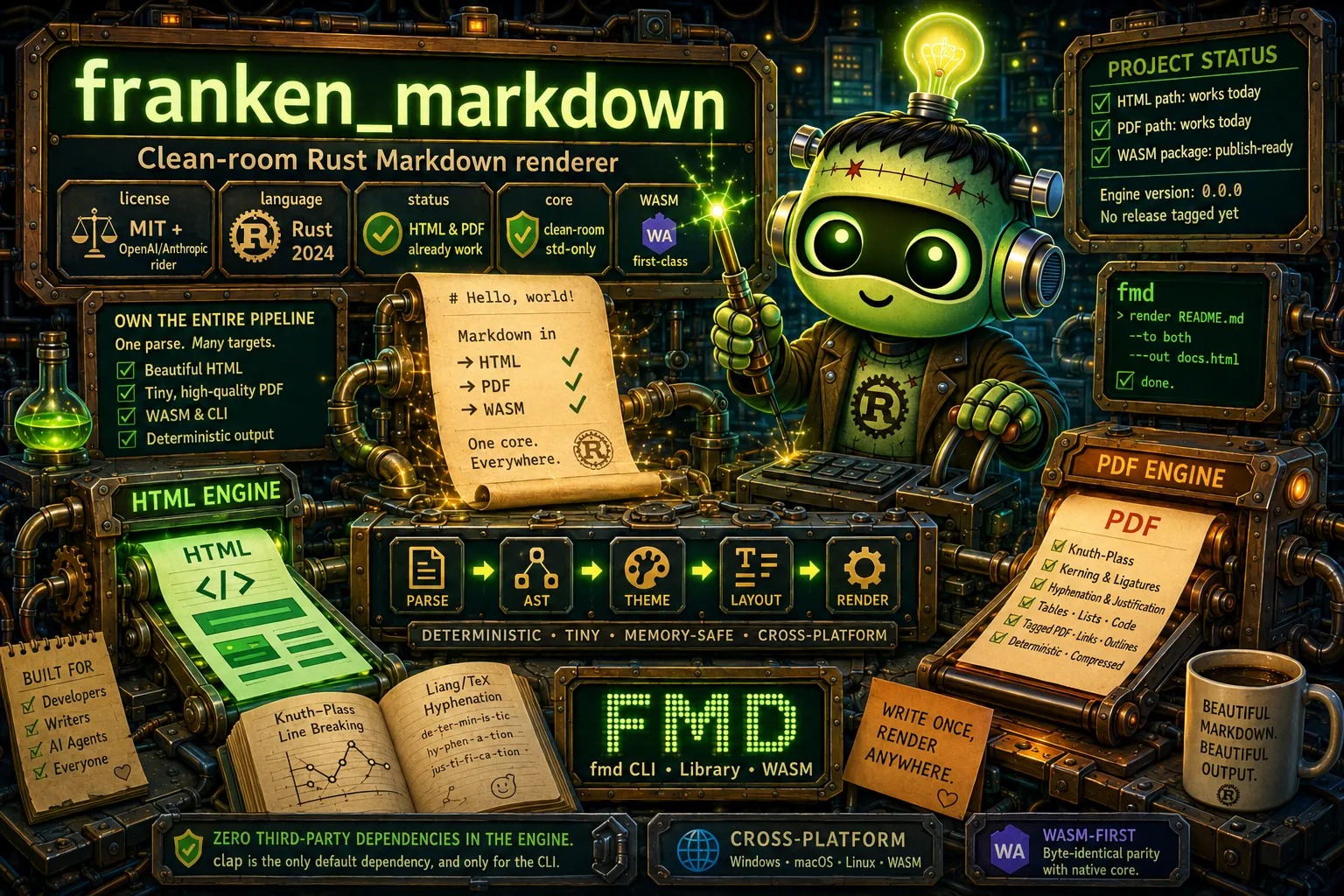
A clean-room Rust renderer and fmd CLI for turning Markdown into polished
self-contained HTML, compact tagged PDF, and browser/WASM output from one
auditable core.





curl -fsSL https://raw.githubusercontent.com/Dicklesworthstone/franken_markdown/main/install.sh | bash
# or build the tagged source: cargo install --git https://github.com/Dicklesworthstone/franken_markdown --tag v0.7.0 franken_markdown
Release channels at the 0.7.0 release (npm checked against the registry on 2026-11-02):
Channel Surface Version Where to verify Source (this main)franken_markdownlibrary +fmdCLI0.7.0Cargo.tomlversionfieldGitHub Release fmdCLI archives (5 platforms,.sha256sidecars)v0.7.0(2026-11-03)https://github.com/Dicklesworthstone/franken_markdown/releases/tag/v0.7.0 crates.io franken_markdownlibrary (+fmd-font0.4.0,fmd-math0.3.0)0.7.0https://crates.io/crates/franken_markdown npm @franken-suite/franken-markdownbrowser/WASM package0.5.0https://www.npmjs.com/package/@franken-suite/franken-markdown The latest tagged release is v0.7.0, available on GitHub Releases and crates.io. It needs Rust 1.88 or newer to build, and it changes the public Rust API of all three crates and some default output; see CHANGELOG.md for what changed, including the breaking changes. npm still serves 0.5.0, and no browser (WASM) tarball is attached to the 0.7.0 GitHub release. Build the in-tree source with
cargo install --path .orcargo build --release --bin fmd. Changes onmainrequire their own qualification; release artifacts do not prove the current checkout. See the current assessment and remaining work. The current renderer ships shared HTML/PDF syntax highlighting including Mermaid/MMD source fences, measured PDF table allocation, fitted ASCII diagrams, frankenmermaid-generated SVG diagrams drawn as PDF vectors, native SVG pattern strokes, text strokes, text paths,hwb()colors andcolor-mix()transparency, remote-image fetching with JPEG/DCTDecodeembedding for PDF, a Noto Sans Math symbol fallback face for math/arrow glyphs, staged native writes, optional Asupersync batch rendering, browser/WASM package sources, and a long set of measured scalar optimizations. SIMD and deeper pagination remain roadmap items until they have proof.
Contents
- TL;DR
- Quick Example
- Design Philosophy
- Performance And CPU Strategy
- Comparison
- Installation
- Quick Start
- Command Reference
- Library Use
- Configuration
- Architecture
- Troubleshooting
- Limitations
- FAQ
TL;DR
The problem. Markdown preview is easy inside an editor. Producing a portable HTML document and a polished PDF from the same Markdown source usually means adding a browser, LaTeX, a Python or Node stack, native C libraries, or a large Rust dependency graph. That brings install weight, audit surface, and rendering drift.
The solution. franken_markdown owns the full Markdown-to-output pipeline in
pure Rust: parser, AST, theme model, HTML emitter, syntax highlighter, table
layout, typography, font subsetting, SVG drawing, compression, and PDF
serialization. The engine library has zero third-party dependencies. The
default build adds only clap, and only for the CLI. The same render core works
as a Rust library, the fmd binary, and browser/WASM package sources.
First Minute
| Need | Use |
|---|---|
| Install the released CLI | curl -fsSL https://raw.githubusercontent.com/Dicklesworthstone/franken_markdown/main/install.sh | bash |
| Render a self-contained HTML preview | fmd README.md --out README.html |
| Render a compact deterministic PDF | SOURCE_DATE_EPOCH=1700000000 fmd README.md --to pdf --out README.pdf |
| Render HTML and PDF together | fmd README.md --to both --out README.html |
| Render raw Markdown or stdin | fmd --text '# Hi' --out hi.html or fmd - --out README.html < README.md |
| Ask for the machine-readable contract | fmd capabilities --json, fmd doctor --json, fmd robot-docs guide |
| Render a directory with bounded native workers | cargo build --release --bin fmd --features batch, then fmd batch docs examples --to both --json |
| Use it in the browser | npm install @franken-suite/franken-markdown, then pass Markdown, font bytes, image bytes, and options from the host |
What Works Today
HTML, PDF, CLI, optional batch mode, and WASM package sources all use one parsed AST and one typed theme model. Normal renders do not invoke a browser print pipeline, a second PDF-only parser, Mermaid.js, or a JavaScript runtime.
| Area | Current functionality |
|---|---|
| Parser and AST | Clean-room block and inline parser with GFM tables, task lists, fenced code, links, images, source spans, recoverable diagnostics, GitHub-style sanitizing of raw HTML by default (an allowlisted subset stays markup in HTML and becomes native nodes in PDF/SVG/EPUB; unknown tags stay escaped), and a ratcheted CommonMark 0.31.2 conformance floor |
| HTML output | Self-contained preview document with inlined CSS, deterministic embedded TTF font subsets, local PNG/SVG/JPEG/GIF images embedded as data URIs for file-input renders, dark-mode support, responsive tables, polished blockquotes/code blocks, safe escaping, GitHub emoji shortcodes (:rocket: becomes 🚀), shared syntax highlighting, and optional stylesheet replacement |
| PDF typography | Curated embedded font subsets, real metrics, focused GPOS kerning, GSUB ligatures, Knuth-Plass line breaking, Liang/TeX hyphenation, UAX #14 CJK line breaking, body justification, selectable text, hierarchical heading bookmarks, metadata, links, compressed streams, and hierarchical tagged-PDF structure |
| PDF tables | Per-column min-content and max-content measurement feeds a constrained wrapping-badness allocator, so dense headers get useful width instead of equal-column squeeze |
| Financial tables | Opt-in ---. decimal columns align mixed-precision amounts using measured fonts; plain --- and === marker rows add single/double rules beneath totals across PDF, HTML and SVG. Values, styles and links remain intact; see financial tables |
| PDF footnotes | Page-bottom notes with linked superscript marks; opt-in continuation of long notes containing prose with inline equations/images, code, tables with repeated headers, lists and quotations with --pdf-split-footnotes (greedy layout without a baseline grid); see PDF footnotes |
| PDF display mathematics | The shared math engine draws native vector equations from dollar blocks and math fences, with measured fitting, theme colors, /Formula tags, extractable TeX source, and explicit fallback warnings; see PDF mathematics |
| Code blocks | HTML and PDF share the clean-room highlighter for Rust, Python, JS/TS, JSON, shell, PowerShell, Go, C/C++, TOML/INI, YAML, SQL, HTML/XML/SVG, CSS, Markdown, and Mermaid/MMD. PDF code blocks can include muted line numbers, and unknown languages fall back to escaped plain text |
| Mermaid diagrams | graph/flowchart, stateDiagram/stateDiagram-v2, sequenceDiagram, and pie fences compile with the clean-room diagram compiler into vector figures in HTML, PDF (tagged /Figure), SVG posters and EPUB, plus native paths and bundled-font labels in browser Flow. State machines support initial/final markers, choices, forks/joins and labeled transitions. Unsupported syntax retains its complete source. See diagram syntax |
| ASCII diagrams | Diagram-shaped fences retain row geometry in PDF and scale long rows down when needed, so flow diagrams do not collapse into wrapped prose |
| Mermaid diagrams | examples/showcase.md includes highlighted Mermaid source plus a checked-in SVG generated from examples/showcase-mermaid.mmd by frankenmermaid. HTML and PDF can include the same diagram without Mermaid.js during render |
| PNG, SVG, JPEG and GIF assets | File-input HTML/PDF renders auto-load relative local PNG/SVG/JPEG/GIF destinations, and PDF renders fetch remote http(s) images at render time (timeout + size cap, --no-remote-images to opt out, clean alt-text fallback offline). HTML embeds supported assets as data URIs; PDF draws PNG/SVG directly, decodes the first GIF frame, and embeds JPEG bytes losslessly via /DCTDecode. Hosts can also provide explicit image bytes through --pdf-image or the library API |
| Vector SVG PDF drawing | Supported SVGs become native PDF drawing operators: paths, shapes, text with baseline-shift/textPath handling, transforms, gradients, spread modes, patterns and pattern strokes, masks, clips, marker view boxes/orientation/units, marker-child paint-order, object-bounding-box clip/mask units, opacity, hwb() colors, color-mix() transparency, missing url(...) paint fallback alpha, drop shadows, CSS variables/selectors, use/symbol reuse, embedded PNG/JPEG/GIF data URIs, and current frankenmermaid output |
| Library API | parse_markdown, parse_markdown_spanned, render_html_document, and render_pdf_document share one AST. Hosts supply fonts and image assets as bytes; the core never reads files or fetches URLs |
| CLI contract | fmd README.md works as the first guessed command. capabilities --json, doctor --json, robot-docs guide, --robot-triage, stable exit codes, input/image byte limits, JSON render status, and structured render warnings are built for humans and agents |
| Native safety | HTML, PDF, config, and batch outputs are staged where applicable. --to both rolls back sibling outputs on later failure, and the CLI refuses to overwrite the input file |
| Editor integration | Optional fmd-lsp provides diagnostics, symbols, link navigation, and parser-proven footnote definitions, references, highlights and safe versioned renames in opened Markdown buffers |
| Config | Dependency-free key=value config supports persistent font, dark-mode, custom CSS, page size, and margin defaults. --no-config gives reproducible config-free runs |
| Batch | The optional native batch feature uses Asupersync for bounded workers, cancellation, timeout handling, deterministic receipts, source-aware recursive includes, and protection of shared sources and assets; see the batch contract |
| Browser/WASM | The wasm-bindgen package sources expose typed HTML/PDF rendering, host-supplied fonts/assets, a plain ESM browser demo, native-parity tests, and a no-default core that stays dependency-free |
| Releases | GitHub v0.7.0 archives for Linux (x86_64 + ARM64), macOS (Intel + Apple Silicon), and Windows x86_64 with checksum sidecars; npm latest is 0.5.0; crates.io lists franken_markdown 0.7.0 with fmd-font 0.4.0 and fmd-math 0.3.0. Each artifact and platform needs its own execution evidence |
Bare HTTP(S), www, email, mailto: and xmpp: addresses use the shared GFM
autolink parser. Trailing punctuation and entity-shaped suffixes remain outside
the destination, so https://example.com/© links to https://example.com/
and leaves the copyright symbol as prose. Literal code and explicit link labels
keep their source ownership. Each output retains its URL policy; for example,
PDF renders XMPP addresses as text without creating an XMPP annotation.
Reusable font mechanics
The fmd-font crate provides strict typed subsets, name-keyed and CID-keyed
CFF1 cubic outlines/subsetting, and bounded Latin/basic-Arabic shaping with source
clusters. See the font API guide for embedding formats,
coverage, examples, and independent FontTools/HarfBuzz verification. These
APIs are available to consumers without changing the existing Markdown/PDF
layout path or adding runtime dependencies.
CJK text rendering
The default native build includes a Noto Sans SC fallback with 28,215 mapped
characters: the pinned source's BMP Han ideographs, hiragana, katakana, CJK
punctuation, and fullwidth forms. PDF and SVG draw real outlines while retaining
the selected Latin body/code faces and the independent emoji fallback. PDF
embeds only the used glyphs; HTML and EPUB include a document-specific CJK
subset so these characters do not require an installed reading-system font.
--font-embedding full retains the complete enabled fallback when the document
uses CJK, and styled editable HTML retains it for text entered later.
The optional cjk-face Cargo feature is enabled by cli. Lean libraries and
browser distributions can opt in explicitly:
cargo build --no-default-features --features cjk-face
cargo build --target wasm32-unknown-unknown --no-default-features --features wasm-full,cjk-face
The standard browser package leaves this broad font out of its size budget.
The fallback uses Simplified-Chinese glyph forms and horizontal text layout;
it does not supply Korean Hangul, supplementary-plane Han, vertical layout,
or locale-specific Japanese glyph substitutions. Unsupported characters still
produce missing_glyphs diagnostics in PDF/SVG. See the font source and exact
repertoire for the pinned license,
reproduction command, and independent geometry check.
Emoji in browser Flow
Flow can now use the existing optional emoji-face font to draw real monochrome
emoji outlines in headings, prose, lists, tables, code and beside mathematics.
Build a browser package with --features wasm-flow,emoji-face; ordinary lean
packages retain their smaller font set. Standardized presentation pairs such
as ⚠️ retain both source characters in one measured cluster. ZWJ sequences,
skin tones, flags and keycaps still require a broader host shaper. See
the supported emoji profile.
Diagrams in browser Flow
Flow now draws supported Mermaid flowcharts, state diagrams, sequence diagrams and pie charts
with the same native compiler used by the publication outputs. Paths preserve
arrows, curves, thick/dashed strokes and colors; labels use actual bundled-font
outlines. Figures fit their measured lane after reflow, and the semantic reader
retains exact selectable diagram source. Unsupported syntax shows a visible
explanation and the complete source. This is included in every wasm-flow
build; rebuild the generated package with its matching browser modules.
See Flow diagrams for the API, limits and browser checks.
Mainline Highlights
| Area | Result on main |
|---|---|
| Document fidelity | Tables, code blocks, blockquotes, lists, links, images, SVG diagrams, headings, and metadata all render through the same AST and theme model for HTML and PDF |
| Table quality | The allocator measures content ranges and spends column width where it reduces wrapping. Very wide PDF tables split into readable column panels, repeating the first column when space permits and retaining every source column, links, financial footing rules, and accessible header associations |
| Syntax highlighting | Rust, Python, JavaScript/TypeScript, JSON/JSONC, Bash/shell, PowerShell, Go, C/C++, TOML/INI, YAML, SQL, HTML/XML/SVG, CSS/SCSS/Sass, Markdown, and Mermaid/MMD use the same clean-room highlighting model in HTML and PDF |
| Diagram support | ASCII diagrams and frankenmermaid-generated SVGs are now first-class documentation assets in the PDF path instead of screenshots or browser-only fallbacks |
| Vector SVG coverage | The PDF path draws current frankenmermaid showcase output as vector content, including markers, CSS variables, masks, clips, gradients, pattern strokes, drop shadows, baseline-shift/textPath text, paint-order, hwb() colors, color-mix() alpha, missing paint-server fallback alpha, and embedded PNG/JPEG/GIF data URIs |
| Agent and CI friendliness | JSON capabilities, JSON doctor output, robot docs, stable exit codes, SOURCE_DATE_EPOCH, staged writes, and no-default/WASM gates make the tool easy to script and verify |
| Performance work | Parser, HTML, PDF layout/writing, font subsetting, compression, SVG drawing, and batch orchestration hot paths have been profiled and optimized in behavior-preserving passes with golden-output checks |
Why Use franken_markdown?
| Goal | What you get |
|---|---|
| Good output without setup | Cursor/GitHub-style HTML, compact tagged PDF, readable measure, polished tables, blockquotes, syntax-highlighted code, and diagram support |
| One theme, two surfaces | A typed theme drives HTML and PDF, so colors, spacing, code styling, page size, and document rhythm stay coherent |
| Small audit surface | No comrak, pulldown-cmark, syntect, cosmic-text, krilla, Typst, Blitz, headless browser, or browser-engine wrapper in the core |
| Deterministic builds and renders | Fixed input plus fixed options yields stable bytes across runs; SOURCE_DATE_EPOCH controls PDF dates |
| WASM-first core | The render core has no filesystem, fontconfig, process, thread, network, or async-runtime assumptions; fonts and assets arrive as bytes |
| Measured optimization discipline | Hot paths are scalar, cache-friendly, allocation-conscious, and checked against golden outputs before optimizations land |
Quick Example
# Install the released CLI
curl -fsSL https://raw.githubusercontent.com/Dicklesworthstone/franken_markdown/main/install.sh | bash

# Render a Markdown file to self-contained HTML
fmd examples/showcase.md --out showcase.html

# Render from stdin, or from a raw string, with no temp file
fmd - --out stdin.html < examples/showcase.md
fmd --text '# Hello from fmd' --out hello.html
fmd --text '# Hello from fmd' --out - > piped.html

# Use the long-form serif theme instead of the default sans
fmd examples/showcase.md --font serif --out showcase-serif.html

# Render a compact, deterministic PDF with embedded subset fonts
fmd examples/showcase.md --to pdf --out showcase.pdf
fmd examples/showcase.md --to pdf --title "Showcase" --author "FMD" --out showcase.pdf

# Render HTML and PDF together (extensions derived from --out)
fmd examples/showcase.md --to both --out showcase.html

# Render a document with a sibling SVG diagram; file-input renders auto-load it
fmd examples/showcase.md --to pdf --out showcase.pdf

# Build the native batch renderer and render a directory with deterministic JSON
cargo build --release --bin fmd --features batch
fmd batch docs examples --to both --out-dir rendered --json

# Reproducible PDF metadata dates
SOURCE_DATE_EPOCH=1700000000 fmd examples/showcase.md --to pdf --out showcase.pdf

# Discover the machine-readable contract (for humans and agents alike)
fmd capabilities --json
fmd doctor --json
fmd robot-docs guide
fmd --robot-triage
The PDF path is already useful for real technical documents. It produces valid,
deterministic PDFs with embedded curated font subsets, real metrics, focused
kerning, ligatures, selectable text, link annotations, heading outlines,
title/author/SOURCE_DATE_EPOCH metadata, hierarchical tagged-PDF structure,
compressed page streams, measured-column tables, syntax-highlighted code panels,
standalone PNG embedding, and vector SVG drawing for supported diagrams. Full
widow/orphan control and finer block pagination remain roadmap work.
PDF bookmarks follow the document's heading hierarchy. Skipped heading levels nest under the nearest preceding lower-level heading, and sibling sections stay at the same level. Alert labels retain their visual styling without consuming heading anchors or adding bookmarks, so local links, the table of contents, and book links resolve to the actual source headings.
Design Philosophy
- Focused beats general. This is a Markdown renderer, not a browser, not a
full HTML/CSS engine, and not a document programming language. Doing one
workflow (
Markdown -> HTML and/or PDF) exceptionally well is the whole goal. - Own the hot path. The parser, layout, font metrics, line breaking, SVG drawing, compression, and PDF writer are built for this exact workflow instead of inherited from large general-purpose stacks. That control keeps typography, diagrams, determinism, and performance in one auditable codebase.
- A small, auditable surface. The engine compiles with zero third-party
crates;
clapis the only default dependency and exists solely for the CLI.scripts/check-policy.shenforces this in CI, andunsafeis forbidden at the crate level. - Determinism is intentional. Given fixed input, theme,
fonts, and options, output bytes are stable across runs and operating
systems.
scripts/check-determinism.shcompares repeated renders byte for byte, andSOURCE_DATE_EPOCHpins PDF dates. - WASM is first-class, not a port. The render core builds without the CLI feature and carries no filesystem, fontconfig, process, thread, or async-runtime assumptions. Fonts and stylesheets enter as bytes. Native and WASM renders are proven byte-identical over a corpus.
- Asupersync is for orchestration, not the core. Structured concurrency,
cancellation, and budgets live behind the native-only
batchfeature. The pure render path stays synchronous and embeddable. - Agent ergonomics are part of the product. The first command an agent guesses works, stdout is data, stderr is diagnostics, errors name the flag that fixes them, and a JSON contract is always one flag away.
Performance And CPU Strategy
The production renderer is optimized scalar Rust. That scalar path is the
correctness oracle for native builds, WASM, Apple Silicon, and Intel/AMD x86_64.
Performance work starts with release-perf profiles, changes one lever at a
time, and lands only when golden output plus targeted tests keep behavior
stable.
CPU-specific optimization in this project starts with target-family native
archives, layout, memory traffic, and branch behavior rather than intrinsics.
M-series, Intel, and AMD cores all benefit when the renderer keeps hot data
compact, scans bytes linearly, writes PDF buffers append-only, and avoids
allocator churn. Published archives are specialized by target family
(aarch64-apple-darwin, x86_64-apple-darwin,
x86_64-unknown-linux-gnu, and x86_64-pc-windows-msvc) while staying portable
within that family. Local source builds can opt into host-specific codegen when
portability is not required.
Optimizations Already In The Renderer
| Pipeline stage | Optimization | Practical effect |
|---|---|---|
| Parser line scanning | Byte-level candidate guards skip reference, table, URL, email, and block probes on ordinary prose | Large README-style files stay on contiguous byte walks instead of branch-heavy semantic checks |
| Multiline paragraphs | Plain multiline paragraphs bypass the full inline parser until a line contains Markdown syntax | Prose-heavy documents avoid unnecessary state-machine work and allocation |
| Inline and HTML escaping | Shared scanner primitives find Markdown/HTML escape bytes without per-character allocation on clean text runs | The common path fits branch predictors and cache lines on ARM64 and x86_64 |
| Syntax highlighting | Supported language fences, including Mermaid/MMD, dispatch directly into the clean-room highlighter. Unknown fences stay on the plain escaped path, and PDF avoids duplicate lexer lookup where possible | Code-heavy documents avoid repeated language normalization and duplicate token construction |
| Font use tracking | HTML font subsetting records ASCII glyph use with a compact bitset, then preserves first-seen order for non-ASCII glyphs | Embedded-font CSS stays deterministic while per-render bookkeeping drops |
| HTML heading anchors | Repeated heading-id collisions write exact-capacity decimal suffixes directly into the output candidate instead of allocating format! temporaries |
Large generated documents with repeated headings keep byte-identical anchors while reducing allocator traffic in the HTML hot path |
| PDF shaping and layout | Render-local shaped-width caches avoid recomputing font shaping, kerning, ligatures, and repeated word widths. Table-cell inline tokens are reused for measurement and final layout | Repeated table, code, and body tokens reuse nearby cache entries instead of re-entering shaping loops |
| PDF glyph collection | Cached shaped runs are collected with a single shape-cache lookup on hits | Cuts deterministic map traffic during subset glyph collection without changing PDF bytes |
| PDF content streams | Text segment operators, TJ arrays, decimal tokens, object references, and common structure tokens stream directly into page buffers. Encoded page streams are staged once before final PDF allocation, and the final byte buffer is sized from compressed stream bytes instead of raw page text |
Reduces temporary string traffic in text-heavy PDF pages, lowers allocator pressure, and avoids over-reserving large PDF buffers without changing output bytes |
| PDF table allocation | Columns use measured min/max widths and a constrained wrapping-badness solver | Width goes to columns that can reduce wrapping, so dense tables look better and avoid wasted layout work |
| Compression | The hand-rolled zlib/DEFLATE path precomputes fixed-Huffman codes and match symbols, accumulates Adler-32 during emission, and compares equal LZ77 match prefixes in 8-byte chunks before the exact scalar tail | Removes repeated bit-prep work, avoids a second full scan over page/font streams, and reduces byte-by-byte compare work on repeated runs |
| SVG rendering | Common frankenmermaid/SVG constructs become native PDF drawing operators. Default fill+stroke stays compact; custom paint-order expands only affected shapes or marker children |
Supported diagrams remain vector and local without a browser/rasterizer, while ordinary SVG shapes stay on a compact path |
| Batch rendering | Native batch mode sizes workers by interactive/throughput policy and writes deterministic receipts | Throughput mode can use all cores; interactive mode leaves CPU headroom for the machine running the job |
Apple Silicon
| Choice | What it means |
|---|---|
| Native ARM64 release archive | The aarch64-apple-darwin archive is built and smoke-tested on macOS Apple Silicon, so M-series Macs run fmd natively without Rosetta or a translated x86_64 path |
| Cache-friendly scalar loops | Parser gates, highlighter dispatch, font bitsets, shape caches, compression tables, and SVG/PDF appenders keep work in compact arrays and small buffers |
| Append-style PDF writing | Page streams, object records, text operators, and repeated tokens write into reusable byte buffers instead of allocating many short strings |
| Laptop-aware batch mode | fmd batch --batch-mode interactive keeps CPU headroom available for foreground work; throughput can use all available workers when that is what you want |
| Portable public flags | Release archives do not require RUSTFLAGS="-C target-cpu=native", so one Apple Silicon binary remains portable across ordinary Apple Silicon Macs |
| Future NEON boundary | AArch64 NEON is reserved for the documented byte-scanner island after same-host Apple Silicon proof shows p95 improvement with byte-identical output |
The current Apple Silicon gains come from native ARM64 codegen, fewer allocations, smaller hot loops, linear byte scanners, fixed-size tables, and worker policies that avoid taking over the whole laptop. NEON is not claimed as shipped.
Intel And AMD
| Choice | What it means |
|---|---|
| Separate x86_64 release archives | The release workflow targets x86_64-apple-darwin, x86_64-unknown-linux-gnu, and x86_64-pc-windows-msvc, each with a native smoke path instead of reusing the Apple Silicon artifact |
| Portable scalar default | Shipped binaries do not assume AVX2, AVX-512, BMI, or build-host-only instructions, so they work across a broad Intel/AMD fleet |
| Branch-light scans | Parser gates, direct highlighter dispatch, render-local caches, append-style PDF writing, and precomputed compression tables reduce mispredicts and allocator churn |
| Local native builds | Personal builds can use RUSTFLAGS="-C target-cpu=native" when the target machine is known and portability does not matter |
| AVX-512 left out by default | AVX-512 availability is uneven and can downclock some CPUs, so it is not part of the default performance story |
| Runtime-gated SIMD only after proof | A future AVX2 path must use std::is_x86_feature_detected!, keep scalar fallback, and prove byte-for-byte parity plus same-host speedup |
The Intel/AMD path is tuned for the broad x86_64 fleet first. It avoids assuming AVX2 or AVX-512 while still benefiting from native x86_64 codegen, branch-light scans, direct dispatch tables, append-style serializers, and cache-local compression state.
Build Profiles And Local CPU Tuning
| Build | Intended use | CPU behavior |
|---|---|---|
cargo build --release --bin fmd |
Normal local binary | Portable optimized Rust codegen for the target triple |
cargo build --profile release-perf --example fmd_perf_harness |
Performance lab runs and hotspot proof | Keeps symbols and frame pointers useful enough for before/after comparisons |
RUSTFLAGS="-C target-cpu=native" cargo build --release --bin fmd |
Local-only benchmarking or personal builds | Lets LLVM select instructions for the current machine. Do not publish this binary as a portable artifact |
| Published release archives | Public installs | Built without hidden target-cpu=native assumptions so each archive runs across ordinary machines in that target family |
Platform Release Matrix
| Target family | What ships | What is intentionally avoided |
|---|---|---|
| Apple Silicon | Native aarch64-apple-darwin archives built and smoke-tested on macOS Apple Silicon runners |
Rosetta requirement and unproven cross-build-only ARM claims |
| Intel macOS | Separate x86_64-apple-darwin archives built and smoke-tested on Intel macOS runners |
Treating a universal package as enough proof by itself |
| Intel/AMD Linux | Portable x86_64-unknown-linux-gnu archives with scalar hot paths |
AVX2, AVX-512, BMI, or build-host-only instruction requirements |
| Windows x86_64 | x86_64-pc-windows-msvc archives with an inline PowerShell smoke test |
A separate Windows-only command contract |
| Browser/WASM | Scalar byte-identical behavior by default, with host-supplied fonts and assets | System fonts, native threads, filesystem access, and implicit CPU-feature dependency |
Future SIMD Gate
SIMD is planned but deliberately not claimed as shipped.
docs/SIMD_ISLAND_DESIGN.md defines the only
approved future island for AArch64 NEON, x86_64 AVX2, and optional WASM
simd128. Any accelerated path must keep scalar fallback, use runtime CPU
detection on x86_64, preserve byte-for-byte golden outputs, and prove the
speedup on the same host family it targets. The correct decision can still be
"keep scalar" when a benchmark does not move end-to-end p95.
Comparison
Honest tradeoffs against the common ways people turn Markdown into HTML and PDF.
| Tool / approach | Real strength | Why franken_markdown exists |
|---|---|---|
| Headless Chrome (print to PDF) | Excellent browser fidelity | Heavy runtime, nondeterministic output, large attack surface; not suited to a tiny embeddable CLI/WASM renderer |
| Pandoc (+ LaTeX for PDF) | Extremely capable format conversion | Large external toolchain (Haskell, and usually a LaTeX install for PDF); not a small embeddable Rust/WASM library |
| Typst | Excellent typesetting | Different source language and a heavier stack; PDF-first rather than Markdown-preview-shaped |
comrak / pulldown-cmark |
Fast, conformant Markdown to HTML | HTML only, no PDF; you still bolt on a separate PDF stack and font tooling, and you cede control of layout |
comrak + a PDF crate + syntect |
A quick way to assemble a renderer | Pulls broad dependency forests (regex/onig, font stacks, PDF libs) and hands parser/layout/font/PDF behavior to code you do not control |
franken_markdown |
Focused Markdown to HTML/PDF | Clean-room, dependency-lean, deterministic, WASM-first, and tuned for one workflow end to end |
Where the others win: a headless browser will out-render arbitrary CSS, and
Pandoc converts far more formats. franken_markdown trades that breadth for a
small surface, fast builds, determinism, and a PDF path it controls top to
bottom.
Development
A standalone checkout contains everything needed for the default tests; no
sibling repository is required. The hostile-input generator and bounded
minimizer live in tests/support/hostile.rs.
cargo fmt --check
cargo check --all-targets
cargo clippy --all-targets -- -D warnings
cargo test
cargo build --no-default-features
Run scripts/check-javascript.sh for the JavaScript runtime and helper tests;
it requires Node.js and all four checked-in test families. The full
scripts/test-all.sh gauntlet and its --fast mode both include this check.
--fast omits coverage and the combined e2e suite, so its success is scoped to
the selected gates. Native build checks remain subject to DSR/RCH admission.
The PDF-font integration tests require Python 3, qpdf, MuPDF (mutool) and
Poppler (pdftotext). For a read-only font check, run
python3 scripts/check-pdf-fonts.py output.pdf --expect-text 'expected text'.
It inspects embedded TrueType glyph IDs and widths and checks exact Unicode
text through both decoders. The JSON report states the measured width
quantization; its scope excludes layout, PDF/A, PDF/UA and current-source
qualification. See fixture provenance.
Installation
The
curl/PowerShell installers (install.sh/install.ps1) prefer prebuilt release archives and verify checksums from the combinedSHA256SUMSfile or per-archive.sha256sidecars when either is published. Use--from-source/-FromSource, or the source commands below, only when you intentionally want to compile locally.
One-line install (Unix: macOS, Linux)
curl -fsSL https://raw.githubusercontent.com/Dicklesworthstone/franken_markdown/main/install.sh | bash
One-line install (Windows PowerShell)
irm https://raw.githubusercontent.com/Dicklesworthstone/franken_markdown/main/install.ps1 | iex
The installer accepts flags (pass them after | bash -s -- for the Unix
one-liner):
| Flag | Purpose |
|---|---|
--version <tag> |
Install a specific version instead of the latest |
--dest <dir> |
Install the binary to a chosen directory |
--system |
Install system-wide instead of into your user bindir |
--easy-mode |
Pick safe defaults and minimize prompts |
--verify |
Run a post-install self-test; archive checksums/signatures are attempted automatically |
--from-source |
Build fmd from source rather than downloading a binary |
--quiet |
Suppress non-essential output |
--no-gum |
Skip the prettified prompts and use plain output |
--force |
Overwrite an existing install without asking |
From source
git clone https://github.com/Dicklesworthstone/franken_markdown
cd franken_markdown

# Build just the fmd binary
cargo build --release --bin fmd
./target/release/fmd --help

# Or install it onto your PATH
cargo install --path .
fmd --help

# Or install the published crates.io package (Rust 1.88 or newer). Since the 0.7.0
# release this installs 0.7.0 (fmd-font 0.4.0 and fmd-math 0.3.0 are on crates.io too).
cargo install franken_markdown
fmd and the long alias franken_markdown are the same program built from one
shared entrypoint; type whichever you like.
Prebuilt binaries and browser package sources
The v0.7.0 release includes archives for Linux x86_64 and ARM64,
macOS Intel and Apple Silicon, and Windows x86_64. Release builds and
publication orchestration use DSR exclusively; GitHub Actions is prohibited.
Native archives are built and smoke-tested per platform before they are
attached to the GitHub release. Each archive includes a .sha256
sidecar and the release also includes a combined SHA256SUMS. Download the
archive for your platform and verify it before unpacking (Linux example):
sha256sum -c fmd-vX.Y.Z-x86_64-unknown-linux-gnu.tar.gz.sha256
tar -xzf fmd-vX.Y.Z-x86_64-unknown-linux-gnu.tar.gz
The browser/WASM package is available on npm as
@franken-suite/franken-markdown
(npm install @franken-suite/franken-markdown). As checked against the registry on
November 2, 2026, version 0.5.0 is published. No browser package tarball is attached
to the v0.7.0 release; the 0.6.0 package tarball is attached to the
v0.6.0 GitHub release.
Size budgets, generated-WASM smoke tests and native/WASM parity must be checked
against the specific package being shipped; passing JavaScript adapter tests
alone does not establish those results for the current source.
Future browser package publication must use DSR and its configured hosts.
Quick Start
Build the binary.
cargo build --release --bin fmdRender your first HTML file. With no
--out, HTML goes to stdout, so redirect it or pass a path.target/release/fmd README.md --out README.htmlRender a PDF. PDF cannot stream to stdout, so it needs a real path (or it derives one from the input name).
target/release/fmd README.md --to pdf --out README.pdfPick a theme or a custom stylesheet.
target/release/fmd README.md --font serif --out README.html
target/release/fmd README.md --css mystyle.css --out README.html
Persist a default so you do not repeat yourself.
target/release/fmd config set font serif --jsonAsk the tool what it can do. No external docs required.
target/release/fmd capabilities --json
target/release/fmd robot-docs guide
Command Reference
fmd exposes a small, stable command set. Global flags can appear on any
command.
Global flags
| Flag | Meaning |
|---|---|
--json |
Emit stable machine-readable JSON for the command's status/metadata |
--no-color |
Disable decorative color (accepted for NO_COLOR/CI/TERM=dumb parity; current output is already plain) |
--no-config |
Ignore native config files for a reproducible, config-free invocation |
--robot-triage |
Print one JSON envelope: quick-reference commands, subsystem health, and recommended next actions |
Bare fmd prints help and exits successfully; it never opens a blocking TUI.
Common --json typos (--jsno, --jason, --json=true) and color spellings
(--no-colour, --color=never) are normalized before parsing.
render (the default command)
Render a Markdown file, stdin, or a raw string to HTML and/or PDF. render is
implicit: fmd README.md, fmd - < README.md, and fmd --text '# Hi' --out hi.html all route to it.
fmd render <input.md|-> [--to html|pdf|both] [--out PATH] [--font sans|serif] ...
fmd <input.md|->            # render is inferred
fmd --text '<markdown>' --out out.html
The value after --text is one literal argument, including list-first Markdown,
frontmatter, or text such as --help and --jason. For example,
fmd --text '- [x] Done' --out - works without using --text=....
The stats --text input follows the same rule. Flag typo correction applies to
options, never to their text values; -- protects option-shaped input filenames.
| Flag | Meaning |
|---|---|
<input> (positional) |
Input .md path, or - to read Markdown from stdin |
--text <markdown> |
Render a raw Markdown string directly, with no input file |
--to html|pdf|both|epub|svg |
Output format(s). Default html. epub writes a single-file EPUB 3 e-book and svg a single-page vector poster (both require a real --out path like PDF) |
--out, -o <path> |
Output path. HTML with no --out (or --out -) writes to stdout. PDF and --to both always write files |
--font sans|serif |
Override the body font for this render |
--html-font-format woff1|woff2|ttf |
Container for embedded HTML fonts: woff1 (default), woff2 (clean-room Brotli), or ttf (raw TrueType/CFF OpenType data URLs). Independent of the subset/full policy. |
--font-embedding subset|full |
HTML/EPUB font policy: compact subsets by default; full preserves the complete character map and OpenType shaping tables for ligatures, kerning and combining marks, with larger output. Also available for book publishing. |
--microtype off|protrusion|expansion |
Microtypography for justified PDF body paragraphs: protrusion hangs punctuation into the margin and adds ±1.5% glyph expansion; expansion is glyph expansion alone. Default off keeps output byte-identical |
--typography-homogeneous, --typography-antiriver, --typography-pareto |
Opt-in line-breaking refinements: gradual adjacent-line spacing demerits, whitespace-river penalties, and Pareto-front Knuth-Plass search |
--pdf-optimal-pagination |
Choose page breaks with a document-wide dynamic program (Plass) instead of greedy page filling |
--pdf-strict-pagination[=true|false] |
Require the supported hard pagination rules or return a typed refusal; implies optimal pagination. See the pagination contract |
--pdf-baseline-grid-pt <POINTS> |
Opt-in body baseline grid, 1..144 pt (rounded once to 0.001 pt); 0 disables a configured grid. Applies to render, watch, batch and book PDF output. Incompatible with --fit-to-pages |
--pdf-theme-spacing[=true|false] |
Apply shared theme body leading and per-side table-cell padding to PDF output. Default off; =false overrides pdf_theme_spacing=true in config. Available in render, watch, batch and book |
--toc, --toc-depth <N> |
Insert a table of contents (HTML nav; PDF with dot leaders and page numbers). A [[_TOC_]] marker places it explicitly |
--font-scale <xs|sm|md|lg|xl|2xl|FLOAT|PERCENT> |
Uniform typographic scale for HTML and PDF (alias --type-size) |
--fit-to-pages <N> |
Shrink type and spacing until the PDF fits in N pages (alias --target-pages) |
--pdf-base-font-size, --pdf-heading-scale, --pdf-table-font-size |
Fine-grained PDF type sizes |
--pdf-font SLOT=PATH, --pdf-font-weight |
Host TrueType/CFF1 OpenType faces for HTML/PDF/SVG/EPUB and variable-font weight pins |
--pdf-font-face INDEX|SLOT=INDEX |
Explicit zero-based face from a mapped TTC/OTC collection; bare index selects body regular. Available for render, watch, batch and book. See font collections |
--pdf-a 2b, --pdf-a-strict |
Emit PDF/A-2b identification (XMP + sRGB OutputIntent); --pdf-a-strict fails closed on constructs PDF/A-2b cannot carry |
--lang <tag> |
Document language for hyphenation patterns and the HTML lang attribute (en, de, fr, es, nl, ...) |
--profile gfm-plus|commonmark-gfm |
Markdown dialect. Default gfm-plus adds definition lists and other extensions; commonmark-gfm renders the GitHub dialect only |
--interactive-html |
Self-hosting single-file HTML workspace with live editor, preview and client-side PDF export (alias --self-hosting) |
--search-index <path> |
Also write a deterministic JSON search index (headings + anchored paragraphs, schema fmd-search-index-v1) for docs-site search |
--css <file> |
Replace the default stylesheet entirely with your CSS (HTML) |
--title <text> |
Set the document title (otherwise the first heading, then "Document") |
--author <text> |
Set PDF author metadata |
--allow-html |
Pass raw HTML in the source through verbatim instead of sanitizing it (trusted input only) |
--pdf-line-numbers |
Render muted line numbers in PDF fenced code blocks |
--svg-width-pt <POINTS> |
SVG poster width (144..=14400 points; default 612). SVG output draws the same auto-loaded, --pdf-image and remote images and --pdf-font faces as PDF |
--pdf-page-numbers |
Centered page number in the PDF bottom margin (sugar for --pdf-footer-center '{page}') |
--pdf-header-left|center|right <text>, --pdf-footer-left|center|right <text> |
Opt-in running header/footer text in the PDF margins. Tokens {page}, {pages}, {title}, {chapter}, {section}, {author}, {date} (from SOURCE_DATE_EPOCH, never the clock); overlong slots get an ellipsis; a band that does not fit its margin fails the render. Add --pdf-header-rule/--pdf-footer-rule for hairlines and --pdf-running-skip-first to leave page 1 bare |
--pdf-header-image DEST, --pdf-footer-image DEST |
One decorative PNG/JPEG/GIF/SVG logo per PDF band, resolved from --pdf-image DEST=PATH; the destination need not appear in Markdown. Use --pdf-header-image-position left|right or --pdf-footer-image-position left|right (default left) and optional --pdf-header-image-height-pt/--pdf-footer-image-height-pt positive integer points. Images shrink proportionally to fit the existing margin and leave room for text. Missing or invalid images fail the render. Available in render, watch and batch; requires --to pdf or --to both |
--pdf-image DEST=PATH |
Provide or override one image destination for HTML, PDF, SVG or EPUB, including stdin/--text input and PDF running logos; repeat for multiple images. DEST matches the source destination exactly and can be an extensionless key or URL. HTML identifies PNG/JPEG/GIF/SVG from the supplied bytes and embeds data URIs; unsupported bytes keep the original safe URL. Explicit mappings take precedence over auto-loaded files in both HTML and PDF. File-input renders also auto-load relative local PNG/SVG/JPEG/GIF destinations, and PDF renders fetch remote http(s) destinations via the system curl/wget (see --no-remote-images, --remote-image-timeout-secs). Watch rebuilds when a mapped file changes. The render core never reads files or fetches network resources itself |
--max-pdf-image-bytes <n> |
Max bytes accepted per explicitly mapped or auto-loaded local image file before rendering; also caps each remote image fetch (default 33554432, 32 MiB) |
--embed-remote-images |
Opt in to embedding remote HTTP(S) images in HTML/EPUB and book exports. Combined HTML/PDF shares one snapshot; books fetch each URL once across chapters. Explicit --pdf-image mappings win. Also available in watch and batch |
--no-remote-images |
Disable automatic PDF/SVG remote fetching; other outputs keep their offline preparation defaults. Conflicts with --embed-remote-images |
--remote-image-timeout-secs <n> |
Per-image timeout for authorized remote image fetches (default 20; zero uses one second). Book commands require --embed-remote-images when setting this timeout |
--max-input-bytes <n> |
Refuse file/stdin/--text input above n bytes before parsing (default 67108864, 64 MiB) |
--json |
Emit a stable JSON status envelope to stderr after writing outputs |
Portable image exports
Use --embed-remote-images when a saved HTML document, EPUB, or book should
carry its remote figures. For example:
fmd report.md --embed-remote-images --out portable.html
fmd report.md --to both --embed-remote-images --out portable.html
fmd report.md --to epub --embed-remote-images --out portable.epub
fmd book chapters --to epub --embed-remote-images --out book.epub
HTML and EPUB preparation stays offline by default; ordinary PDF/SVG retains its existing automatic downloads. When embedding is requested, repeated images and combined outputs reuse one fetched snapshot. Books reuse it across chapters. The existing timeout, byte cap, explicit-image precedence, and batch cancellation apply. Failed downloads warn and retain the format's normal fallback; HTML may keep the unresolved source URL, while EPUB preserves an accessible placeholder. The core and browser/WASM APIs continue to accept bytes without fetching. See remote image publishing for the complete policy.
PDF chapter and section headers
Long reports and books can repeat their current chapter and section in the page margins:
fmd manual.md --to pdf --out manual.pdf \
  --pdf-header-left '{chapter}' --pdf-header-right '{section}' \
  --pdf-footer-center '{page} / {pages}' --pdf-header-rule
The first body heading beginning on a page selects that page's {section} and
its owning H1 {chapter}. Later headings update the context carried to the
next page. Continuation pages retain the complete title, including wrapped and
styled headings. Before the first body heading or H1, the corresponding token
is empty. Generated contents/Notes headings and headings in footnotes do not
replace the body context. Titles remain literal text and use the existing
ellipsis, font-subset and margin-fit rules. These tokens work through the
shared Rust, native render/watch/batch/book, MCP and browser PDF options;
browser packages must be rebuilt to include the renderer change.
PDF baseline grids
Use fmd report.md --to pdf --pdf-baseline-grid-pt 14 --out report.pdf to align
body text, headings, code, tables, lists, quotes and footnotes to a common rhythm.
The grid starts at each page's top content edge; baseline distances below that
edge are integer multiples of the chosen spacing. Rows may occupy multiple
steps to preserve their leading and painted ink. Point values are independent
of font scale. The default is disabled and preserves existing PDF bytes.
Figures retain their measured height and internal drawing coordinates; the body
grid resumes after them. Inline formula internals and running header/footer bands
retain their own placement. After rounding the body bottom to the grid and
reserving ink clearance, at least 40 points of usable body height must remain.
The renderer reports an error when that minimum or content bounds cannot fit;
it does not clip content or shrink fonts to satisfy a grid. A grid cannot be
combined with --fit-to-pages, because fitting changes type sizes and margins;
remove the fit target or disable the grid with --pdf-baseline-grid-pt 0.
Rust callers set
options.theme.page.baseline_grid = Some(BaselineGrid::from_points(14.0)?);.
The constructor accepts finite values from 1 through 144 points and rounds
once to the nearest milli-point. Browser PDF options expose baselineGridPt
through direct, worker, Flow export and book APIs; see the browser guide.
Authored PDF line breaks
Use a soft hyphen (­, U+00AD) to offer a hyphenated break, or a zero-width
space (​, U+200B) to offer a break without a hyphen. PDF prose and table
cells hide unused hints and measure the visible hyphen when a break is selected.
Code retains its literal source characters. See authored line breaks
for examples, shaping behavior and renderer scope.
PDF render warnings are also reported on stderr. They are intentionally structured and stable enough for agents to notice lossy fallbacks such as unsupported SVG constructs while keeping stdout reserved for document bytes.
Output-path rules:
- HTML with no
--out, or--out -, streams to stdout. - PDF and
--to bothrequire a real file. With no--out, the path derives from the input stem (doc.md->doc.pdf), ordocument.*for stdin/--text. --out -is refused for PDF and--to both(they cannot stream).
fmd README.md --out README.html
fmd README.md --to pdf --out README.pdf
fmd README.md --to pdf --pdf-line-numbers --out README.pdf
fmd README.md --to pdf --pdf-header-right '{title}' --pdf-footer-center '{page} / {pages}' --pdf-footer-rule --out README.pdf
fmd README.md --to pdf --pdf-image brand=./logo.svg --pdf-header-image brand --pdf-header-image-height-pt 18 --pdf-footer-center '{page} / {pages}' --out branded.pdf
fmd README.md --to pdf --pdf-image images/chart.png=./chart.png --out README.pdf
fmd --text '' --pdf-image chart=./chart.png --out chart.html
fmd README.md --to both --out README.html # writes README.html + README.pdf
fmd --max-input-bytes 1048576 README.md --out README.html
SOURCE_DATE_EPOCH=1700000000 fmd README.md --to pdf --out README.pdf
Running images occupy the margin without changing body pagination. Their default
height is three quarters of the band text size; an explicit height is a requested
maximum. They are decorative PDF artifacts, including when an SVG contains links.
One --pdf-image mapping can serve both header and footer. In watch, changing
the selected logo file triggers a rebuild even when Markdown does not reference it.
Position and height flags require the corresponding header or footer image flag.
config
Read or edit the native CLI config. This never touches the WASM/core renderer.
fmd config show [--json]            # show the resolved config + equivalent theme
fmd config get <key> [--json]       # print the resolved value of one key
fmd config set <key> <value> [--json]
fmd config path [--json]            # print the config file path
fmd config show --json
fmd config get font --json
fmd config set font serif --json
fmd config path --json
config set cannot be combined with --no-config. See
Configuration for the supported keys.
capabilities
Print the stable, machine-readable CLI contract: commands, examples, output formats, exit codes, feature status, the theme model, and the CommonMark conformance number.
fmd capabilities --json
doctor
Report which subsystems are available or planned, the dependency posture, and the license.
fmd doctor
fmd doctor --json
robot-docs guide
Print a short, in-tool guide written for coding agents: canonical commands and
the rules for stdout/stderr, --out -, size limits, and image assets.
fmd robot-docs guide
batch (opt-in batch feature)
Render many Markdown inputs in parallel under a bounded worker budget, backed by
Asupersync structured concurrency. This subcommand only exists in builds with
the native-only batch feature; the default build and any --no-default-features
or wasm build never include it. Build it with:
cargo build --release --bin fmd --features batch
fmd batch <inputs...> [--to html|pdf|both] [--out-dir DIR] [--workers N]
                      [--batch-mode interactive|throughput] [--mem-budget BYTES]
                      [--max-pdf-image-bytes BYTES] [--continue-on-error]
                      [--font sans|serif] [--css FILE] [--json]
| Flag | Meaning |
|---|---|
<inputs...> |
Files and/or directories (directories are recursed for *.md/*.markdown, sorted deterministically) |
--to html|pdf|both|epub|svg |
Output(s) to produce for every input. Default html. interactive-html is refused (render it per file with fmd render) |
--out-dir <dir> |
Where to write outputs (default: alongside each input) |
--workers <n> |
Worker cap (default: derived from CPU count and the batch mode) |
--batch-mode interactive|throughput |
interactive reserves CPU headroom; throughput uses all cores. Default interactive |
--mem-budget <bytes> |
Soft concurrency cap: workers ≈ bytes / 64 MiB-per-job (a static per-job estimate, not measured resident memory) |
--timeout <secs> |
Wall-clock deadline; on expiry the run cancels at the next per-file checkpoint and the receipt is marked cancelled |
--max-pdf-image-bytes <n> |
Max bytes accepted per auto-loaded local PNG/SVG/JPEG/GIF image asset for HTML and PDF batch renders |
--embed-remote-images |
Embed HTTP(S) images in HTML/EPUB; combined output shares one fetched snapshot per input. Conflicts with --no-remote-images |
--continue-on-error |
Record per-file failures in the receipt instead of failing the whole run |
--font, --css, and the render style flags |
Shared theme and style overrides (--toc, --font-scale, --microtype, typography, PDF running headers/footers, --pdf-font, ...), as in render. --pdf-a and --svg-width-pt are render-only |
--json |
Emit the deterministic batch receipt JSON to stdout |
With --json, the only thing on stdout is the deterministic batch receipt (a
fmd-batch-receipt-v1 object listing each input, its status, and per-output byte
counts plus content hashes). Without it, stdout stays empty and a human summary
goes to stderr. See docs/BATCH_ORCHESTRATION.md
and docs/BATCH_WORKER_BUDGET.md.
Exit codes
| Code | Meaning |
|---|---|
0 |
Success |
64 |
Usage error (bad flags or an unsupported combination) |
66 |
Input error (missing file, oversized input, bad config read) |
70 |
Render unavailable or failed |
73 |
Output file write error |
74 |
stdout / write error |
Library Use
franken_markdown is a library first. Parse once, render many targets from one
AST.
use franken_markdown::{parse_markdown, render_html_document, render_pdf_document,
                       HtmlOptions, PdfOptions, RenderError};

fn build(src: &str) -> Result<(String, Vec<u8>), RenderError> {
    let doc = parse_markdown(src);                          // parse once
    let html = render_html_document(&doc, &HtmlOptions::default())?;
    let pdf = render_pdf_document(&doc, &PdfOptions::default())?; // reuse the AST
    Ok((html, pdf))
}
Convenience wrappers render_html(src, &opts) and render_pdf(src, &opts) parse
and render in one call. For large HTML output,
render_html_document_to_writer emits directly to a caller-owned writer with
the same bytes and document-wide state, avoiding a complete output String.
Ordinary CLI HTML uses this path automatically. See HTML streaming and its
memory bounds for the API, rollback behavior and measurements.
For editor and tooling integrations,
parse_markdown_spanned returns a spanned document with recoverable
diagnostics. Hosts can supply their own fonts as bytes through
FontAssets/FontAssetSlot (body-regular, body-bold, body-italic,
body-bold-italic, mono-regular); any missing slot falls back to bundled
deterministic fonts. Image assets are supplied as bytes through PdfImageAsset
for HTML and PDF, so the core never reads files or the network.
Browser / WASM
The same core powers the browser package. The WASM build provides a wasm-bindgen
module, TypeScript types, an interactive demo, and a headless smoke harness, and
renders HTML and PDF with byte-identical parity to native. It is published to npm
as @franken-suite/franken-markdown. See
wasm/README.md and run scripts/check-wasm-package.sh to
build and verify it.
In the main demo, choose Open Markdown… to load a
local UTF-8 .md, .markdown, or .txt file up to 4 MiB, edit it, then download
HTML or PDF. Download Markdown saves the current source even if rendering
fails. An unchanged imported document keeps its original UTF-8 BOM and line
endings; edited text uses the editor’s line endings. Opening a file updates the
export title and resets raw HTML to its safe default; replacing an edited draft asks for confirmation. Invalid files
leave the draft and its existing exports available. Local images require
separate authorization in the workspace demo.
Configuration
Native config provides persistent CLI defaults and intentionally stays outside
the WASM/core renderer. The file is dependency-free key=value text; lines
starting with # are comments.
fmd config show --json
fmd config get font --json
fmd config set font serif --json
fmd config path --json
Resolution order for the config path:
$FMD_CONFIG(explicit override)$XDG_CONFIG_HOME/fmd/config%APPDATA%\fmd\config(Windows)$HOME/.config/fmd/configfmd.configin the current directory (last resort)
Supported keys
| Key | Values | Default |
|---|---|---|
font |
sans, serif |
sans |
dark_mode |
auto, disabled (also on/off/true/false/none) |
auto |
custom_css |
path to a stylesheet, or none |
unset |
page_size |
letter, a4, a5, legal, tabloid, or WIDTHxHEIGHT in points |
letter |
margin_top_pt |
non-negative points | 72 |
margin_right_pt |
non-negative points | 72 |
margin_bottom_pt |
non-negative points | 72 |
margin_left_pt |
non-negative points | 72 |
lang |
language tag such as en, de, pt-BR |
unset |
toc, toc_depth |
true/false; heading level 1..6 |
false, 3 |
font_scale |
as --font-scale (lg, 125%, 1.2, ...) |
md |
html_font_format |
woff1, woff2, ttf |
woff1 |
font_embedding |
subset, full |
subset |
microtype |
off, protrusion, expansion |
off |
pdf_page_numbers, pdf_optimal_pagination |
true/false |
false |
pdf_strict_pagination |
true/false; applies to PDF render, watch, batch and book |
false |
pdf_theme_spacing |
true/false; use shared theme spacing in PDF render, watch, batch and book |
false |
pdf_baseline_grid_pt |
0 (disabled), or finite spacing 1..144 points |
0 |
typography_homogeneous, typography_antiriver, typography_pareto |
true/false |
false |
The render-default keys apply to fmd render, watch and batch. A flag
always wins; for lang, toc and toc_depth, document frontmatter also beats
the config. Most switches set to true here require --no-config to disable
them for a run. Strict pagination and theme spacing also support explicit
--pdf-strict-pagination=false and --pdf-theme-spacing=false overrides.
The numeric pdf_baseline_grid_pt
setting also applies to book; an explicit --pdf-baseline-grid-pt 0 disables
it for one invocation.
Paper and margin flags apply to PDF output from render, watch, batch, and
book. Each flag overrides its configured value; omitted margin sides keep
their configured values. Custom dimensions retain their orientation, so
792x612 selects landscape Letter. One point is 1/72 inch.
fmd report.md --to pdf --page-size a4 --out report.pdf
fmd report.md --to pdf --page-size 792x612 --margin-top-pt 36 \
  --margin-right-pt 30 --margin-bottom-pt 36 --margin-left-pt 42 --out landscape.pdf
fmd config set page_size a4
Each paper dimension must be 144–14,400 points. PDF margins must be finite,
nonnegative values that leave at least 72 points of content width and height.
Invalid combined geometry fails before rendering or replacing outputs. Explicit
paper and margin flags require --to pdf or --to both; configured paper does
not prevent ordinary HTML rendering.
Example config file:
# ~/.config/fmd/config
font=serif
dark_mode=auto
margin_top_pt=54
margin_bottom_pt=54
Browser/WASM callers pass equivalent options through the library API instead of
reading any of these files. Use --no-config for a fully reproducible,
config-free render.
Architecture
                         Markdown source (file | stdin | --text)
                                        |
                                        v
                          scanner  +  clean-room parser
                          (byte/line scan, block + inline)
                                        |
                                        v
                                  Document AST  ---------  shared Theme model
                                  (one parse)              (colors, spacing,
                                        |                   code theme, page)
              .-------------------------+--------------------------.
              v                         v                          v
        HTML emitter            layout + text + PDF            WASM API
     (inlined CSS, dark      (metrics, Knuth-Plass,       (wasm-bindgen over the
      mode, clean-room        Liang hyphenation,           same core; CSS/font/
      highlighting)           GPOS kerning, GSUB           image bytes supplied
              |               ligatures, subsetting,        by the host)
              |               FlateDecode streams)              |
              v                         v                       v
   self-contained HTML        compact tagged PDF        byte-identical HTML + PDF

  Native batch orchestration (opt-in `batch` feature):
    fmd batch -> Asupersync structured concurrency, worker budgets,
                 cancellation, and a deterministic receipt; calls the same
                 synchronous render core per file.
PDF page compression also runs on the calling thread by default. Native hosts
can enable the dependency-free native-compression feature and explicitly set
PdfEmitOptions::compression to a budget of one through four workers. See
the compression policy guide for ordering,
resource limits, failure behavior, and a Rust example.
Core modules:
| Module | Purpose |
|---|---|
ast |
Renderer-neutral document model |
scanner |
Low-level byte/line scanning primitives shared by the parser |
span |
Source-span wrappers and parser diagnostics for tooling/editor/WASM callers |
parse |
Clean-room Markdown block and inline parser (CommonMark/GFM subset) |
theme |
Shared typed style model: fonts, colors, spacing, code theme, dark mode, page contract |
highlight |
Clean-room syntax highlighter for common documentation languages |
html |
All-in-one HTML emitter with inlined CSS and dark-mode support |
text |
Clean-room TrueType reader: metrics, cmap, glyf/loca outlines, subsetter, GPOS kerning, GSUB ligatures |
layout |
Knuth-Plass line breaking, Liang/TeX hyphenation, and UAX #14 CJK break opportunities; richer pagination is roadmap |
pdf |
Deterministic PDF writer: embedded subset fonts, tables, lists, code, tagged structure, compressed streams |
compress |
Hand-rolled FlateDecode/zlib for font programs and page streams |
fonts |
Bundled font registry (IBM Plex Sans + Computer Modern, OFL) |
wasm / wasm_abi |
Browser API over the core; the wasm-bindgen ABI is feature-gated |
error |
Hand-rolled typed render errors (no thiserror) |
cli / config |
Feature-gated fmd command surface and native config |
batch |
Native-only Asupersync batch renderer (feature batch) |
Troubleshooting
| Symptom | Fix |
|---|---|
--out - writes HTML to stdout only; PDF and --to both require a real output path |
PDF cannot stream. Omit --out to derive a path (doc.md -> doc.pdf, stdin/--text -> document.pdf), or pass one: fmd doc.md --to pdf --out doc.pdf |
PDF output requires --out <path> |
A PDF render needs a destination file; add --out doc.pdf |
| Input is refused as too large (exit 66) | Raise the guard explicitly, for example fmd --max-input-bytes 134217728 big.md --out big.html |
SOURCE_DATE_EPOCH must be non-negative decimal seconds |
Use plain decimal seconds: SOURCE_DATE_EPOCH=1700000000 fmd doc.md --to pdf --out doc.pdf |
| HTML printed to the terminal | That is stdout. Pass --out file.html or redirect: fmd doc.md > doc.html |
| Raw HTML appears as escaped text | By default fmd keeps a GitHub-style safe subset (<div align>, <p>, <img src width>, <a href>, <b>, <kbd>, <sup>, <details>/<summary>, headings, lists, tables; comments vanish): balanced, re-serialized markup with vetted URLs in HTML, native nodes in PDF/SVG/EPUB. Any other tag or attribute is escaped or dropped. Pass --allow-html only for trusted input |
| Custom CSS removed all styling | --css replaces the stylesheet entirely; include every rule you want to keep |
unknown config key ... |
Run fmd capabilities --json or see Configuration for the supported key list |
config set errors with --no-config |
They are mutually exclusive; drop --no-config to write config |
invalid --pdf-image ... |
Use --pdf-image MARKDOWN_DEST=PATH, for example --pdf-image images/chart.png=./chart.png; ordinary file-input renders auto-load relative local .png and .svg destinations when the files are present |
Limitations
Honest about what the renderer does not do yet.
- PDF pagination is still maturing. Keep-with-next (headings, captions, list intros), basic widow handling, and repeatable table headers across page breaks work today; full widow/orphan control and finer block pagination remain roadmap.
- Sparse tables retain short rows. After a valid header and delimiter,
ordinary body rows need no pipes; missing cells stay empty. A single-column
table requires a pipe in its header or delimiter, so
Titlefollowed by---remains a setext heading. Native parsing, source spans and offline editing apply these rules inside quotations and lists as well. Each table can generate at most 512K empty padding cells; further sparse rows remain intact as prose. Existing block-start and reference-definition boundaries still apply. Raw HTML lowering checks the same padding budget before allocating a grid. An over-budget HTML table retains every source row as a paragraph, with cell separators and an emphasized header; styles, links and images remain intact. - Wide PDF tables use successive column panels. Each panel can continue across pages with repeated headers. The first column repeats as row context when at least two columns fit; very narrow pages use single-column panels in source order. Panel sizing preserves readable minimum column widths and can split a table that would otherwise fit only after tighter spacing. Inline formulas and images scale down uniformly when they exceed their actual cell width, keeping their content, link targets and accessibility bounds inside that cell.
- Nested PDF quotations stay inside the page. Ordinary blockquotes keep their existing gutters. When nesting exhausts the available width, deeper quotes share border positions and reserve room for text at its requested size, including lists, code, tables, figures and notes. The fallback keeps at least four body ems of text width where the page permits it. Quote structure and shading remain intact when a decorative border must yield to a fitting large glyph.
- PDF vs HTML gaps. The PDF path does not render arbitrary CSS. Images
inside running prose and table cells (badges, icons) are drawn inline as
unbreakable boxes up to 1.75 em tall and tagged
/Figurewith their alt text; a paragraph of several large pictures keeps one figure line per picture. PDF images are PNG, JPEG, GIF or SVG assets supplied by the host; the native CLI auto-loads relative local image destinations for file-input HTML/PDF renders, HTML embeds supported assets as data URIs, and--pdf-imagecan provide or override assets explicitly for HTML, PDF, SVG and EPUB, including stdin and raw-text input with extensionless destination keys. JPEG EXIF orientation is honored for standalone figures, inline images, running header/footer images, and JPEGs embedded in SVG, including mirrored orientations. Layout uses the displayed dimensions while PDF embeds the original JPEG bytes without recompression. Missing or malformed orientation metadata retains ordinary unrotated placement. - Print-colour JPEGs render in PDF. Baseline and progressive Adobe CMYK
and YCCK images retain their original JPEG bytes, correct colour polarity,
and EXIF orientation, including images inside SVGs and running page bands.
Four-channel JPEGs with missing or conflicting colour metadata retain the
existing image fallback. PDF/A-2b export currently uses an sRGB output profile
and rejects used CMYK images with
pdf_a_cmyk_image; convert those images to RGB before archival export. Unused image mappings do not cause rejection. - GIF images retain their animation in HTML, SVG and EPUB. File renders,
batch jobs and books load local
.gifassets, and explicit image mappings also accept GIF87a/GIF89a bytes under extensionless destination keys. HTML, SVG and EPUB embed the original animation bytes, including frame timing and transparency. PDF paints the first frame, honoring global/local palettes, interlacing, frame offsets and transparency; malformed or oversized GIFs use the existing image diagnostics and fallback behavior. Browser document and book imports, image replacement and portable book backups retain GIF bytes. - Embedded images survive portable exports. HTML, SVG, EPUB and PDF accept
bounded PNG, JPEG, GIF and SVG
data:image URLs in Markdown and supported HTML image elements, including prose, headings and table cells. HTML and SVG retain them as image subresources; EPUB packages and deduplicates their image bytes, including across book chapters; PDF decodes them for the page. These sources need no separate asset files. Explicit--pdf-imageor library image mappings take precedence. Malformed or mismatched payloads keep the existing image fallback behavior, anddata:links remain blocked. Offline interactive documents also retain supported percent-encoded, UTF-8 and charset-qualified data images through editing, printing, Save HTML and reopening. Save Markdown preserves the original source encoding. An explicit image override that rejects a source remains rejected after edits and saves, including when a later duplicate binding contains valid bytes. - PDF footnotes. Notes print at the foot of the page carrying their first
reference, with linked superscript marks. By default, notes taller than 40%
of a page fall back to a trailing Notes section.
--pdf-split-footnotescontinues long prose, code, table, list and quotation notes across page feet, including inline equations and images whose complete painted bounds fit. Tables keep complete logical rows together and repeat their measured headers; an oversized header/row retains the complete endnote fallback. This mode requires greedy pagination without a baseline grid. Standalone figures, display equations and headings retain their existing indivisible-note/endnote handling; unreferenced notes stay in the Notes section. See PDF footnotes. - PDF mathematics. Display and inline equations use real math glyphs and
geometry. Inline formulas remain whole and scale down only when needed to fit
their paragraph, heading, list or table cell;
math_overflowreports that adjustment. Their/Formulatags retain the original TeX, including in table cells. Unsupported commands preserve visible source and reportmath_fallback. - PDF inline code preserves literal text. Repeated, leading and trailing spaces remain fixed-width code glyphs. Long code spans wrap at source separators or measured character boundaries without inserting hyphens or stretching their internal spaces to justify the surrounding prose.
- SVG support is practical, not browser-complete. The PDF renderer covers
the shapes, gradients, masks, clips, markers, CSS variables/selectors,
embedded PNG/JPEG/GIFs, marker view boxes/orientation/units, and
paint-orderbehavior needed by the current showcase and frankenmermaid output. Unsupported SVG features are reported as structured render warnings rather than silently pretending to match a browser. - CommonMark coverage is high and measured. Against the official
CommonMark 0.31.2 suite (
scripts/commonmark-conformance.sh), 589/652 examples match after normalizing fmd's styled HTML (97.2% of the 606 in-scope examples across 16 fully passing sections; the remaining raw-HTML examples are intentional non-goals, since fmd sanitizes rather than passes raw HTML through by default). This is a ratcheted floor: CI fails if it drops. - HTML font subsets are WOFF1 data URLs by default, with WOFF2 available. Per-document subsets are
wrapped in the renderer's own deterministic DEFLATE container (measured 18.4%
smaller HTML on the showcase document). Clean-room WOFF2 (Brotli-based) is
supported via
--html-font-format woff2for an additional ~5–10% savings, while--html-font-format ttfopts back to raw TrueType data URLs. - Complete fonts can preserve browser and EPUB reader shaping. Use
--font-embedding fullwhen ligatures, kerning, or combining-mark placement depend on source OpenType tables. This retains the full character map and layout tables instead of a compact glyph subset. It works with raw TrueType and CFF1 OpenType fonts, WOFF1/WOFF2 HTML containers, and EPUB publication; variable weight pins use the existing static-instance path. For example,fmd chapter.md --font-embedding full --out chapter.htmlorfmd book chapters --to epub --font-embedding full --out-dir dist. The default remainssubset; PDF keeps its own embedding policy. - Browser visual/golden fixtures are still early. The npm package
(
@franken-suite/franken-markdown) is published with proven native parity and gated manifest/size budgets, but browser-side visual fixtures remain thin. batchis opt-in and native-only. It is not in the default build; enable it with--features batch, which pulls in Asupersync.- Tagged-PDF accessibility is partial. Headings keep their exact
/H1-/H6tags from the source level (at any type scale), and lists, tables (with header column scope), blockquotes, figures, task-list markers, strikethrough runs, and links are tagged (each link run is a/Linkinside its paragraph or heading, owning its annotation). Paragraphs, code blocks, quotes, lists and tables keep their logical structure across page breaks, and repeated table headers are pagination artifacts. Empty cells retain their grid positions, and data cells identify their column headers through stable IDs and the document's ID lookup. Full PDF/UA validation remains roadmap. Seedocs/PDF_ACCESSIBILITY.md. - Release binaries are tag-driven. The installers prefer the GitHub release assets and fall back to local compilation only when explicitly requested or when no matching asset exists for the current platform.
FAQ
Why not use existing crates?
The point is an extremely focused renderer with a small dependency and security
surface, fast builds, full control over output quality, deterministic bytes, and
first-class WASM. A comrak + PDF-crate + syntect stack would pull broad
dependency forests and hand parser/layout/font/PDF behavior to code the project
does not control.
Will the PDFs really look better than browser print output?
That is the intent. The PDF path uses Knuth-Plass paragraph breaking, real
metrics, focused GPOS kerning, GSUB ligatures, leading, measured-column tables,
deterministic hyphenation and justification for body paragraphs, and
syntax-highlighted code rather than a browser print pipeline. It embeds subset
fonts with selectable text, metadata, outlines, link annotations, tagged-PDF
structure, SOURCE_DATE_EPOCH-controlled dates, and compressed streams. Deeper
pagination control is still landing.
Which languages get syntax highlighting?
The clean-room highlighter covers the languages that show up in technical
writing: Rust, Python, JavaScript/TypeScript (JSX/TSX files are tokenized as
JavaScript; keywords, strings, comments, and numbers are highlighted, while
embedded markup tags are not), JSON/JSONC, Bash and other shells, PowerShell,
Go, C/C++ (including # preprocessor directives), TOML/INI, YAML, SQL
(case-insensitive keywords), HTML/XML/SVG, CSS/SCSS/Sass, Markdown, and
Mermaid/MMD diagram source. Unknown languages fall back to plain, escaped code.
Does fmd have a completions subcommand?
There is no shell-completion generator subcommand today. Static completion
assets are provided under completions/. Commands include render, config,
capabilities, doctor, robot-docs, verify, watch, stats, diff, book,
and the feature-gated commands batch (batch feature) and mcp (mcp
feature), plus the global flags. fmd --help and
fmd capabilities --json describe the surface of the installed binary.
How do I get byte-for-byte reproducible output?
Render with --no-config so machine-local defaults do not leak in, and set
SOURCE_DATE_EPOCH for PDF dates. scripts/check-determinism.sh checks repeated
output; cross-platform determinism requires results from each platform.
Can I supply my own fonts or stylesheet?
Yes. --css <file> replaces the HTML stylesheet entirely. Library and WASM
callers can supply TrueType or supported CFF1 OpenType font bytes per slot
through FontAssets; missing slots use the bundled fonts. The same host faces
work in HTML, PDF, SVG and EPUB. Native commands accept
--pdf-font body-regular=./SourceSans3-Regular.otf (repeat for other slots).
CFF fonts are subset by default for HTML/PDF/EPUB and drawn as native cubic
paths in SVG. Raw HTML and EPUB resources use the OpenType MIME type and format
hint; HTML can also wrap font programs in WOFF1 or WOFF2. PDF retains two-byte
glyph IDs, Unicode extraction and ligatures, including subsets above 256 glyphs.
Supported CFF input includes static name-keyed and CID-keyed CFF1 with the
standard top font matrix. CID-keyed faces, including standalone Noto CJK
OpenType fonts, retain each glyph's font dictionary and local subroutines;
their compact subsets use the same normalized name-keyed OpenType output.
Validated directories are reused while measuring and decoding large fonts.
CFF2, nonstandard top matrices and per-font-dictionary matrices remain
unsupported. Native commands select a face from a font collection (.ttc/.otc)
with --pdf-font body-regular=./Family.ttc --pdf-font-face 0; the shared loader
extracts standalone bytes before rendering. Library callers can use the same
bounded extractor before supplying bytes to FontAssets. See
font collection selection. The checked subset and native outline
paths reject unsupported glyph programs, including seac and computational
Type 2 operators, with explicit diagnostics. See CFF1 support and limits.
Use --font-embedding full for HTML/EPUB to preserve the complete admitted font
program and its shaping tables. That mode delegates glyph execution to the
browser or reader, while retaining structural font validation. Infallible HTML
helpers retain their existing full-font fallback, and interactive HTML retains
complete fonts for browser rendering. The font fixture used to verify this
integration is test-only.
Does the core really work in WASM?
Yes, by design. The core builds with --no-default-features for both native and
wasm32-unknown-unknown (gated by scripts/check-wasm-core.sh), and the repo
ships wasm-bindgen exports, a browser demo, and parity tests. Published-package
hardening and browser visual fixtures come before any stability claim.
Where does Asupersync fit?
In native orchestration only: the batch subcommand's structured concurrency,
cancellation, budgets, and deterministic receipts. It never enters the pure
render core, the --no-default-features build, or any wasm build.
About Contributions
Please don't take this the wrong way, but I do not accept outside contributions
for any of my projects. I simply don't have the mental bandwidth to review
anything, and it's my name on the thing, so I'm responsible for any problems it
causes; thus, the risk-reward is highly asymmetric from my perspective. I'd also
have to worry about other "stakeholders," which seems unwise for tools I mostly
make for myself for free. Feel free to submit issues, and even PRs if you want
to illustrate a proposed fix, but know I won't merge them directly. Instead,
I'll have Claude or Codex review submissions via gh and independently decide
whether and how to address them. Bug reports in particular are welcome. Sorry if
this offends, but I want to avoid wasted time and hurt feelings. I understand
this isn't in sync with the prevailing open-source ethos that seeks community
contributions, but it's the only way I can move at this velocity and keep my
sanity.
License
franken_markdown is licensed under the MIT License with OpenAI/Anthropic rider
(LicenseRef-MIT-OpenAI-Anthropic-Rider). See LICENSE.
Explore related projects
Loading…