
DeliciousBuding/metapi-go
DeliciousBuding/metapi-go has 28 GitHub stars and 3 forks. GitHot measured 0 stars in 24 hours and 0 in 7 days. Last checked 2026-11-14 05:20 UTC. Last push 2026-11-06.
Measured star growth
- in 24h
- 0
- in 7 days
- 0
- in 15 days
- Collecting history
- in 1 month
- Collecting history
Net star changes over overlapping periods, not daily totals. Missing measurements are left blank. Stars measure attention, not software quality.
About
MetAPI Go rewrite — meta-layer management and unified proxy for AI API aggregation platforms
AIREADME_EN.md
Original
Metapi Go
The relay-of-relays — aggregate scattered AI API sites into one unified gateway
One key for every AI gateway.
Unify the New API / One API / OneHub / Sub2API sites you registered everywhere into
a single API key and a single entrypoint — with automatic model
discovery, smart routing and cost-optimal channel selection.



Features · Screenshots · Quick Start · Deployment · Migration · Limitations
What is Metapi
The AI ecosystem is full of aggregation relays built on New API / One API and friends, and balances, model lists and API keys end up scattered across many of them. Metapi is the meta-aggregation layer above those relays: it unifies your sites behind one entrypoint, so every downstream tool — Cursor, Claude Code, Codex, Open WebUI and anything that speaks OpenAI — reaches all of your models transparently.
Supported upstreams:
- Aggregation panels: New API, One API, OneHub, DoneHub, Veloera, AnyRouter, Sub2API
- Compatible endpoints: OpenAI / Claude / Gemini compatible APIs, plus
cliproxyapi/ CPA - OAuth connections: Codex, Claude, Gemini CLI, Antigravity, GitHub Copilot
Features
| Capability | Description |
|---|---|
| 17 upstream adapters | New API / One API / OneHub / DoneHub / Veloera / AnyRouter / Sub2API / OpenAI / Claude / Gemini / Gemini CLI / Codex / Antigravity / Grok / GitHub Copilot / CLIProxyAPI / SenseTime |
| Unified proxy | OpenAI and Claude protocols side by side: Chat / Responses / Messages / Embeddings / Images / Models / Files, SSE streaming; Messages-to-Chat text/function-tool fallback with JSON/SSE return conversion |
| Routing & fault tolerance | Automatic model discovery and channel binding; opt-in creation of missing model routes (off by default); observable background rebuilds; multi-channel allocation weighted by cost / balance / usage; failed channels cool down while the request retries on the next; runtime circuit breaker with half-open probing |
| Cost ground truth | Four-level cost signal (measured → account-configured → models.dev catalog → fallback); every request logged with tokens and cost |
| Admin UI | Sites / accounts / routes / models / logs / alerts in one SPA, pre-built and embedded into the binary — no separate frontend service needed |
| Operations automation | Scheduled check-ins, scheduled balance refresh, nine alert channels, batch model verification, audit log, realtime QPS panel |
| Lightweight deployment | A single binary is enough; SQLite by default, PostgreSQL optional; idempotent schema upgrades run automatically at startup |
| Drop-in TS takeover | Same database schema, same environment variable names, same API contract — stop the old server and start this one with the same variables |
Screenshots
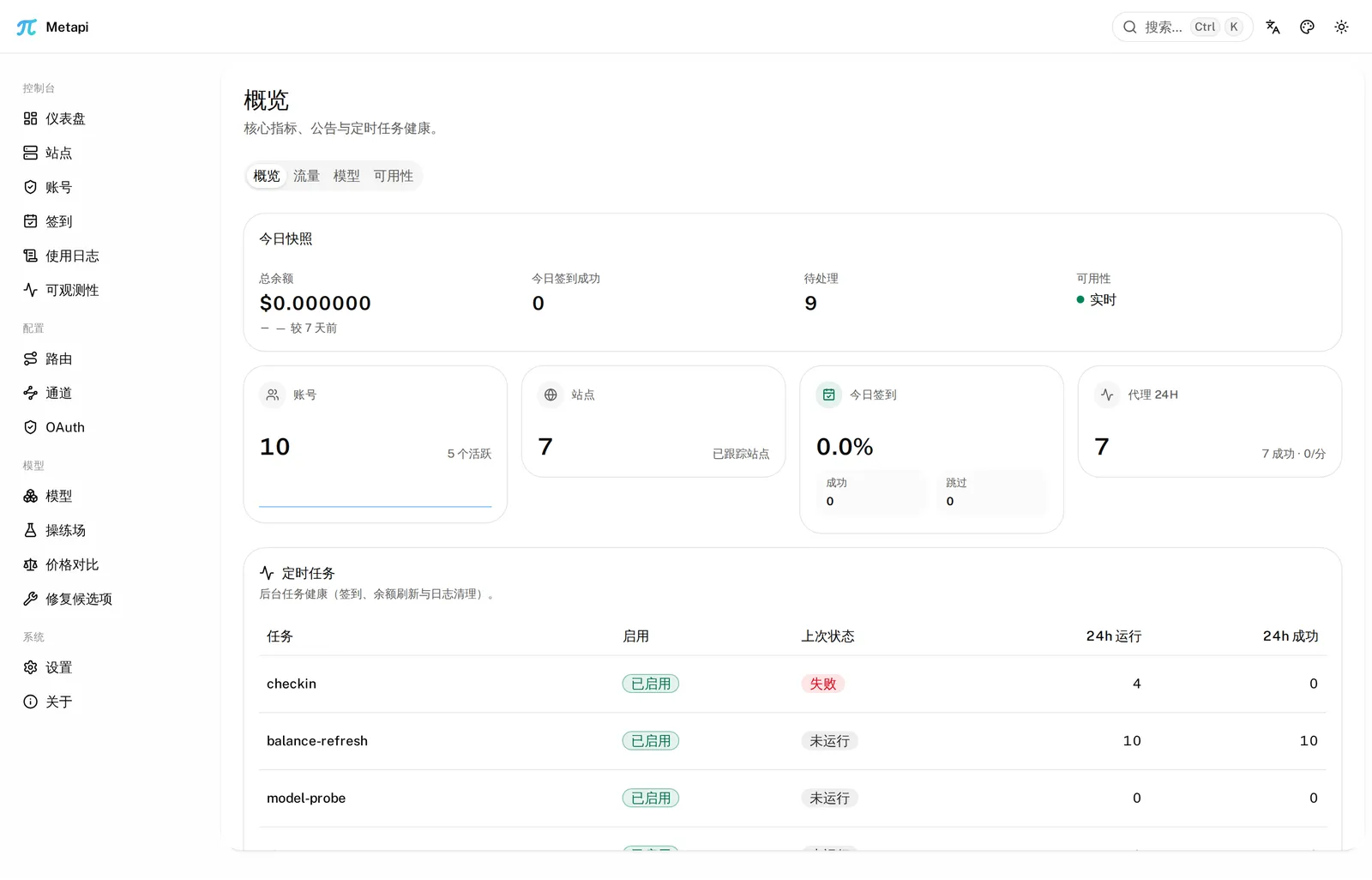
Dashboard — balance snapshot, check-ins, scheduler health
|
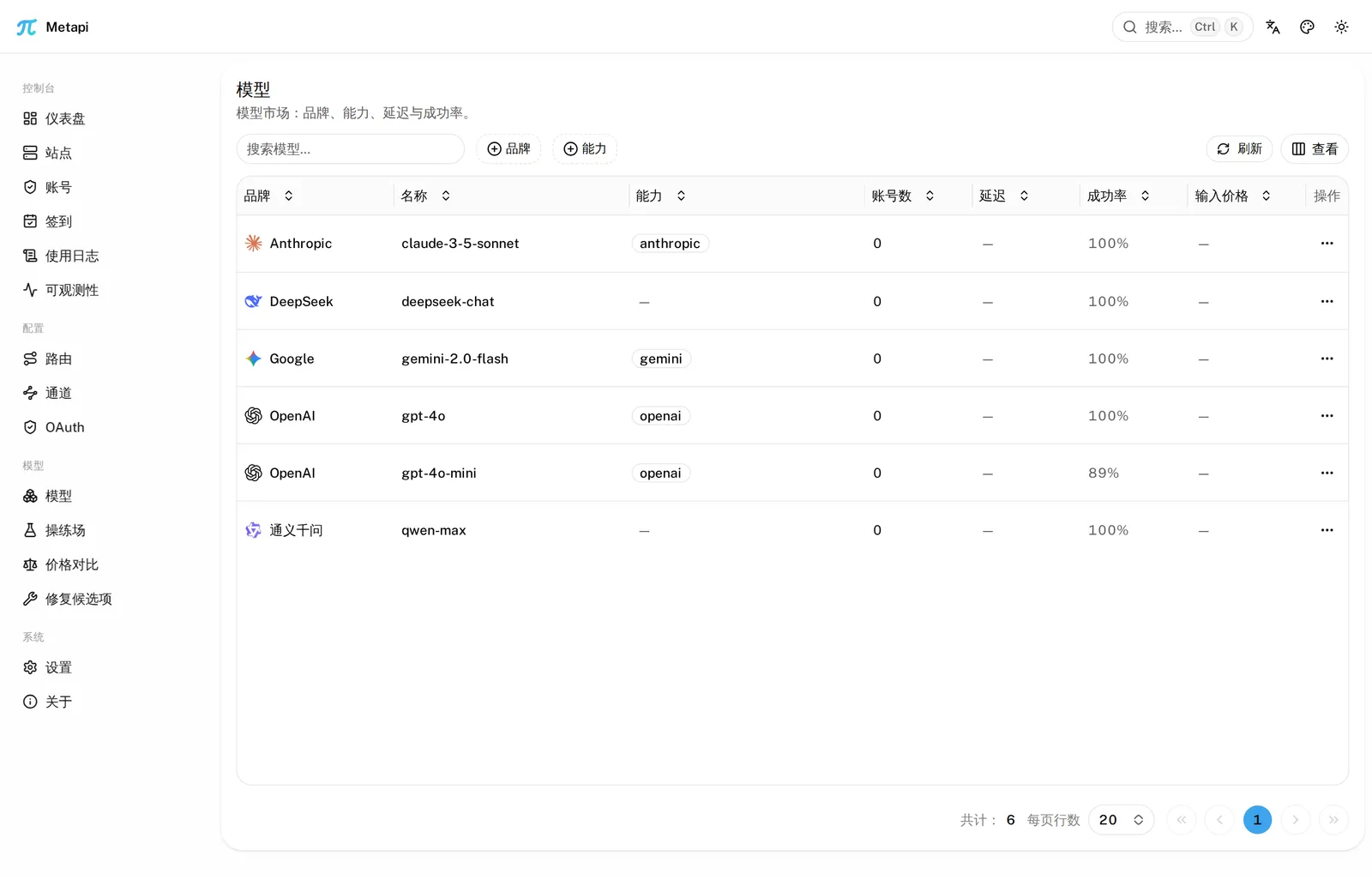
Model marketplace — cross-site coverage, brands, live metrics
|
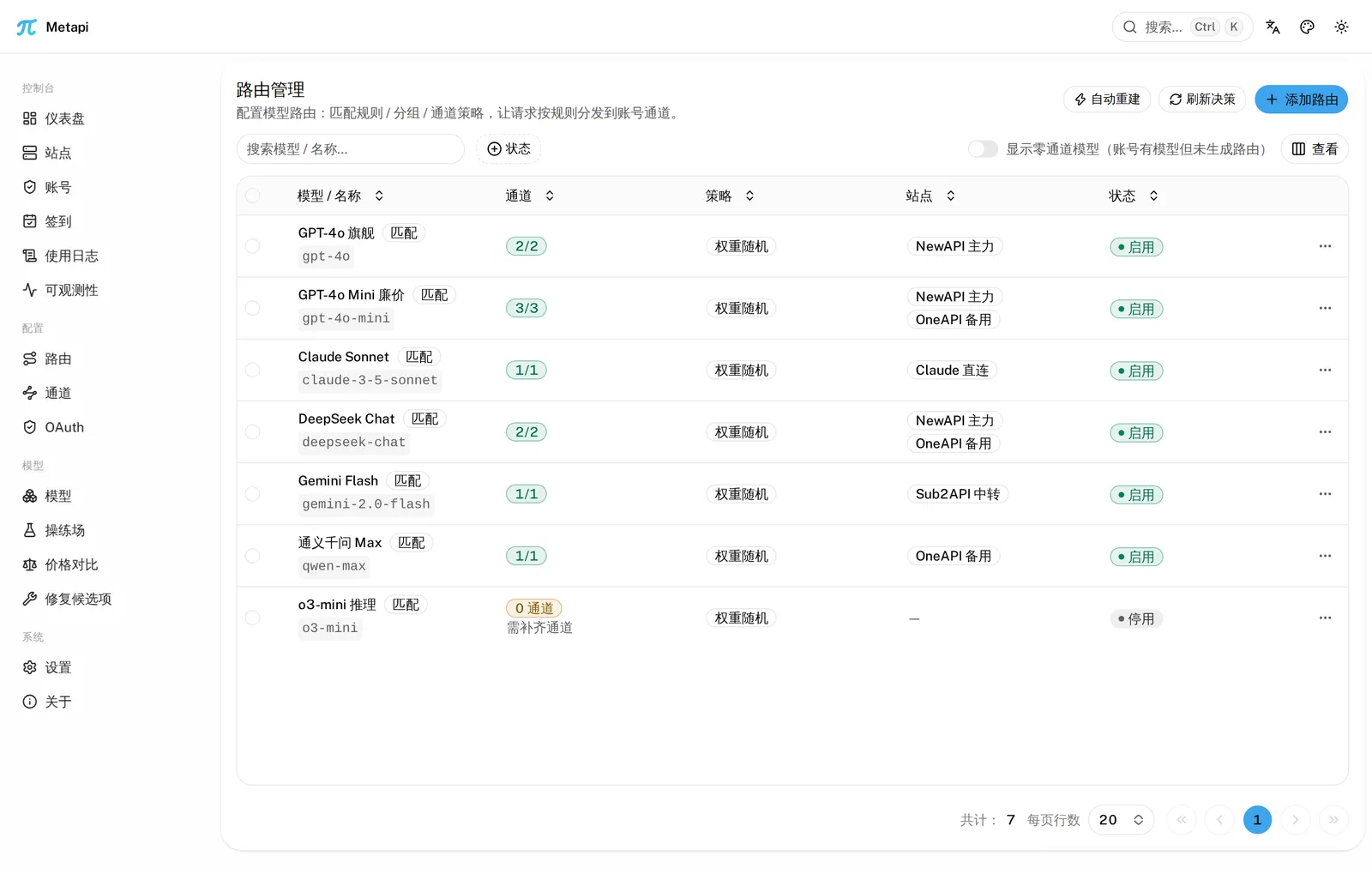
Smart routing — probabilistic multi-channel allocation, cost-first
|
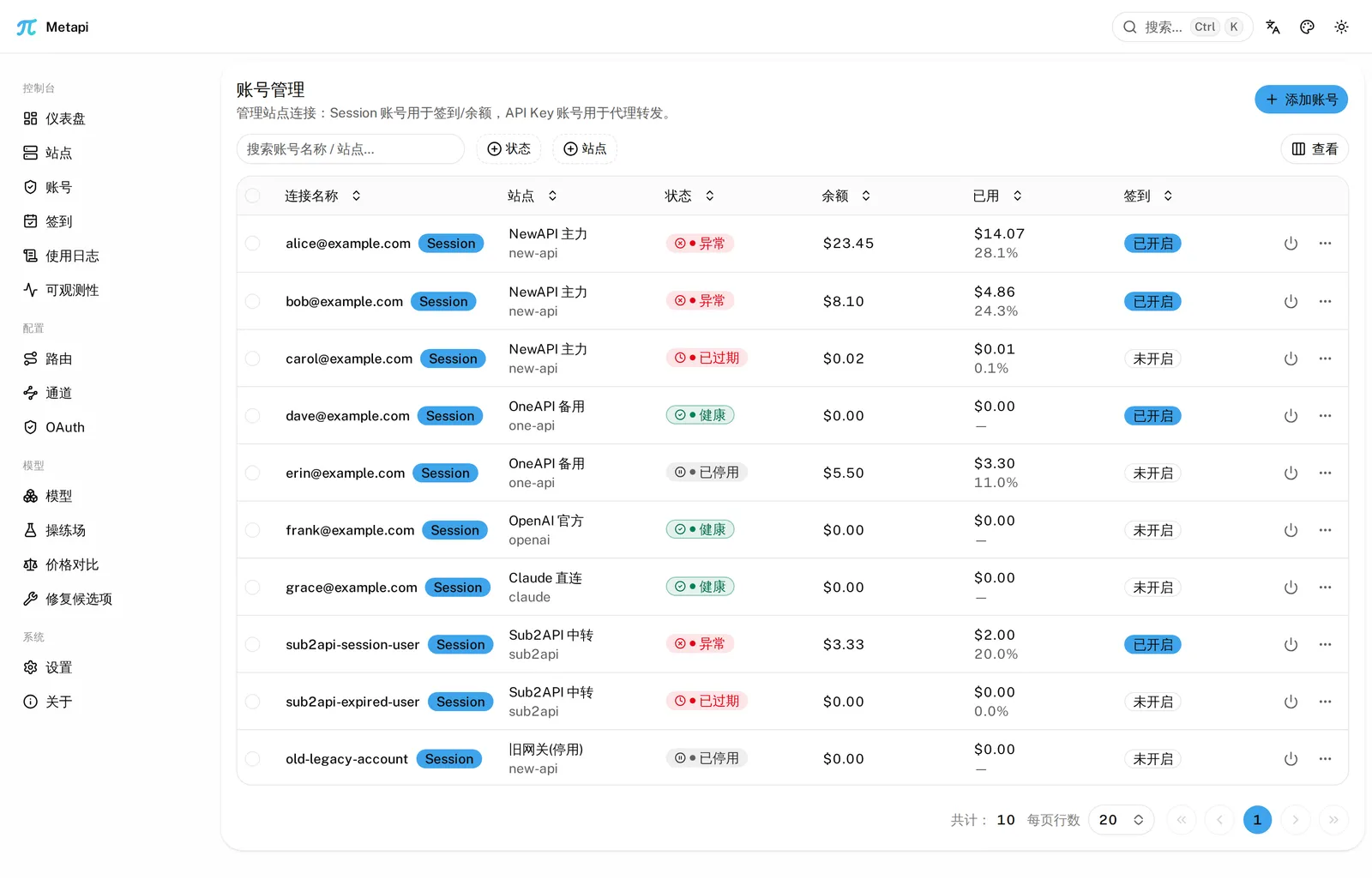
Accounts — multi-site accounts with health tracking
|
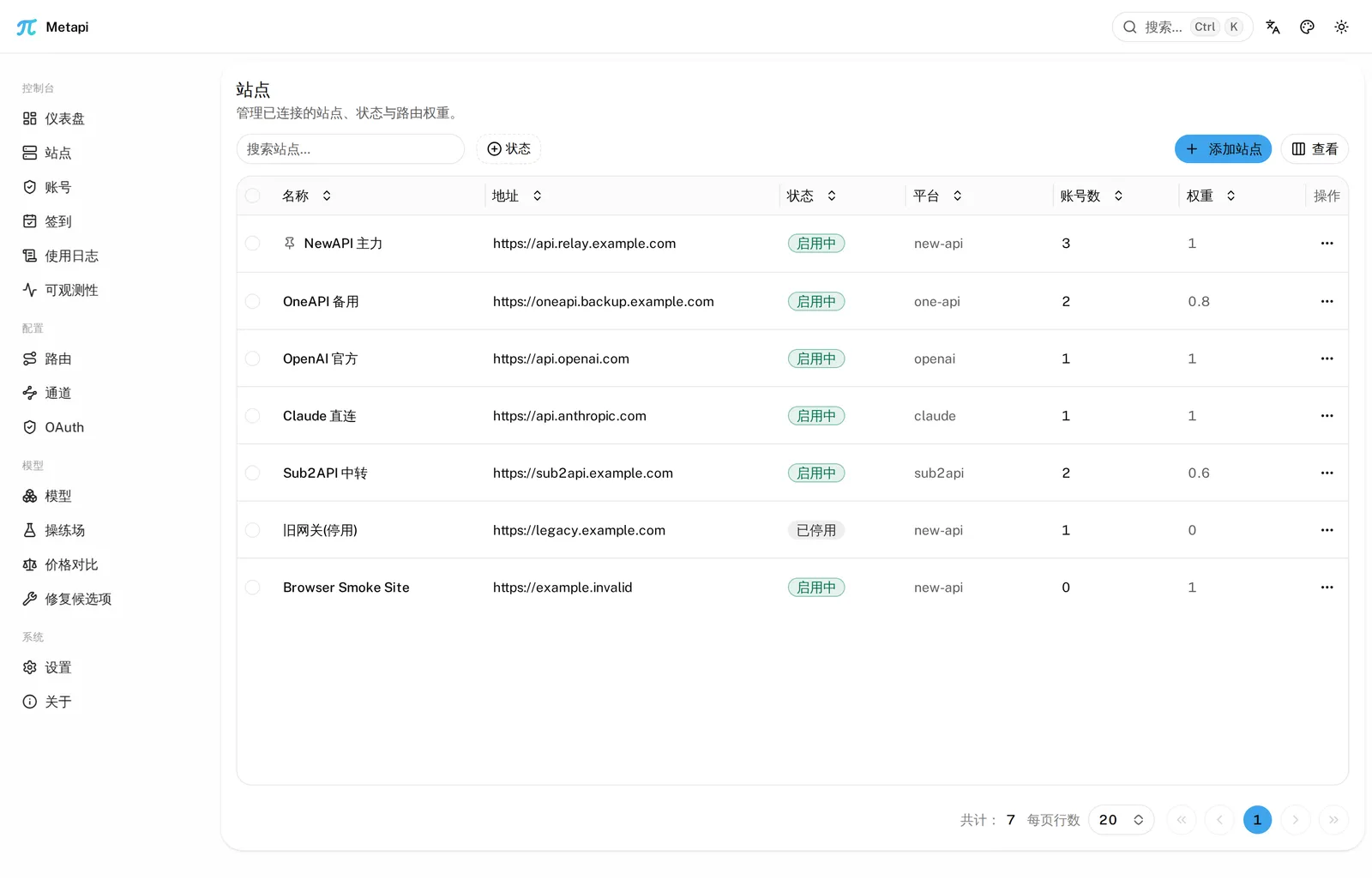
Sites — upstream site configuration at a glance
|
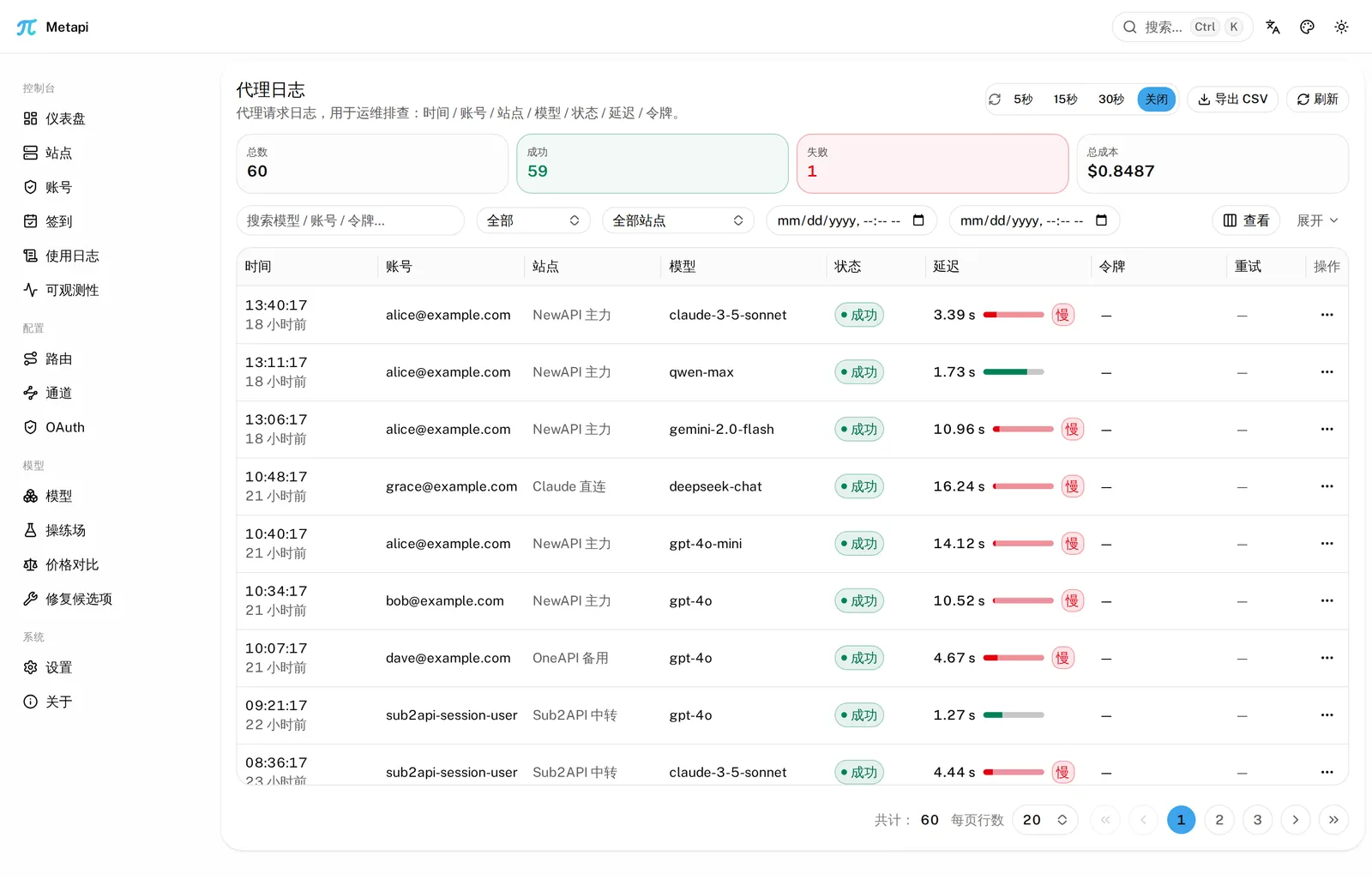
Proxy logs — request logs with latency, tokens and cost
|
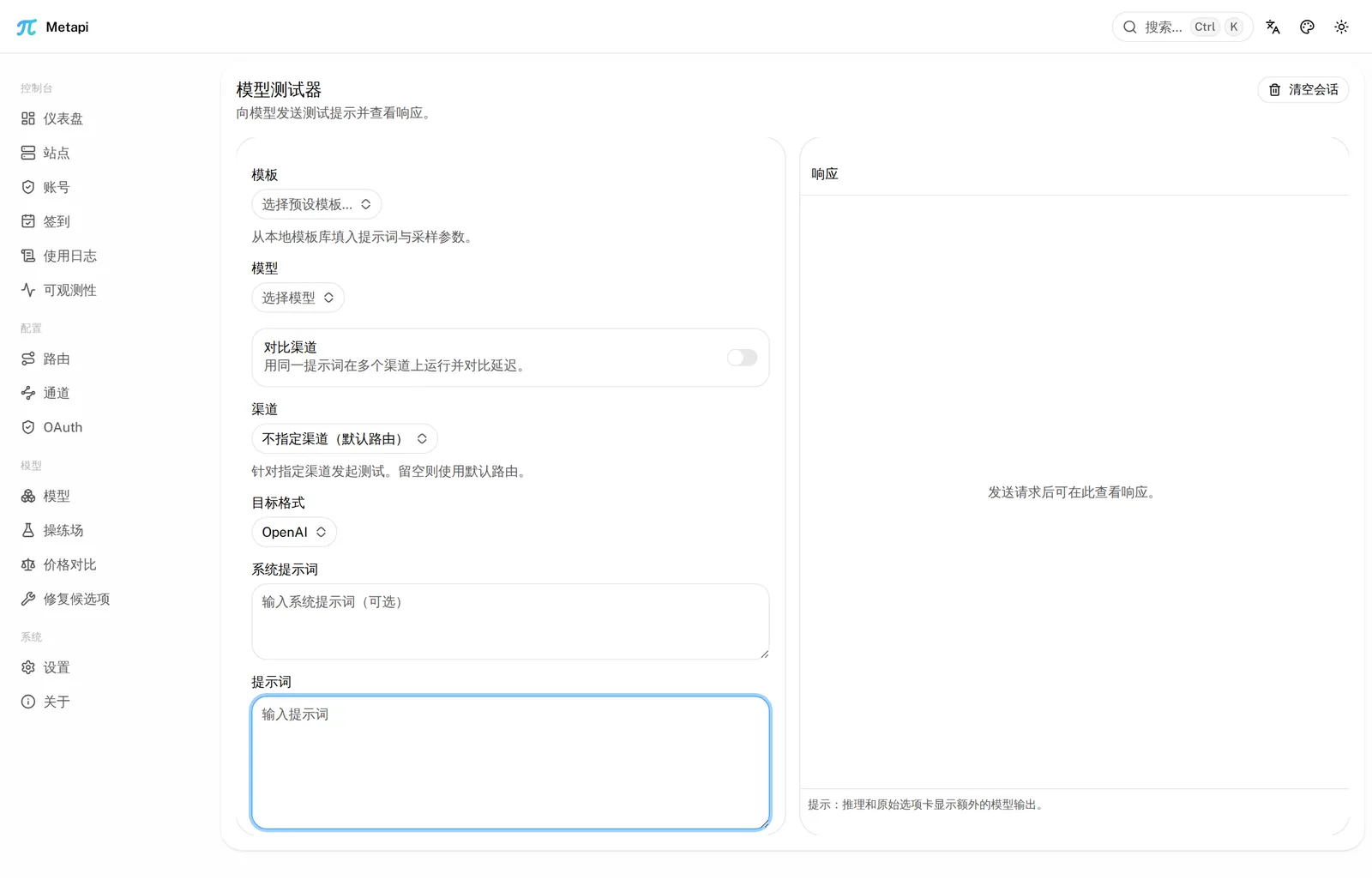
Model tester — compare channel outputs side by side
|
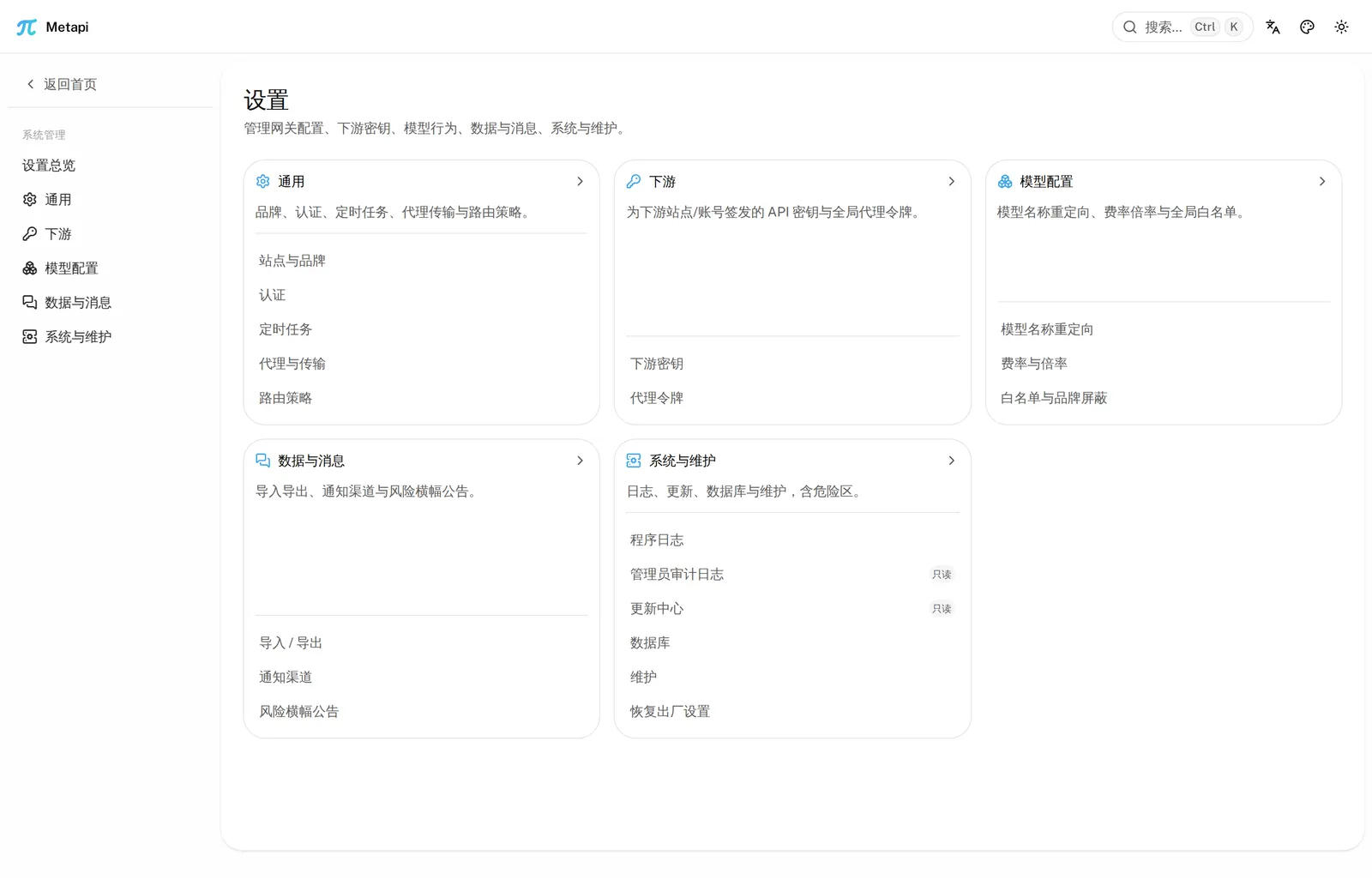
Settings — global parameters, theming and security
|
Quick start (3 minutes)
The recommended deployment is a pre-built Docker image pulled from GHCR: no Go,
Bun, or source compilation is needed on the deployment host. Release binaries
and source builds remain alternatives. Set AUTH_TOKEN to sign in, then create
a downstream access token in API Keys. Existing root keys move there
automatically on upgrade.
Option 1: GHCR Docker image (recommended)
Pin a full release tag or digest for stable deployments; this example uses 0.27.2. Images support linux/amd64 and linux/arm64; Docker selects the matching architecture. edge tracks master, and latest moves only with stable releases. Check Releases before upgrading.
export AUTH_TOKEN=$(openssl rand -hex 32)
export ACCOUNT_CREDENTIAL_SECRET=$(openssl rand -hex 32)

docker pull ghcr.io/deliciousbuding/metapi-go:0.27.2
docker run -d --name metapi \
  -p 127.0.0.1:4000:4000 \
  -e AUTH_TOKEN \
  -e ACCOUNT_CREDENTIAL_SECRET \
  -e TZ=Asia/Shanghai \
  -v metapi_data:/app/data \
  --restart unless-stopped \
  ghcr.io/deliciousbuding/metapi-go:0.27.2
Save the generated tokens and encryption key in your password manager. The default port binding is local-only; use a TLS reverse proxy or explicitly change the binding for remote access.
A named volume inherits the image ownership on first mount. For a bind mount (./data:/app/data), run chown -R 1001:1001 ./data on the host first. With the repository Compose file (Docker Compose >= 2.24):
cp .env.example .env   # replace the admin token and encryption key; METAPI_IMAGE is pinned to 0.27.2
# All runtime settings in .env are passed through, including PostgreSQL and check-in settings.
docker compose pull
docker compose up -d
To build an image from source, run docker build -t metapi-go:dev .. See the deployment guide for more options.
Option 2: Release binary
Pre-built binaries for Linux / macOS / Windows — one file, no runtime:
curl -fsSL https://github.com/DeliciousBuding/metapi-go/releases/latest/download/install.sh | bash

export AUTH_TOKEN=$(openssl rand -hex 16)      # admin UI login token
metapi
The script verifies the SHA-256 checksum and installs to /usr/local/bin/metapi
(it installs the latest release by default; pin a version with METAPI_VERSION,
change the install location with METAPI_INSTALL_PREFIX). On Windows, download
metapi-windows-amd64.exe directly from Releases.
Option 3: From source
Requires Go 1.26.10+ and Bun 1.x. The frontend must be built first — the output is
embedded into the binary via go:embed, and skipping it fails with
pattern dist: no matching files found:
git clone https://github.com/DeliciousBuding/metapi-go.git
cd metapi-go
cd web && bun install --frozen-lockfile && bun run build:web && cd ..
go build -o metapi ./cmd/server
AUTH_TOKEN=your-admin-token ./metapi
Verify
curl http://localhost:4000/health
# {"status":"ok"}
curl http://localhost:4000/ready
# {"status":"ok","database":"ok"}
Open http://localhost:4000 and sign in with AUTH_TOKEN. Data lives in
./data (SQLite) by default. If the port is taken, override with PORT=<port>
(default 4000).
Your first proxied request
Add an upstream site and account in the UI. Create a route for the model you want
to expose, or enable Automatically create model routes in Settings → Operations → Scheduling
and rebuild (off by default). Channels bind from account model availability.
Create an access token in API Keys and set DOWNSTREAM_API_KEY to its value.
See the getting-started walkthrough, then call Metapi like OpenAI:
curl http://localhost:4000/v1/chat/completions \
  -H "Authorization: Bearer $DOWNSTREAM_API_KEY" \
  -H "Content-Type: application/json" \
  -d '{
    "model": "<any routed model>",
    "messages": [{ "role": "user", "content": "hello" }]
  }'
Metapi picks the cheapest healthy channel across all of your upstream sites; failed channels cool down automatically and the request retries on the next one. With no routes configured, you get an honest 503:
{ "error": { "message": "No available channels", "type": "server_error", "request_id": "…" } }
Claude native format (/v1/messages), Responses, Embeddings, Images,
/v1/models and /v1/files are supported the same way; full endpoint inventory:
HTTP API, client setup: client-integration.
Deployment & configuration
Names, aliases, precedence, defaults and clamps for environment variables are
owned by the configuration reference;
.env.example is the copyable template. If no admin token is
set, the first start generates one and writes it to DATA_DIR/admin-token;
production should also set a dedicated upstream credential encryption key.
Manage downstream keys in API Keys; the legacy root key is imported once
during upgrade.
Health checks: GET /health (liveness), GET /ready (readiness, checks the
database); the Docker image ships metapi healthcheck, which probes /ready.
Further reading:
| Document | Purpose |
|---|---|
| docs/getting-started.md | Getting started: install → first proxied request |
| docs/deployment.md | Reverse proxy / TLS / PostgreSQL / backup / upgrades |
| docs/configuration.md | Full environment variable reference |
| docs/client-integration.md | Client setup (Cursor / Claude Code / Codex / Open WebUI) |
| docs/api.md | HTTP API endpoint inventory |
| docs/migration.md | TS → Go migration (SQLite / PG / MySQL) |
| docs/faq.md | Frequently asked questions |
| docs/api/routes-inventory.md | Full registered /api route list (kept in sync with the code by docs/api_inventory_parity_test.go) |
| docs/architecture.md | Layering, ownership boundaries, and the stages a /v1 request passes through (read before moving code or deciding who owns a bug) |
| CHANGELOG.md | Release notes |
Migrating from the TypeScript version
The database schema is identical: stop the old server and start the Go version
with the same environment variables; the idempotent migration runs at startup.
SQLite / PostgreSQL deployments are taken over directly; MySQL data must be
exported through the TypeScript version's built-in migration first. The Go image
runs as uid 1001 — a bind-mounted data directory previously written by the
root-owned TypeScript container needs chown -R 1001:1001 ./data first (named
volumes need no action). Full steps, the metapi-migrate tool and rollback:
migration guide.
Known limitations
- A few admin endpoints currently return an honest
501(not implemented); see the "501 residual" markers in api.md. - With no upstream configured, proxy requests return 503 — never a synthetic success.
- Single-process semantics are the primary target; the shared semantics for multi-instance deployments (Redis-shared RPM/TPM admission, PostgreSQL advisory locks) are described in the FAQ.
Development
Frontend setup, focused checks and the full local gate live in
CONTRIBUTING.md. The common entrypoints are make test (fast
Go suite) and make web-check (full frontend check); run bun run dev from
web/ for local UI work. This page does not keep a second copy of the script
inventory maintained by web/package.json.
The last full end-to-end walkthrough recorded in this README was v0.19.0 (installer → real relay). Commands changed since then are checked against the repository entrypoints and CI configuration, not presented as a fresh end-to-end run. CHANGELOG.md and release notes remain the version-specific evidence.
Contributing & security
- CONTRIBUTING.md — branch model, PR flow, local gates
- SECURITY.md — vulnerability disclosure (Security Advisory)
- CODE_OF_CONDUCT.md — community conduct
Acknowledgments and related projects
- Metapi (TypeScript) — the original Node.js implementation this repo rewrites in Go
- New API — thanks to the project and its contributors for the RelayKit protocol conversion library. New API also informed our channel presets, frontend and backend features, administration interface, and interaction design.
- Magpie — a reference for visual hierarchy, icon use, and interaction design in the administration interface, including the presentation of providers, models, and routes.
- AxonHub — a reference for channel types, platform adapters, and import models.
- One API — the classic OpenAI-interface aggregator
License
GNU AGPLv3 (AGPL-3.0-only) applies to the project as a whole from this
version onward. Previously published MIT versions retain their original license.
Third-party licenses and existing copyright notices are retained in
THIRD_PARTY_NOTICES.md.
Metapi is fully self-hosted: all data stays in your own deployment, and proxy traffic flows directly between your server and your upstream sites.
Explore related projects
affaan-m/ECC
The agent harness performance optimization system. Skills, instincts, memory, security, and research-first development for Claude Code, Codex, Opencode, Cursor and beyond.
302,615 starsNousResearch/hermes-agent
The agent that grows with you
263,276 starsmultica-ai/andrej-karpathy-skills
A single CLAUDE.md file to improve Claude Code behavior, derived from Andrej Karpathy's observations on LLM coding pitfalls.
233,002 starsfirecrawl/firecrawl
Supercharge your AI agents with data from the web and beyond. Building the library for superintelligence. 🔥
201,659 stars