
Deepender25/Edge-Drop
Deepender25/Edge-Drop has 775 GitHub stars and 52 forks. GitHot measured +41 in 7 days. Last checked 2026-11-09 10:01 UTC. Last push 2026-11-08.
Edge-Drop is a clipboard shelf on the edge of your screen. Hover to open it. Drag files and images into any app, click to copy text and links. Free and open-source for Windows.
What you can do
- Opens from the left, right or top edge of any display, and remembers that display across restarts. Alt + C toggles it (change it in Settings).
- Tune the trigger zone (size, 1–7 px thickness, position), an Open Delay (0–1000 ms), the shelf's height and where it sits along the edge. Hover opening can be turned off.
- Never takes keyboard focus from the app you're in, so clicking a card pastes straight into it.
- Stays out of fullscreen games, videos and presentations; capture pauses while the PC sleeps or is locked.
Measured star growth
- in 24h
- Update delayed
- in 7 days
- +41
- in 15 days
- Collecting history
- in 1 month
- Collecting history
Net star changes over overlapping periods, not daily totals. Missing measurements are left blank. Stars measure attention, not software quality.
README.md
Original

Edge-Drop
A clipboard shelf that lives on the edge of your screen.
Move your pointer to the edge and it opens. Everything you copy is there, ready to paste or drag into any app.
Or press Alt + C · edgedrop.app







[!NOTE] Edge-Drop is an independent open-source project. It is not affiliated with, endorsed by, sponsored by, or connected to Microsoft or the Microsoft Edge browser in any way.

 Why Edge-Drop
Getting something you copied earlier usually means stopping what you're doing: open Win+V, arrow through a list, or dig into a tray menu. Edge-Drop keeps your clipboard history on the edge of the screen instead, out of the way until you reach for it.
 1. Copy anything Text, links, images, screenshots and files land on the shelf as you copy them. |
2. Point at the edge The shelf opens when your pointer reaches the edge, and closes when you leave. |
 3. Click or drag Click a card to paste it into the app you're in, or drag it into any window. |
It's built for the way people actually work: screenshots, snippets, file paths, links and assets moving between many windows all day.

 What's new in 0.4.0
 A welcome tour played by the real app Eight short steps show the shelf at work on a laptop screen, in your device's language. It opens once after you update; replay it any time from the tray. |
 Notes and a right-click menu Right-click any card for the actions that fit it, or add a short note. Search finds notes, and noted cards are never auto-deleted or cleared. |
Drag and drop, redesigned The edge bar swells as a drag comes near and the shelf opens into a drop zone. Pull a file out of a stack onto a light on the screen edge. |
Cards and preview
- The right-click menu has paste, paste as plain text, copy, note, pin, preview and delete, plus actions for each kind of card: open a link or copy it without its tracking parameters, copy a color in its other formats (HEX, RGB, HSL), show a file in its folder or copy its path, save an image to Downloads.
- Link cards show the site and the kind of page (for example "GitHub · Issue") with a readable title, for 400+ sites, worked out offline.
- New frosted-glass file icons; folders open when you hover them; file and image cards have a subtle texture.
- An open stack shows a photo grid for pictures and a list for files.
- The preview sizes images to their shape and lists a color's HEX, RGB and HSL values to copy.
- When the shelf reopens at the top of the list, a button takes you back to where you were.
Look and feel
- The shelf opens and closes with a spring, and its content fades in behind the shape.
- A new copy indicator that grows out of the edge bar.
- A redesigned filter bar with the emoji picker on its own button, and a clear button in search.
- One icon set and one style for every hover button.
- Pinning or unpinning lights the edge of the shelf the card moves to.
- A new, softer set of UI sounds, and settings regrouped into clear sections in both docks.
- An Open Delay setting (0–1000 ms) makes the edge wait before opening, if instant hover feels too eager.
Languages
- Every string in the app is translated into all 31 languages, with correct plural forms ("1 file", "5 files") and sizes written as each language writes them.
Fixes and performance
- Files copied in File Explorer are read natively instead of through PowerShell (about 300 ms down to under 1 ms), and file names with non-English characters are no longer garbled or dropped.
- No more freezes on the first scroll or drag after launch.
- Switching emoji categories no longer stutters.
- Lower CPU use while idle: the audio device is released 2 seconds after the last sound instead of running all the time.
- If saved history can't be read (for example after Windows' encryption keys are lost, or the profile moves to another PC), it's set aside and merged back once it can be read, instead of being overwritten. Saves are atomic, so a crash mid-save can't cut the history short.
- Updated to Electron 45 (Electron 34 is out of support).
- A few Cyrillic and Vietnamese letters now use the app's own fonts.
- The packages no longer carry about 1 MB of unused build files.
Full history: edgedrop.app/changelog

Demos
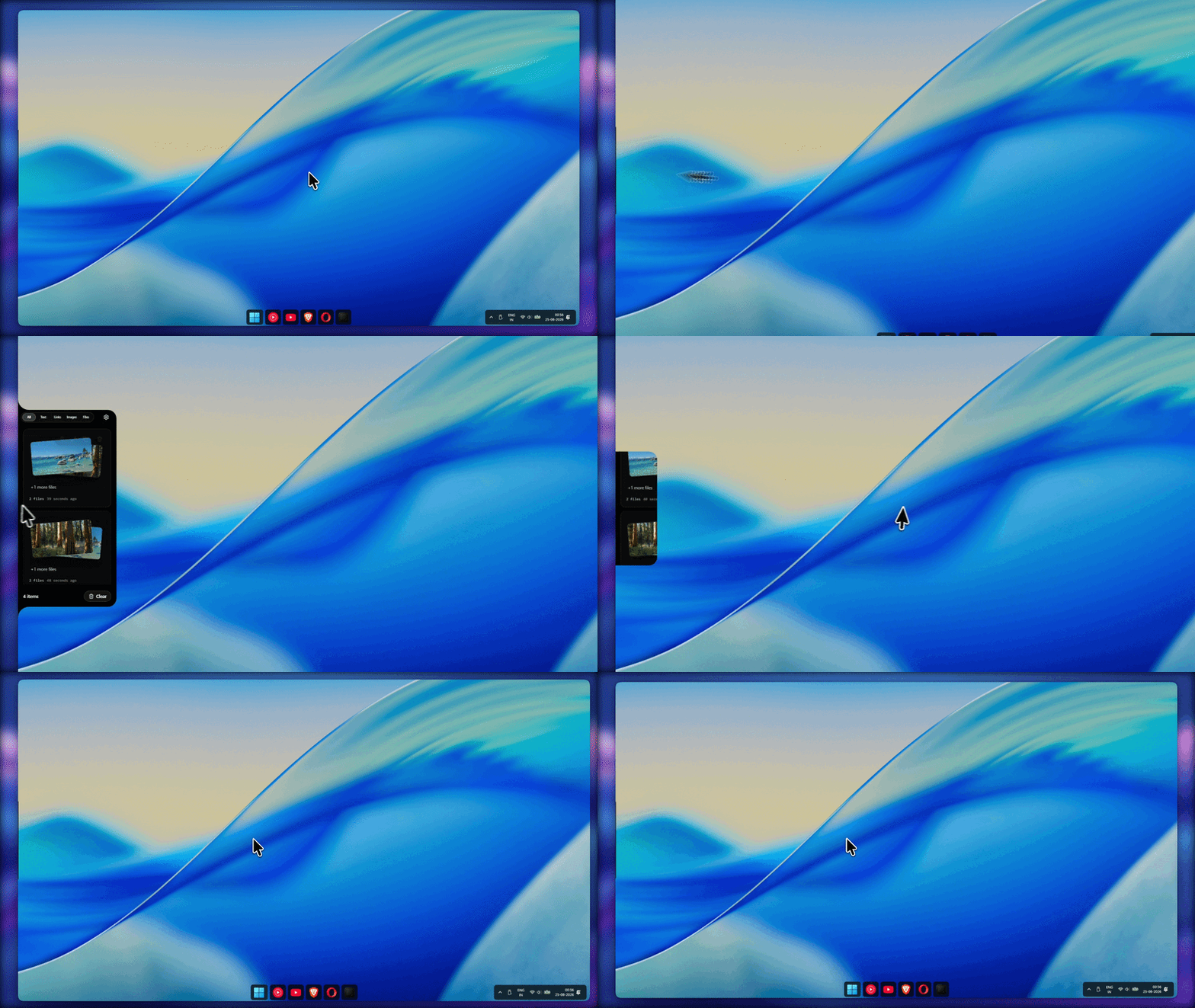
Open it from the edge
Move the pointer to the edge of the screen; the shelf opens, and closes again when you leave.
|
Left, right or top Dock the shelf on any of three edges, on the display you choose. 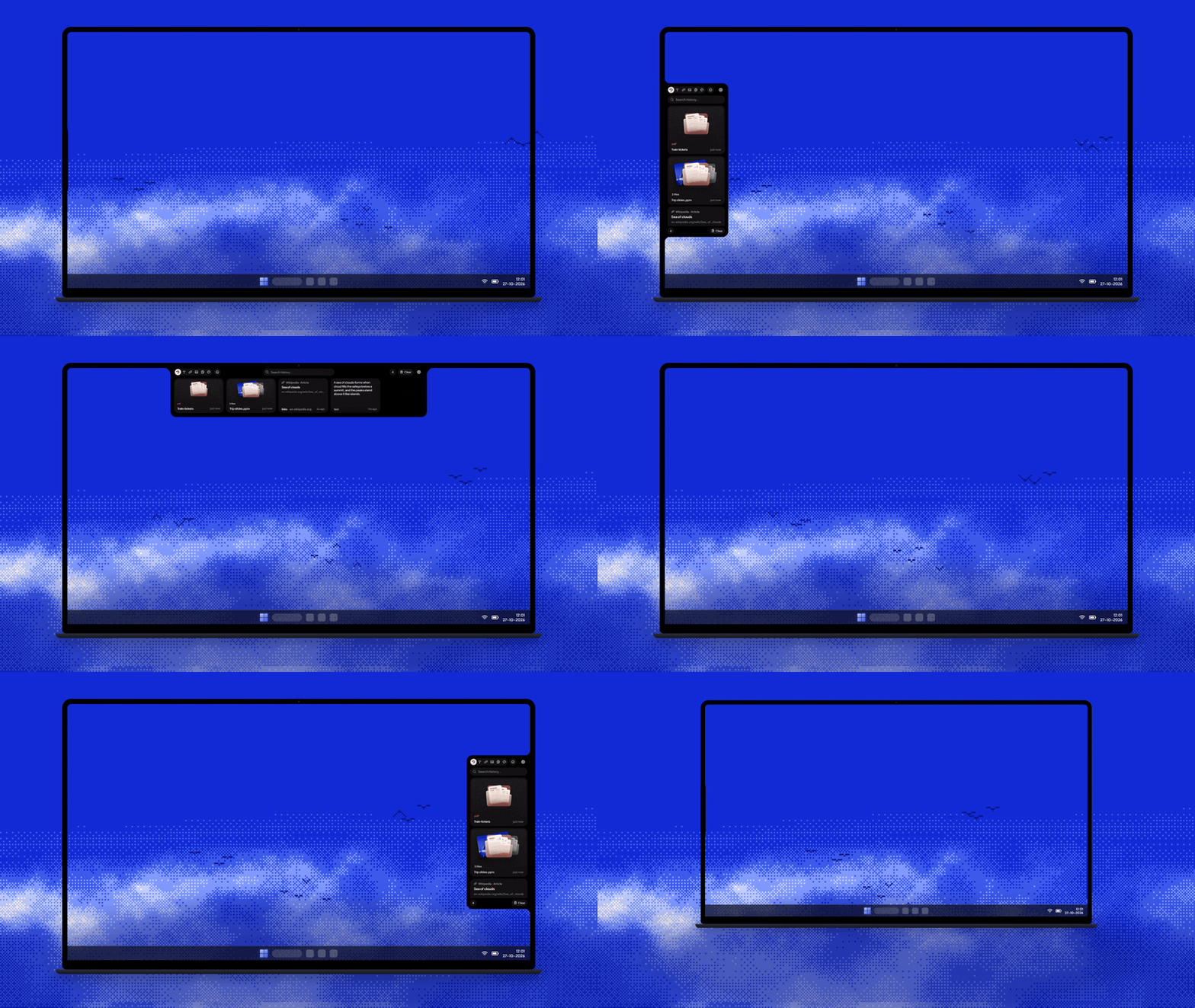
|
Copy as usual Text, links, images and files land on the shelf the moment you copy them. 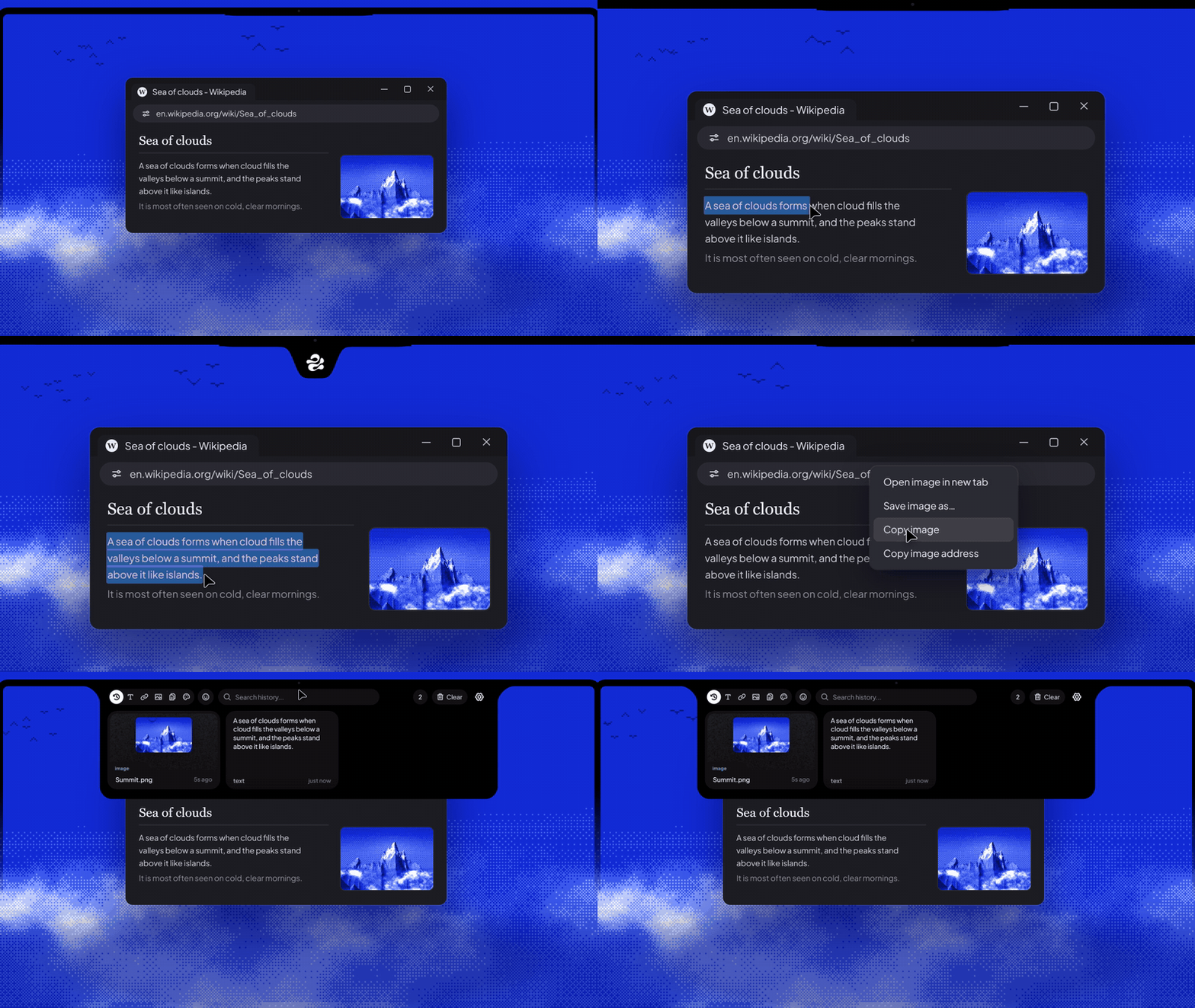
|
|
Drag in, drag out Drop links and files onto the shelf; drag anything back out into any app. 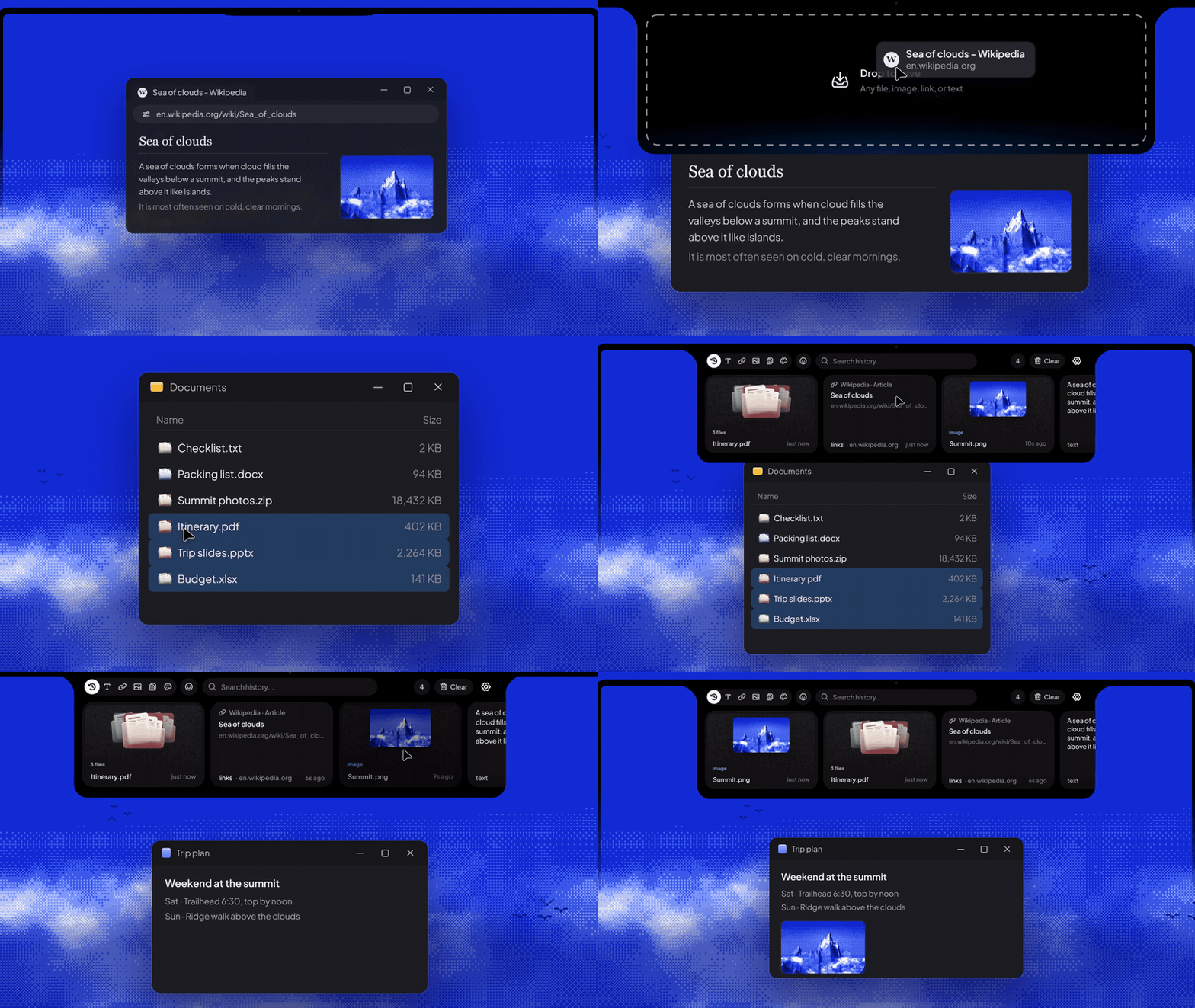
|
Stacks Pull a file out of a stack, or drop cards together to make one. 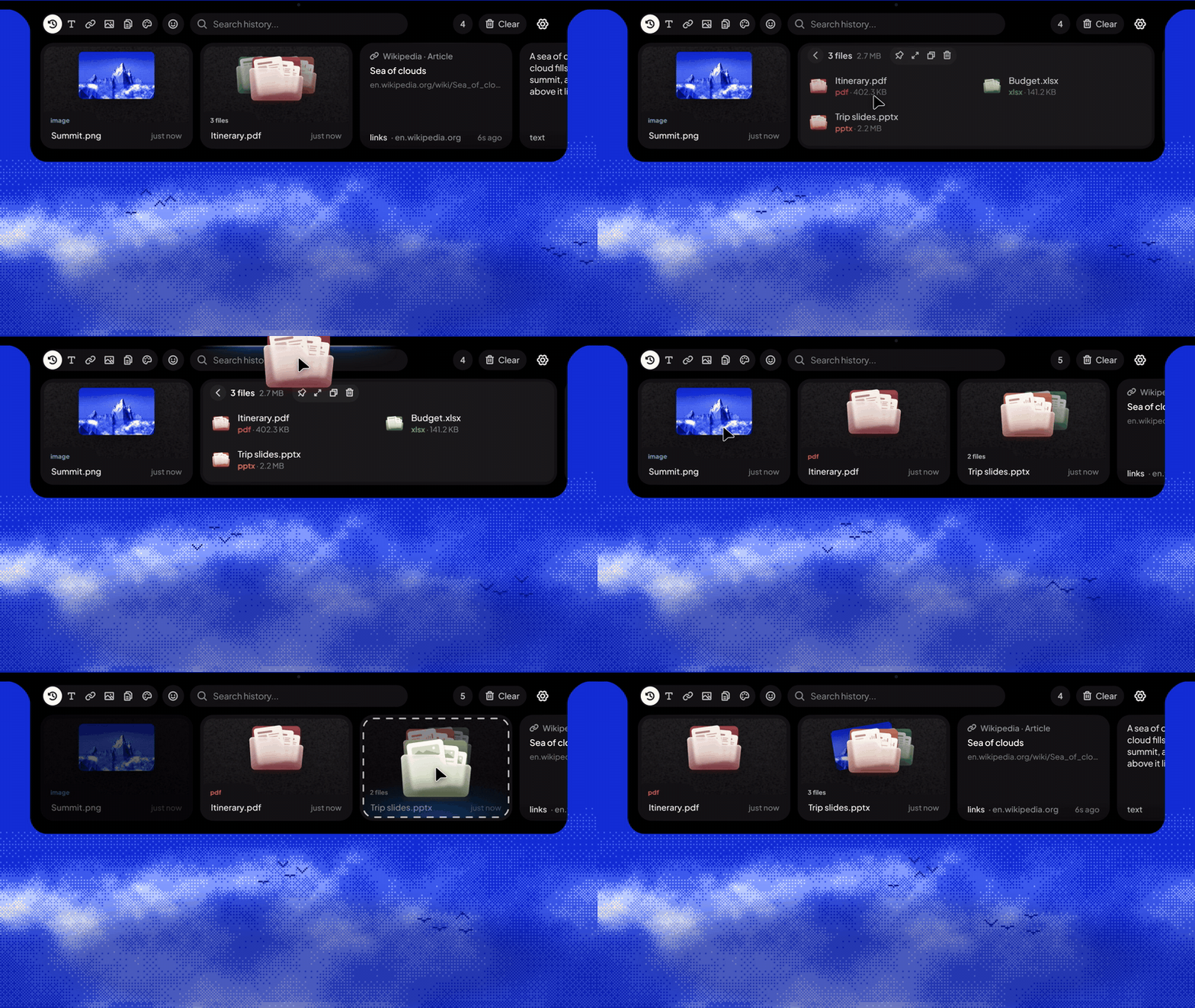
|
|
Full-size preview Open a stack or a card to see everything in it, then paste or copy what you pick. 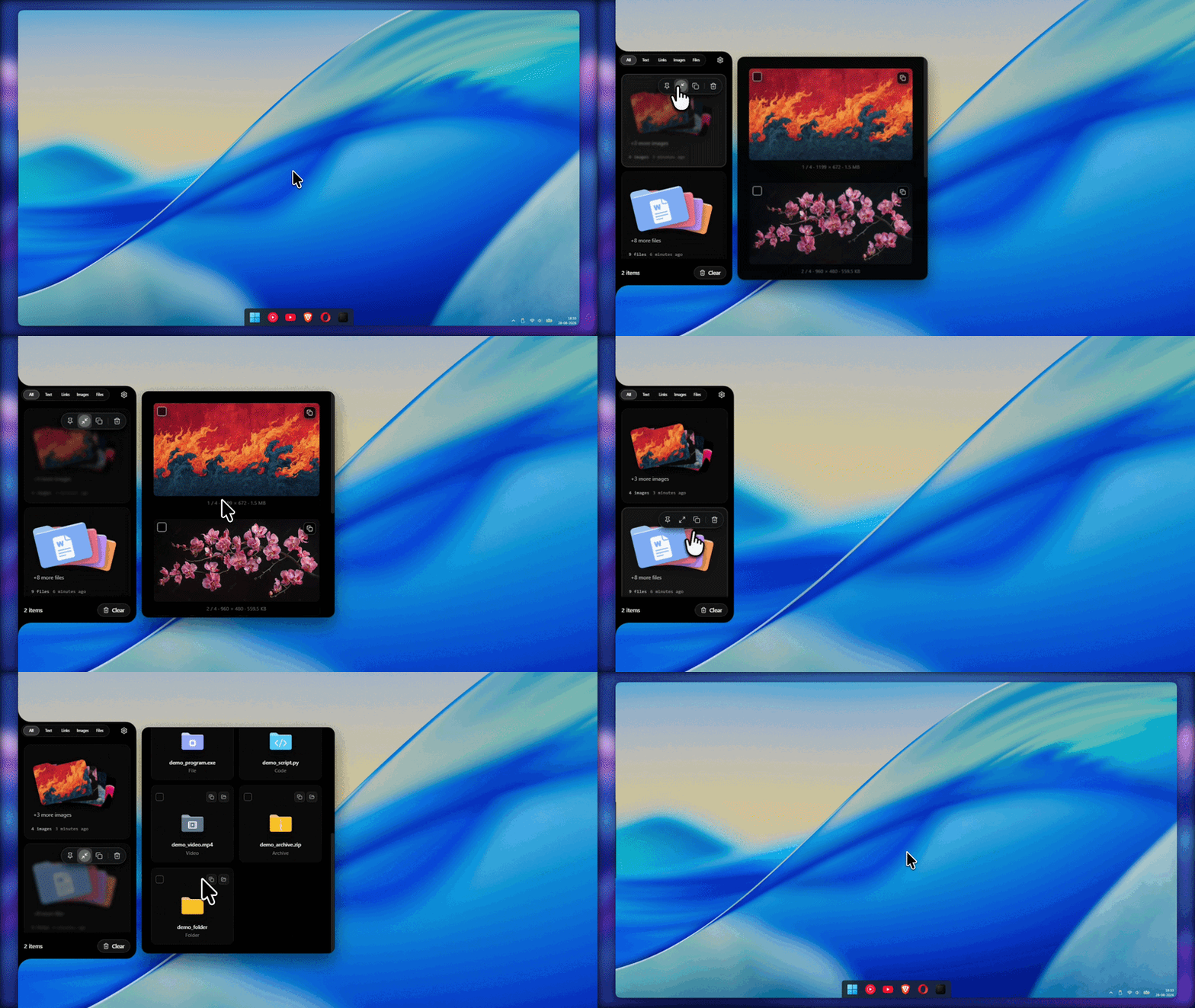
|
Notes and search Add a note from the right-click menu; search finds it later. 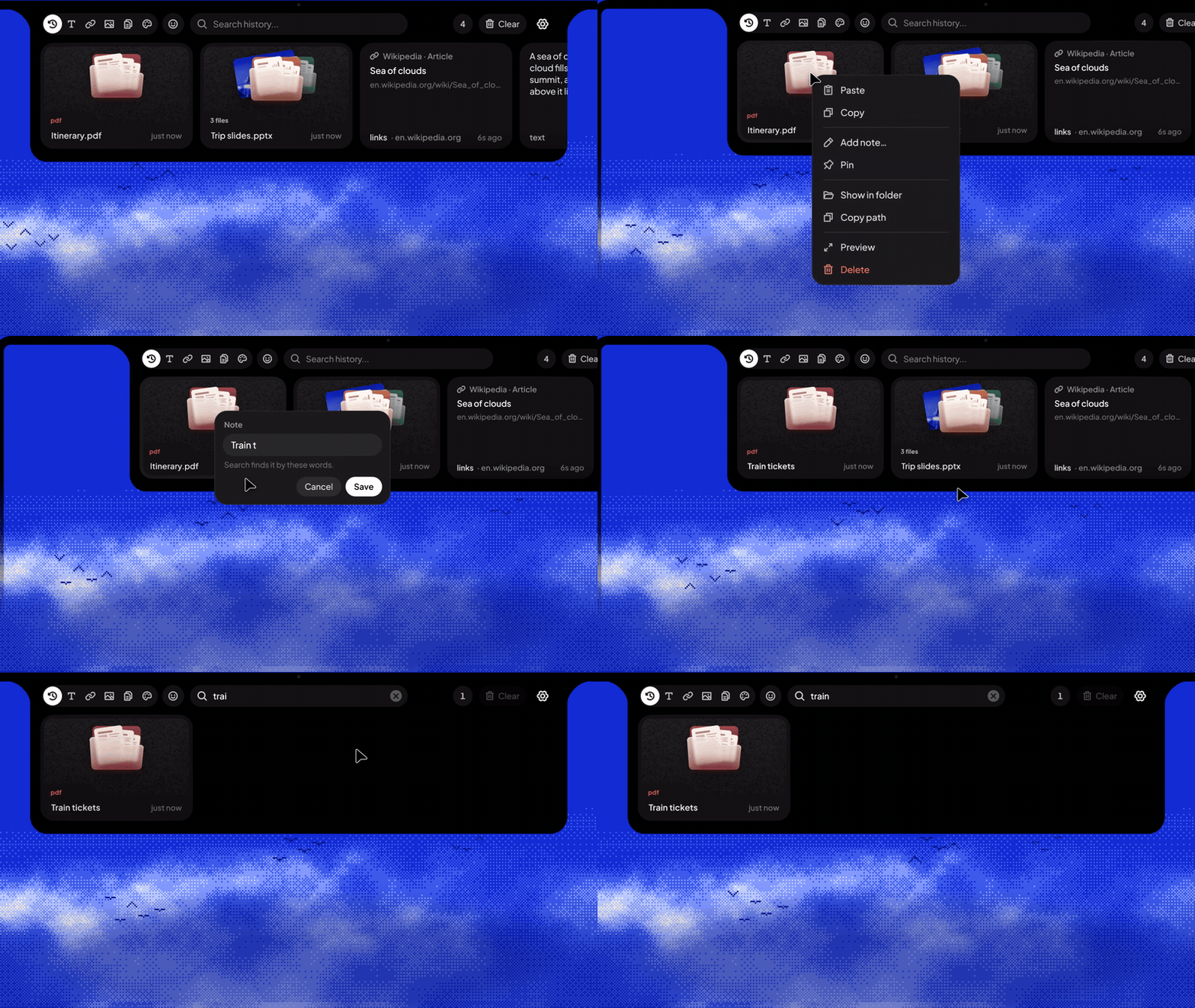
|
 Download
Edge-Drop runs on Windows 10 and 11 (64-bit). Both editions are the same app; they differ only in how they install and update.
  Microsoft Store Recommended for most people
✓ Updates automatically through the Store |
 Windows installer (.exe) From GitHub releases
✓ Built-in updates: Automatic, Notify me or Off |
[!NOTE] The GitHub installer isn't code-signed yet, so Windows SmartScreen may warn the first time you run it. Choose More info → Run anyway, or install from the Microsoft Store instead.
 Support & Sponsor
Edge-Drop is free and open source, and always will be.
If it saves you time every day, you can help keep it going.
 Worldwide · Ko-fi Buy me a coffee from anywhere in the world.  
|
 India · UPI Pay with GPay, PhonePe, Paytm or any UPI app.  
|
Sponsors
A huge thank you to the sponsors who keep Edge-Drop going:
|
|
Elitistreview When it comes to wine, there is an objective reality out there, and it is on Elitistreview.com. Website · X · Bluesky |

|
Boxstorium Handmade custom storage boxes for board and card games, by Viktor Csete. Website · Etsy |
Want your product featured here, in front of the developers who visit this page? Sponsor on Ko-fi or UPI and share your link.
 Features
|
The shelf
|
Everything you copy
|
|
Drag and drop
|
 Find and organize
|
 Your history, your rules
|
 Make it yours
|
 Privacy & Security
Edge-Drop handles everything you copy, so it's built to keep that on your PC.
- Local only. Your history stays on your computer. There's no account, no cloud sync, and no telemetry or analytics.
- Network use is limited to: checking GitHub for updates (installer edition, unless updates are set to Off), downloading a web image you drag onto the shelf, and links you choose to open.
- Encrypted at rest. History is encrypted with Windows' own data protection (DPAPI, via Electron
safeStorage) and is never rewritten as plain text once encrypted. - Respects private copies. Content marked by the app it came from as not for clipboard history or monitoring (the Windows flags password managers use) is skipped. Edge-Drop runs this check on every copy itself, since Windows' clipboard history settings only cover Win+V. Incognito pauses capture entirely.
- Never loses history. Saves are atomic (write, flush, rename). History that can't be read is set aside and merged back later, never overwritten.
| Control | How |
|---|---|
| Runtime | Electron 45.1 |
| Renderer isolation | contextIsolation on, nodeIntegration off, sandboxed renderers |
| Typed IPC | Every channel and payload is typed in shared/ipc.ts, shared by both sides |
| Content Security Policy | The UI can't make network requests (connect-src 'self') |
| External links | New windows are refused; only http(s), mailto, tel and Store links open, in your default browser |
| PowerShell | Called by absolute path with execFile (no shell), with validated file paths |
See PRIVACY.md for the full privacy policy.
 Build from source
Requirements: Windows 10 or 11, and Node.js 22.12 or newer (required by Electron 45).
git clone https://github.com/Deepender25/Edge-Drop.git
cd Edge-Drop
npm install
npm run dev          # Electron + Vite with hot reload
| Command | What it does |
|---|---|
npm run dev |
Run the app in development mode |
npm run typecheck |
Type-check the main and renderer code |
npm test |
Run the test suite (Vitest) |
npm run build:github |
Build the NSIS installer (dist/Edge-Drop-Setup-<version>.exe) |
npm run build:store |
Build the Microsoft Store package (.appx) |
[!NOTE] Quit any installed copy of Edge-Drop before
npm run dev: both use the same profile, and only one instance can run at a time. If packaging fails withEBUSY: resource busy or locked, close running Edge-Drop or dev instances and try again.
 Architecture
Edge-Drop is an Electron app in three isolated layers that talk only through a typed bridge.
flowchart TB
  M["<b>Main process</b> · electron/<br/>clipboard watcher (Win32 change events) · encrypted item store<br/>edge window and cursor probe · native drag-out<br/>tray · updater · launch at login"]
  P["<b>Preload</b> · electron/preload/<br/>window.edge, one typed bridge"]
  R["<b>Renderer</b> · src/<br/>React shelf, settings, preview, card menu, welcome tour"]
  M <-->|typed IPC| P
  P <-->|window.edge| R
- Main process (
electron/) talks to Windows. Clipboard changes arrive asWM_CLIPBOARDUPDATEevents, with a slow timer as a safety net, and are read natively through koffi. It also handles the history store, the edge window and cursor probe, native drag-out, the tray, launch at login and updates. - Preload (
electron/preload/) exposes one typed API,window.edge, defined inshared/bridge.tsandshared/ipc.ts. - Renderer (
src/) is React 18 with Zustand for state and Framer Motion for motion. It contains the shelf, settings, preview, card menu and the onboarding tour (src/onboarding/).
Project structure
Edge-Drop/
├─ shared/                    Types and contracts used by every layer
│  ├─ ipc.ts                  IPC channels and payload types
│  ├─ bridge.ts               The window.edge API
│  ├─ types.ts                Items, settings, drag requests
│  └─ itemMeta.ts             Notes on cards
├─ electron/
│  ├─ main/                   App lifecycle and Windows integration
│  │  ├─ index.ts             Startup, single instance, edgelocal:// protocol
│  │  ├─ window.ts            The edge window, cursor polling, displays
│  │  ├─ stickProbe.ts        Where the pointer is relative to the dock
│  │  ├─ drag.ts              Native drag-out and drag images
│  │  ├─ fullscreen.ts        Fullscreen detection
│  │  ├─ tray.ts              Tray menu
│  │  ├─ updater.ts           Updates (installer edition)
│  │  ├─ loginItems.ts        Launch at login (installer edition)
│  │  ├─ onboardingWindow.ts  The welcome tour window
│  │  └─ ipc.ts               IPC handlers
│  ├─ clipboard/
│  │  ├─ ClipboardWatcher.ts  Change detection and capture
│  │  ├─ osClipboard.ts       Native clipboard reads and writes
│  │  └─ formats.ts           Format detection, file lists, privacy flags
│  ├─ store/
│  │  ├─ ItemStore.ts         Encrypted, atomic history storage
│  │  └─ settings.ts          User settings
│  └─ preload/                The typed bridge
├─ src/
│  ├─ components/             Shelf, cards, preview, card menu, settings
│  ├─ onboarding/             The welcome tour
│  ├─ hooks/                  Edge hover, filtering, drag-out
│  ├─ i18n/                   31 languages
│  ├─ lib/                    Sounds, link previews, colors, code detection
│  ├─ store/                  App state (Zustand)
│  └─ styles/                 CSS
├─ resources/                 Icons, file icons, Store assets
└─ tests/                     Vitest suite
Tech stack: Electron 45 · React 18 · TypeScript 5.9 · Vite 5 with electron-vite · Zustand · Framer Motion · koffi (Win32) · resvg (drag images) · electron-updater · Vitest
 Roadmap
- Left, right and top docks on any display
- Search, filters, pins and notes
- Stacks: combine and split
- Three update modes for the installer edition
- 31 languages with right-to-left support
- Welcome tour
- AI organization: group related items automatically
- AI summaries for stacks and long copies
- macOS and Linux ports
- Plugin SDK for custom formats and drag-out targets
- Opt-in, end-to-end encrypted sync of pinned items
 Contributing
Edge-Drop is Apache-2.0 licensed and welcomes contributions. The most useful things right now:
- Report bugs through Issues, especially crashes, privacy edge cases, and apps whose copies show up wrong. Tell us which app you copied from and what you copied.
- Help port Edge-Drop to macOS or Linux.
- Pick a roadmap item. Open an issue first to agree on the scope, then send a pull request from a feature branch.
Please run npm run typecheck and npm test before opening a pull request. Everyone taking part is expected to follow the Code of Conduct.
License
Apache License 2.0. See LICENSE. Commercial and non-commercial use, modification and distribution are all permitted with attribution.
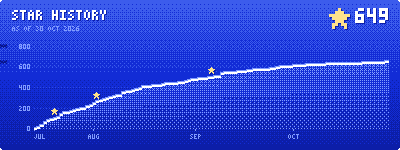
 Star history

Explore related projects
n8n-io/n8n
Fair-code workflow automation platform with native AI capabilities. Combine visual building with custom code, self-host or cloud, 400+ integrations.
209,923 starslanggenius/dify
Build Agentic workflows, RAG pipelines, with rich AI model and tool support on one collaborative workspace. Deploy on cloud, VPC, or self-hosted, so teams move from prototype to production without rebuilding the stack.
160,773 starsmicrosoft/PowerToys
Microsoft PowerToys is a collection of utilities that supercharge productivity and customization on Windows
140,755 starsstablyai/orca
Orca is the place for working with a fleet of agents (e.g. Grok Bot, Claude Code). Run any coding agent with your own subscription. Available on desktop, mobile and remote runtime.
120,270 stars