
DanielCardonaRojas/codemark
DanielCardonaRojas/codemark has 138 GitHub stars and 3 forks. GitHot measured 0 stars in 24 hours. Last checked 2026-11-09 10:28 UTC. Last push 2026-11-03.
A semantic code bookmarking system for humans and agents
What you can do
- 🧭 Onboard a new engineer "Load the request-lifecycle collection and give me a guided tour of how this service handles a request, in the order the code runs."
- 🔎 Explain a code flow "Bookmark the steps of the checkout flow into a checkout collection, then summarize what each step is responsible for."
- 🐞 Hunt a bug in a known flow "There's a bug where expired tokens are still accepted. Read the auth-flow collection and tell me which hop is most likely responsible."
- 🔗 Relate two flows "Compare the request-lifecycle and background-jobs collections. Where do they share code or state, and where could they conflict?"
Measured star growth
- in 24h
- 0
- in 7 days
- Update delayed
- in 15 days
- Update delayed
- in 1 month
- Update delayed
Net star changes over overlapping periods, not daily totals. Missing measurements are left blank. Stars measure attention, not software quality.
README.md
Original


Native on


Codemark bookmarks code by structure, not by line number. A file:line
reference breaks the moment you add a newline above it; Codemark uses
tree-sitter to remember what you
marked (a function, a block, a type) and anchors the bookmark to that named
structure, so it still points at the right place after you refactor or reformat
around it.
That durability is what makes it useful for long agent sessions, code audits, and keeping track of things you want to find again.
📑 Table of Contents
- Use It With Your Agent
- Native Dashboard (TUI)
- Features
- Installation
- Quick Start
- Supported Languages
- Customizing Markdown Output
- Documentation
- Built With
- License
⚡ Use It With Your Agent
Codemark ships with a skill you can install into your coding agent. Once it's in, the agent knows how to create and recall structural bookmarks on its own, so the context it built up in one session is still there in the next, instead of being rebuilt from scratch every time.
codemark install-skill --agent claude --scope user
Then just ask, in any session:
"Trace how a request flows from the HTTP router to the database. Create a collection called
request-lifecycleand bookmark each key hop: the route handler, the auth middleware, the service layer, and the query builder. Add a short note to each explaining its role."
Later, in a fresh session and even after the code has moved around, you or another agent can pick the context back up:
"Load the
request-lifecyclecollection and walk me through it."
The bookmarks are structural, so they still resolve once the underlying code has
changed. Works with Claude Code, GitHub Copilot, Gemini CLI, and any
agent that loads .agents/skills.
What you can ask for
Once a flow lives in a collection, anyone can reuse it: you, a teammate, or the next agent session:
- 🧭 Onboard a new engineer
"Load the
request-lifecyclecollection and give me a guided tour of how this service handles a request, in the order the code runs." - 🔎 Explain a code flow
"Bookmark the steps of the checkout flow into a
checkoutcollection, then summarize what each step is responsible for." - 🐞 Hunt a bug in a known flow
"There's a bug where expired tokens are still accepted. Read the
auth-flowcollection and tell me which hop is most likely responsible." - 🔗 Relate two flows
"Compare the
request-lifecycleandbackground-jobscollections. Where do they share code or state, and where could they conflict?"
📘 Walkthrough: Agent Workflow Guide · Agent Skill source
🖥️ Native Dashboard (TUI)
Codemark comes with a keyboard-driven dashboard in the style of lazygit. It's
the main way to browse and manage bookmarks, collections, and tours by hand.
codemark tui
Requires a Nerd Font. The dashboard uses glyph icons throughout, so set your terminal to a Nerd Font (e.g.
JetBrainsMono Nerd Font) so they render correctly instead of showing as□placeholders.
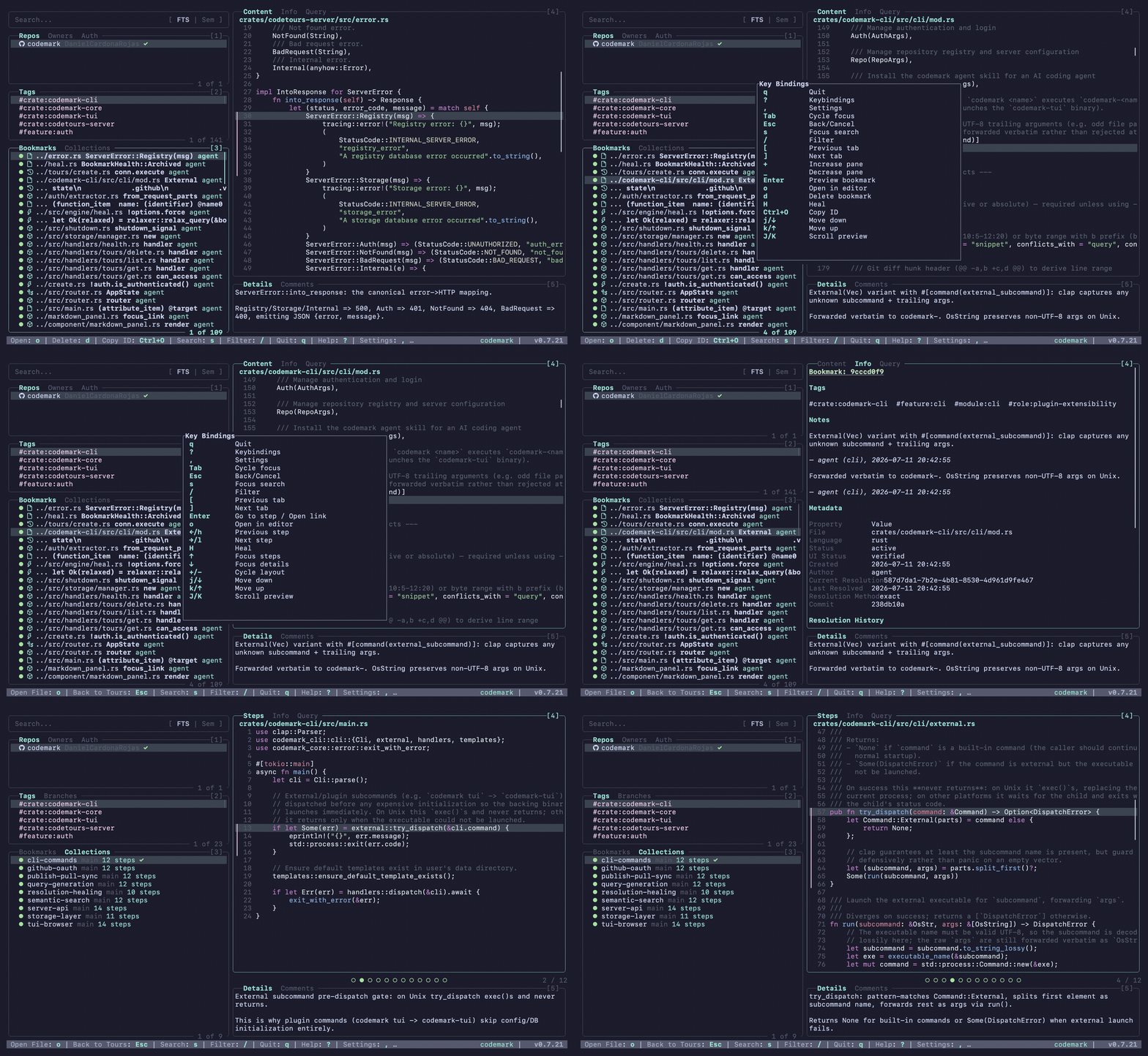
🎬 More demos
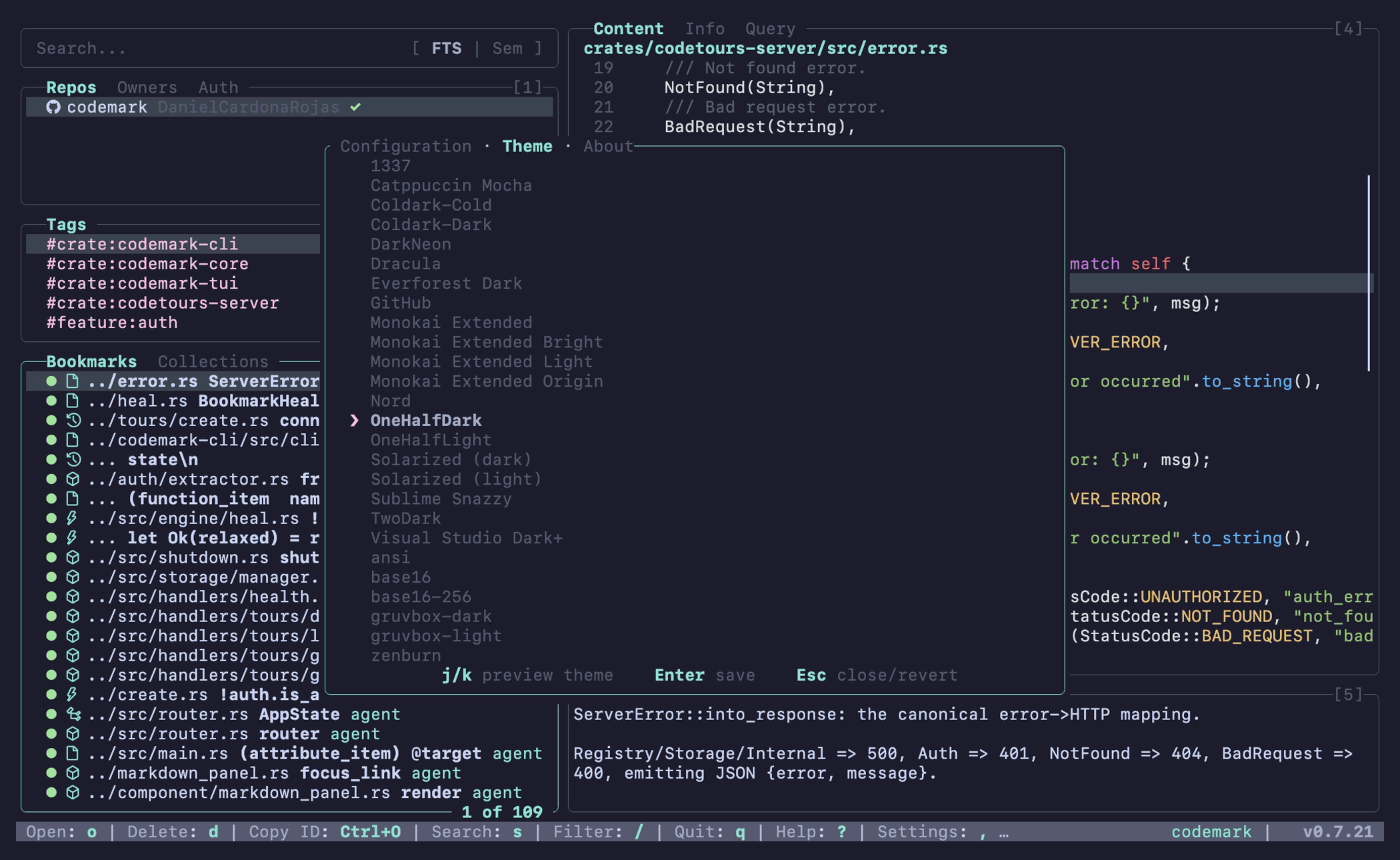
Settings overlay |
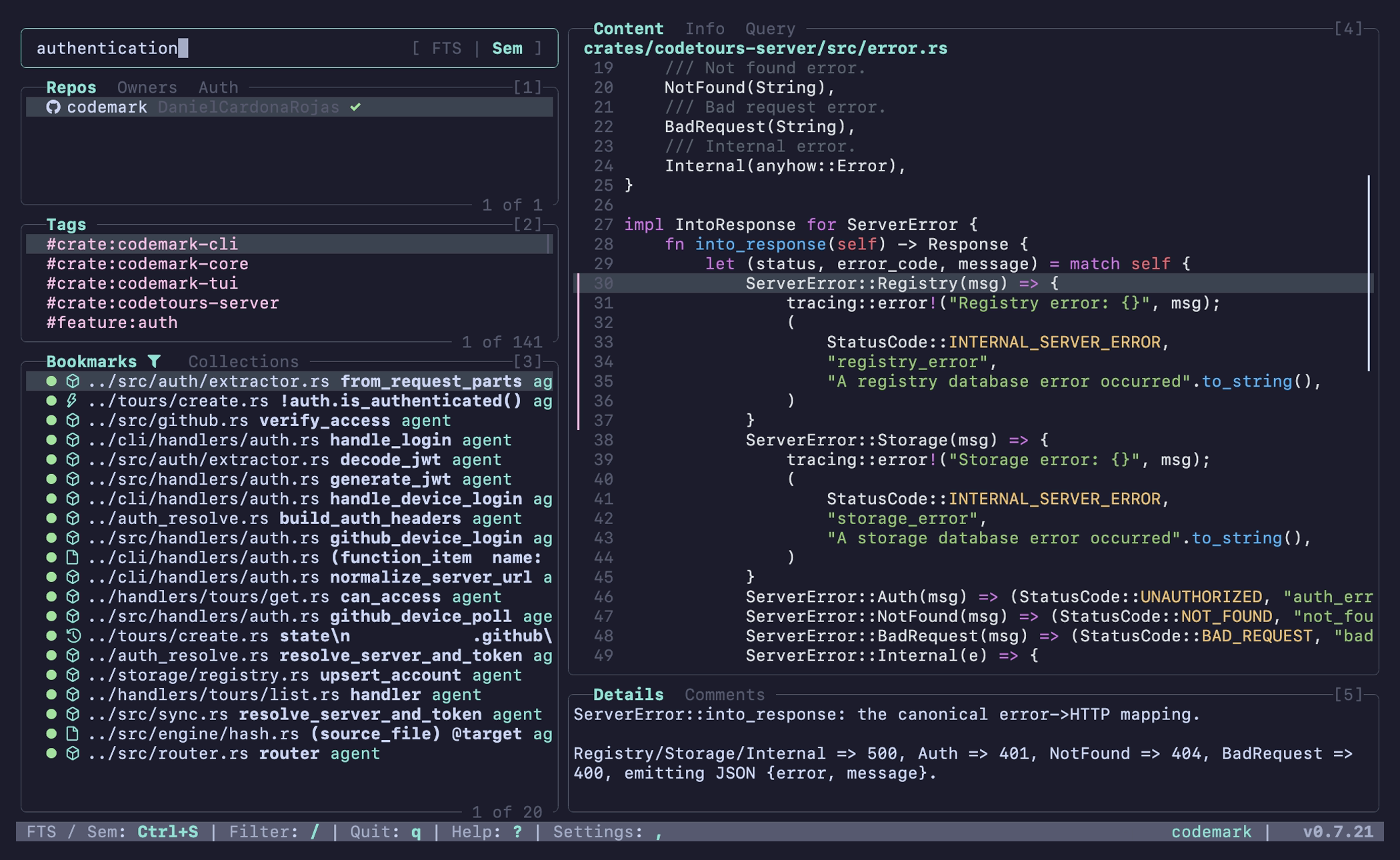
FTS & semantic search |
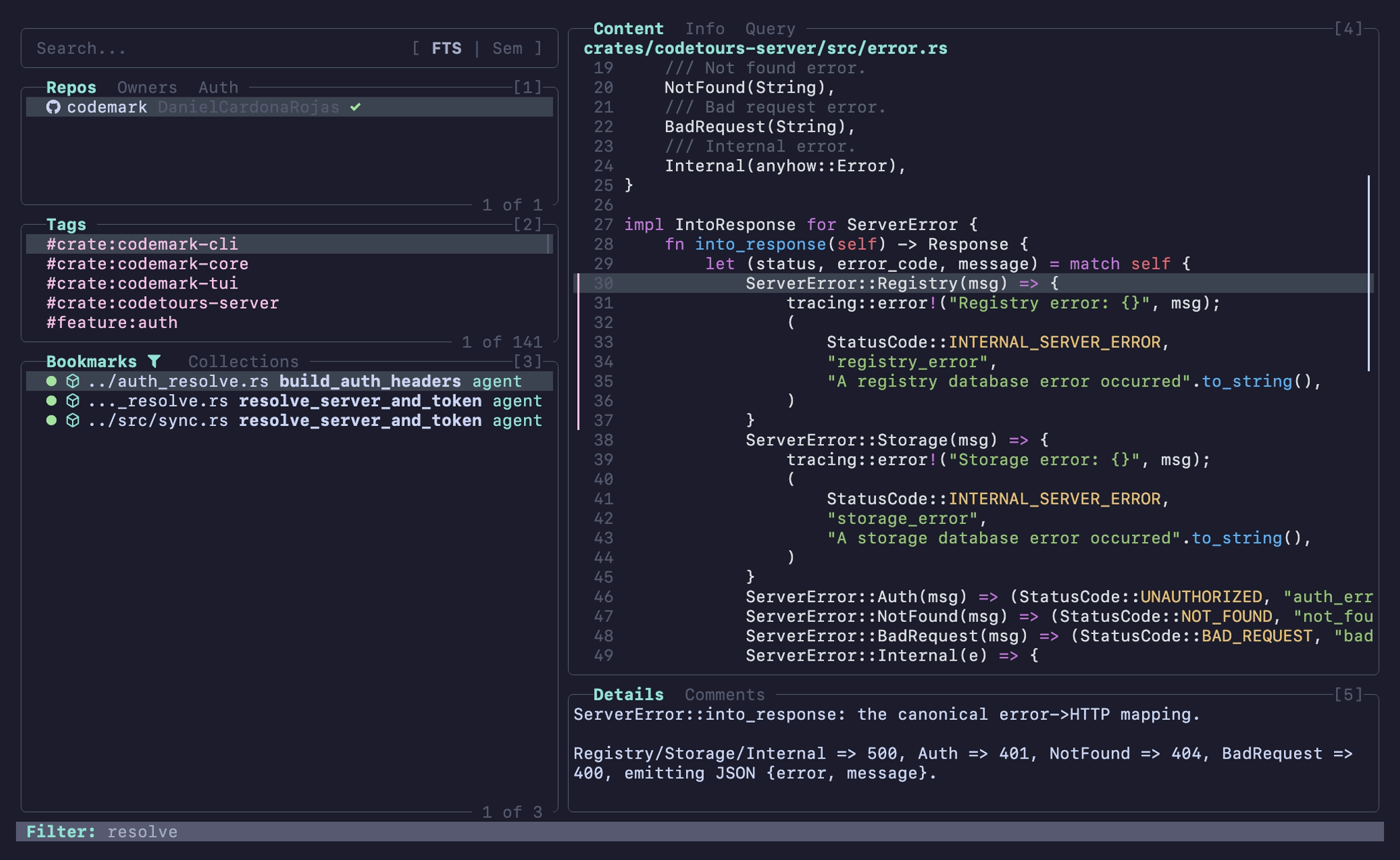
Filter pane contents |
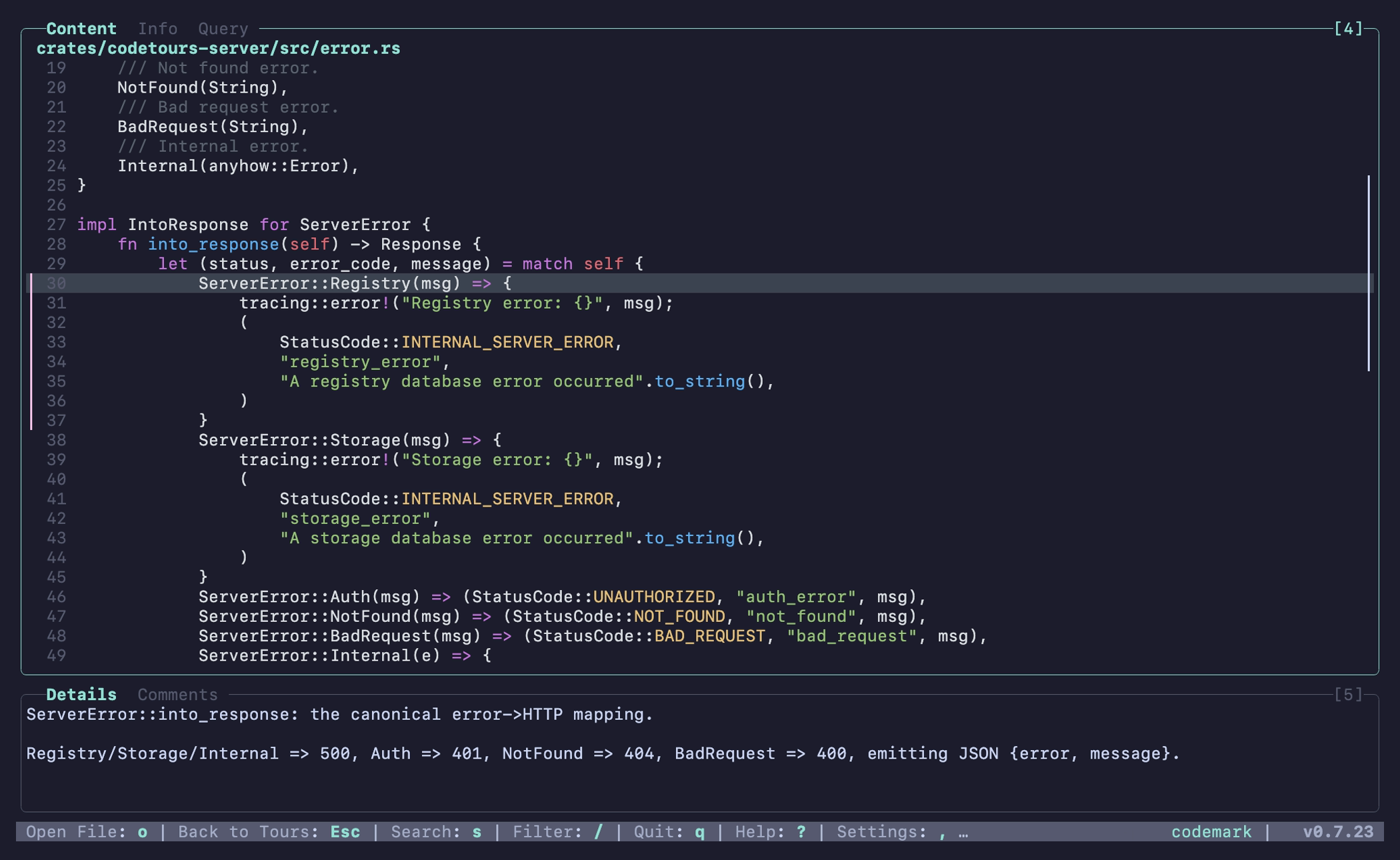
Resize & cycle layouts |
See the Demo Gallery for the full-size animated walkthroughs.
Themes
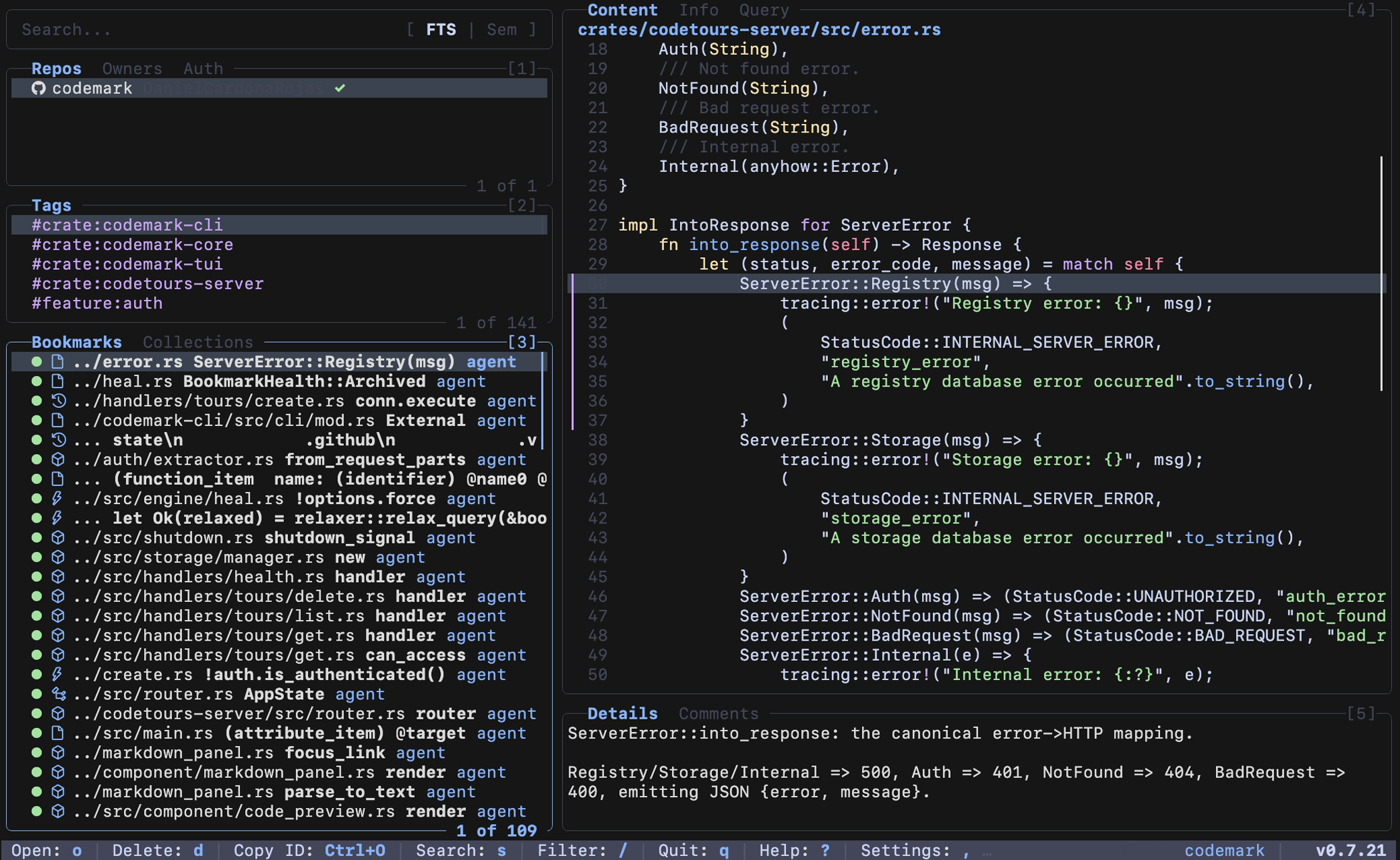
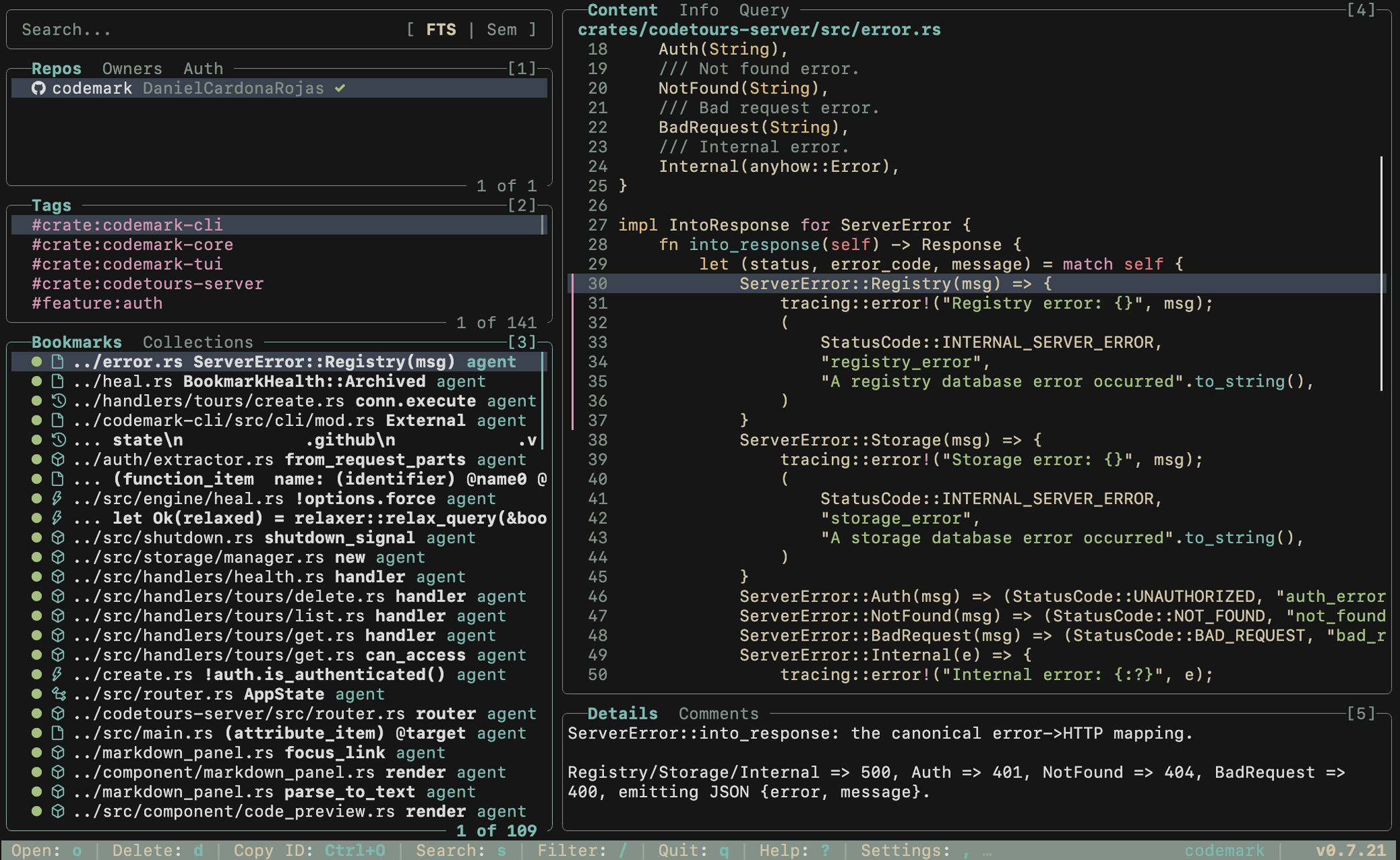
The TUI ships with built-in color schemes that re-theme the whole interface. Set
one in your config (tui.theme) or via the CODEMARK_TUI_THEME environment
variable; run codemark-tui --list-schemes to see what's available.
| Catppuccin Mocha | Everforest Dark |
|---|---|
 |
 |
Dashboard features
- ⌨️ Keyboard-driven, vim-style navigation A
lazygit-like, fully keyboard-first interface. Move withj/k(or arrows), cycle panes withTab, switch tabs with[/], and resize panes with+/-. Press?at any time for a context-aware help overlay. - 🔄 Push / pull syncing Publish collections and tours to a remote
codetours server with
P(push), and pull shared tours back down withp. Share curated walkthroughs across a team. - 🔍 Semantic & full-text search Press
/to search, then toggle between FTS (SQLite full-text) and Semantic (local vector embeddings) modes. FTS finds exact terms; Semantic finds bookmarks by meaning, with no API key required. - 📝 Customizable markdown previews The details and collection-overview
panes render through Handlebars templates. Drop your
own
details_panel.mdorcodemark_collection_overview.mdinto the config directory to reshape what's shown. - 🎨 Colorschemes & themes Set
[tui].themein your config. Bundled options includeOneHalfDark(default),Dracula,Nord,gruvbox-dark,Solarized,Catppuccin Mocha, and more. Base16/base24 schemes theme both the code preview and the surrounding UI chrome; drop your own.tmThemeor base16.yamlfiles into thethemes/config subdirectory to add custom ones. See Configuration. - ✏️ Open in any editor Press
oon a bookmark to jump straight to the code in your configured editor (terminal or GUI). Configure per–file-extension commands via the[open]config section; see Configuration.
🛠️ Features
- 🧠 Smart Resolution: Queries are anchored to named structures and survive refactoring and reformatting via tiered matching (Exact → Relaxed → Hash Fallback).
- 🖥️ Interactive Dashboard: Lazygit-style TUI for efficient, keyboard-first interaction.
- 📑 Rich Metadata: Captures AST structure, git context, content hashes, and append-only notes/tags.
- 🔍 Semantic Search: Find code by intent (e.g., "where is authentication handled?") with local embeddings, no API key.
- 🗃️ Collections: Group bookmarks into logical sets for specific tasks.
- 📦 Git Integrated: Track bookmarks across commits and branches.
- 🧩 Agent Skills: An installable skill that teaches AI coding agents to bookmark for you. Works with Claude Code, GitHub Copilot, Gemini CLI, and any agent that loads
.agents/skills. - 🌍 Any Language: 8 languages built in; the rest load at runtime from WASM grammars.
codemark languages install rubyfetches a verified grammar and a curated profile in one step.
💻 Installation
Prebuilt binaries are published for macOS (Apple Silicon & Intel), Linux (x86_64, glibc), and Windows (x86_64). Choose whichever method you prefer.
Homebrew (macOS / Linux)
brew install DanielCardonaRojas/codemark/codemark
Install script (macOS / Linux)
curl --proto '=https' --tlsv1.2 -LsSf https://github.com/DanielCardonaRojas/codemark/releases/latest/download/codemark-cli-installer.sh | sh
PowerShell (Windows)
powershell -ExecutionPolicy Bypass -c "irm https://github.com/DanielCardonaRojas/codemark/releases/latest/download/codemark-cli-installer.ps1 | iex"
mise
mise use -g github:DanielCardonaRojas/codemark
Cargo (build from source)
cargo install --git https://github.com/DanielCardonaRojas/codemark codemark-cli
Requires Rust 1.85+ (edition 2024). SQLite is bundled.
The script, PowerShell, and
misemethods install prebuilt binaries from the GitHub releases. You can also download a platform archive there directly.
Terminal UI
codemark tui opens the interactive dashboard. The prebuilt codemark binary (script, PowerShell, mise) and Homebrew all bundle the dashboard, so it works out of the box with no extra install.
If you build a lean CLI from source with --no-default-features (dropping the bundled TUI), codemark tui instead looks for a standalone codemark-tui on your PATH; add it with:
cargo install --git https://github.com/DanielCardonaRojas/codemark codemark-tui
🚦 Quick Start
Repo-aware by default. Codemark automatically detects the current Git repository (walking up from your working directory) and stores bookmarks alongside it, with no setup required. You can also operate on a repo from any path by referencing it by identity with
--repo <owner/name>, or point at a specific database with--db <path>/ theCODEMARK_DBenv var.
Prefer to drive it yourself instead of through an agent? The CLI is all you need.
1. Bookmark a range
codemark add --file src/auth.rs --range 42-67 --tag auth --note "token validation entrypoint"
2. Find it again, even after the code moves
codemark list                 # see everything you've marked
codemark resolve <id>         # re-locate a single bookmark
codemark search "auth"        # full-text + semantic search
3. Browse with the dashboard
codemark tui
See the Full Command Reference for every subcommand and flag, including collections, tours, snippet matching, and multi-repo queries.
🌐 Supported Languages
Codemark is powered by Tree-sitter. It supports 8 built-in languages out of the box, plus any other language via WASM grammars loaded at runtime — twelve more are one command away from the grammar registry.
Built-in:
- 🦀 Rust
- 🍎 Swift
- 🔷 TypeScript / TSX
- 🐍 Python
- 🐹 Go
- ☕ Java
- 🎯 Dart
- ♯ C#
From the grammar registry (one command)
Any other language loads at runtime from a WASM grammar — no recompile. The quickest route is the grammar profile registry, which installs the grammar and a curated profile in one step:
codemark languages registry list     # what's available
codemark languages install ruby      # downloads, verifies, installs
Available today:
| Language | Extensions | |
|---|---|---|
| Bash | sh, bash |
|
| C# | cs, csx |
replaces the built-in |
| Go | go |
replaces the built-in |
| Lua | lua |
|
| PHP | php, phtml |
|
| Python | py, pyi, pyw |
replaces the built-in |
| Ruby | rb, rake, gemspec |
|
| Rust | rs |
replaces the built-in |
| Scala | scala, sc |
|
| Swift | swift |
replaces the built-in |
| TypeScript | ts |
replaces the built-in |
| Zig | zig, zon |
The registry hosts profiles, not binaries — each entry points at the
prebuilt .wasm published by the grammar's own project, pinned by SHA-256.
Codemark verifies the digest before installing and refuses anything else.
Point registry_url at a fork or a file:// path for air-gapped use.
Each entry carries a profile — the per-language metadata that tells the query generator which node kinds anchor a bookmark and which ones belong in a breadcrumb. See Profiles and Queries for how that works, or MANIFEST.md for the field reference. Contributions welcome — the registry verifies every profile against committed breadcrumb snapshots in CI.
Bring your own grammar
For a language the registry doesn't cover, supply the .wasm yourself:
codemark languages add ./tree-sitter-elm.wasm --name elm --extensions elm
codemark languages validate          # checks the profile against the grammar
The accompanying manifest.json carries the profile — the node kinds that
anchor queries, a cross-language label vocabulary, and the ancestors that make
breadcrumbs. It's what turns "parses" into "useful", and a wrong entry fails
silently rather than erroring, so validate after any edit.
Rather than hand-writing one, a build with --features profile-authoring can
generate it from a real parse and show its reasoning:
codemark languages profile init ./tree-sitter-elm.wasm --sample Main.elm
See the
Dynamic Grammars guide
for the loading architecture, and
dev-docs/guides/manifest-anatomy.md
for what every manifest field means and how each one fails.
Profiles you build are worth contributing back.
🎨 Customizing Markdown Output
Codemark formats command output and TUI previews with Handlebars templates. Override the default for codemark show (and the TUI panes) by dropping your own template in the config directory:
mkdir -p ~/.config/codemark/templates
cp ./templates/codemark_show.md ~/.config/codemark/templates/
$EDITOR ~/.config/codemark/templates/codemark_show.md
For the full template specification, covering every available variable, loops, conditionals, helpers, and the default templates, see the Templates reference.
📖 Documentation
- Full Command Reference: Detailed flag and subcommand guide.
- Configuration: Editor setup, themes, global/local config, and semantic search.
- Templates: Customize markdown output and TUI previews.
- Agent Workflow Guide: End-to-end walkthrough of using Codemark with an AI agent.
- Agent Skill: The skill installed by
codemark install-skill(Claude Code, Copilot, Gemini, and more).
🏗️ Built With
Codemark is a local-first Rust workspace. No cloud service, account, or API key is required for any core feature.
| Layer | Technology |
|---|---|
| Language | Rust (workspace: codemark-core, codemark-cli, codemark-tui, codetours-server) |
| Structural parsing | tree-sitter |
| Storage | SQLite via rusqlite (bundled), with sqlite-vec for vector search and FTS5 for full-text search |
| Embeddings | Local models run on candle for semantic search with no API key |
| TUI | ratatui + crossterm, with syntect syntax highlighting |
| Markdown | pulldown-cmark renders the details and collection-overview previews |
| Templating | Handlebars |
| Sync server | axum + tokio, JWT auth (the codetours server) |
| Git integration | git2 (libgit2) |
🛡️ License
Released under the MIT License.
Explore related projects
codecrafters-io/build-your-own-x
Master programming by recreating your favorite technologies from scratch.
561,373 starspublic-apis/public-apis
A collective list of free APIs
497,645 starsmorluto/rea
Reverse engineer anything with agents, from app behavior down to native binaries.
447,162 starsopenclaw/openclaw
The AI that really does things. Any OS. Any Platform. The lobster way. 🦞
394,259 stars