
DEEPX-AI/dx-all-suite
DEEPX-AI/dx-all-suite has 78 GitHub stars and 23 forks. GitHot measured 0 stars in 24 hours. Last checked 2026-11-15 06:48 UTC. Last push 2026-11-12.
Measured star growth
- in 24h
- 0
- in 7 days
- Collecting history
- in 15 days
- Collecting history
- in 1 month
- Collecting history
Net star changes over overlapping periods, not daily totals. Missing measurements are left blank. Stars measure attention, not software quality.
About
DEEPX NPU SDK (DXNN) for edge AI: compile, quantize and deploy ONNX models on DEEPX NPUs
Machine LearningREADME.md
OriginalDXNN - DEEPX NPU SDK (DX-AllSuite: DEEPX All Suite)
DX-AllSuite is an all-in-one software platform designed to streamline the entire process of compiling, optimizing, simulating, and deploying AI inference applications on DEEPX NPUs. It ensures optimal compatibility and powerful hardware performance through a complete toolchain that covers everything from model creation to real-world "Physical AI" deployment.
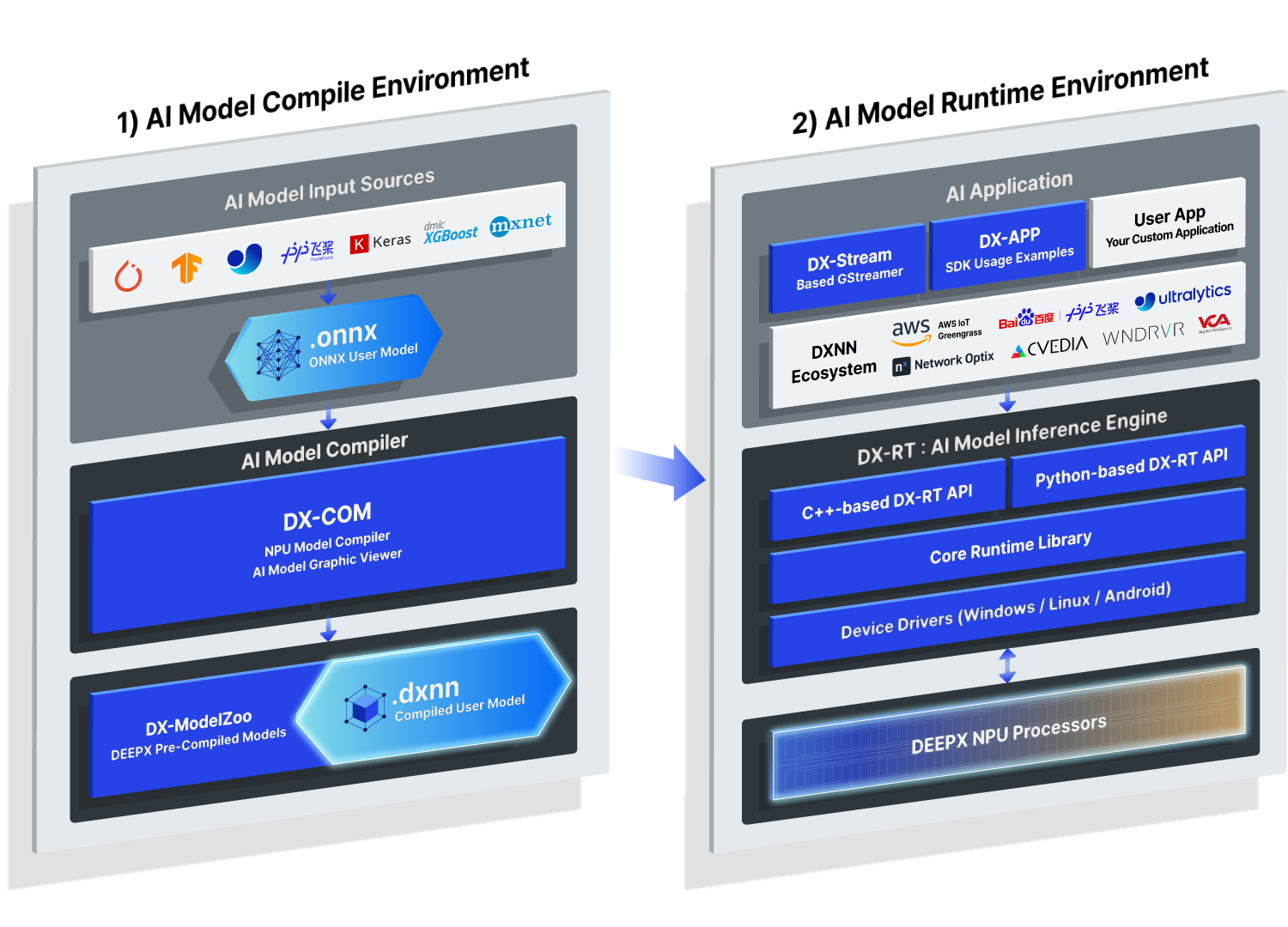
Figure. DXNN SDK Full Architecture Overview.
Key Features
- High Efficiency: Equipped with the proprietary DX-COM compiler that extracts 100% of NPU performance. It utilizes advanced quantization (Intelligent Quantization with INT8) to minimize accuracy loss while maximizing inference speed.
- Seamless Integration: Build intelligent video analytics pipelines that bridge the entire pre-processing, inference, and post-processing workflow. Using DX-STREAM (GStreamer-based custom plugins), you can deploy complex vision tasks without extensive code modifications.
- Flexible Ecosystem: Fully supports Python and C++ APIs and offers a ModelZoo with 300+ optimized models. As a leader in the Open-Source Physical AI Alliance, we provide seamless workflows for popular frameworks.
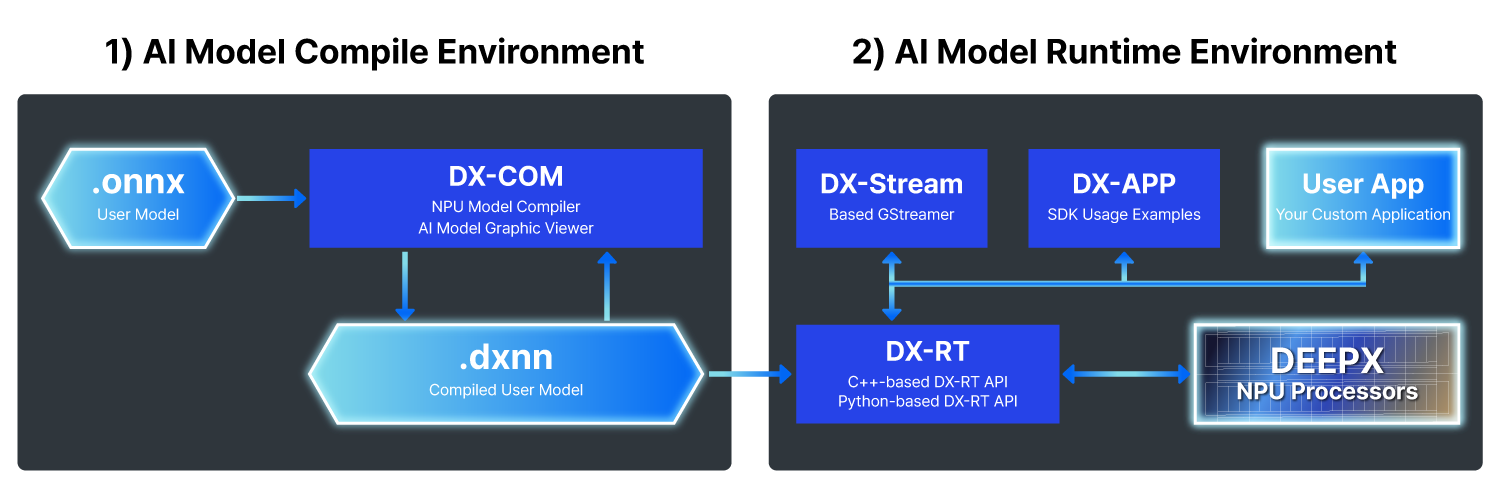
Figure. DXNN SDK Simple Architecture Overview.
Documentation Navigation
If you are a first-time user, we recommend following the documentation in this order.
- Introduction: DX-AS overview and component descriptions
- Step 1. DX-AllSuite Architecture Overview: SDK overview, module descriptions, and ModelZoo usage
- Step 2. Setting Up Environment: Detailed Local/Docker installation and troubleshooting
- Step 3. Running Your First NPU Model: Step-by-step hands-on script execution
- Step 4. Checking Version Compatibility: SDK, Driver, and Firmware dependency matrix
- Step 5. FAQ Troubleshooting Guide: Solutions for environment conflicts and GUI session (X11) errors
Optional — Kubernetes deployment:
- Kubernetes Quickstart: Schedule DX-M1 NPUs as a Kubernetes resource with the
dx-npuHelm chart - Kubernetes Beginner Guide: Kubernetes explained from scratch, with hands-on NPU examples
Tools and solutions — pick what fits your project:
- ★ Agent-Driven Development (Beta): Build DEEPX apps with natural-language prompts using AI coding agents (Claude Code, Cursor, GitHub Copilot, OpenCode, Codex CLI)
- DX AI Studio (Beta): All-in-one browser workspace for AI development on DEEPX NPUs — Install & launch
- DX-Benchmark (Beta): Reproducible YOLO26 NPU benchmarks (Model-Level + E2E Pipeline) with an interactive performance dashboard
- DX-Edge: Deploying DEEPX NPUs through AWS Marketplace — Greengrass Solution (ZTP runtime deployment), Compiler Solution (ONNX →
.dxnnon AWS), and Getting Started Guides for the DX-AIPlayer N97 and the DX-M1 Raspberry Pi 5 Dev Kit
Getting Started
DX-AllSuite provides two environments depending on your intended use. Choose the environment that fits your needs to get started.
AI Model Compile Environment (Host PC)
This environment is used for converting and optimizing trained AI models into DEEPX NPU-specific binaries.
- Arch: x86_64
- OS: Ubuntu 26.04 / 24.04 / 22.04 / 20.04 (LTS), Fedora 42-45, Red Hat Enterprise Linux 9-10, and CentOS Stream 9-10
- Hardware: x86_64 Host PC
- Software: Python 3.8~3.14, CUDA (Optional for simulation)
- Key Tasks: AI model (
.onnx) compilation, Quantization,.dxnngeneration - Action: DX-Compiler Local Installation Guide Link
AI Model Runtime Environment (Target Device)
This environment is for performing inference and running applications on devices physically equipped with DEEPX NPUs.
- Arch: x86_64, aarch64
- OS: Ubuntu 26.04 / 24.04 / 22.04 / 20.04 (LTS), Debian 13 / 12
- Hardware: Host PC / Target Board (DEEPX NPU is required)
- Software: Python 3.8+
- Key Tasks:
.dxnnmodel execution, real-time data inference, resource management - Action: DX-Runtime Installation Guide Link
Warning: Activation Required (Runtime Environment)
A system reboot is mandatory after installing DX-Runtime on the target device to properly load the NPU Driver into the kernel. The Compile Environment (Host PC) does not need this step.sudo reboot
Quick Install (one-line)
Install a single component without cloning this repository:
# DX-Compiler (x86_64 Host PC)
curl -fsSL https://raw.githubusercontent.com/DEEPX-AI/dx-compiler/main/oneline-install.sh | sh

# DX-Runtime (target device with a DEEPX NPU: NPU driver + dx_rt + firmware)
curl -fsSL https://raw.githubusercontent.com/DEEPX-AI/dx-runtime/main/oneline-install.sh | sh
DX-Compiler installs dx-com from PyPI into ~/deepx/venv-dx-compiler and links the
dxcom launcher into ~/.local/bin, so you can run dxcom --help straight afterwards.
It also apt-installs libgl1-mesa-dev and libglib2.0-0, which opencv-python needs to
import, so it requires root or sudo on a Debian/Ubuntu host. Note this route does not
bring the sample data — clone the repository for that.
Pin a specific version with DX_VERSION (DX-Compiler), or per component with
DX_RT_VERSION / DX_DRIVER_VERSION / DX_FW_VERSION (DX-Runtime, which otherwise
tracks each component's main). DX-Compiler also accepts DX_INSTALL_DIR to move the
install root; DX-Runtime has none, since it installs system packages via dpkg:
curl -fsSL https://raw.githubusercontent.com/DEEPX-AI/dx-compiler/main/oneline-install.sh | DX_VERSION=2.4.1 sh
DX-Runtime notes One-line install covers
dx_fw,dx_rt, anddx_rt_npu_linux_driver;dx_appanddx_streamstill use the environment guides in Getting Started. The firmware update step is skipped when no NPU device is detected — rerun the same command once the device is available.
Uninstalling
Remove a one-line install without cloning either repository:
# DX-Compiler
curl -fsSL https://raw.githubusercontent.com/DEEPX-AI/dx-compiler/main/oneline-uninstall.sh | sh

# DX-Runtime
curl -fsSL https://raw.githubusercontent.com/DEEPX-AI/dx-runtime/main/oneline-uninstall.sh | sh
Pass DX-Compiler the same DX_INSTALL_DIR / DX_BIN_DIR you installed with, or it looks in
the default location and finds nothing. DX-Runtime needs no such argument, and because both
of its install routes produce the same Debian packages, that one command also removes an
install.sh install — you do not have to remember which way it went on.
Two things are never undone: firmware already flashed to the NPU, which has no uninstall path
at all, and the dx_engine Python wheel, which libdxrt-bin deliberately leaves to you and
explains how to remove while it is being purged.
APT Repository (DX-Runtime)
The NPU driver and the DX-RT runtime are also published as Debian packages in the DEEPX
APT repository (Ubuntu / Debian, amd64 / arm64), so you can install and upgrade them with apt.
Verify the signing key before trusting it: gpg --show-keys must print the fingerprint
3A20CC853C64AE328D0F58CFD816AAC6689DBDEA. If it does not match, stop — do not install the key.
wget -O deepx-archive-keyring.asc https://apt.releases.deepx.ai/gpg
gpg --show-keys deepx-archive-keyring.asc   # fingerprint must be 3A20CC853C64AE328D0F58CFD816AAC6689DBDEA
sudo gpg --dearmor -o /usr/share/keyrings/deepx-archive-keyring.gpg deepx-archive-keyring.asc
rm deepx-archive-keyring.asc

echo "deb [arch=$(dpkg --print-architecture) signed-by=/usr/share/keyrings/deepx-archive-keyring.gpg] https://apt.releases.deepx.ai $(. /etc/os-release && echo "${UBUNTU_CODENAME:-$VERSION_CODENAME}") main" | sudo tee /etc/apt/sources.list.d/deepx.list

sudo apt update
sudo apt install dxrt-driver-dkms   # NPU kernel driver, built for your kernel via DKMS
sudo apt install libdxrt-bin        # DX-RT library, dxrt-cli and tools
The dx_engine Python wheels matching the installed libdxrt-bin are staged in
/usr/share/libdxrt-bin/python; install the one for your Python version into your virtualenv.
Firmware is not part of these packages; update it with the one-line
installer or ./dx-runtime/install.sh --target=dx_fw, and reboot after installing the driver.
Later releases arrive through sudo apt update && sudo apt upgrade.
For the full suite (all components, source builds, Docker), use the environment guides in Getting Started.
Containers & Kubernetes
Prebuilt Container Images (GHCR)
Prefer containers over a local install? Official Ubuntu 24.04 images are published to GitHub Container Registry, so you can skip building the suite entirely.
docker pull ghcr.io/deepx-ai/dx-runtime:latest
docker run --rm -it --privileged --ipc=host --pid=host --network=host -v /dev:/dev \
    --entrypoint bash ghcr.io/deepx-ai/dx-runtime:latest
dx-runtime ships in four variants (rt, rt-app, rt-stream, rt-app-stream) alongside dx-compiler and dx-modelzoo.
dx-runtime is published for both linux/amd64 and linux/arm64; dx-compiler and dx-modelzoo are linux/amd64 only.
- Action: Container image tags, variant selection, and NPU passthrough options Link
Kubernetes Cluster (Optional)
This environment schedules DEEPX NPUs across a Kubernetes cluster, so a pod asks for an NPU the same way it asks for CPU or memory.
- Platform: k3s or vanilla Kubernetes with containerd (CDI is on by default in containerd 2.x)
- Hardware: One or more nodes with DX-M1 installed, each set up as a Runtime Environment above
- Components: Device plugin (
deepx.ai/dx-m1resource), NFD node labels (firmware/driver versions), CDI injection of the device and runtime libraries, Prometheus metrics, one-command Helm chart (dx-npu) - Usage: Add
resources.limits: {deepx.ai/dx-m1: 1}to a pod — the scheduler places it on an NPU node and the device arrives inside the container, with no manual device mounts - Action: Kubernetes Quickstart · new to Kubernetes? Beginner Guide
✨ DEEPX Agent-Driven Development — dx-agent-dev (Beta)
DEEPX Agent-Driven Development (dx-agent-dev) is here — currently in Beta. Build NPU apps with natural language: describe the app or model task in plain language and an AI coding agent — Claude Code, Cursor, GitHub Copilot, OpenCode, or Codex — drives the DEEPX knowledge base end to end: brainstorm → plan → TDD → verify, from ONNX/.pt compilation to on-device DX-M1 NPU deployment. It is agent-driven development purpose-built for DEEPX NPUs in the Ultralytics model ecosystem, and every showcase below was produced this way — checked in with its prompt, measured results, and full build transcript.
NPU-powered AI apps (mini-games)
Build a fully autonomous DEEPX-NPU app from natural language — in ~20 minutes, for ~$10. Pose-driven mini-games with arcade HUDs, built end to end from a single prompt.
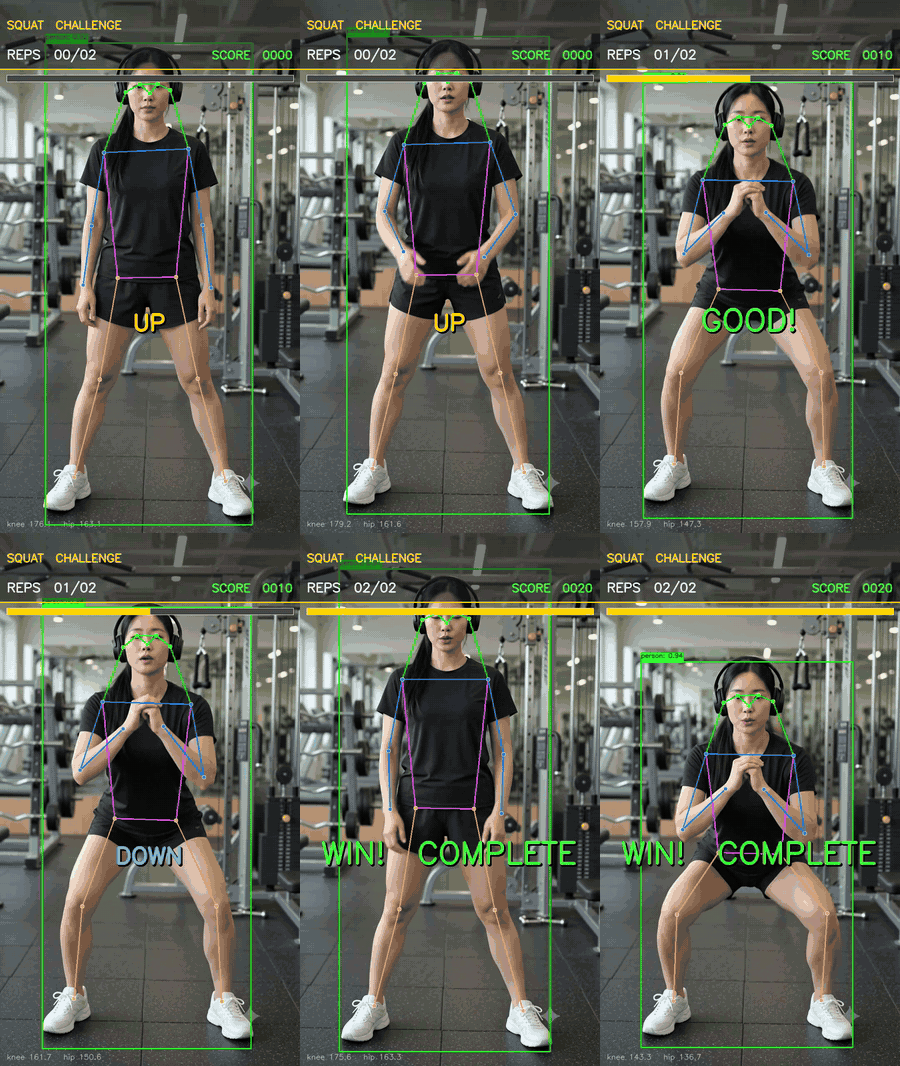 Squat-Counting Mini-Game rep-counting fitness on NPU |
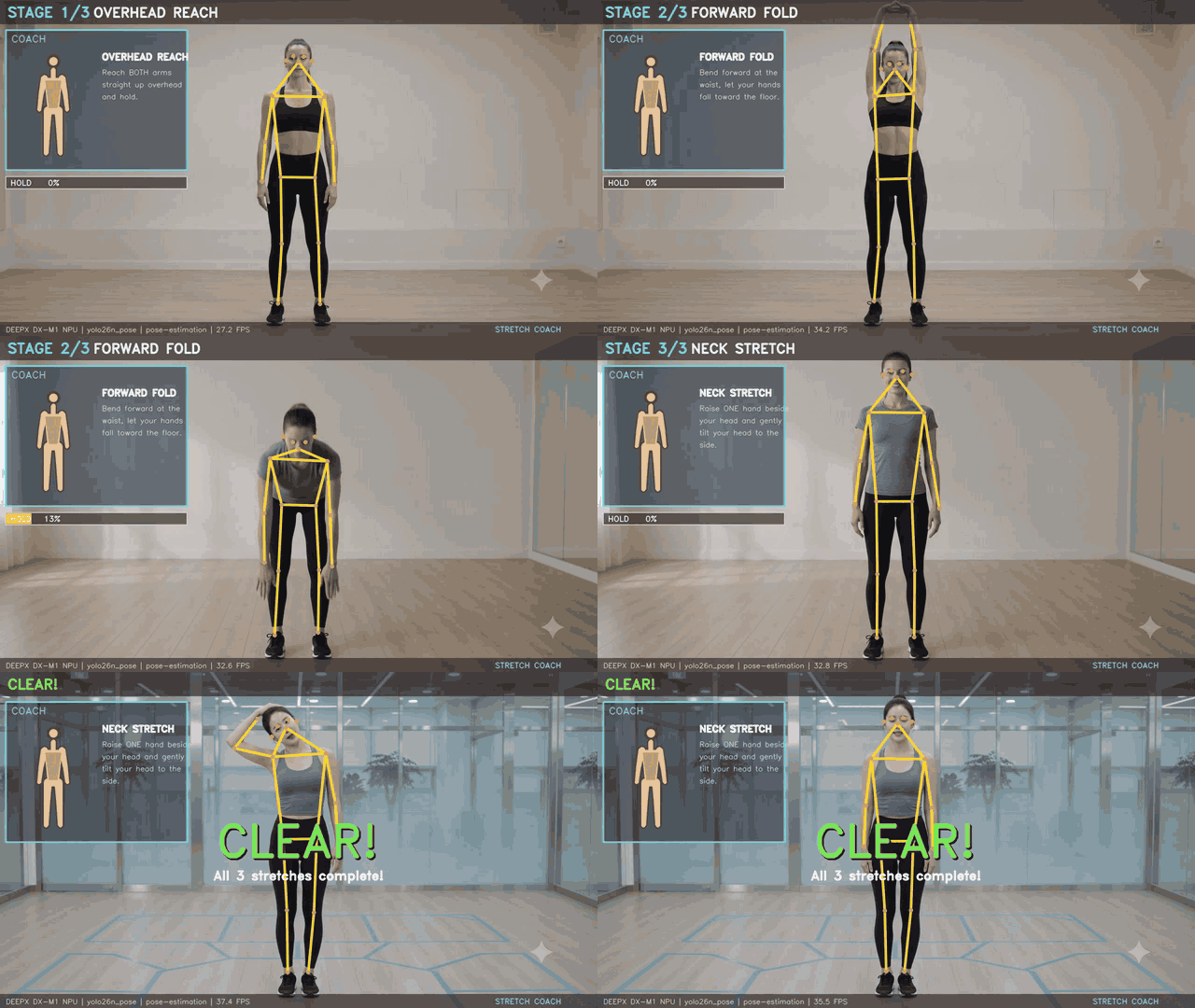 Stretching Coach Mini-Game pose-guided arcade coach |
Ultralytics ecosystem integration
Take any Ultralytics YOLO to the DEEPX NPU in one command — or retrain it for your domain — all in natural language. format=deepx export + 4-way eval (base/retrained × fp32-GPU / INT8-NPU); INT8 ≈ fp32, and the domain model runs faster on the NPU.
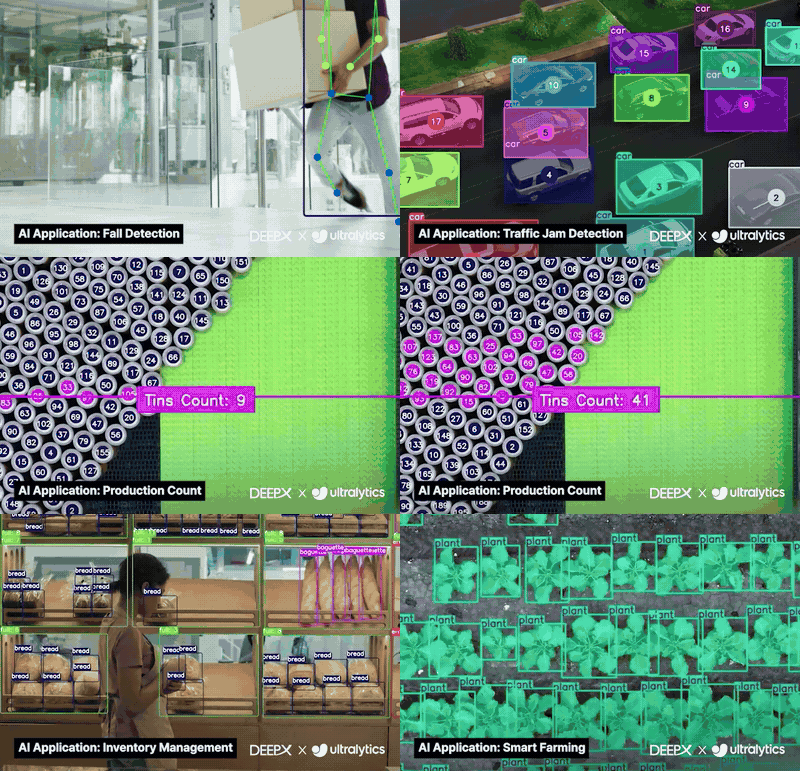 Ultralytics YOLO → DeepX Export one-command format=deepx |
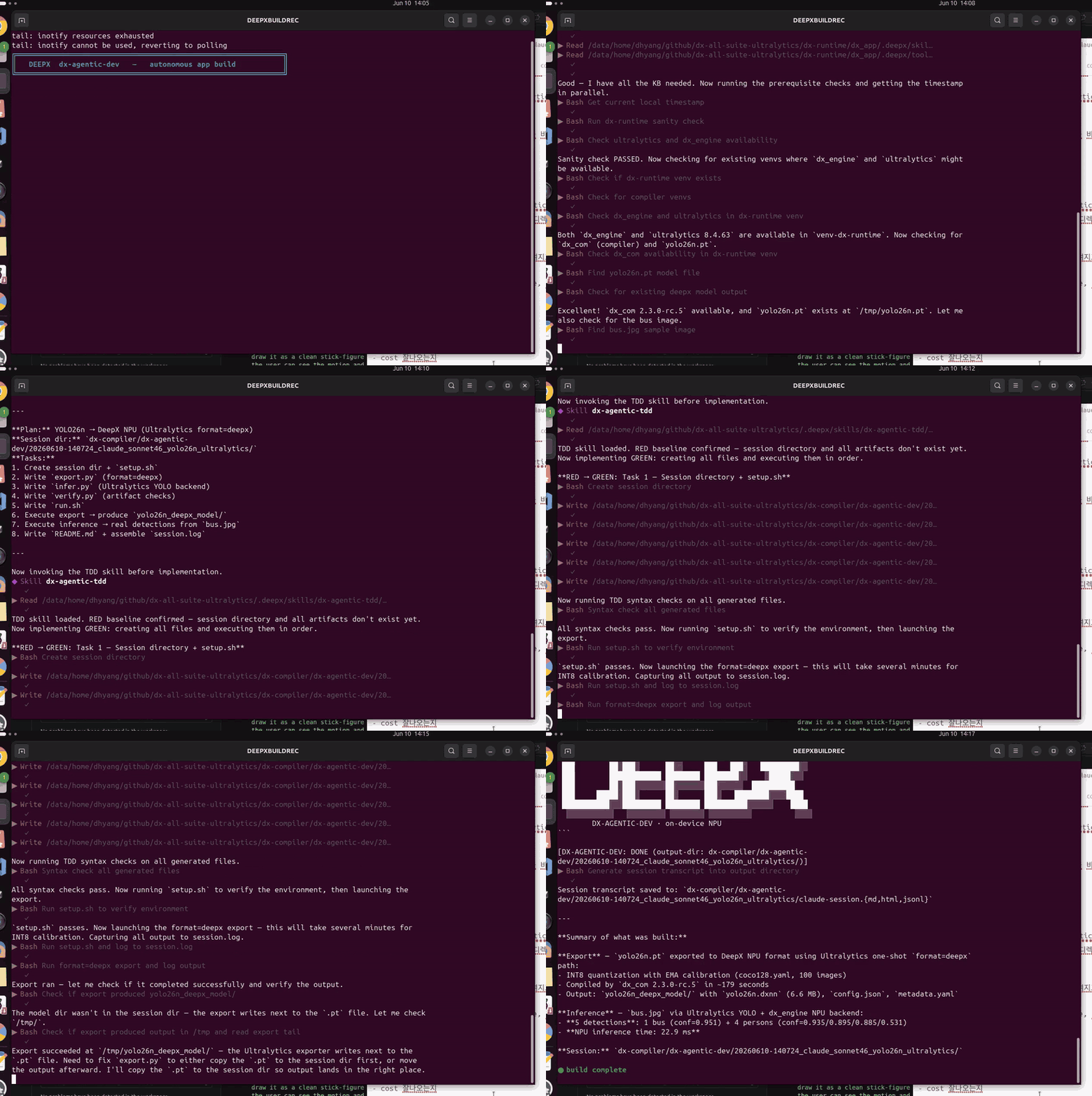 build capture (timelapse) |
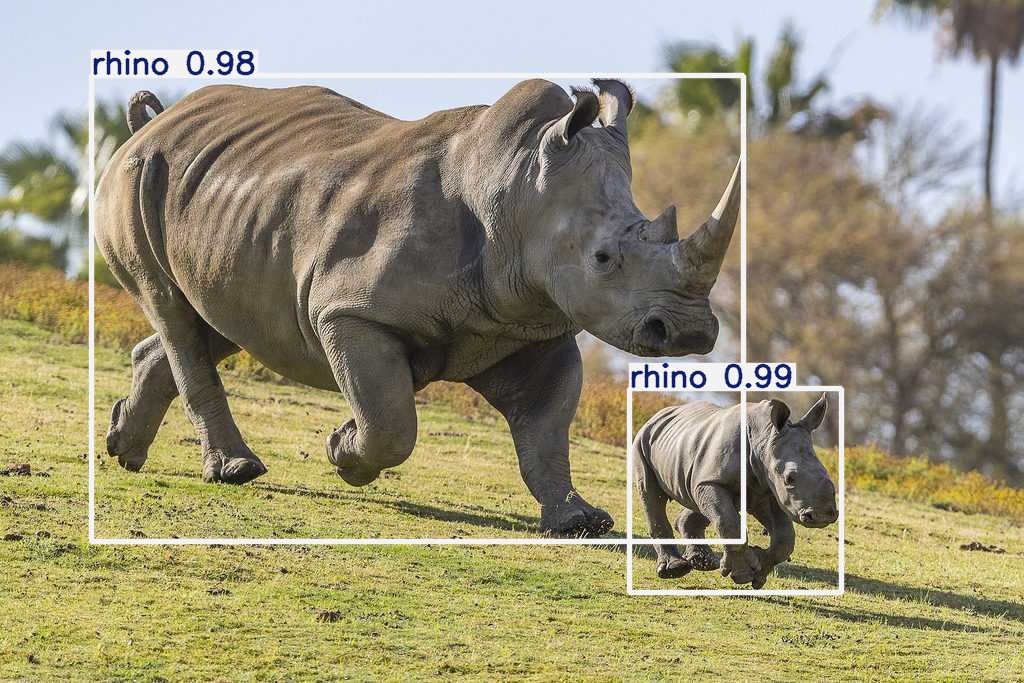 African Wildlife Monitoring safari camera retrain |
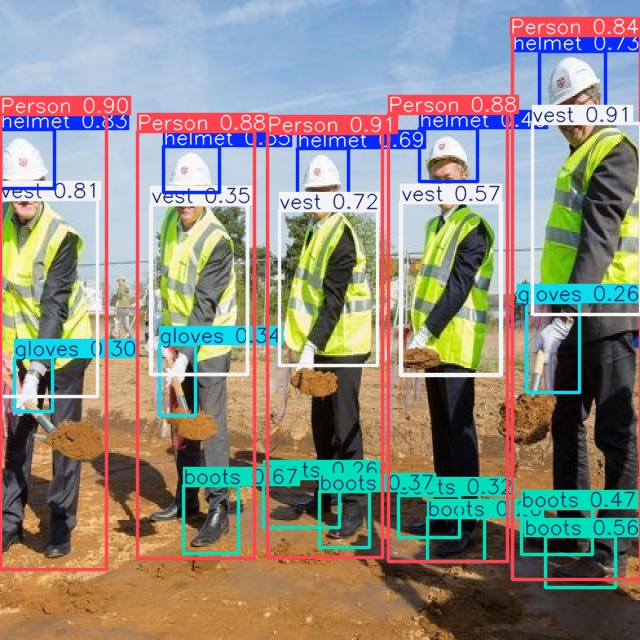 Construction PPE Safety site-safety camera retrain |
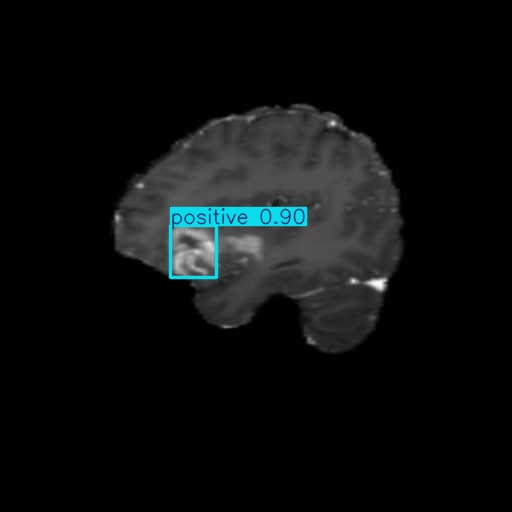 Brain-Tumor Screening medical edge retrain |
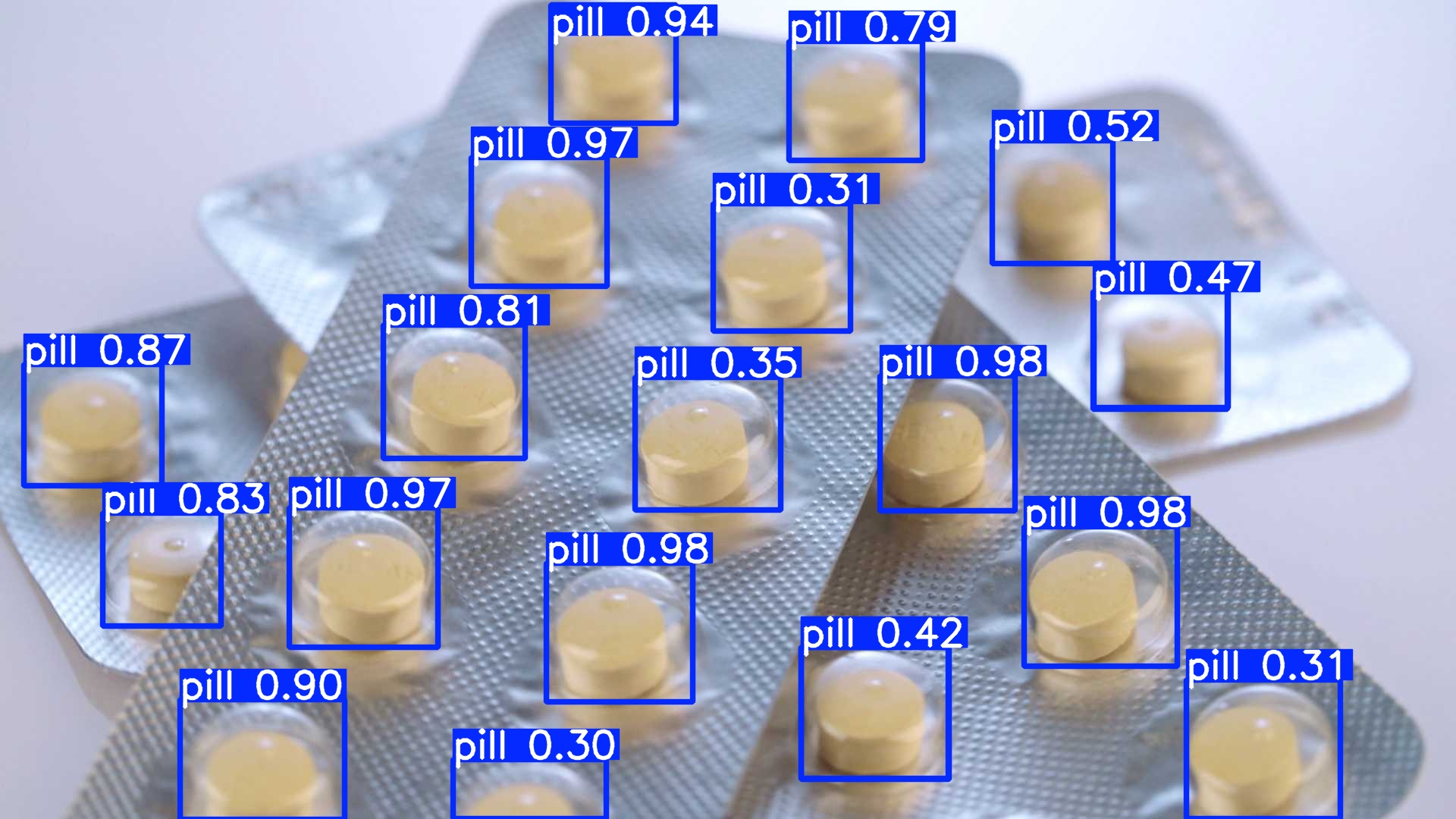 Pharmaceutical Pill Inspection pharma counting retrain |
PaddlePaddle ecosystem integration
PaddleOCR (PP-OCRv5) on the DEEPX NPU — real-time video & webcam OCR from a single, concise prompt. Baidu's PaddlePaddle OCR (text detection → orientation → recognition) running on the DX-M1 NPU.
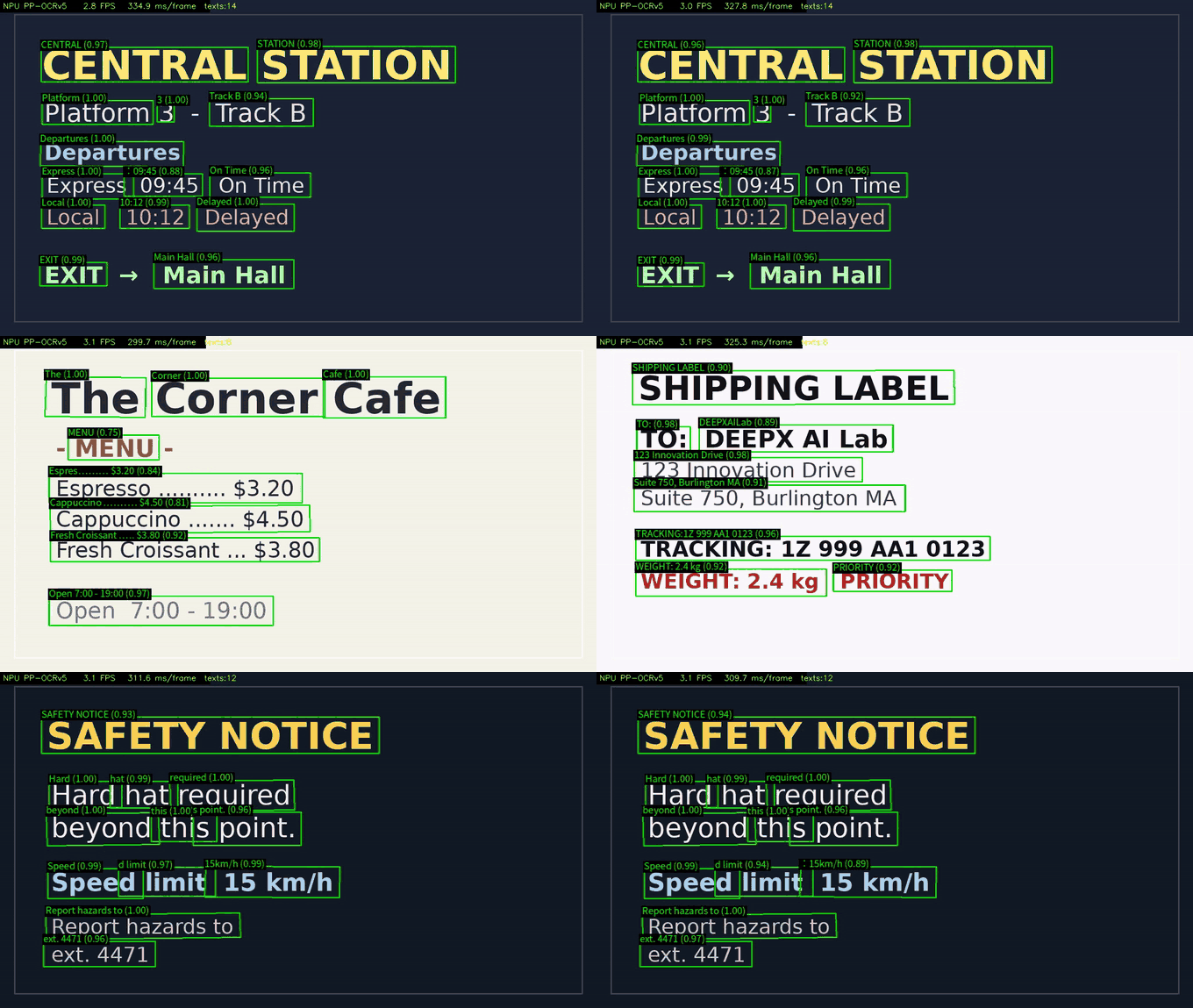 Video / Webcam OCR (PP-OCRv5) PaddleOCR PP-OCRv5 on the NPU |
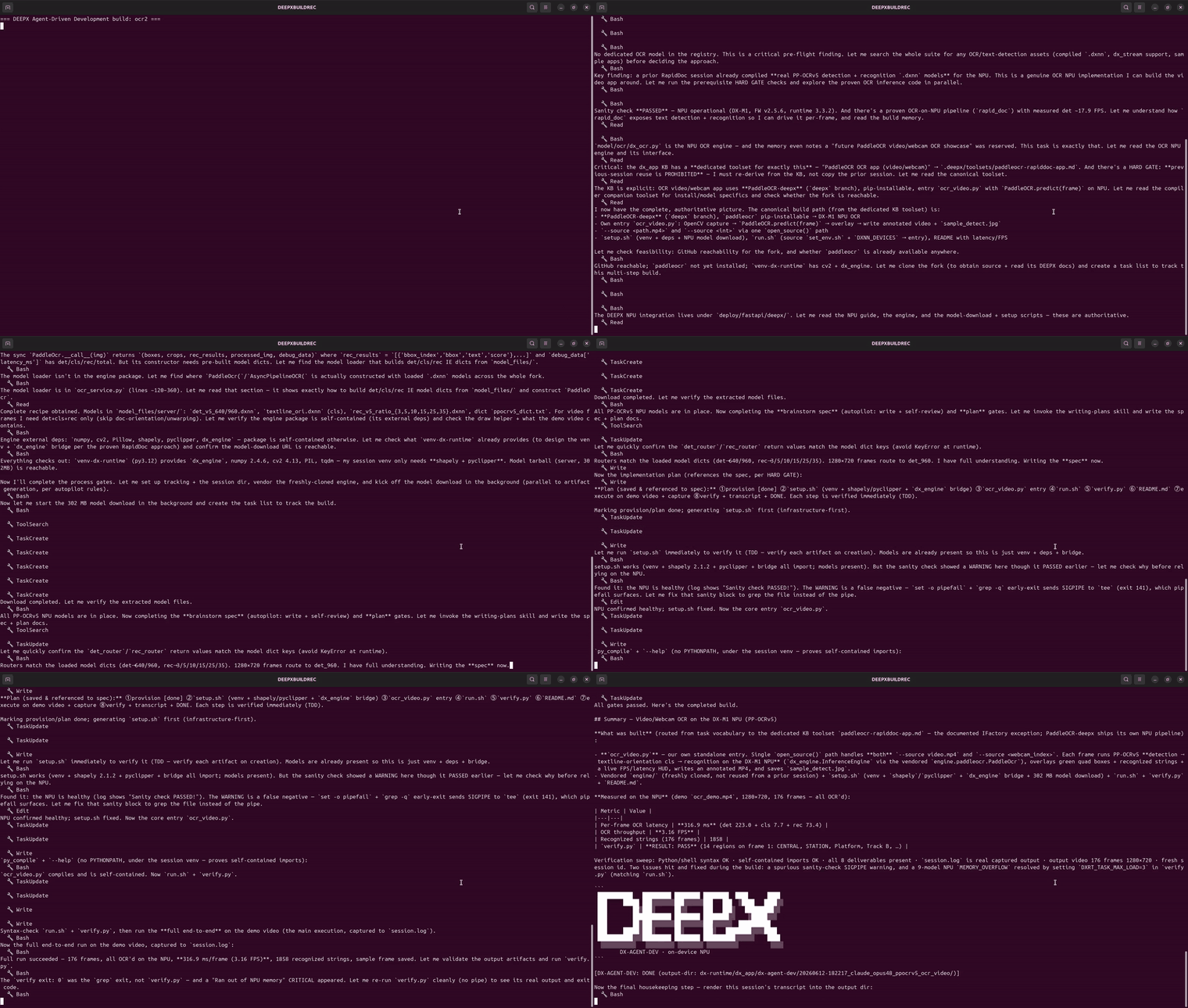 build capture (timelapse) |
RapidAI ecosystem integration
A PDF → Markdown document-conversion app on the DEEPX NPU — from a single, concise natural-language prompt. RapidAI's RapidDoc (PP-StructureV3): layout, OCR, tables, formulas — running PaddlePaddle-trained models on the DX-M1 NPU. A standalone, self-contained app generated from the fork's pipeline.
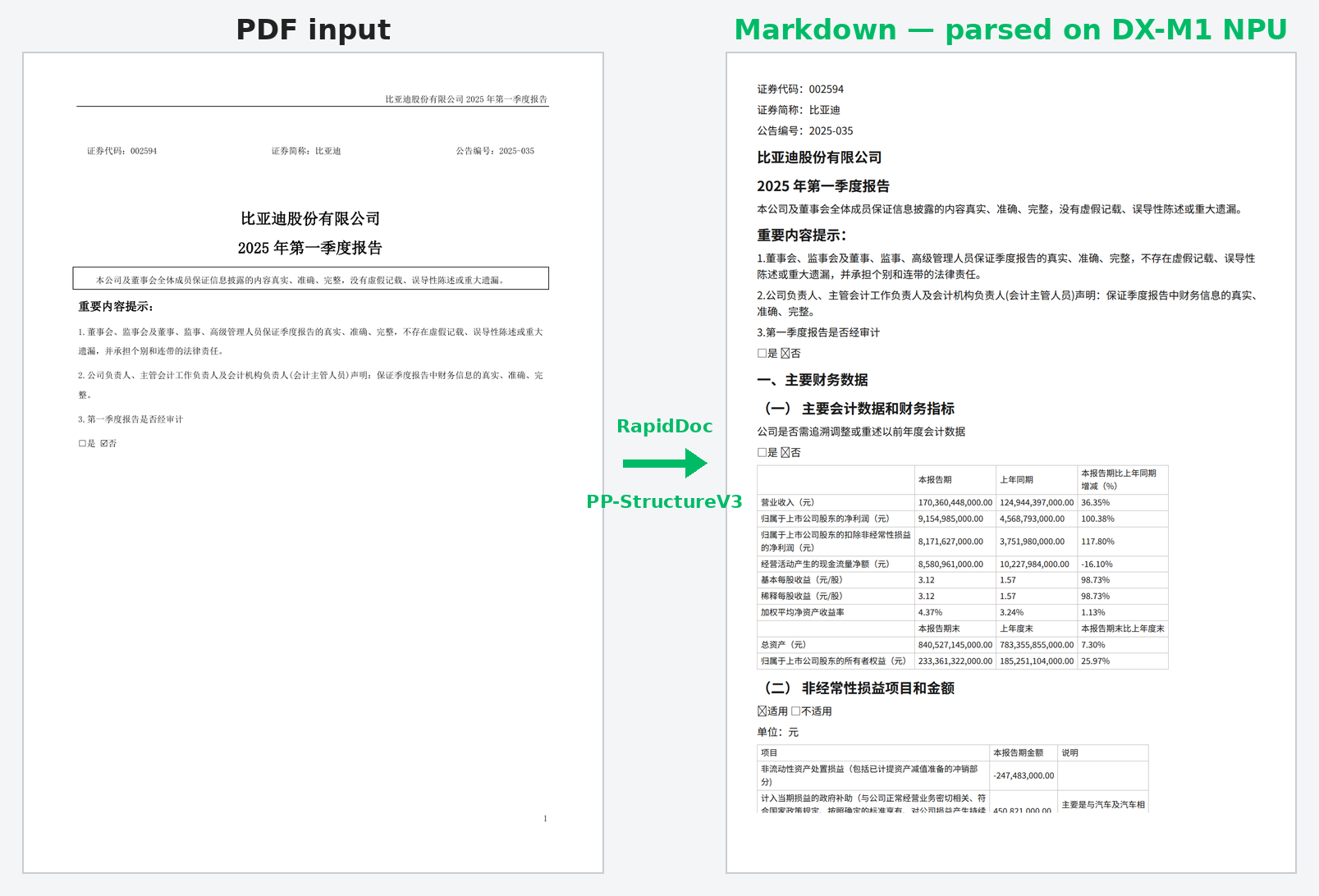 PDF → Markdown (document conversion app) RapidDoc PP-StructureV3 on the NPU |
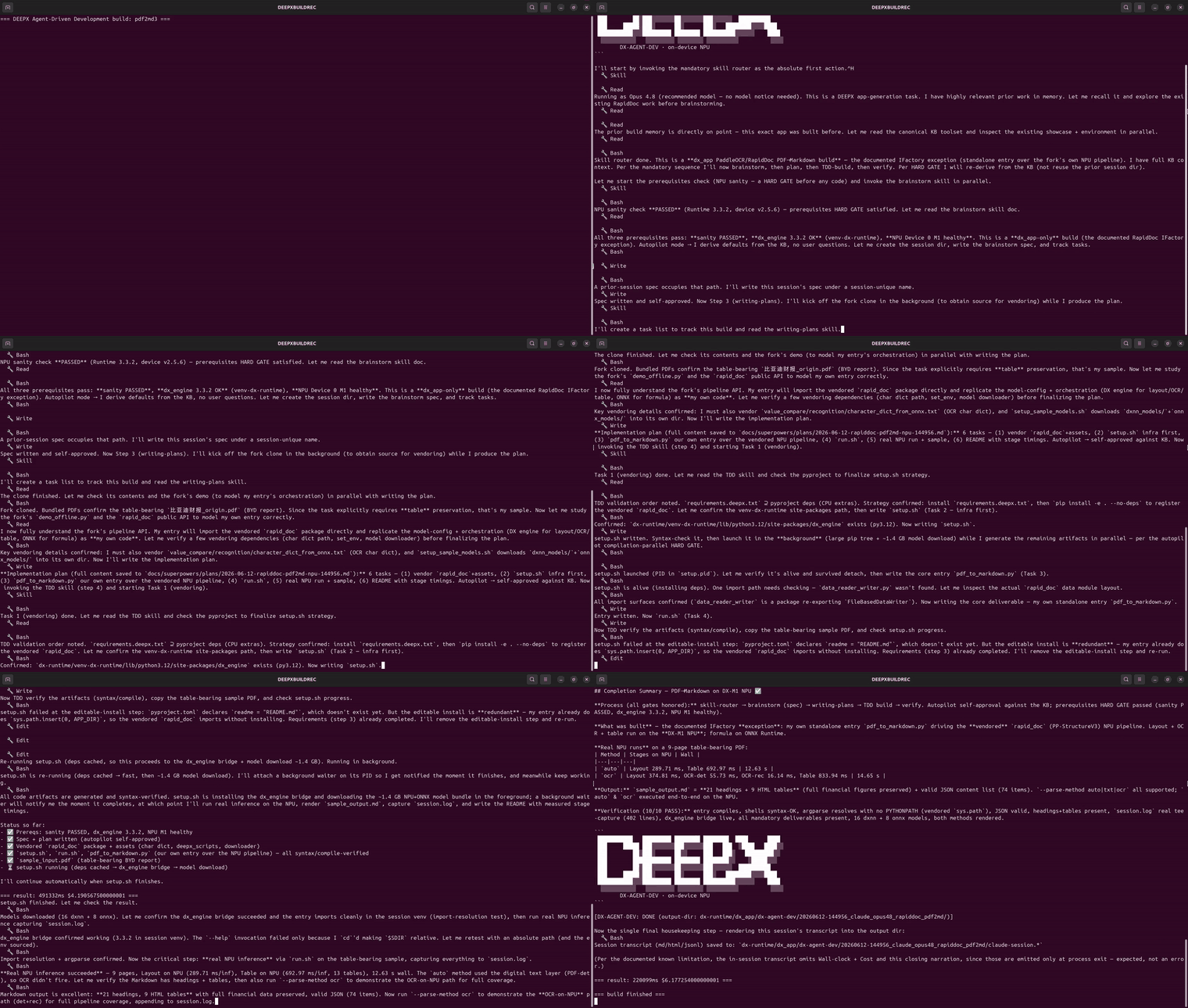 build capture (timelapse) |
All showcases + summaries → dx-agent-dev-showcase/README.md · About the feature → Agent-Driven Development docs
Note on build time & cost — The build time, output-token count, and cost shown for each showcase are actual measurements taken from that showcase's recorded build-session transcript (
*-session.md), priced with the coding agent's published billing policy — not estimates, and not cherry-picked best runs. Because AI coding agents are non-deterministic, the same prompt does not always consume the same output tokens, so your own build time and cost may differ depending on environment and model version.
✨ DX AI Studio — dx-ai-studio (Beta)
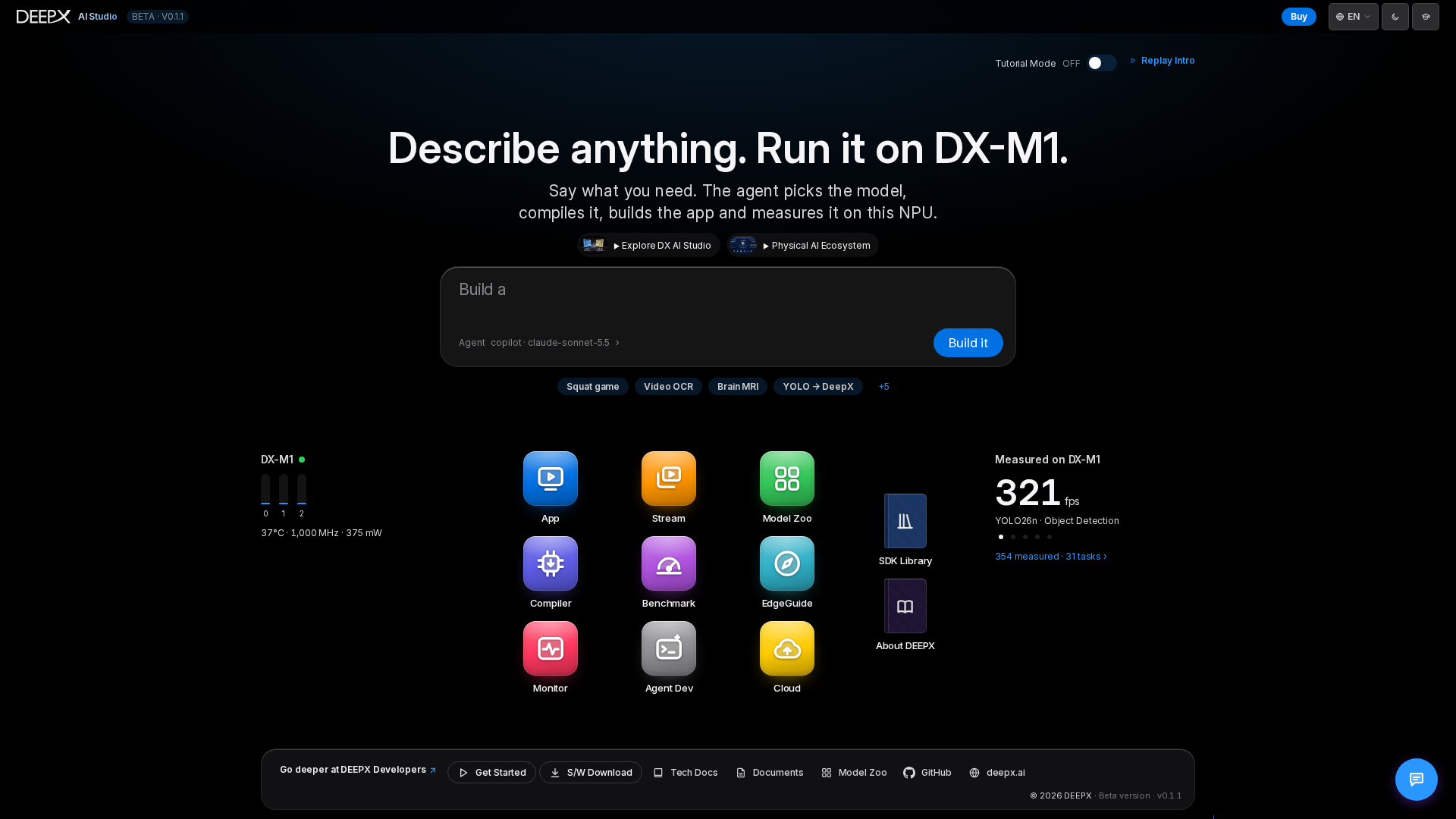
DX AI Studio is here — currently in Beta. An all-in-one desktop web workspace for building on the DEEPX NPU: nine specialized tools in one browser, launched with a single command — DX Model Zoo (model catalog), DX Compiler (ONNX → .dxnn), DX App (inference, Run Demo and Graph Composer), DX Stream (GStreamer pipelines), DX Benchmark, DX Monitor (NPU telemetry), DX EdgeGuide (hardware recommendations from benchmark data), DX Agent Dev (the agent-driven builder above), and DX Cloud (AWS compile and Greengrass device workflows). Local compilation needs the compiler SDK; real NPU inference needs the runtime, driver and NPU. Cloud actions use your AWS environment and can incur charges.
The October 2026 catalog reference contains 497 canonical model variants across 29 tasks, not 497 distinct architectures; 492 are runnable in DX App's Graph Composer. The Hub's Build it presents tool routes or an agent plan before you choose to proceed. Use the left module rail, bottom Hub button and top page tabs to navigate.
Explore the studio → dx-ai-studio/README.md · Install & launch → Installation and Launch
✨ DX-Benchmark — dx-benchmark (Beta)
Reproducible YOLO26 performance benchmarking on the DEEPX NPU — one standardized procedure
across any Host PC + NPU combination. It measures two tiers: Model-Level (run_model) —
Latency (single-core, sync) and Throughput (multi-core, async) — and E2E Pipeline
(DX-STREAM) — Single-Stream FPS and Multi-Stream channel capacity. Both tiers run
automatic ONNX-Runtime ON/OFF comparison with thermal-throttle detection, then render an
interactive dashboard for cross-environment and cross-version comparison. Measured results for
6 hardware environments are included, and the dashboard built from them is also viewable in
DX AI Studio's DX Benchmark view.
Get started → dx-benchmark/README.md · Performance analysis → dx-benchmark/docs/ANALYSIS_EN.md
📦 DX-Edge 


Take a trained model to a DEEPX NPU in the field, entirely through AWS. DX-Edge covers the three
things that stand between a trained ONNX model and a working edge deployment — compiling the model
for the NPU, provisioning the runtime on the device, and qualified hardware to run it on — across
three tracks published on AWS Marketplace. The DEEPX Greengrass Solution provisions the cloud
compilation pipeline and the edge runtime from a single AWS CloudFormation stack, installing the NPU
driver, firmware, dx_rt, and dx_stream over the air (Zero-Touch Provisioning) via AWS IoT
Greengrass V2. The DEEPX Compiler Solution compiles ONNX to .dxnn on AWS — interactively from
an Amazon EC2 instance, or automatically through an event-driven S3 → Lambda → Step Functions pipeline.
The AWS HW Path documents the DX-AIPlayer N97 (Intel® N97 + DX-M1) and the DX-M1 Edge AI
Development Kit with Raspberry Pi 5 (Raspberry Pi 5 + DX-M1) as AWS IoT Greengrass core devices, following the AWS Device Qualification Program Getting Started Guide template. Every
document is published in English and Korean.
Explore DX-Edge → dx-edge/README.md · 한국어 → dx-edge/README-KO.md
Supported Models
DX-AllSuite supports a vast array of industry-standard AI architectures, optimized for peak performance on our NPU.
- Image Classification: AlexNet, ResNet/ResNeXt/WideResNet, MobileNet, EfficientNet (Lite/V2), ViT/DeiT/BEiT, FastViT, CasViT, RegNet, ShuffleNet, VGG, and more.
- Object Detection: YOLO families (YOLOv3–YOLOv13, YOLOX, YOLO26), RT-DETR (v1/v2/v3), SSD, EfficientDet, NanoDet, DamoYOLO.
- Segmentation: DeepLabV3/DeepLabV3+, SegFormer, BiSeNet, UNet, YOLACT, and YOLO-based segmentation variants (YOLOv5/YOLOv8/YOLO26).
- Advanced Vision Tasks: Face analysis (Detection, Recognition, Landmarks, Attributes), Human/Hand Pose Estimation, Low-Light Enhancement, Image Denoising, Super Resolution, Depth Estimation, Oriented Object Detection (OBB), Zero-Shot Instance Segmentation, and Person Attributes.
Note: Pro Tip
Instead of compiling models yourself, you can download ready-to-use binaries from the DEEPX ModelZoo, which features 300+ optimized models.
Support
The DEEPX Technical Support Team is here to help you build smooth AI solutions.
- DEEPX Developer Portal: https://developer.deepx.ai (Latest documentation and SDK release notes)
- Technical Support: [email protected] (Consultation on custom model deployment and hardware integration)
Copyright © DEEPX. All rights reserved.