
CompEng0001/Pylings
CompEng0001/Pylings has 32 GitHub stars and 7 forks. GitHot measured 0 stars in 24 hours. Last checked 2026-11-15 01:04 UTC. Last push 2026-02-09.
Measured star growth
- in 24h
- 0
- in 7 days
- Collecting history
- in 15 days
- Collecting history
- in 1 month
- Collecting history
Net star changes over overlapping periods, not daily totals. Missing measurements are left blank. Stars measure attention, not software quality.
About
🐍 Pylings provides small exercises to get you used to reading and writing Python code!
LearningREADME.md
OriginalPylings




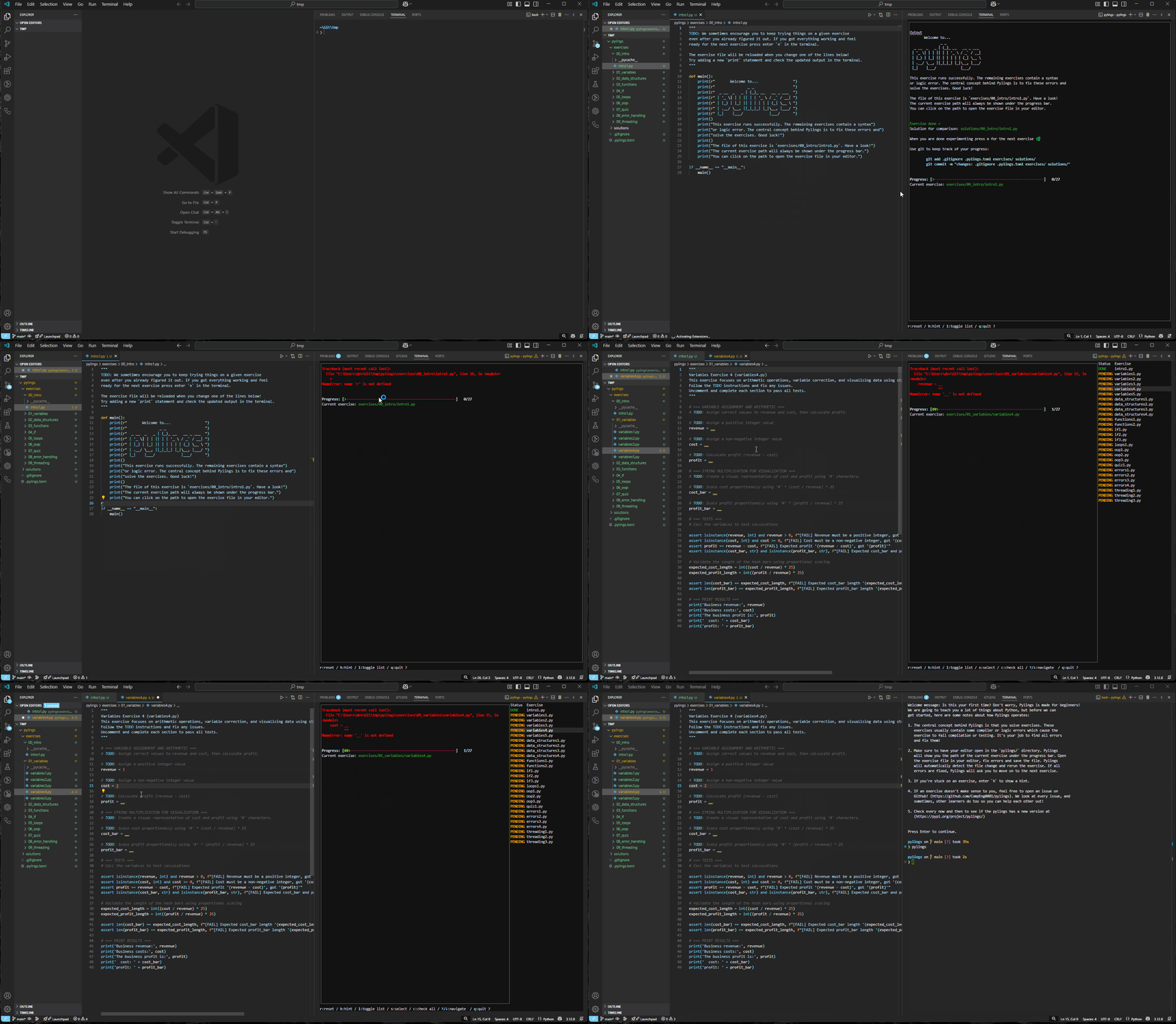
Purpose
Pylings is an interactive Python learning tool heavily inspired by the renowned Rustlings. It provides small, focused exercises to help you learn Python by fixing code snippets and experimenting with them.
Pylings is designed to help beginners and experienced developers alike improve their Python skills through hands-on practice. Each exercise covers core Python concepts such as variables, data structures, loops, and more. This includes reading and responding to compiler and interpreter messages!
Installation
Prerequisites
Steps
Install via
pip(preferred) :Windowspy -m pip install pylingsLinux/Unixpip install pylingsor use
gitand install locally:git clone [email protected]:CompEng0001/pylings.git pylings-package cd pylings-package pip install .
Working environment
Editor
General recommendation is VS Code with the python plugin. But any editor that supports python should be enough for working on the exercises.
Will run in GitHub Codespaces
Terminal
While working with Pylings, please use a modern terminal for the best user experience, especially we recommend the Windows Terminal, with Git Bash via VS Code.
The default terminal on Linux and Mac should be sufficient too.
[!IMPORTANT] There are some rendering issues, with Linux based terminals and some terminal multiplexers.
Doing Exercises
The exercises are sorted by topic and can be found in the subdirectory exercises/<topic>.
For every topic, there is an additional README.md file with some resources to get you started on the topic.
We highly recommend that you have a look at them before you start.
Most exercises contain an error that keeps them from compiling, and it's up to you to fix it!
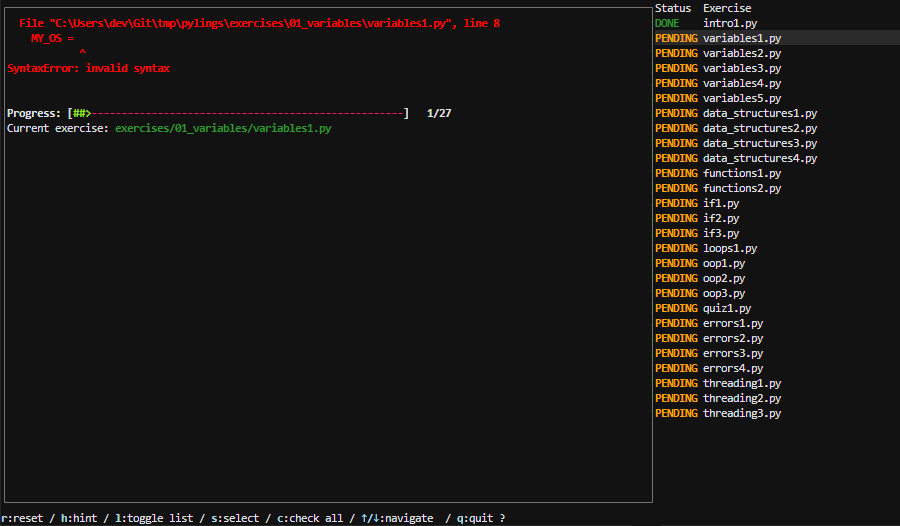
Some exercises contain tests that need to pass for the exercise to be done
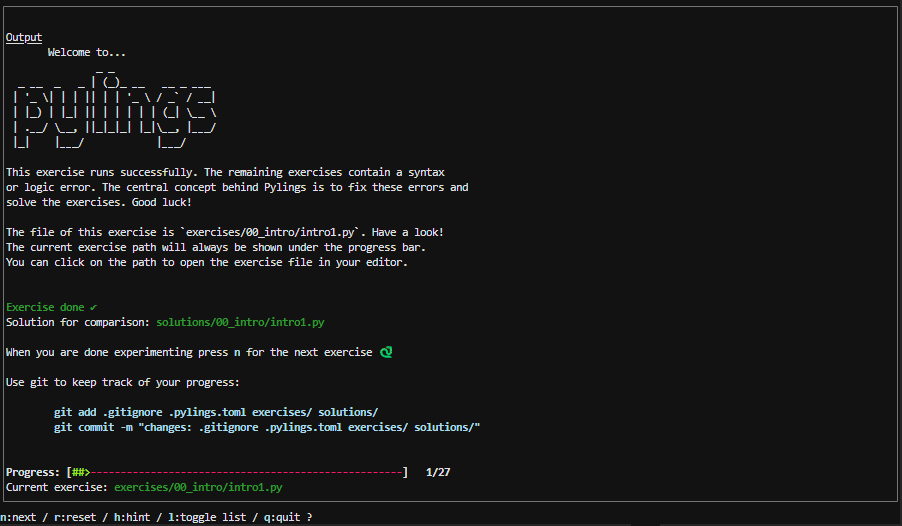
Search for TODO to find out what you need to change.
Ask for hints by entering h
Running Pylings
Once installed via pip or git, navigate to a directory of your choice and run:
<py,python3> -m pylings init
or provide the path as an argument:
<py,python3> -m pylings init --path path/to/initialise-pylings
If a directory already exists with the same name you can use:
<py,python3> -m pylings init --force [--path path/to/initialise-pylings]
Then you can launch pylings in the initialised directory
<py,python3> -m pylings
[!TIP] Of course you could always add the following to your
PATH, and you callpylingsdirectly:
Windows
$HOME/AppData/Local/Programs/Python/Python313/Linux
$HOME/.local/bin
Commands/Arguments
Pylings v1.1.0 supports additional developer-friendly commands:
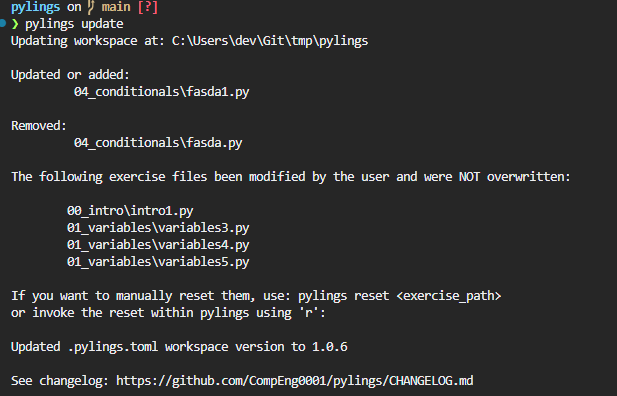
update [--path path/to/initialised-pylings]updates the workspace with the current version:Useful after upgrading Pylings via
pip install --upgrade pylingsDefaults to the current working directory (
cwd)Adds new exercises and removes obsolete ones from the workspace
run, starts pylings from a specific exercise:pylings run exercises/01_variables/variables1.py- Triggers welcome message if it's your first time
dry-run, executes an exercise non-interactively:pylings dry-run 01_variables/variables1.py- Accepts paths with or without the
exercises/prefix - Use
--source workspace(default) to run from local files - Use
--source packageto run the exercise bundled with the installed Pylings package
reset, resets an exercise non-interactively:pylings reset exercises/01_variables/variables1.py
sol, executes a solution file non-interactively:pylings solution 01_variables/variables1.py- Accepts paths with or without the
solutions/prefix --source package(default) uses installed Pylings files--source workspaceruns your own solution from the local workspace
--debug, enables debug logging for advanced output, log file is workspace.pylings_debug.log-v,--version, displays version, license, and repository link-h,--help, shows usage info for all commands
List mode
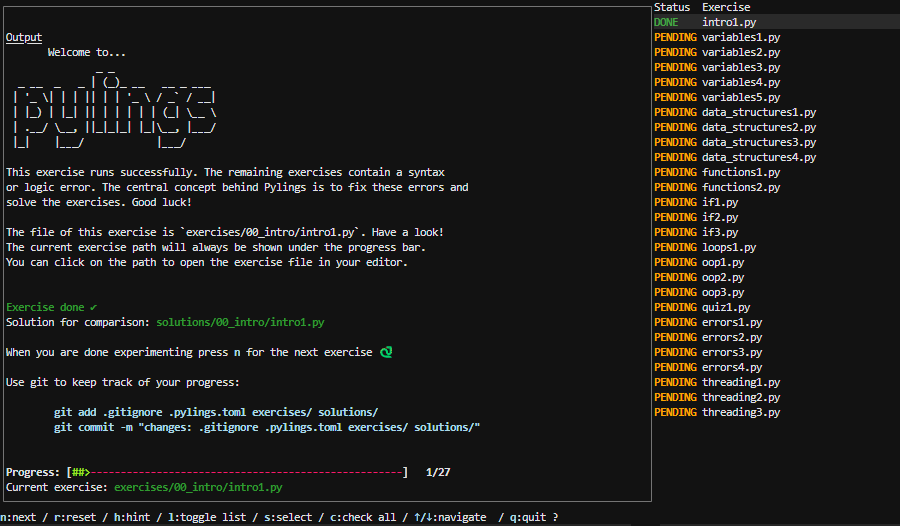
You can open an interactive list of all exercises by pressing l after launching pylings
- See the status of all exercises (done or pending)
s: Continue at selected exercise, allowing you to tempoarily skipping exercises or revisitng a previous oner: Resets the current selected exercise back to its pending state, live!c: Checks all exercises and updates the state, incase you modify outside of pylings.
See the footer of the list for all possibilities.
Themes
As of v1.2.0 you can set a theme. Currently there are two ways, builtin or custom
Builtin:
defaultdarkhigh_contrastcatppuccin_mochacatppuccin_macchiatogruvbox_darkonedarksolarized_darknordtender
Custom
custom
The following fields are available for customising:
[theme]
name = "default" # default is a builtin, change from list above, or change the values below using "custom"
GREEN = "bold green"
RED = "bold red"
ORANGE = "bold orange"
LIGHT_BLUE = "bold lightblue"
BACKGROUND = "#1e1e2e"
[!NOTE]
- If you have updated to
v1.2.0, you will need to add the above in manually, luckily, thedefaultwill load- Use HEX colours or refer to: https://textual.textualize.io/styles/color/#syntax
- For font styling refer to: https://textual.textualize.io/styles/text_style/
Contributing
See CONTRIBUTING.md 🔗
Contributions are welcome! Feel free to open issues or submit pull requests.
License
This project is licensed under the MIT License.