Projects View on GitHub
Collective-Software/ClickPaste
Collective-Software/ClickPaste has 661 GitHub stars and 41 forks. GitHot measured +1 stars in 24 hours. Last checked 2026-11-15 13:57 UTC. Last push 2026-05-05.
Measured star growth
- in 24h
- +1
- in 7 days
- Collecting history
- in 15 days
- Collecting history
- in 1 month
- Collecting history
Net star changes over overlapping periods, not daily totals. Missing measurements are left blank. Stars measure attention, not software quality.
About
Windows 10/11 notification area app in C# that can paste clipboard contents as keystrokes to whatever location you click.
Developer ToolsREADME.md
OriginalClickPaste
Windows 10/11 notification area app in C# that can paste clipboard contents as keystrokes to whatever location you click.
Starting
- You can install ClickPaste using the MSI installer or get the portable ZIP from the Releases page
- Note that in order to paste to UAC-elevated processes, Microsoft requires the ClickPaste binary to be run from the system drive's "Program Files" folder. (The easiest way to achieve that is to use the MSI installer.)
- Launch ClickPaste from a shortcut or by double-clicking ClickPaste.exe.
Usage
First of course, you need to have some text in your clipboard. Then:
- Click the target notification icon to begin:

- Click to choose a location you want to paste the text:
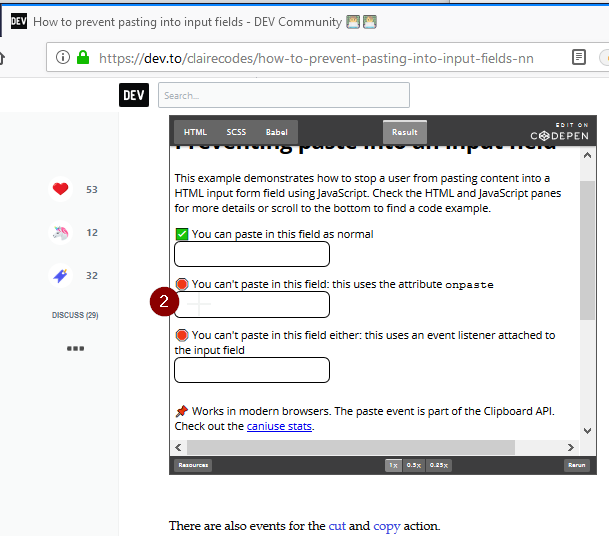
- Your clipboard contents should be typed as keystrokes onto the window you selected:

Settings
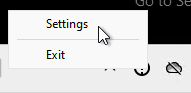
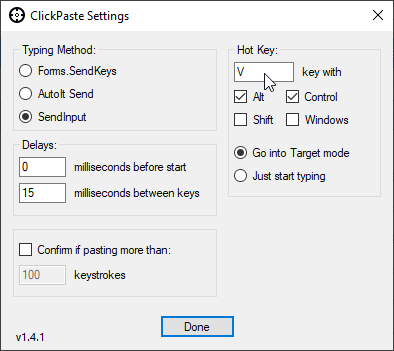
Right-click the notification icon and select Settings.
- You can change between key typing modes,
- Set how much delay there is before and between keystrokes,
- Trigger a confirmation when the clipboard contains more than a chosen number of characters,
- Configure what "hot key" combination will be used (Clear the key textbox with delete or backspace if you wish to have no hotkey),
- Configure whether the "hot key" will activate the target selector to pick a paste location or just start typing immediately.
Stopping
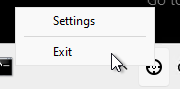
- Right-click the notification icon and select Exit.