
ColeMei/pane has 93 GitHub stars and 5 forks. GitHot measured -1 stars in 24 hours. Last checked 2026-11-15 17:26 UTC. Last push 2026-11-09.
Measured star growth
- in 24h
- -1
- in 7 days
- Update delayed
- in 15 days
- Update delayed
- in 1 month
- Update delayed
Net star changes over overlapping periods, not daily totals. Missing measurements are left blank. Stars measure attention, not software quality.
About
A free, open source Raycast Notes alternative for macOS. Floating Markdown notes with a global hotkey, unlimited notes, and customizable themes.
ProductivityREADME.md
Original
Pane
A sheet of glass over whatever you're doing, that you can write on.
A notes panel for macOS that never switches you out of your app.
Your notes are plain Markdown files. Open source, no account.
Works like Raycast Notes, without Raycast.
English · 简体中文




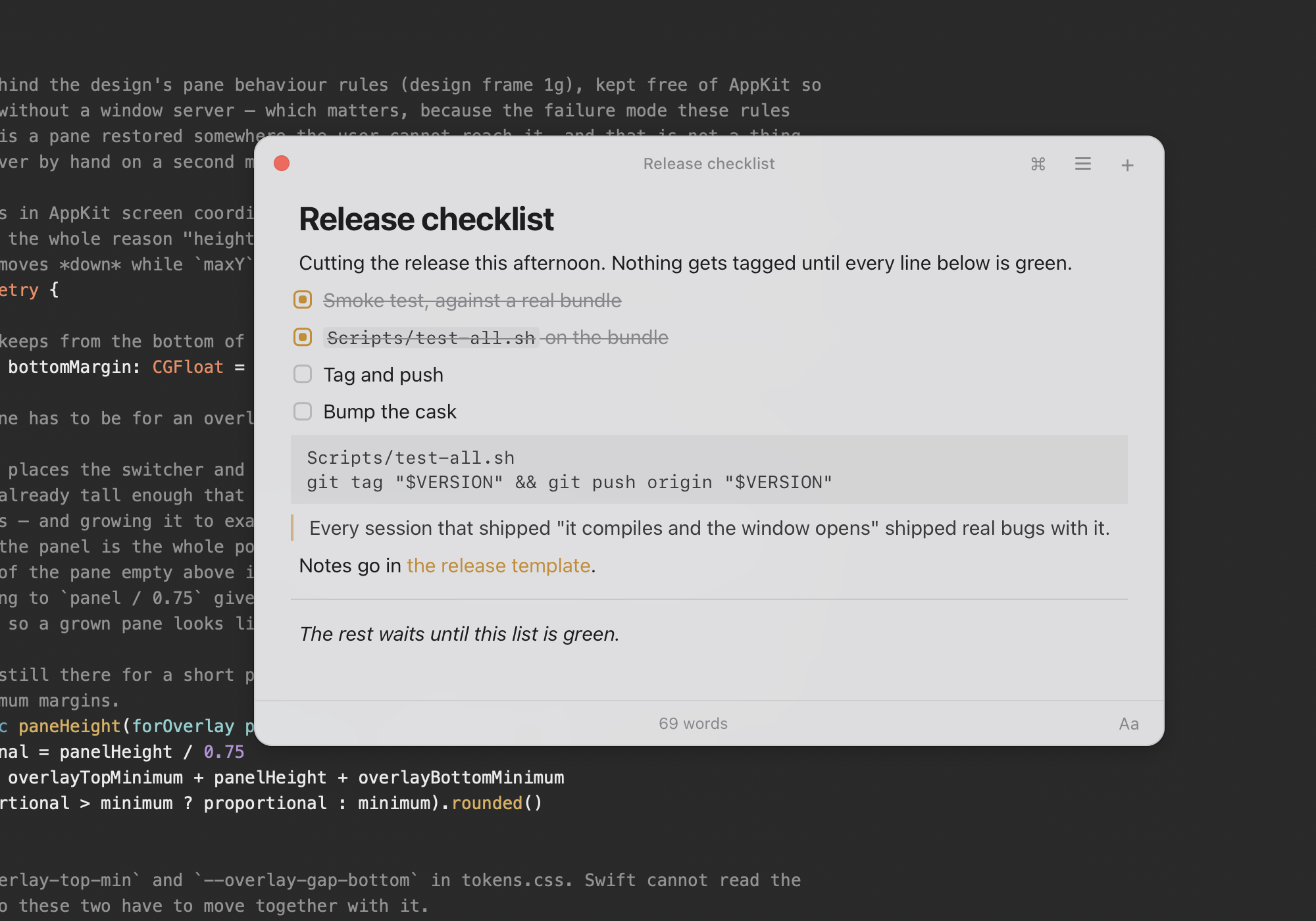
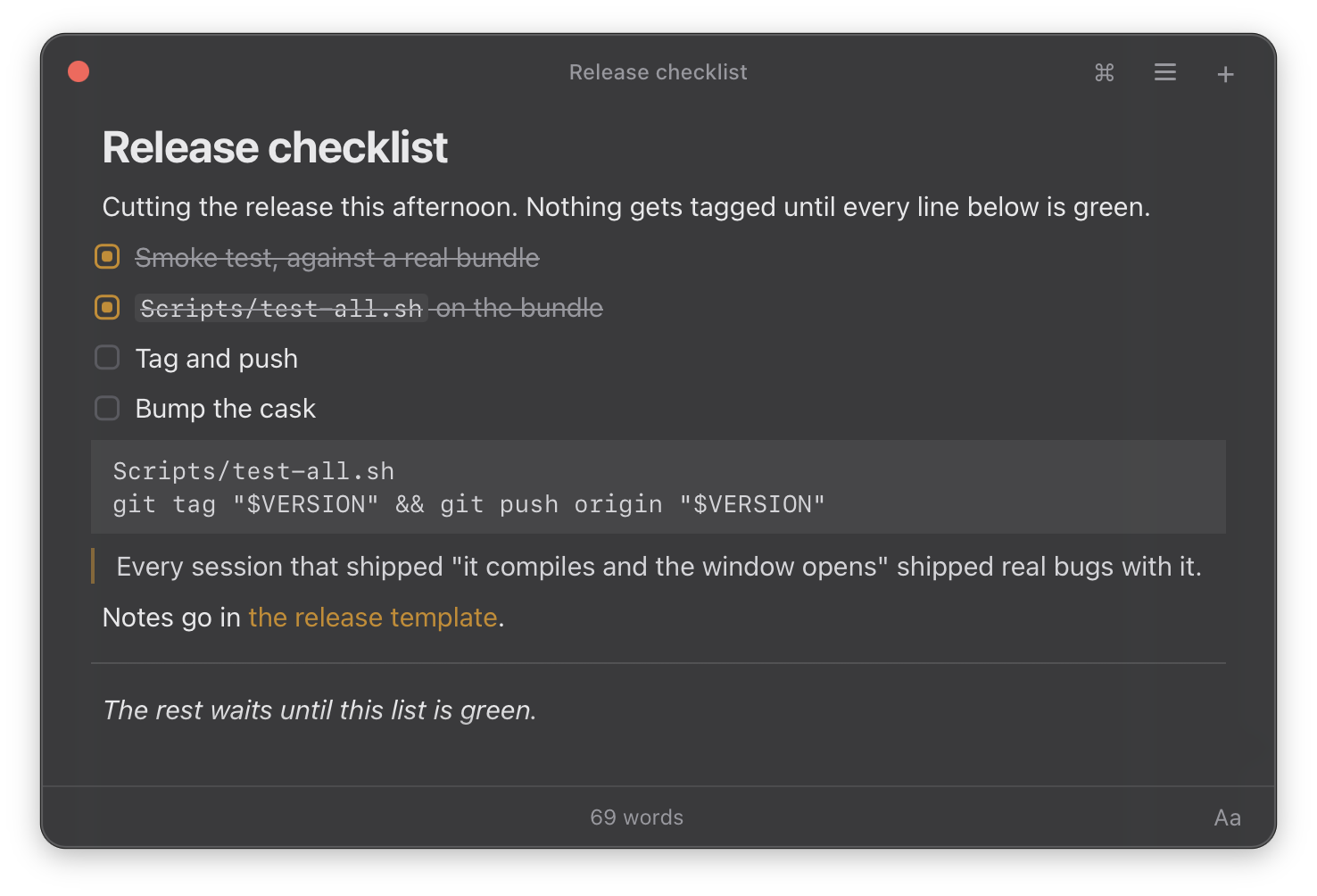
Press ⌃⌥Space and a note floats over the app you're in, with the caret where you left
it. That app stays active behind the panel, so press the hotkey again and you're back where you were
typing. Markdown renders as you type, ⌘P switches notes, and every note is a .md file in
a folder you choose.
Download for macOS · Installation instructions
Install
brew install --cask ColeMei/pane/pane
Or download the .dmg from the latest release, open it,
and drag Pane.app onto the Applications folder beside it.
[!IMPORTANT] macOS may block Pane on first launch.
Pane is not signed with an Apple Developer ID or notarized by Apple. Depending on your macOS version, Gatekeeper may report that the app is damaged or that its developer cannot be verified. If you installed Pane from this repository's releases or Homebrew cask, clear its quarantine flag after installing or upgrading:
xattr -dr com.apple.quarantine /Applications/Pane.app
After that, Pane updates itself: when a new version is out, choose Update to … from its menu bar item, or from Settings → About.
Coming from Raycast Notes
Pane is built around familiar Raycast Notes habits: summon a floating note, start typing, and use keyboard shortcuts to switch notes and run actions. It is a standalone app, so Raycast is not required.
| Raycast Notes | Pane | |
|---|---|---|
| Where they live | Raycast's own storage | .md files in a folder you pick |
| Sync | Cloud Sync, on Pro | Sync the notes folder between Macs with iCloud Drive or a tool such as Syncthing |
| Cost | Free tier + Pro subscription | Free, MIT, no account |
| App | Part of Raycast | Standalone macOS app; no Raycast required |
Pane has no cloud service, no iPhone or iPad app, and no images in notes. Folder sync carries your notes between Macs; local settings and window state stay on each Mac.
Raycast plan details: pricing and Raycast Notes, checked November 8, 2026.
Not affiliated with or endorsed by Raycast Technologies.
What it does
- Pick up where you left off. Summon the panel over your current app with a global hotkey. That app stays active, and dismissing the panel puts your caret back in it. Pane remembers your last note and each note's caret position.
- Write with structure. Markdown renders as you type. Headings, lists, quotes and code blocks never show their symbols, and bold, links and other inline styles show theirs only under the caret.
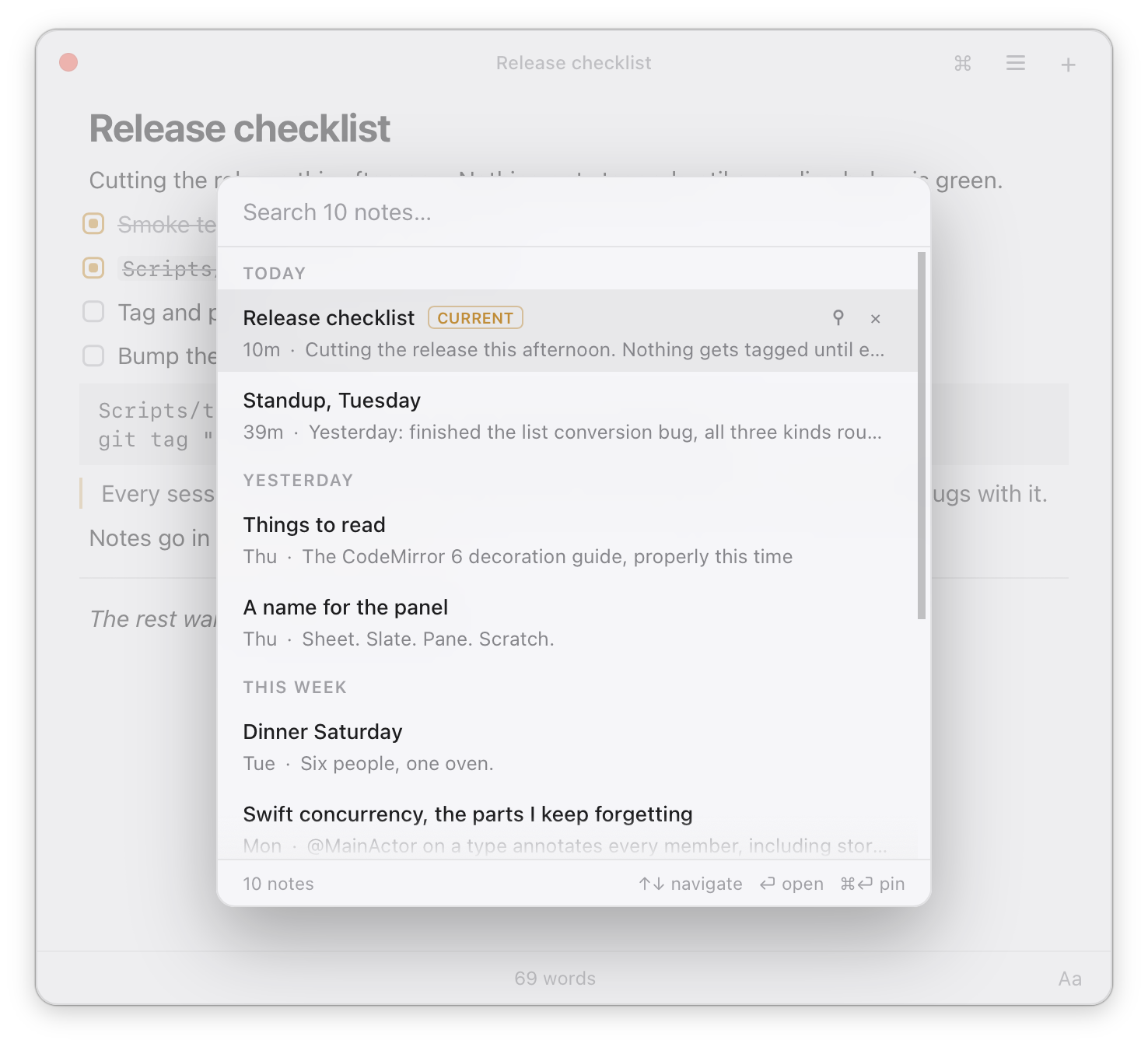
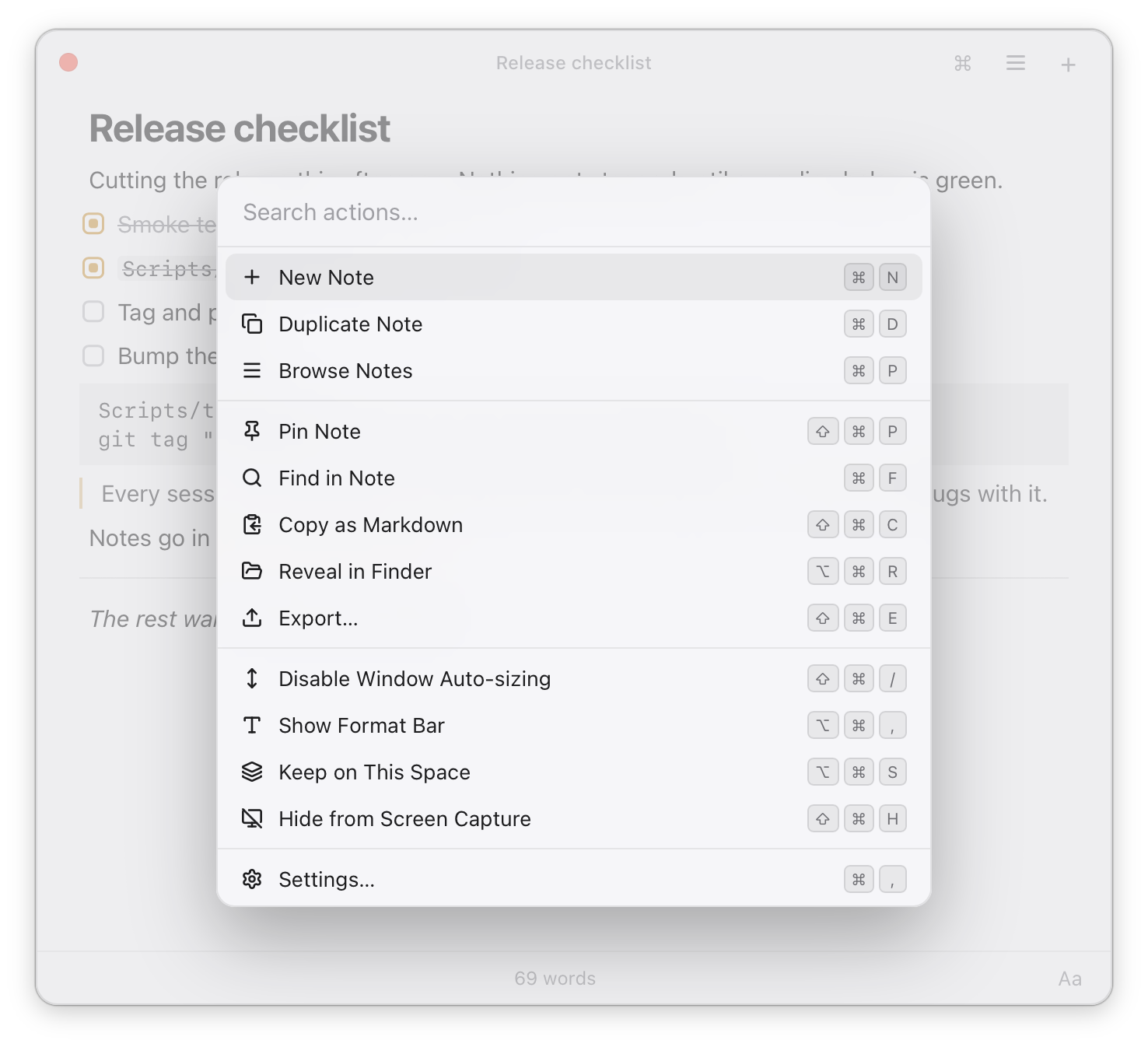
- Stay in one panel. ⌘P switches notes with recency groups, fuzzy title matching and full text search. No results? ⏎ creates a note with your query as its title. ⌘K brings up actions for find, export, reveal in Finder, file renaming, screen capture privacy and recently deleted notes.
- A window that follows your writing. Height grows with the note until you resize it manually. Float over fullscreen apps, follow Spaces, and choose light or dark appearance.
- Fits your routine. Access Pane from the menu bar or launch it at login.
- External edits are picked up automatically. If a file changes before Pane saves, it preserves the pending edit in a separate conflict file instead of silently overwriting the external change.
- Deleted notes are recoverable for as long as you choose, and they wait outside your vault so they don't sync back.
Your notes
Notes are plain Markdown files in a folder you choose, ~/Documents/Pane by default, with no
added frontmatter or notes database. A note's title is its first line. You can edit the files in
other apps, and Pane picks up those changes automatically.
Caret positions, pins and window geometry live in ~/Library/Application Support/Pane/, outside
the vault, never synced.
File naming and sync details
While a new note is open, its filename follows the title, for example
2026-08-11-1453-first-few-words.md. Once you leave the note, automatic renaming stops; the
timestamp stays fixed. This limits filename changes that sync tools need to reconcile.
Use Rename File… in ⌘K whenever you want to rename it yourself.
To sync notes between Macs, pick iCloud Drive under Settings › Storage (recommended), or choose a folder your own sync tool manages. Pane reads and writes the files; the sync tool carries them between Macs. Pane normalizes trailing newlines when saving, so files are not guaranteed to be byte identical to text entered or edited elsewhere.
Settings
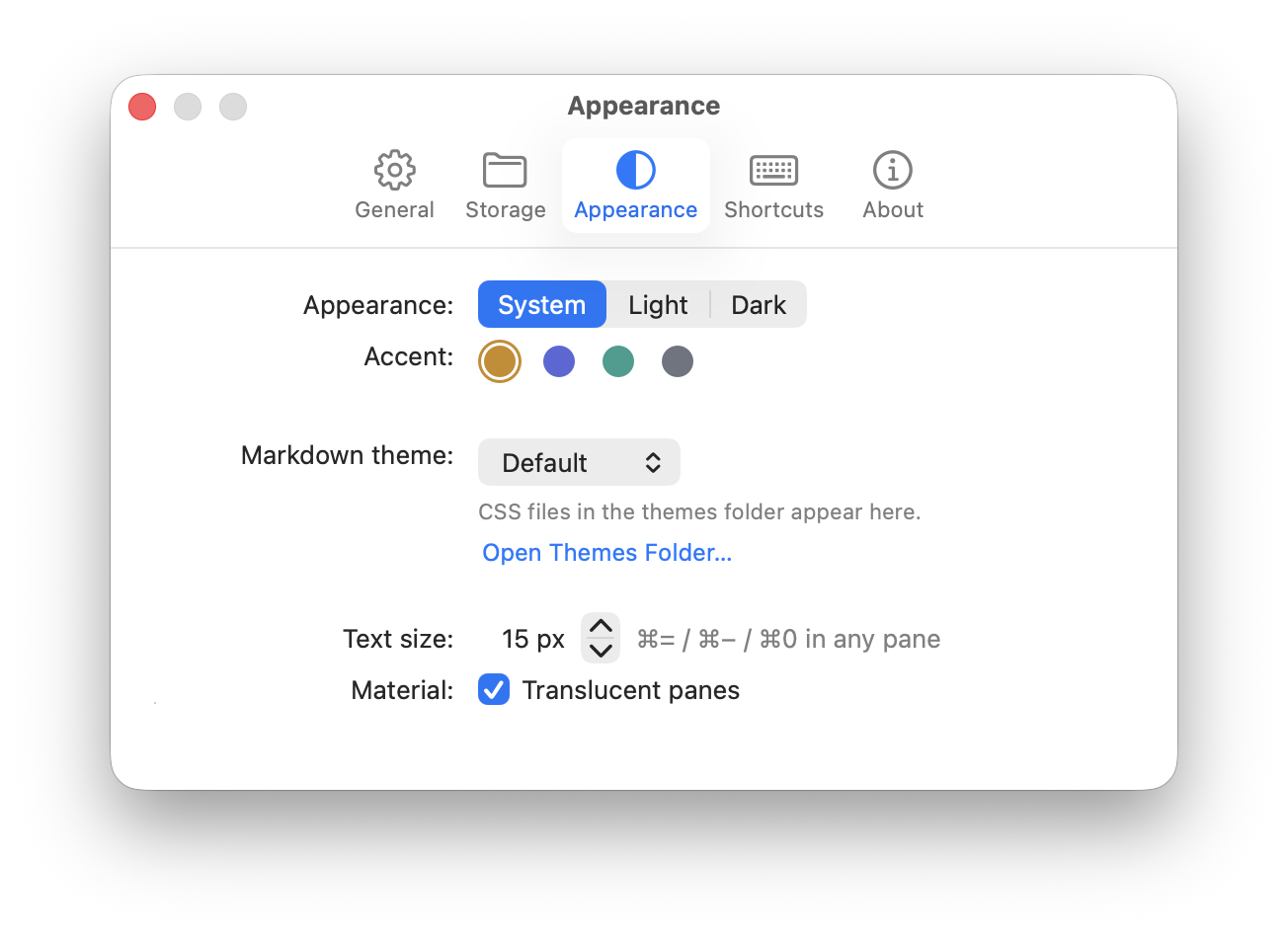
⌘, from any pane. Hotkey recorder, notes folder and iCloud sync, how the switcher sorts
notes, accent, text size, translucency, and shortcut recorders for navigation and panel actions.
Additional editor shortcut overrides are available in settings.json.
It's all plain JSON in settings.json, which Pane watches and re-reads live — so editing it by
hand, over SSH, or from a dotfiles repo works immediately.
Themes
A theme is just a CSS file. Drop one in ~/Library/Application Support/Pane/Themes and it
appears in the Appearance tab. A few of Pane's own variables cover most of what people want to
change, so a usable theme can be four lines:
:root {
  --font-ui: "iA Writer Quattro", Georgia, serif;  /* the note's text */
  --font-mono: "JetBrains Mono", monospace;        /* code and fences */
  --text-size: 16px;                               /* also on ⌘= / ⌘− / ⌘0 */
  --accent: #4a7fb5;                               /* markers, links, the caret */
}
Anything else in the file is ordinary CSS against the editor's own classes, and it wins — a theme's
body rule overrides Pane's. Themes live outside your notes folder, so they never sync with it.
Privacy
Pane requests no privacy permissions at all — the global hotkey needs no Accessibility access. No telemetry, no account, no server. The only network call it ever makes is asking GitHub whether a newer release exists — when you press the button under Settings → About, and once a day when you summon the pane, so you find out that something you reported has been fixed. Nothing about you or your machine is sent. Turn the daily one off with Check for updates in Settings → General; the button still works.
Pane downloads and installs an update only when you choose Update to …, and only one signed with the project's update key — anything else is refused.
Build from source
A SwiftPM package plus a web bundle. No Xcode project, on purpose — everything builds with the Command Line Tools alone.
Scripts/test-all.sh            # every test suite, against one bundle build
Scripts/build-app.sh --debug   # assemble build/Pane.app
Swift + AppKit owns the panel, hotkey and file I/O; the editor is CodeMirror 6 in a WKWebView.
No Node process, no Rust core, no Electron. The buffer is the Markdown source. Live preview
changes its presentation without converting notes to a separate rich text format.
CONTRIBUTING.md has the rest, including what Pane deliberately won't do.
License
MIT
Acknowledgement
Special thanks to linux.do