
CikeSeven/jotsy
CikeSeven/jotsy has 161 GitHub stars and 8 forks. GitHot measured +24 in 7 days. Last checked 2026-11-10 23:19 UTC. Last push 2026-11-03.
An open-source, offline-first journaling app built with Flutter. Focus on your thoughts with rich metadata, mood tracking, and absolute privacy.
Measured star growth
- in 24h
- Update delayed
- in 7 days
- +24
- in 15 days
- Collecting history
- in 1 month
- Collecting history
Net star changes over overlapping periods, not daily totals. Missing measurements are left blank. Stars measure attention, not software quality.
docs/README.en.md
Original
Jotsy
A private diary that lives on your phone
Free · Open source · No ads · No account · Your data never leaves your device






English | 简体中文
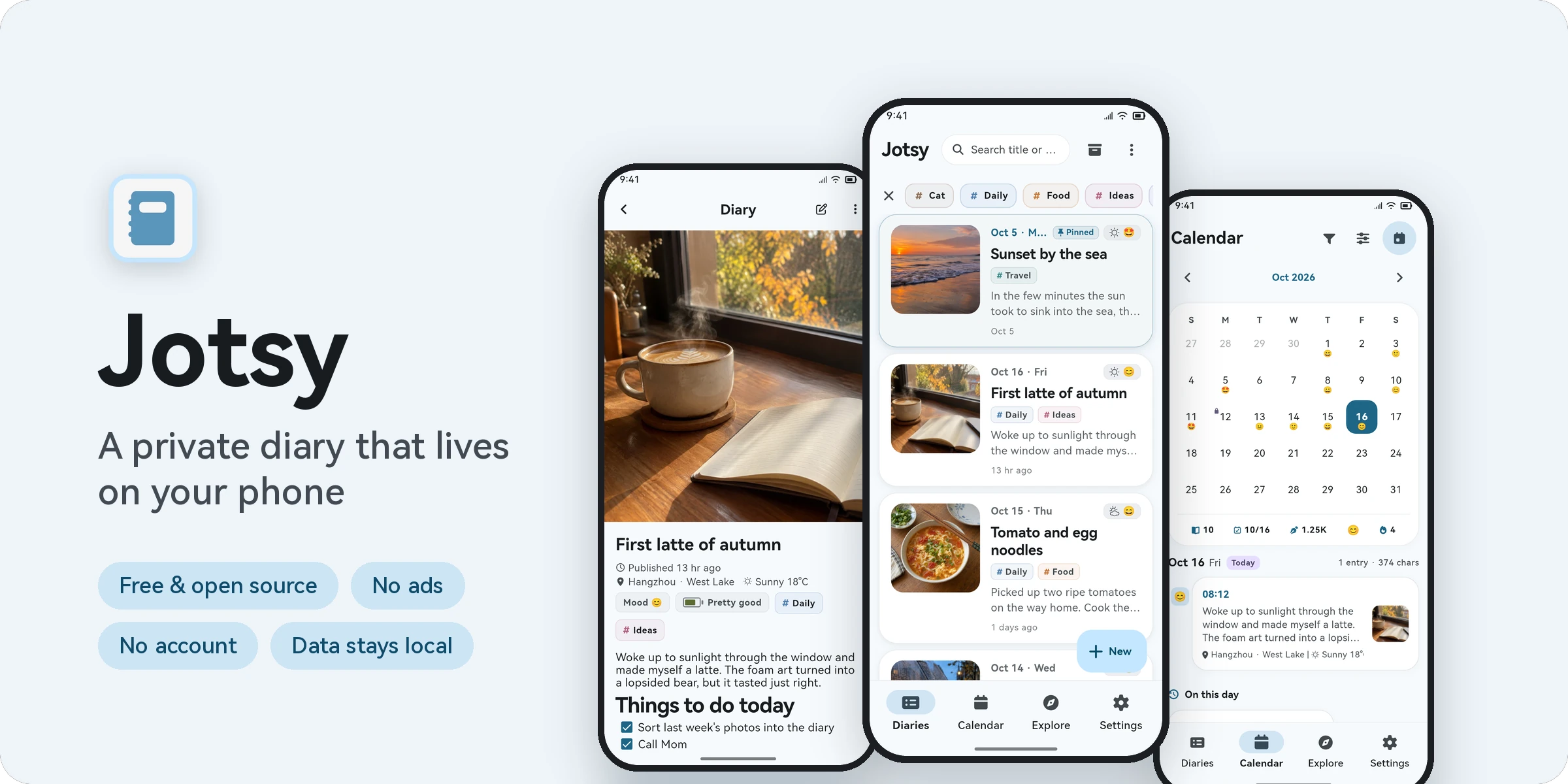
Jotsy is meant to be a plain, honest place to write. Open it and start typing: no sign-in, no ads. Your moods, ideas, meals and trips, along with photos, videos and voice notes, stay quietly on your own phone.
✨ Why Jotsy
| 🔒 Private | Everything is stored on your device. No account, no server. App lock and encrypted backups |
| ✍️ Easy to write | Rich text with images, videos, attachments and voice recordings. Backfilling an old day brings up the photos you took that day |
| 🌤️ Full of context | Record mood, energy, weather and location with every entry |
| 📅 Easy to look back | Lunar calendar with Chinese public holidays, anniversaries and countdowns, yearly heatmap, On this day, time capsules |
| 📦 No lock-in | ZIP backups, cloud backup (WebDAV / object storage / major cloud drives), export to PDF / Word / Markdown / web page / TXT / CSV, import from 18 apps |
| 🎨 Make it yours | Material 3 Expressive design, 80 theme colors, plus customizable diary cards, reading page and body font |
📱 Features
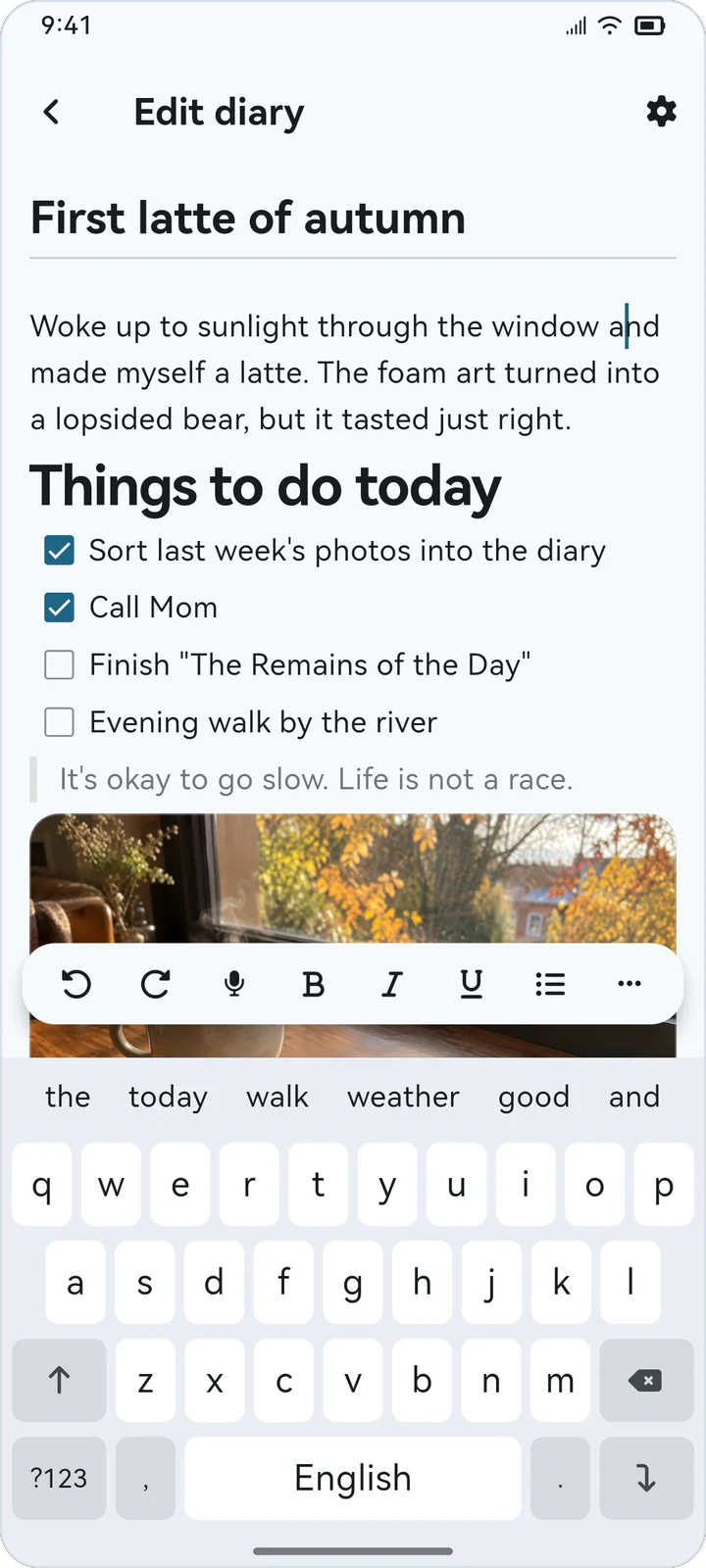 Rich text editor |
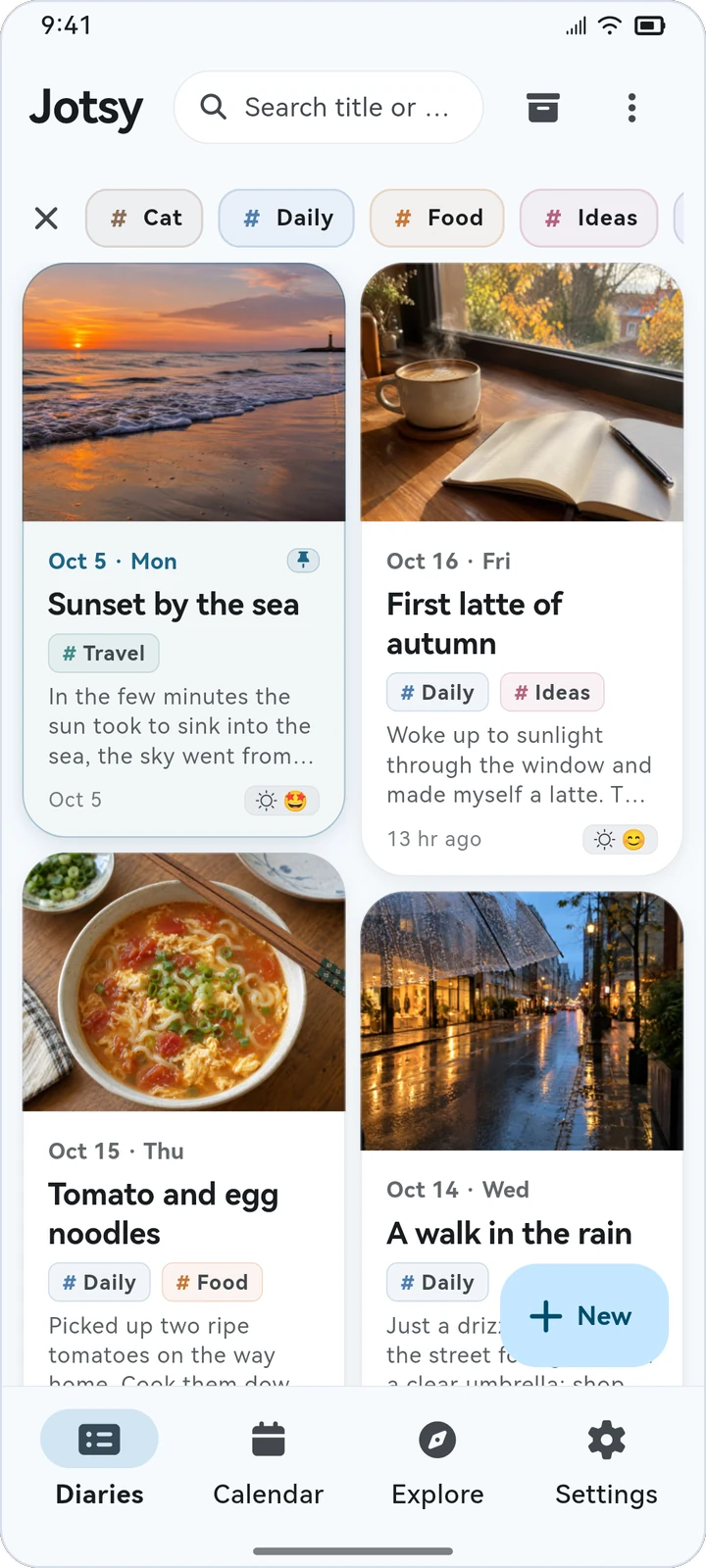 Waterfall view |
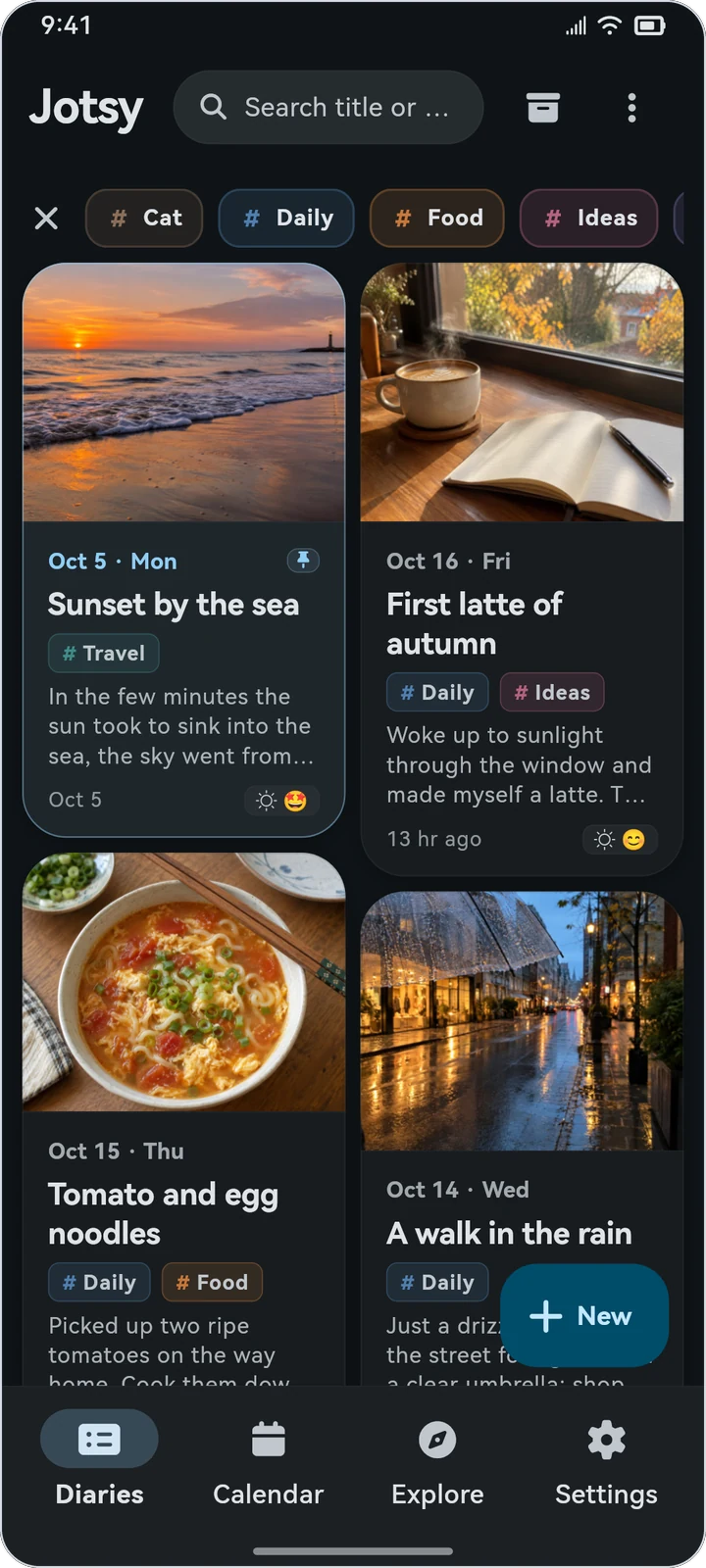 Dark theme |
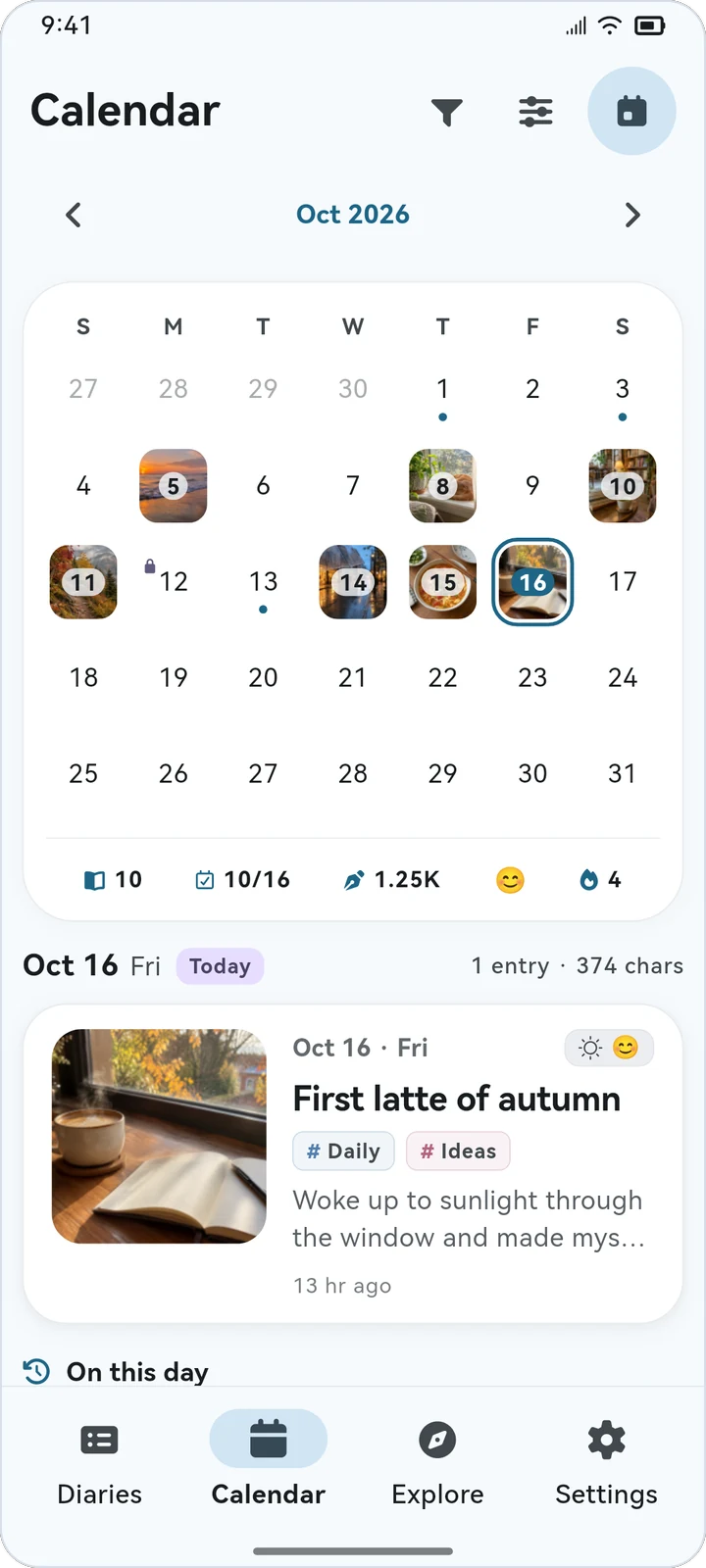 Photo calendar |
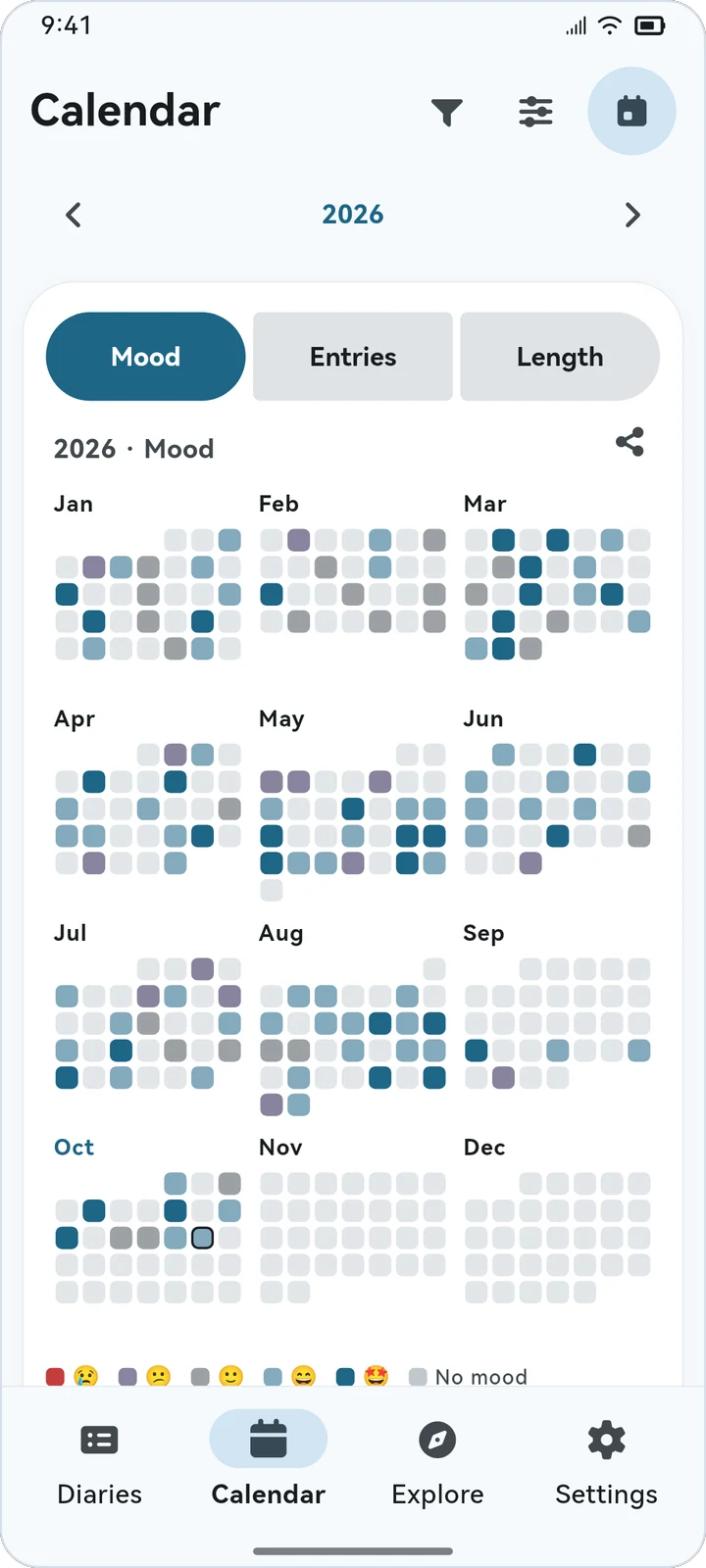 Yearly heatmap |
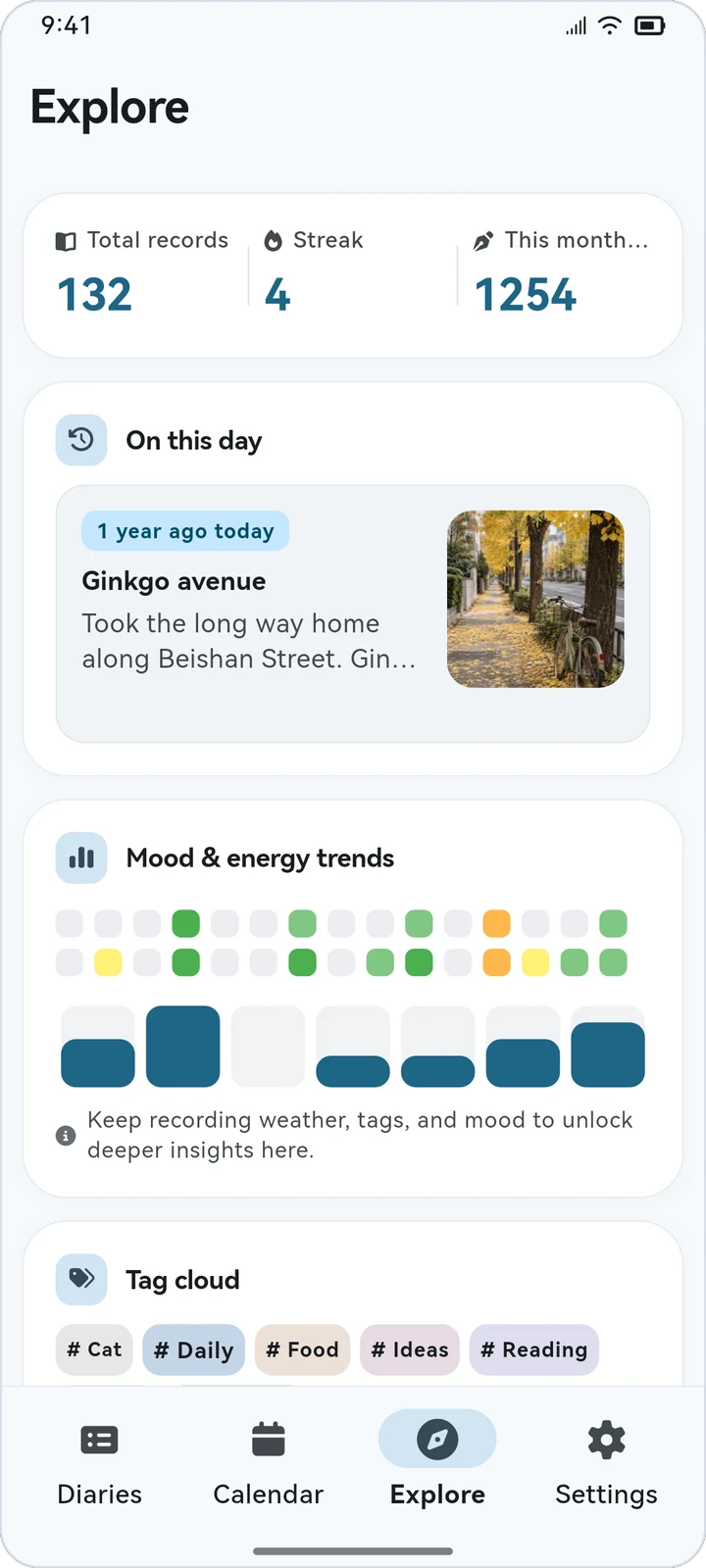 Stats and On this day |
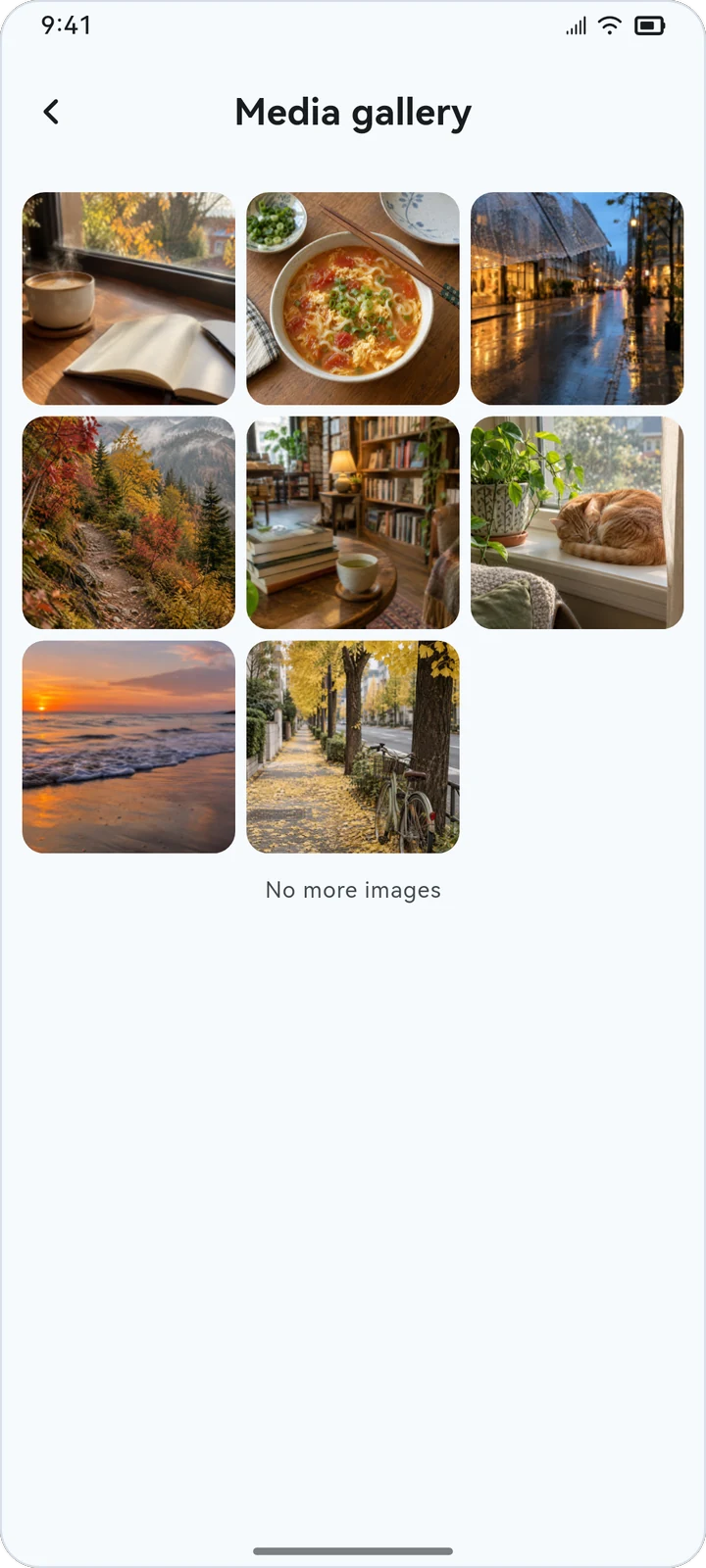 Media gallery |
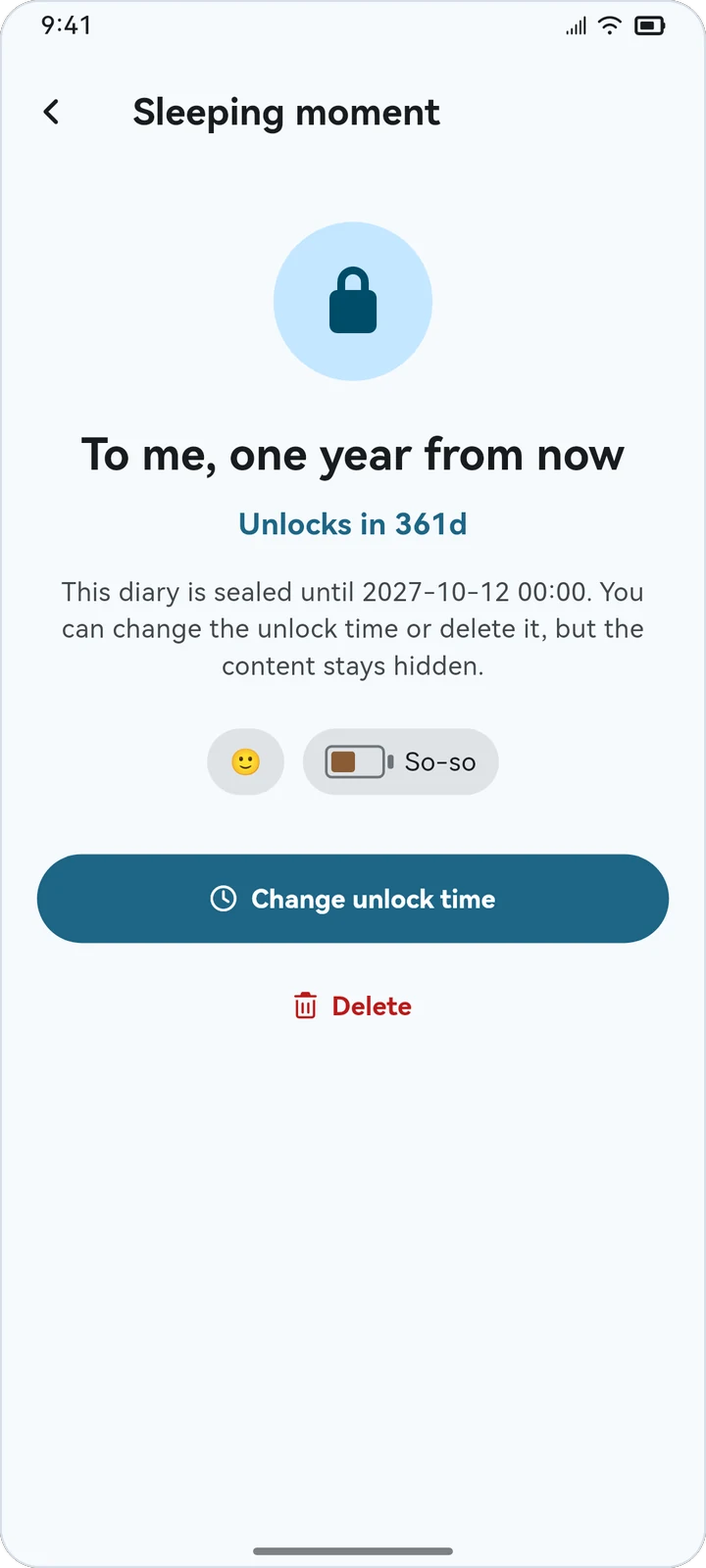 Time capsule |
✍️ Writing: rich text, media and "here and now"
- 23 editing tools: headings, bold / italic / underline / strikethrough, text and background color, numbered / bulleted / checklists, quotes, code blocks, links, insert current time and more. Reorder or hide any of them.
- Media: insert several images or videos at once and attach files of any type. Voice recordings can be paused and resumed, and you can scrub the waveform during playback. Long images such as long screenshots fold up in the entry and open at screen width for scrolling.
- Here and now: fetch your location and weather automatically, or type them in. Choose how precise the address is: city, district, street or house number.
- Mood and energy: 10 mood emojis (swap them in Settings) and 5 energy levels. The publish time can be changed at any time.
- Photos for backfilled days: when you write an entry for a past day, the editor lists the photos you took that day. Tick a few to insert them, or make one the cover. Your photo library is only read after you tap "Allow access", and the originals are never changed.
- Never lose a draft: new entries keep a draft, and edits to existing entries save automatically.
- Diary templates: 8 built-in templates (daily log, morning pages, evening review, gratitude, question of the day, weekly review, emotions, reading notes), plus your own, or save any entry as a template. A blank entry suggests templates for the time of day right under the title; one tap applies it, or let templates apply automatically by time range. Variables such as
{{date}},{{lunar}}and{{question}}are filled in from the entry's date, and a template can also set tags, mood and a time capsule. Share templates as template codes.
🗂️ Browse and read
- List or waterfall layout, sorted by date updated, date published or title.
- Filter by tags (optionally remembered for next time), and combine tag conditions with a title or content search.
- Notebooks: gather entries into notebooks. One entry can sit in several notebooks, and removing it from one never deletes it. Switch notebooks from the first chip in the home tag bar. Split a notebook into chapters and arrange it by hand from its table of contents, set a writing goal, see its stats, and export the whole notebook as a book with a title page and contents, as PDF, Word, a web page, Markdown or plain text. Smart notebooks collect entries automatically by tags, mood, date and other conditions. A notebook can also be kept out of All entries, or locked so it asks for your screen lock or biometrics when opened.
- Pin, archive (just swipe left), and act on many entries at once. Deleted entries go to the recycle bin, with instant undo.
- Swipe left or right on an entry's detail page to move to the previous or next one, in the order of the list you came from.
- One word count everywhere: each Chinese character counts as one, English words and numbers count by word. Tap the count on the detail page to see paragraphs, images and estimated reading time.
🎨 Make it yours
- Diary cards: 8 built-in styles (Classic, Compact, Magazine, Minimal, Gallery, Sticky note, Journal, Mood colors). Fine-tune layout, cover, date, fonts, colors and texture.
- Detail page: 8 presets (Classic, Paper book, Magazine, Minimal, Night, Journal, Mood color, Immersive), with the cover, title, info bar and body adjustable on their own.
- My styles: save up to 12 styles each for cards and the detail page, and share them as style codes or apply someone else's.
- Body font and layout: HarmonyOS Sans built in, or follow the system font, or import TTF / OTF / TTC fonts. Adjust size, line height, letter spacing and paragraph spacing, applied consistently when editing, reading and publishing.
- Themes: 80 theme colors in 10 families, light and dark themes, adjustable UI font size, in English or Chinese.
- Features: turn off the Calendar and Explore pages, or notebooks, anniversaries, diary templates and time capsules, and keep only what you use. A feature that's off disappears everywhere, your data stays, and turning it back on brings it all back.
📅 Calendar: lunar dates, holidays and anniversaries
- Month and week views, with optional Chinese lunar dates, solar terms and festivals. Below the grid you get the month's entries, days written, characters, top mood and longest streak.
- Chinese public holidays: days off and make-up workdays are marked on the calendar.
- Anniversaries and countdowns: repeat every year by the solar or lunar calendar, or mark a single day. The calendar shows them along with which anniversary it is or how many days are left. Link an anniversary to an entry, and see what you wrote on that day in past years.
- Five day-cell styles: dot, mood, heat, photo and tags. Filter the calendar by mood or tag.
- Pick a start day and an end day to see stats for that range. The year view turns mood, entry count or length into a heatmap you can share as an image.
- Long-press any day to write an entry for it, write a time capsule for a future date, or add an anniversary.
🧭 Explore and remember
- Total entries, current streak and characters written this month.
- On this day: entries from the same date in past years.
- Trends and tag cloud: mood over the last 30 days, energy over the last 7, and your most used tags.
- Media gallery: every cover and inline image in one place, with zoom, save and share.
- Time capsules: entries addressed to the future stay sealed until their unlock date.
🔐 Data and privacy
- App lock: unlock with your device's biometrics or screen lock.
- Full backups: one ZIP with entries, tags, anniversaries, settings and every image, recording, video and attachment. Add a password for AES-256 encryption.
- Merge or overwrite: choose how a backup is restored. Overwriting local data asks for a clear second confirmation.
- Cloud backup: back up to WebDAV (Nextcloud, NAS, Alist…), S3-compatible object storage (R2, B2, OSS…) or Google Drive / OneDrive / Dropbox / Baidu Netdisk / Alipan, and restore from them directly. See cloud_backup.md.
- Export: one entry, a selection, or a date / tag range as PDF, Word, Markdown (with front matter, ready for Obsidian), a web page, plain text, CSV, or a diary file that can be merged on another device.
- Share: as a long image, or straight to Weibo, Xiaohongshu, WeChat, WeChat Moments, QQ and Qzone. The text is copied for you and the diary's photos come along.
🔁 Moving from another app
Export your data from the old app first, then open Settings › Data & Privacy › Data Management › Import from other journal apps in Jotsy and pick the file. Jotsy previews the contents before importing, and you can choose to merge or overwrite.
| Type | Supported apps |
|---|---|
| Journaling apps | Day One · Journey · Diarium · Daylio · Apple Journal · Diaro · Durian Diary |
| Note apps | Evernote · Google Keep · Joplin · Memos · Markdown / plain text (Obsidian, Bear, Notion exports and more) |
| Cloud notes | Xiaomi Notes · Huawei Notepad · OPPO Notes · vivo Notes · HONOR Notes · Meizu Notes · WPS Notes · Smartisan Notes |
For cloud notes, you sign in on the vendor's official website inside the app, and Jotsy only reads your notes. The login cookies exist only in memory for that import and are cleared when it ends. They are never written to storage or used for anything else.
📥 Download
| Platform | Requirements | Package |
|---|---|---|
| Android | Android 7.0 or later | jotsy-<version>-<abi>.apk |
| Windows | Windows 10 or later, x64 | Installer jotsy-<version>-windows-x64-setup.exe, or the portable jotsy-<version>-windows-x64.zip |
| Linux | x64, GTK 3 | jotsy-<version>-linux-x64.tar.gz |
Every package is on the Releases page, and SHA256SUMS.txt on the same page lets you verify the files. In mainland China you can also download through mirrors on the website.
Android
- Download the APK for your device:
arm64-v8a: almost every modern phone. Pick this one if you're not surearmeabi-v7a: older 32-bit devicesx86_64: emulators
- Install it and start writing.
When a new version is out, Jotsy lets you know and downloads and installs it in the app, with no trip back to the browser. Downloads try several mirrors at once and use the fastest, resume after a dropped connection, and the checksum and app signature are verified before installing. You can also check by hand, or turn automatic checks off, in Settings › About › Check for updates.
Windows
- Installer (recommended): run
…-setup.exe. Install for all users (needs administrator rights) or just for yourself; it adds a Start menu shortcut and, optionally, a desktop shortcut. Uninstall it from the system's Installed apps. - Portable: extract the
.zipto any folder and runjotsy.exeinside it.
The installer and jotsy.exe aren't code-signed yet, so SmartScreen may warn about an unknown publisher the first time; choose More info › Run anyway. If that worries you, check the files against SHA256SUMS.txt first.
Linux
tar -xzf jotsy-<version>-linux-x64.tar.gz
cd jotsy
./install.sh              # installs into ~/.local, no root needed; ./jotsy also runs without installing
./install.sh --uninstall  # remove it again
install.sh puts the app in ~/.local/share/jotsy and adds its icon and launcher to your application menu; use sudo PREFIX=/usr/local ./install.sh to install it for every user. It needs GTK 3; playing voice recordings needs GStreamer and its common plugins (such as gstreamer1.0-plugins-good and gstreamer1.0-libav).
On the desktop
Jotsy tells you about new versions on Windows and Linux too. Download fetches the new package through a mirror in your browser (the installer on Windows, the archive on Linux); install it over the old one as above. Updating or uninstalling never deletes your diaries.
These features are phone-only for now: sharing to a specific app (WeChat, QQ, …), importing cloud notes from phone makers and WPS (they need the in-app web login), "photos from this day" when backfilling, and automatic location and weather (you can fill them in by hand). On Windows and Linux, videos in an entry open in the system player instead of playing inline, and the Linux build can't record audio yet (playback works) or lock the app and notebooks.
🛡️ Privacy
Jotsy has no accounts and no server of its own. Entries are stored in a SQLite database in the app's private folder, next to your images, recordings, videos and attachments. Settings stay on the device too.
Jotsy only goes online in these cases:
| When | Talks to | What is sent |
|---|---|---|
| Fetching location and weather | AMap, QWeather | Your current coordinates (or type them in yourself) |
| Cloud backup / restore | The server or drive you set up | Your backup file |
| Checking for and downloading updates | GitHub Releases and mirrors | No diary data |
| Importing cloud notes | The vendor's official website | The sign-in you complete there |
Update checks run automatically when you open or return to the app, at most once every 2 hours, and can be turned off in Settings › About › Check for updates. Everything else only happens when you use that feature.
Permissions: internet, microphone (voice recordings), location (optional, for automatic location), photos (optional, to list a backfilled day's photos), and installing apps (for in-app updates). See the full privacy policy.
❓ FAQ
How do I move my diary to a new phone?
On the old phone, go to Data Management › Export Data to create a backup ZIP. Copy it to the new phone and restore it with Import Data. You can also use cloud backup to pass it between devices.
Why can't I get the weather or my location?
Make sure location permission is granted and you are online. Either way, you can always type the location and weather in yourself.
Will uninstalling the app delete my data?
Yes. Your data only lives on the device, so uninstalling the app or clearing its data removes it. Export backups regularly, or set up cloud backups.
Is there an iOS version?
Not yet. Android, Windows and Linux builds are released for now.
💬 Feedback
- Found a bug or have an idea? Open an issue
- QQ group: 678136434
☕ Support the developer
Jotsy is free, open source and ad-free. If it helps you, you're welcome to leave a tip. Tips are entirely voluntary and don't unlock anything. For now only WeChat and Alipay are supported. Starring the repo helps too.
 Scan with WeChat |
 Scan with Alipay |
💝 Thank you
Thanks to everyone who has supported Jotsy:
ParadiseGrass · 氢妹Ti · MR.CHEN · 白禹和Kamiko Kristo · Hongda · AXID · **民 · 泽墨 · 霖 · 望¹CHun_F · 天晴岚风
📄 License
Jotsy is released under the GPL-3.0 license.
All entries, photos and places in the screenshots are demo data.
Explore related projects
n8n-io/n8n
Fair-code workflow automation platform with native AI capabilities. Combine visual building with custom code, self-host or cloud, 400+ integrations.
210,031 starslanggenius/dify
Build Agentic workflows, RAG pipelines, with rich AI model and tool support on one collaborative workspace. Deploy on cloud, VPC, or self-hosted, so teams move from prototype to production without rebuilding the stack.
160,773 starsmicrosoft/PowerToys
Microsoft PowerToys is a collection of utilities that supercharge productivity and customization on Windows
140,833 starsstablyai/orca
Orca is the place for working with a fleet of agents (e.g. Grok Bot, Claude Code). Run any coding agent with your own subscription. Available on desktop, mobile and remote runtime.
121,550 stars