Projects

CaiWanFeng/PiP has 342 GitHub stars and 81 forks. GitHot measured 0 stars in 24 hours. Last checked 2026-11-18 17:43 UTC. Last push 2026-07-05.
Measured star growth
- in 24h
- 0
- in 7 days
- Collecting history
- in 15 days
- Collecting history
- in 1 month
- Collecting history
Net star changes over overlapping periods, not daily totals. Missing measurements are left blank. Stars measure attention, not software quality.
About
The best way to customize picture-in-picture for iOS.
Developer ToolsREADME.md
Original中文文档
Features:
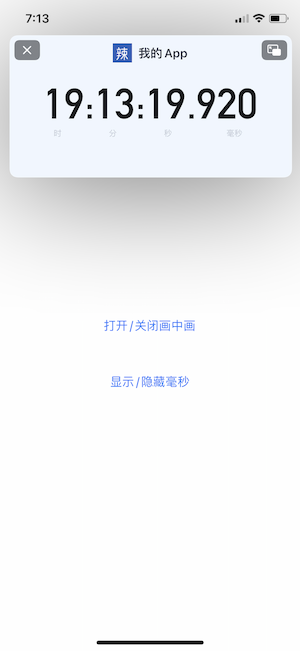
1. You can add any custom view on the pip window.
func pictureInPictureControllerWillStartPictureInPicture(_ pictureInPictureController: AVPictureInPictureController) {
    // note this is first window
    if let window = UIApplication.shared.windows.first {
        window.addSubview(customView)
        // use autoLayout
        customView.snp.makeConstraints { (make) -> Void in
            make.edges.equalToSuperview()
        }
    }
}
2. You can hide speed button, backward button, play button and progress bar on the pip window.
3. You can modify the pip window’s shape dynamically with code.
The shape of the pip window depends on the shape of video. So just change current video to a video with a different shape.
Sample code like:
NSURL *url = [[NSBundle mainBundle] URLForResource:videoName withExtension:@"MP4"];
AVAsset *asset = [AVAsset assetWithURL:url];
AVPlayerItem * item = [[AVPlayerItem alloc] initWithAsset:asset];
[self.pipController.playerLayer.player replaceCurrentItemWithPlayerItem:item];
Demos:
1. float_teleprompter

2. float_timer