
CTFd/CTFd
CTFd/CTFd has 6,900 GitHub stars and 2,792 forks. GitHot measured +1 stars in 24 hours and +6 in 7 days. Last checked 2026-11-07 23:22 UTC. Last push 2026-11-01.
CTFs as you need them
What you can do
- Dynamic Scoring Challenges
- Unlockable challenge support
- Challenge plugin architecture to create your own custom challenges
- Custom flag plugins
Measured star growth
- in 24h
- +1
- in 7 days
- +6
- in 15 days
- Collecting history
- in 1 month
- Collecting history
Net star changes over overlapping periods, not daily totals. Missing measurements are left blank. Stars measure attention, not software quality.
README.md
Original


What is CTFd?
CTFd is a Capture The Flag framework focusing on ease of use and customizability. It comes with everything you need to run a CTF and it's easy to customize with plugins and themes.
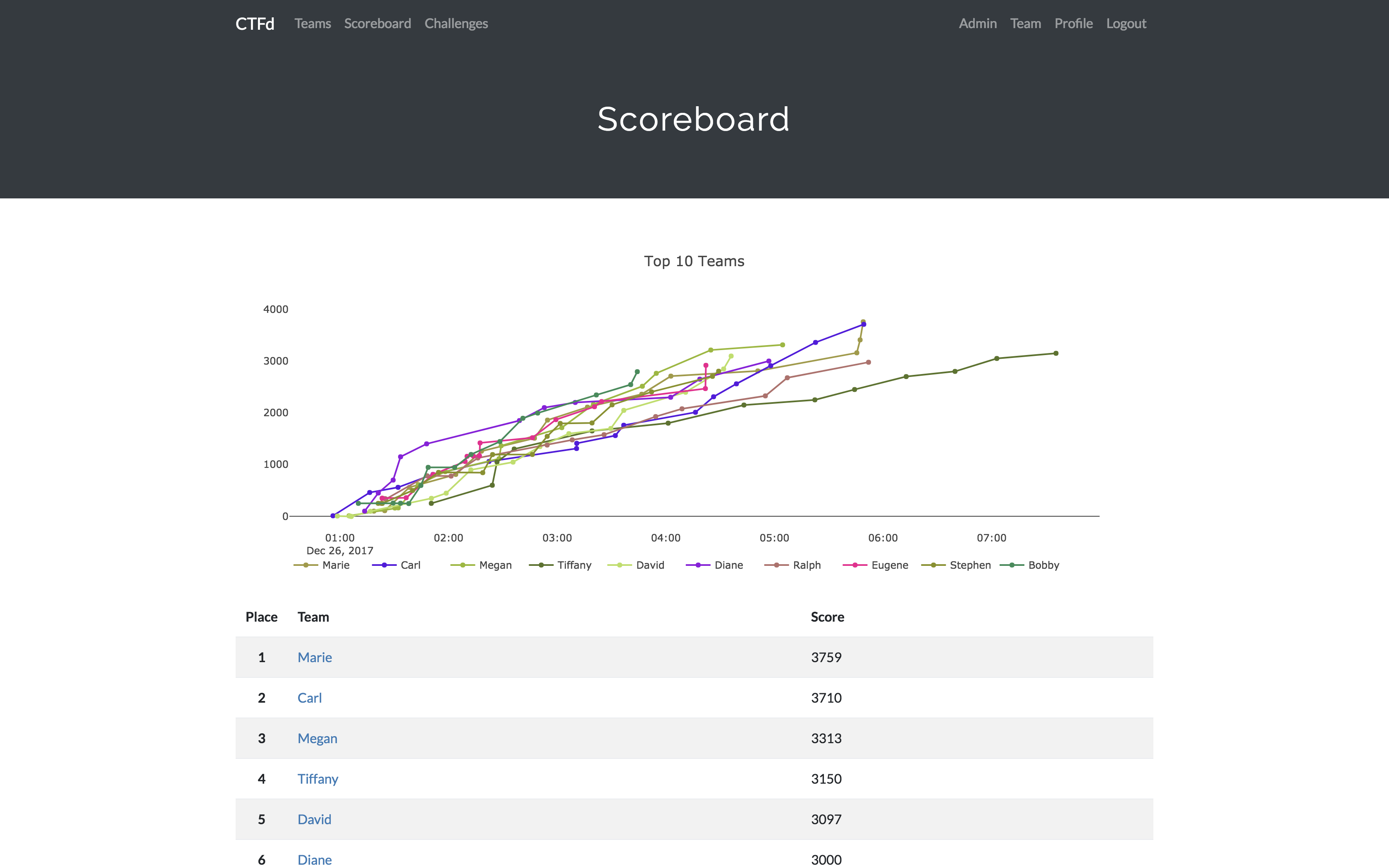
Features
- Create your own challenges, categories, hints, and flags from the Admin Interface
- Dynamic Scoring Challenges
- Unlockable challenge support
- Challenge plugin architecture to create your own custom challenges
- Static & Regex based flags
- Custom flag plugins
- Unlockable hints
- File uploads to the server or an Amazon S3-compatible backend
- Limit challenge attempts & hide challenges
- Automatic bruteforce protection
- Individual and Team based competitions
- Have users play on their own or form teams to play together
- Scoreboard with automatic tie resolution
- Hide Scores from the public
- Freeze Scores at a specific time
- Scoregraphs comparing the top 10 teams and team progress graphs
- Markdown content management system
- SMTP + Mailgun email support
- Email confirmation support
- Forgot password support
- Automatic competition starting and ending
- Team management, hiding, and banning
- Customize everything using the plugin and theme interfaces
- Importing and Exporting of CTF data for archival
- And a lot more...
Install
The easiest way to get started is to use a Hosted CTFd instance.
For self-hosted installations, check out the CTFd docs for deployment options and the Getting Started guide.
Below is a summary of a few options for self-hosting CTFd:
Docker
You can use Docker Compose with the following command from the source repository:
docker compose up
To use the auto-generated Docker images directly:
docker run -p 8000:8000 -it ctfd/ctfd
Development
- Install uv and run
uv syncto create a virtualenv with the dependencies installed.- You can also install into an existing environment with
pip install -r requirements.txt, which is generated fromuv.lock.
- You can also install into an existing environment with
- Modify CTFd/config.ini to your liking.
- Use
uv run serve.pyoruv run flask runin a terminal to drop into debug mode.
Live Demo
Support
If you prefer commercial support or have a special project, feel free to contact us.
Managed Hosting
Looking to use CTFd but don't want to deal with managing infrastructure? Check out the CTFd website for managed CTFd deployments.
Credits
- Logo by Laura Barbera
- Theme by Christopher Thompson
- Notification Sound by Terrence Martin
Explore related projects
trimstray/the-book-of-secret-knowledge
A collection of inspiring lists, manuals, cheatsheets, blogs, hacks, one-liners, cli/web tools and more.
256,667 starsHack-with-Github/Awesome-Hacking
A collection of various awesome lists for hackers, pentesters and security researchers
124,831 starsswisskyrepo/PayloadsAllTheThings
A list of useful payloads and bypass for Web Application Security and Pentest/CTF
82,444 starscaddyserver/caddy
Fast and extensible multi-platform HTTP/1-2-3 web server with automatic HTTPS
78,857 stars