
CM-idea/SnowAir
CM-idea/SnowAir has 316 GitHub stars and 25 forks. GitHot measured +7 stars in 24 hours and +94 in 7 days. Last checked 2026-11-12 15:19 UTC. Last push 2026-11-04.
SnowAir is a lightweight screenshot and annotation tool with features for taking screenshots, screen recording, presentations, pinning images, recognition, translation, and a clothes-drying rack. Flexible and efficient, all in SnowAir.
Measured star growth
- in 24h
- +7
- in 7 days
- +94
- in 15 days
- Update delayed
- in 1 month
- Update delayed
Net star changes over overlapping periods, not daily totals. Missing measurements are left blank. Stars measure attention, not software quality.
README.en.md
Original
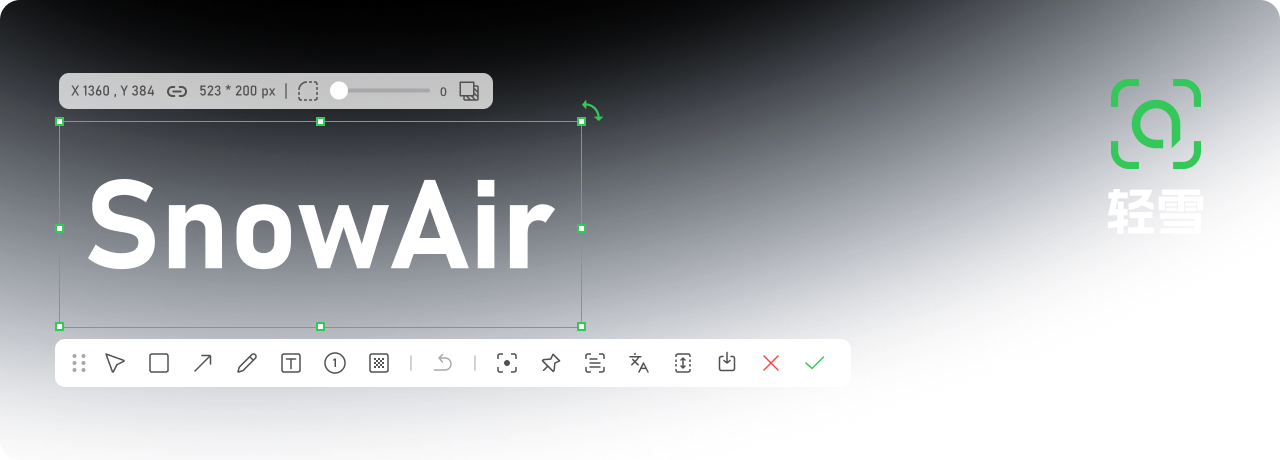
SnowAir
SnowAir is a lightweight Windows screenshot and annotation tool covering screenshots, scrolling capture, screen recording, OCR, annotation, and pinning, available as a free open-source edition and a more complete professional edition.
Editions · Installation · Architecture · Release Notes
简体中文 | English
🔨 Features
From region capture, screen recording, and presentation canvas to pinning, scrolling capture, and text recognition, SnowAir ships an entire toolkit for everyday screenshots:
 Region Capture |
 Screen Recording |
 Presentation Canvas |
 Pin |
 Screen Mirror* |
 Super Action* |
 Scrolling Capture |
 OCR |
 Translate |
 Rectangle |
 Arrow |
 Pen |
 Text |
 Number |
 Mosaic |
 Patina |
 Watermark |
 Highlight |
Plus personalized extras such as a resident tray, global hotkeys, screenshot history, AI large models*, quick translate*, custom themes, and more.
* Starred items are professional edition features.
🖼️ Interface
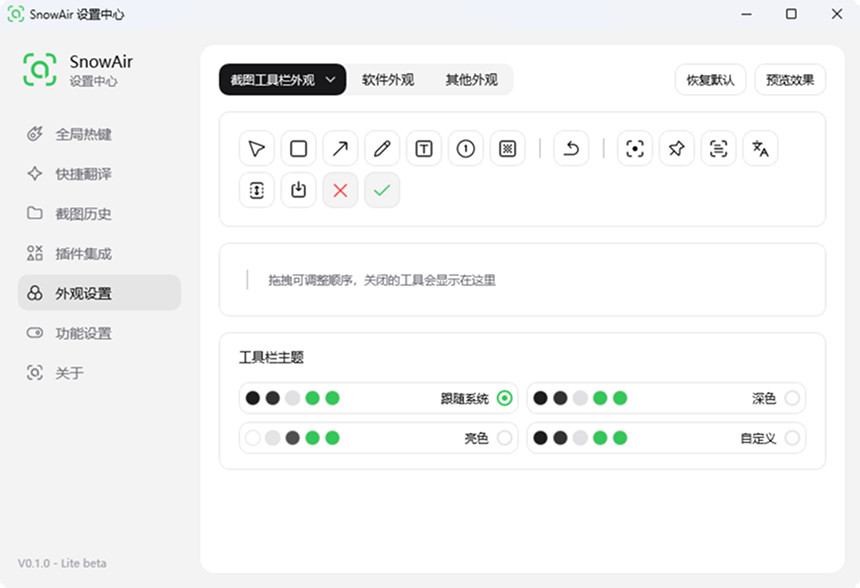
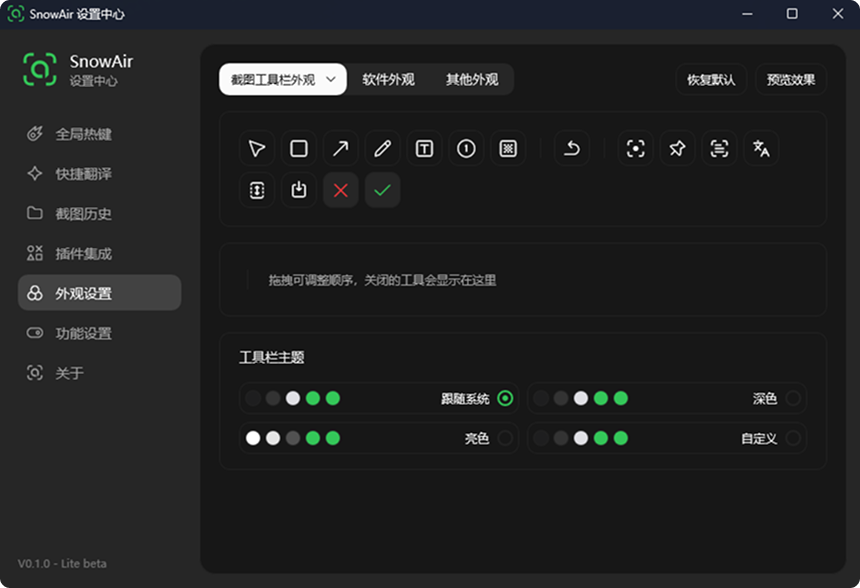
Light and dark themes, switchable automatically with the system or set manually.
| Light Theme | Dark Theme |
|---|---|
 |
 |
🧩 Editions
SnowAir comes in two editions that share the same experience and feature layout:
| Edition | Description | How to Get |
|---|---|---|
| Free | A 4 MB-class ultra-small, single-file portable build covering everyday features like screenshots, annotation, scrolling capture, screen recording, OCR, and pinning. | Get it |
| Professional | Built on Qt6, it offers a more complete set of professional features on top of the free edition (AI large models, screen mirror, super action, quick translate, etc.) along with ongoing update support | Get it |
📦 Installation
The following covers how to obtain, run and extend the software; see Native/README.md for details:
Software Download
Go to SnowAir Releases, expand Assets, download SnowAir.exe, and double-click to run — no installation required.
Configuration, language and plugins live in %AppData%\SnowAir\ by default; to keep them next to the program instead (so you can move the whole folder to a USB drive and keep your settings), place an empty file named config.json next to SnowAir.exe — delete the file to restore the default.
Open-Source Scope
SnowAir itself is open source under the Apache License 2.0. It depends on a customized Ling branch with unpublished implementation, which is not distributed here, so building from this repository alone is not supported.
To run SnowAir, download SnowAir.exe from SnowAir Releases.
Offline Components
Includes offline OCR, offline translation and other components, downloaded on demand and not bundled with the installer: you can download the required components and language packs under "Plugin Integrations", then enable them in "Feature Settings" to recognize Chinese, English and UI screenshots offline — no internet connection needed, and the engine is released as soon as it is done, so it never holds memory long-term.
Command Line
When launched without arguments, it **only sits in the system tray on standby** and does not automatically enter capture mode:
SnowAir.exe                     # Tray standby, default
SnowAir.exe --auto-quit=true    # Quit right after capturing
SnowAir.exe --enter=pin         # Enter pin after selecting a region
SnowAir.exe --enter=long        # Scrolling capture
SnowAir.exe --enter=video       # Screen recording
SnowAir.exe --enter=tray        # Tray only, same as default behavior
Capture entry points: click the tray icon, and choose capture / open settings / do nothing under "Feature Settings → Tray Single Click"; or use the global hotkey F1; running the exe again opens the settings center.
✨ What's New
To learn about the latest changes, see the Release Notes.
🛣️ Roadmap
Keep refining annotation and screen-recording capabilities, improve OCR / translation service integration, and advance the settings center and toolbar appearance editor.
❤️ SnowAir Community
SnowAir is maintained by Liuyiran. Feel free to report issues or share suggestions via Issues.
🔒 Privacy Statement
SnowAir is a local tool and does not upload any screenshots or text by default; network access is used only for checking updates, online OCR / translation services, and plugin downloads.
🙏 Acknowledgments
Thanks to xland and ScreenCapture for their open source and sharing.
📄 License
This project is open-sourced under the Apache License 2.0; see LICENSE for the full text, and NOTICE for third-party components and upstream attributions.
The open-source scope of this repository covers SnowAir itself; the customized Ling it depends on is not part of it.
Explore related projects
ytdl-org/youtube-dl
Command-line program to download videos from YouTube.com and other video sites
141,545 starsexcalidraw/excalidraw
Virtual whiteboard for sketching hand-drawn like diagrams
135,559 starsgodotengine/godot
Godot Engine – Multi-platform 2D and 3D game engine
120,049 starsmrdoob/three.js
JavaScript 3D Library.
118,228 stars