
Blur009/Blur-AutoClicker
Blur009/Blur-AutoClicker has 2,110 GitHub stars and 138 forks. GitHot measured +1 stars in 24 hours. Last checked 2026-11-06 01:58 UTC. Last push 2026-10-30.
An Auto-clicker with a few advanced features and generally better performance than popular alternatives. Made for windows.
What you can do
- On/off indicator (logo turns green when running)
- Left, right, or middle mouse button
- Keyboard key pressing with case control
- Hold or toggle activation
Measured star growth
- in 24h
- +1
- in 7 days
- Update delayed
- in 15 days
- Update delayed
- in 1 month
- Update delayed
Net star changes over overlapping periods, not daily totals. Missing measurements are left blank. Stars measure attention, not software quality.
README.md
Original





Blur Auto Clicker
An auto clicker that actually clicks at the speed you set.

Features · Quick Start · FAQ · License
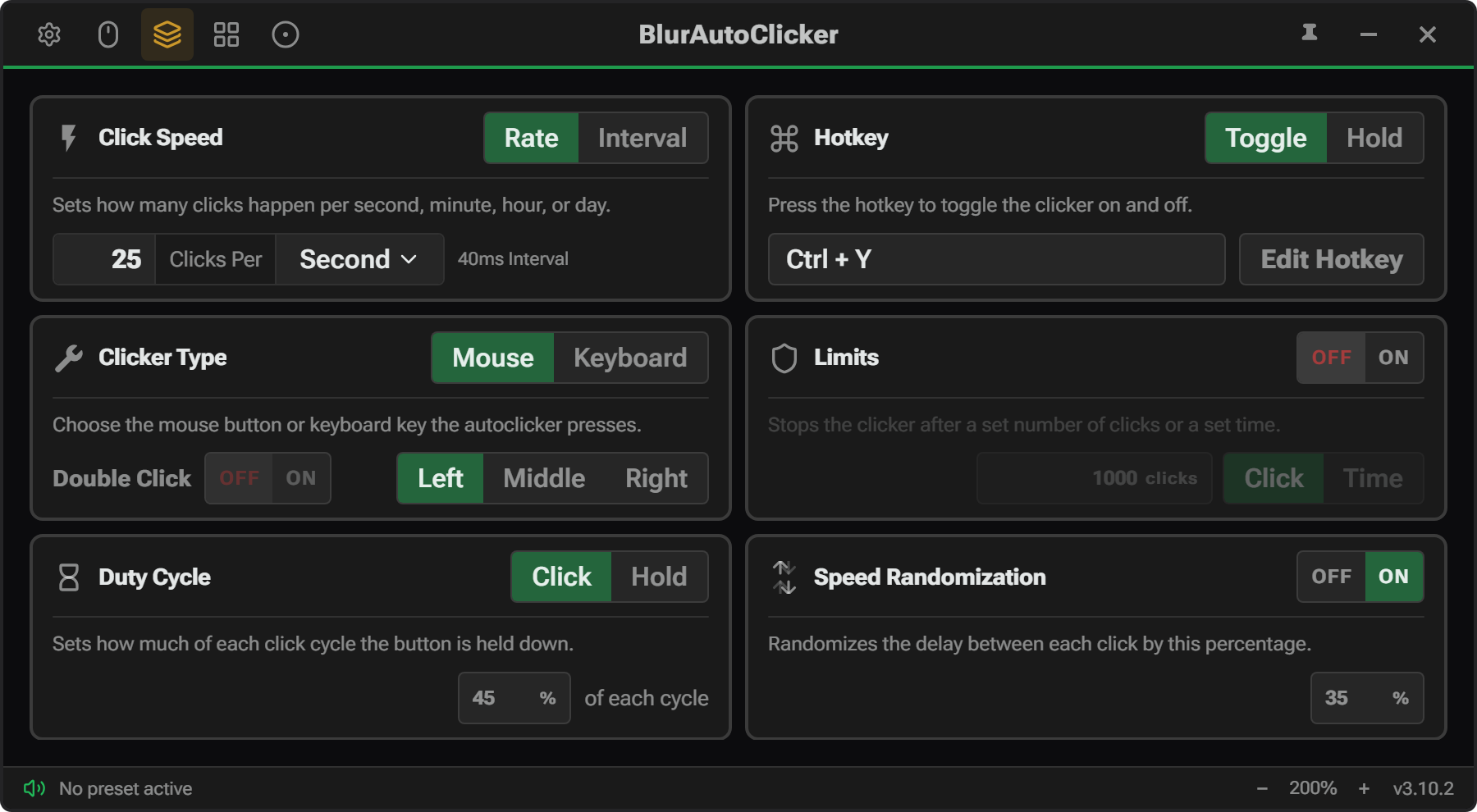
Most auto clickers aren't accurate at high speeds. Set it to 50 CPS and you might get 40. Or 60. This one actually hits the speed you set. It also bundles the useful features from other auto clickers into one place, and adds a few extras. RAM is around 100mb and stays under 200mb (yes its a lot but sadly it cant be reduced due to Webview2).
Features
Simple Mode:
- On/off indicator (logo turns green when running)
- Left, right, or middle mouse button
- Keyboard key pressing with case control
- Hold or toggle activation
- Customizable hotkeys
Advanced Mode (everything in Simple, plus):
- Adjustable click timing (duty cycle)
- Random CPS within a range
- Corner and edge stopping (auto-off near screen edges)
- Click and time limits
- Double clicks
- Position clicking (pick a spot, mouse moves and clicks there)
- Per second, minute, hour, or day
Quick Start

Installed to %localappdata%/BlurAutoClicker/BlurAutoClicker.exe.
Config and stats are saved in %appdata%/BlurAutoClicker.
FAQ
Why is CPS capped at 500?
Windows has a limit of around 500 CPS for mouse events. The timer resolution bottoms out at about 1ms (1000 CPS), but Windows also needs to do other things, so the practical limit is around 800 CPS. Since I can't guarantee that on every machine, it's set to 500. (A 1000 cps setting is available but not recommended.)
Windows SmartScreen warning?
The installer isn't signed, so Windows may show a SmartScreen warning. Tauri updater signing is separate from Windows Authenticode signing. See docs/windows-release-trust.md for details.
Can I build from source?
Yes — see BUILDING.md for setup, build, and validation commands. For contributing guidelines, see CONTRIBUTING.md.
License
Licensed under the GNU General Public License.
Note
This project has been accepted into Windows Package Manager (winget). You can install it with the command:
winget install -e --id Blur009.BlurAutoClicker --source winget --silent
It has also been accepted into Chris Titus Tech's winutils. https://github.com/ChrisTitusTech/winutil/pull/4383
This project is not code signed, so Windows may show a SmartScreen warning. See microsoft for information on SmartScreen. Importantly, a SmartScreen warning does not mean the software is malicious, it just means it is not code signed which is an expensive process.
Explore related projects
n8n-io/n8n
Fair-code workflow automation platform with native AI capabilities. Combine visual building with custom code, self-host or cloud, 400+ integrations.
209,703 starslanggenius/dify
Build Agentic workflows, RAG pipelines, with rich AI model and tool support on one collaborative workspace. Deploy on cloud, VPC, or self-hosted, so teams move from prototype to production without rebuilding the stack.
160,482 starsmicrosoft/PowerToys
Microsoft PowerToys is a collection of utilities that supercharge productivity and customization on Windows
140,628 starsstablyai/orca
Orca is the place for working with a fleet of agents (e.g. Grok Bot, Claude Code). Run any coding agent with your own subscription. Available on desktop, mobile and remote runtime.
117,573 stars